海豚调度器DolphinScheduler
一、概述
跟Azkaban非常的相似,两者二选一
其他的调度器:
control-m 调度器,闭源的,商用的
JobX 调度器,开源的
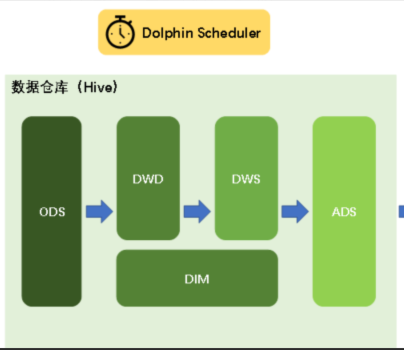
DolphinScheduler是2019年中国易观公司开源的一个调度系统。目前是apache顶级项目之一:https://dolphinscheduler.apache.org/zh-cn
Apache DolphinScheduler是一个分布式、易扩展的可视化DAG工作流任务调度平台。致力于解决数据处理流程中错综复杂的依赖关系,使调度系统在数据处理流程中开箱即用(拎包入住)。
二、DS架构图(了解即可)
zookeeper 在大数据领域中只有几个地方使用了:ha高可用、DS、HBase
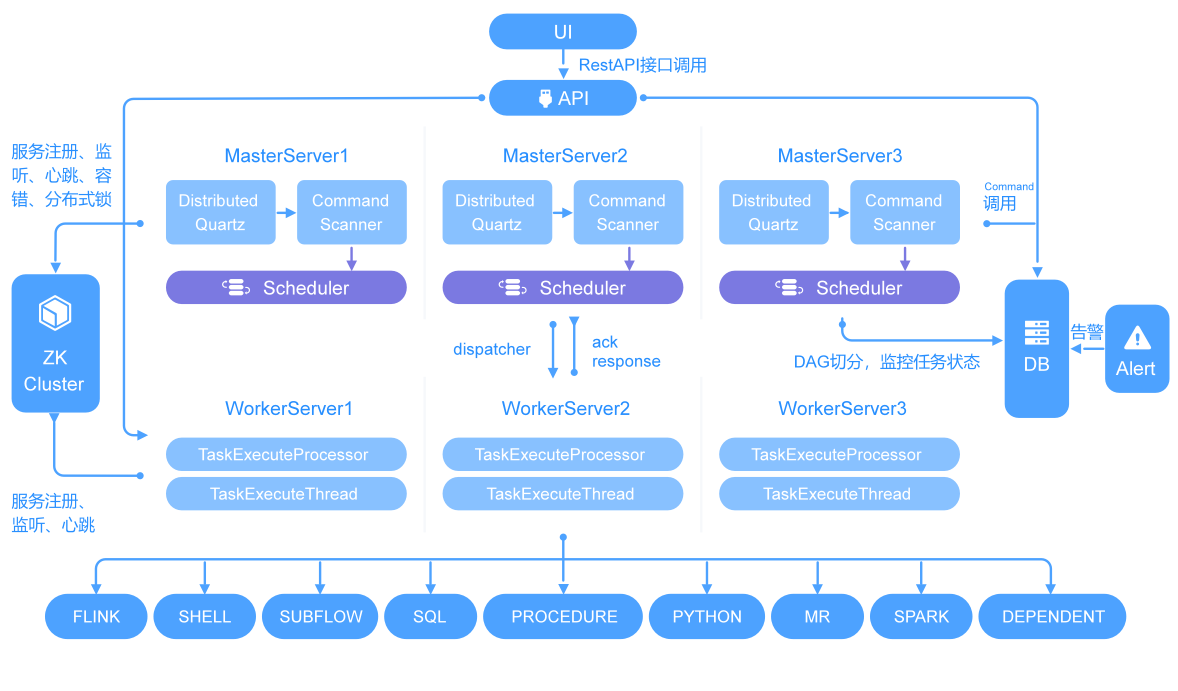
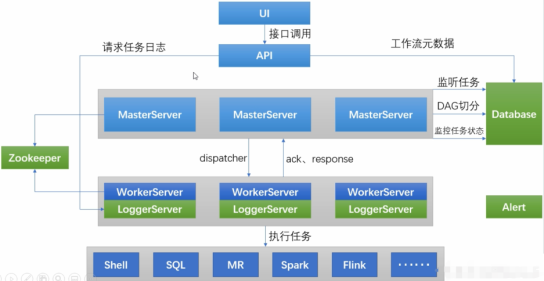
DolphinScheduler的主要角色如下:
MasterServer采用分布式无中心设计理念,MasterServer主要负责 DAG 任务切分、任务提交、任务监控,并同时监听其它MasterServer和WorkerServer的健康状态。
WorkerServer也采用分布式无中心设计理念,WorkerServer主要负责任务的执行和提供日志服务。
ZooKeeper服务,系统中的MasterServer和WorkerServer节点都通过ZooKeeper来进行集群管理和容错。
Alert服务,提供告警相关服务。
API接口层,主要负责处理前端UI层的请求。
UI,系统的前端页面,提供系统的各种可视化操作界面
三、DolphinScheduler部署说明
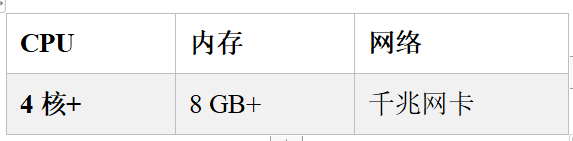
DS是一个大型的,专业的调度工具,非常的耗内存。
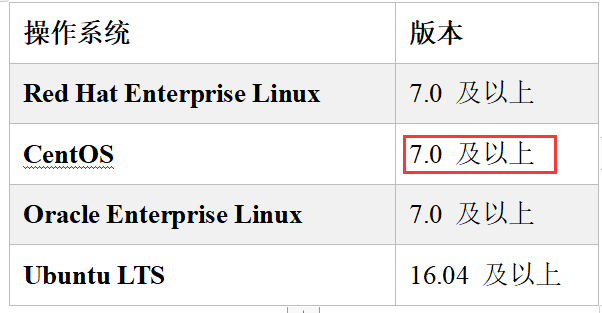
四、安装部署
DolphinScheduler支持多种部署模式,包括单机模式(Standalone)、伪集群模式(Pseudo-Cluster)、集群模式(Cluster)等。
虚拟机的准备工作:
如果是集群的话(至少 8G+3G+3G),如果是单台的(10G+)
4.1 单机模式
单机模式(standalone)模式下,所有服务均集中于一个StandaloneServer进程中,并且其中内置了注册中心Zookeeper和数据库H2。只需配置JDK环境,就可一键启动DolphinScheduler,快速体验其功能。
小型数据库:H2、SQLite、derby
中大型数据库:PGSQL(PostgreSQL)、mysql、Oracle 、SQL Server、DB2(IBM 的)
配置链接:
https://dolphinscheduler.apache.org/zh-cn/docs/latest/user_doc/guide/installation/standalone.html
注意: Standalone 仅建议 20 个以下工作流使用,因为其采用内存式的 H2 Database, Zookeeper Testing Server,任务过多可能导致不稳定,并且如果重启或者停止 standalone-server 会导致内存中数据库里的数据清空。
如何启动和关闭单机版:
# 启动 Standalone Server 服务
bash ./bin/dolphinscheduler-daemon.sh start standalone-server
# 停止 Standalone Server 服务
bash ./bin/dolphinscheduler-daemon.sh stop standalone-server
# 查看 Standalone Server 状态
bash ./bin/dolphinscheduler-daemon.sh status standalone-server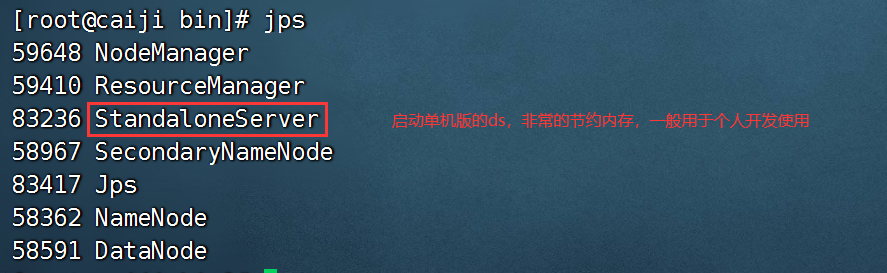
单机启动,不需要zk,它内置了zk,把我们自己的zk服务停掉。
单机模式比较省内存:(此处是我的虚拟机配置,仅做参考)
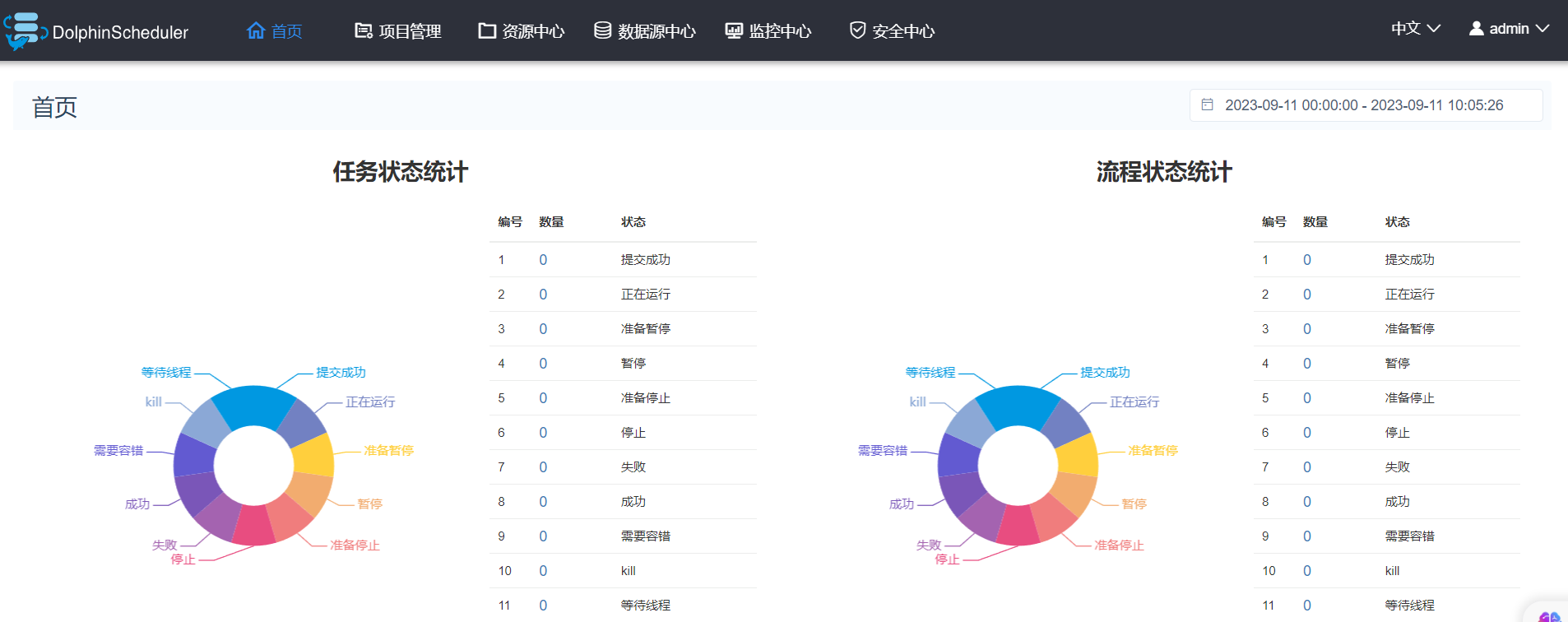
访问地址:http://hadoop11:12345/dolphinscheduler
账号和密码: admin dolphinscheduler123
4.2 伪集群模式
伪集群模式(Pseudo-Cluster)是在单台机器部署 DolphinScheduler 各项服务,该模式下master、worker、api server、logger server等服务都只在同一台机器上。Zookeeper和数据库需单独安装并进行相应配置。
配置链接:
4.3 集群模式
集群模式(Cluster)与伪集群模式的区别就是在多台机器部署 DolphinScheduler各项服务,并且可以配置多个Master及多个Worker。
五、 DolphinScheduler 单机版安装
单机模式(standalone)模式下,所有服务均集中于一个StandaloneServer进程中,并且其中内置了注册中心Zookeeper和数据库H2(基于内存的)。只需配置JDK环境,就可一键启动DolphinScheduler,快速体验其功能。
配置链接:
https://dolphinscheduler.apache.org/zh-cn/docs/3.2.0/guide/installation/standalone
https://quartz-temper-492.notion.site/DolphinScheduler-d9951271785549f0ad811ffd04025d7d
要使用新版本的DS:apache-dolphinscheduler-3.1.8-bin
上传,解压
tar -zxvf apache-dolphinscheduler-3.1.8-bin.tar.gz -C /opt/installs/
mv apache-dolphinscheduler-3.1.8-bin/ dolphinscheduler
将mysql的驱动包拷贝到所有的服务的jars目录下:
cd dolphinscheduler

cp /opt/installs/hive/lib/mysql-connector-java-8.0.26.jar ./standalone-server/libs/standalone-server/

cp /opt/installs/hive/lib/mysql-connector-java-8.0.26.jar /opt/installs/dolphinscheduler/tools/libs
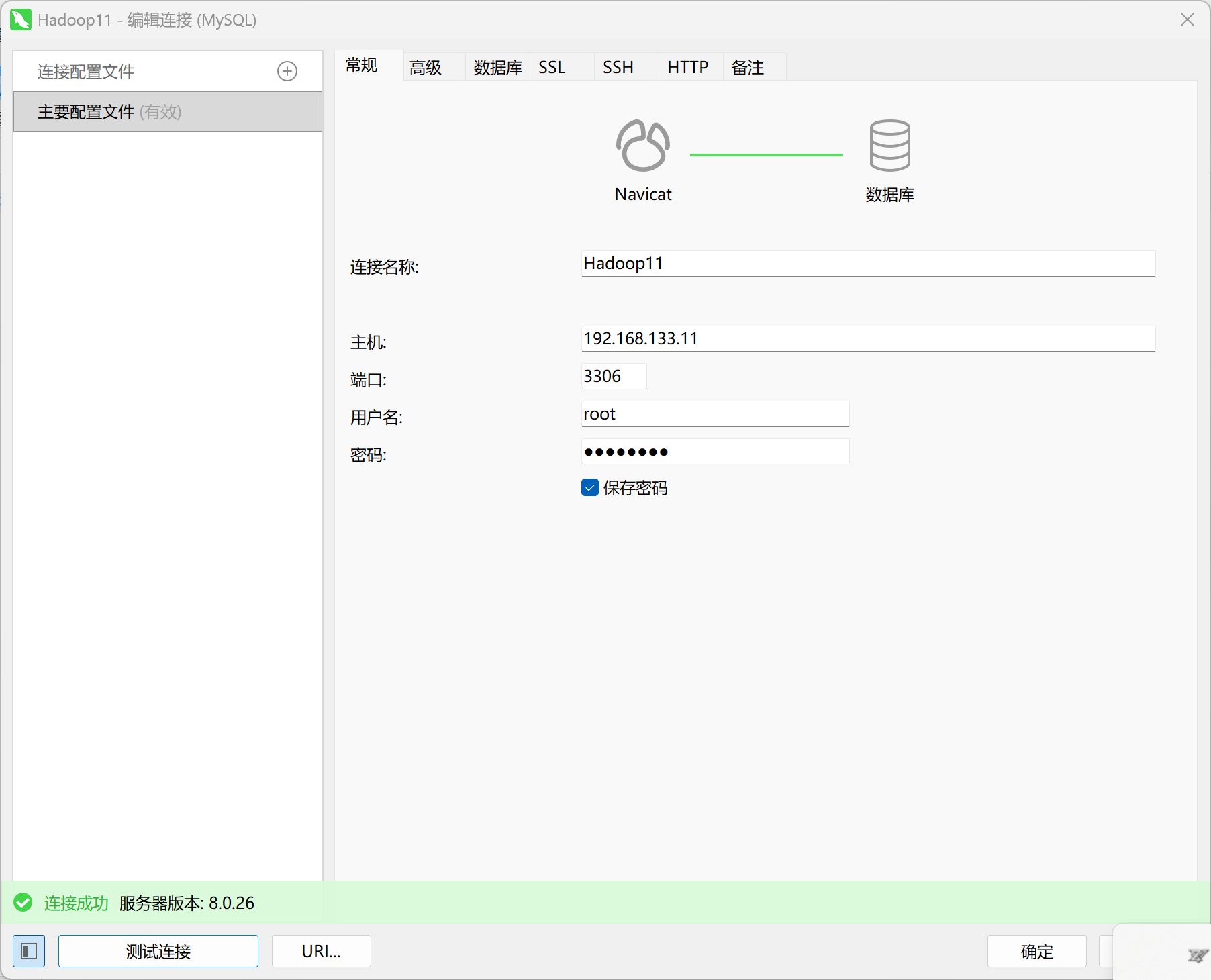
在我的Navicat里,哪里来的Hadoop11数据库呢?(如下图)是因为我之前搭建的hadoop分布式集群,主机号能够连接;关于如何搭建分布式集群,看我博客里 “Hadoop伪分布式集群搭建”
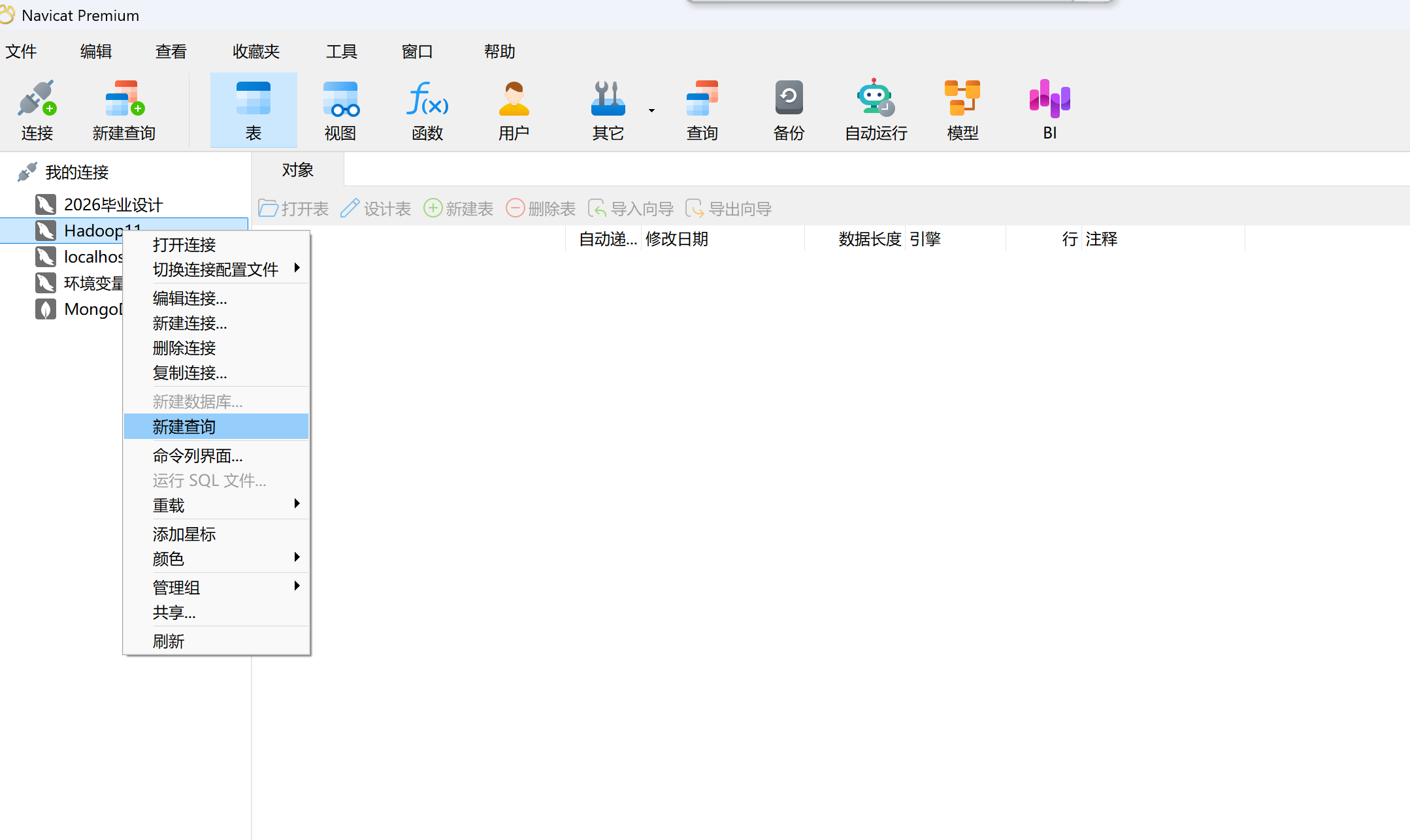
CREATE DATABASE dolphinscheduler DEFAULT CHARACTER SET utf8 DEFAULT COLLATE utf8_general_ci;

创建用户[非必须的]
假如你想创建,会遇到密码太简单的问题:
如果提示密码等级过低:
#mysql8
set global validate_password.policy=LOW;
set global validate_password.length=4;
set global validate_password.mixed_case_count=0;
set global validate_password.number_count=0;
set global validate_password.special_char_count=0;

创建新用户:

CREATE USER 'dolphinscheduler'@'%' IDENTIFIED BY '123456';
GRANT ALL PRIVILEGES ON dolphinscheduler.* TO 'dolphinscheduler'@'%';
FLUSH PRIVILEGES;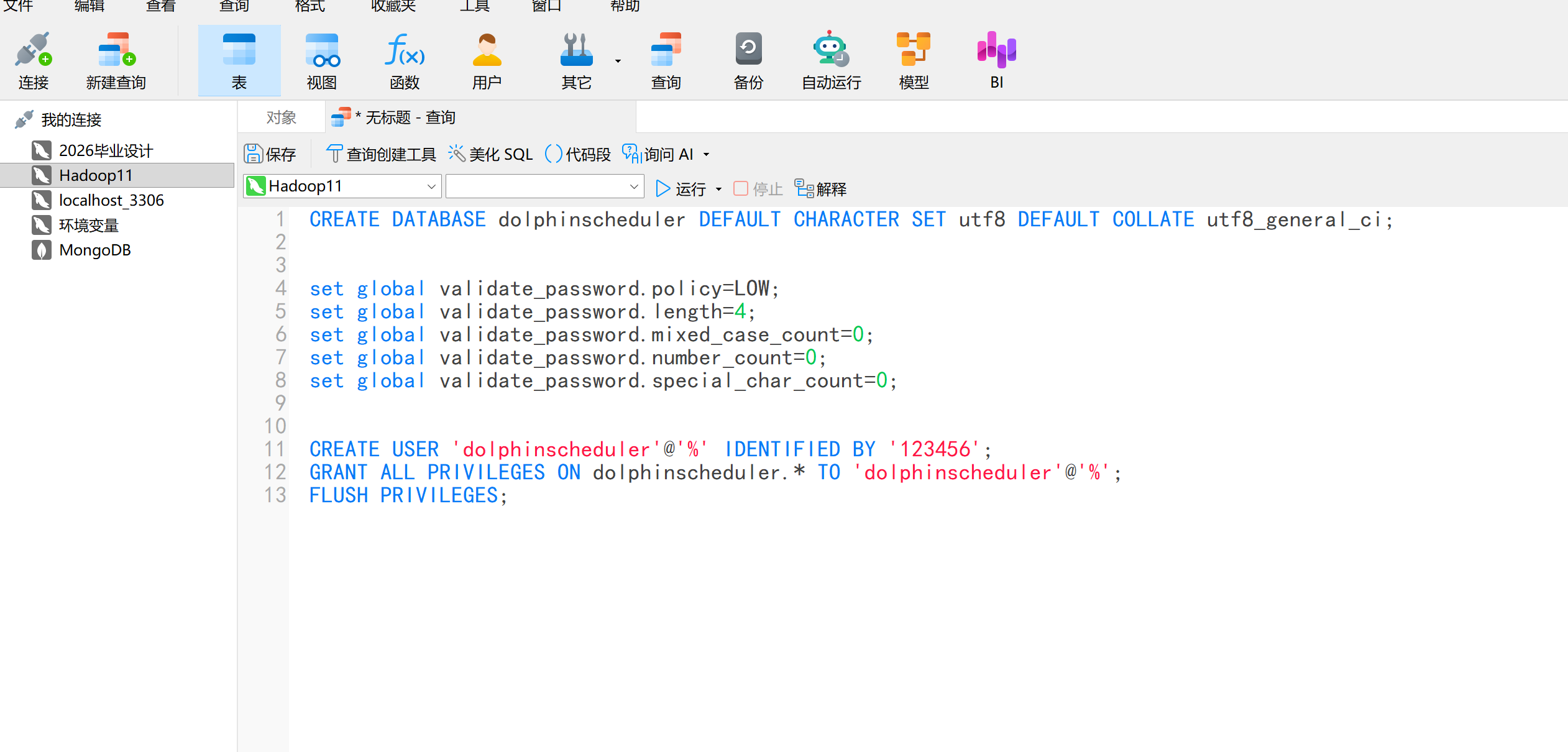
在Linux黑窗口运行:
export DATABASE=mysql
export SPRING_PROFILES_ACTIVE=dolphinscheduler
export SPRING_DATASOURCE_URL="jdbc:mysql://hadoop11:3306/dolphinscheduler?useUnicode=true&characterEncoding=UTF-8&useSSL=false&allowPublicKeyRetrieval=true"
export SPRING_DATASOURCE_USERNAME=dolphinscheduler
export SPRING_DATASOURCE_PASSWORD=123456
初始化数据库:
bash tools/bin/upgrade-schema.sh修改配置文件:/opt/installs/dolphinscheduler/standalone-server/conf
修改 DolphinScheduler 的配置
在 DolphinScheduler 的安装目录下找到 conf/application.yaml 文件。
将其中关于数据库连接的部分修改为指向你的 MySQL 实例,包括用户名、密码、数据库名等信息。以下是修改后的示例:
  datasource:
    driver-class-name: com.mysql.cj.jdbc.Driver
    url: jdbc:mysql://hadoop11:3306/dolphinscheduler?useUnicode=true&characterEncoding=UTF-8&useSSL=false&allowPublicKeyRetrieval=true
    username: dolphinscheduler
    password: 123456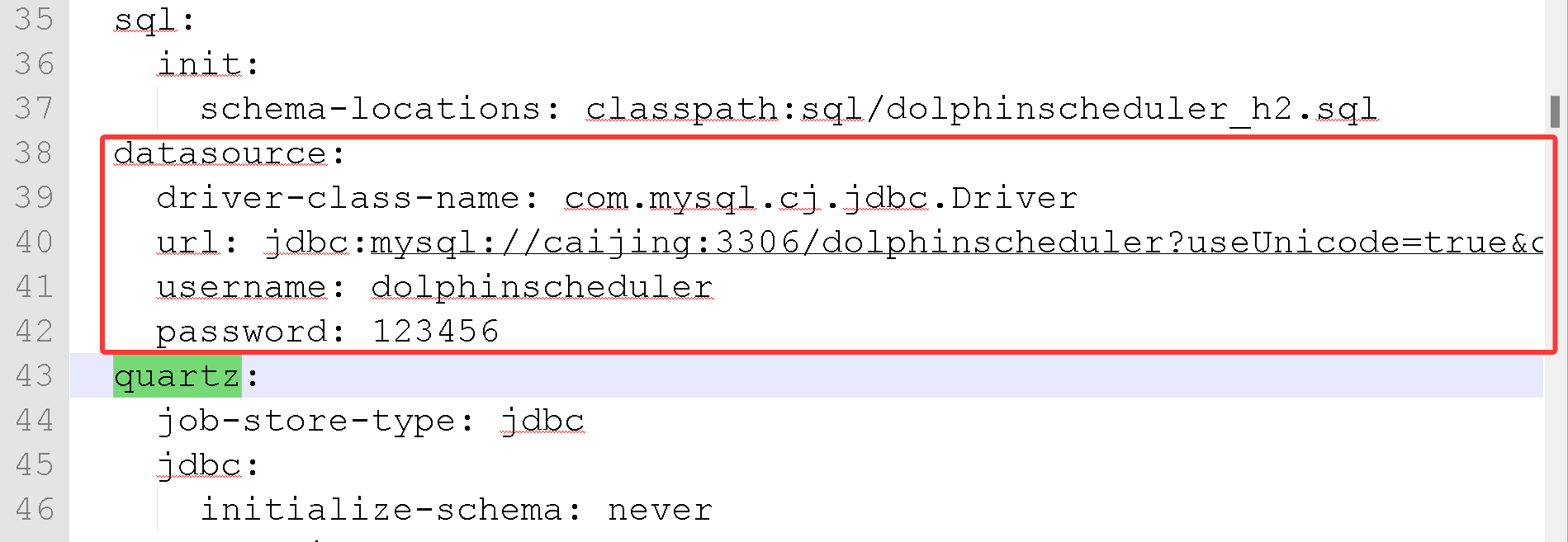
配置环境变量:
vi /etc/profile.d/myenv.sh

export DS_HOME=/opt/installs/dolphinscheduler
export PATH=$PATH:$DS_HOME/bin

source /etc/profile
启动:
注意: Standalone 仅建议 20 个以下工作流使用,因为其采用内存式的 H2 Database, Zookeeper Testing Server,任务过多可能导致不稳定,并且如果重启或者停止 standalone-server 会导致内存中数据库里的数据清空。

如何启动和关闭单机版:
# 启动 Standalone Server 服务
dolphinscheduler-daemon.sh start standalone-server

# 查看 Standalone Server 状态
dolphinscheduler-daemon.sh status standalone-server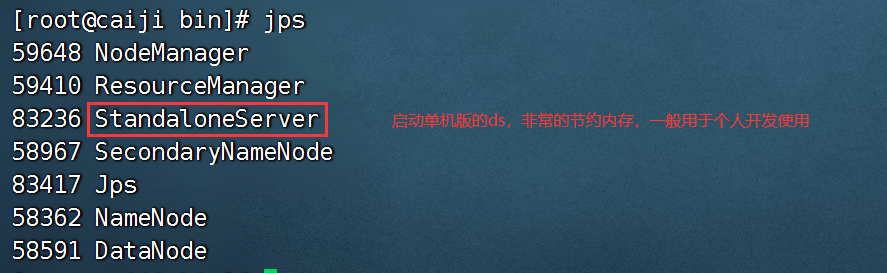
单机启动,不需要zk,它内置了zk,把我们自己的zk服务停掉。
单机模式比较省内存:
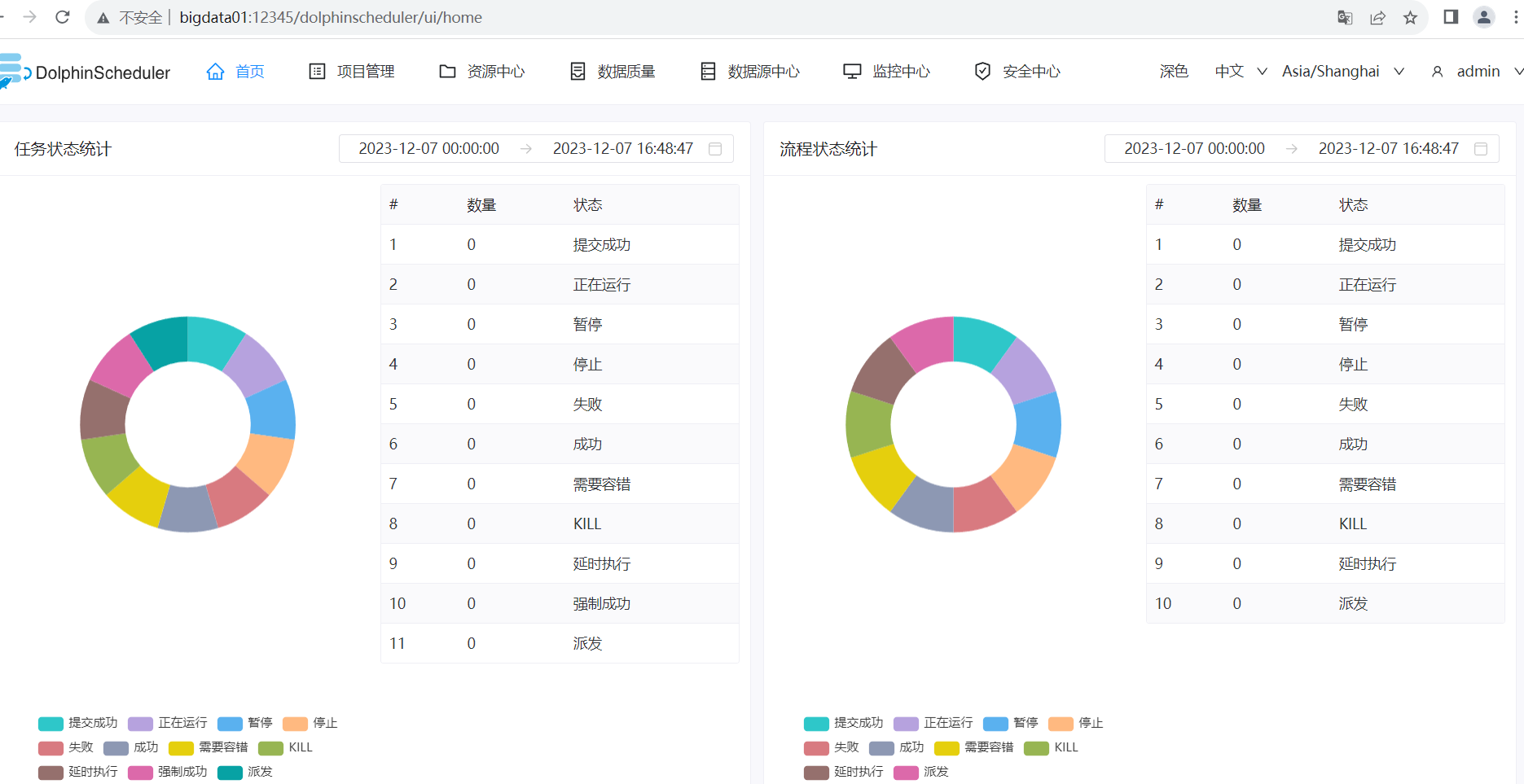
访问地址:http://hadoop11:12345/dolphinscheduler/ui
账号和密码: admin dolphinscheduler123浏览器输入:http://hadoop11:12345/dolphinscheduler/ui

AtomGit 是由开放原子开源基金会联合 CSDN 等生态伙伴共同推出的新一代开源与人工智能协作平台。平台坚持“开放、中立、公益”的理念,把代码托管、模型共享、数据集托管、智能体开发体验和算力服务整合在一起,为开发者提供从开发、训练到部署的一站式体验。
更多推荐


 11
11 0
0- 0


 已为社区贡献2条内容

所有评论(0)