5060显卡Windows配置Anaconda中的CUDA及Pytorch
·
1. 在Anaconda中创建相关虚拟环境
注:Torch2.8需要python版本大于等于3.9
我这里直接3.10版本创建(py310cuda128torch28是我起的环境名称,但其实torch装了2.7版本)
conda create --name py310cuda128torch28 python=3.10
2.Pytorch安装
直接官网上最高版本
pip3 install torch torchvision torchaudio --index-url https://download.pytorch.org/whl/cu128
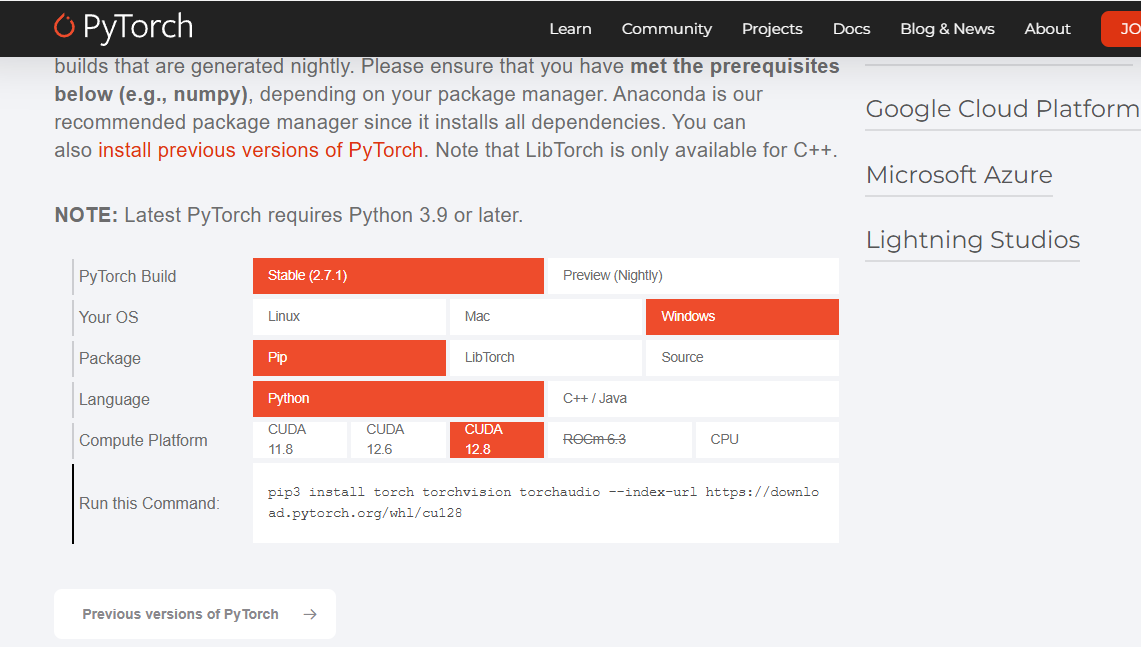
放心cuda版本自己就安装好了
5. 试验一下显卡可不可以用
import torch
print(f"PyTorch 版本: {torch.__version__}")
print(f"CUDA 是否可用: {torch.cuda.is_available()}")
print(f"CUDA 版本: {torch.version.cuda}")
print(f"GPU 设备: {torch.cuda.get_device_name(0)}")
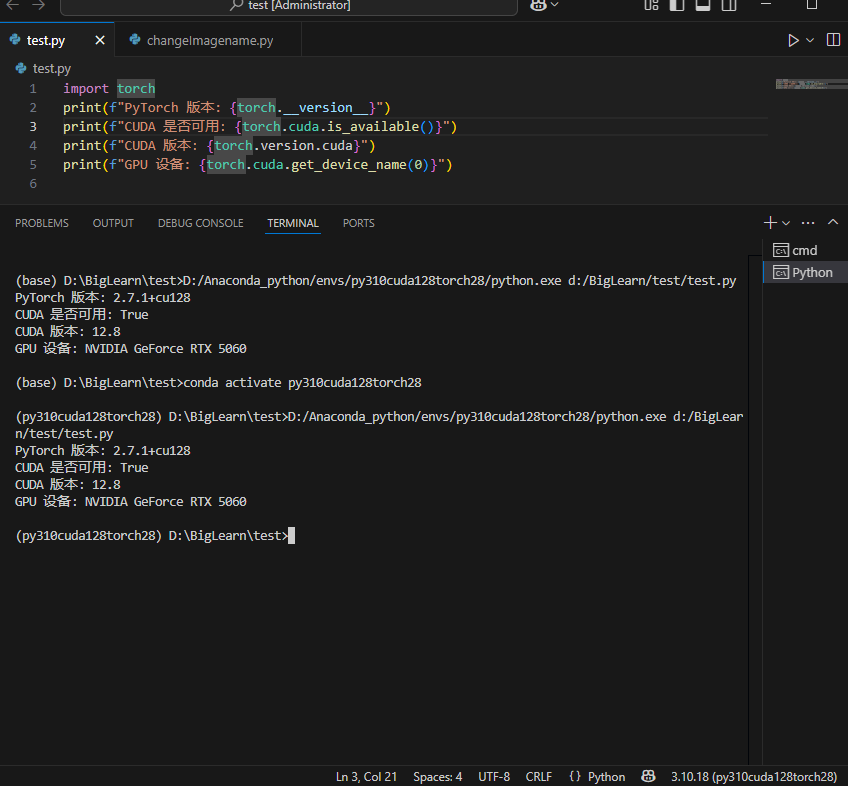 ok完成
ok完成

AtomGit 是由开放原子开源基金会联合 CSDN 等生态伙伴共同推出的新一代开源与人工智能协作平台。平台坚持“开放、中立、公益”的理念,把代码托管、模型共享、数据集托管、智能体开发体验和算力服务整合在一起,为开发者提供从开发、训练到部署的一站式体验。
更多推荐



 30
30 0
0- 0


 已为社区贡献1条内容

所有评论(0)