1.2 FastAPI 异步 ORM 实战:用 SQLAlchemy 2.0 操作 MySQL
学习 Python Web 开发,数据库操作是必须跨过的一道坎。
本文将带你从零开始,用 FastAPI + SQLAlchemy 2.0(异步 ORM)完成 MySQL 数据库的连接、建表、增删改查。
清晰、简洁、可运行,适合刚学完 FastAPI 基础的同学。
一、为什么选择异步 ORM?
-
FastAPI 本身就是异步框架,如果使用同步 ORM 会阻塞事件循环,降低并发能力。
-
SQLAlchemy 2.0 原生支持
async/await,配合aiomysql驱动,性能好,写法优雅。 -
一次学习,同步/异步通用(大部分 API 相似)。
二、准备工作
1. 安装依赖
1 第一步 虚拟环境 安装ORM三方库
命令一(异步)
pip install "sqlalchemy[asyncio]" aiomysql
命令二(同步pymysql+异步aiomysql驱动)
pip install sqlalchemy aiomysql pymysql
pymysql 是纯 Python 的 MySQL 驱动,aiomysql 是基于它的异步版本。
2. 确保 MySQL 服务已启动
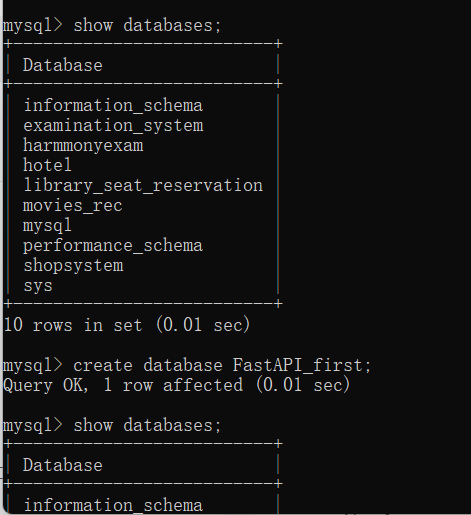
在本地创建数据库,例如:
cmd mysql中
create database fastapi_first;
三、完整代码(可直接复制运行)
下面是一份完整的 main.py,实现了:
-
创建异步数据库引擎
-
定义模型类(含时间戳自动维护)
-
启动时自动建表
-
依赖注入
AsyncSession (思路: 会话工厂提供会话作为依赖项给需要操作的函数注入) -
所有书籍的接口,增删改查
# xxxxxxxxxxxxxxxxxxxxxxxxxxxxxxxxxxxxxxxxxxxxxxxxxxxxxxxxxxxxxxxxxxxxxxxxxxxxxxxxxxxxxxxxxxxxxxxxxxxxxxxxxxxxxxxxxxxx
'''
python 的 ORM 专题学习 (已经过完fastapi基础),准备上数据库
'''
import datetime

# xxxxxxxxxxxxxxxxxxxxxxxxxxxxxxxxxxxxxxxxxxxxxxxxxxxxxxxxxxxxxxxxxxxxxxxxxxxxxxxxxxxxxxxxxxxxxxxxxxxxxxxxxxxxxxxxxxxx
from fastapi import FastAPI, Depends
from sqlalchemy import func, String, Float, DateTime, select
from sqlalchemy.ext.asyncio import create_async_engine, async_sessionmaker, AsyncSession
from sqlalchemy.orm import DeclarativeBase,Mapped,mapped_column
app = FastAPI()

#1创建数据库引擎
ASYNC_DATABASE_URL = "mysql+aiomysql://root:123456@localhost:3306/Fastapi_first?charset=utf8"
async_engine = create_async_engine(
    ASYNC_DATABASE_URL,
    echo=True,     #可选,输出sql日志
    pool_size = 10,  #设置连接活跃池的大小
    max_overflow = 20,   #允许额外的连接数
)
#2定义模型类   基类 + 表对应的模型类
#          基类:创建时间,更新时间     书籍表:id,书名,作者,价格,出版社
class Base(DeclarativeBase):
    create_time : Mapped[datetime] = mapped_column(DateTime,insert_default=func.now(),default=func.now(),comment="创建时间")
    update_time : Mapped[datetime] = mapped_column(DateTime,insert_default=func.now(),default=func.now(),onupdate=func.now(),comment="更新时间")
class Book(Base):
    __tablename__ = "Book"
    id : Mapped[int] = mapped_column(primary_key=True,autoincrement=True,comment="书籍d")
    bookname : Mapped[str] = mapped_column(String(255),comment="书名")
    author : Mapped[str] = mapped_column(String(255),comment="作者")
    price : Mapped[float] = mapped_column(Float,comment="价格")
    publisher : Mapped[str] = mapped_column(String(255),comment="出版社")

#3 建表 --> 定义函数建表 -> 令FastAPI 启动的时候调用建表函数
async def create_table():
    async with async_engine.begin() as conn:
        await conn.run_sync(Base.metadata.create_all)

@app.on_event("startup")
async def startup():
    await create_table()


# 4 对表进行查询操作
# 具体配置:  首先建立一个会话工厂,然后从会话工厂中拿一个会话作为依赖项诸如给要操作数据库的函数
#4.1 创建会话工厂,仔细看,本质是一个对象
AsyncSessionLocal = async_sessionmaker(
    bind = async_engine,  #绑定数据库引擎
    class_ = AsyncSession,
    expire_on_commit=False,
)
# 4.2依赖项
async def get_db():
    async with AsyncSessionLocal() as session:
        try:
            yield session       #返回数据库会话给路由处理函数
            await session.commit()    # 提交事务,内存中的数据真正写到硬盘
        except Exception as e:
            await session.rollback()   #有异常回滚事务
            raise e
        finally:
            await session.close()

#####################################   模拟查询操作   ##########################################################3
@app.get("/book/books")
async def get_books(db: AsyncSession = Depends(get_db)):
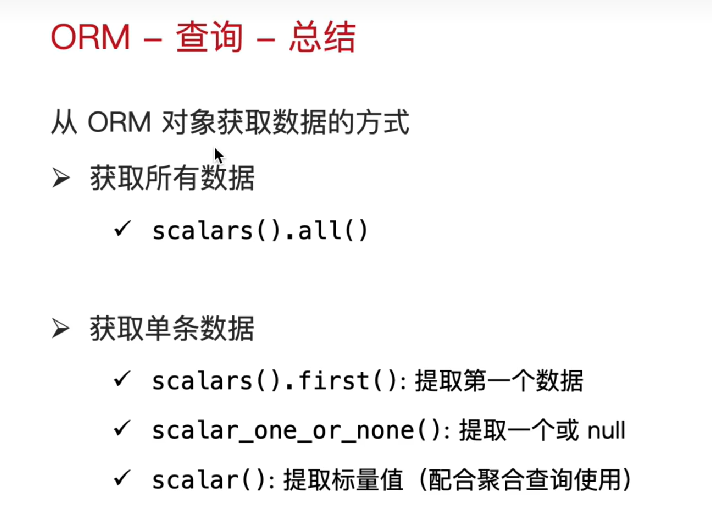
    result = await db.execute(select(Book))
    books = result.scalars().all()
    return books

# 1. 根据书籍 ID 查询单个书籍(路径参数)
@app.get("/book/get_book/{book_id}")
async def get_book_by_id(book_id: int, db: AsyncSession = Depends(get_db)):
    """
    使用路径参数 book_id 获取指定书籍
    """
    result = await db.execute(select(Book).where(Book.id == book_id))
    book = result.scalar_one_or_none()  # 返回一个对象,如果不存在返回 None
    return book

# 2. 查询价格大于等于 200 的所有书籍
@app.get("/book/search_book")
async def get_books_by_price(db: AsyncSession = Depends(get_db)):
    """
    查询价格 >= 200 的书籍列表
    """
    result = await db.execute(select(Book).where(Book.price >= 200))
    books = result.scalars().all()  # 返回多个对象,列表形式
    return books


# 1. 模糊查询:作者以“曹”开头(like)
@app.get("/book/search_by_author")
async def search_by_author(db: AsyncSession = Depends(get_db)):
    # like 模糊匹配:% 任意个字符,_ 匹配单个字符
    result = await db.execute(select(Book).where(Book.author.like("曹%")))
    books = result.scalars().all()
    return books

# 2. 组合条件:作者以“曹”开头 或者 价格大于100
@app.get("/book/search_complex")
async def search_complex(db: AsyncSession = Depends(get_db)):
    # & 代表 and,| 代表 or,~ 代表 not
    result = await db.execute(
        select(Book).where((Book.author.like("曹%")) | (Book.price > 100))
        # 在 SQLAlchemy 2.0 中,组合条件必须用括号包裹每个条件,避免运算符优先级问题 即: (条件1) | (条件2)
    )
    books = result.scalars().all()
    return books

# 3. in_ 查询:书籍ID 在指定列表中
@app.get("/book/search_by_ids")
async def search_by_ids(db: AsyncSession = Depends(get_db)):
    id_list = [1, 3, 5, 7]
    result = await db.execute(select(Book).where(Book.id.in_(id_list)))
    books = result.scalars().all()
    return books

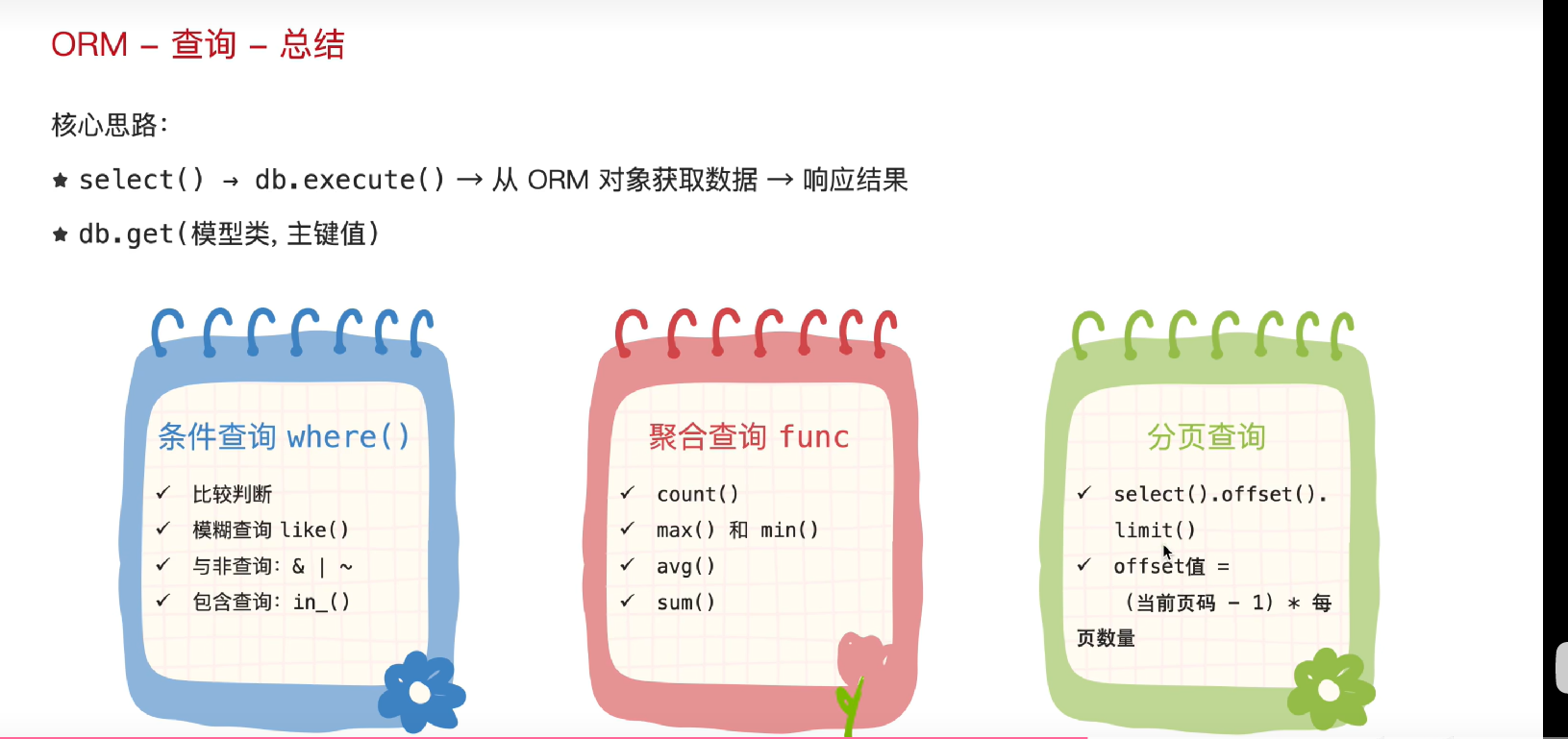
#聚合查询 max,min,sum ,avg
@app.get("/book/count")
async def get_aggregate(db: AsyncSession = Depends(get_db)):
    # 1. 统计书籍总数量
    # result = await db.execute(select(func.count(Book.id)))

    # 2. 最高价格
    # result = await db.execute(select(func.max(Book.price)))

    # 3. 价格总和
    # result = await db.execute(select(func.sum(Book.price)))

    # 4. 平均价格
    result = await db.execute(select(func.avg(Book.price)))

    num = result.scalar()  # 提取标量值(单个数值)
    return {"result": num}


# 5. 分组查询
from sqlalchemy import func


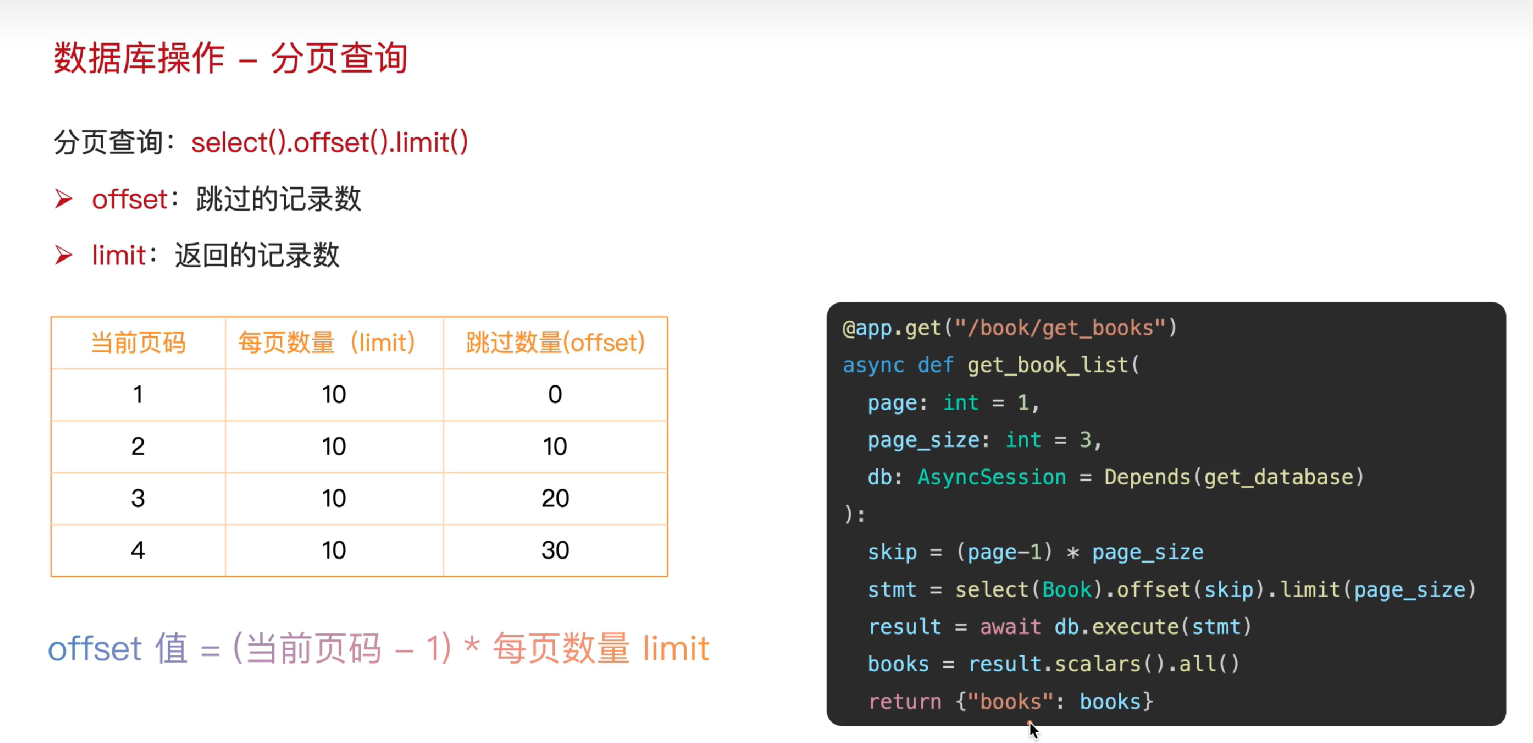
@app.get("/book/get_book_list")
async def get_book_list_paginated(
        page: int = 1,  # 当前页码,默认为第1页
        page_size: int = 3,  # 每页显示数量,默认为3条
        db: AsyncSession = Depends(get_db)
):
    # 1. 查询总记录数
    total_result = await db.execute(select(func.count(Book.id)))
    total = total_result.scalar()

    # 2. 分页查询
    # 计算偏移量:(页码 - 1) * 每页数量
    skip = (page - 1) * page_size

    # 使用 offset 跳过指定数量,用 limit 限制返回条数
    stmt = select(Book).offset(skip).limit(page_size)

    result = await db.execute(stmt)
    books = result.scalars().all()

    # 3. 返回分页信息 + 数据
    return {
        "total": total,
        "page": page,
        "page_size": page_size,
        "total_pages": (total + page_size - 1) // page_size,
        "items": books
    }


################################################  插入操作  ###########################################################
from pydantic import BaseModel

#定义请求体数据
class BookBase(BaseModel):
    id: int | None = None      # 让 id 可选
    bookname: str
    author: str
    price: float
    publisher: str

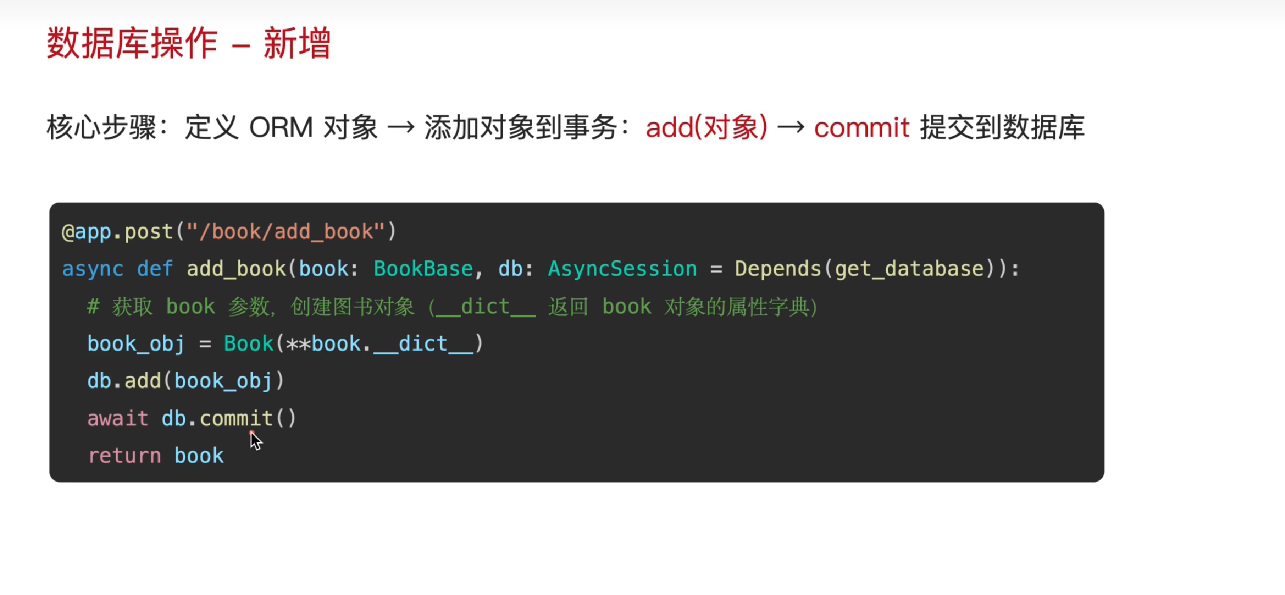
@app.post("/book/add_book")
async def add_book(book: BookBase, db: AsyncSession = Depends(get_db)):
    # 将 Pydantic 模型转换为字典,再解包到 SQLAlchemy 模型
    new_book = Book(**book.model_dump())      # **book.model_dump()是对字典的解包操作  ,book.model_dump()是将pydantic模型对象转换为字典
    db.add(new_book)                  # 加载到内存
    # await db.commit()                 # 提交事务,真正写到硬盘 ,这里我的依赖项中已经提交了事务,所以这里不需要再提交事务了
    # await db.refresh(new_book)        # 刷新以获取数据库生成的 id 等字段
    return new_book


################################################  更新(修改)操作  ###########################################################
#需求: 修改书籍信息 : 先查再改
#设计思路: 路径参数书籍id ,作用是查找   请求体参数:作用是新数据(书名,作者,价格,出版社)
from fastapi import HTTPException

# ---------- 请求体模型(支持部分更新) ----------
class BookUpdate(BaseModel):
    bookname: str = None
    author: str = None
    price: float = None
    publisher: str = None


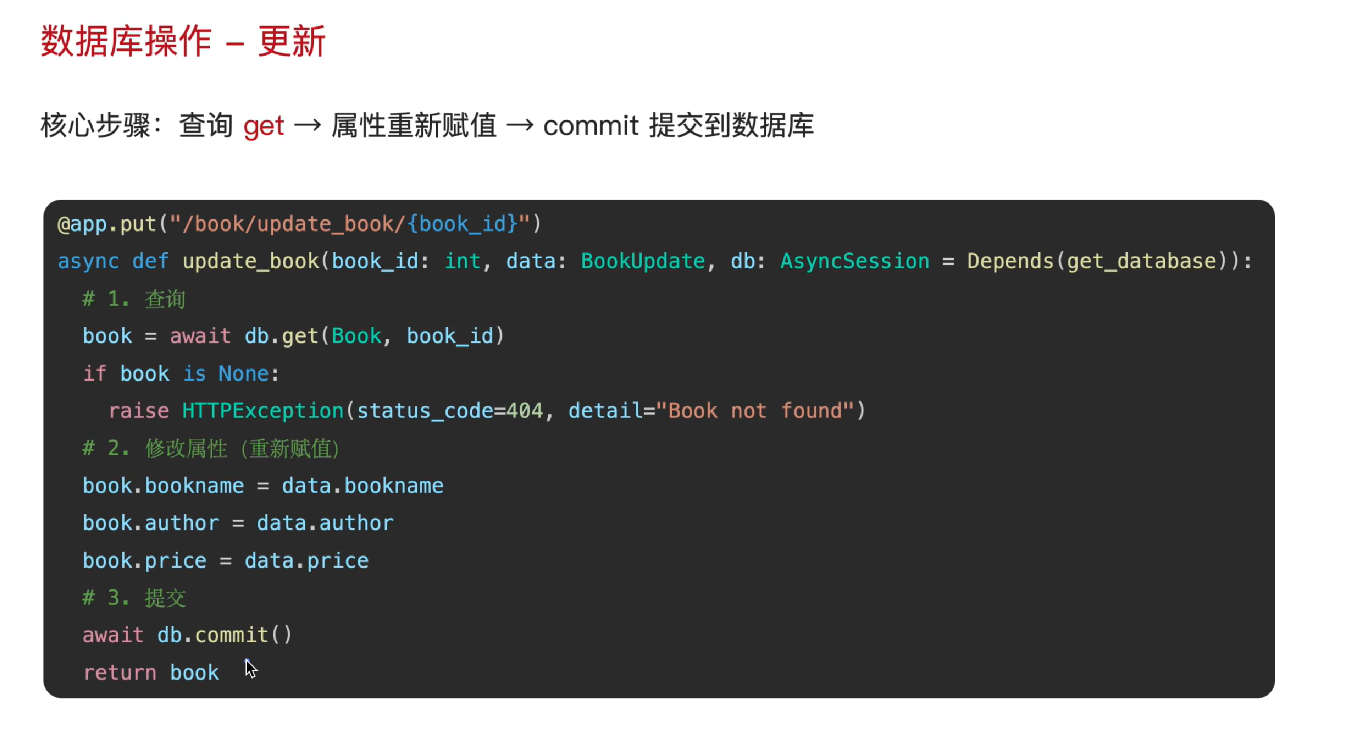
@app.put("/book/update_book/{book_id}")
async def update_book(
        book_id: int,        #路径参数
        data: BookUpdate,    #请求体
        db: AsyncSession = Depends(get_db)          #依赖注入
):
    # 1. 查询要更新的书籍(使用 get 方法,根据主键快速获取)
    db_book = await db.get(Book, book_id)     #获取的ORM对象
    if not db_book:
        raise HTTPException(status_code=404, detail="查无此书")

    # 2. 只更新传入的非空字段(避免覆盖为 None)
    update_data = data.model_dump(exclude_unset=True)  # Pydantic v2
    for field, value in update_data.items():
        setattr(db_book, field, value)

    # 也可以直接修改字段,但没有上述灵活,因为data数据不一定每次都全部修改
    # db_book.bookname = data.bookname
    # db_book.author = data.author
    # db_book.price = data.price
    # db_book.publisher = data.publisher


    # 3. 提交事务(依赖项中已包含 commit,可以不写,但为了清晰保留也可以)
    # await db.commit()
    # await db.refresh(db_book)  # 刷新获取最新数据(如 update_time 自动更新)
    return db_book


#############################  删除操作  ################################
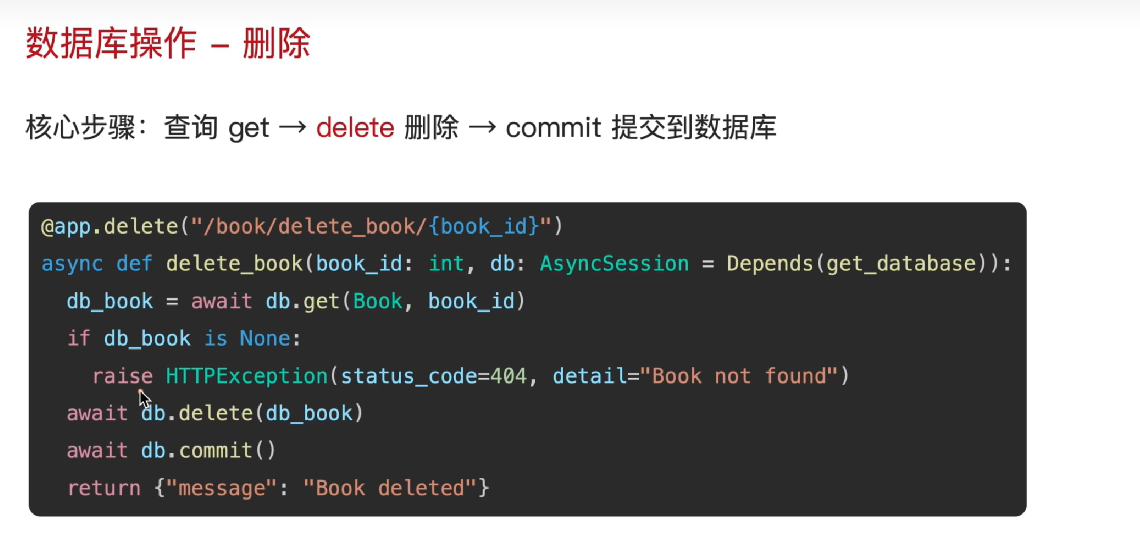
@app.delete("/book/delete_book/{book_id}")
async def delete_book(book_id: int, db: AsyncSession = Depends(get_db)):
    # 1. 根据主键查询书籍
    db_book = await db.get(Book, book_id)

    # 2. 如果不存在,返回 404
    if db_book is None:
        raise HTTPException(status_code=404, detail="查无此书")

    # 3. 删除对象
    await db.delete(db_book)

    # # 4. 提交事务
    # await db.commit()

    return {"msg": "删除图书成功"}


################  测试  ################
@app.get("/")
async def root():
    return {"msg": "Hello lkx"}
##########下面是一些疑难杂症以及一些细节的补充,赶时间可以不看##########
数据库操作细节解释:
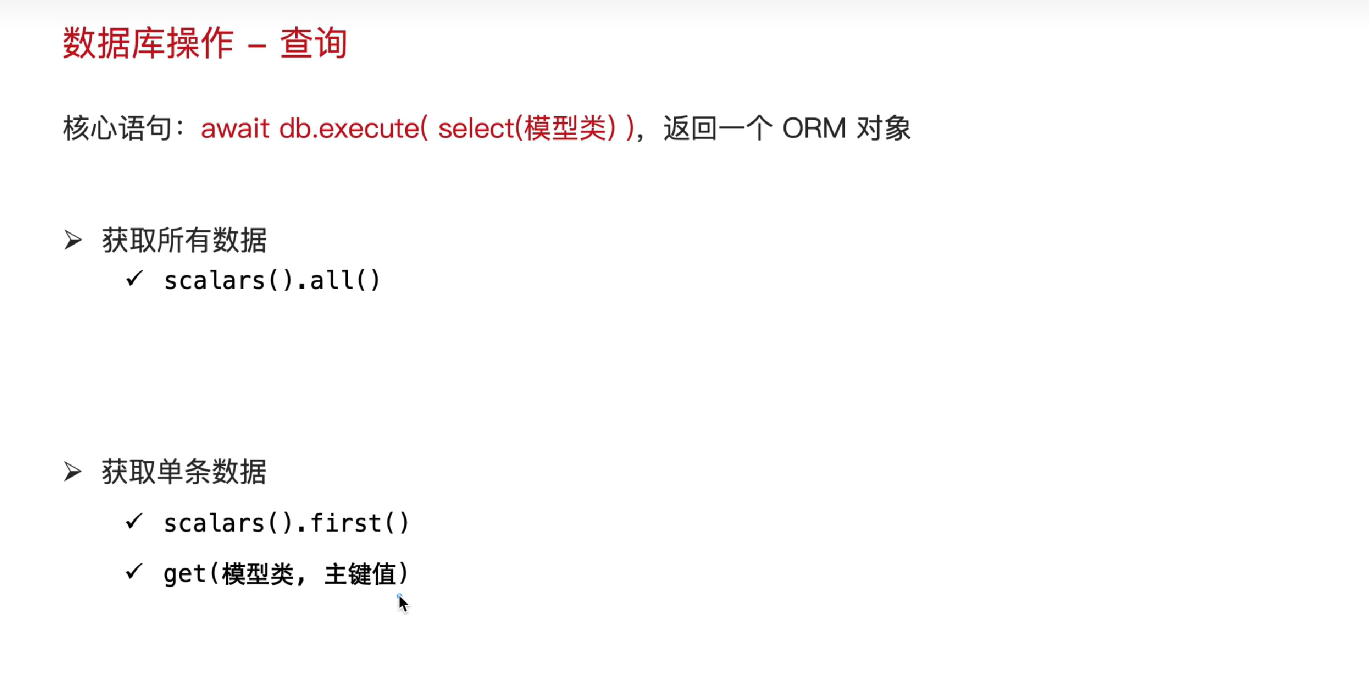
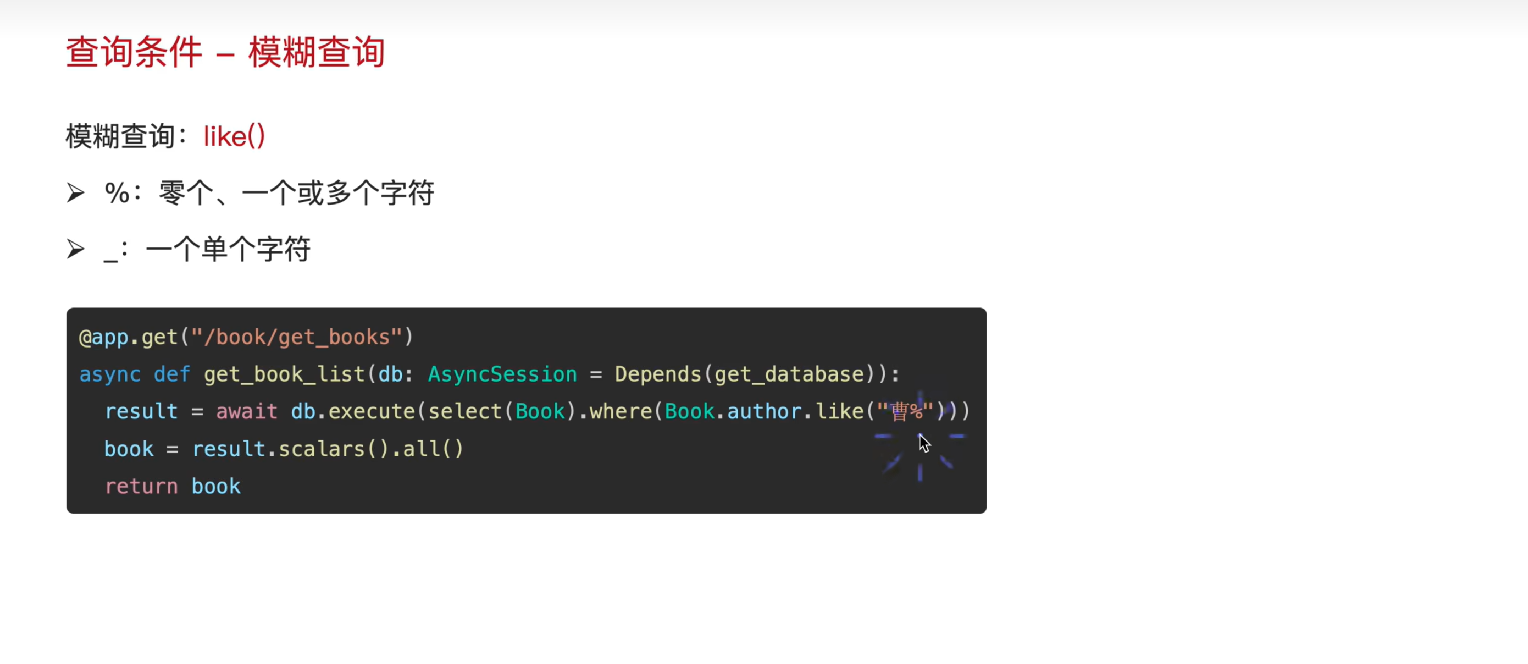
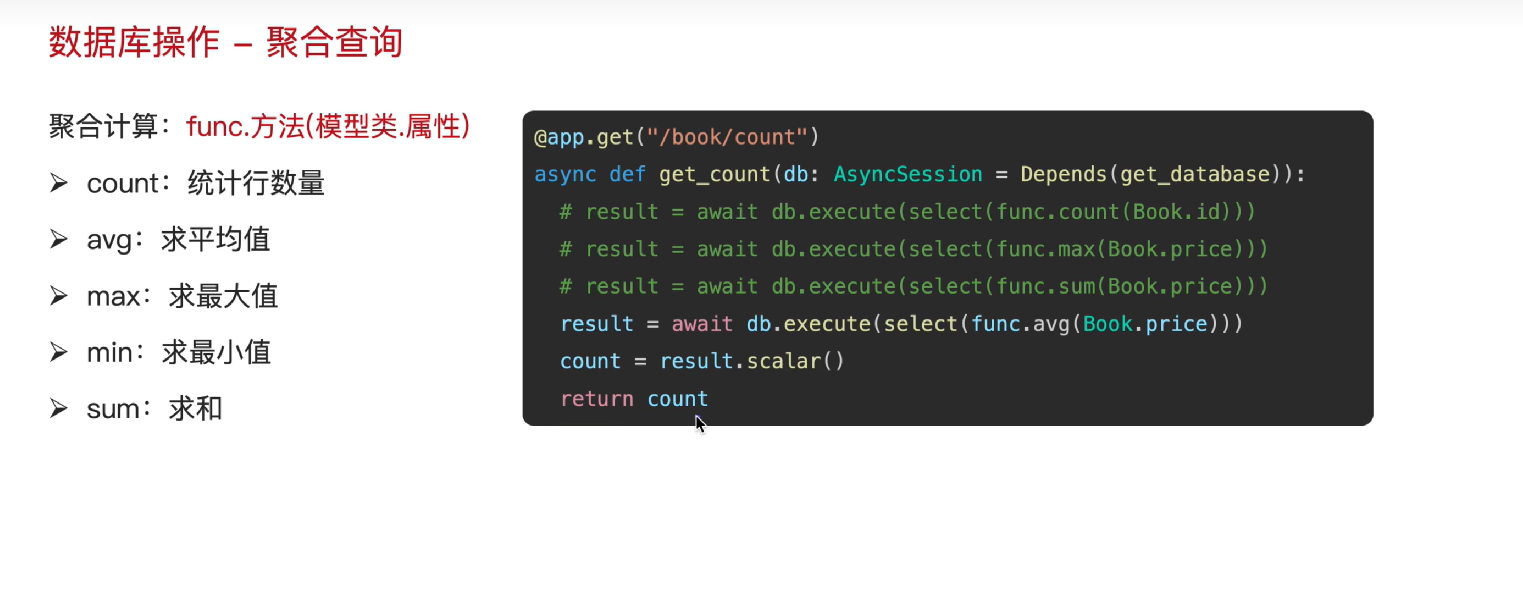
ORM的insert插入操作:
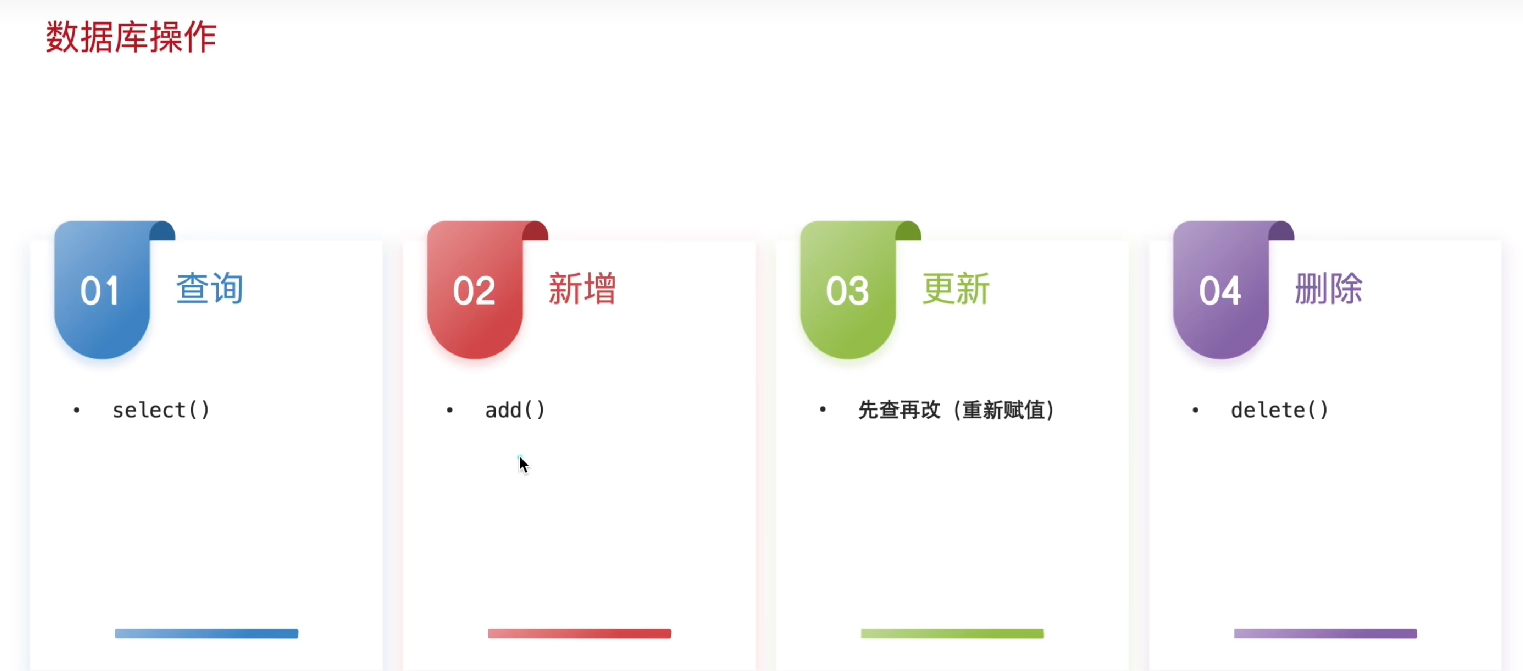
ORM的update修改更新操作:
ORM的delete删除操作:
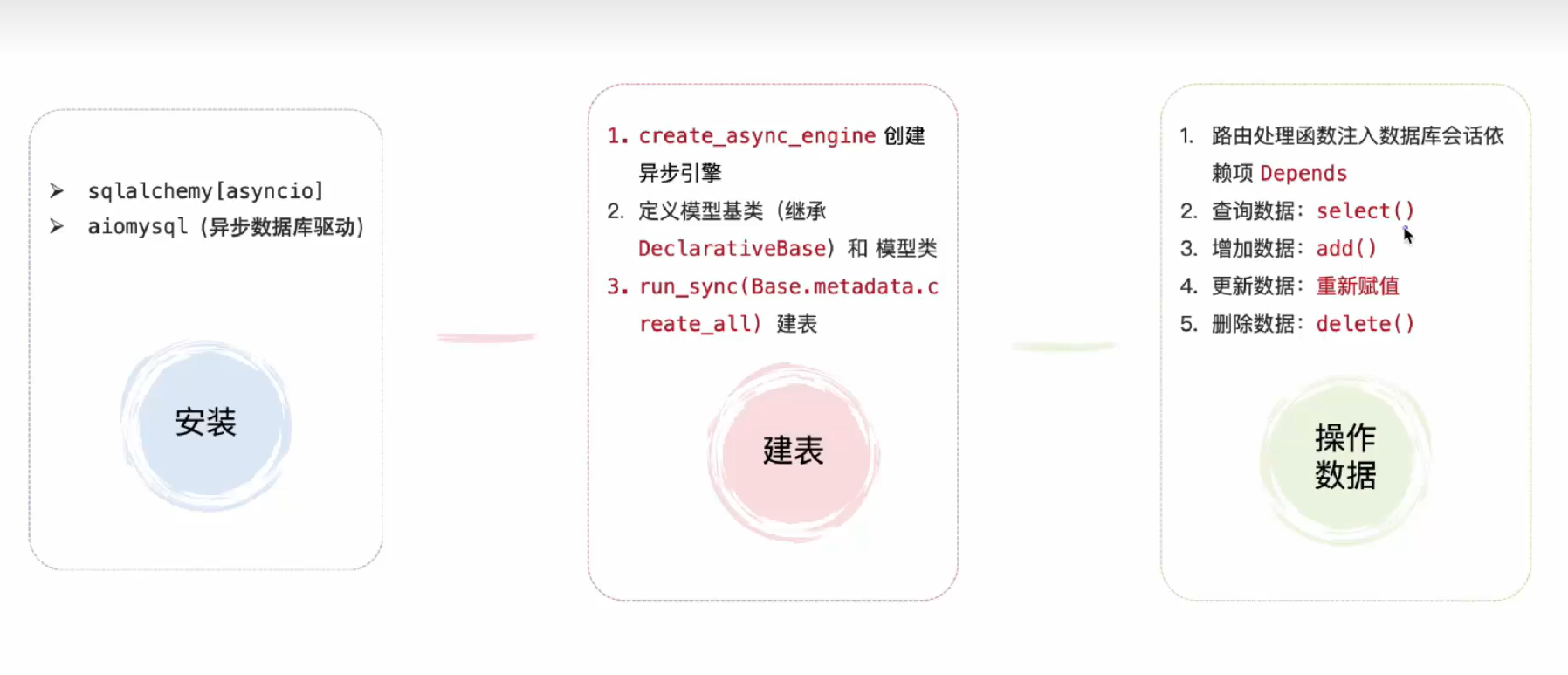
数据库ORM操作的全流程如下(温习一下,简略版本):
-
第三方库安装
-
mysql创建数据库 (create database fastapi;) ,
-
代码写数据库引擎 (
ASYNC_DATABASE_URL = "mysql+aiomysql://root:123456@localhost:3306/Fastapi_first?charset=utf8"
async_engine = create_async_engine(
    ASYNC_DATABASE_URL,
    echo=True,     #可选,输出sql日志
    pool_size = 10,  #设置连接活跃池的大小
    max_overflow = 20,   #允许额外的连接数
)
), 定义模板类(基类+具体类
class Base(DeclarativeBase): pass class Book(Base): pass , 利用数据库引擎在fastapi启动的时候 @app.on_event("startup") 在mysql中创建模板类 -
建立一个会话工厂
AsyncSessionLocal = async_sessionmaker(
    bind = async_engine,  #绑定数据库引擎
    class_ = AsyncSession,
    expire_on_commit=False,
)
,然后从会话工厂中拿一个会话作为依赖项
# 4.2依赖项
async def get_db():
    async with AsyncSessionLocal() as session:
        try:
            yield session       #返回数据库会话给路由处理函数
            await session.commit()    # 提交事务,内存中的数据真正写到硬盘
        except Exception as e:
            await session.rollback()   #有异常回滚事务
            raise e
        finally:
            await session.close()
注入给需要操作数据库的函数
@app.get("/book/books")
async def get_books(db: AsyncSession = Depends(get_db)):
    result = await db.execute(select(Book))
    books = result.scalars().all()
    return books
其他问题补充:
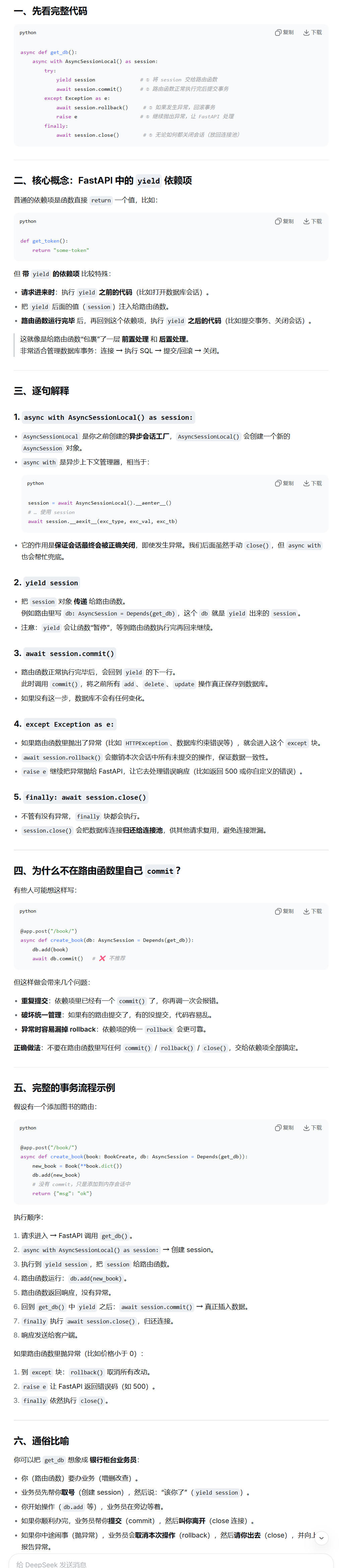
会话管理中带有yield关键字的依赖项的代码执行顺序(有意外之喜)
# 4.2依赖项
async def get_db():
    async with AsyncSessionLocal() as session:
        try:
            yield session       #返回数据库会话给路由处理函数
            await session.commit()    #提交事务
        except Exception as e:
            await session.rollback()   #有异常回滚事务
            raise e
        finally:
            await session.close()

AtomGit 是由开放原子开源基金会联合 CSDN 等生态伙伴共同推出的新一代开源与人工智能协作平台。平台坚持“开放、中立、公益”的理念,把代码托管、模型共享、数据集托管、智能体开发体验和算力服务整合在一起,为开发者提供从开发、训练到部署的一站式体验。
更多推荐


 10
10 0
0- 0


 已为社区贡献1条内容

所有评论(0)