Spring Alibaba
阿里云百炼平台介绍
得益于阿⾥百炼强⼤的模型整合能⼒, logging前述所有智能场景都能在平台上获得⼀站式模型实现, 轻 松构建AI应⽤. Spring AI Alibaba 开源项⽬基于 Spring AI 构建, 是阿⾥云通义系列模型及服务在 Java AI 应⽤开发领域的最佳实践, 提供⾼层次的 AI API 抽象与云原⽣基础设施集成⽅案, 帮助开发者快速构 建 AI 应⽤.
申请阿⾥云百炼平台API-KEY
参考:https://help.aliyun.com/zh/model-studio/get-api-key?spm=7145af80.321ad293.0.0.72aa5e636mSOsh
获取APIKEY
Spring Alibab快速入门
创建项⽬
添加依赖
      <dependencies>
        <dependency>
            <groupId>org.springframework.boot</groupId>
            <artifactId>spring-boot-starter-web</artifactId>
        </dependency>
        <dependency>
            <groupId>org.springframework.boot</groupId>
            <artifactId>spring-boot-starter-test</artifactId>
            <scope>test</scope>
        </dependency>
        <dependency>
            <groupId>org.springframework</groupId>
            <artifactId>spring-webflux</artifactId>
        </dependency>
        <dependency>
            <groupId>com.alibaba.cloud.ai</groupId>
            <artifactId>spring-ai-alibaba-starter-dashscope</artifactId>
        </dependency>
    </dependencies>
    <dependencyManagement>
        <dependencies>
            <dependency>
                <groupId>com.alibaba.cloud.ai</groupId>
                <artifactId>spring-ai-alibaba-bom</artifactId>
                <version>1.0.0.2</version>
                <type>pom</type>
                <scope>import</scope>
            </dependency>
        </dependencies>
    </dependencyManagement>
添加配置
spring:
  ai:
    dashscope:
      api-key: sk-e5dc559f523f413a9c1985ebdffc05e5
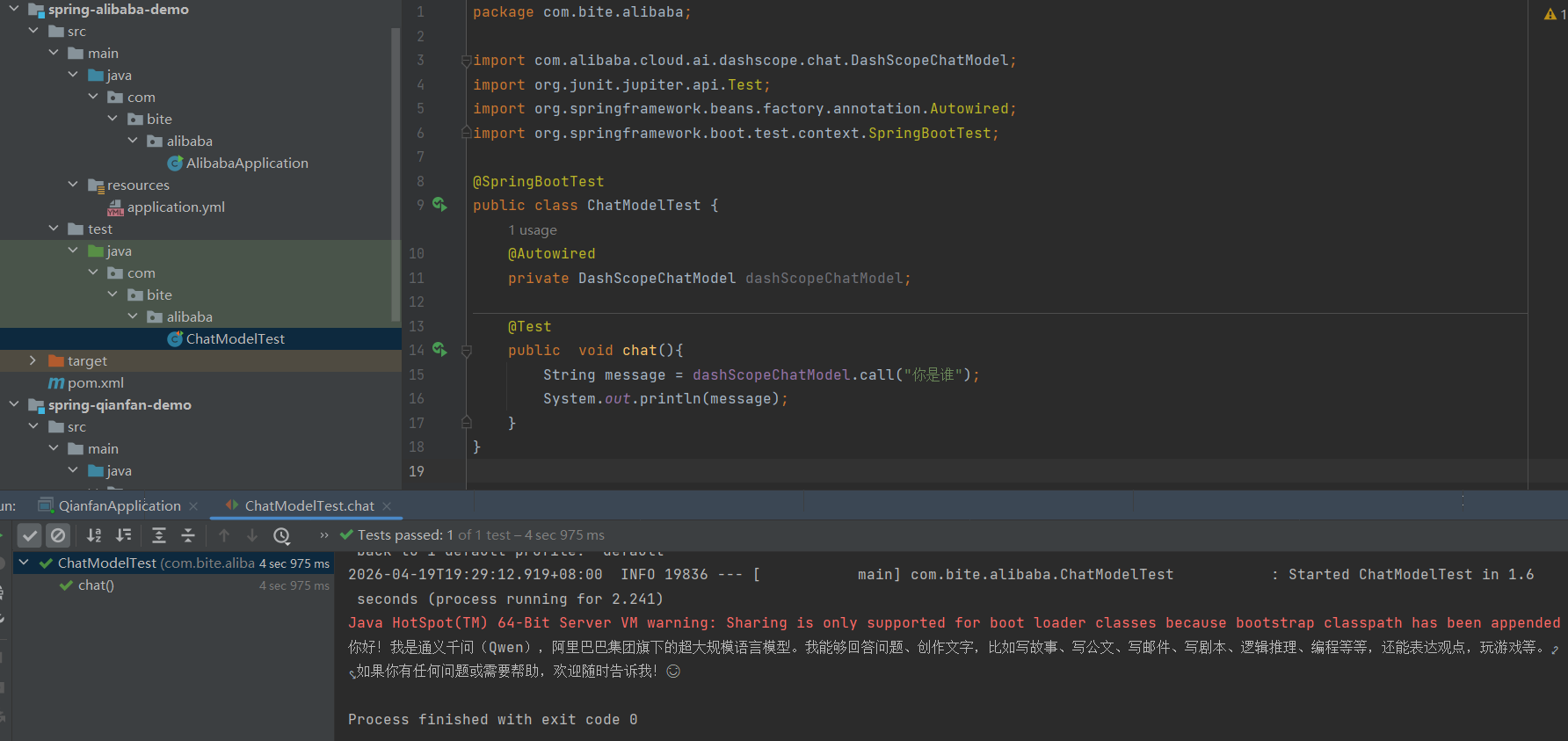
创建一个测试用例
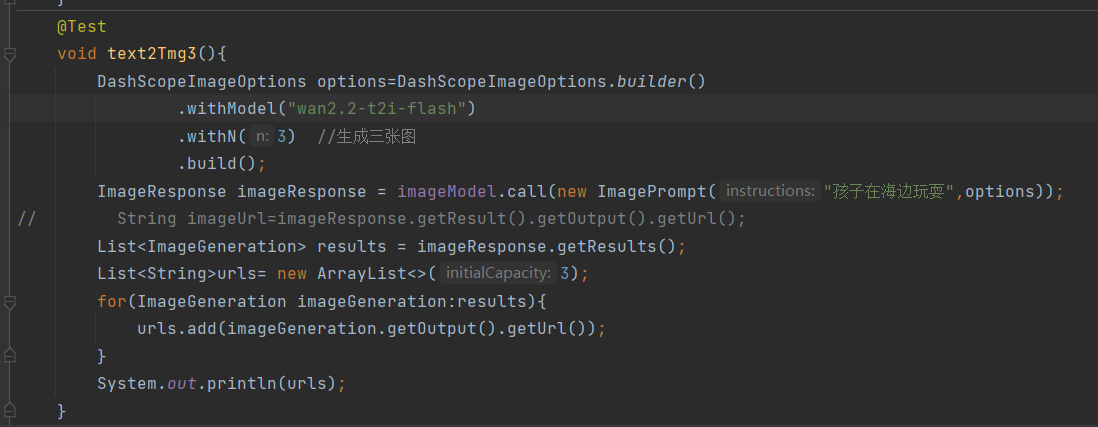
测试图片生成
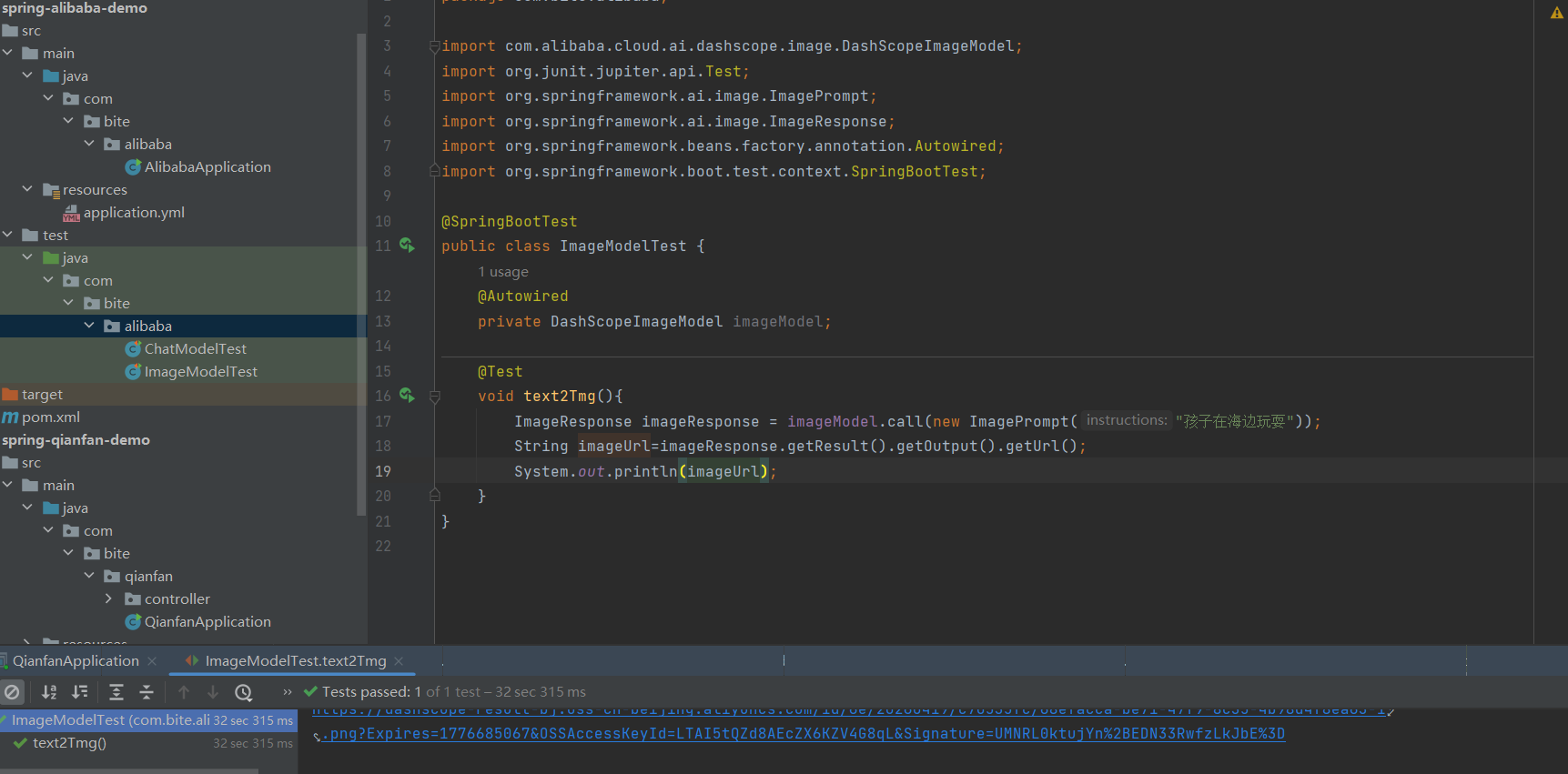
代码讲解:
DashScopeImageModel 也是实现了 ImageModel接⼝, 图像模型的配置在 DashScopeImageAutoConfiguration 定义
@AutoConfiguration(
    after = {RestClientAutoConfiguration.class, WebClientAutoConfiguration.class, SpringAiRetryAutoConfiguration.class}
)
@ConditionalOnClass({DashScopeApi.class})
@ConditionalOnProperty(
    name = {"spring.ai.model.audio.speech"},
    havingValue = "openai",
    matchIfMissing = true
)
@EnableConfigurationProperties({DashScopeConnectionProperties.class, DashScopeImageProperties.class})
@ImportAutoConfiguration(
    classes = {SpringAiRetryAutoConfiguration.class, RestClientAutoConfiguration.class, WebClientAutoConfiguration.class}
)
public class DashScopeImageAutoConfiguration {
    public DashScopeImageAutoConfiguration() {
    }

    @Bean
    @ConditionalOnMissingBean
    public DashScopeImageModel dashScopeImageModel(DashScopeConnectionProperties commonProperties, DashScopeImageProperties imageProperties, RestClient.Builder restClientBuilder, WebClient.Builder webClientBuilder, RetryTemplate retryTemplate, ResponseErrorHandler responseErrorHandler, ObjectProvider<ObservationRegistry> observationRegistry, ObjectProvider<ImageModelObservationConvention> observationConvention) {
        ResolvedConnectionProperties resolved = DashScopeConnectionUtils.resolveConnectionProperties(commonProperties, imageProperties, "image");
        DashScopeImageApi dashScopeImageApi = new DashScopeImageApi(resolved.baseUrl(), resolved.apiKey(), resolved.workspaceId(), restClientBuilder, webClientBuilder, responseErrorHandler);
        DashScopeImageModel dashScopeImageModel = new DashScopeImageModel(dashScopeImageApi, imageProperties.getOptions(), retryTemplate, (ObservationRegistry)observationRegistry.getIfUnique(() -> {
            return ObservationRegistry.NOOP;
        }));
        Objects.requireNonNull(dashScopeImageModel);
        observationConvention.ifAvailable(dashScopeImageModel::setObservationConvention);
        return dashScopeImageModel;
    }
}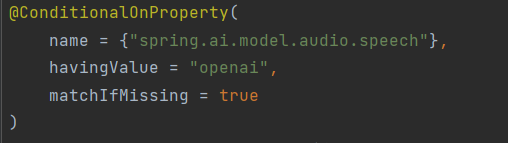
当vlue值是openai的时候就会把DashScopeImageModel这个对象注入到spring中去
matchIfMissing = true这个的意思是默认装配的,如果没有创建这个配置项,openai是自动装配的,如果值是别的,那么就不会进行注入
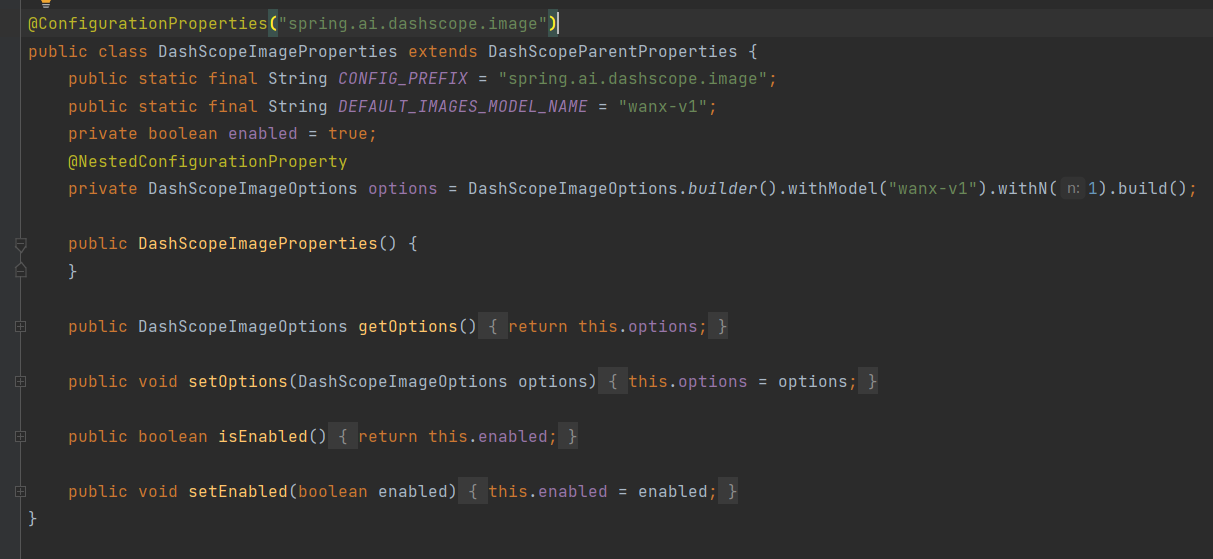
@ConfigurationProperties("spring.ai.dashscope.image")找到配置项是什么
配置的模型默认是万象v1
下面的options是可以在里面添加的配置:模型,张数,大小等,可以在配置中进行设置
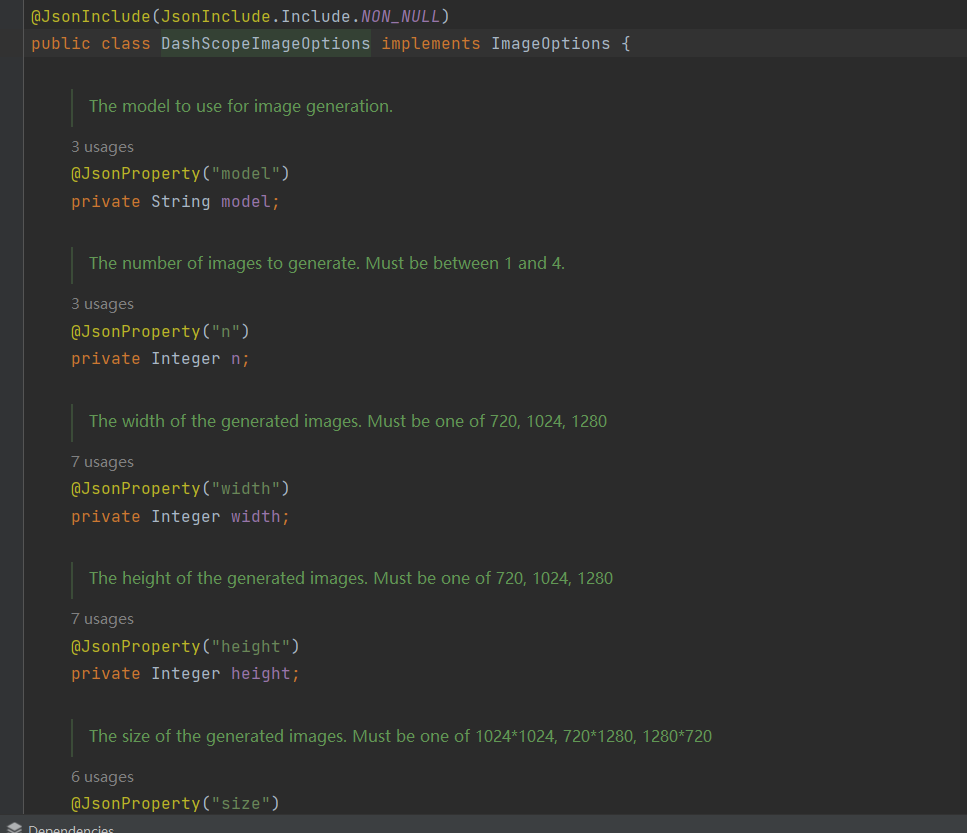
他和各大模型厂商一样都是实现了imageoptions这个接口
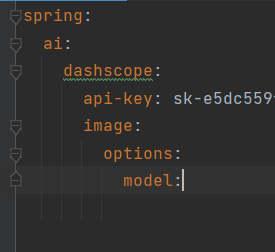
可以在配置中更改模型等配置信息
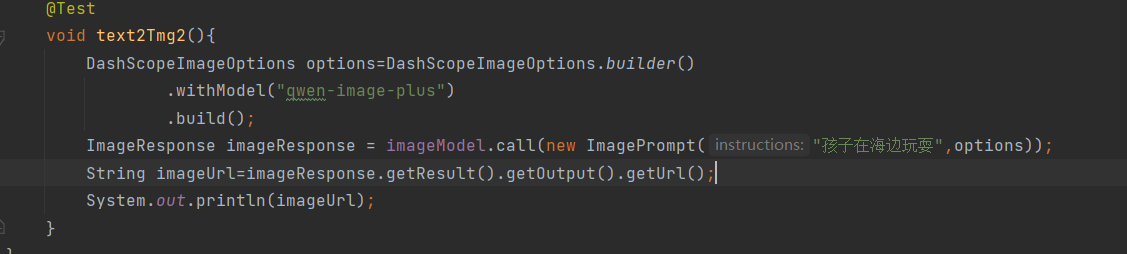
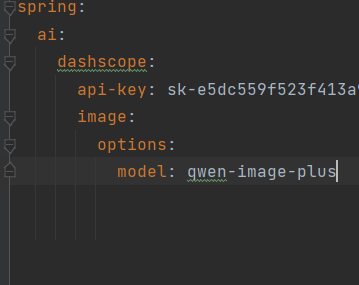
一个是在代码中进行定义,一个在配置项中进行定义,这两个都是一样的效果
参数介绍:
参数取值与模型有关, 下⾯介绍⼏种通⽤的
通义千问:https://help.aliyun.com/zh/model-studio/qwen-image-api
通义万相V2版:https://help.aliyun.com/zh/model-studio/text-to-image-v2-api-reference
通义万相V1版:https://help.aliyun.com/zh/model-studio/text-to-image-api-reference
⽐较简单的区分⽅式: 通义模型前缀为 qwen , 万相模型名称前缀为 wan , 早期模型为 wanx
配置项前缀为: spring.ai.dashscope.image.options
配置属性:
| 配置项 | 数据类型 | 默认值 | 描述 | 取值范围 |
|---|---|---|---|---|
spring.ai.dashscope.image.options.model |
String | wanx-v1 |
模型名称 | wanx-v1、wan2.2-t2i-flash、wan2.2-t2i-plus、qwen-image |
spring.ai.dashscope.image.options.n |
Integer | 1 |
生成图片数量 | 万相模型:1-4;通义图像模型:仅 1 |
spring.ai.dashscope.image.options.width |
Integer | 1024 |
图片宽度 | 512-1440(万相 v2) |
spring.ai.dashscope.image.options.height |
Integer | 1024 |
图片高度 | 512-1440(万相 v2) |
spring.ai.dashscope.image.options.size |
String | - | 图片尺寸(已废弃) | 1024x1024、720x1280、512x512 |
spring.ai.dashscope.image.options.style |
String | - | 生成风格(仅wanx-v1) |
photography、portrait、3d cartoon、anime、oil painting、watercolor、sketch、chinese painting、flat illustration |
spring.ai.dashscope.image.options.seed |
Long | 0 |
随机种子 | 0 ~ 4294967290 |
spring.ai.dashscope.image.options.response-format |
String | url |
返回格式 | url(图片链接)、b64_json(Base64) |
spring.ai.dashscope.image.options.ref-img |
String | - | 参考图 URL | 有效图片链接 |
spring.ai.dashscope.image.options.ref-mode |
String | - | 参考图模式 | style(风格参考)、content(内容参考)、style-content |
spring.ai.dashscope.image.options.negative-prompt |
String | - | 反向提示词(不希望出现的内容) | 文本描述 |
spring.ai.dashscope.image.options.cfg-scale |
Float | 7.0 |
提示词引导系数 | 1.0 ~ 30.0 |
例子:
yml文件
spring:
  ai:
    dashscope:
      image:
        options:
          model: wan2.2-t2i-plus
          n: 2
          width: 1024
          height: 1024
          style: photography
          seed: 123456
          response-format: url
          negative-prompt: blurry, low resolution, ugly
Java中配置
DashScopeImageOptions options = DashScopeImageOptions.builder()
    .withModel("wan2.2-t2i-flash")
    .withN(2)
    .withWidth(1024)
    .withHeight(1024)
    .withStyle("anime")
    .withSeed(987654L)
    .withNegativePrompt("distorted, bad anatomy")
    .build();
生成三张图片
语音合成
@SpringBootTest
public class AudioModelTest {
    @Autowired
    private DashScopeSpeechSynthesisModel scopeSpeechSynthesisModel;

    private  static  final  String TEXT="白日依山尽,黄河入海流。这是测试";
    @Test
    void tts(){
        SpeechSynthesisPrompt prompt=new SpeechSynthesisPrompt(TEXT);
        SpeechSynthesisResponse response = scopeSpeechSynthesisModel.call(prompt);
        File file=new File(System.getProperty("user.dir")+"/out.mp3");
        try(FileOutputStream fos=new FileOutputStream(file)){
            ByteBuffer audio = response.getResult().getOutput().getAudio();
            fos.write(audio.array());
        }catch (IOException e){
            System.out.println("写入文件失败");
        }
    }
}
生成语音需要的是
DashScopeSpeechSynthesisModel这个对象,这个对象实现了
SpeechSynthesisModel接口
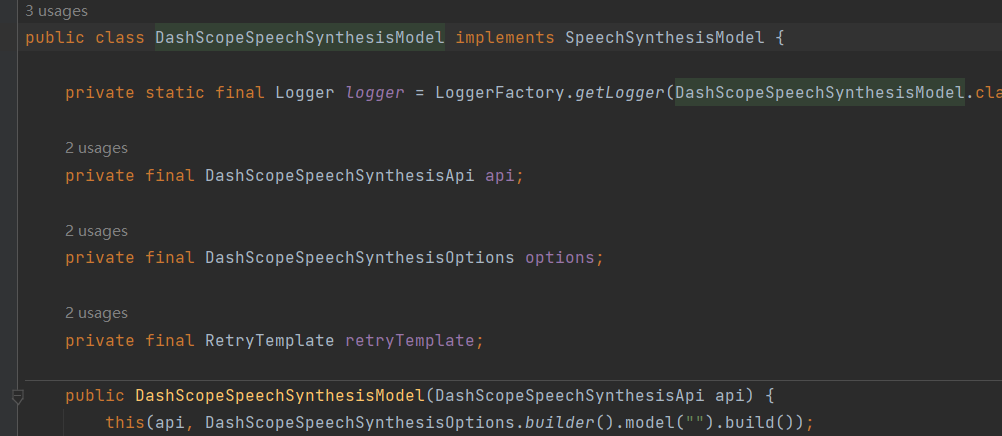
这个接口主要是定义了两个方法
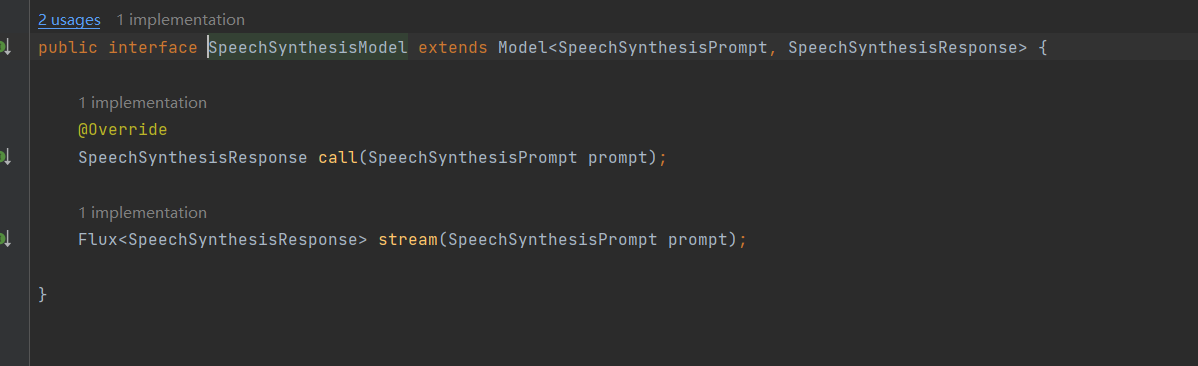
这两个方法分别是call,传入一个提示词,进行响应,另一个strea是流式响应
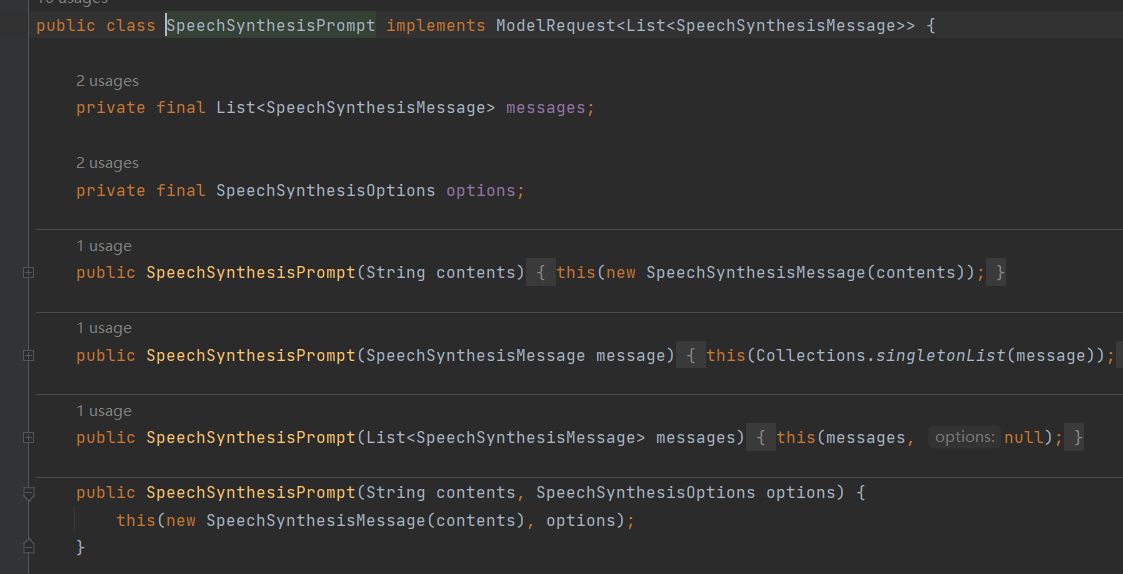
其中提示词包括两部分
第一个是文本message,就是需要文本生成语音
还有就是模型配置的一些参数
List<SpeechSynthesisMessage>
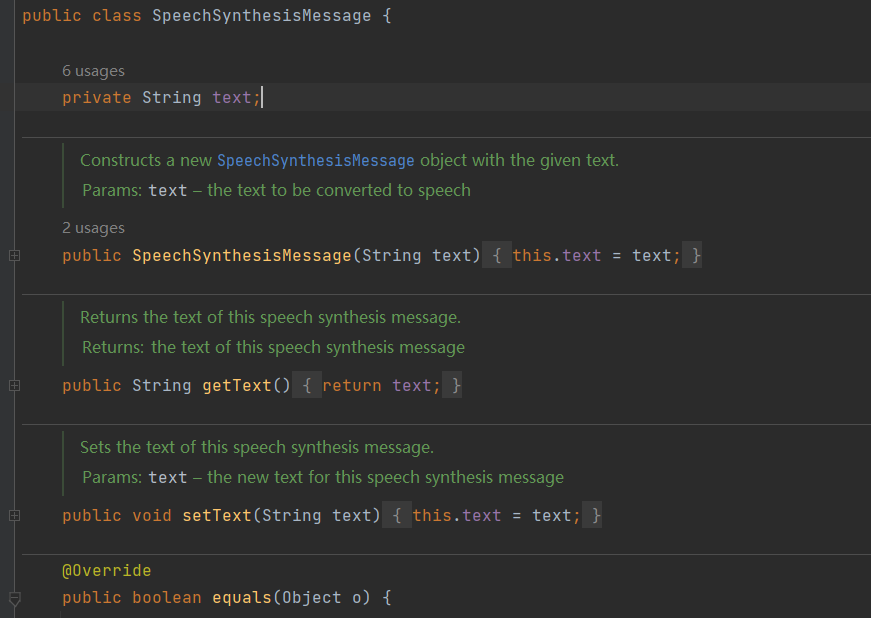
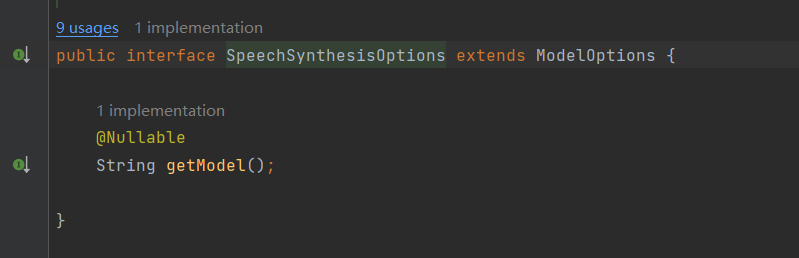
options
SpeechSynthesisOptions 这里面有一个参数model,就是可以设置模型
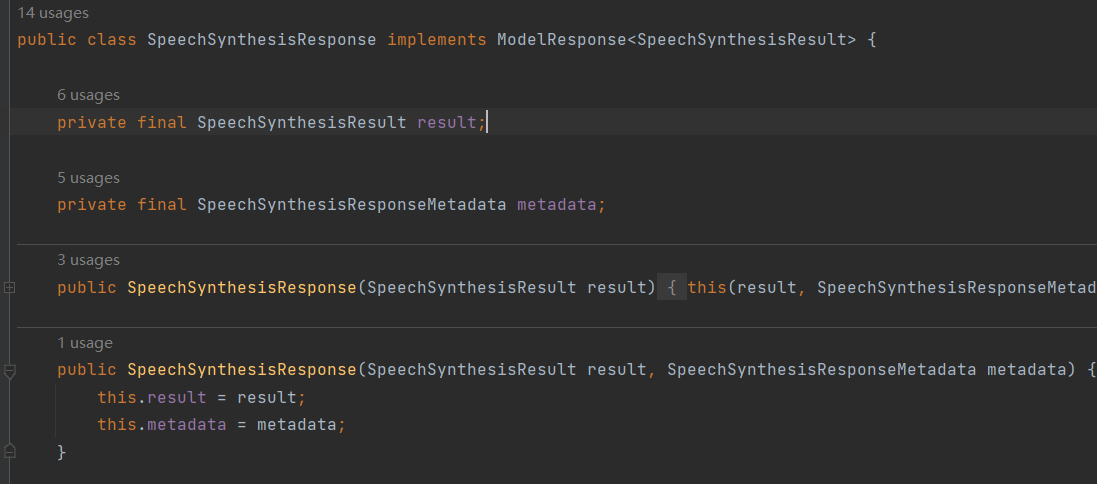
SpeechSynthesisResponse调用模型之后给的响应
点进result
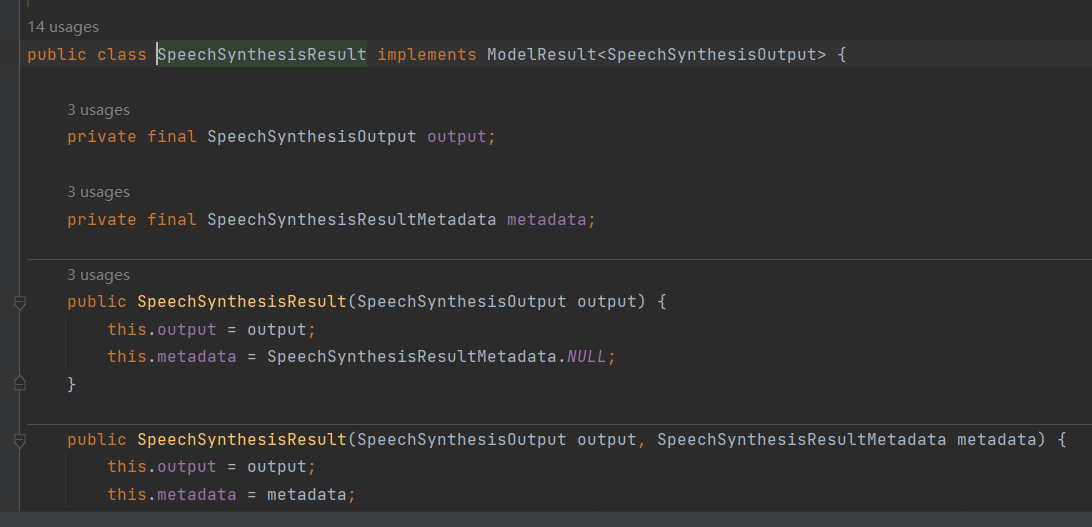
里面有一个output点进去
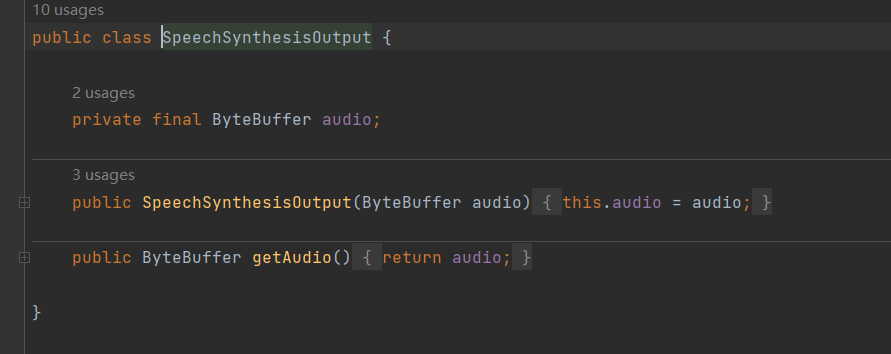
这里面的ByteBuffer就是语音合成的东西
关于配置实在
DashScopeAudioSpeechAutoConfiguration这个配置类中去进行定义的
@AutoConfiguration(
    after = {RestClientAutoConfiguration.class, WebClientAutoConfiguration.class, SpringAiRetryAutoConfiguration.class}
)
@ConditionalOnClass({DashScopeApi.class})
@ConditionalOnProperty(
    name = {"spring.ai.model.audio.speech"},
    havingValue = "openai",
    matchIfMissing = true
)
@EnableConfigurationProperties({DashScopeConnectionProperties.class, DashScopeAudioSpeechSynthesisProperties.class})
@ImportAutoConfiguration(
    classes = {SpringAiRetryAutoConfiguration.class, RestClientAutoConfiguration.class, WebClientAutoConfiguration.class}
)
public class DashScopeAudioSpeechAutoConfiguration {
    public DashScopeAudioSpeechAutoConfiguration() {
    }

    @Bean
    @ConditionalOnMissingBean
    public DashScopeSpeechSynthesisModel dashScopeSpeechSynthesisModel(RetryTemplate retryTemplate, DashScopeConnectionProperties commonProperties, DashScopeAudioSpeechSynthesisProperties speechProperties) {
        DashScopeSpeechSynthesisApi dashScopeSpeechSynthesisApi = this.dashScopeSpeechSynthesisApi(commonProperties, speechProperties);
        return new DashScopeSpeechSynthesisModel(dashScopeSpeechSynthesisApi, speechProperties.getOptions(), retryTemplate);
    }

    private DashScopeSpeechSynthesisApi dashScopeSpeechSynthesisApi(DashScopeConnectionProperties commonProperties, DashScopeAudioSpeechSynthesisProperties speechSynthesisProperties) {
        ResolvedConnectionProperties resolved = DashScopeConnectionUtils.resolveConnectionProperties(commonProperties, speechSynthesisProperties, "audio.synthesis");
        return new DashScopeSpeechSynthesisApi(resolved.apiKey(), resolved.workspaceId());
    }
@ConditionalOnProperty(
name = {"spring.ai.model.audio.speech"},
havingValue = "openai",
matchIfMissing = true
)当有这个配置信息的时候就会自动的去注入到spring中去,注入过程中需要使用到的配置信息在
DashScopeAudioSpeechSynthesisProperties这个类中
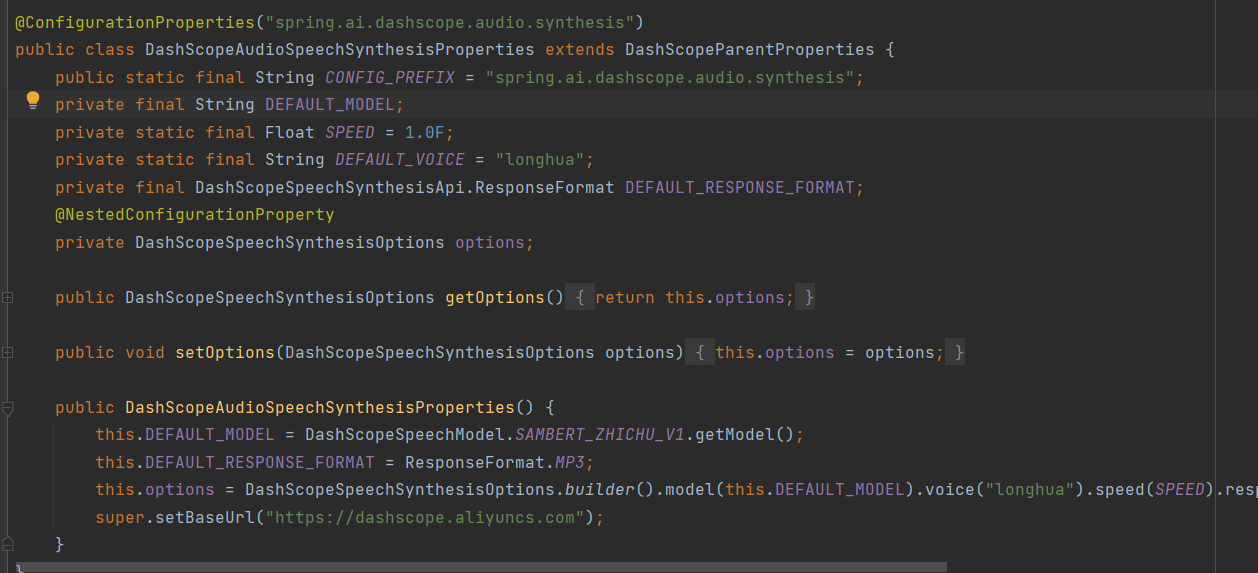
前缀,默认的模型是什么 音色是longhua
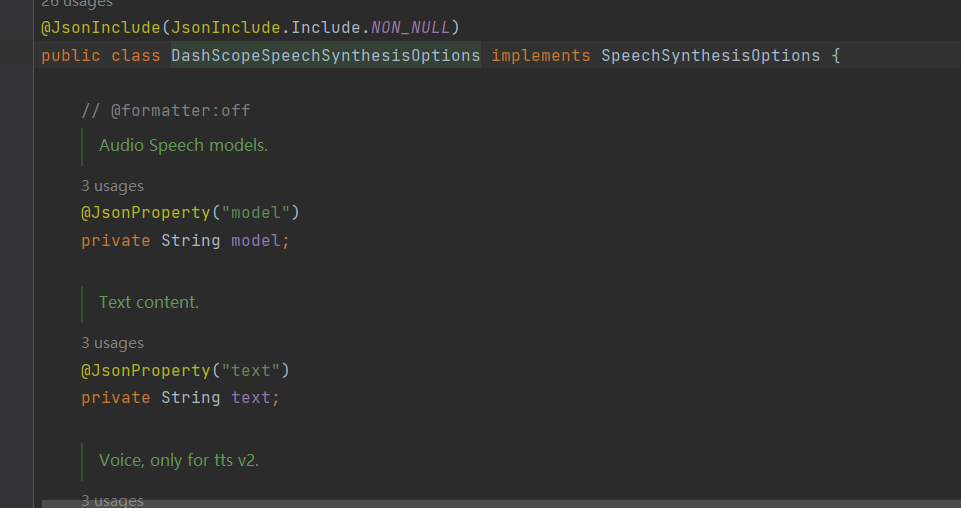
DashScopeSpeechSynthesisOptions getOptions()配置信息可以在这里面进行配置
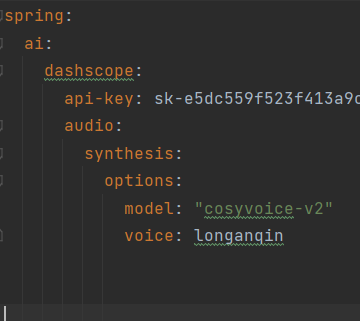
通过yml配置模型和音色
    @Test
    void tts2(){
        DashScopeSpeechSynthesisOptions options= DashScopeSpeechSynthesisOptions.builder()
                .model("cosyvoice-v2")
                .voice("longanqin")
                .build();
        SpeechSynthesisPrompt prompt=new SpeechSynthesisPrompt(TEXT,options);
        SpeechSynthesisResponse response = scopeSpeechSynthesisModel.call(prompt);
        File file=new File(System.getProperty("user.dir")+"/out.mp3");
        try(FileOutputStream fos=new FileOutputStream(file)){
            ByteBuffer audio = response.getResult().getOutput().getAudio();
            fos.write(audio.array());
        }catch (IOException e){
            System.out.println("写入文件失败");
        }
    }
通过代码配置模型和音色
使⽤DashScope SDK调⽤模型
Dashscope-sdk-java 是阿⾥云官⽅提供的, 不依赖任何特定框架的Java客⼾端库. 你可以在任何普通的 Java 应⽤程序中引⼊这个 SDK, 通过编程式地调⽤它的 API 来使⽤⼤模型服务.
我们现在使用的是spring alibaba是基于sdk进行的封装 spring alibaba只能是在spring boot项目中使用
sdk只要是java项目就可以
添加sdk的依赖
 <dependency>
            <groupId>com.alibaba</groupId>
            <artifactId>dashscope-sdk-java</artifactId>
            <version>2.21.2</version>
        </dependency>
语音识别
语音识别就是把语音转换成文本
@SpringBootTest
public class AudioTranscriptionModelTest {
    @Autowired
    private  AudioTranscriptionModel transcriptionModel;
    private final String DEFAULT_MODEL = "paraformer-v2";
    @Test
    void stt(){
        Resource resource = new DefaultResourceLoader()
                .getResource("https://dashscope.oss-cnbeijing.aliyuncs.com/samples/audio/paraformer/hello_world_female2.wav");
        AudioTranscriptionResponse response = transcriptionModel.call(
                new AudioTranscriptionPrompt(
                        resource, DashScopeAudioTranscriptionOptions.builder()
                        .withModel(DEFAULT_MODEL)
                        .build()
                )
        );
        System.out.println(response.getResult().getOutput());
    }
}关于sdk的识别:官方文档sdk识别语音
 @Test
    void sttDashscope() {
        TranscriptionParam param =
                TranscriptionParam.builder()
// 若没有将API Key配置到环境变量中, 需将apiKey替换为⾃⼰的APIKey
//.apiKey("apikey")
                .model("paraformer-v2")
// "language_hints"只⽀持paraformer-v2模型
                .parameter("language_hints", new String[]{"zh", "en"})
                .fileUrls(
                        Arrays.asList(
                                "https://dashscope.oss-cnbeijing.aliyuncs.com/samples/audio/paraformer/hello_world_female2.wav",
                                "https://dashscope.oss-cnbeijing.aliyuncs.com/samples/audio/paraformer/hello_world_male2.wav"))
                .build();
        try {
            Transcription transcription = new Transcription();
// 提交转写请求
            TranscriptionResult result = transcription.asyncCall(param);
            System.out.println("RequestId: " + result.getRequestId());
// 阻塞等待任务完成并获取结果
            result = transcription.wait(TranscriptionQueryParam.FromTranscriptionParam(param, result.getTaskId()));
// 打印结果
            System.out.println(new GsonBuilder().setPrettyPrinting().create().toJson(result.getOutput()));
        } catch (Exception e) {
            System.out.println("error: " + e);
        }
    }
文生视频模型

AtomGit 是由开放原子开源基金会联合 CSDN 等生态伙伴共同推出的新一代开源与人工智能协作平台。平台坚持“开放、中立、公益”的理念,把代码托管、模型共享、数据集托管、智能体开发体验和算力服务整合在一起,为开发者提供从开发、训练到部署的一站式体验。
更多推荐



 8
8 0
0- 0


 已为社区贡献3条内容

所有评论(0)