【 AI 编程】Claude Code / Codex / Gemini CLI 全方位辅助工具
CC-Switch使用教程 : https://docs.packyapi.com/docs/ccswitch/
个人使用,仅供参考
JuCodex(便宜): https://jucodex.com/register
PackyAPI供应商:https://www.packyapi.com/register
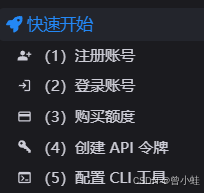
在命令端使用AI编程,需要
CC Switch API管理工具
统一管理 Claude Code、Codex 与 Gemini CLI 的供应商配置、MCP 服务器、Skills 扩展和系统提示词。
https://github.com/farion1231/cc-switch/blob/main/README_ZH.md
现代 AI 编程依赖于 Claude Code、Codex(chatgpt)、Gemini CLI、OpenCode 和 OpenClaw 等 CLI 工具——但每个工具都有自己的配置格式。
CC Switch 为你提供一个桌面应用来管理所有五个 CLI 工具。无需手动编辑配置文件,你将获得一个可视化界面,一键将供应商导入应用,一键在不同的供应商之间进行切换,内置 50+ 供应商预设、统一的 MCP, SKILLS 管理以及系统托盘即时切换功能——所有操作都基于可靠的 SQLite 数据库和原子写入机制,保护你的配置不被损坏。
下载cc switch UI
(拉到最下面)
https://github.com/farion1231/cc-switch/releases/tag/v3.12.3
windows系统推荐下载普通msi后缀的安装包进行安装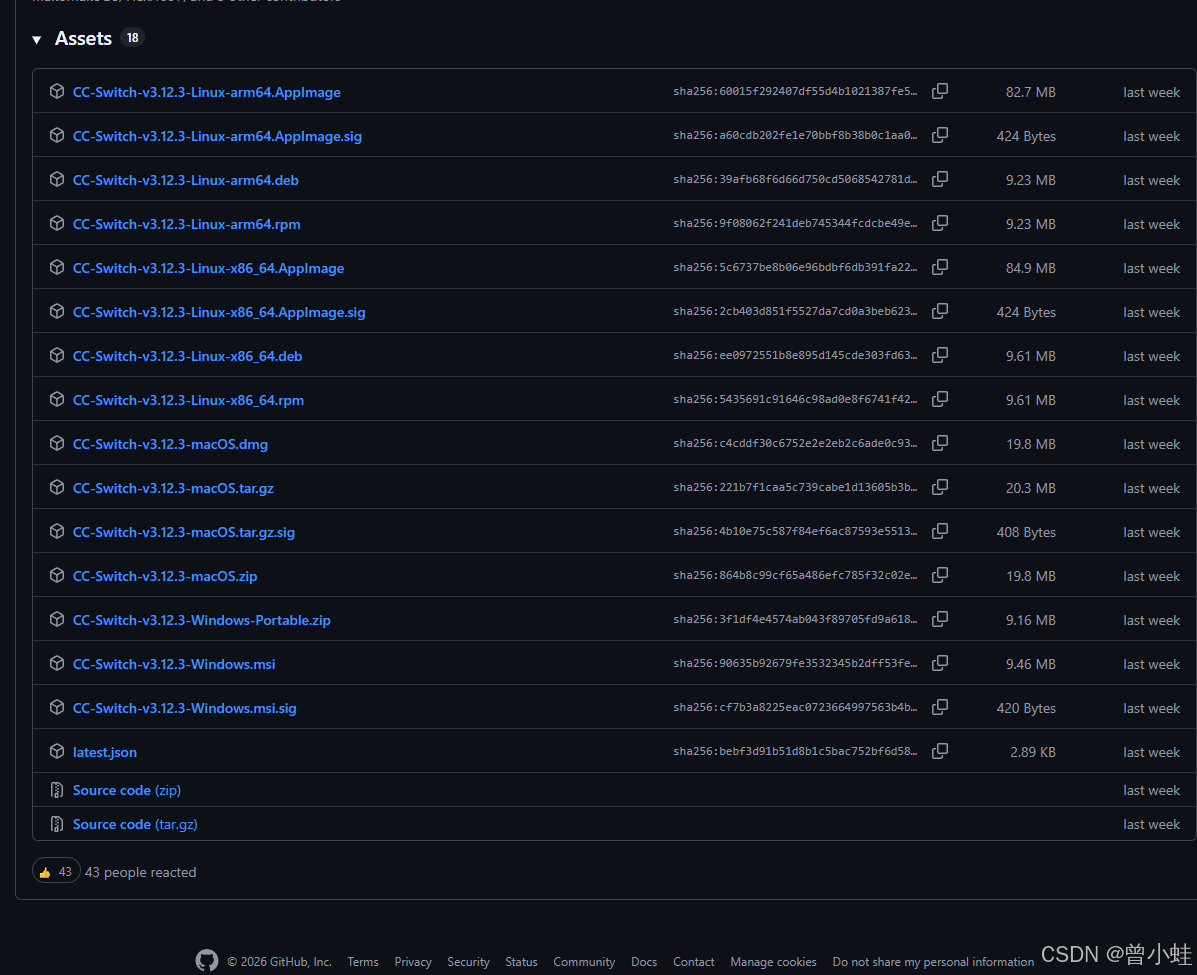
安装完成
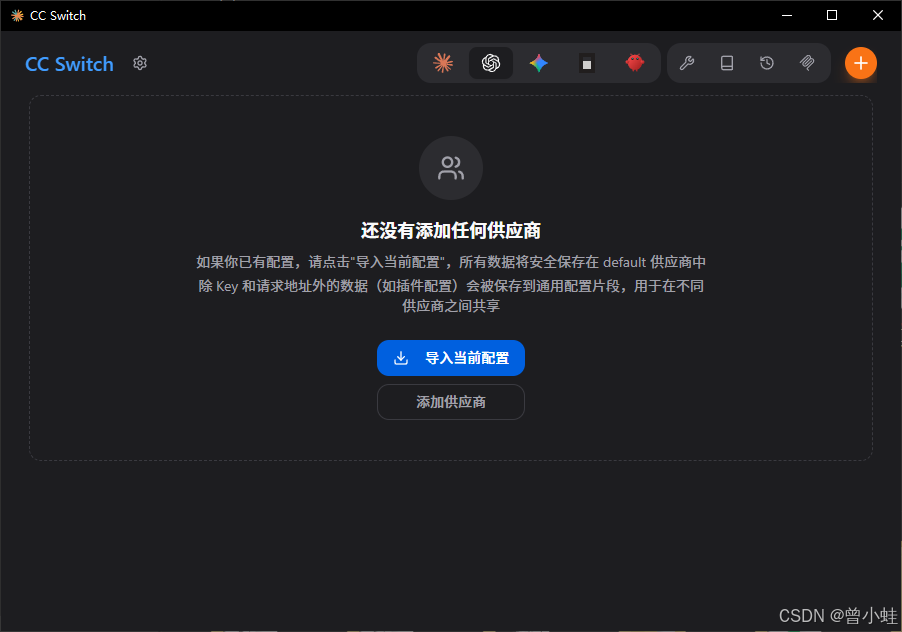
在服务器和命令端安装 (适用于树莓派或 ARM 服务器)
https://docs.packyapi.com/docs/ccswitch/5-ccs_cli.html
curl -LO https://github.com/saladday/cc-switch-cli/releases/latest/download/cc-switch-cli-linux-arm64-musl.tar.gz
tar -xzf cc-switch-cli-linux-arm64-musl.tar.gz
chmod +x cc-switch
sudo mv cc-switch /usr/local/bin/
供应商选择(自己购买后,复制apikey)(没有的,选自定义)
示意
jucodex自定义
https://jucodex.com
https://jucodex.com/v1
文档:https://jucodex.com/docs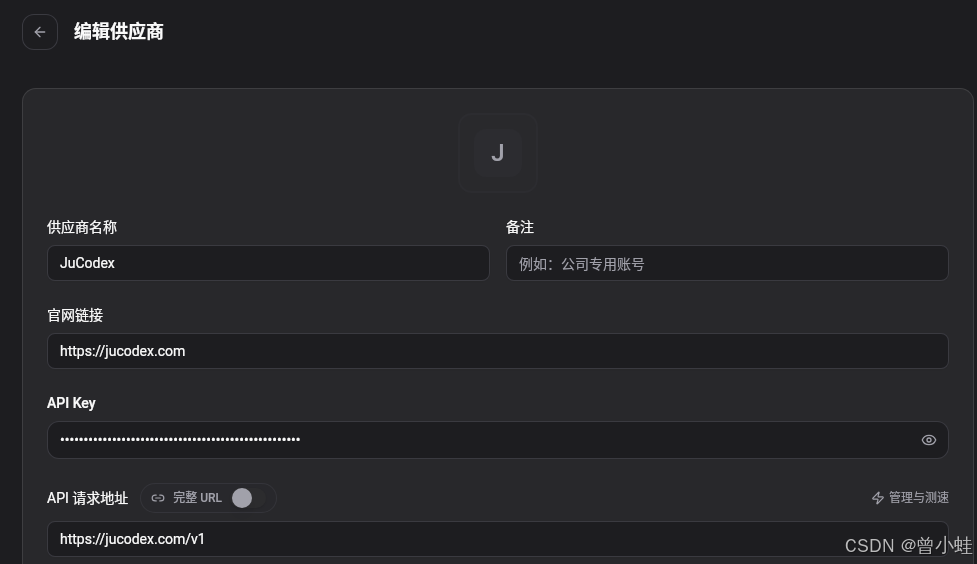
安装codex gemeni CLI配置教程
https://docs.packyapi.com/docs/cli/
安装Nodejs
参考:https://www.runoob.com/nodejs/nodejs-install-setup.html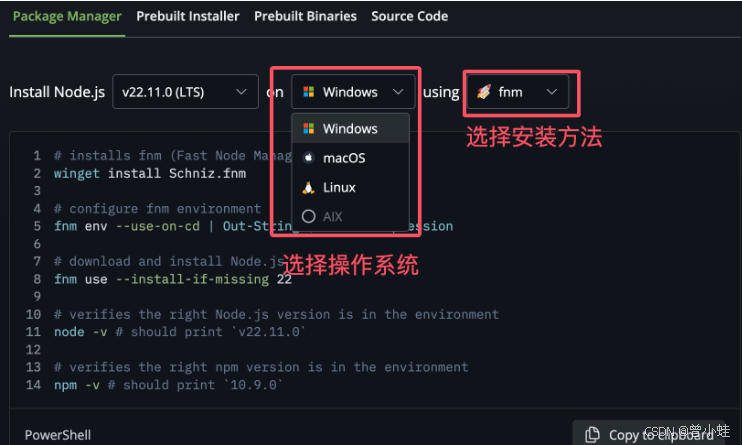
安装命令参考
# Download and install nvm:
curl -o- https://raw.githubusercontent.com/nvm-sh/nvm/v0.40.4/install.sh | bash

# in lieu of restarting the shell
\. "$HOME/.nvm/nvm.sh"

# Download and install Node.js:
nvm install 24

# Verify the Node.js version:
node -v # Should print "v24.14.1".

# Verify npm version:
npm -v # Should print "11.11.0".
切换淘宝镜像
npm config set registry https://registry.npmmirror.com
安装claude-code
npm i -g @anthropic-ai/claude-code@latest --verbose
安装codex
npm i -g @openai/codex@latest --verbose
安装gemeni
npm i -g @google/gemini-cli@latest --verbose
开始使用
codex
win+r 然后输入cmd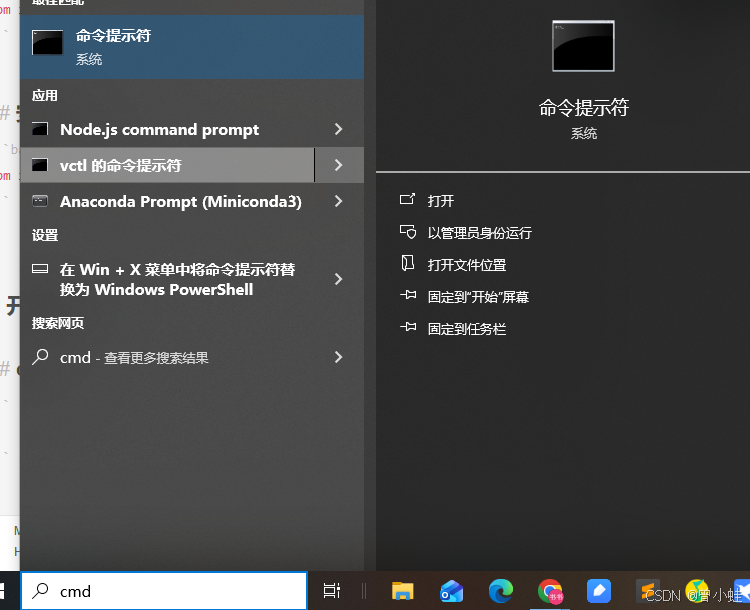
codex
配置好后,立刻使用
/model可选择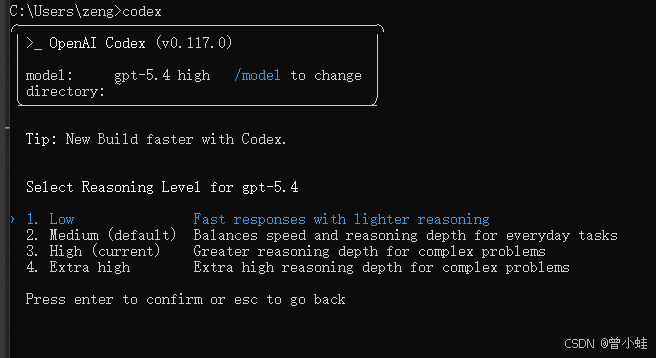
帮我写一个代码
帮我写一个readme 关于codex cli简易使用,并输出保存的位置,并打开
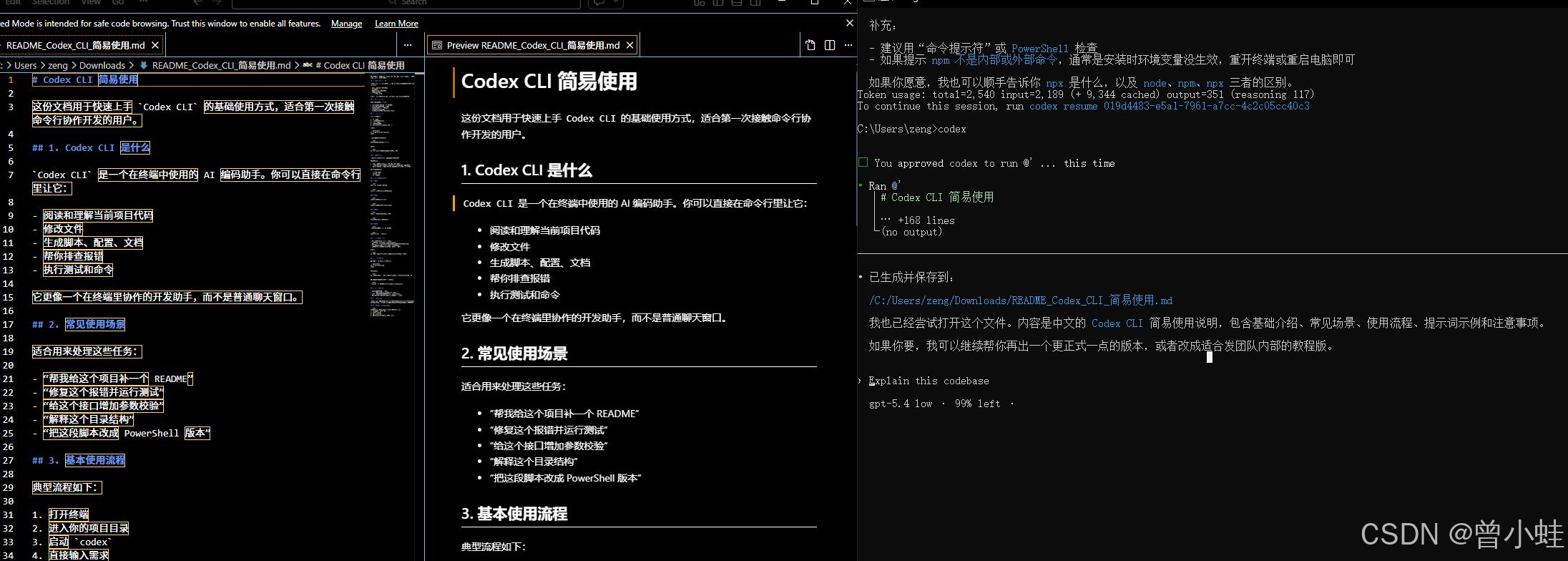
附录
~/.codex/config.toml
model_provider = "OpenAI"
model = "gpt-5.6-sol"
model_reasoning_effort = "medium"
disable_response_storage = true

[model_providers.OpenAI]
name = "OpenAI"
base_url = "https://api.jucodex.com/v1"
wire_api = "responses"
requires_openai_auth = true

[projects."/home/eir/vla"]
trust_level = "trusted"

AtomGit 是由开放原子开源基金会联合 CSDN 等生态伙伴共同推出的新一代开源与人工智能协作平台。平台坚持“开放、中立、公益”的理念,把代码托管、模型共享、数据集托管、智能体开发体验和算力服务整合在一起,为开发者提供从开发、训练到部署的一站式体验。
更多推荐



 4
4 0
0- 0


 已为社区贡献1条内容

所有评论(0)