LaTeX 引用章节、公式和图表
原 文:Cross referencing sections, equations and floats
译 者:Xovee
翻译时间:2021年6月4日
引用章节、公式和图表
如果你想在 LaTeX 文档中使用数字(或者其他引用格式)来引用文档中的公式、章节、图片等元素,本篇文章将会教给你具体的做法。
介绍
下面是一个简单的引用图片的例子:
\section{Introduction} \label{introduction}
This is an introductory paragraph with some dummy text. This section will be referenced later.

\begin{figure}[h]
\centering
\includegraphics[width=0.3\linewidth]{overleaf-logo}
\caption{This image will be referenced below.}
\label{fig:leaf}
\end{figure}

You can reference images; for instance, Figure \ref{fig:leaf} shows the \textit{Overleaf} logo.
命令\label{}创建了一个图题之后的标识符,这个标识符随后被命令\ref{}使用来创建引用数字(或者其他引用格式)。
引用章节
下面是一个引用章的例子:
\section{Introduction} \label{introduction}
This is an introductory paragraph with some dummy text. This section will be referenced later.

\begin{figure}[h]
\centering
\includegraphics[width=0.3\linewidth]{overleaf-logo}
\caption{This image will be referenced below.}
\label{fig:leaf}
\end{figure}

You can reference images; for instance, Figure \ref{fig:leaf} shows the \textit{Overleaf} logo.
\vspace{0.5cm}

\section{Math references} \label{mathrefs}
As mentioned in section \ref{introduction}, different elements can be referenced within a document.
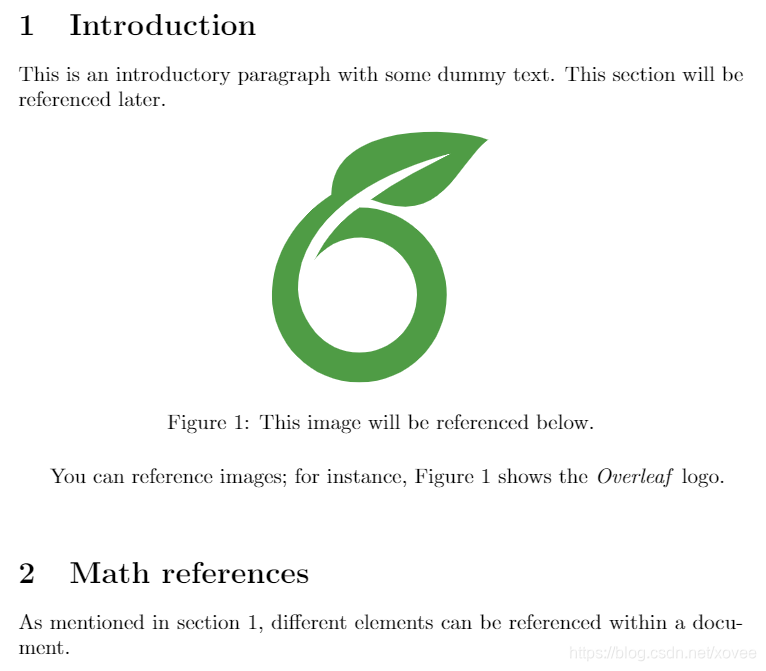
与上一个例子相似,这个例子使用了\label和\ref命令来创建引用。在\section命令之后使用\label命令,也就是说,你应该在章的编号被创建之后来使用\label命令。这个方法对chapters、subsections 以及 subsubsections 都有效。具体参考这篇文章。
引用公式、图片和表格
在本章的开头,我们看到了一个引用图片的例子,下面介绍如何引用公式:
\section{Math references} \label{mathrefs}
As mentioned in section \ref{introduction}, different elements can be referenced within a document.

\subsection{Powers series} \label{subsection}

\begin{equation} \label{eq:1}
\sum_{i=0}^{\infty} a_i x^i
\end{equation}

Equation \ref{eq:1} is a typical power series.
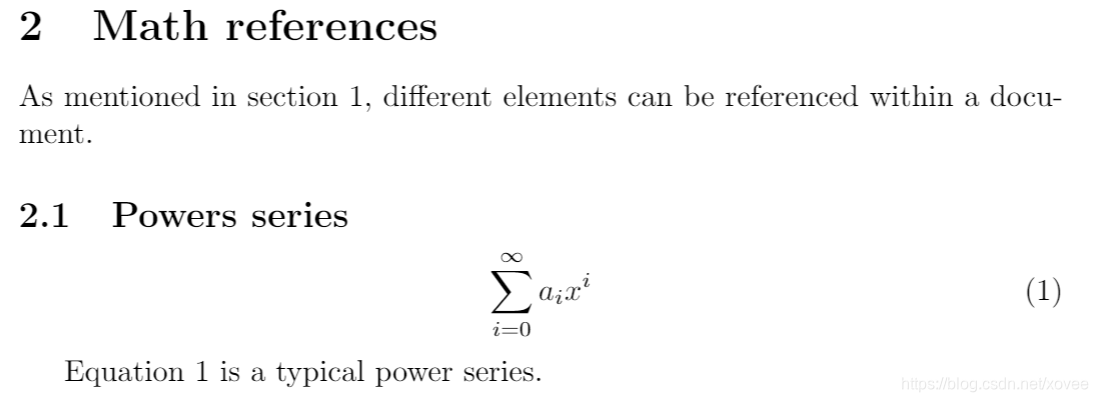
引用元素所在页
文档中的元素一般使用数字来引用它们。如果你需要的话,你也可以引用它们所在的页数字。
\section{Math references} \label{mathrefs}
As mentioned in section \ref{introduction}, different elements can be referenced within a document.

\subsection{Powers series} \label{subsection}

\begin{equation} \label{eq:1}
\sum_{i=0}^{\infty} a_i x^i
\end{equation}

Equation \ref{eq:1} is a typical power series.
\vspace{0.5cm}

%\Blindtext

\section{Last section}
In subsection \ref{subsection} on page \pageref{eq:1} an example of a power series was presented.

命令\pageref会插入元素(对应所使用的\label)所在的页数。这个命令适用于本文中所有的可编号元素。
编译带有引用的文档
在 Overleaf 平台上,交叉引用是立即生效的。对于本地的 LaTeX 编译环境,你必须编译文档两次来使交叉引用生效。你也可以使用特定的命令来使所有的交叉引用生效。例如,如果你的文档是main.tex,你可以使用下面的命令
latexmk -pdf main.tex
来生成main.pdf文件。文件中所有的交叉引用都会生效。如果你要改变输出的格式,使用-dvi或者-ps参数。

AtomGit 是由开放原子开源基金会联合 CSDN 等生态伙伴共同推出的新一代开源与人工智能协作平台。平台坚持“开放、中立、公益”的理念,把代码托管、模型共享、数据集托管、智能体开发体验和算力服务整合在一起,为开发者提供从开发、训练到部署的一站式体验。
更多推荐


 46
46 0
0- 0


 已为社区贡献17条内容

所有评论(0)