AI驱动的智能Agent工具链:从任务分解到多步推理的自动化执行
AI驱动的智能Agent工具链:从任务分解到多步推理的自动化执行
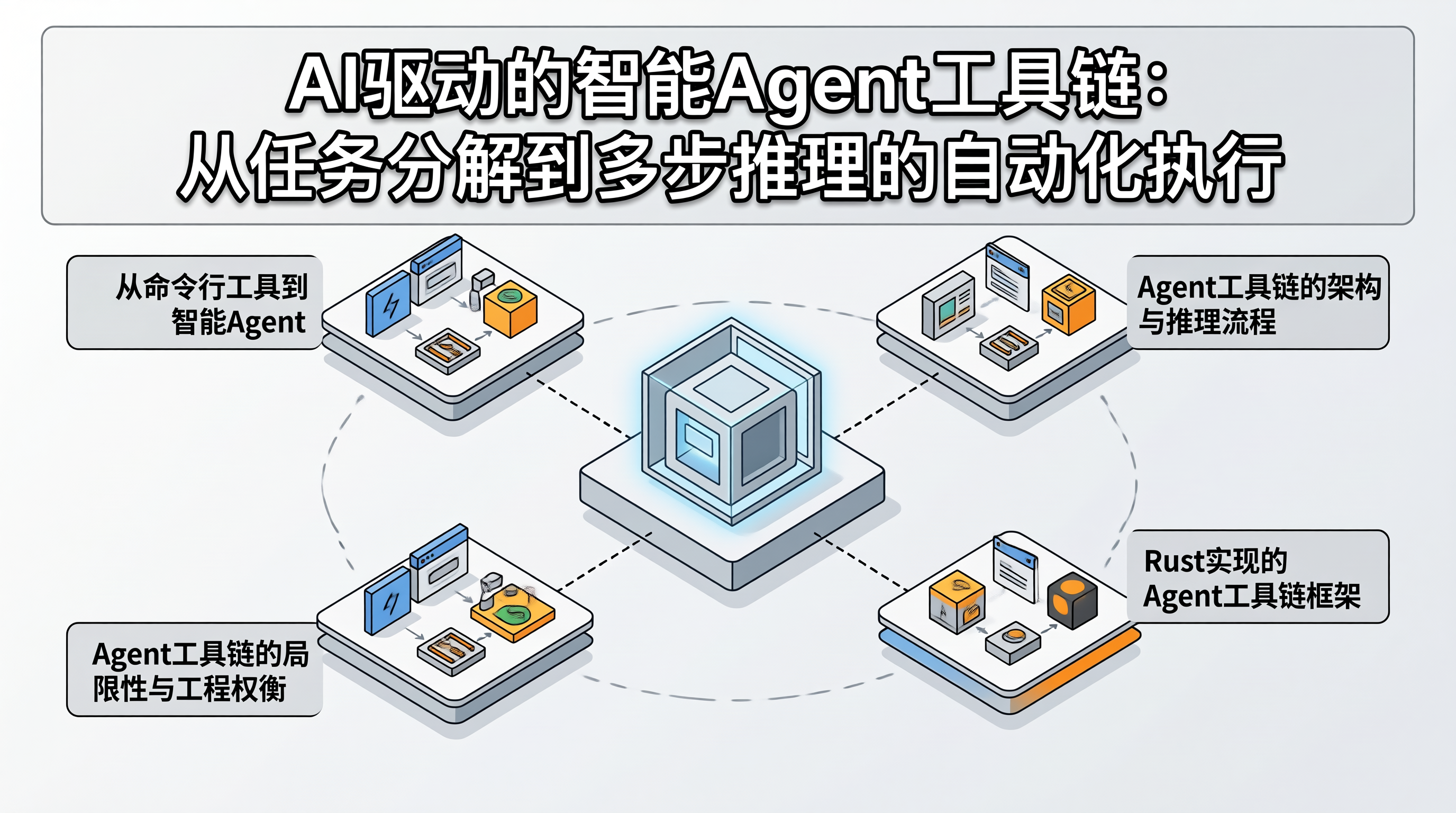
一、从命令行工具到智能Agent:为什么"手动编排"是效率瓶颈
用 Rust 写命令行工具是一件很爽的事——编译器帮你挡住了大部分内存安全问题,clap 库让参数解析变得优雅。但当工具链越来越多,问题就来了:每个工具只做一件事,复杂任务需要手动串联多个工具的输入输出。比如"分析这个仓库的代码质量",需要先跑 cargo clippy,再跑 cargo test,然后收集覆盖率,最后生成报告——每一步都要人工判断上一步的输出是否正常。
AI Agent 的核心价值在于:将多步任务编排交给大模型的推理能力。用户只需描述目标,Agent 自动分解子任务、选择工具、处理异常、汇总结果。这不是简单的脚本自动化——Agent 需要根据中间结果动态调整执行策略,这要求工具链具备结构化的输入输出接口和可观测的执行状态。
二、Agent工具链的架构与推理流程
flowchart TB
    A[用户目标描述] --> B[任务分解器]
    B --> C[工具选择器]
    C --> D[工具执行器]
    D --> E[结果评估器]
    E -->|任务完成| F[结果汇总]
    E -->|需要继续| C
    E -->|遇到异常| G[异常处理器]
    G -->|重试/换工具| C

    subgraph 工具注册表
        H[cargo_clippy] --> C
        I[cargo_test] --> C
        J[git_log] --> C
        K[file_reader] --> C
    end

    subgraph 推理上下文
        L[已执行步骤] --> B
        L --> C
        L --> E
        M[中间结果] --> B
        M --> E
    end
Agent 的执行循环是"分解→选择→执行→评估"的迭代过程。任务分解器将用户目标拆解为子任务列表,工具选择器为每个子任务匹配最合适的工具,工具执行器调用工具并收集结构化输出,结果评估器判断当前进度——任务完成则汇总输出,未完成则继续循环。关键设计点在于:工具的输入输出必须是结构化的(JSON Schema),这样 Agent 才能自动解析和传递中间结果。
三、Rust实现的Agent工具链框架
3.1 工具注册与Schema定义
use serde::{Deserialize, Serialize};
use serde_json::Value;
use std::collections::HashMap;

/// 工具的输入输出 Schema 定义
#[derive(Debug, Clone, Serialize, Deserialize)]
pub struct ToolSchema {
    pub name: String,
    pub description: String,
    pub input_schema: Value,   // JSON Schema
    pub output_schema: Value,  // JSON Schema
}

/// 工具执行结果
#[derive(Debug, Clone, Serialize, Deserialize)]
pub struct ToolResult {
    pub success: bool,
    pub output: Value,
    pub error: Option<String>,
    pub execution_time_ms: u64,
}

/// 工具 Trait:所有可注册的工具必须实现
#[async_trait::async_trait]
pub trait Tool: Send + Sync {
    fn schema(&self) -> ToolSchema;
    async fn execute(&self, input: Value) -> ToolResult;
}

/// 工具注册表
pub struct ToolRegistry {
    tools: HashMap<String, Box<dyn Tool>>,
}

impl ToolRegistry {
    pub fn new() -> Self {
        Self {
            tools: HashMap::new(),
        }
    }

    pub fn register<T: Tool + 'static>(&mut self, tool: T) {
        let schema = tool.schema();
        self.tools.insert(schema.name.clone(), Box::new(tool));
    }

    pub fn get(&self, name: &str) -> Option<&Box<dyn Tool>> {
        self.tools.get(name)
    }

    /// 生成所有工具的描述,供 Agent 推理使用
    pub fn tool_descriptions(&self) -> Vec<Value> {
        self.tools.values().map(|t| {
            let schema = t.schema();
            serde_json::json!({
                "name": schema.name,
                "description": schema.description,
                "input_schema": schema.input_schema,
            })
        }).collect()
    }
}
3.2 任务分解与工具选择的Agent循环
use anyhow::Result;

/// Agent 的推理上下文
#[derive(Debug, Clone, Serialize, Deserialize)]
pub struct AgentContext {
    pub goal: String,
    pub executed_steps: Vec<ExecutedStep>,
    pub intermediate_results: HashMap<String, Value>,
}

#[derive(Debug, Clone, Serialize, Deserialize)]
pub struct ExecutedStep {
    pub tool_name: String,
    pub input: Value,
    pub output: ToolResult,
    pub timestamp: String,
}

/// Agent 主循环
pub struct Agent {
    registry: ToolRegistry,
    llm_client: LlmClient,
    max_iterations: usize,
}

impl Agent {
    pub fn new(registry: ToolRegistry, llm_client: LlmClient) -> Self {
        Self {
            registry,
            llm_client,
            max_iterations: 10,
        }
    }

    /// 执行用户目标
    pub async fn run(&self, goal: &str) -> Result<Value> {
        let mut context = AgentContext {
            goal: goal.to_string(),
            executed_steps: Vec::new(),
            intermediate_results: HashMap::new(),
        };

        for iteration in 0..self.max_iterations {
            // 构造 Prompt:包含目标、已执行步骤、可用工具
            let prompt = self.build_prompt(&context);

            // 调用 LLM 获取下一步行动
            let action = self.llm_client
                .get_next_action(&prompt, &self.registry.tool_descriptions())
                .await?;

            match action.action_type {
                ActionType::CallTool => {
                    let tool_name = &action.tool_name;
                    let tool_input = &action.tool_input;

                    // 执行工具
                    let tool = self.registry.get(tool_name)
                        .ok_or_else(|| anyhow::anyhow!("工具未注册: {}", tool_name))?;

                    let result = tool.execute(tool_input.clone()).await;

                    // 记录执行步骤
                    context.executed_steps.push(ExecutedStep {
                        tool_name: tool_name.clone(),
                        input: tool_input.clone(),
                        output: result.clone(),
                        timestamp: chrono::Utc::now().to_rfc3339(),
                    });

                    // 如果工具执行成功,保存中间结果
                    if result.success {
                        context.intermediate_results.insert(
                            format!("step_{}", iteration),
                            result.output.clone(),
                        );
                    }
                }

                ActionType::Finish => {
                    // Agent 判断任务已完成
                    return Ok(action.final_output.unwrap_or(Value::Null));
                }

                ActionType::Error => {
                    // Agent 遇到无法处理的情况
                    anyhow::bail!(
                        "Agent 报告错误: {}",
                        action.error_message.unwrap_or_default()
                    );
                }
            }
        }

        anyhow::bail!("Agent 超过最大迭代次数 ({}),任务未完成", self.max_iterations)
    }

    fn build_prompt(&self, context: &AgentContext) -> String {
        format!(
            "目标: {}\n\n已执行步骤:\n{}\n\n可用工具:\n{}\n\n\
             请决定下一步行动:调用工具或报告完成。",
            context.goal,
            serde_json::to_string_pretty(&context.executed_steps).unwrap_or_default(),
            serde_json::to_string_pretty(&self.registry.tool_descriptions()).unwrap_or_default(),
        )
    }
}
3.3 具体工具实现示例:Cargo Clippy 工具
pub struct CargoClippyTool;

#[async_trait::async_trait]
impl Tool for CargoClippyTool {
    fn schema(&self) -> ToolSchema {
        ToolSchema {
            name: "cargo_clippy".to_string(),
            description: "运行 cargo clippy 检查代码质量,返回警告和错误列表".to_string(),
            input_schema: serde_json::json!({
                "type": "object",
                "properties": {
                    "project_path": {
                        "type": "string",
                        "description": "Cargo 项目路径"
                    },
                    "fix": {
                        "type": "boolean",
                        "description": "是否自动修复可修复的警告"
                    }
                },
                "required": ["project_path"]
            }),
            output_schema: serde_json::json!({
                "type": "object",
                "properties": {
                    "warnings": { "type": "array", "items": { "type": "object" } },
                    "errors": { "type": "array", "items": { "type": "object" } },
                    "warning_count": { "type": "integer" },
                    "error_count": { "type": "integer" }
                }
            }),
        }
    }

    async fn execute(&self, input: Value) -> ToolResult {
        let start = std::time::Instant::now();
        let project_path = input["project_path"].as_str().unwrap_or(".");
        let fix = input["fix"].as_bool().unwrap_or(false);

        let mut cmd = tokio::process::Command::new("cargo");
        cmd.arg("clippy")
            .arg("--message-format=json")
            .current_dir(project_path);

        if fix {
            cmd.arg("--fix").arg("--allow-dirty");
        }

        match cmd.output().await {
            Ok(output) => {
                let stdout = String::from_utf8_lossy(&output.stdout);
                let (warnings, errors) = parse_clippy_output(&stdout);

                ToolResult {
                    success: errors.is_empty(),
                    output: serde_json::json!({
                        "warnings": warnings,
                        "errors": errors,
                        "warning_count": warnings.len(),
                        "error_count": errors.len(),
                    }),
                    error: if errors.is_empty() { None } else {
                        Some(format!("发现 {} 个错误", errors.len()))
                    },
                    execution_time_ms: start.elapsed().as_millis() as u64,
                }
            }
            Err(e) => ToolResult {
                success: false,
                output: Value::Null,
                error: Some(format!("执行 cargo clippy 失败: {}", e)),
                execution_time_ms: start.elapsed().as_millis() as u64,
            },
        }
    }
}

fn parse_clippy_output(raw: &str) -> (Vec<Value>, Vec<Value>) {
    let mut warnings = Vec::new();
    let mut errors = Vec::new();

    for line in raw.lines() {
        if let Ok(msg) = serde_json::from_str::<Value>(line) {
            let level = msg["level"].as_str().unwrap_or("");
            match level {
                "warning" => warnings.push(msg),
                "error" => errors.push(msg),
                _ => {}
            }
        }
    }

    (warnings, errors)
}
四、Agent工具链的局限性与工程权衡
LLM 推理的不可靠性:大模型可能选择错误的工具、构造无效的输入参数、或在任务未完成时提前报告完成。每次工具调用的 LLM 推理成本约 500-2000 tokens,10 步任务的推理成本约 5000-20000 tokens。对于确定性高的任务,硬编码的脚本编排比 Agent 更可靠且成本更低。
工具输出的解析鲁棒性:工具的输出格式可能因版本升级、环境差异而变化。Cargo Clippy 的 JSON 输出格式在不同版本间有细微差异,解析器需要容忍这些变化。建议在工具层做严格的 Schema 校验,而非在 Agent 层做。
迭代深度与成本控制:Agent 的最大迭代次数是安全阀,但 10 次迭代可能不足以完成复杂任务,也可能在简单任务上浪费 LLM 调用。生产环境需要根据任务复杂度动态调整迭代上限,并设置 token 预算。
错误恢复的策略选择:工具执行失败时,Agent 可以重试、换工具、或调整参数。但 LLM 的错误恢复策略不可预测——可能陷入"重试→失败→重试"的死循环。建议在 Agent 循环中加入退避机制:同一工具连续失败 3 次后强制跳过。
五、总结
AI 驱动的智能 Agent 工具链将"手动编排多工具"升级为"描述目标自动执行"的模式。核心架构是"工具注册 + Agent 推理循环 + 结构化输入输出",Agent 通过 LLM 推理自动分解任务、选择工具、处理异常。但 Agent 不是万能的——LLM 推理不可靠、工具输出解析需要鲁棒性、迭代深度需要成本控制、错误恢复可能陷入死循环。落地建议:确定性任务用脚本编排,只有需要动态决策的任务才用 Agent;工具层做严格的 Schema 校验;设置最大迭代次数和 token 预算;同一工具连续失败 3 次后强制跳过;每次 Agent 执行记录完整日志,便于回溯和调优。

AtomGit 是由开放原子开源基金会联合 CSDN 等生态伙伴共同推出的新一代开源与人工智能协作平台。平台坚持“开放、中立、公益”的理念,把代码托管、模型共享、数据集托管、智能体开发体验和算力服务整合在一起,为开发者提供从开发、训练到部署的一站式体验。
更多推荐



 26
26 0
0- 0


 已为社区贡献82条内容

所有评论(0)