HarmonyOS V2状态管理深度解析:异步加载与响应式数据流
·
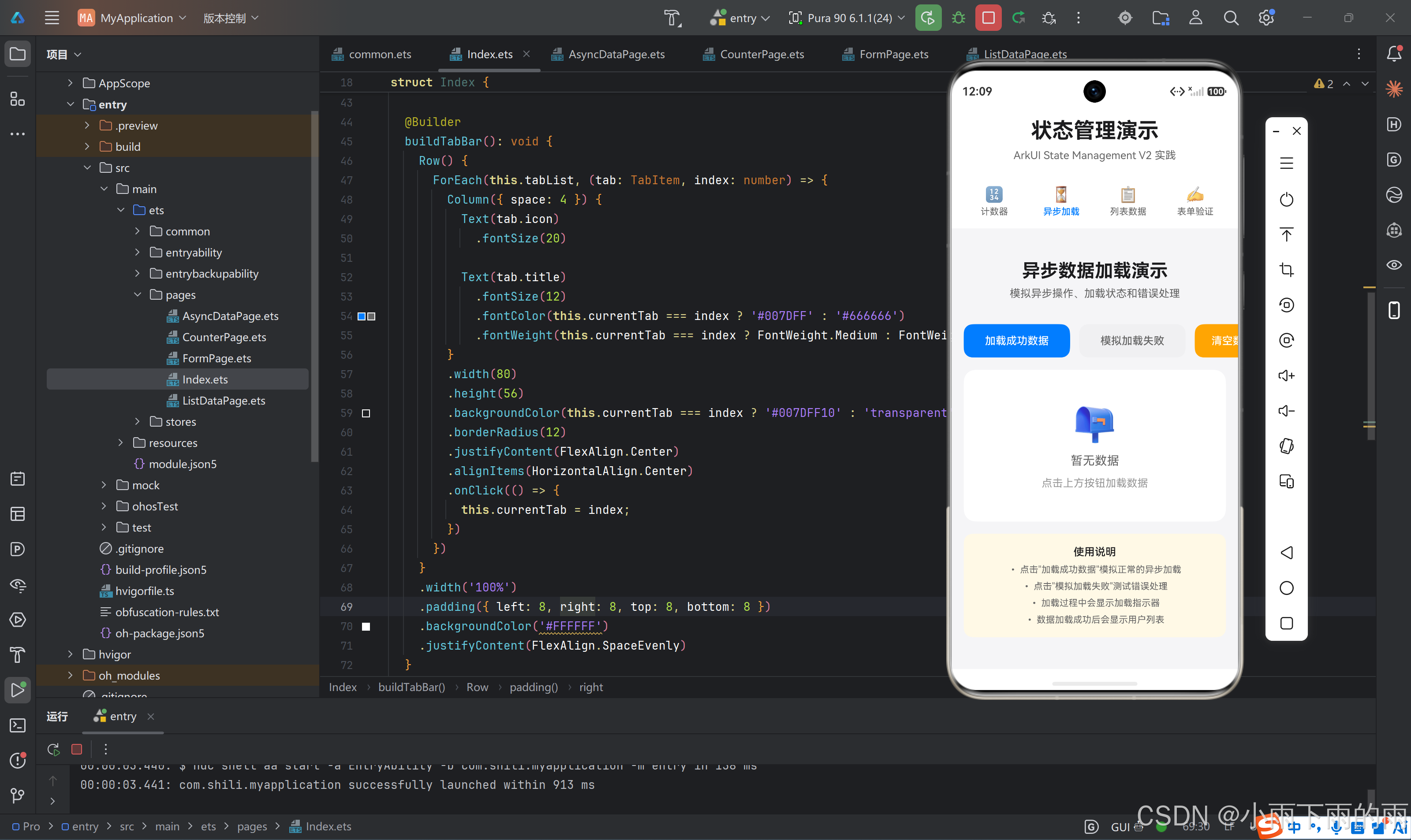
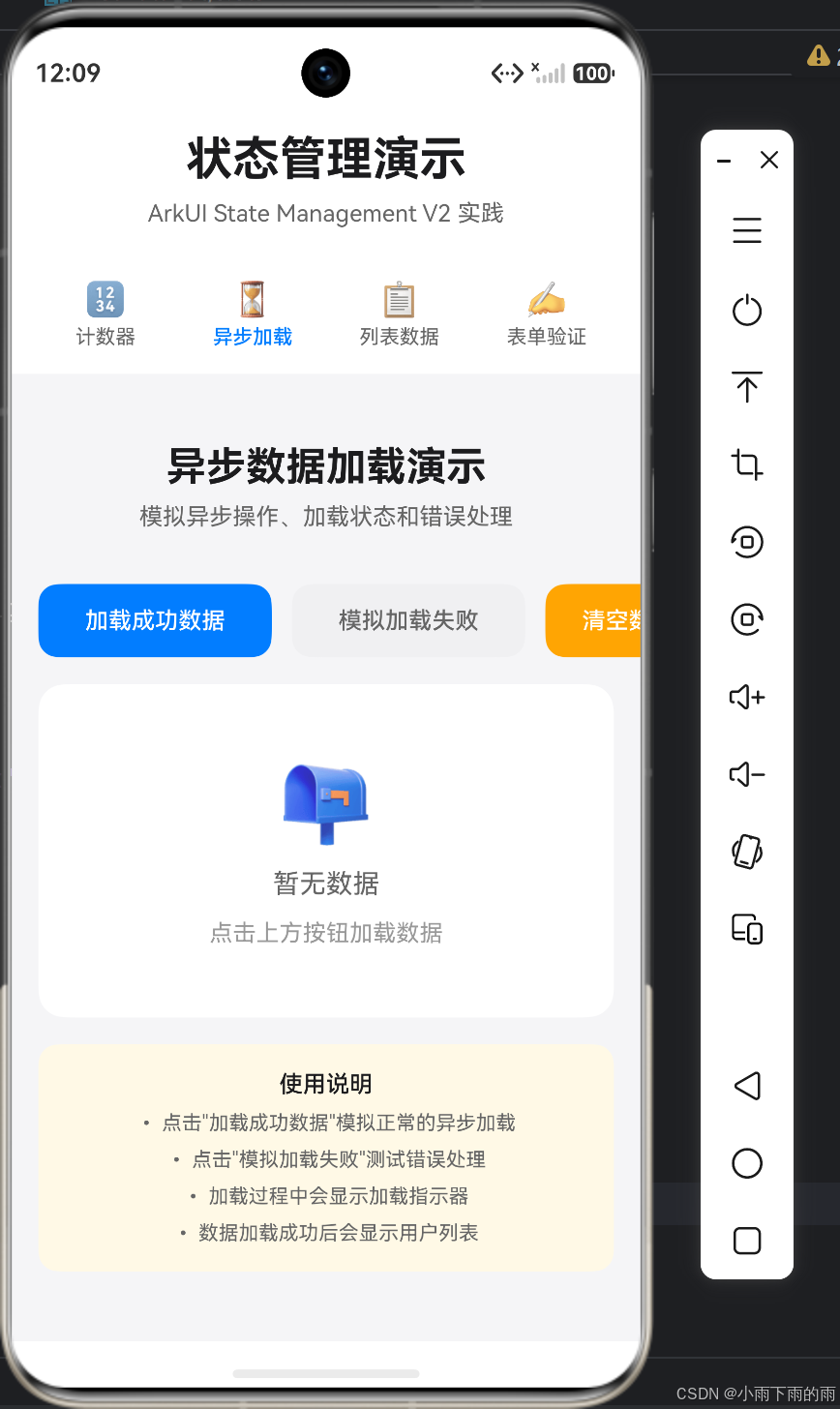
一、异步状态管理的挑战
1.1 异步操作的复杂性
在移动应用开发中,异步操作是不可避免的。常见的异步场景包括:
- 网络请求
- 数据库操作
- 文件读写
- 定时器任务
这些操作带来了几个核心挑战:
| 挑战 | 描述 | 影响 |
|---|---|---|
| 状态不一致 | 异步操作期间状态可能被多次修改 | 数据错乱 |
| 竞态条件 | 多个异步操作相互干扰 | 难以调试的bug |
| 加载状态 | 需要管理loading、success、error三种状态 | 代码复杂度增加 |
| 取消操作 | 用户可能在操作完成前取消 | 资源浪费 |
1.2 传统异步处理方式
// 传统回调方式
fetchData((data) => {
  this.data = data;
}, (error) => {
  this.error = error;
});

// Promise方式
fetchData().then(data => {
  this.data = data;
}).catch(error => {
  this.error = error;
});
1.3 HarmonyOS V2的解决方案
V2状态管理提供了更好的异步处理机制:
@Entry
@ComponentV2
struct AsyncDemo {
  @Local loading: boolean = false;
  @Local data: User[] = [];
  @Local error: string = '';

  async fetchData(): Promise<void> {
    this.loading = true;
    this.error = '';

    try {
      const response = await http.get('https://api.example.com/users');
      this.data = response.data;
    } catch (err) {
      this.error = '加载失败';
    } finally {
      this.loading = false;
    }
  }
}
二、异步状态的三种状态模式
2.1 状态模式设计
异步操作通常需要管理三种状态:
interface AsyncState<T> {
  loading: boolean;
  data: T | null;
  error: string;
}
状态转换图:
          ┌──────────────┐
          │   Initial    │
          │ (loading=false│
          │  data=null)  │
          └──────┬───────┘
                 │ fetch()
                 ▼
          ┌──────────────┐
          │   Loading    │
          │ (loading=true│
          │  data=null)  │
          └──────┬───────┘
                 │
        ┌────────┴────────┐
        │                 │
        ▼                 ▼
┌──────────────┐   ┌──────────────┐
│   Success    │   │    Error     │
│ (loading=    │   │ (loading=    │
│  false,      │   │  false,      │
│  data=[])    │   │  error=msg)  │
└──────────────┘   └──────────────┘
2.2 实现异步数据Store
@ObservedV2
class AsyncDataStore {
  @Trace state: AsyncState<User[]> = {
    loading: false,
    data: [],
    error: ''
  };

  @Trace refreshCount: number = 0;

  async fetchUsers(): Promise<void> {
    this.state.loading = true;
    this.state.error = '';

    try {
      await this.delay(1500);

      const mockUsers: User[] = [
        { id: 1, name: '张三', email: 'zhangsan@example.com' },
        { id: 2, name: '李四', email: 'lisi@example.com' },
        { id: 3, name: '王五', email: 'wangwu@example.com' }
      ];

      this.state.data = mockUsers;
      this.refreshCount++;
    } catch (err) {
      this.state.error = '加载失败,请重试';
    } finally {
      this.state.loading = false;
    }
  }

  private delay(ms: number): Promise<void> {
    return new Promise(resolve => setTimeout(resolve, ms));
  }
}

export const asyncDataStore = new AsyncDataStore();
2.3 异步状态管理的关键点
1. 状态重置
this.state.loading = true;
this.state.error = '';
2. 错误处理
try {
  // 异步操作
} catch (err) {
  this.state.error = '加载失败';
}
3. 最终状态
finally {
  this.state.loading = false;
}
三、异步加载组件实现
3.1 完整的异步加载页面
@Entry
@ComponentV2
struct AsyncDataPage {
  @Local searchQuery: string = '';
  private store = asyncDataStore;

  aboutToAppear(): void {
    this.store.fetchUsers();
  }

  build() {
    Column({ space: 16 }) {
      // 搜索框
      TextInput({ placeholder: '搜索用户' })
        .width('100%')
        .height(44)
        .backgroundColor('#FFFFFF')
        .borderRadius(8)
        .onChange((value: string) => {
          this.searchQuery = value;
        })

      // 加载状态
      if (this.store.state.loading) {
        this.buildLoadingState();
      } else if (this.store.state.error) {
        this.buildErrorState();
      } else if (this.store.state.data.length === 0) {
        this.buildEmptyState();
      } else {
        this.buildDataList();
      }
    }
    .width('100%')
    .padding(20)
    .backgroundColor('#F5F5F7')
  }

  @Builder
  buildLoadingState(): void {
    Column({ space: 12 }) {
      LoadingProgress()
        .width(48)
        .height(48)
        .color('#007DFF')
      Text('加载中...')
        .fontSize(14)
        .fontColor('#666666')
    }
    .width('100%')
    .height(300)
    .justifyContent(FlexAlign.Center)
  }

  @Builder
  buildErrorState(): void {
    Column({ space: 12 }) {
      Text('❌')
        .fontSize(48)
      Text(this.store.state.error)
        .fontSize(14)
        .fontColor('#FF4757')
      Button('重新加载')
        .width(120)
        .height(40)
        .backgroundColor('#007DFF')
        .onClick(() => this.store.fetchUsers())
    }
    .width('100%')
    .height(300)
    .justifyContent(FlexAlign.Center)
  }

  @Builder
  buildEmptyState(): void {
    Column({ space: 12 }) {
      Text('📭')
        .fontSize(48)
      Text('暂无数据')
        .fontSize(14)
        .fontColor('#999999')
    }
    .width('100%')
    .height(300)
    .justifyContent(FlexAlign.Center)
  }

  @Builder
  buildDataList(): void {
    List({ space: 12 }) {
      ForEach(this.filteredUsers, (user: User) => {
        ListItem() {
          Row({ space: 12 }) {
            Text(user.avatar || '👤')
              .fontSize(40)
            Column({ space: 4 }) {
              Text(user.name)
                .fontSize(16)
                .fontWeight(FontWeight.Medium)
              Text(user.email)
                .fontSize(12)
                .fontColor('#666666')
            }
          }
          .width('100%')
          .padding(16)
          .backgroundColor('#FFFFFF')
          .borderRadius(12)
        }
      })
    }
    .width('100%')
    .layoutWeight(1)
  }

  get filteredUsers(): User[] {
    if (!this.searchQuery.trim()) {
      return this.store.state.data;
    }
    const keyword = this.searchQuery.toLowerCase();
    return this.store.state.data.filter(user =>
      user.name.toLowerCase().includes(keyword) ||
      user.email.toLowerCase().includes(keyword)
    );
  }
}
3.2 状态同步机制
当Store状态变化时,UI会自动更新:
// Store中的状态变化
this.state.data = mockUsers;

// 触发UI更新
// UI组件自动重新渲染
3.3 生命周期管理
aboutToAppear(): void {
  this.store.fetchUsers();
}

aboutToDisappear(): void {
  // 可以在这里取消未完成的请求
}
四、高级异步模式
4.1 请求取消机制
@ObservedV2
class AsyncDataStore {
  private abortController: AbortController | null = null;

  async fetchUsers(): Promise<void> {
    // 取消之前的请求
    if (this.abortController) {
      this.abortController.abort();
    }

    this.abortController = new AbortController();
    this.state.loading = true;

    try {
      const response = await fetch('https://api.example.com/users', {
        signal: this.abortController.signal
      });
      this.state.data = await response.json();
    } catch (err) {
      if (err.name !== 'AbortError') {
        this.state.error = '加载失败';
      }
    } finally {
      this.state.loading = false;
      this.abortController = null;
    }
  }
}
4.2 请求防抖
class DebounceStore {
  private debounceTimer: number | null = null;

  fetchWithDebounce(query: string): void {
    if (this.debounceTimer) {
      clearTimeout(this.debounceTimer);
    }

    this.debounceTimer = setTimeout(() => {
      this.fetchData(query);
      this.debounceTimer = null;
    }, 300);
  }

  private async fetchData(query: string): Promise<void> {
    // 实际的请求逻辑
  }
}
4.3 请求缓存
@ObservedV2
class CachedDataStore {
  private cache: Map<string, CacheEntry> = new Map();

  async fetchData(key: string): Promise<Data> {
    // 检查缓存
    const cached = this.cache.get(key);
    if (cached && !this.isExpired(cached.timestamp)) {
      return cached.data;
    }

    // 发起请求
    const data = await this.fetchFromAPI(key);

    // 更新缓存
    this.cache.set(key, {
      data,
      timestamp: Date.now()
    });

    return data;
  }

  private isExpired(timestamp: number): boolean {
    return Date.now() - timestamp > 5 * 60 * 1000; // 5分钟过期
  }
}
五、响应式数据流架构
5.1 数据流模式
用户操作 → Action → Dispatcher → Store → State → UI
                                              ↑     │
                                              └─────┘
5.2 单向数据流
// Action定义
interface Action {
  type: string;
  payload?: any;
}

// Dispatcher
class Dispatcher {
  private store: Store;

  dispatch(action: Action): void {
    switch (action.type) {
      case 'FETCH_START':
        this.store.setLoading(true);
        break;
      case 'FETCH_SUCCESS':
        this.store.setData(action.payload);
        break;
      case 'FETCH_ERROR':
        this.store.setError(action.payload);
        break;
    }
  }
}
5.3 状态订阅模式
class Store {
  private subscribers: Set<() => void> = new Set();

  subscribe(callback: () => void): () => void {
    this.subscribers.add(callback);
    return () => this.subscribers.delete(callback);
  }

  protected notify(): void {
    this.subscribers.forEach(callback => callback());
  }
}
六、错误处理策略
6.1 错误分类
| 错误类型 | 处理策略 | 用户提示 |
|---|---|---|
| 网络错误 | 重试机制 | 检查网络连接 |
| 超时错误 | 增加超时时间 | 请求超时,请重试 |
| 服务器错误 | 记录日志 | 服务器繁忙,请稍后再试 |
| 数据格式错误 | 数据校验 | 数据格式错误 |
| 权限错误 | 引导登录 | 请登录后重试 |
6.2 重试机制
async fetchWithRetry(url: string, retries: number = 3): Promise<Response> {
  for (let i = 0; i < retries; i++) {
    try {
      const response = await fetch(url);
      if (!response.ok) throw new Error('HTTP error');
      return response;
    } catch (err) {
      if (i === retries - 1) throw err;
      await this.delay(Math.pow(2, i) * 1000); // 指数退避
    }
  }
  throw new Error('Max retries exceeded');
}
6.3 用户友好的错误提示
@Builder
buildErrorState(): void {
  Column({ space: 16 }) {
    this.buildErrorIcon(this.store.state.error);
    Text(this.store.state.error)
      .fontSize(16)
      .fontColor('#FF4757')
    Row({ space: 12 }) {
      Button('重试')
        .width(100)
        .height(40)
        .backgroundColor('#007DFF')
        .onClick(() => this.store.fetchUsers())
      Button('反馈问题')
        .width(100)
        .height(40)
        .backgroundColor('#F0F0F2')
        .fontColor('#666666')
        .onClick(() => this.showFeedback())
    }
  }
}
七、性能优化
7.1 请求合并
class BatchRequestStore {
  private pendingRequests: Map<string, Promise<any>> = new Map();

  async fetch(key: string): Promise<any> {
    // 如果已有相同请求在进行,复用它
    if (this.pendingRequests.has(key)) {
      return this.pendingRequests.get(key);
    }

    const promise = this.doFetch(key).finally(() => {
      this.pendingRequests.delete(key);
    });

    this.pendingRequests.set(key, promise);
    return promise;
  }
}
7.2 懒加载
@Entry
@ComponentV2
struct LazyLoadPage {
  @Local visibleItems: Set<number> = new Set();

  build() {
    List({ space: 12 }) {
      ForEach(items, (item, index) => {
        ListItem() {
          ItemComponent({ data: item, load: this.visibleItems.has(index) })
        }
        .onAppear(() => {
          this.visibleItems.add(index);
        })
        .onDisappear(() => {
          this.visibleItems.delete(index);
        })
      })
    }
  }
}
7.3 虚拟列表
List({ space: 12, scroller: this.scroller }) {
  LazyForEach(this.dataSource, (item: ListItem) => {
    ListItem() {
      ItemCard({ item })
    }
    .height(100)
  })
}
.height(500)
八、测试异步状态
8.1 单元测试
describe('AsyncDataStore', () => {
  it('should fetch users successfully', async () => {
    const store = new AsyncDataStore();

    await store.fetchUsers();

    expect(store.state.loading).toBe(false);
    expect(store.state.error).toBe('');
    expect(store.state.data.length).toBeGreaterThan(0);
  });

  it('should handle errors', async () => {
    const store = new AsyncDataStore();
    // 模拟网络错误
    jest.spyOn(global, 'fetch').mockRejectedValue(new Error('Network error'));

    await store.fetchUsers();

    expect(store.state.loading).toBe(false);
    expect(store.state.error).toBe('加载失败,请重试');
  });
});
8.2 集成测试
it('should display loading state', async () => {
  const page = new AsyncDataPage();
  page.build();

  expect(page.findComponent(LoadingProgress)).toBeDefined();
});

it('should display data after fetch', async () => {
  const page = new AsyncDataPage();
  page.build();

  await waitFor(() => {
    return page.findComponent(List).children.length > 0;
  }, { timeout: 2000 });
});
九、最佳实践总结
9.1 状态管理原则
- 状态集中管理:将相关状态放在一起
- 状态不可变:使用不可变更新模式
- 状态可见性:明确状态的作用域
- 状态验证:更新前验证状态合法性
9.2 异步操作原则
- 始终处理错误:不要忽略catch块
- 管理加载状态:避免用户困惑
- 取消不必要的请求:节省资源
- 添加重试机制:提高可靠性
9.3 代码组织建议
src/
├── stores/
│   ├── AsyncDataStore.ts
│   └── types.ts
├── pages/
│   └── AsyncDataPage.ts
└── utils/
    └── http.ts
参考资料:

AtomGit 是由开放原子开源基金会联合 CSDN 等生态伙伴共同推出的新一代开源与人工智能协作平台。平台坚持“开放、中立、公益”的理念,把代码托管、模型共享、数据集托管、智能体开发体验和算力服务整合在一起,为开发者提供从开发、训练到部署的一站式体验。
更多推荐



 4
4 0
0- 0


 已为社区贡献12条内容

所有评论(0)