ARM(imx6、A40等)迁移lib61850库(三):基于QT(C++)的61850库使用
ARM(imx6、A40等)迁移libIEC61850库系列目录
ARM(imx6、A40等)迁移libIEC61850库(一):61850库编译
ARM(imx6、A40等)迁移libIEC61850库(二):61850模型文件编译(静态编译)
ARM(imx6、A40等)迁移lib61850库(三):基于QT(C++)的61850库使用
ARM(imx6、A40等)迁移lib61850库(四):libIEC61850测试
文章目录
前言
通过对上两个章节的学习,我们现在已经获取到交叉编译的libIEC61850库以及静态编译的模型文件。
下面我们就基于上述内容,构建一个测试工程,用于测试61850是否交叉编译成功。
一、准备
因为我们本章内容的目标硬件是全志A40i的ARM处理器,我们的开发环境是基于虚拟机的交叉编译环境,所使用的软件为QT Creatot 4.5.2。
关于如何构建交叉编译环境,以及如何使用QT creator我们这里不做讲解。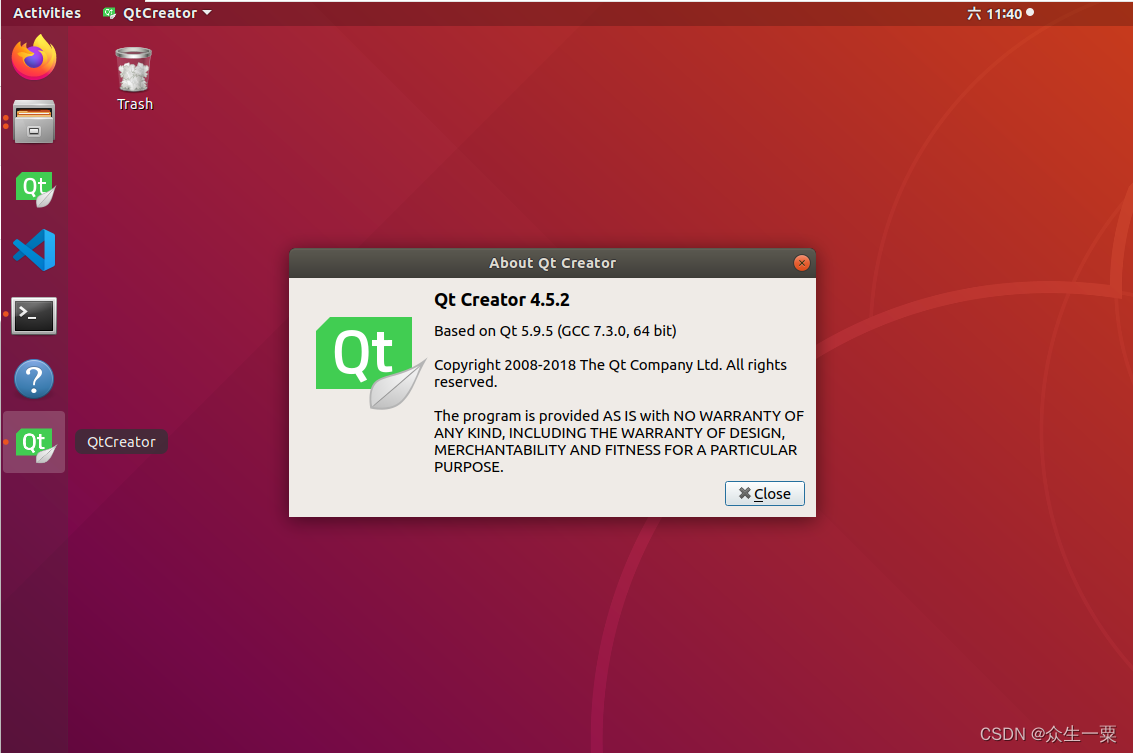
二、构建测试工程
1、新建文件夹
用于存放上两个章节中我们所生成的libIEC61850模型文件、库以及头文件等。
我这里新建为《QT_61850test》
2、将上两个章节中所索取的《61850_head》、《61850_lib》、《61850_model》三个文件夹移动到《QT_61850test》中。
这里主要是方便工程迁移,也可以放到其他位置。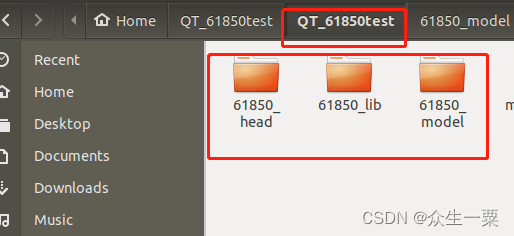
3、打开QT,检查交叉编译环境。
4、创建工程名为QT_61850test的工程,工程类型按是否需要GUI选择,我们这里不需要GUI界面。所以选择 Qt Console Application。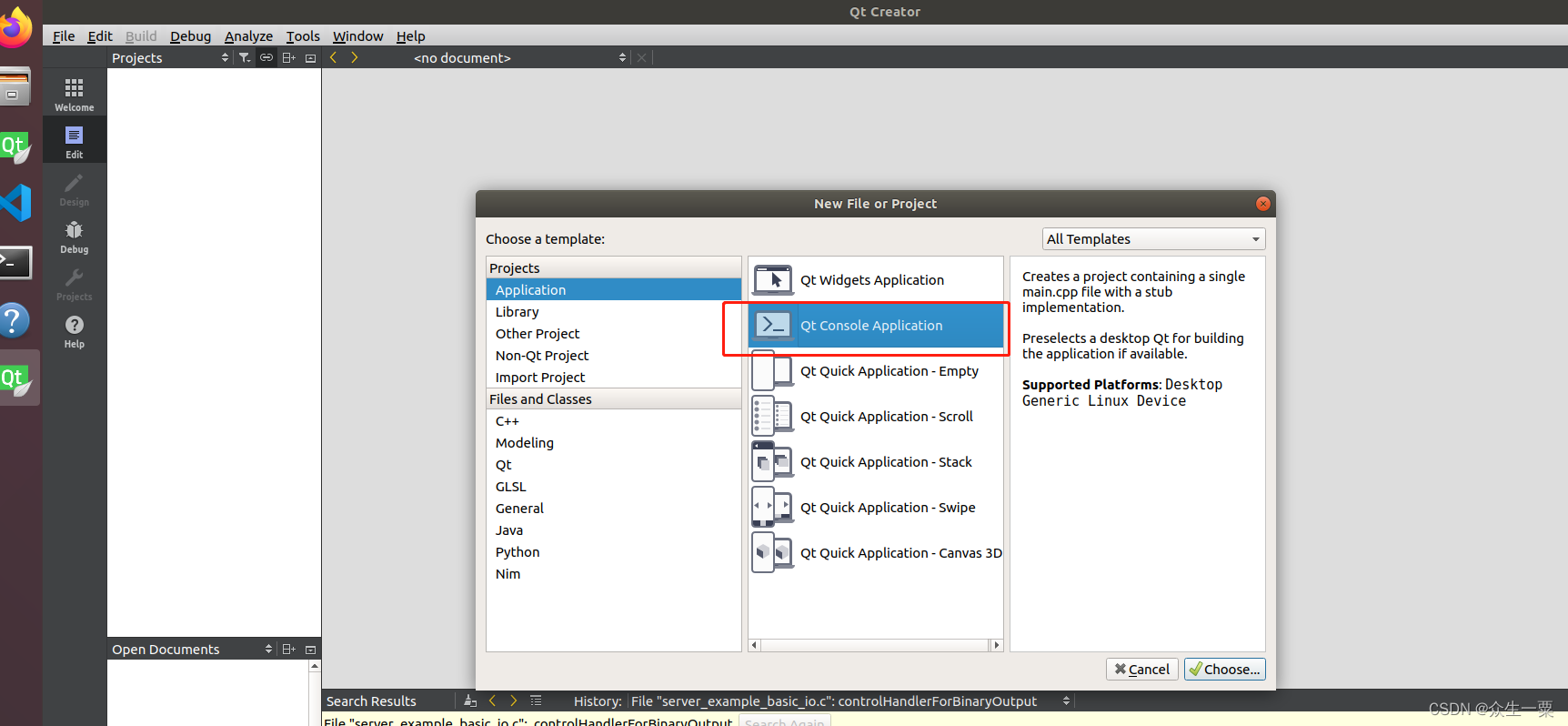
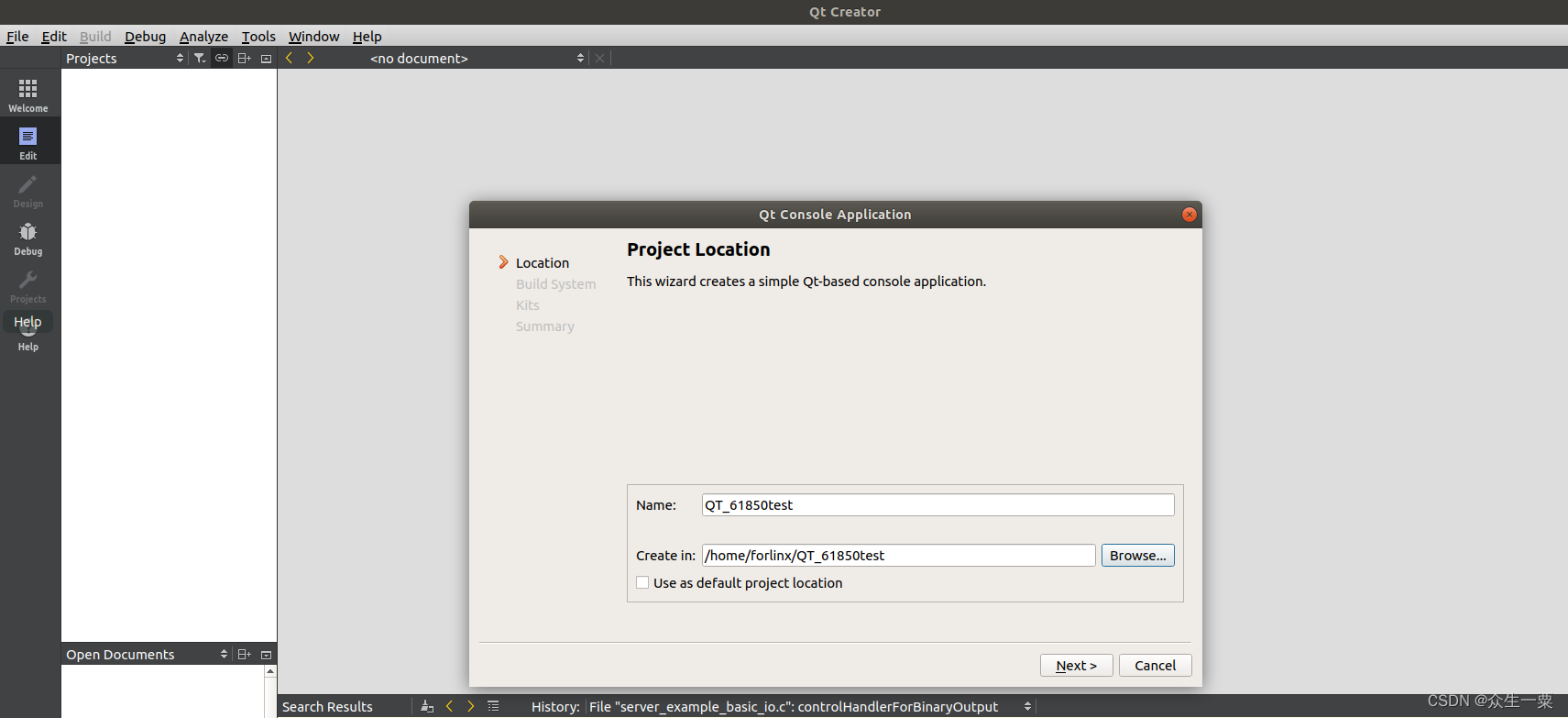
这里一定要选择交叉编译的环境。
创建好的工程如下: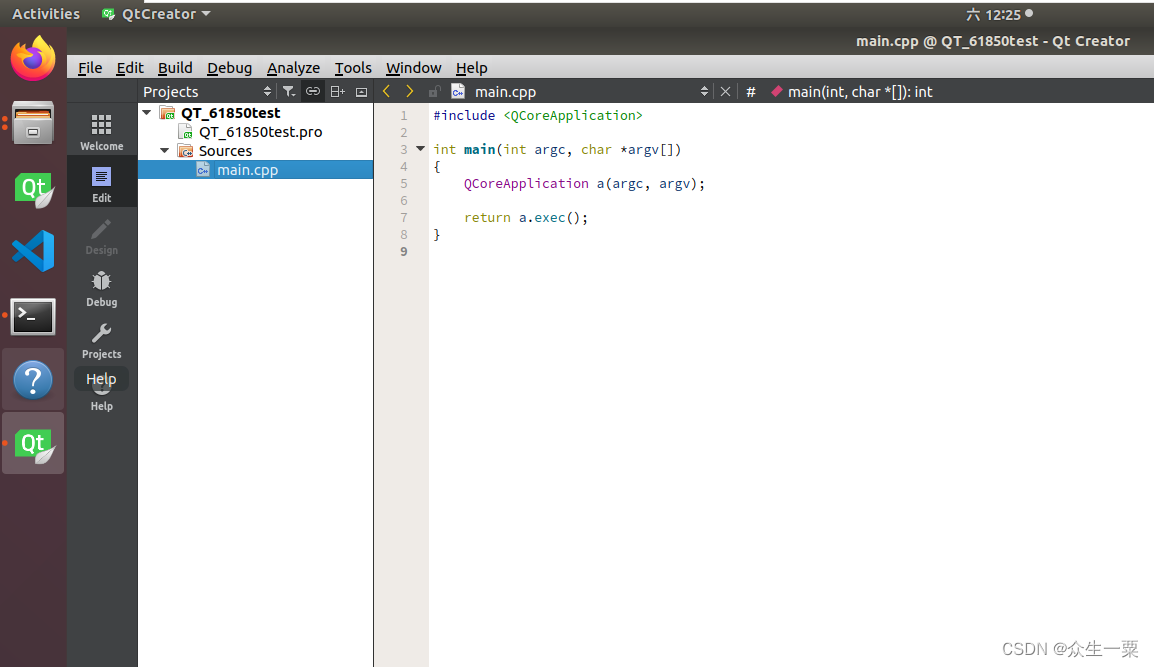
三、将《61850_head》与《61850_model》中的文件添加到工程中
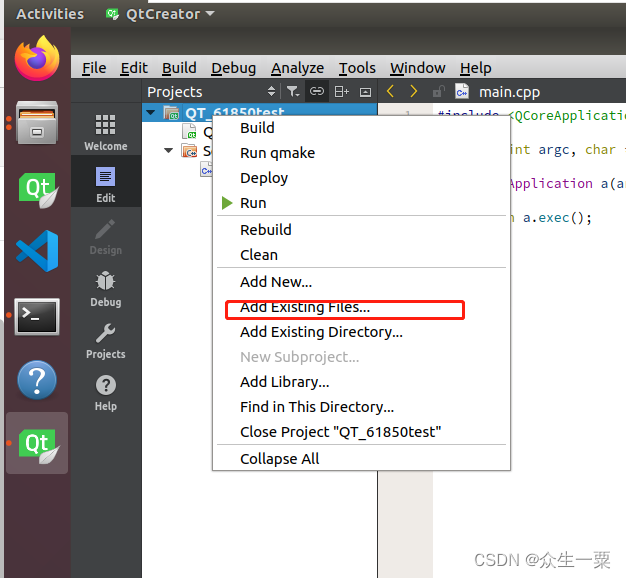
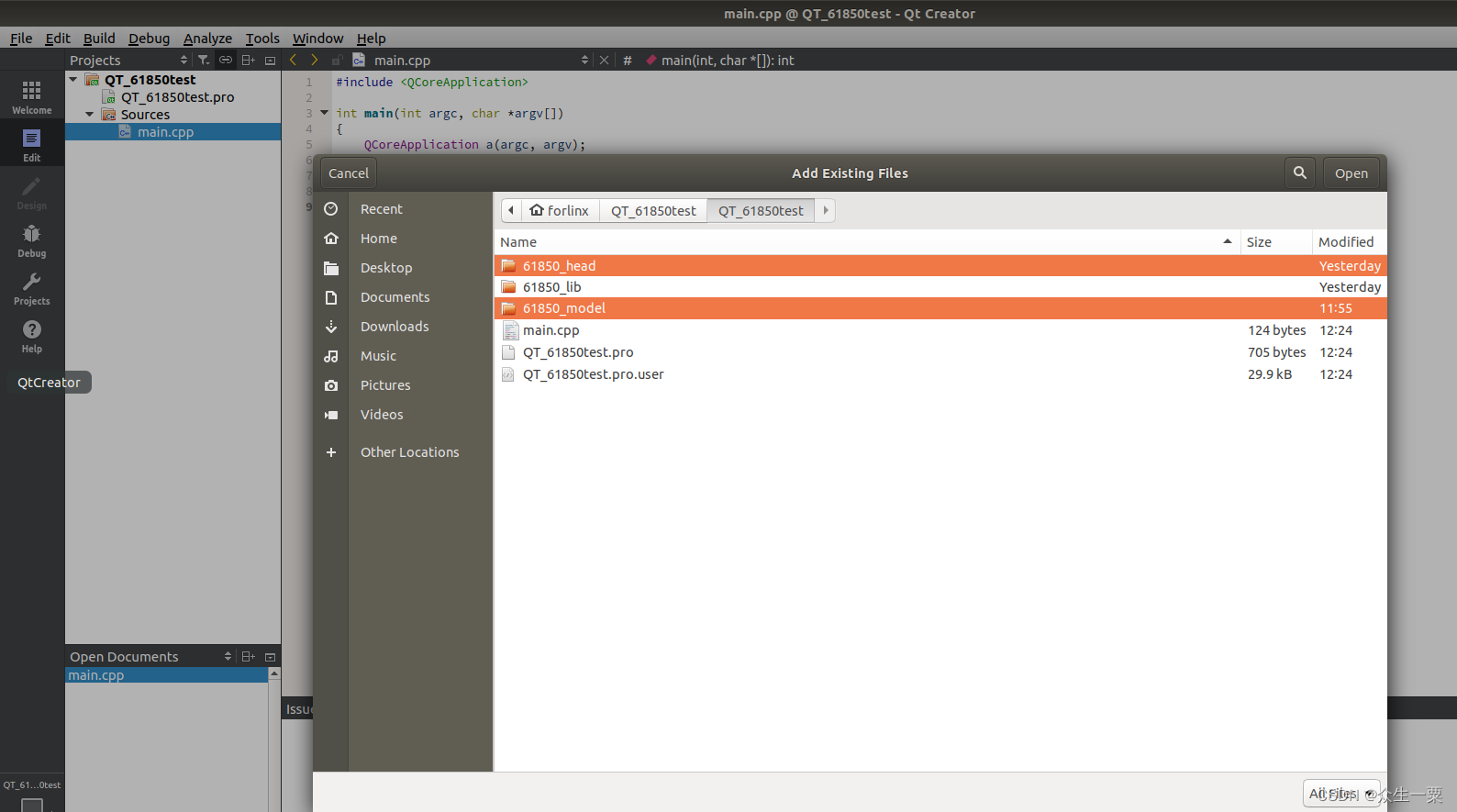
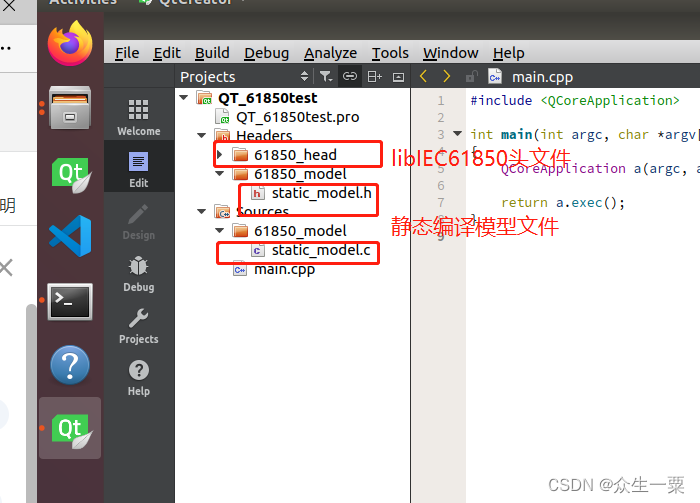
四、将libIEC61850.a库文件添加到工程中
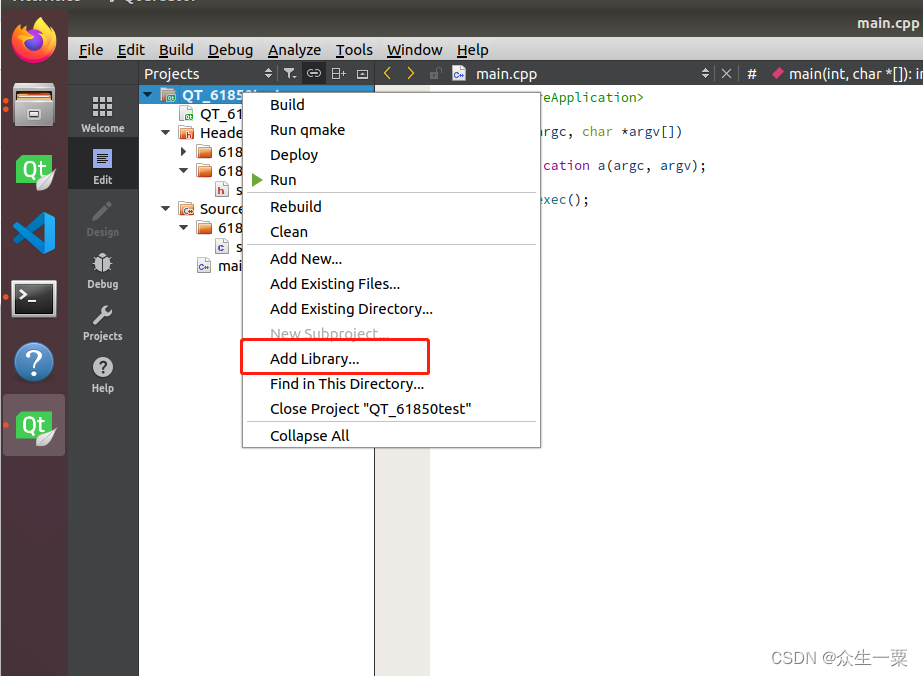
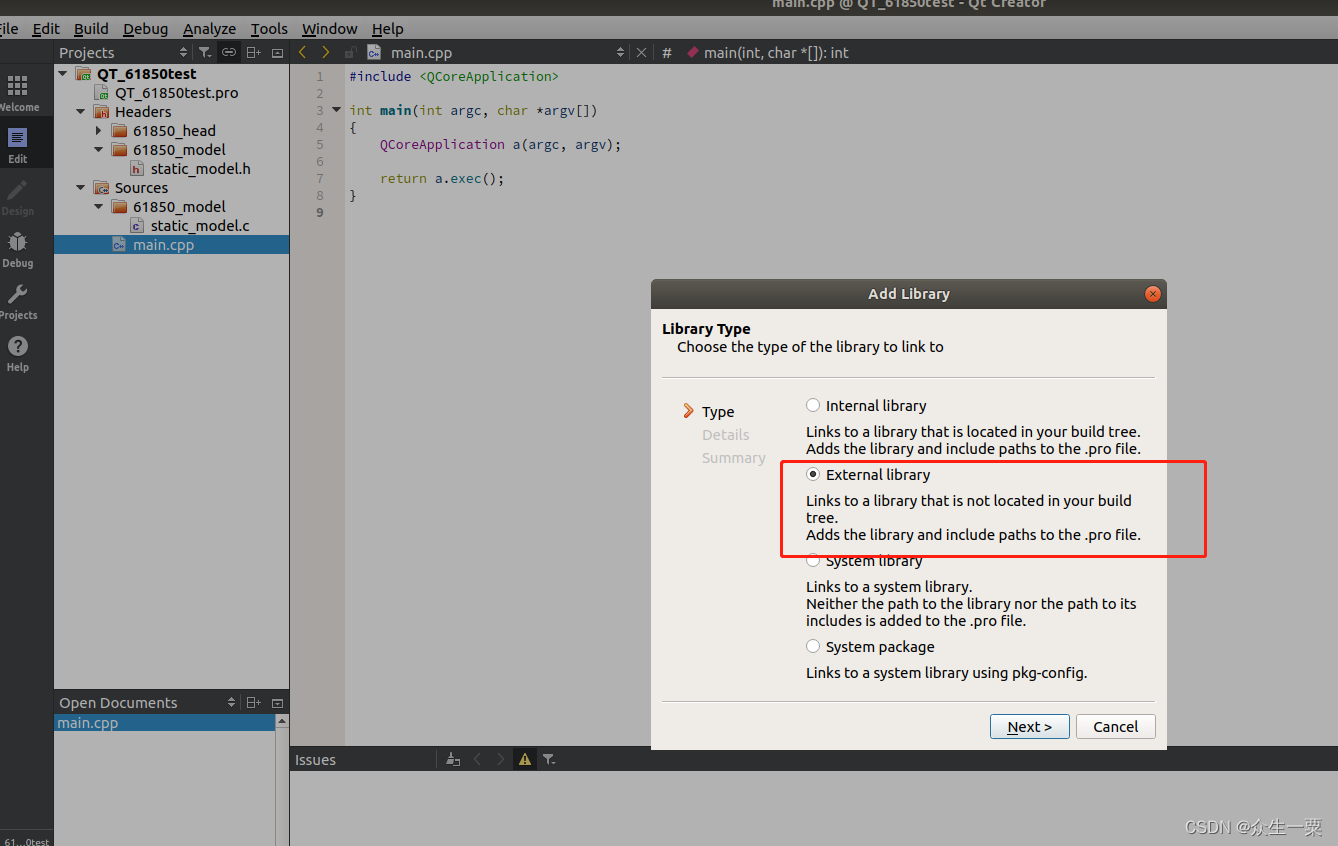
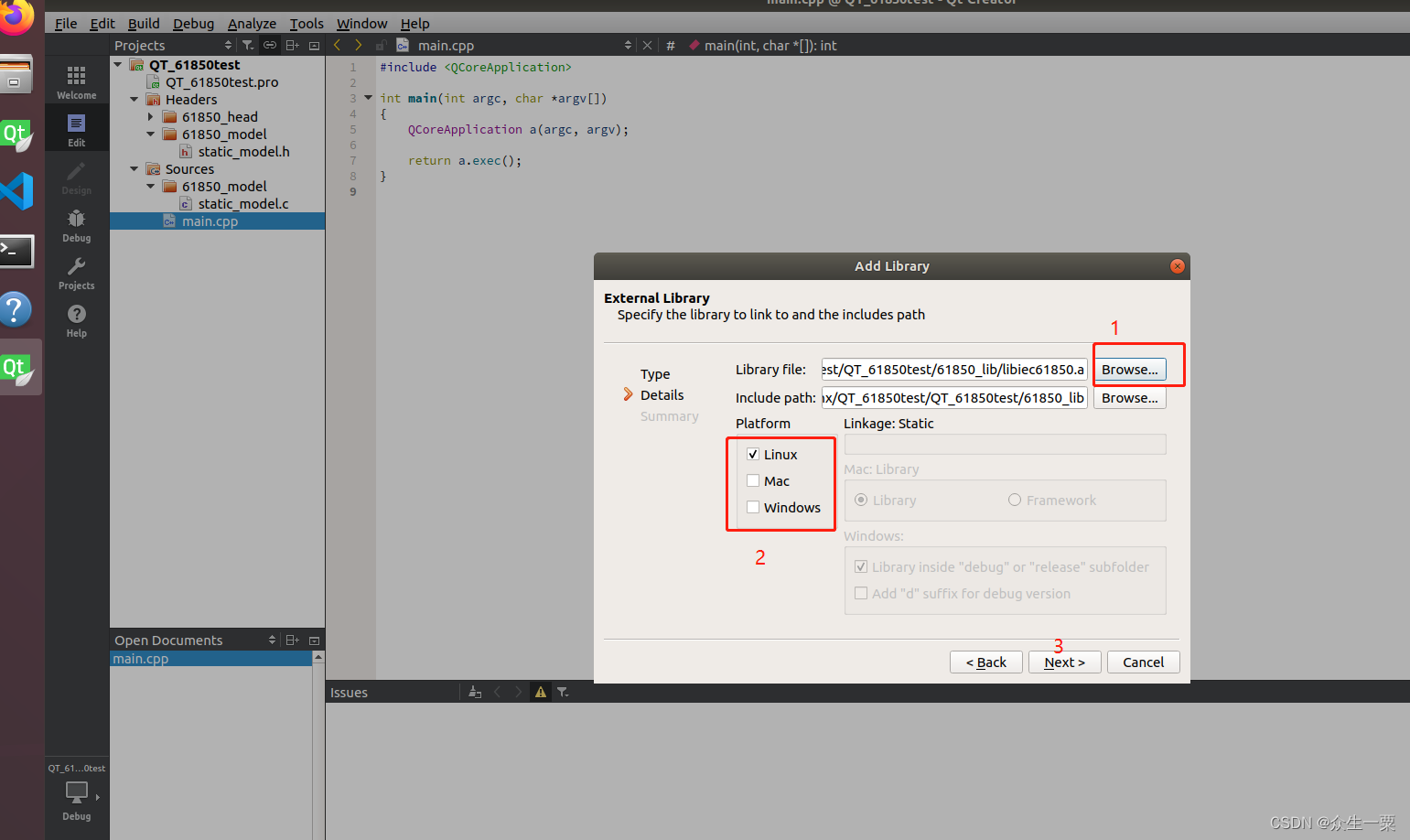
五、创建测试类TEST
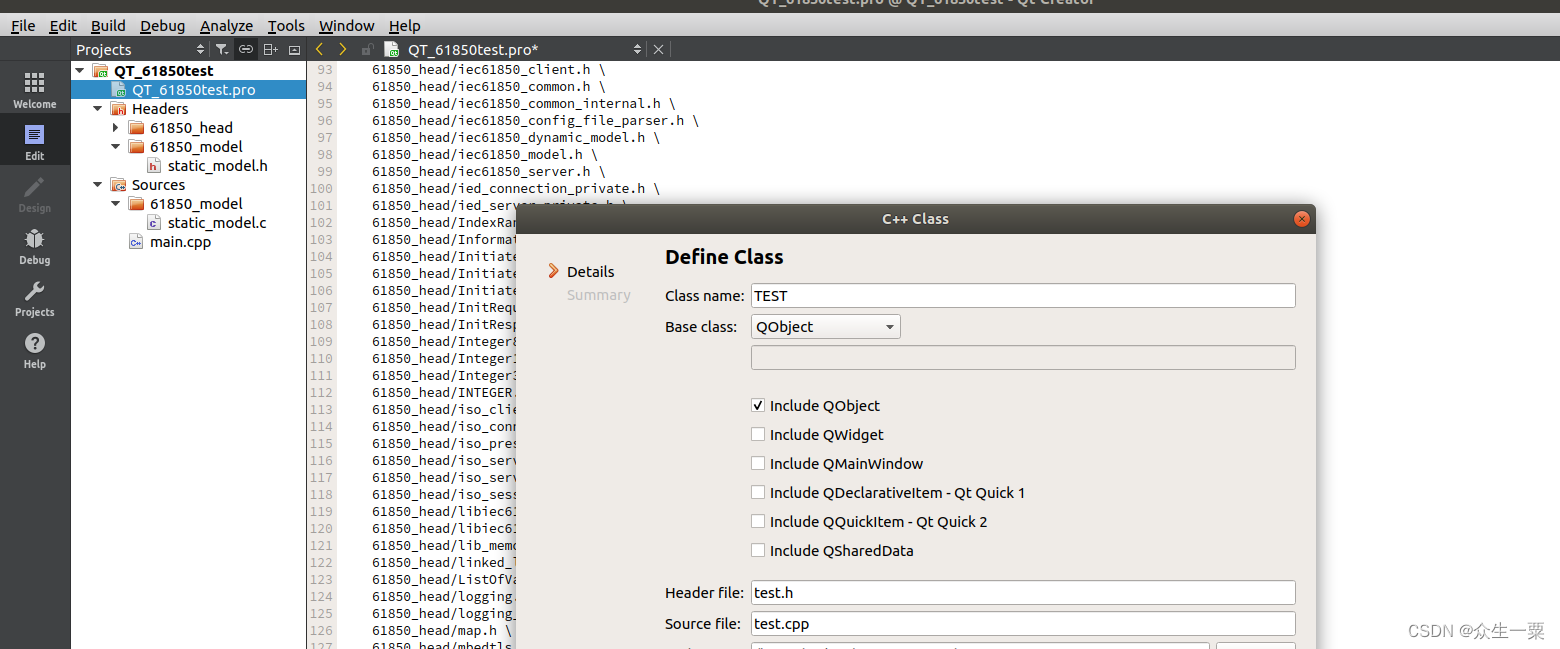
六、编写测试用例
打开我们第一章《ARM(imx6、A40等)迁移libIEC61850库(一):61850库编译 》所下载的库文件夹,参考其中的测试用例改写程序。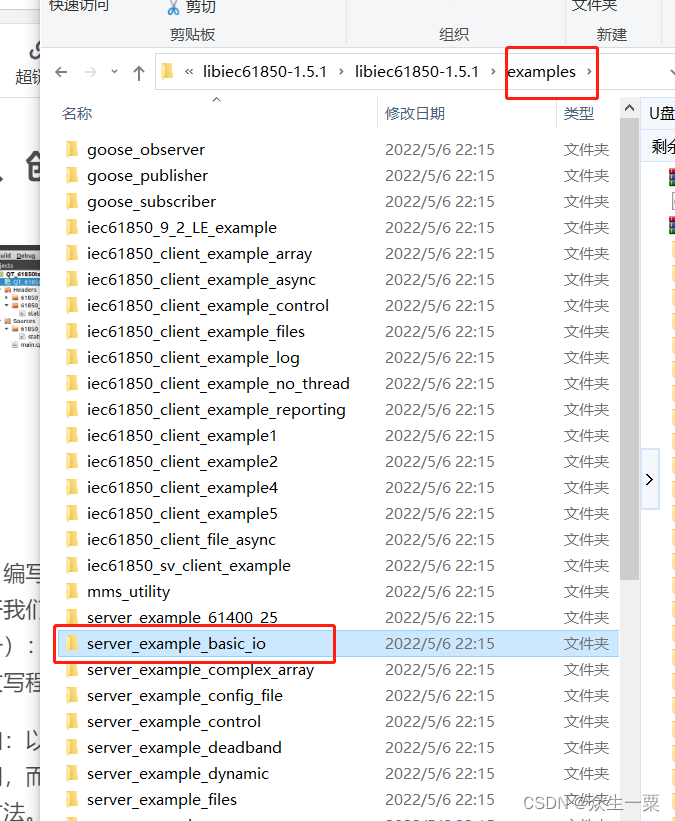
我们参考server_example_basic_io.c文件,改写我们的TEST类。
具体代码如下。
七、test.cpp
#include "test.h"

TEST::TEST(QObject *parent) : QObject(parent)
{

    iec61850_int();
    m_timer_ini = new QTimer ;
    connect(m_timer_ini,SIGNAL(timeout()) ,this,SLOT(time_ini_flash()),Qt::DirectConnection) ;
    m_timer_ini->start(1000) ;
    iec61850_data();
}
int TEST:: iec61850_int()
{
    printf("Using libIEC61850 version %s\n", LibIEC61850_getVersionString());

    /* Create new server configuration object */
    IedServerConfig config = IedServerConfig_create();

    /* Set buffer size for buffered report control blocks to 200000 bytes */
    IedServerConfig_setReportBufferSize(config, 200000);

    /* Set stack compliance to a specific edition of the standard (WARNING: data model has also to be checked for compliance) */
    IedServerConfig_setEdition(config, IEC_61850_EDITION_2);

    /* Set the base path for the MMS file services */
    IedServerConfig_setFileServiceBasePath(config, "./vmd-filestore/");

    /* disable MMS file service */
    IedServerConfig_enableFileService(config, false);

    /* enable dynamic data set service */
    IedServerConfig_enableDynamicDataSetService(config, true);

    /* disable log service */
    IedServerConfig_enableLogService(config, false);

    /* set maximum number of clients */
    IedServerConfig_setMaxMmsConnections(config, 2);

    /* Create a new IEC 61850 server instance */
    iedServer = IedServer_createWithConfig(&iedModel, NULL, config);

    /* configuration object is no longer required */
    IedServerConfig_destroy(config);

    /* set the identity values for MMS identify service */
    IedServer_setServerIdentity(iedServer, "MZ", "basic io", "1.4.2");


    IedServer_setConnectionIndicationHandler(iedServer, (IedConnectionIndicationHandler) connectionHandler, NULL);

    //IedServer_setRCBEventHandler(iedServer, rcbEventHandler, NULL);

    /* By default access to variables with FC=DC and FC=CF is not allowed.
     * This allow to write to simpleIOGenericIO/GGIO1.NamPlt.vendor variable used
     * by iec61850_client_example1.
     */
    IedServer_setWriteAccessPolicy(iedServer, IEC61850_FC_DC, ACCESS_POLICY_ALLOW);

    /* MMS server will be instructed to start listening for client connections. */
    IedServer_start(iedServer, 102);

    if (!IedServer_isRunning(iedServer)) {
        printf("Starting server failed (maybe need root permissions or another server is already using the port)! Exit.\n");
        IedServer_destroy(iedServer);
        exit(-1);
    }


    return 0;
} /* main() */

void TEST:: iec61850_data()
{

    uint64_t timestamp = Hal_getTimeInMs();

    t += 0.1f;
    Timestamp iecTimestamp1, iecTimestamp2;

    Timestamp_clearFlags(&iecTimestamp1);
    Timestamp_setTimeInMilliseconds(&iecTimestamp1, timestamp+1000);
    Timestamp_setLeapSecondKnown(&iecTimestamp1, true);

    Timestamp_clearFlags(&iecTimestamp2);
    Timestamp_setTimeInMilliseconds(&iecTimestamp2, timestamp-1000);
    Timestamp_setLeapSecondKnown(&iecTimestamp2, true);

    if (((int) t % 2) == 0){
        Timestamp_setClockNotSynchronized(&iecTimestamp1, true);
        Timestamp_setClockNotSynchronized(&iecTimestamp2, true);
    }

    IedServer_lockDataModel(iedServer);
    /*test value*/
    if(MAX_peak<10)
        MAX_peak=MAX_peak+0.5;
    else
        MAX_peak=0;

    IedServer_updateFloatAttributeValue(iedServer, IEDMODEL_MONT_SPDC1_MaxDsch_mag_f, MAX_peak);
    IedServer_updateTimestampAttributeValue(iedServer, IEDMODEL_MONT_SPDC1_MaxDsch_t, &iecTimestamp2);

    IedServer_updateFloatAttributeValue(iedServer, IEDMODEL_MONT_SPDC1_AvDsch_mag_f, MAX_peak/2);
    IedServer_updateTimestampAttributeValue(iedServer, IEDMODEL_MONT_SPDC1_AvDsch_t, &iecTimestamp2);

    IedServer_unlockDataModel(iedServer);
}
void TEST::time_ini_flash()
{
    iec61850_data();
    //qDebug()<<"iec61850_data();";
}
八、test.h
#ifndef TEST_H
#define TEST_H

#include <QObject>


#include <QTimer>
#include <QDebug>

#include "61850_head/iec61850_server.h"
#include "61850_head/hal_thread.h"
#include <signal.h>
#include <stdlib.h>
#include <stdio.h>
#include <math.h>

#include "61850_model/static_model.h"
#ifndef false
#define false  (0)
#endif

#ifndef true
#define true  (1)
#endif

/* import IEC 61850 device model created from SCL-File */
extern IedModel iedModel;
static int running = 0;
static IedServer iedServer = NULL;


static ControlHandlerResult
controlHandlerForBinaryOutput(ControlAction action, void* parameter, MmsValue* value, bool test)
{
    if (test)
        return CONTROL_RESULT_FAILED;

    if (MmsValue_getType(value) == MMS_BOOLEAN) {
        printf("received binary control command: ");

        if (MmsValue_getBoolean(value))
            printf("on\n");
        else
            printf("off\n");
    }
    else
        return CONTROL_RESULT_FAILED;

    return CONTROL_RESULT_OK;
}


static void
connectionHandler (IedServer self, ClientConnection connection, bool connected, void* parameter)
{
    if (connected)
        printf("Connection opened\n");
    else
        printf("Connection closed\n");
}


class TEST : public QObject
{
    Q_OBJECT
public:
    explicit TEST(QObject *parent = nullptr);
private:
    float t = 0.f;
    float MAX_peak=0;


    QTimer *m_timer_ini;


    int iec61850_int();
    void  iec61850_data();
signals:

public slots:
      void time_ini_flash();
};

#endif // TEST_H
十、测试
参考下一章节。

AtomGit 是由开放原子开源基金会联合 CSDN 等生态伙伴共同推出的新一代开源与人工智能协作平台。平台坚持“开放、中立、公益”的理念,把代码托管、模型共享、数据集托管、智能体开发体验和算力服务整合在一起,为开发者提供从开发、训练到部署的一站式体验。
更多推荐



 0
0 0
0- 0


 已为社区贡献2条内容

所有评论(0)