C++中的常用库
1. cmath: 数学计算
|
1 2 3 4 5 6 7 8 9 10 11 12 13 14 15 16 17 18 19 20 21 22 |
|
下面是一个关于生成随机数的简单实例。实例中使用了cime的time()函数来获取系统时间的秒数,通过调用cstdlib的rand() 函数来生成随机数:
|
1 2 3 4 5 6 7 8 9 10 11 |
|
如果使用相同的种子后面的rand()函数会出现一样的随机数。如:srand(1)
可以在宏定义中顶一个random(int number)函数:#define random(x)(rand()%x)
2. iomanip:格式化输出
|
1 2 3 4 5 6 7 8 9 10 |
|
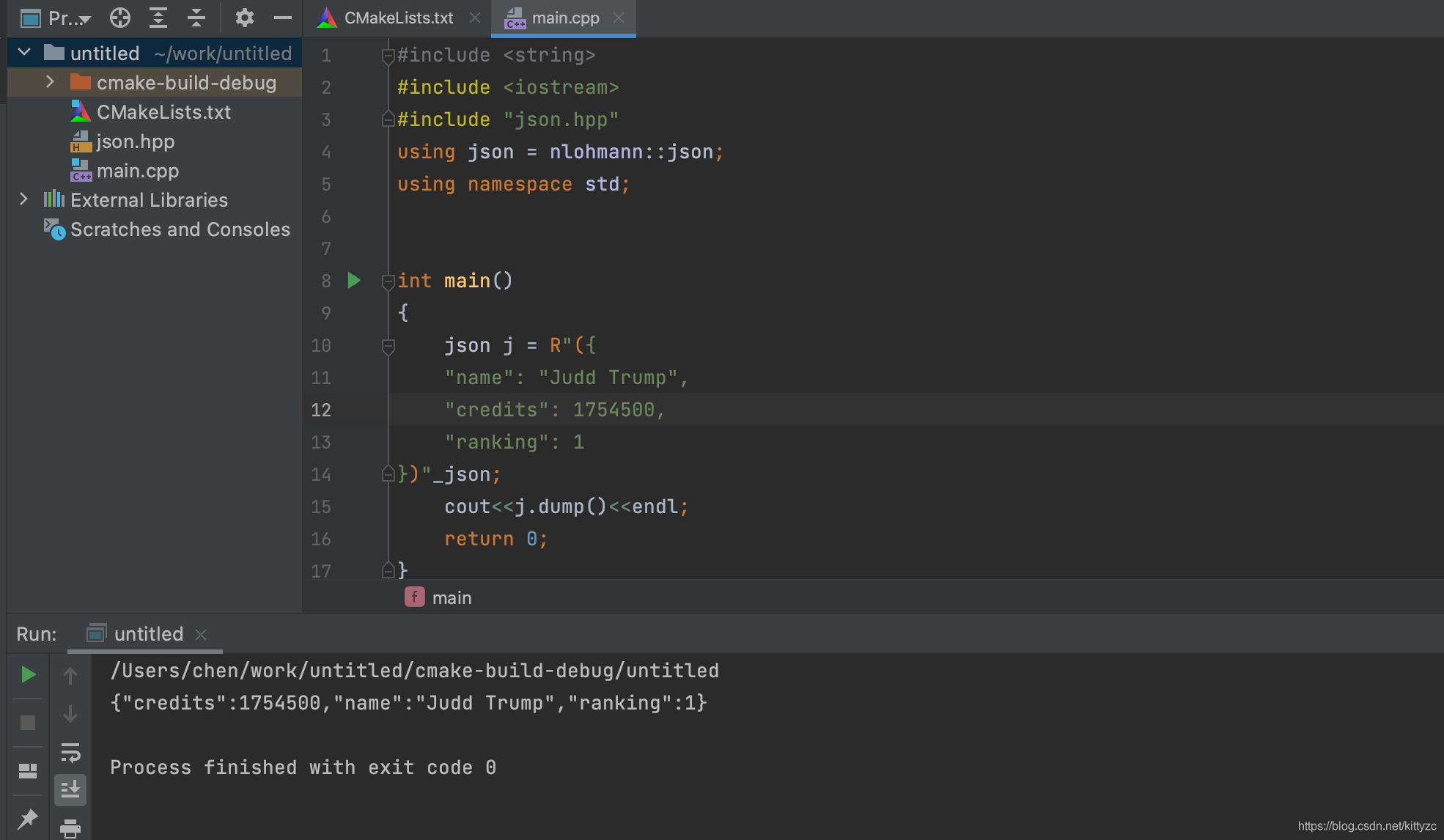
3. nlohmann json:json解析
nlohmann/json 是一个用于解析json的开源c++库,口碑一流,号称有业界最好的性能,并且使用非常方便直观,是很多c++程序员的首选。
下载 https://github.com/nlohmann/json/tree/develop/single_include/nlohmann/json.hpp, 并加入本地工程。使用方式如下:
4. opencv:图像处理
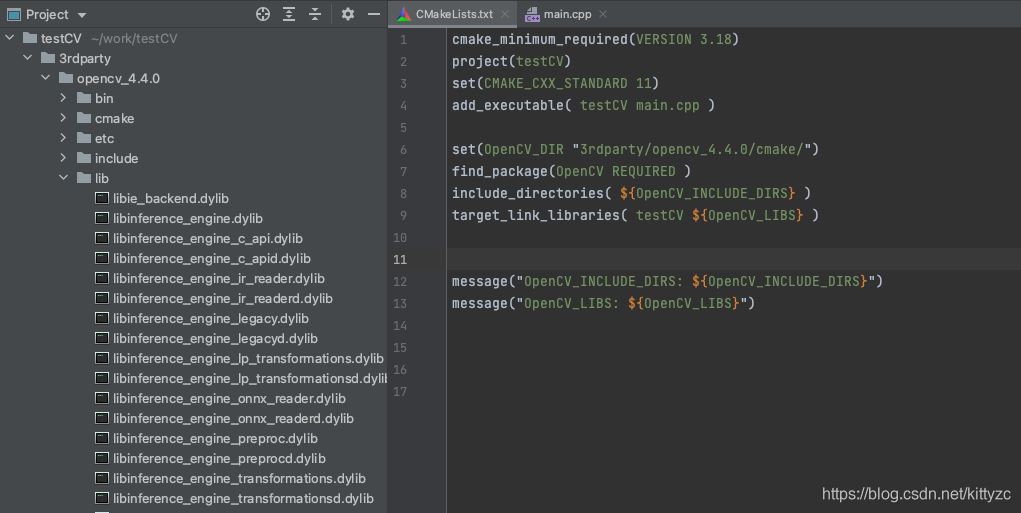
这里直接用了openvino里面带的opencv。将其拷贝到3rdparty文件夹下,然后在CMakeLists中添加如下四行:
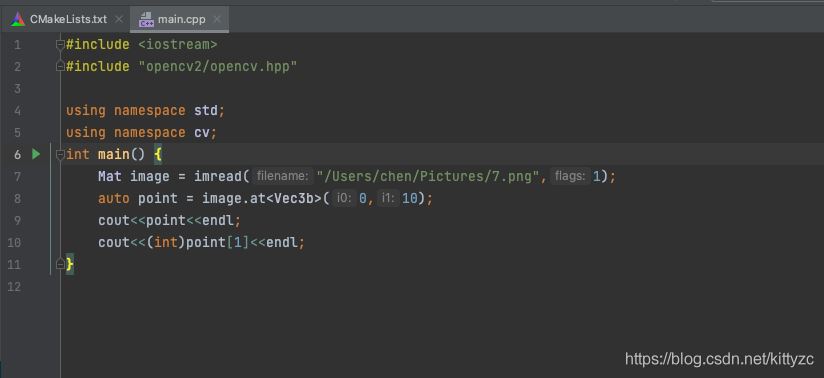
下面是使用例子:
5. openblas:矩阵计算
mac自带了openblas,在/usr/local/Cellar下。将其拷贝到项目文件夹下,在cmakelists里添加即可。
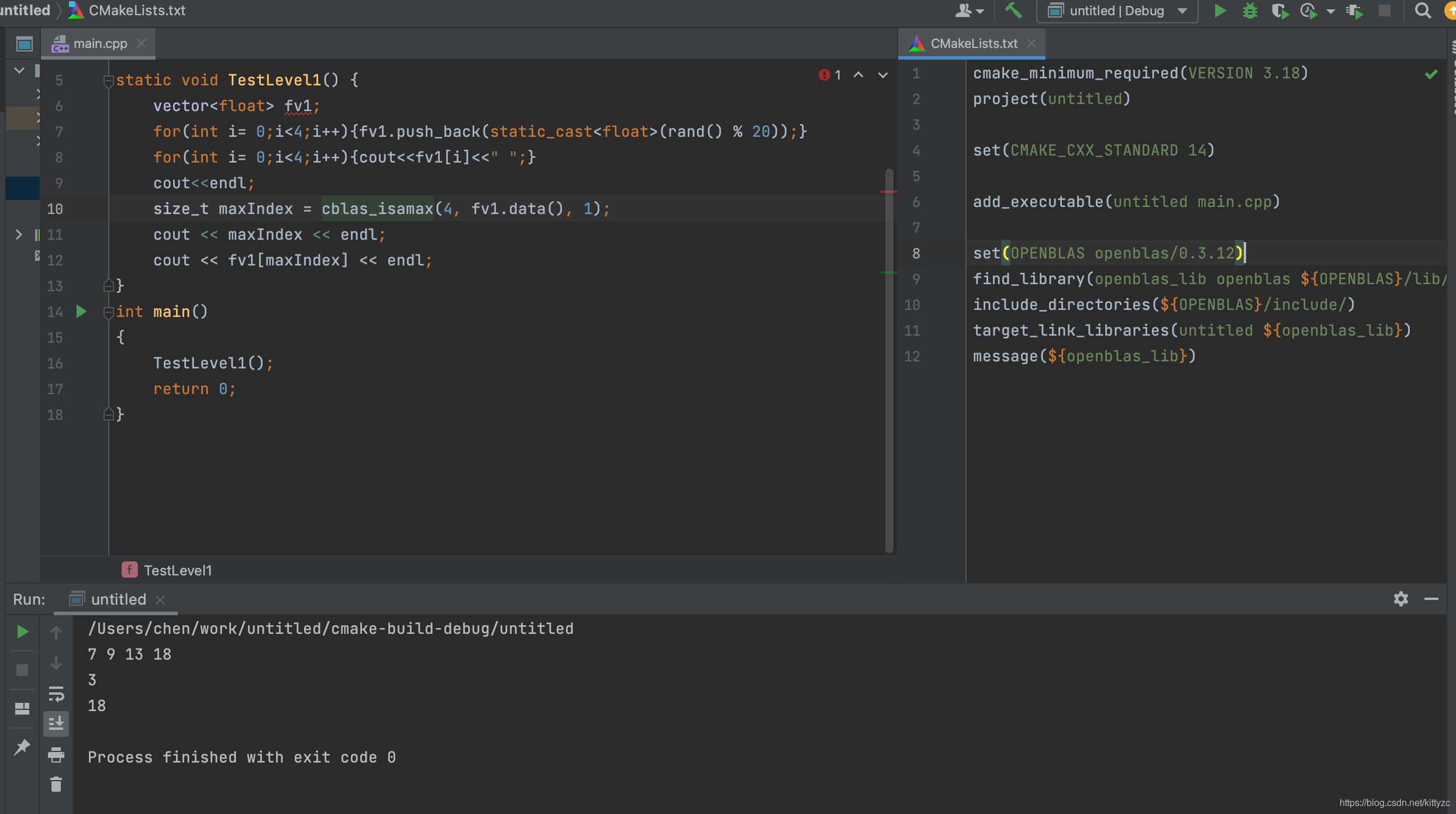
关于api的文档参照这里:
https://blog.csdn.net/weixin_43800762/article/details/87811697
首先是关键字:
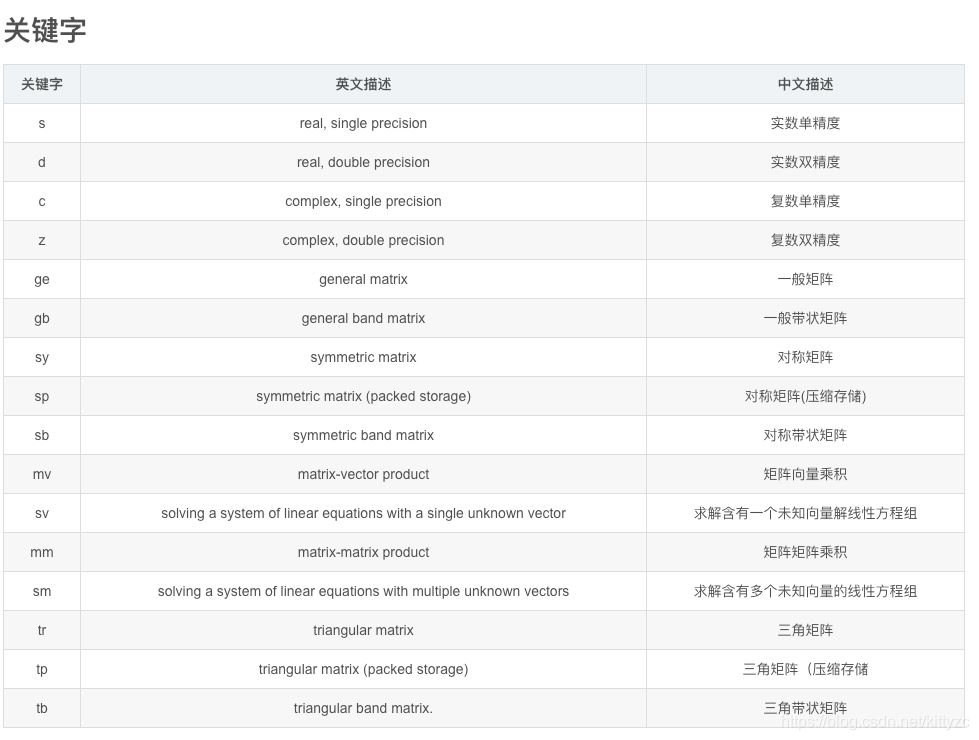
接下来是:
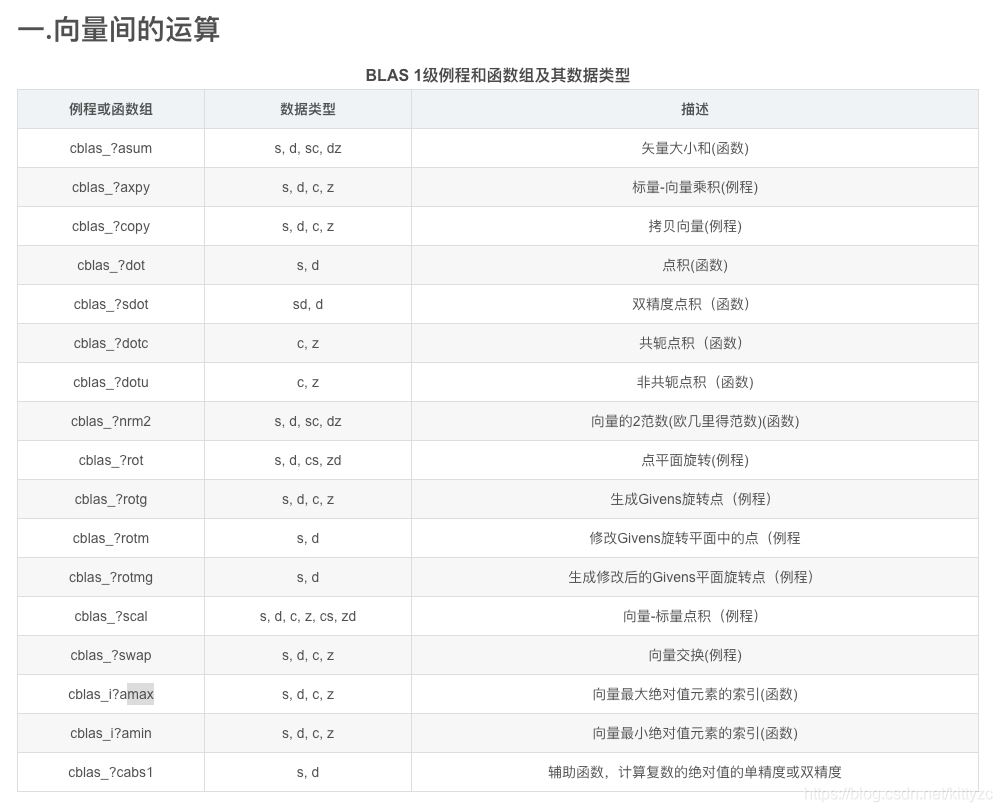
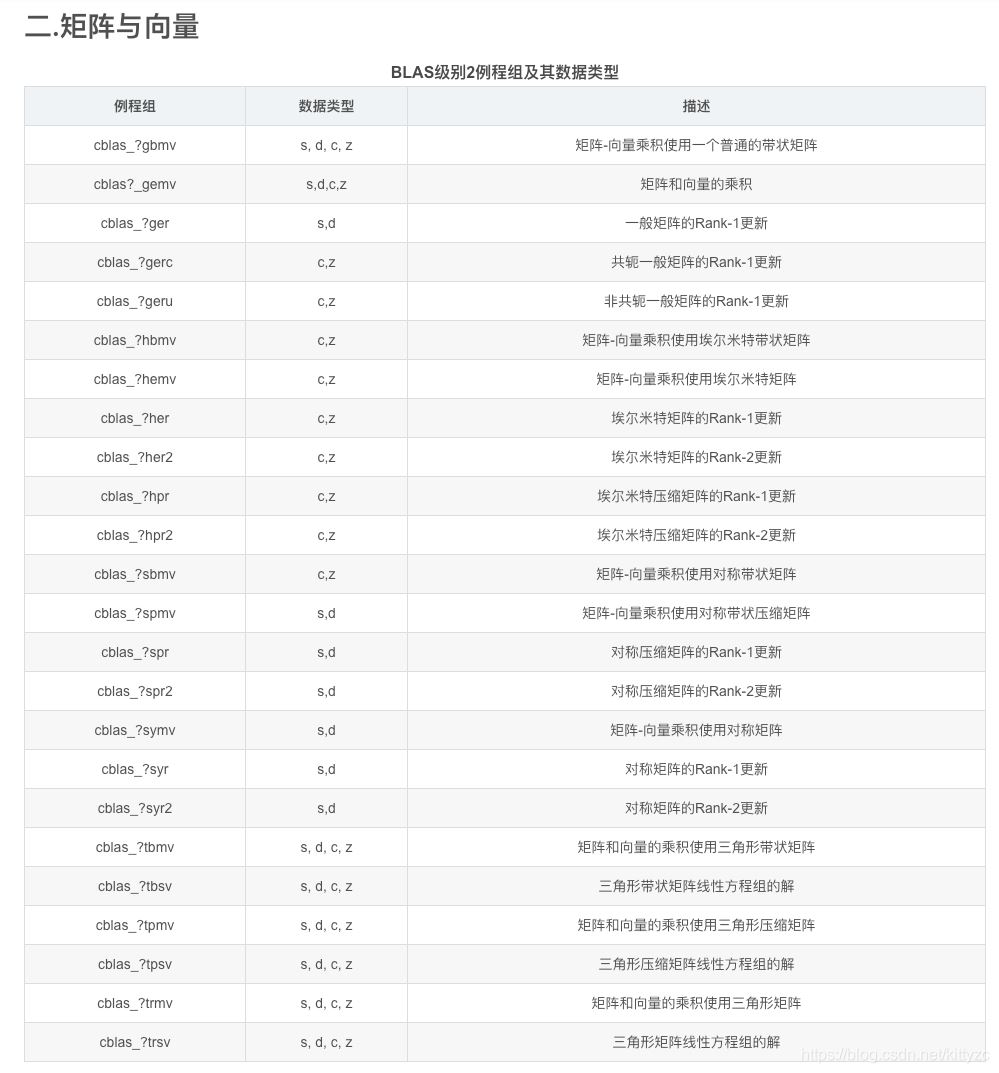
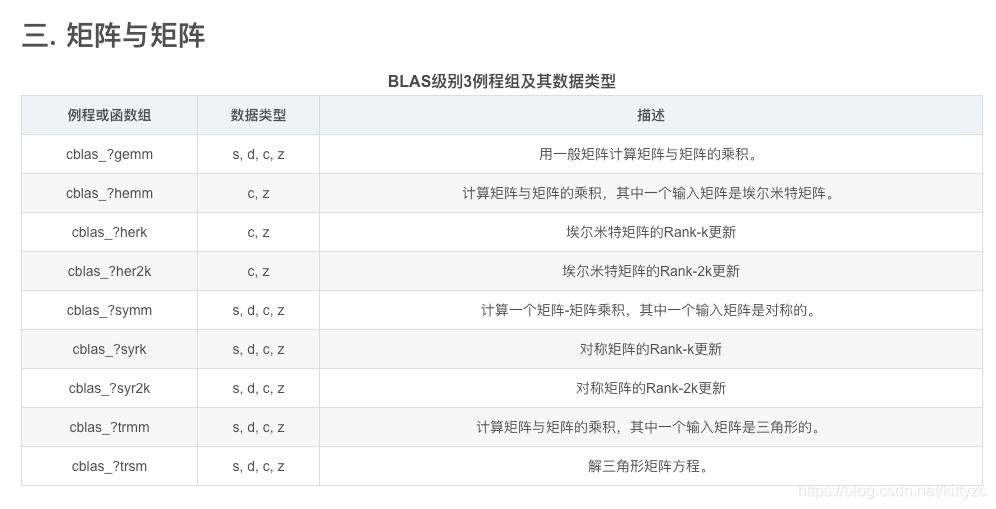
到此这篇关于C++中的常用库的文章就介绍到这了,

AtomGit 是由开放原子开源基金会联合 CSDN 等生态伙伴共同推出的新一代开源与人工智能协作平台。平台坚持“开放、中立、公益”的理念,把代码托管、模型共享、数据集托管、智能体开发体验和算力服务整合在一起,为开发者提供从开发、训练到部署的一站式体验。
更多推荐
 0
0 0
0- 0


 已为社区贡献88条内容

所有评论(0)