RHEL8/CentOS8 Apache配置
一、实验环境
服务器:Server1 IP:192.168.72.1
客户端:Client1 IP:192.168.72.4
系统:RHEL8/CentOS8
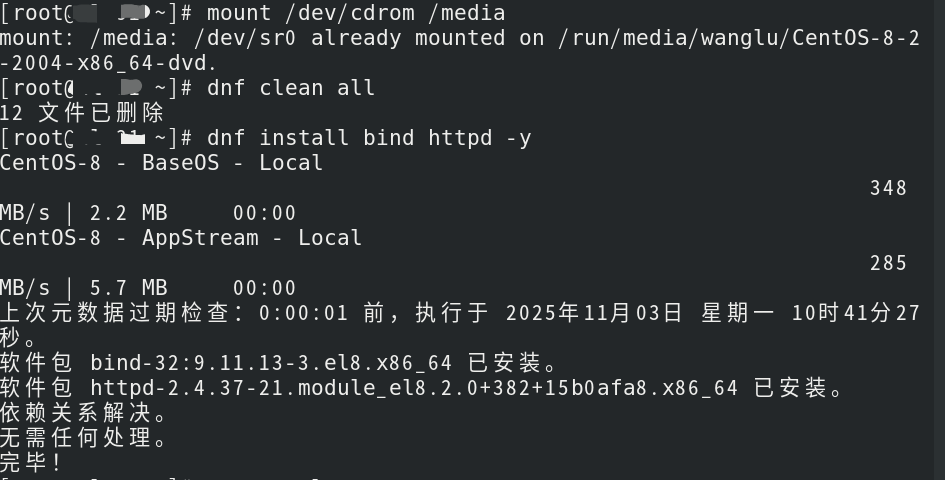
二、安装Apache
mount /dev/cdrom /media
dnf clean all
dnf install httpd -y
三、启动服务并设置开机自启
systemctl start httpd
systemctl enable httpd
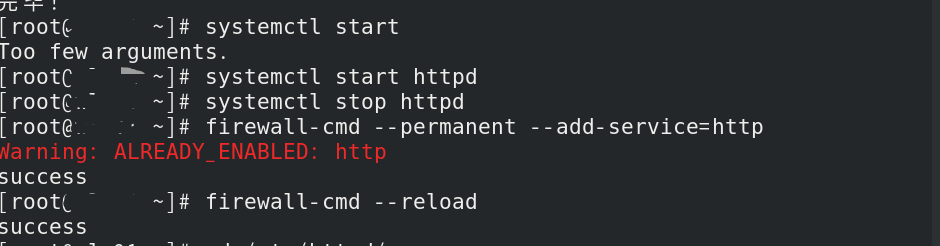
四、防火墙放行HTTP
firewall-cmd --permanent --add-service=http
firewall-cmd --reload
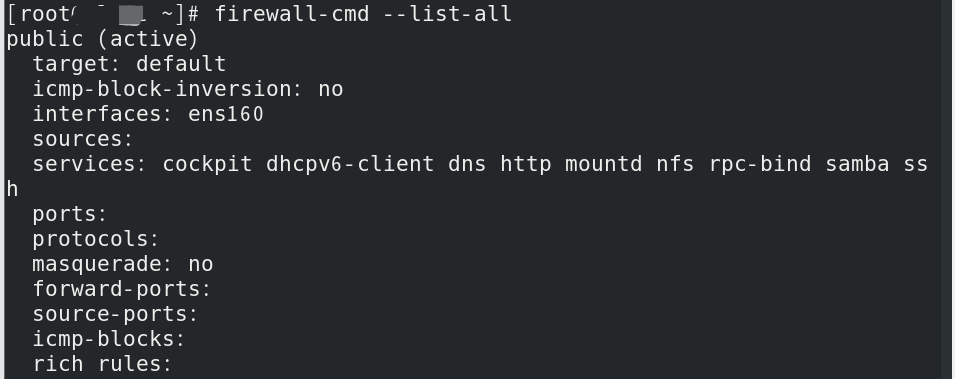
firewall-cmd --list-all
 五、临时关闭SELinux
setenforce 0

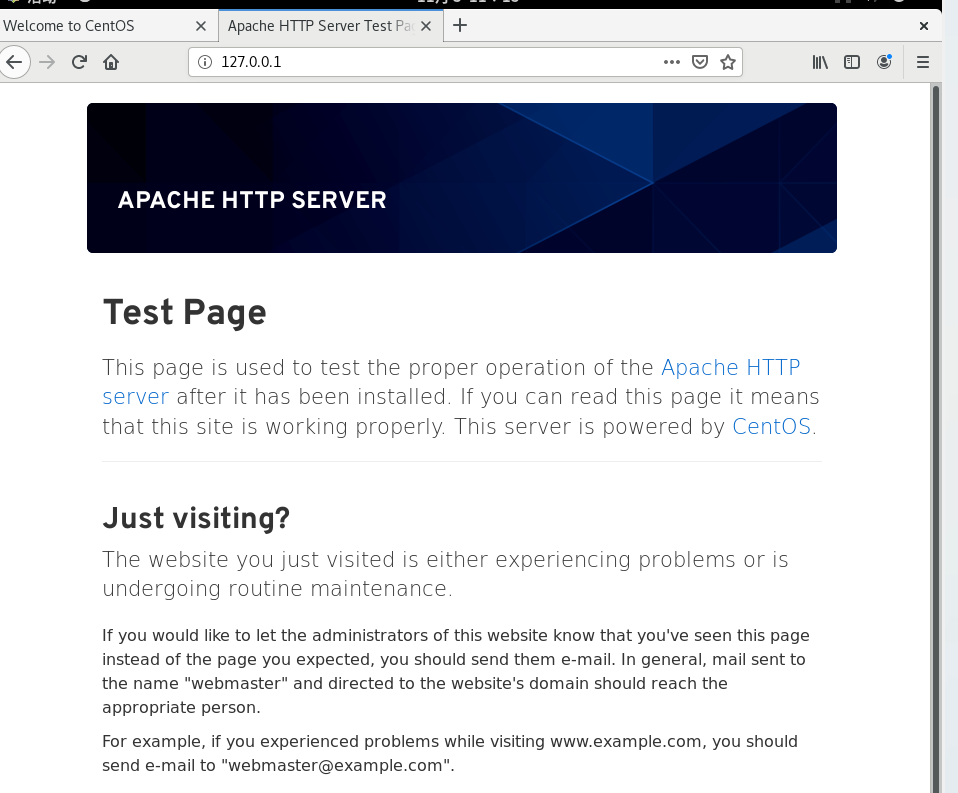
六、测试默认页面
重启http服务进行测试
systemctl restart httpd

浏览器访问:
本地:127.0.0.1
客户端:192.168.72.1
七、自定义首页
cd /var/www/html
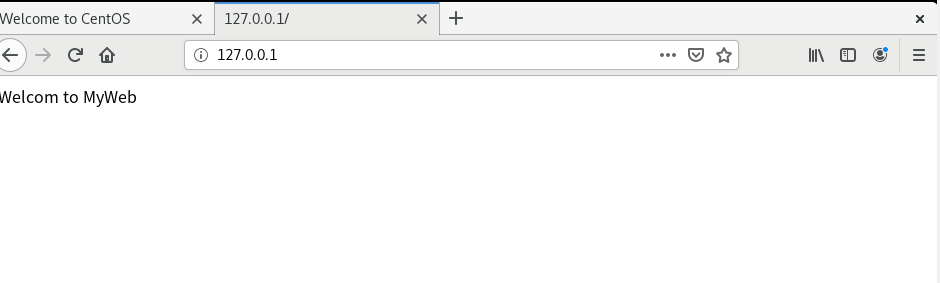
echo "Welcome to MyWeb" > index.html
systemctl restart httpd

测试
八、修改网站根目录
1. 创建新目录
mkdir -p /home/www
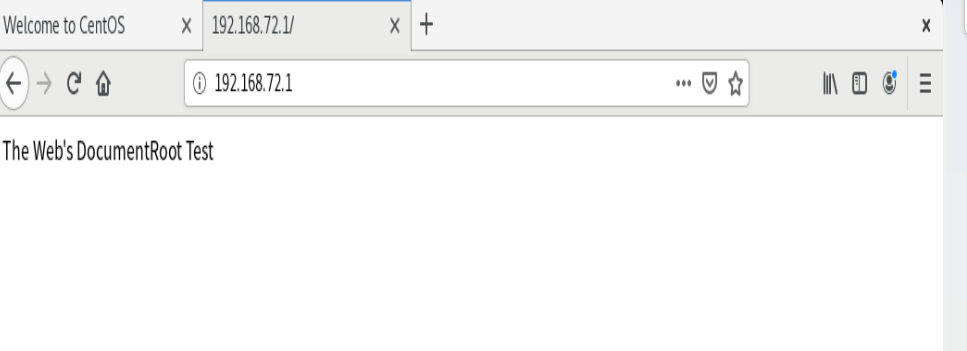
echo "The Web's DocumentRoot Test" > /home/www/index.html

2. 修改主配置
vim /etc/httpd/conf/httpd.conf
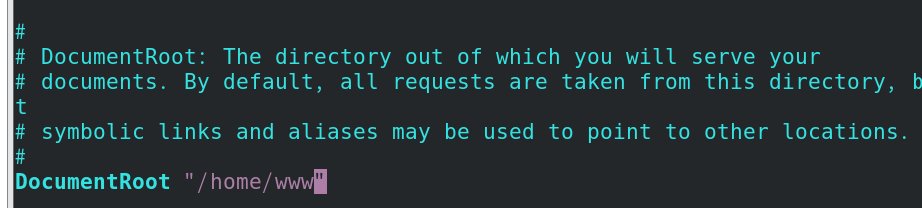
122行: DocumentRoot "/home/www"
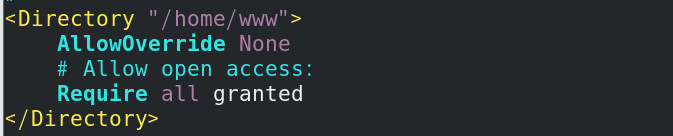
127行: <Directory "/home/www">
167行: DirectoryIndex index.html myweb.html

 3. 重启服务
systemctl restart httpd

测试

九、配置用户个人主页
1. 创建目录与文件
mkdir -p /home/wl/public_html
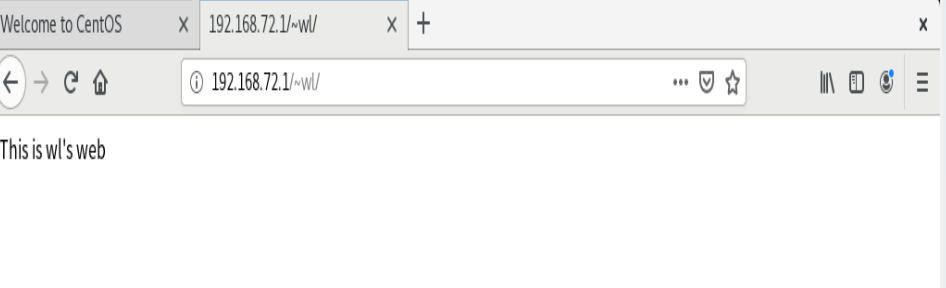
echo "This is wl's web" > /home/wl/public_html/index.html
chmod 755 /home/wl


复制到public_html中

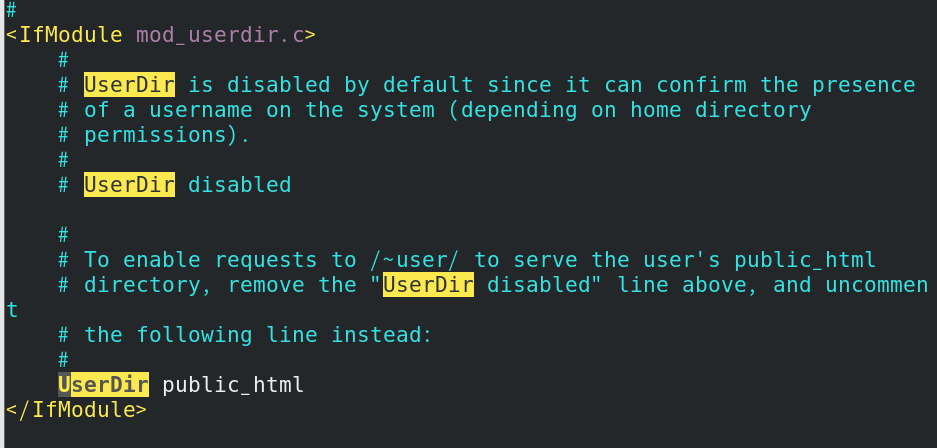
2. 启用用户目录模块
vim /etc/httpd/conf.d/userdir.conf
注释: #UserDir disabled
启用: UserDir public_html
 3. 重启服务
systemctl restart httpd
访问测试: 192.168.72.1/~wl/
十、配置虚拟目录(别名)
1. 创建实际目录
mkdir -p /virdir
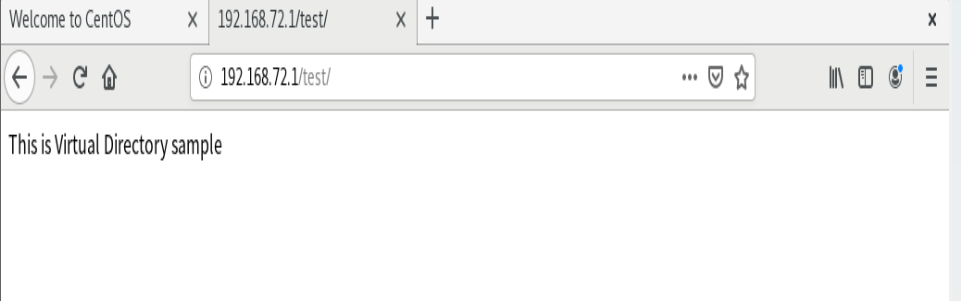
echo "This is virtual directory test" > /virdir/index.html
chmod 755 /virdir -R

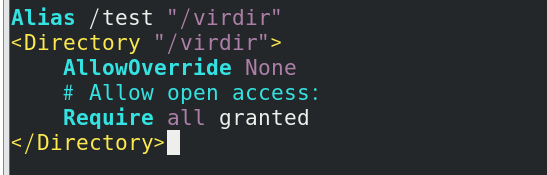
2. 添加别名配置
vim /etc/httpd/conf.d/virdir.conf
写入:
Alias /test "/virdir"
<Directory "/virdir">
AllowOverride None
Require all granted
</Directory>
3. 重启服务
systemctl restart httpd
访问测试: 192.168.72.1/test/
Apache基础知识点汇总
1. Apache 是开源、稳定、最常用的 Web 服务器,在 RHEL/CentOS 中服务名与包名均为 httpd。
2. Web 服务默认端口:HTTP 80,HTTPS 443。
3. dnf 是 RHEL8/CentOS8 包管理工具,用于安装、卸载、更新软件。
4. systemctl 是系统服务管理命令:start 启动、stop 停止、restart 重启、enable 开机自启。
5. 防火墙必须放行 http 服务,否则客户端无法访问。
6. SELinux 是 Linux 安全子系统,默认会限制 httpd 访问非默认目录,setenforce 0 临时关闭。
7. Apache 默认网页根目录:/var/www/html;默认首页:index.html。
8. DocumentRoot:定义网站根目录,即网页存放路径。
9. Directory 标签:设置目录访问权限,Require all granted 表示允许所有访问。
10. DirectoryIndex:设置默认首页文件名,按顺序匹配读取。
11. UserDir:用户个人主页功能,通过 ~用户名 访问,网页存放于 public_html。
12. Alias:虚拟目录(别名),将系统真实目录映射为 URL 路径,虚拟路径无需创建。
13. 目录权限建议 755,文件 644,禁止使用 777 高危权限。
14. 修改配置文件后必须重启 httpd 服务才能生效。

AtomGit 是由开放原子开源基金会联合 CSDN 等生态伙伴共同推出的新一代开源与人工智能协作平台。平台坚持“开放、中立、公益”的理念,把代码托管、模型共享、数据集托管、智能体开发体验和算力服务整合在一起,为开发者提供从开发、训练到部署的一站式体验。
更多推荐



 8
8 0
0- 0


 已为社区贡献3条内容

所有评论(0)