Mailvelope实验思路猜测
0x0 启动
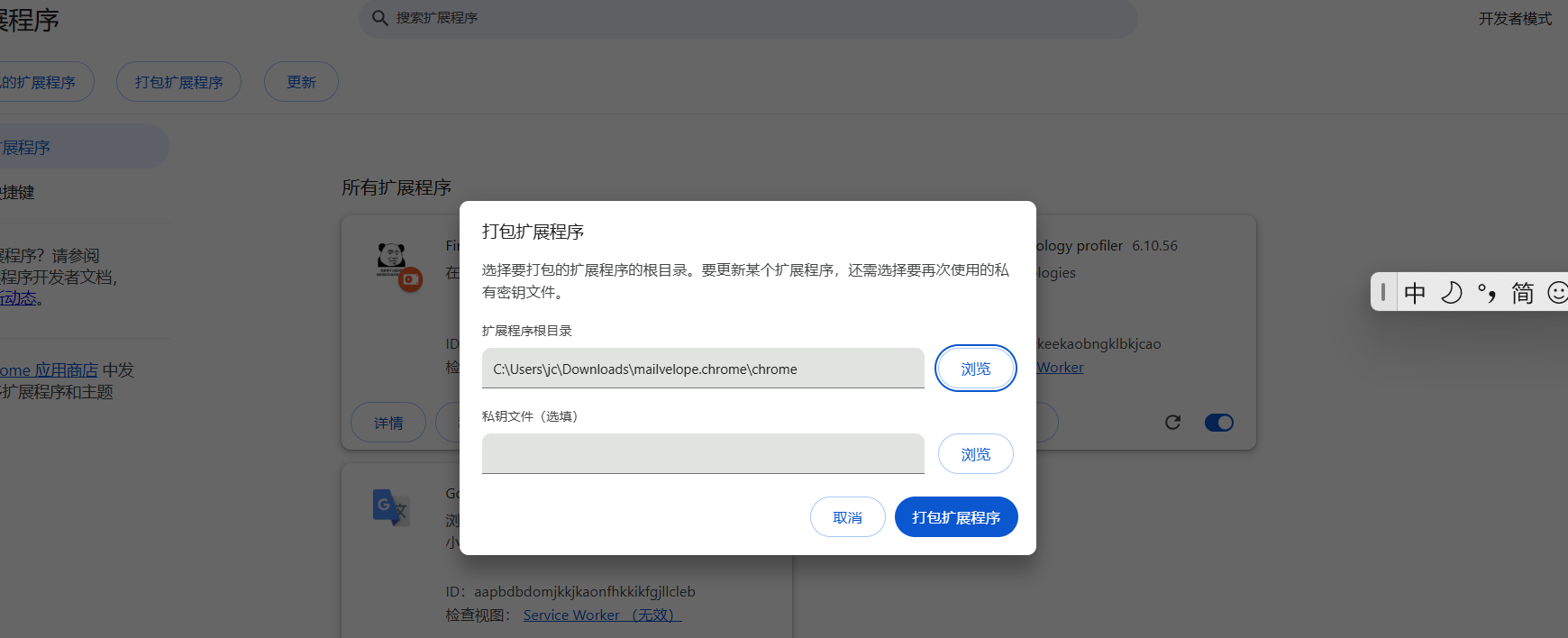
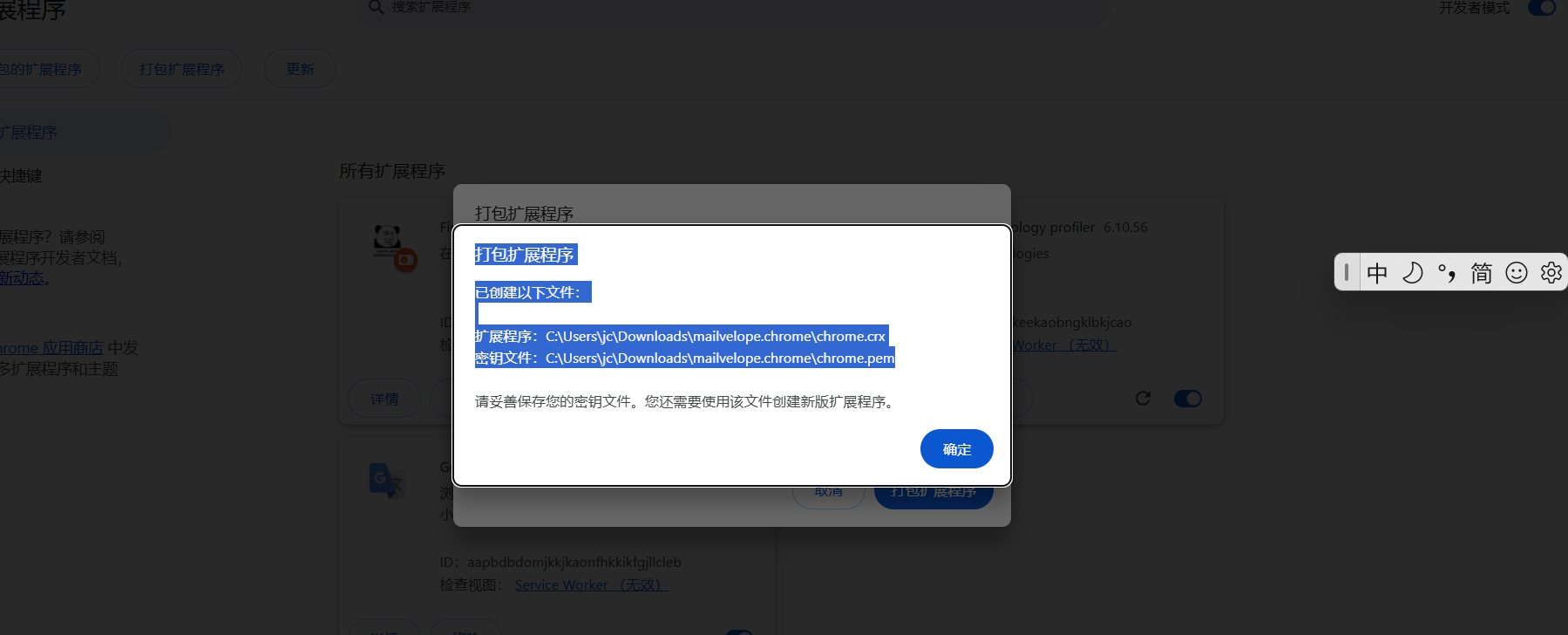
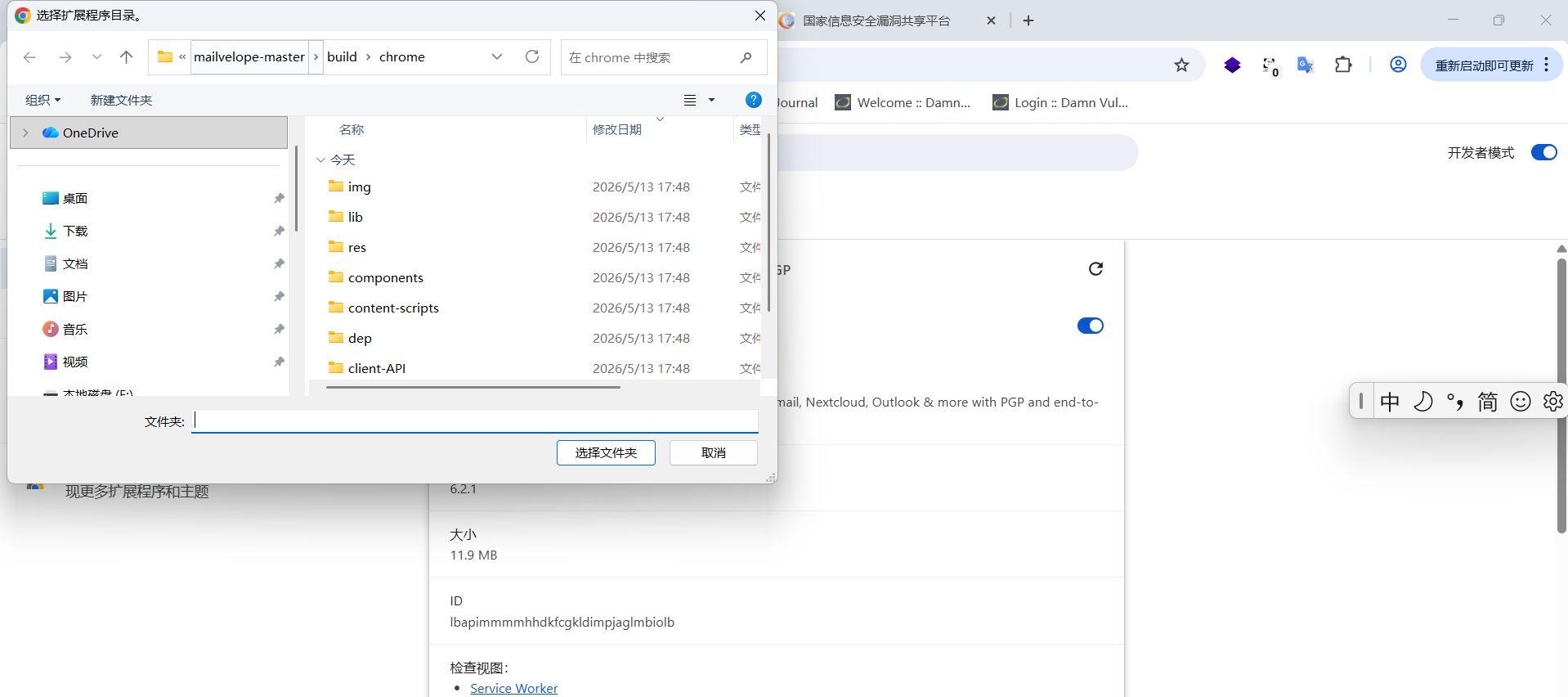
npm install
npm rebuild node-sass
npm install -g grunt-cli
grunt prod --force
0x1 谷歌插件介绍
谷歌工具条是Google公司推出的一款免费的IE浏览器工具栏插件,于2000年12月11日推出 [9]。它与IE浏览器工具栏集成,用户可直接输入关键词调用Google搜索,而无需访问Google主页 [4],并提供查看PageRank、阻止自动弹出窗口、自动填写表单、关键字高亮等功能。
谷歌插件的基本构成,一般来讲,谷歌插件包含Manifest文件、后台脚本、内容脚本、图标等多个文件构成。
谷歌插件及ChormeExtensions是一个小型的程序,它可以修改并增强chrome浏览器的功能。可以使用web技术(如HTML,CSS,JavaScript)来编写。一个扩展就是一个压缩的包,里面有HTML、CSS、JavaScript、图片或者任何你需要的资源。从本质上来讲,扩展就是一个web页面,它也可以使用浏览器为web页面提供的API
2 插件基础
2.1 创建manifest.json文件
任何谷歌插件都必须拥有的文件,这个文件的作用简单来说就是这个插件的组成清单,在这个清单上大约能看的这个插件的大体作用
下面是manifest.json的配置项
(1)Icons
插件的程序图标,可以一个或多个16的是插件页面图标48是管理界面图标
128是安装界面图标
(2)brower_action和page_action
这两个功能都是用来处理扩展在浏览器工具栏上的表现
区别是前者啥地方都能用后者是特定页面才能用
(3)default_popup
在用户点解扩展图标时可以设置弹出一个popup页面这个页面可以说是一个简单的网页也可以有自己的js脚本点击图标时运行此脚本
(4)Permissions
在background里使用一些chrmoeapi,需要授权才能使用。
2.2 background
background可以认为是插件运行是在浏览器中的一个后台脚本,与当前浏览页面无关。
Backgropund包括(page,scripts,persistent)
Page是后台网站的主页(不一定要求有)
Scripts就是后台引入的脚本文件
Persistent就是后台程序是否持久运行
2.3 content script
这部分脚本,简单来说是插入到网页中的脚本。它具有独立而富有包容性。所谓独立,指它的工作空间,命名空间,域等是独立的,不会说跟插入到的页面的某些函数和变量发生冲突。所谓包容性,指插件把自己的一些脚本(content script)插入到符合条件的页面里,作为页面的脚本,因此与插入的页面共享dom的,即用dom操作是针对插入的网页的,在这些脚本里使用的window对象跟插入页面的window是一样的。
主要用在消息传递上(使用postMessage和onmessage)
后台脚本,一般命名为 background.js,是插件的主要工作区域,可以监听浏览器事件,执行长时间运行的任务。
内容脚本,一般命名为 content.js,可以注入到符合指定匹配规则的网页中,用于操作网页的 DOM 节点、修改网页内容、与网页脚本进行交互等。
部署插件也比较简单,我们只需要在谷歌浏览器中打开网站:chrome://extensions/ ,找到加载已解压的扩展程序,就可以把我们调试中的插件部署到谷歌浏览器中查看结果。
调试起来也非常简单,可以按F12打开开发者工具,找到控制台,查看控制台的输出是否有异常,另外,插件本身也会在扩展程序的界面里显示自己出现的错误。
参考https://baike.baidu.com/item/%E8%B0%B7%E6%AD%8C%E5%B7%A5%E5%85%B7%E6%9D%A1/8728440
https://zhuanlan.zhihu.com/p/7460436407
https://cloud.tencent.com/developer/article/1695308
0x2 文件结构
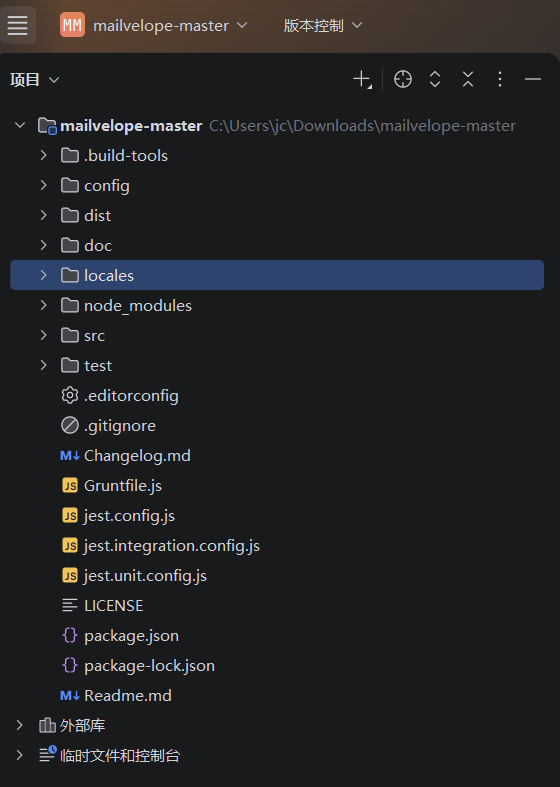
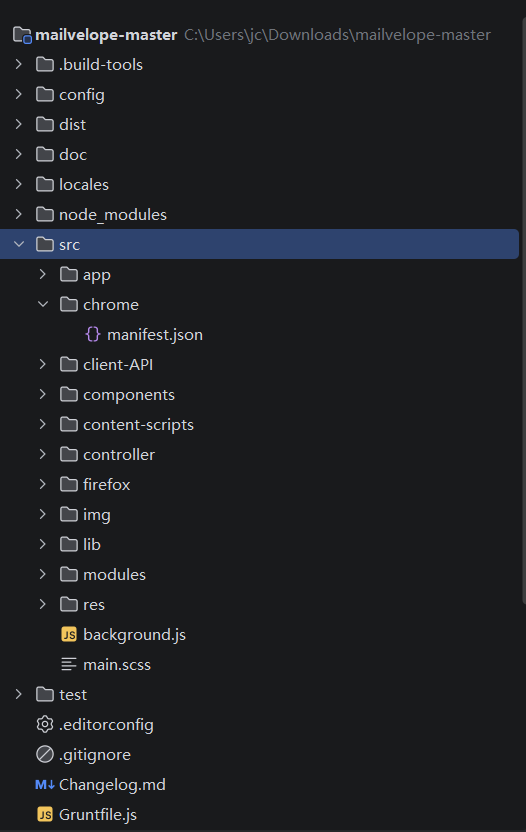
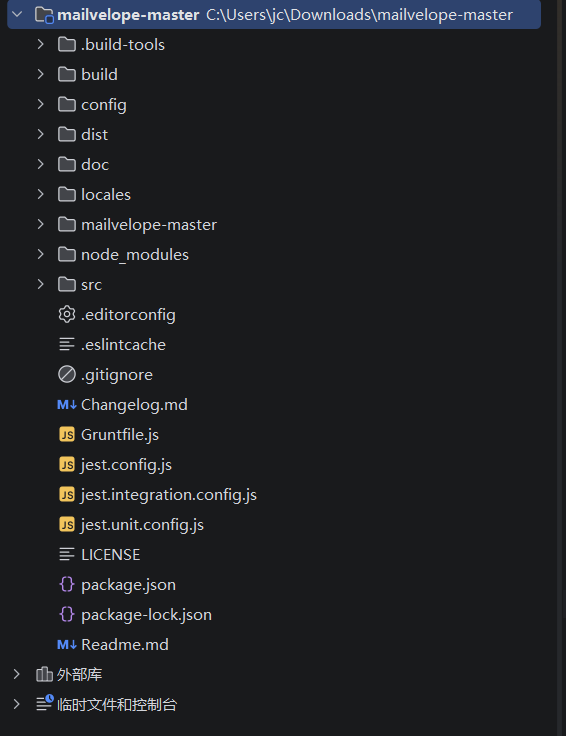
config 配置文件
src 核心源代码
build 构建工具脚本
dist发布版本
gruntile.js d定义构建任务
packge 项目配置
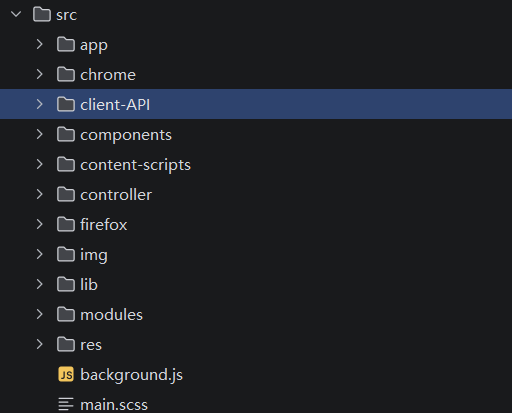
· chrome/:Chrome 浏览器适配层,包含 manifest.json(权限、清单)和平台特定代码。
看权限
· firefox/:Firefox 适配层,功能同 chrome/。
· background.js:后台 Service Worker,处理密钥管理、消息通信等核心敏感操作。信息监听校验是否完善,可不可以恶意引导
· client-API/:暴露给任意网页的 JavaScript API(通过 postMessage)。
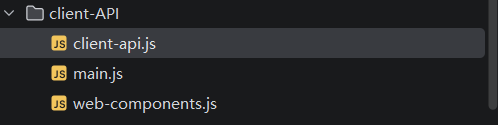
//传递的方法
//查找邮箱地址,返回对应公钥
validKeyForAddress(recipients) {
//向后台发送信息
//消息类型query-valid-key
//identifier调用官方标识,识别后台信息
//传入的邮箱参数
//调用 send 方法发送一个名为 'query-valid-key' 的请求。

//发送标识请求,处理格式
    return send('query-valid-key', {identifier: this.identifier, recipients}).then(keyMap => {
//这里处理格式
//遍历对象赋值
      for (const address in keyMap) {
//检查地址值是否有效,有值
        if (keyMap[address]) {
//取出公钥,三层数组取出
          keyMap[address].keys.forEach(key => {
//处理时间戳,赋值
            key.lastModified = new Date(key.lastModified);
          });
        }
      }
//返回数组
      return keyMap;
    });
  }
{
"0x123...abc": { keys: [{ publicKey: "...", lastModified: "2026-05-10T08:30:00Z" }] },
"0x456...def": null, // 无效地址
"0x789...ghi": {} // 无keys字段
}
· content-scripts/:注入到邮件网页(如 Gmail)的脚本,负责 DOM 交互。
· controller/:业务控制器,协调加解密、密钥操作等逻辑。
· app/:弹窗、选项页面等 UI 代码。注入
· components/:可复用的 UI 组件。注入
· lib/:通用工具库(编码、解析等)。
· modules/:功能模块(加密、密钥环等)。这里有上传逻辑
src/modules/mveloKeyServer.js:98
根据公开资料,Mailvelope Keyserver 是一个用于管理 PGP 公钥的开源项目,通常用于支持 Mailvelope(一个浏览器端的 OpenPGP 加密工具)进行公钥的发布与查找。
validKeyForAddress(recipients) {
    return send('query-valid-key', {identifier: this.identifier, recipients}).then(keyMap => {
      for (const address in keyMap) {
        if (keyMap[address]) {
          keyMap[address].keys.forEach(key => {
            key.lastModified = new Date(key.lastModified);
          });
        }
      }
      return keyMap;
    });
  }
前端结构
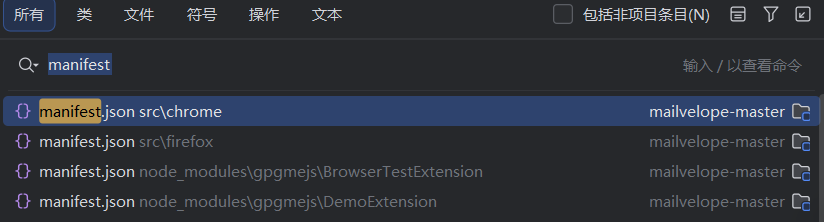
0x3 Manifest介绍分析
Manifest文件的示例,它声明了插件的名称、描述、版本、权限等关键信息。
这个文件的作用简单来说就是这个插件的组成清单,在这个清单上大约能看的这个插件的大体作用
给不同的浏览器适配清单
谷歌部分
相当于规则
//配置文件
{
//根据浏览器语言读取对应的messages.json
  "name": "__MSG_ext_name__",
//拓展名字短名称
  "short_name": "Mailvelope",
//替换版本号,版本号占位符
  "version": "@@mvelo_version",
//拓展描述
  "description": "__MSG_ext_description__",
//官方网站
  "homepage_url": "https://mailvelope.com",
  "author": "info@mailvelope.com",
  "manifest_version": 3,
  "minimum_chrome_version": "122",
//用户界面相关
  "action": {
//图标设置
    "default_icon": {
//不同大小
      "16": "img/Mailvelope/logo_signet_16.png",
      "24": "img/Mailvelope/logo_signet_24.png",
      "32": "img/Mailvelope/logo_signet_32.png",
      "48": "img/Mailvelope/logo_signet_48.png"
    },
    "default_popup": "components/action-menu/actionMenu.html",
    "default_title": "__MSG_ext_name__"
  },
//各种尺寸
  "icons": {
    "32": "img/Mailvelope/logo_signet_32.png",
    "48": "img/Mailvelope/logo_signet_48.png",
    "64": "img/Mailvelope/logo_signet_64.png",
    "96": "img/Mailvelope/logo_signet_96.png",
    "120": "img/Mailvelope/logo_signet_120.png",
    "128": "img/Mailvelope/logo_signet_128.png",
    "152": "img/Mailvelope/logo_signet_152.png",
    "180": "img/Mailvelope/logo_signet_180.png"
  },
//后台脚本,重点
  "background": {
    "service_worker": "background.bundle.js"
  },
//安全策略
//限制了扩展自己页面(如弹窗、选项页)可以加载的资源:
//(允许在html直接写入<style>或者属性,阻止所有事件,只允许加载内部js.
//可以闭合产生标签、
//对src=的限制
//只允许self
  · default-src 'self':所有资源(脚本、图片等)默认只能从扩展自身加载。
//把css直接写在html中,允许src允许
//可能可以标签xss
//对标签进行限制
  · style-src 'unsafe-inline':允许内联样式
//data协议
  · img-src data::允许使用 data: 协议的图片(例如 base64 编码的小图标)。
//
  · connect-src https::允许通过 HTTPS 与服务器通信(如 API 调用)。

  "content_security_policy": {
    "extension_pages": "default-src 'self'; style-src 'unsafe-inline'; img-src data:; connect-src https:;"
  },
//国际化语言
  "default_locale": "en",
//允许访问所有网站url
  "host_permissions": [
    "*://*/*"
  ],
//协议
  "oauth2": {
//插件在谷歌api注册的客户端id
    "client_id": "119074447949-cvf898un7sfnv2ib7r4hvunqd56jm4c4.apps.googleusercontent.com",
//申请权限范围,权限设置
    "scopes":[

//userinfo.emai权限控制
//https://www.googleapis.com/auth谷歌所有api公用权限
//调用谷歌api获取授权的公开邮箱地址
      "https://www.googleapis.com/auth/userinfo.email",
//只读权限谷歌邮箱
      "https://www.googleapis.com/auth/gmail.readonly",
//读写权限谷歌邮箱
      "https://www.googleapis.com/auth/gmail.send"
    ]
  },


//可选权限,允许拓展与原生应用通信
//作用:允许扩展按需请求与本地原生应用通信(例如调用本地加密工具)。
  "optional_permissions": [
    "nativeMessaging"
  ],


//使用xx的权限
/*"permissions": [
  "alarms",       // 定时任务(如轮询检查新邮件)
  "identity",     // 获取用户 Google 账号信息(关键!)
  "offscreen",    // 后台渲染(用于解密等耗时操作)
  "scripting",    // 注入 JS 到网页(如修改 Gmail 界面)
  "storage",      // 本地存储(存加密密钥)
  "tabs",         // 操作浏览器标签页
  "webNavigation" // 监听网页跳转
]*/
//拓展选项页面
  "options_page": "app/app.html",
//声明必须的权限
  "permissions": [
    "alarms",
    "identity",
    "offscreen",
    "scripting",
    "storage",
    "tabs",
    "webNavigation"
  ],

//声明哪些内部扩展可以直接被外部网页访问
  "web_accessible_resources": [{
    "resources": [
      "client-API/mailvelope-client-api.js",
      "components/decrypt-message/decryptMessage.html",
      "components/generate-key/genKey.html",
      "components/key-backup/backupKey.html",
      "components/restore-backup/backupRestore.html",
      "components/editor/editor.html",
      "components/encrypted-form/encryptedForm.html",
      "res/fonts/*.woff2",
      "img/edit_add-22.png",
      "img/key-24.png",
      "img/key-icon-blue96.png",
      "img/loading.gif",
      "img/mail_locked_96.png",
      "img/mail_signed_96.png",
      "img/mail_open_96.png",
      "img/mail_new.png",
      "img/ok48.png",
      "img/verify-24.png",
      "main.css"
    ],
//可以被所有网站访问
    "matches": ["*://*/*"]
  }]
}
1 oauth2
OAuth2.0是OAuth协议的延续版本,但不向下兼容OAuth 1.0(即完全废止了OAuth1.0)。 OAuth 2.0关注客户端开发者的简易性。要么通过组织在资源拥有者和HTTP服务商之间的被批准的交互动作代表用户,要么允许第三方应用代表用户获得访问的权限。同时为Web应用,桌面应用和手机,和智能家居设备提供专门的认证流程。
OAuth 2.0 是一套关于授权的行业标准协议。
OAuth 2.0 允许用户授权第三方应用访问他们在另一个服务提供方上的数据,而无需分享他们的凭据(如用户名、密码)
OAuth 2.0的应用场景非常广泛,包括但不限于:
- 第三方应用访问用户在其他服务上的信息,例如,一个应用通过OAuth 2.0访问用户在github.com上的数据。(只读)
- 第三方应用代表用户执行操作,例如,一个邮件客户端应用通过OAuth 2.0发送用户的电子邮件。(有授权才可以读写)
- 第三方应用使用OAuth 2.0实现用户的单点登录,例如,用户可以使用Github账号登录其他应用。(得那个应用支持github账号登录才行)
参考
https://cloud.tencent.com/developer/article/2418791
0x4 Mailvelope
是什么
Mailvelope 是个浏览器插件,直接装在 Gmail、Outlook 这些常用邮箱里,就能用 PGP 加密。不用换邮箱,装上插件就能给邮件加密,特别适合个人用户和小公司。
怎么用
一直以来直接用OpenGPG加密编写邮件都有不便。你可以在命令行中用gpg加密文本或文件,再复制/上传到邮件中。或是用有图形化界面的Kleopatra加密,这样虽然省去了输入命令的过程,却仍要复制文本到邮件中。当然,你可以用类似Thunderbird的带有GPG加密功能的邮箱客户端直接编写邮件,但在这类客户端中要配置邮箱的POP3或IMAP等服务,对Gmail等不算友好。
Mailvelope则相比之下十分方便。它作为一个浏览器插件,可以自动检测域名并使你可以在页面中直接用OpenGPG.js或GnuPG编写加密邮件。
Mailvelope 是一款开源浏览器插件,用于在主流 Web 邮箱(如 Gmail、Outlook 等)中实现 端到端的 PGP 加密邮件通信,确保只有收发双方能阅读邮件内容。
核心功能
- 加密/解密邮件正文和附件
- 生成和管理 GPG 密钥对(公钥 + 私钥)
- 支持 PGP/Inline 和 PGP/MIME 两种加密格式
- 数字签名验证,防止邮件被篡改
- 无缝集成到 Gmail、Outlook 等 Webmail 界面
参考
https://tieba.baidu.com/p/10574989551
https://zhuanlan.zhihu.com/p/32146141601
0x5 业务
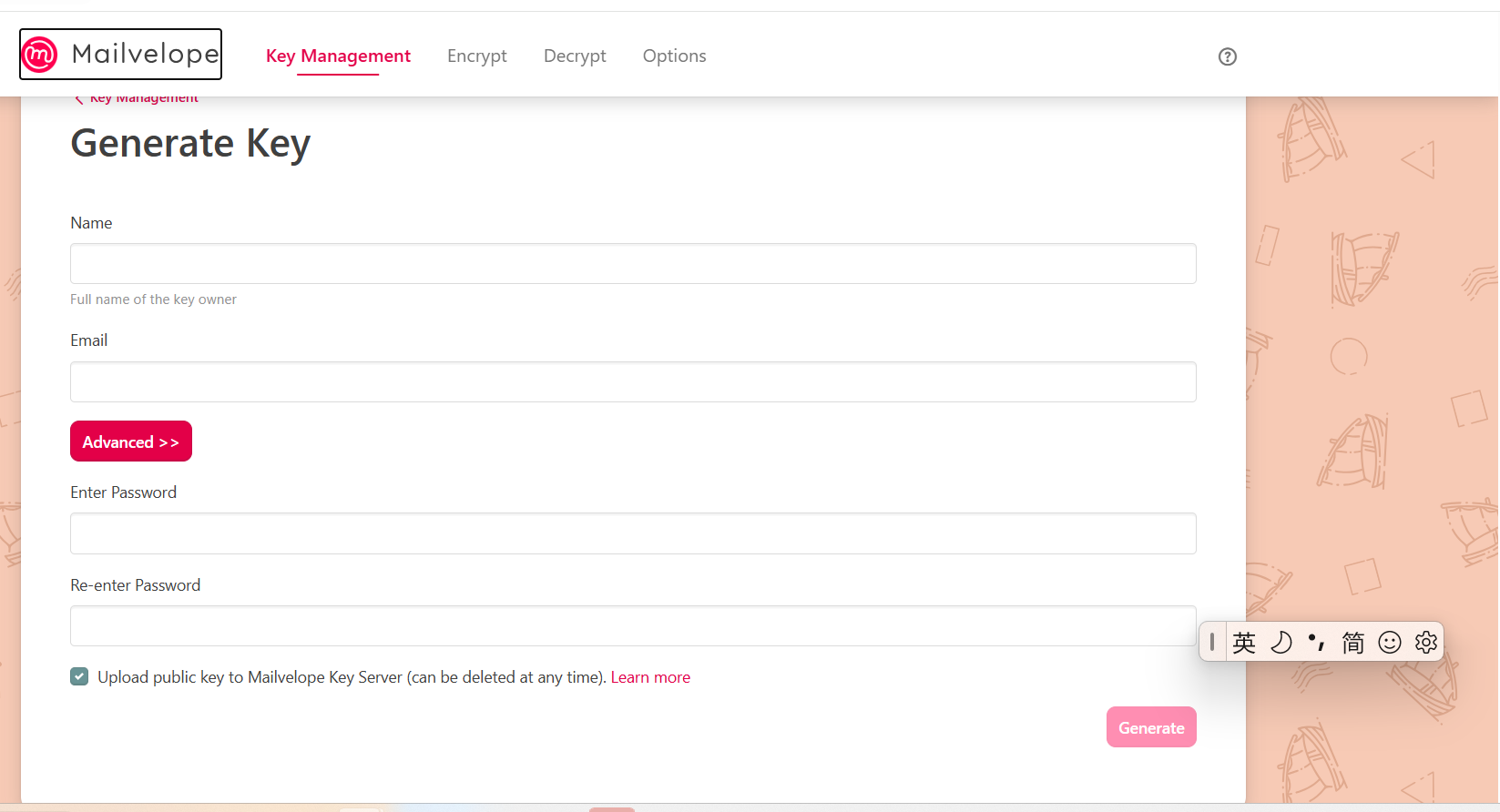
密钥管理
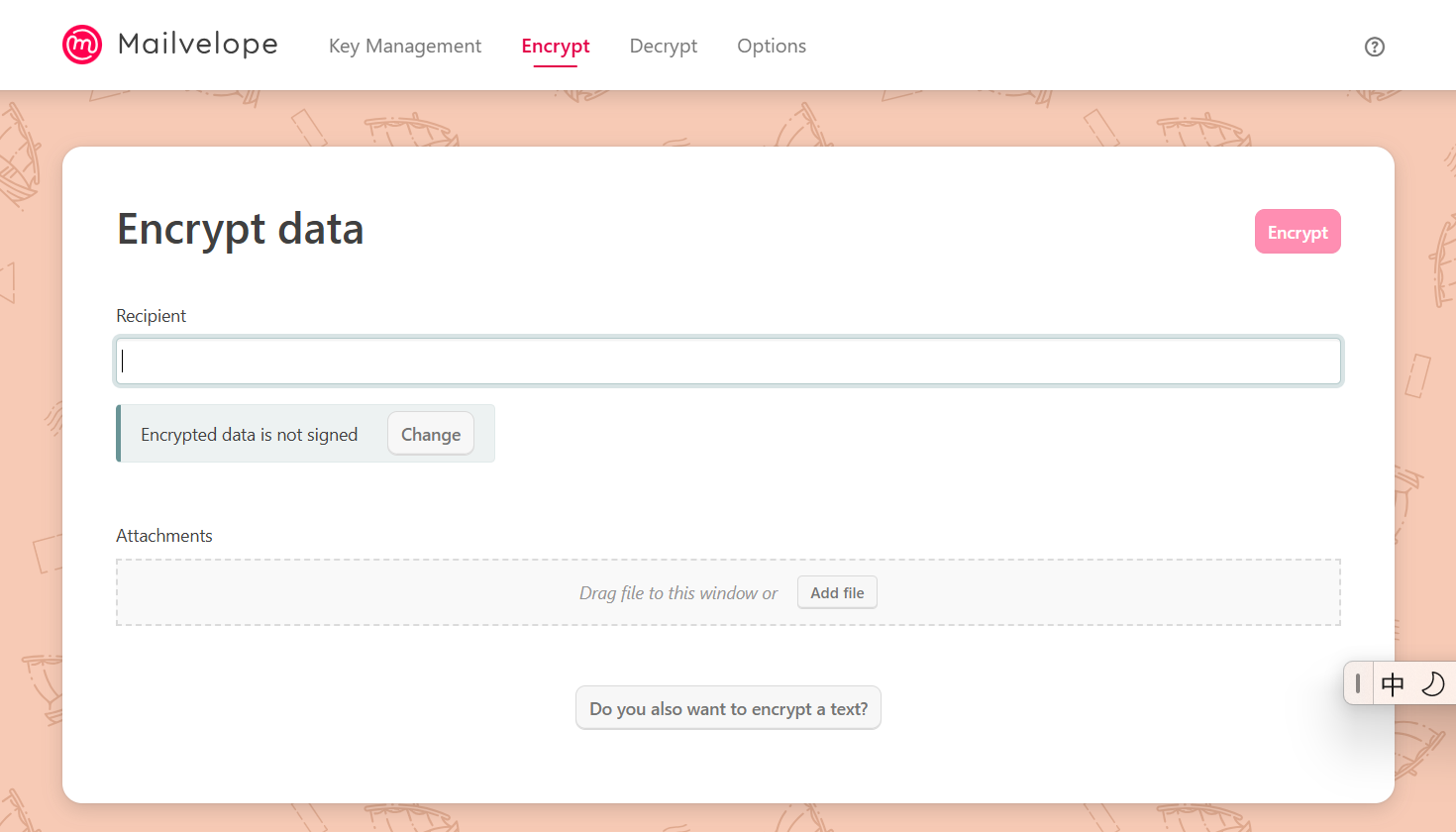
加密
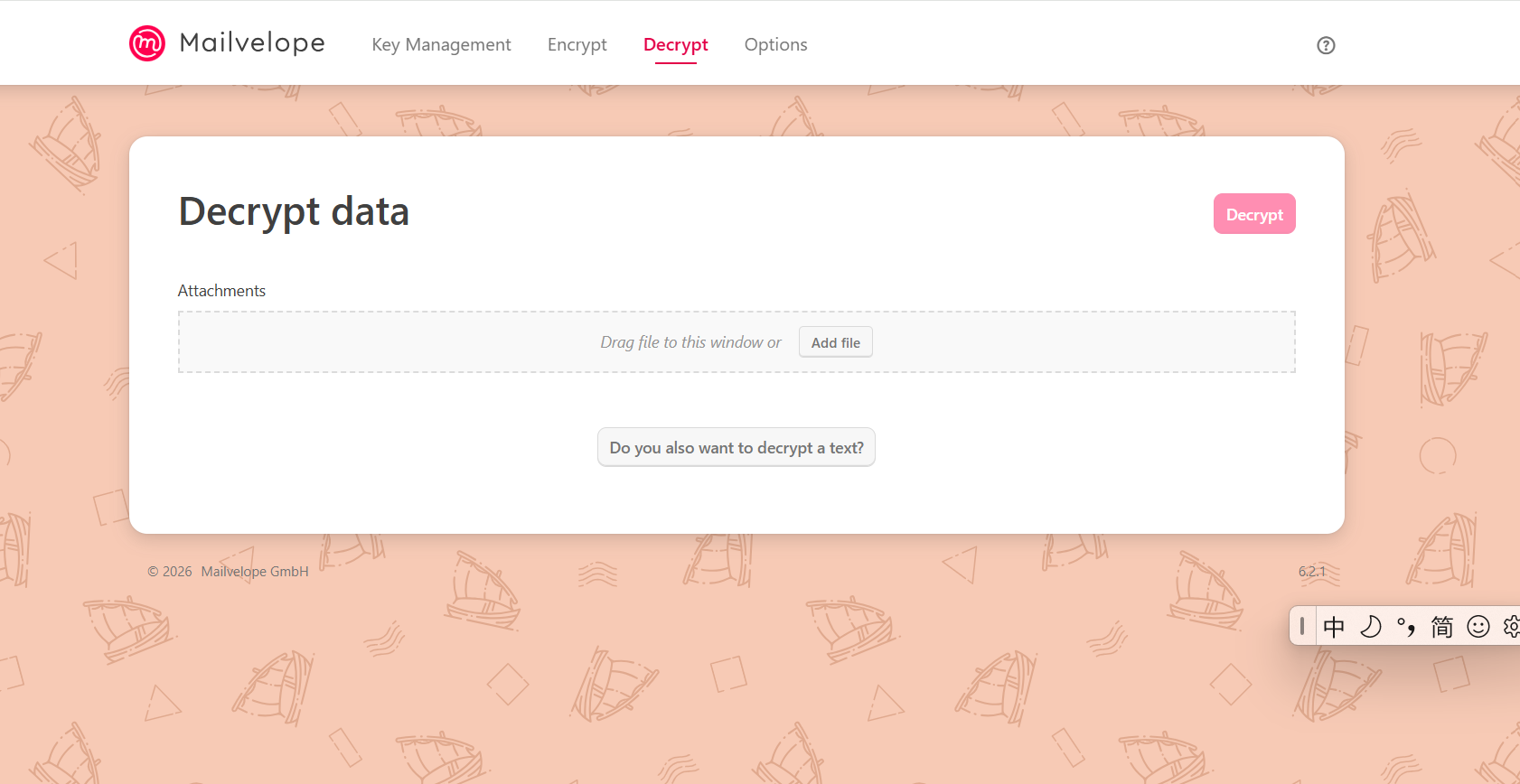
解密
选项
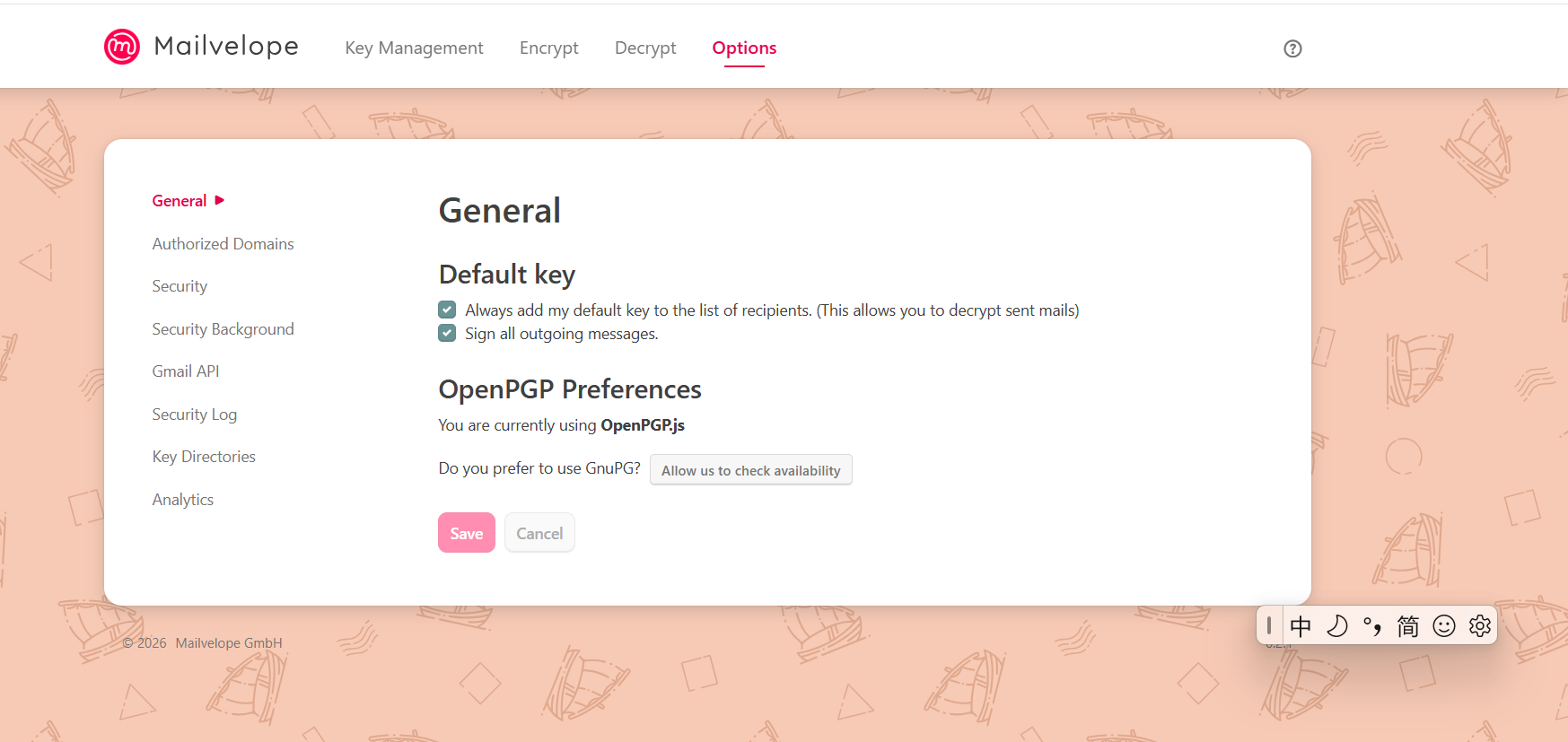
0x6 抓包
思路
api调用存储xss
感觉这玩意儿业务主要就是一个可控和存储xss,xxe,加密密钥泄露或者伪造,或者特定XSS(反射)也可是是点击恶意链接触发。
也可能有特定链接导致邮箱插件或者页面崩溃
受害者上传恶意文件导致插件崩溃或者信息泄露(不安全执行)这种。
读取服务器文件,点击链接修改缓存,修改密钥,偷取密钥,利用权限,按钮覆盖反射xss
逻辑漏洞,伪造密钥,邮件拦截,可以之后看一下案例
邮箱插件好多加密,密码安全。
点击链接点击劫持,点击链接网站嵌入
信息劫持,覆盖
不同的业务攻击点也不同。
官方服务器
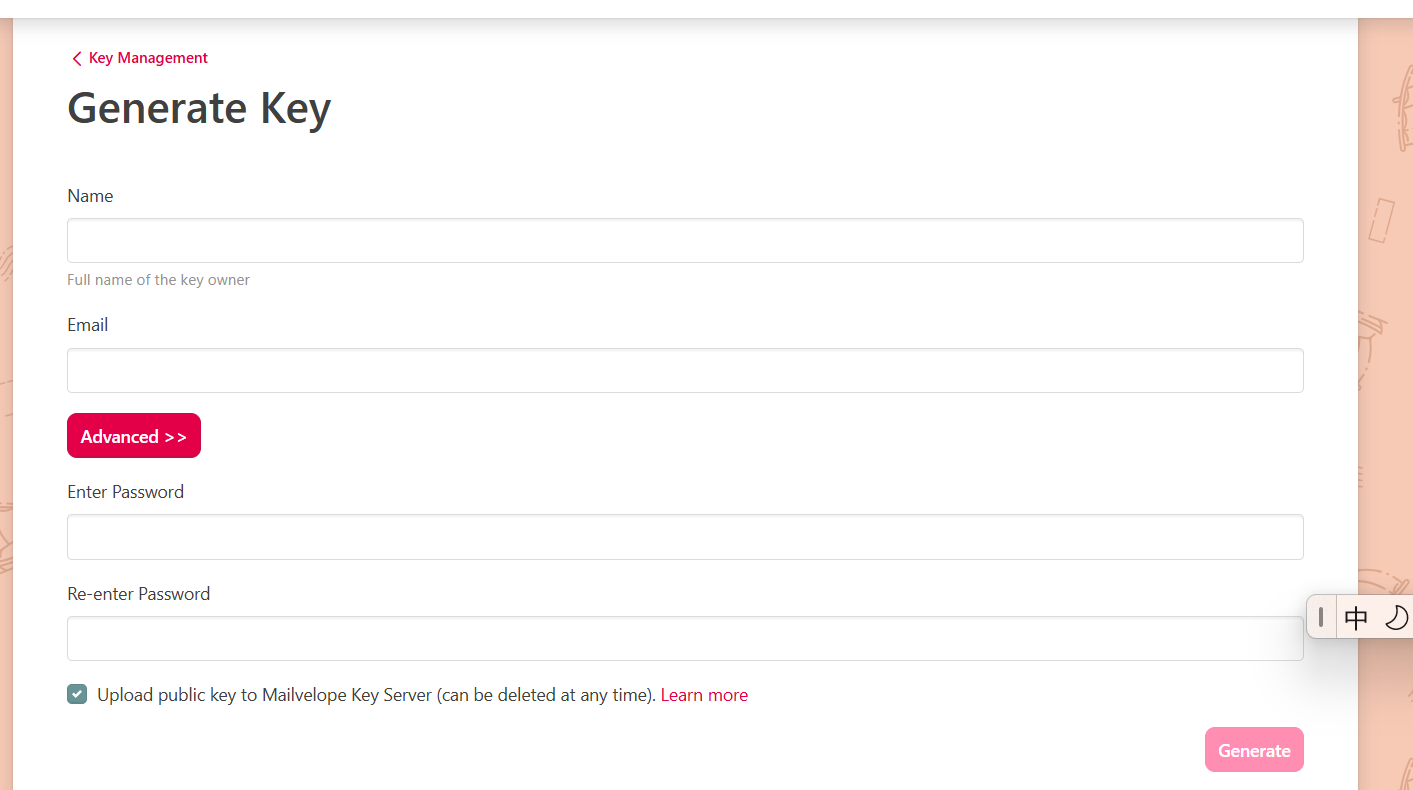
{
  "keyId": "b8e4105cc9dedc77",
  "fingerprint": "e3317db04d3958fd5f662c37b8e4105cc9dedc77",
  "userIds": [
    {
      "name": "Jon Smith",
      "email": "jon@smith.com",
      "verified": "true"
    },
    {
      "name": "Jon Smith",
      "email": "jon@organization.com",
      "verified": "false"
    }
  ],
  "created": "Sat Oct 17 2015 12:17:03 GMT+0200 (CEST)",
  "algorithm": "rsaEncryptSign",
  "keySize": "4096",
  "publicKeyArmored": "-----BEGIN PGP PUBLIC KEY BLOCK----- ... -----END PGP PUBLIC KEY BLOCK-----"
}
调用接口
官方密钥服务器
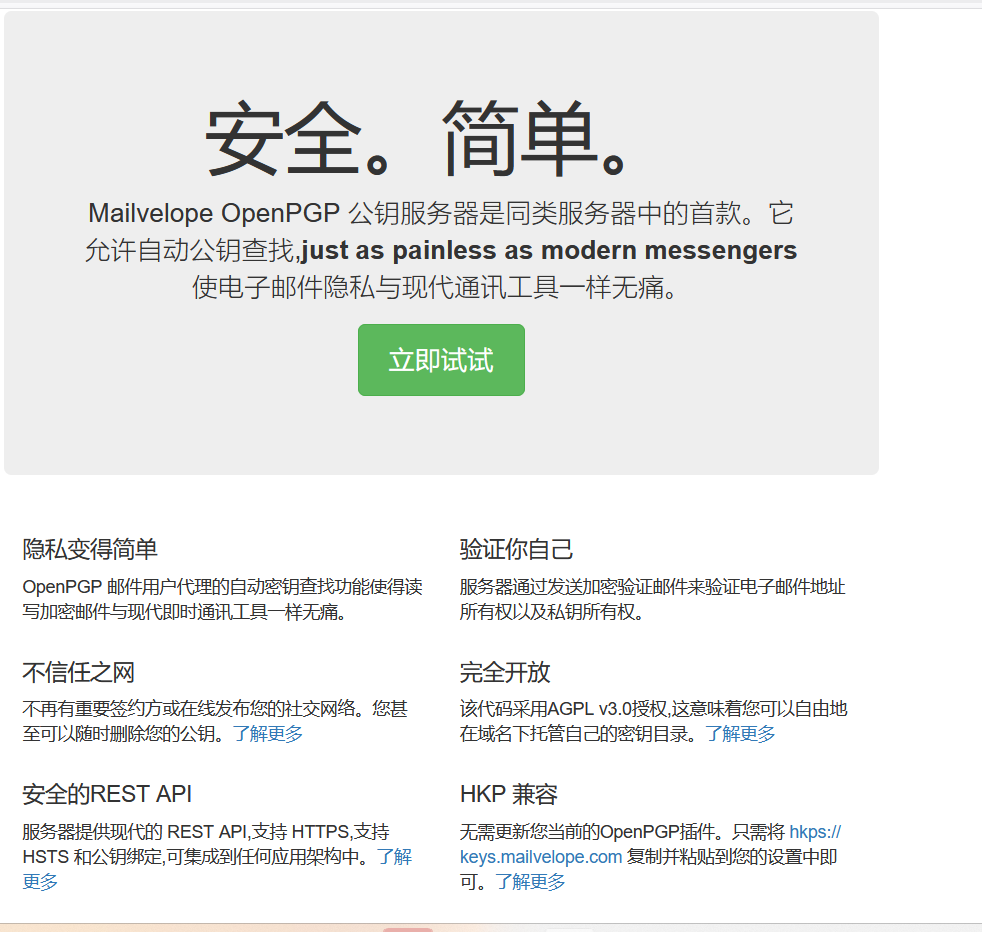
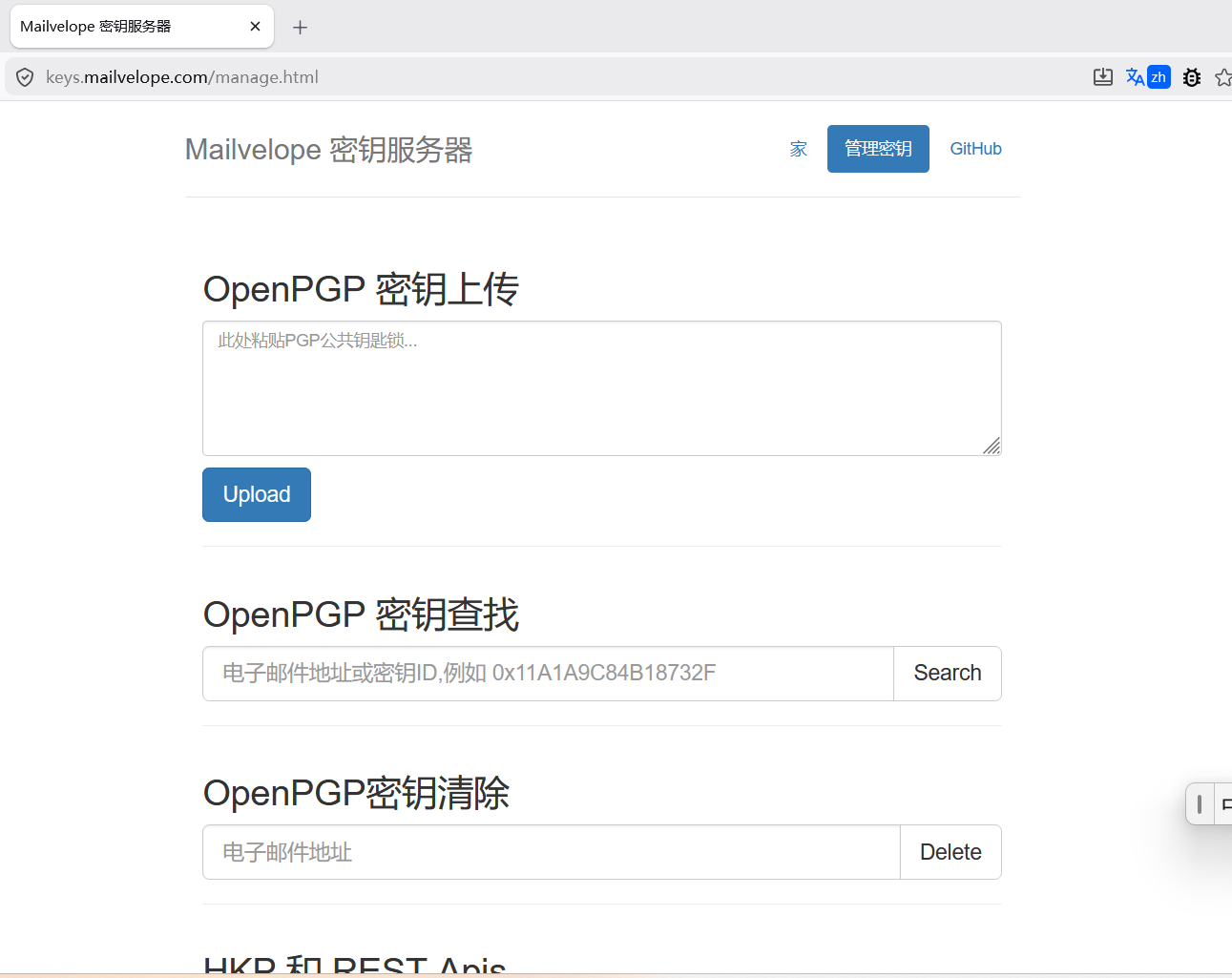
我好像有点懂了,可以通过插件来影响服务器或者通过服务器来影响插件。
和web前后端差不多。
https://github.com/mailvelope/keyserver
官方加密服务器,用于验证与解绑,允许从数据库删除公钥。
加密工具
这个是公钥传递
用户id与邮箱
keyid
而公钥就存储在这个服务器上,公钥负责加密,并且可以传输。
我(发送方)我拥有公钥
对方(接收方)拥有公钥和私钥
服务器是用来查找我公共的公钥的,我发送我要获取的公钥信息就可以获取对方的公钥加密然后发送对方。
我只拥有公钥,而他有公钥和私钥,因为他是接收方,需要看,而我本来就知道。
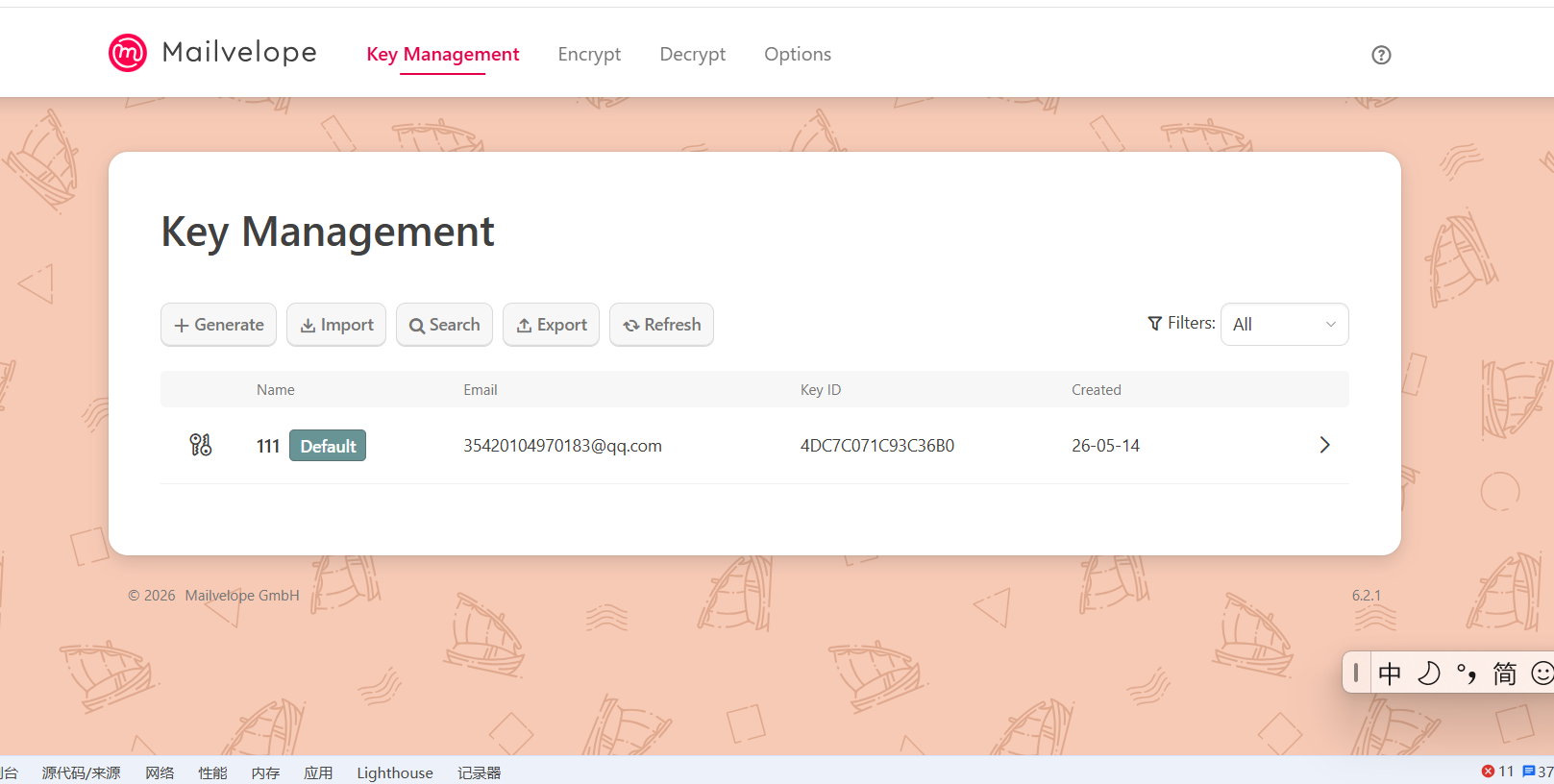
发送给服务器
POST /api/v1/key HTTP/1.1
Host: keys.mailvelope.com
Content-Length: 3255
User-Agent: Mozilla/5.0 (Windows NT 10.0; Win64; x64) AppleWebKit/537.36 (KHTML, like Gecko) Chrome/143.0.0.0 Safari/537.36
Content-Type: application/json
Accept: */*
Origin: chrome-extension://lbapimmmmhhdkfcgkldimpjaglmbiolb
Sec-Fetch-Site: none
Sec-Fetch-Mode: cors
Sec-Fetch-Dest: empty
Sec-Fetch-Storage-Access: active
Accept-Encoding: gzip, deflate, br
Accept-Language: zh-CN,zh;q=0.9
Priority: u=1, i
Connection: keep-alive

{"publicKeyArmored":"-----BEGIN PGP PUBLIC KEY BLOCK-----\nVersion: Mailvelope v6.2.1\nComment: https://mailvelope.com\n\nxsFNBGoFVjsBEACqJcslEogzNhBvNQfrm+UtucK+Pj0Nzm5LkxxjcASa9swp\nnhvjS4+TrtqpJbfcMu4s0CiydR7uAAfvPAIIShsyv3bX3wknQBRZ9G4c2e5e\ng/Q80bgSjuEsNo1XUlFhlrBNjZfbj7bFcDejDBlwsU7iljqD6Ry0VGt8TDZ2\nri7yxnkqIsLdzyqxMXHxLNr1GfcAgVlwHOwwORXc4WODaFLOAwetdl+OwShX\nGTtCwHa4WkiCrAWfUe3c7n04+WaWsXUVnjKjECnCFlgrunFddQLQ+N0bDBfx\nYvHP62jtgedV9GosrtifoHwG7AJRaErd9fE5WAtUX0yEmpFknFQDyBwwfU8L\nLSqqDdmwWqP5yLkTyoyYcpqVrYTD2ZHvWzHd0tjhlWiYFGxkNyonJJGO1ooB\nFxk9cG/HP0t3ILINt3K2+K5Bn7L1bk/6vRu+hRYaKYHSTaeE7cAjbiPDqeoR\nhrAarlvRXNL5+0gkiAHWc6oYOO3K4C8nzLRbrR1zH8nLUnhRFN3hMSQfhT0L\nx98B8kXlhSK7OC7bphpIirXyq3wQHIMRi50EpLmaAgeubZOIzuoB5ownU9tm\nOriqMQuCUqYzm2QOZpweCV1IXxe0iqFrrKt9Mtw7zIDTNjdGPzGhKraTuoK8\n3ryPdZ+xtQqUeKolF1B9Uv2sapxi4bwL6D8gswARAQABzRcxMTEgPDM1NDAz\nNzIxMThAcXEuY29tPsLBigQQAQgAPgWCagVWOwQLCQcICZB8qxDdXtFLSwMV\nCAoEFgACAQIZAQKbAwIeARYhBJasLVMS13osqpptj3yrEN1e0UtLAAAJsw/9\nGgN75pxusJJpSJKid1zW8iUvEd/DhXhw0X3kq2TSkLopPxpm4BJmMTdDwDrT\ni4z4rRUADq01Y9y9mmgXUUIeuDiM5OtdrG+fK2jC4oQ/ZBEVRJsQvWSujDgD\nz8qtNed6OS98dD8kWDSeG+N9A+I7jgfBfH7QTGBpfnwh3QkIc7WjjysoTZZr\nzV3EbC+lBBWvYz//esLSh4Prpg8F6bR9MZO9y0JJPeixTEtXgXvEs+9HyltS\nUWMQSqiqZoH0zY2kYQb4KlrDACyZgxwCVMEQOBCucn8z5AZ9lgIY7xYgcQF8\nlVAxvPbY+T6232nZ2zc1EUWRtXWM8cfmmN0ZVfLrhvmaEzF7PXgc5kTdgRLj\nehxszYWMo+nLEyrHJSu19Mo0zbSL14sIVA0weCEO4huoRPKTOWodBhGXy+ZH\n6hp229Q2BpgMSqk0xd1HDXl9OJ5sEQyZiHn6Ufe6d29t14/LByW5qg1FXWWW\n5RjN7MF9b3cB9WeuF/d0ioB2RehsC6FfWbQUmWXG63tyWMeJOW69xtbStZ1k\n2jKdRYRYKDbpR7uVzVdLHngms98I3sTKGh1kcGsraKtMCDlCvrguknMppbdw\nHVcrkPVKkgUEsmlDjBY5rKJqY1R9GAqWoN0xTssNTajvLqh6Ii+BN9ivNXNb\nXrS7+URCxyglRwESsxm7AQ/OwU0EagVWOwEQAOE9ALLC8+rrNcHYB0ijt9BC\n5PrELXUAE8JH0HWNlHI+vgOmhtJ3TR5DeYRlPnIezYqy7+JW5WwDCE269Blf\nD6XwD4OxXyTluHOq23hZjUoJklV55OtqY72sYN/d9jzUhFnavJ7WxFoDkqPv\npl5UpQHOHgPZWuzaUppHwdivaftzOVFqnGvMYcMN8JsWShbgwJNQKM/PtfAU\naPHCRljoBRrV0GC4KgO1RQDhN75VUFJHvYeA2YyuIo0Id/vbnKyXWg+0VIXj\nksuxsNIsk2yJAJCFh8IBQBgnwtmlak/w0qBrsm/FWXwiVC1/ZB14Fmam797T\nHyrlWRSsMdOd7hdqMXbZ6FBNmBC2QsrcT/Wu/RGUtV6YXFbpWevB5T/khE+u\nhqenkVGZK2QUVS+9pa5vlF1r3DIWYHGJXEiB92PfmcXzugADOWu0p9MPSrg8\nmmmWldiQzoYOB/3o1KYOelvC0cMCI1EJQxAbdLEoJmKaXxQC9GwIlln10VnC\n0VMbfPBOFRogS9NUh9Qfu9AFRlFySrv7w1MvsRBmLPoZaGFdDArAuCOi/Jum\n3eRqOz+B54j09M/+KcTgxnDOXJE/oyMnlJ7h4SQnlrwlmDCiMV6F039Z/ohg\nk7KFcPLUgk03KH3uzAHob7hBbF6oClTQW+NTD2yNbo8/CxElhWssfX5HpLNX\nABEBAAHCwXYEGAEIACoFgmoFVjsJkHyrEN1e0UtLApsMFiEElqwtUxLXeiyq\nmm2PfKsQ3V7RS0sAAArKD/4w3572OkPiqtYAEruwbuF5WgsD6lGt3aeNvcGV\nP37sHQyMrnPT3Gt/6uyE43uguezNTnOnjCRnkcLG8quU7+2/HqaNr0GVn4vU\nUVdU/Ac/bcQaf92fDrOhY2gBqoYukgbrRUtxARhNRVcUiKnOHcSezFce0Bw9\ndAzU4NlNa/+UCQwgbwvZO1TppVoACO5rJVSio8b5FrKk+b62p2p0shAOyg7n\nih+Jf27t46KB1Qj3Lwrr+flML8A9jPwOXGrCtiVcTYMz3D6W2acfJveIuv84\nj1yJscDa6xN/zgAXBUpb5l7xFOkDYCKk234x+A34IVPrlOoi2qJjo11Fzof1\nL/pIwZFNeRiEnk2Qcn4PRC8QTrRz6HU9DnjzP6rLr9x7mG/+bbKJOHId/YoP\nFuNtGo+Smkq3GZLdxQr0FeITycAxDKHAvHzHfR5JtfskChJQLpiBXhYVXK3R\nPlZyNmgDBDPoXY/OReUfXNmoZ7vgMElK7coaCQENxopwCEONZ3kMn3ng551N\nKPbYg86D37iUp1TE3Fz6peo6U2g4XB3bHOIFBeun/fLYIBlVHxr5S7pTKj+i\nmYWDHgO7t4SA4nenWQzNs/ZhRu5LaZ6s7A/Wk9sFYYu+kN0gvGa4THxQ5t2W\nC90Ax6MQZo1re0mlGQ7MSs4LndMsYoGQJo36SC8waMzfZw==\n=78KA\n-----END PGP PUBLIC KEY BLOCK-----\n"}
describe('upload', () => {
it('should POST to the key url', async () => {
window.fetch.returns(Promise.resolve({
status: 201
}));
await mveloKeyServer.upload({publicKeyArmored: 'KEY BLOCK'});
expect(window.fetch.args[0][1]).to.include({method: 'POST'});
expect(window.fetch.args[0][0]).to.equal('https://keys.mailvelope.com/api/v1/key');
});
it('should raise exception on conflicting key', () => {
window.fetch.returns(Promise.resolve({
status: 304,
statusText: 'Key already exists'
}));
return expect(mveloKeyServer.upload({publicKeyArmored: 'KEY BLOCK'})).to.eventually.be.rejectedWith(/exists/);
});
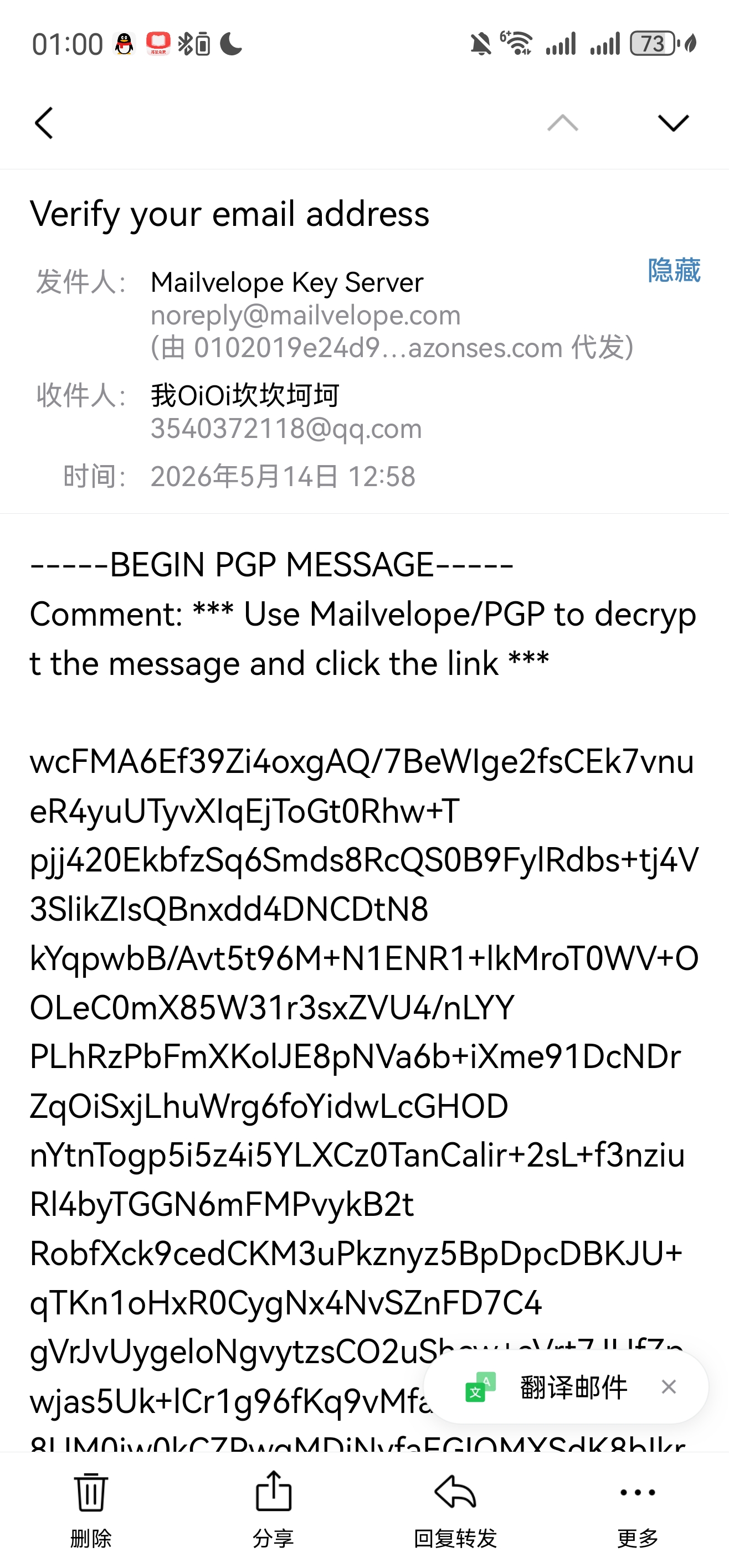
});
src/modules/mveloKeyServer.js:9
/** The default URL of the mailvelope authenticating keyserver. */
export const DEFAULT_URL = 'https://keys.mailvelope.com';
功能模块发包
向别人发邮件
这个是查询别人的公钥
//获取email,keyid,与fingerprint
//存储这些
function url({email, keyId, fingerprint} = {}) {
//get请求
  const url = `${DEFAULT_URL}/api/v1/key`;
//判断并返回相应格式
  if (email) {
    return `${url}?email=${encodeURIComponent(email)}`;
  } else if (fingerprint) {
    return `${url}?fingerprint=${encodeURIComponent(removeHexPrefix(fingerprint))}`;
  } else if (keyId) {
    return `${url}?keyId=${encodeURIComponent(removeHexPrefix(keyId))}`;
  }
  return url;
}
0x7 测试
fetch('/api/v1/key?email=test')   // 未指定 method 时默认为 GET
fetch('/api/v1/key', { method: 'POST', body: JSON.stringify(data) })
直接namexss(失败)
直接这样有策略阻止
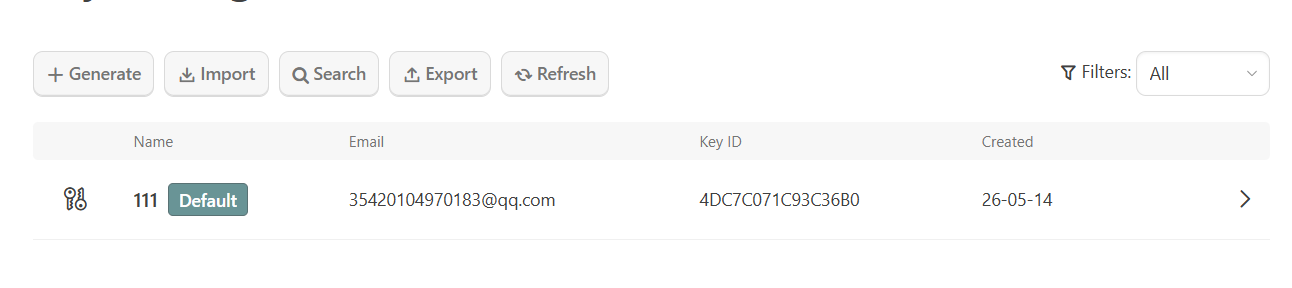
Recommendation: Create a backup
×
Success!

New key generated and imported into keyring:

<script>alert(1)</script><11122233@qq.com>
#1D9E9F9B3C50936E
A private key backup is essential for recovering your encrypted data in case of data loss or reinstallation of your operating system, browser or this browser extension.

Important! Store the backup securely in a safe location, for example, on a USB drive or in a password manager.
File name
11122233@qq.com-backup.asc
9.8 KB
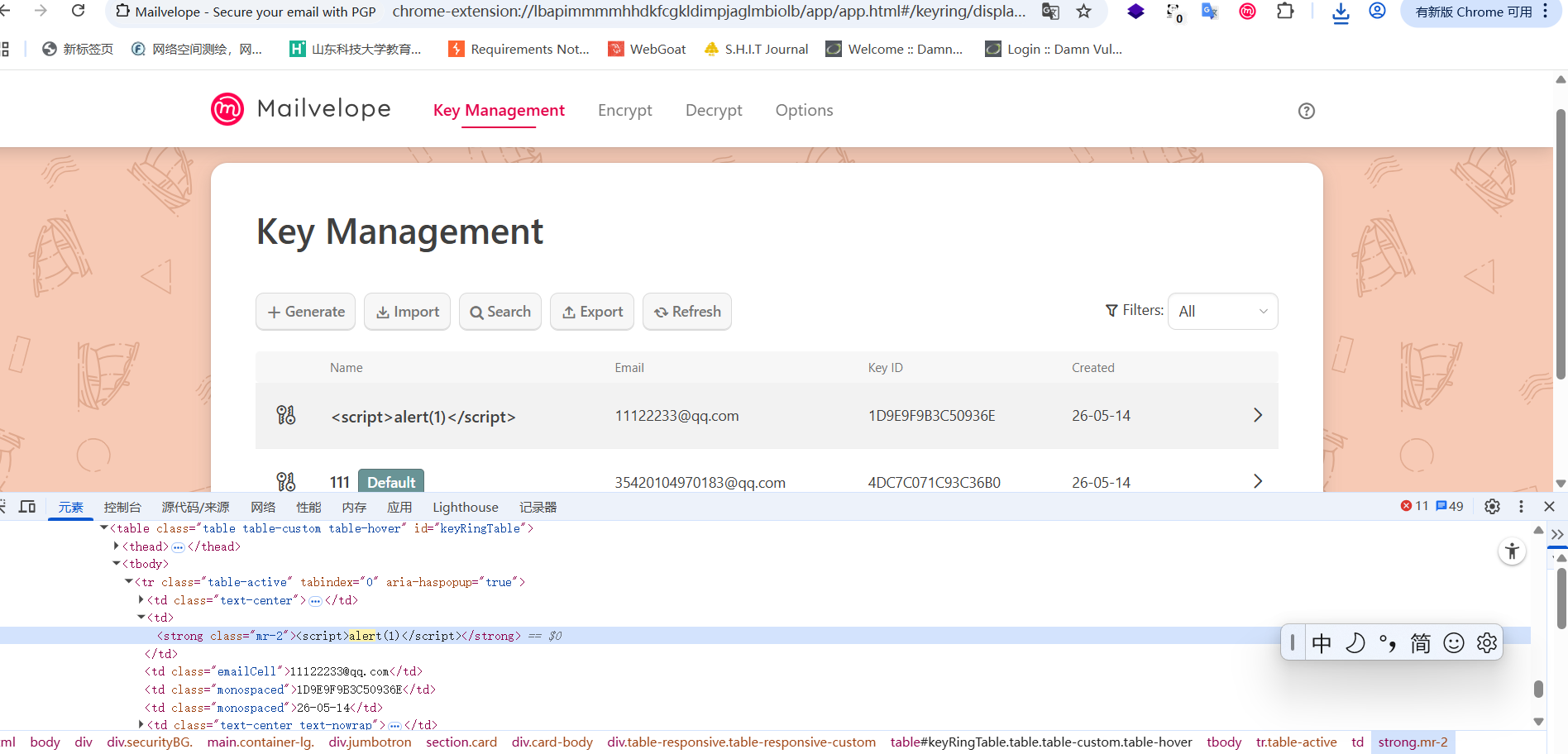
越权删除

源码位置
</div>
                  {keyringId !== MAIN_KEYRING_ID && keyringId !== GNUPG_KEYRING_ID && this.props.onDelete &&
                    <button type="button" onClick={e => { e.preventDefault(); e.stopPropagation(); this.props.onDelete(keyringId, keyringName); }} className="btn btn-secondary mx-2">
                      <span className="icon icon-delete" aria-hidden="true"></span>
                    </button>
                  }
                </Link>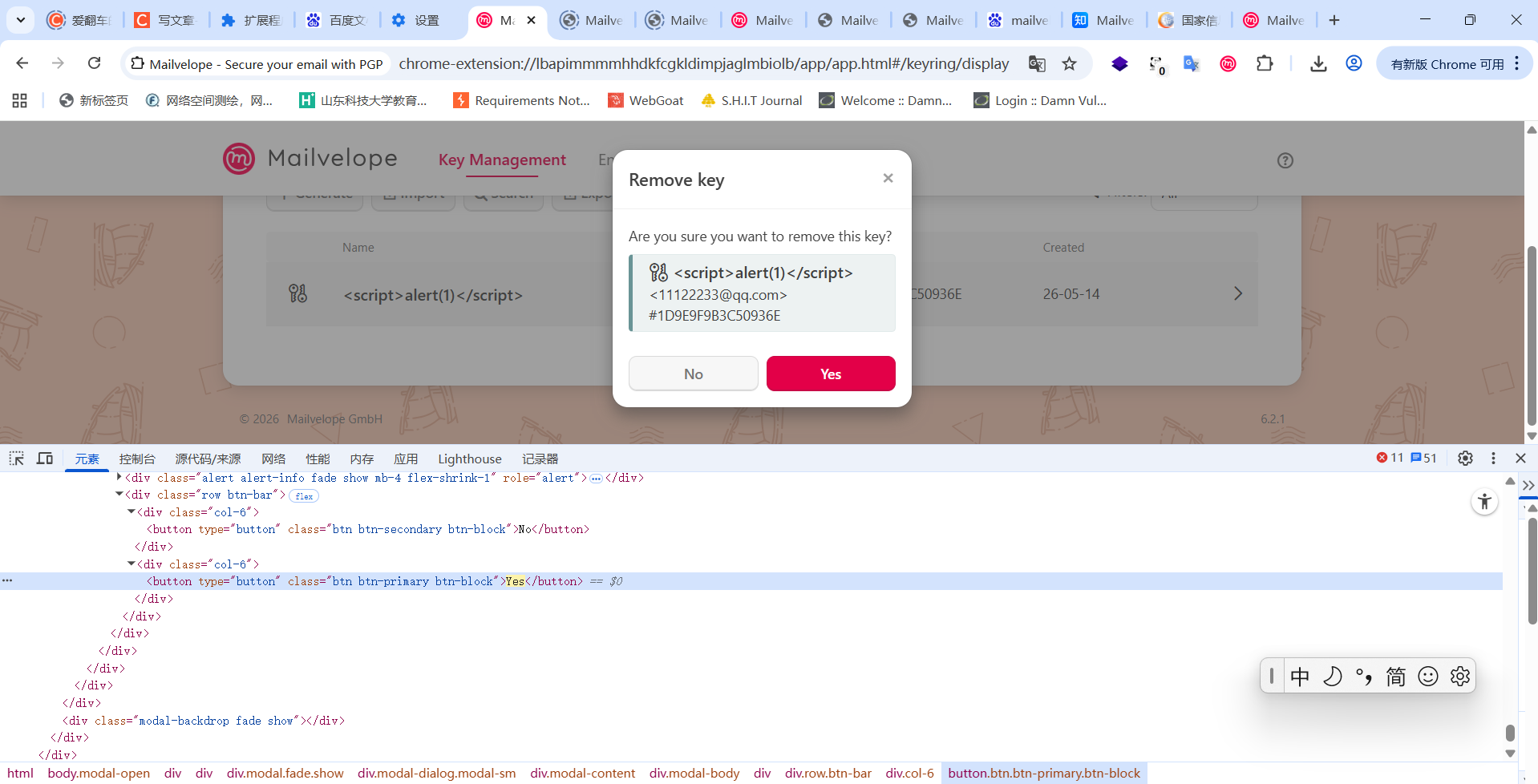
<div className="actions">
                      {!(this.context.gnupg && key.type === 'private') && <button type="button" onClick={e => { e.stopPropagation(); this.setState({showDeleteKeyModal: true, activeKey: key.keyId}); }} className="btn btn-secondary keyDeleteBtn"><span className="icon icon-delete" aria-hidden="true"></span></button>}
                      <span className="icon icon-arrow-right" aria-hidden="true"></span>
                    </div>
越权添加(失败)
加密看不懂
POST /api/v1/key HTTP/1.1
Host: keys.mailvelope.com
Content-Length: 3255
User-Agent: Mozilla/5.0 (Windows NT 10.0; Win64; x64) AppleWebKit/537.36 (KHTML, like Gecko) Chrome/143.0.0.0 Safari/537.36
Content-Type: application/json
Accept: */*
Origin: chrome-extension://lbapimmmmhhdkfcgkldimpjaglmbiolb
Sec-Fetch-Site: none
Sec-Fetch-Mode: cors
Sec-Fetch-Dest: empty
Sec-Fetch-Storage-Access: active
Accept-Encoding: gzip, deflate, br
Accept-Language: zh-CN,zh;q=0.9
Priority: u=1, i
Connection: keep-alive

{"publicKeyArmored":"-----BEGIN PGP PUBLIC KEY BLOCK-----\nVersion: Mailvelope v6.2.1\nComment: https://mailvelope.com\n\nxsFNBGoFVjsBEACqJcslEogzNhBvNQfrm+UtucK+Pj0Nzm5LkxxjcASa9swp\nnhvjS4+TrtqpJbfcMu4s0CiydR7uAAfvPAIIShsyv3bX3wknQBRZ9G4c2e5e\ng/Q80bgSjuEsNo1XUlFhlrBNjZfbj7bFcDejDBlwsU7iljqD6Ry0VGt8TDZ2\nri7yxnkqIsLdzyqxMXHxLNr1GfcAgVlwHOwwORXc4WODaFLOAwetdl+OwShX\nGTtCwHa4WkiCrAWfUe3c7n04+WaWsXUVnjKjECnCFlgrunFddQLQ+N0bDBfx\nYvHP62jtgedV9GosrtifoHwG7AJRaErd9fE5WAtUX0yEmpFknFQDyBwwfU8L\nLSqqDdmwWqP5yLkTyoyYcpqVrYTD2ZHvWzHd0tjhlWiYFGxkNyonJJGO1ooB\nFxk9cG/HP0t3ILINt3K2+K5Bn7L1bk/6vRu+hRYaKYHSTaeE7cAjbiPDqeoR\nhrAarlvRXNL5+0gkiAHWc6oYOO3K4C8nzLRbrR1zH8nLUnhRFN3hMSQfhT0L\nx98B8kXlhSK7OC7bphpIirXyq3wQHIMRi50EpLmaAgeubZOIzuoB5ownU9tm\nOriqMQuCUqYzm2QOZpweCV1IXxe0iqFrrKt9Mtw7zIDTNjdGPzGhKraTuoK8\n3ryPdZ+xtQqUeKolF1B9Uv2sapxi4bwL6D8gswARAQABzRcxMTEgPDM1NDAz\nNzIxMThAcXEuY29tPsLBigQQAQgAPgWCagVWOwQLCQcICZB8qxDdXtFLSwMV\nCAoEFgACAQIZAQKbAwIeARYhBJasLVMS13osqpptj3yrEN1e0UtLAAAJsw/9\nGgN75pxusJJpSJKid1zW8iUvEd/DhXhw0X3kq2TSkLopPxpm4BJmMTdDwDrT\ni4z4rRUADq01Y9y9mmgXUUIeuDiM5OtdrG+fK2jC4oQ/ZBEVRJsQvWSujDgD\nz8qtNed6OS98dD8kWDSeG+N9A+I7jgfBfH7QTGBpfnwh3QkIc7WjjysoTZZr\nzV3EbC+lBBWvYz//esLSh4Prpg8F6bR9MZO9y0JJPeixTEtXgXvEs+9HyltS\nUWMQSqiqZoH0zY2kYQb4KlrDACyZgxwCVMEQOBCucn8z5AZ9lgIY7xYgcQF8\nlVAxvPbY+T6232nZ2zc1EUWRtXWM8cfmmN0ZVfLrhvmaEzF7PXgc5kTdgRLj\nehxszYWMo+nLEyrHJSu19Mo0zbSL14sIVA0weCEO4huoRPKTOWodBhGXy+ZH\n6hp229Q2BpgMSqk0xd1HDXl9OJ5sEQyZiHn6Ufe6d29t14/LByW5qg1FXWWW\n5RjN7MF9b3cB9WeuF/d0ioB2RehsC6FfWbQUmWXG63tyWMeJOW69xtbStZ1k\n2jKdRYRYKDbpR7uVzVdLHngms98I3sTKGh1kcGsraKtMCDlCvrguknMppbdw\nHVcrkPVKkgUEsmlDjBY5rKJqY1R9GAqWoN0xTssNTajvLqh6Ii+BN9ivNXNb\nXrS7+URCxyglRwESsxm7AQ/OwU0EagVWOwEQAOE9ALLC8+rrNcHYB0ijt9BC\n5PrELXUAE8JH0HWNlHI+vgOmhtJ3TR5DeYRlPnIezYqy7+JW5WwDCE269Blf\nD6XwD4OxXyTluHOq23hZjUoJklV55OtqY72sYN/d9jzUhFnavJ7WxFoDkqPv\npl5UpQHOHgPZWuzaUppHwdivaftzOVFqnGvMYcMN8JsWShbgwJNQKM/PtfAU\naPHCRljoBRrV0GC4KgO1RQDhN75VUFJHvYeA2YyuIo0Id/vbnKyXWg+0VIXj\nksuxsNIsk2yJAJCFh8IBQBgnwtmlak/w0qBrsm/FWXwiVC1/ZB14Fmam797T\nHyrlWRSsMdOd7hdqMXbZ6FBNmBC2QsrcT/Wu/RGUtV6YXFbpWevB5T/khE+u\nhqenkVGZK2QUVS+9pa5vlF1r3DIWYHGJXEiB92PfmcXzugADOWu0p9MPSrg8\nmmmWldiQzoYOB/3o1KYOelvC0cMCI1EJQxAbdLEoJmKaXxQC9GwIlln10VnC\n0VMbfPBOFRogS9NUh9Qfu9AFRlFySrv7w1MvsRBmLPoZaGFdDArAuCOi/Jum\n3eRqOz+B54j09M/+KcTgxnDOXJE/oyMnlJ7h4SQnlrwlmDCiMV6F039Z/ohg\nk7KFcPLUgk03KH3uzAHob7hBbF6oClTQW+NTD2yNbo8/CxElhWssfX5HpLNX\nABEBAAHCwXYEGAEIACoFgmoFVjsJkHyrEN1e0UtLApsMFiEElqwtUxLXeiyq\nmm2PfKsQ3V7RS0sAAArKD/4w3572OkPiqtYAEruwbuF5WgsD6lGt3aeNvcGV\nP37sHQyMrnPT3Gt/6uyE43uguezNTnOnjCRnkcLG8quU7+2/HqaNr0GVn4vU\nUVdU/Ac/bcQaf92fDrOhY2gBqoYukgbrRUtxARhNRVcUiKnOHcSezFce0Bw9\ndAzU4NlNa/+UCQwgbwvZO1TppVoACO5rJVSio8b5FrKk+b62p2p0shAOyg7n\nih+Jf27t46KB1Qj3Lwrr+flML8A9jPwOXGrCtiVcTYMz3D6W2acfJveIuv84\nj1yJscDa6xN/zgAXBUpb5l7xFOkDYCKk234x+A34IVPrlOoi2qJjo11Fzof1\nL/pIwZFNeRiEnk2Qcn4PRC8QTrRz6HU9DnjzP6rLr9x7mG/+bbKJOHId/YoP\nFuNtGo+Smkq3GZLdxQr0FeITycAxDKHAvHzHfR5JtfskChJQLpiBXhYVXK3R\nPlZyNmgDBDPoXY/OReUfXNmoZ7vgMElK7coaCQENxopwCEONZ3kMn3ng551N\nKPbYg86D37iUp1TE3Fz6peo6U2g4XB3bHOIFBeun/fLYIBlVHxr5S7pTKj+i\nmYWDHgO7t4SA4nenWQzNs/ZhRu5LaZ6s7A/Wk9sFYYu+kN0gvGa4THxQ5t2W\nC90Ax6MQZo1re0mlGQ7MSs4LndMsYoGQJo36SC8waMzfZw==\n=78KA\n-----END PGP PUBLIC KEY BLOCK-----\n"}
发送公钥
//测试方法,describe定义测试组
//测试方法upload,构造方法测试
//it构造单个测试用例
describe('upload', () => {
//上传公钥
//it()中是期望行为,注释
//async是异步测试逻辑
    it('should POST to the key url', async () => {
//模拟用浏览器api发送请求,测试是不是post
      window.fetch.returns(Promise.resolve({
        status: 201
      }));
//发送信息
//mveloKeyServer封装了方法,类?
//· publicKeyArmored:属性名,表示“ASCII armor 格式的公钥字符串”。
//· 'KEY BLOCK':属性值,一个字符串(占位符,模拟公钥内容)。真实的公钥会很长,但测试中简化了。
//await 的作用是:等待一个 Promise 完成,并取出它的结果。
      await mveloKeyServer.upload({publicKeyArmored: 'KEY BLOCK'});
//验证上面的对不对
//验证内部
      expect(window.fetch.args[0][1]).to.include({method: 'POST'});
      expect(window.fetch.args[0][0]).to.equal('https://keys.mailvelope.com/api/v1/key');
    });


    it('should raise exception on conflicting key', () => {
//调用方法返回
      window.fetch.returns(Promise.resolve({
        status: 304,
        statusText: 'Key already exists'
      }));
//返回
      return expect(mveloKeyServer.upload({publicKeyArmored: 'KEY BLOCK'})).to.eventually.be.rejectedWith(/exists/);
    });
  });
是根据标签定位到这里来的,那下次不一定可以这样了吧?就没有什么固定的东西吗?还是说得结合代码特性,然后拆他的大概逻辑看是不是。
随机应变,反复验证吧,明天学习F12
import React from 'react';
import PropTypes from 'prop-types';
import {port, getAppDataSlot} from '../app';
import * as l10n from '../../lib/l10n';
import SimpleDialog from '../../components/util/SimpleDialog';
import WatchListEditor from './components/watchListEditor';
handleSaveWatchListEditor() {
    const errors = {};

//static validFrame(input) {
//return /^(\*\.)?((\w+(-+\w+)*\.)+(\w{2,})|localhost)(:\d{1,5})?$/.test(input);
// }
//
    for (const [index, value] of this.state.editorSite.frames.entries()) {
//过滤或者加密
      if (!WatchList.validFrame(value.frame)) {
//返回报错
        errors[`frame${index}`] = new Error();
      }
    }

//
    if (this.state.editorSite.frames.length < 1) {
      errors.frames = new Error();
    }

    if (Object.keys(errors).length) {
      this.setState({errors});
      return;
    }

    this.setState(prevState => {
      const newList = [...prevState.watchList];
      newList[prevState.editorIndex] = prevState.editorSite;
      return {watchList: newList, showEditor: false};
    }, () => this.saveWatchListData());
  }
export default function WatchListEditor(props) {
return (
<Modal isOpen={props.isOpen} toggle={props.toggle} title={l10n.map.watchlist_record_title} onHide={props.onHide} footer={
//这里,引用格式
//没有括号就是函数赋值
<EditorFooter onAddMatchPattern={props.onAddMatchPattern} onSave={props.onSave} onCancel={props.onCancel} />
}>
{props.site &&
<div>
<form role="form">
<div className="form-group">
<div className="custom-control custom-switch">
<input type="checkbox" className="custom-control-input" onChange={e => props.onChangeSite('active', e.target.checked)} id="switchWebSite" checked={props.site.active} />
<label className="custom-control-label" htmlFor="switchWebSite">{l10n.map.watchlist_title_active}</label>
</div>
</div>
<div>
<label htmlFor="webSiteName">{l10n.map.watchlist_title_site}</label>
<div className="d-flex flex-wrap align-items-center align-content-stretch">
<input type="text" value={props.site.site} onChange={e => props.onChangeSite('site', e.target.value)} className="form-group form-control w-auto flex-grow-1 mr-2" id="webSiteName" placeholder="e.g. GMX or GMail" />
<div className="form-group custom-control custom-switch">
<input type="checkbox" className="custom-control-input" onChange={e => props.onChangeSite('https_only', e.target.checked)} id="switchHttpsOnly" checked={props.site.https_only} />
<label className="custom-control-label text-nowrap" htmlFor="switchHttpsOnly">{l10n.map.watchlist_title_https_only}</label>
</div>
</div>
</div>
<table className="table table-custom table-sm table-hover border-bottom-0 mb-0" id="watchList">
<thead>
<tr>
<th>{l10n.map.watchlist_title_scan}</th>
<th>{l10n.map.watchlist_title_frame}</th>
<th>{l10n.map.watchlist_expose_api}</th>
<th></th>
</tr>
</thead>
<tbody>
{props.site.frames.map((frame, index) =>
<tr key={index}>
<td>
<div className="custom-control custom-switch">
<input type="checkbox" className="custom-control-input" onChange={e => props.onChangeFrame({scan: e.target.checked}, index)} id={`frame_scan${index}`} checked={frame.scan} />
<label className="custom-control-label" htmlFor={`frame_scan${index}`} />
</div>
</td>
<td className="w-100">
<input type="text" value={frame.frame} onChange={e => props.onChangeFrame({frame: e.target.value}, index)} className={`form-control matchPatternName w-100 ${props.errors[`frame${index}`] ? 'is-invalid' : ''}`} placeholder="e.g.: *.gmx.de" />
<div className="invalid-feedback">{l10n.map.alert_invalid_domainmatchpattern_warning}</div>
</td>
<td>
<div className="custom-control custom-switch">
<input type="checkbox" className="custom-control-input" onChange={e => props.onChangeFrame({api: e.target.checked}, index)} id={`frame_api${index}`} checked={frame.api} />
<label className="custom-control-label" htmlFor={`frame_api${index}`} />
</div>
</td>
<td className="text-right">
<div className="actions">
<button type="button" onClick={() => props.onDeleteMatchPattern(index)} className="btn btn-sm btn-secondary deleteMatchPatternBtn text-nowrap">
<span className="icon icon-delete" aria-hidden="true"></span>
</button>
</div>
</td>
</tr>
)}
</tbody>
</table>
{props.errors.frames && <div className="invalid-feedback d-block">{l10n.map.alert_no_domainmatchpattern_warning}</div>}
</form>
</div>
}
</Modal>
);
}
function EditorFooter(props) {
  return (
    <div className="modal-footer">
      <div className="d-flex w-100">
        <button type="button" onClick={props.onAddMatchPattern} className="btn btn-secondary mr-auto">
          <span className="icon icon-add" aria-hidden="true"></span> {l10n.map.watchlist_title_frame}
        </button>
        <button type="button" onClick={props.onCancel} className="btn btn-secondary mr-1">
          {l10n.map.form_cancel}
//页面展示,看哪个使用
        </button>
//这里
        <button type="button" onClick={props.onSave} className="btn btn-primary">
          {l10n.map.form_ok}
        </button>
      </div>
    </div>
  );
}
src/modules/mveloKeyServer.js:98
根据公开资料,Mailvelope Keyserver 是一个用于管理 PGP 公钥的开源项目,通常用于支持 Mailvelope(一个浏览器端的 OpenPGP 加密工具)进行公钥的发布与查找。
export async function upload({emails, publicKeyArmored}) {
//获取publicKeyArmored
  const body = {publicKeyArmored};
//
  if (emails) {
//修改请求体
    body.emails = emails;
  }
//发送请求等待响应
  const response = await self.fetch(url(), {
    method: 'POST',
    headers: new Headers({'Content-Type': 'application/json'}),
    body: JSON.stringify(body)
  });
//检查是不是正确的
  checkStatus(response);
}
export function stringify({keydata, addr}) {
if (keydata.startsWith('-----')) {
return Autocrypt.stringify({keydata: keydataFromArmored(keydata), addr});
} else {
return Autocrypt.stringify({keydata, addr});
}
}function checkStatus(response) {
if (response.status >= 200 && response.status < 300) {
return response;
} else {
const error = new Error(response.statusText || 'Upload to Mailvelope key server failed.');
error.response = response;
throw error;
}
}下载
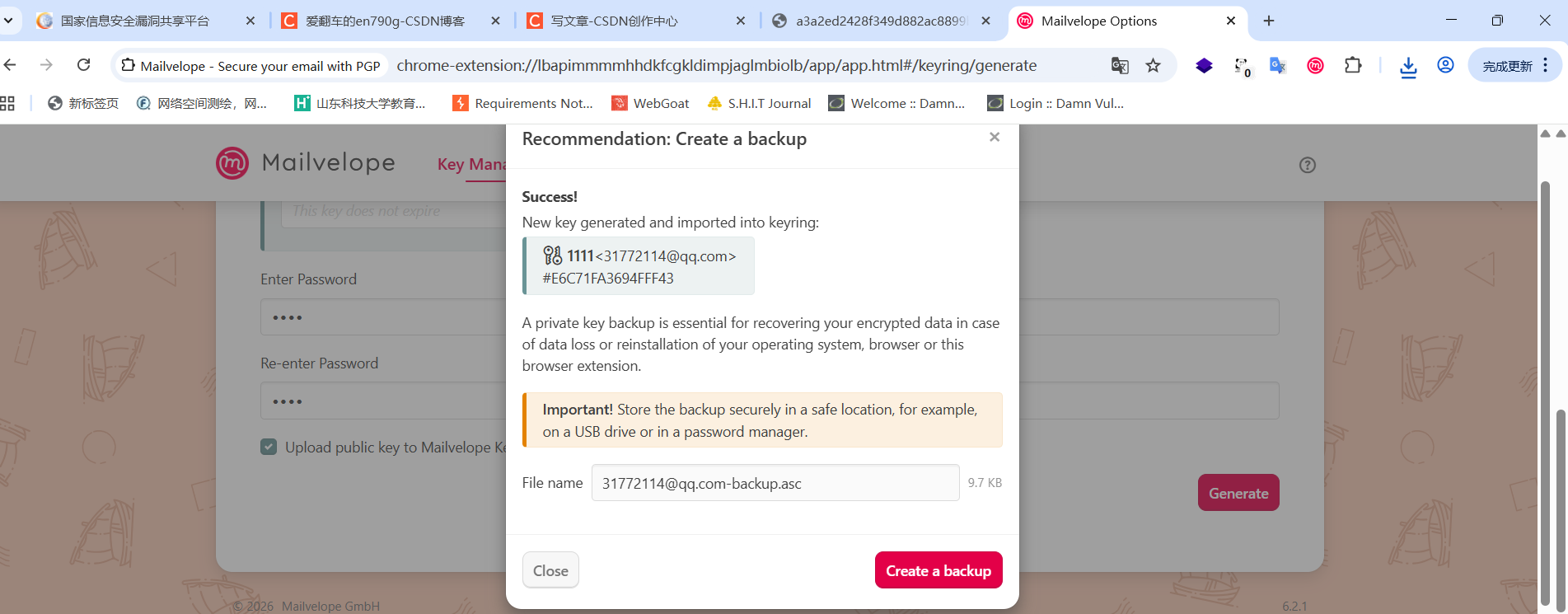
<a class="btn btn-primary" download="31772114@qq.com-backup.asc" href="blob:chrome-extension://lbapimmmmhhdkfcgkldimpjaglmbiolb/55429c56-d6de-41e6-b81b-9b7fe8ef94fc" role="button">Create a backup</a><ModalFooter>
<div className="btn-bar justify-content-between w-100">
<Button onClick={onClose}>
{keyExported ? l10n.map.dialog_popup_close : l10n.map.dialog_no_button}
</Button>
<a
className="btn btn-primary"
download={fileInfo.name}
href={fileInfo.url}
role="button"
onClick={() => {
setKeyExported(true);
}}
>{l10n.map.keybackup_setup_dialog_button}</a>
</div>
</ModalFooter>
</Modal>
);
}function KeyBackup({isOpen, keyId, keyFpr, keyringId, onClose}) {
const [keyDetails, setKeyDetails] = React.useState(null);
const [keyExported, setKeyExported] = React.useState(false);
const [fileInfo, setFileInfo] = React.useState({name: 'backup.asc', url: '', sizeStr: 'unknown size'});
useEffect(() => {
if (isOpen && keyFpr && keyringId) {
const fetchKey = async () => {
try {
const [key] = await port.send('getArmoredKeys', {
keyringId,
keyFprs: keyFpr,
options: {pub: true, priv: true, all: false},
});
if (!key || !key.armoredPrivate || !key.armoredPublic) {
throw new Error('Key not found or invalid');
}
const armoredExport = `${key.armoredPrivate}\n${key.armoredPublic}`;
const keyDetails = await port.send('getKeyDetails', {
keyringId,
fingerprint: keyFpr,
});
const userEmail = keyDetails.users[0].email;
setKeyDetails({
type: 'key-pair',
name: keyDetails.users[0].name,
email: userEmail,
keyId,
});
const fileName = `${userEmail}-backup.asc`;
const file = new File(
[armoredExport],
fileName,
{type: 'application/pgp-keys'}
);
const fileURLRef = window.URL.createObjectURL(file);
setFileInfo({
name: fileName,
url: fileURLRef,
sizeStr: getFileSize(file.size)
});
} catch (error) {
console.error('Failed to fetch armored keys:', error);
}
};
fetchKey();
}
return () => {
// Cleanup: revoke the object URL if it exists
if (fileInfo.url) {
window.URL.revokeObjectURL(fileInfo.url);
}
};
// we don't want to have `fileInfo` in the dependency array since it would cause the effect to run again
// eslint-disable-next-line react-hooks/exhaustive-deps
}, [isOpen, keyId, keyFpr, keyringId]);
return (
<Modal
isOpen={isOpen}
onClosed={onClose}
toggle={onClose}
>
<ModalHeader toggle={onClose}>
{l10n.map.keybackup_restore_dialog_headline}
</ModalHeader>
<ModalBody>
{keyDetails && <KeyDetails {...keyDetails} />}
<p>
{l10n.map.keybackup_backup_description}
</p>
<Alert type="warning" header={l10n.map.alert_header_important}>
{l10n.map.keybackup_backup_store_location}
</Alert>
<div className="form-inline form-group">
<label htmlFor="fileName" className="my-1">{l10n.map.key_export_filename}</label>
<input id="fileName" type="text" value={fileInfo.name} disabled className="form-control flex-grow-1 mx-sm-2" />
<small className="text-muted">
{fileInfo.sizeStr}
</small>
</div>
</ModalBody>
<ModalFooter>
        <div className="btn-bar justify-content-between w-100">
          <Button onClick={onClose}>
            {keyExported ? l10n.map.dialog_popup_close : l10n.map.dialog_no_button}
          </Button>
          <a
            className="btn btn-primary"
            download={fileInfo.name}
            href={fileInfo.url}
            role="button"
            onClick={() => {
              setKeyExported(true);
            }}
          >{l10n.map.keybackup_setup_dialog_button}</a>
        </div>
      </ModalFooter>
    </Modal>
  );
}
KeyBackup.propTypes = {
isOpen: PropTypes.bool.isRequired,
keyId: PropTypes.string.isRequired,
keyFpr: PropTypes.string.isRequired,
keyringId: PropTypes.string.isRequired,
onClose: PropTypes.func,
};
export default KeyBackup;
0x8 F12
1 结构
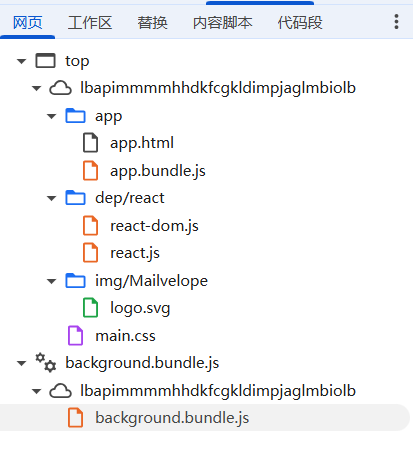
app.html,初始入口
<!DOCTYPE html>
<html>
<head>
  <!--
   - Mailvelope - secure email with OpenPGP encryption for Webmail
   - Copyright (C) 2015 Mailvelope GmbH
   -
   - This program is free software: you can redistribute it and/or modify
   - it under the terms of the GNU Affero General Public License version 3
   - as published by the Free Software Foundation.
   -
   - This program is distributed in the hope that it will be useful,
   - but WITHOUT ANY WARRANTY; without even the implied warranty of
   - MERCHANTABILITY or FITNESS FOR A PARTICULAR PURPOSE.  See the
   - GNU Affero General Public License for more details.
   -
   - You should have received a copy of the GNU Affero General Public License
   - along with this program.  If not, see <http://www.gnu.org/licenses/>.
  -->
  <meta charset="utf-8">
  <meta name="viewport" content="width=device-width, initial-scale=1, shrink-to-fit=no">
  <link rel="icon" type="image/png" sizes="32x32" href="../../img/Mailvelope/logo_signet_32.png">
//加载css视图
  <link rel="stylesheet" href="../main.css">
//加载js逻辑
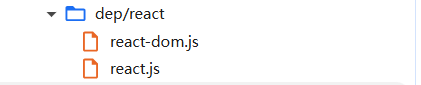
  <script src="../dep/react/react.js"></script>
  <script src="../dep/react/react-dom.js"></script>
  <script src="app.bundle.js"></script>
</head>
<body>
</body>
</html>
被打包整合了
app.bundle.js处理用户输入,向后台发送发送指令
封装用户输入的数据,加密处理,然后交给后台
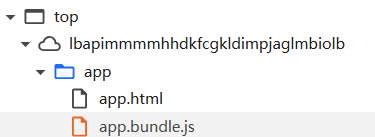
ui渲染显示
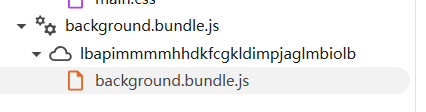
background.bundle.js后台,定义事件怎么执行
2 对应
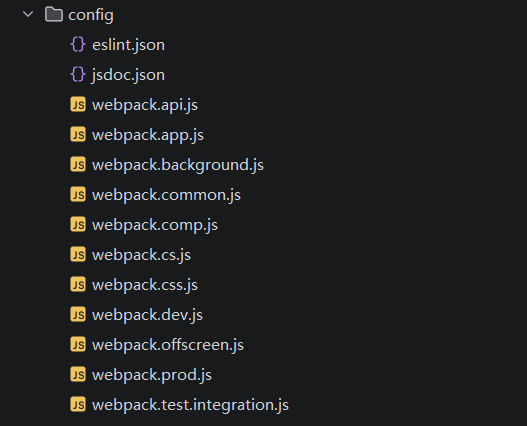
打包规则

细分
命令执行
/* eslint strict: 0 */
'use strict';

module.exports = function(grunt) {
  const pkg = grunt.file.readJSON('package.json');

  grunt.initConfig({

    clean: ['build/**/*', 'dist/**/*'],

    eslint: {
      options: {
        maxWarnings: 1,
        overrideConfigFile: 'config/eslint.json',
        cache: true,
        fix: grunt.option('fix'),
        reportUnusedDisableDirectives: 'warn'
      },
      target: [
        '*.js',
        'config/*.js',
        'src/**/*.js',
        '!src/modules/closure-library/**/*.js',
        'test/**/*.js'
      ]
    },

    jsdoc: {
      dist: {
        src: ['src/client-API/*.js', 'doc/client-api/Readme.md'],
        options: {
          destination: 'build/doc',
          template: 'node_modules/ink-docstrap/template',
          tutorials: 'doc/client-api',
          configure: 'config/jsdoc.json'
        }
      }
    },

    copy: {

      dep: {
        files: [
          {
            expand: true,
            flatten: true,
            src: 'node_modules/jquery/dist/jquery.slim.min.js',
            dest: 'build/tmp/dep/'
          },
          {
            expand: true,
            cwd: 'node_modules/bootstrap/dist/',
            src: [
              'js/bootstrap.bundle.min.js',
            ],
            dest: 'build/tmp/dep/bootstrap/'
          }
        ]
      },

      dep_dev: {
        files: [{
          src: 'node_modules/react/umd/react.development.js',
          dest: 'build/tmp/dep/react/react.js'
        },
        {
          src: 'node_modules/react-dom/umd/react-dom.development.js',
          dest: 'build/tmp/dep/react/react-dom.js'
        }]
      },

      dep_prod: {
        files: [{
          src: 'node_modules/react/umd/react.production.min.js',
          dest: 'build/tmp/dep/react/react.js'
        },
        {
          src: 'node_modules/react-dom/umd/react-dom.production.min.js',
          dest: 'build/tmp/dep/react/react-dom.js'
        }]
      },

      chrome: {
        files: [{
          expand: true,
          cwd: 'src/',
          src: [
            'chrome/manifest.json'
          ],
          dest: 'build/'
        }]
      },

      firefox: {
        files: [{
          expand: true,
          cwd: 'src/',
          src: [
            'firefox/manifest.json'
          ],
          dest: 'build/'
        }]
      },

      common: {
        files: [{
          expand: true,
          cwd: 'src/',
          src: [
            'app/app.html',
            'components/**/*.html',
            'components/recovery-sheet/assets/**/*',
            'img/{*,Mailvelope/*,security/*}',
            'lib/offscreen/offscreen.html',
          ],
          dest: 'build/tmp'
        }, {
          expand: true,
          flatten: true,
          cwd: 'src/',
          src: [
            'res/fonts/**/*.{txt,md}',
          ],
          dest: 'build/tmp/res/fonts',
        }]
      },

      tmp2chrome: {
        files: [{
          expand: true,
          cwd: 'build/tmp/',
          src: '**/*',
          dest: 'build/chrome'
        }]
      },

      tmp2firefox: {
        files: [{
          expand: true,
          cwd: 'build/tmp/',
          src: '**/*',
          dest: 'build/firefox'
        }]
      },

      locale: {
        expand: true,
        cwd: 'locales',
        src: '**/*',
        dest: 'build/tmp/_locales'
      }
    },

    watch: {
      scripts: {
        files: ['Gruntfile.js', 'src/**/*', 'locales/**/*'],
        tasks: ['default'],
        options: {
          spawn: false
        }
      }
    },

    compress: {
      chrome: {
        options: {
          mode: 'zip',
          archive: 'dist/mailvelope.chrome.zip',
          pretty: true
        },
        files: [{
          expand: true,
          cwd: 'build/',
          src: ['chrome/**/*', '!chrome/**/.*']
        }]
      },
      edge: {
        options: {
          mode: 'zip',
          archive: 'dist/mailvelope.edge.zip',
          pretty: true
        },
        files: [{
          expand: true,
          cwd: 'build/',
          src: ['chrome/**/*', '!chrome/**/.*', '!chrome/_locales/**/*', 'chrome/_locales/en/*']
        }]
      },
      src: {
        options: {
          mode: 'zip',
          archive: `dist/mailvelope.${pkg.version}.src.zip`,
          pretty: true
        },
        files: [{
          expand: true,
          src: ['**/*', '!.*', '{src,test}/**/.eslintrc.json', '!mailvelope.*', '!build/**', '!dist/**', '!node_modules/**']
        }]
      },
      doc: {
        options: {
          mode: 'zip',
          archive: 'dist/mailvelope.client-api-documentation.zip',
          pretty: true
        },
        files: [{
          expand: true,
          cwd: 'build/doc/',
          src: ['**/*']
        }]
      }
    },

    replace: {
      version_chrome: {
        src: 'build/chrome/manifest.json',
        dest: 'build/chrome/manifest.json',
        options: {
          patterns: [{
            match: 'mvelo_version',
            replacement: pkg.version
          }]
        }
      },
      version_firefox: {
        src: 'build/firefox/manifest.json',
        dest: 'build/firefox/manifest.json',
        options: {
          patterns: [{
            match: 'mvelo_version',
            replacement: pkg.version
          }]
        }
      }
    },

    shell: {
      move_firefox_dist: {
        command: 'mv dist/mailvelope_-*.zip dist/mailvelope.firefox.zip'
      },
      webex_build: {
        command: 'web-ext build --source-dir=build/firefox --artifacts-dir=dist'
      }
    },

    bump: {
      options: {
        commit: true,
        commitFiles: ['-a'],
        createTag: false,
        push: false,
        files: ['package.json']
      }
    },

    webpack: {
      options: {
        progress: false
      },
      dev: require('./config/webpack.dev.js'),
      prod: require('./config/webpack.prod.js')
    }

  });

  grunt.loadNpmTasks('grunt-bump');
  grunt.loadNpmTasks('grunt-contrib-clean');
  grunt.loadNpmTasks('grunt-contrib-compress');
  grunt.loadNpmTasks('grunt-contrib-copy');
  grunt.loadNpmTasks('grunt-contrib-watch');
  grunt.loadNpmTasks('grunt-eslint');
  grunt.loadNpmTasks('grunt-jsdoc');
  grunt.loadNpmTasks('grunt-replace');
  grunt.loadNpmTasks('grunt-shell');
  grunt.loadNpmTasks('grunt-webpack');

  // distribution
  grunt.registerTask('dist-cr', ['compress:chrome']);
  grunt.registerTask('dist-edge', ['compress:edge']);
  grunt.registerTask('dist-src', ['compress:src']);
  grunt.registerTask('dist-crx', () => {
    grunt.util.spawn({cmd: '.build-tools/crxmake.sh', args: ['build/chrome', '.build-tools/crx_signing.pem'], opts: {stdio: 'ignore'}});
  });
  grunt.registerTask('dist-ff', ['shell:webex_build', 'shell:move_firefox_dist']);
  grunt.registerTask('dist-doc', ['jsdoc', 'compress:doc']);

  // build steps
  grunt.registerTask('browser', ['copy:chrome', 'replace:version_chrome', 'copy:firefox', 'replace:version_firefox']);
  grunt.registerTask('copy2tmp', ['copy:common', 'copy:locale', 'copy:dep']);
  grunt.registerTask('tmp2browser', ['copy:tmp2chrome', 'copy:tmp2firefox']);

  // development build
  grunt.registerTask('default', ['clean', 'eslint', 'browser', 'copy2tmp', 'copy:dep_dev', 'webpack:dev', 'tmp2browser']);

  // production build
  grunt.registerTask('prod', ['clean', 'eslint', 'browser', 'copy2tmp', 'copy:dep_prod', 'webpack:prod', 'tmp2browser']);
};
细分示例
/* eslint strict: 0 */
'use strict';

//引入node.js模块
const path = require('path');
//引入公共文件
const common = require('./webpack.common');

//定义入口,解析所有依赖
const entry = './src/client-API/main.js';
//自定义输出
const output = {
//输出临时路径
  path: path.resolve('./build/tmp/client-API'),
//添加注释,识别模块来源
  pathinfo: true,
//输出文件名
  filename: 'mailvelope-client-api.js'
};

//执行
//合并生产模式,优化
exports.prod = {
  ...common.prod,
  entry,
  output
};

//导出开发环境配置

exports.dev = {
  ...exports.prod,
  mode: 'development',
//Dedug,可以构建调试版本
  devtool: 'inline-cheap-module-source-map'
};
const dev = {
  ...prod,
  mode: 'development',
  devtool: 'inline-cheap-module-source-map'
};

//创建数组,第一位是const dev
module.exports = [dev];
//添加属性
module.exports.prod = prod;
module.exports.dev = dev;
module.exports = [
  dev('action-menu', 'actionMenu'),
  dev('decrypt-message', 'decryptMessageRoot'),
  dev('editor', 'editorRoot'),
  dev('encrypted-form', 'encryptedFormRoot'),
  dev('install-landing-page', 'installLandingPage'),
  dev('import-key', 'importKeyRoot'),
  dev('enter-password', 'passwordDialogRoot'),
  dev('generate-key', 'genKeyRoot'),
  dev('key-backup', 'backupKeyRoot'),
  dev('restore-backup', 'backupRestoreRoot'),
  dev('recovery-sheet', 'recoverySheetRoot'),
  dev('auth-domain', 'authDomainRoot')
];

module.exports.prod = [
  prod('action-menu', 'actionMenu'),
  prod('decrypt-message', 'decryptMessageRoot'),
  prod('editor', 'editorRoot'),
  prod('encrypted-form', 'encryptedFormRoot'),
  prod('install-landing-page', 'installLandingPage'),
  prod('import-key', 'importKeyRoot'),
  prod('enter-password', 'passwordDialogRoot'),
  prod('generate-key', 'genKeyRoot'),
  prod('key-backup', 'backupKeyRoot'),
  prod('restore-backup', 'backupRestoreRoot'),
  prod('recovery-sheet', 'recoverySheetRoot'),
  prod('auth-domain', 'authDomainRoot')
];

//添加dev属性
//· require('./webpack.components.js').dev → 也是同一个开发配置数组。
//· 而 require('./webpack.components.js').prod → 生产配置数组。
module.exports.dev = module.exports;
module.exports = [
  require('./webpack.app').dev,
  ...require('./webpack.comp').dev,
  require('./webpack.background').dev,
  require('./webpack.css').dev,
  require('./webpack.cs').dev,
  require('./webpack.api').dev,
  require('./webpack.offscreen').dev
];
//访问
const prod = {
...common.prod,
entry,
output,
resolve: common.resolve(),
externals,
module: {
rules: [...common.module.react(), ...common.module.css(), ...common.module.scss()]
}
};
module.exports.prod = prod;//对应的是上面的3 使用
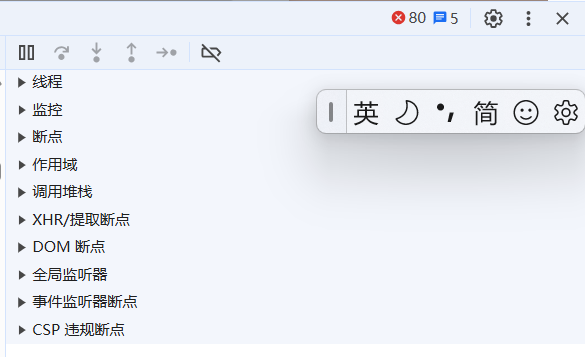
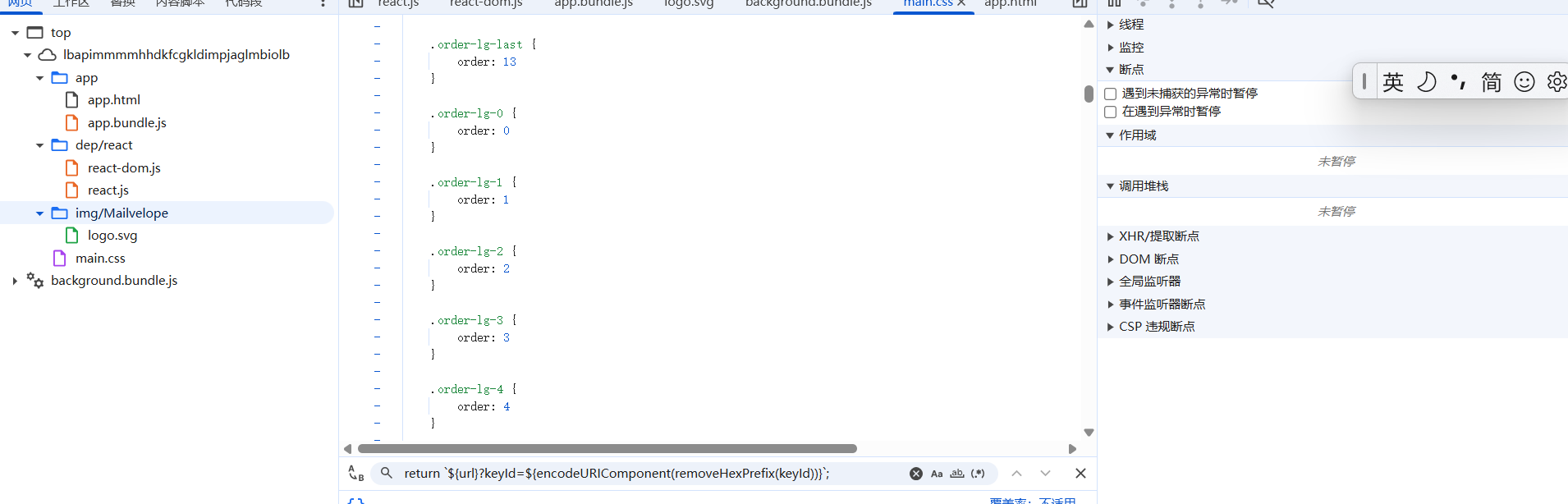
线程
“线程”就是区分不同 JavaScript 执行上下文的标签,方便你切换调试目标。
监控
监控栈变量
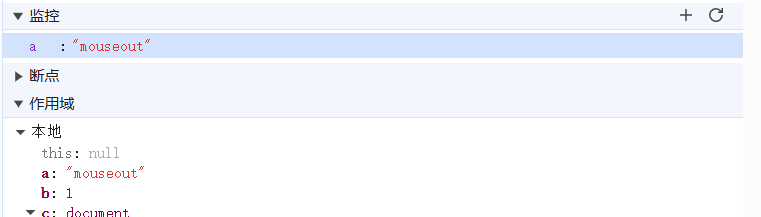
断点
指定停止位置
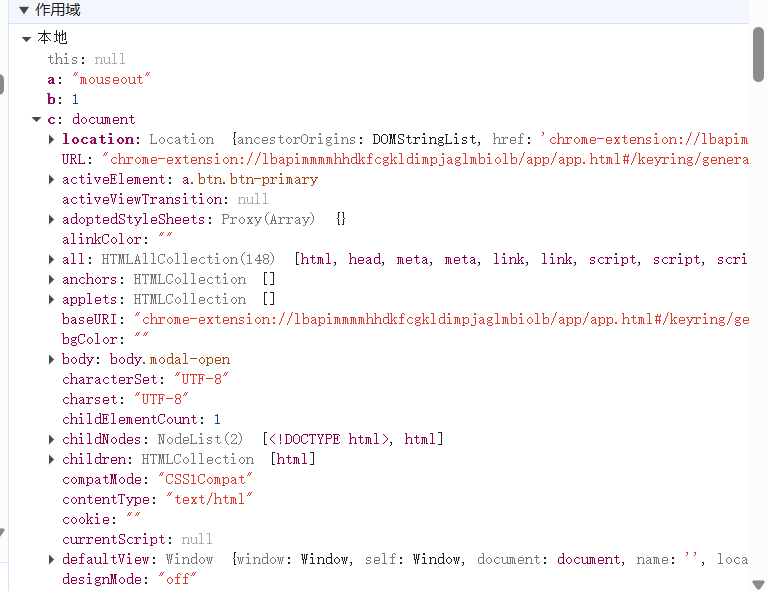
作用域
变量变化大全
调用栈堆
· 调用栈(Call Stack):存储函数调用的顺序、参数、返回地址,以及基本类型变量(number, boolean, string, null, undefined, symbol)的值。
· 堆(Heap):存储引用类型的值(对象、数组、函数、闭包上下文等)。作用域中的变量如果是一个对象,变量本身在栈上(存的是引用地址),实际的对象数据在堆上。
有的变量在栈,有的在堆。
记录经过什么函数
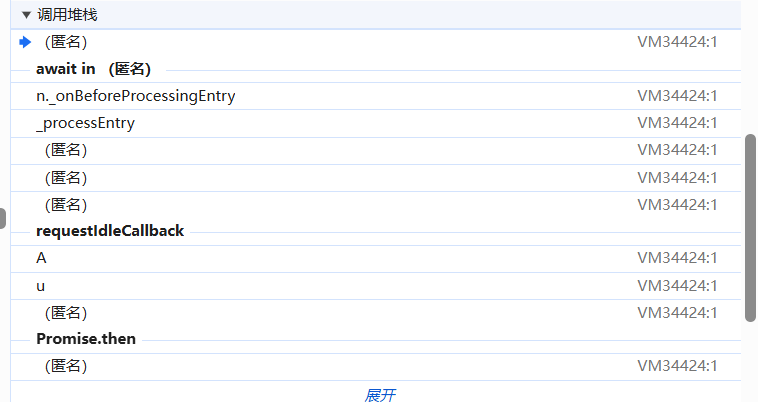
(匿名) VM34424:1
VM34424 是 Chrome 为动态脚本分配的一个虚拟文件名(VM = Virtual Machine)。每执行一段 eval、Function、或动态插入的 <script> 内容,Chrome 就会生成一个新的 VM 文件。
调用链记录
提取断点

拦截网络请求,拦截远程网络请求,添加断点
dom断点

dom树替换断点
全局事件断点
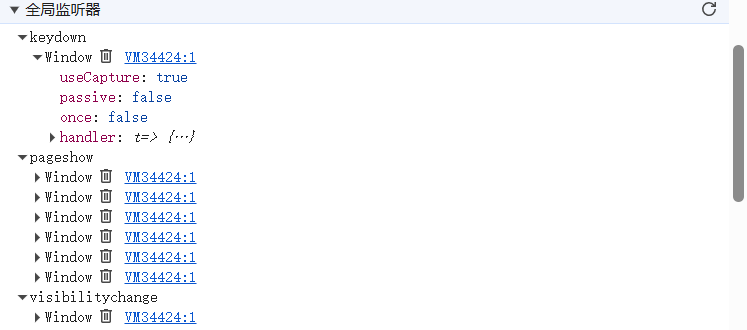
监听全局事件
事件监听断点
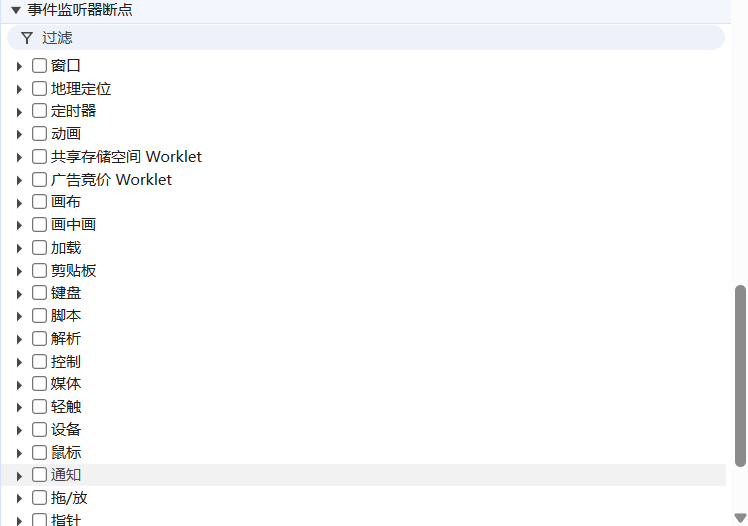
违规断点
当 Trusted Types 策略启用时,如果代码试图使用普通字符串直接赋值给 innerHTML、outerHTML 或执行 eval 等危险操作(即可能引发 DOM XSS 的行为),浏览器就会报告 Trusted Type 违规。如果你勾选了 Trusted Type 违规问题 这个 CSP 违规断点,浏览器就会在违规发生的那一刻自动暂停,让你看到是哪一行代码尝试了不安全的 DOM 操作。
调试示例
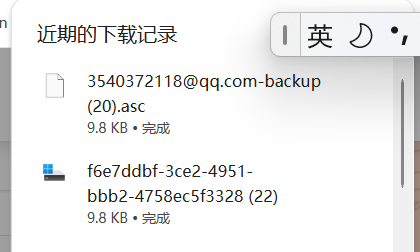
前端代码
<div class="btn-bar justify-content-between w-100"><button type="button" class="btn btn-secondary">Close</button><a class="btn btn-primary" download="3540372118@qq.com-backup.asc" href="blob:chrome-extension://lbapimmmmhhdkfcgkldimpjaglmbiolb/f6e7ddbf-3ce2-4951-bbb2-4758ec5f3328" role="button">Create a backup</a></div>框架
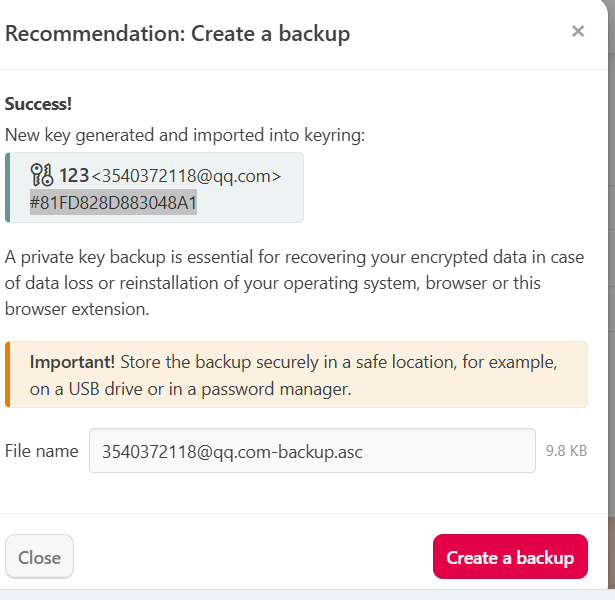
个人猜测,文件的载体可能放在链接中,但是后续改名就是filename干的事情。
这里可能有DOM替换的操作。
点击按钮会触发,然后下载文件。
这是已经生成好的,所以我断点什么都捕捉不到,但是之前肯定有DOM插入的操作
<input id="fileName" type="text" disabled="" class="form-control flex-grow-1 mx-sm-2" value="3540372118@qq.com-backup.asc">要点击弹窗,一般都是触发鼠标点击事件,之后才会触发弹窗的逻辑。
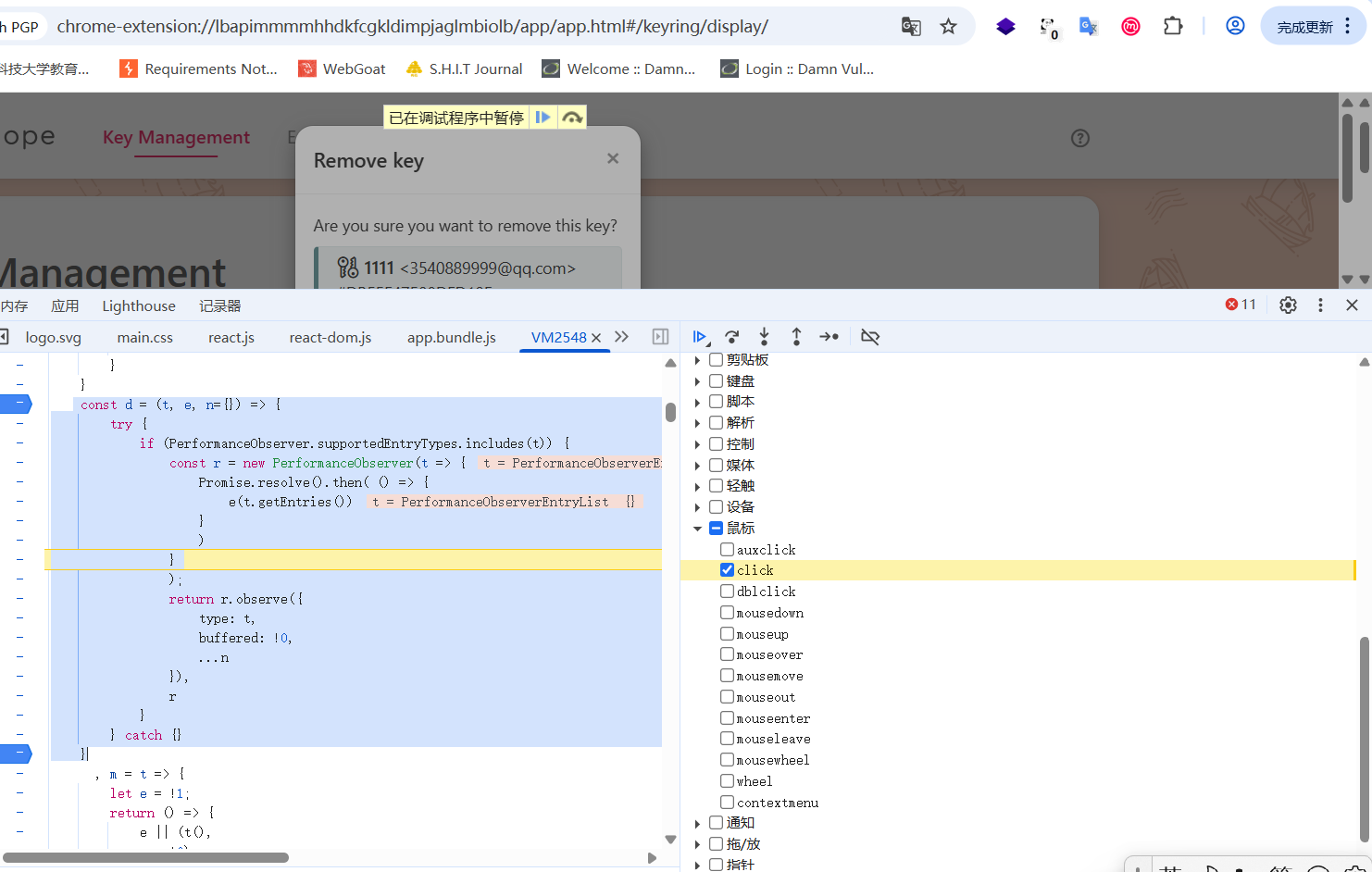
也就是这不是DOM也不是弹窗,它是单纯的动作绑定事件,触发鼠标,点击之后它就会插入这个弹窗。
<td class="text-center text-nowrap"><div class="actions"><button type="button" class="btn btn-secondary keyDeleteBtn"><span class="icon icon-delete" aria-hidden="true"></span></button><span class="icon icon-arrow-right" aria-hidden="true"></span></div></td>触发之后多出
dom操作
<div tabindex="-1" style="position: relative; z-index: 1050; display: block;"><div class=""><div class="modal fade show" role="dialog" tabindex="-1" style="display: block;"><div class="modal-dialog modal-sm" role="document"><div class="modal-content"><div class="modal-header"><h5 class="modal-title">Remove key</h5><button type="button" class="close" aria-label="Close"><span aria-hidden="true">×</span></button></div><div class="modal-body"><div><p class="mb-2">Are you sure you want to remove this key?</p><div class="alert alert-info fade show mb-4 flex-shrink-1" role="alert"><span class="icon icon-key-pair mr-1" style="font-size: 1.25rem;"></span><span style="font-size: 1rem; font-weight: 500;">1111</span> <3540889999@qq.com> #DB55F47508DFD19F</div><div class="row btn-bar"><div class="col-6"><button type="button" class="btn btn-secondary btn-block">No</button></div><div class="col-6"><button type="button" class="btn btn-primary btn-block">Yes</button></div></div></div></div></div></div></div><div class="modal-backdrop fade show"></div></div></div>"keygrid_delete": {
"description": "Max. 6 characters.",
"message": "Delete"
},
键名
"keygrid_delete_confirmation": {
"description": "Delete confirmation dialog.",
"message": "Are you sure you want to remove this key?"
},</div>
{this.props.spinner && <Spinner delay={0} />}
<SimpleDialog
isOpen={this.state.showDeleteKeyModal}
toggle={() => this.setState(prevState => ({showDeleteKeyModal: !prevState.showDeleteKeyModal}))}
onHide={this.onHiddenModal}
title={l10n.map.key_remove_dialog_title}
onOk={() => this.setState({action: 'deleteKey', showDeleteKeyModal: false})}
onCancel={() => this.setState({showDeleteKeyModal: false})}
>
<p className="mb-2">{l10n.map.keygrid_delete_confirmation}</p>
{this.state.activeKey && this.getKeyDetails()}
</SimpleDialog>
<SimpleDialog
isOpen={this.state.showDeleteKeyringModal}
toggle={() => this.setState(prevState => ({showDeleteKeyringModal: !prevState.showDeleteKeyringModal}))}
onHide={() => this.setState({activeKeyring: null})}
title={l10n.map.keyring_remove_dialog_title}
message={l10n.get('keyring_confirm_deletion', this.state.activeKeyring && this.state.activeKeyring.name)}
onOk={this.deleteKeyring}
onCancel={() => this.setState({showDeleteKeyringModal: false})}
/>
<Modal isOpen={this.state.showExportModal} toggle={() => this.setState(prevState => ({showExportModal: !prevState.showExportModal}))} size="medium" title={l10n.map.keyring_backup} hideFooter={true}>
<KeyringOptions.Consumer>
{({keyringId}) => <KeyExport showArmored={false} fileNameEditable={true} keyringId={keyringId} keyFprs={this.state.keyringBackup.keyFprs} keyName="keyring" all={this.state.keyringBackup.all} type={this.state.keyringBackup.type} publicOnly={this.context.gnupg} onClose={() => this.setState({showExportModal: false})} />}
</KeyringOptions.Consumer>
</Modal>
</div>function uc() {}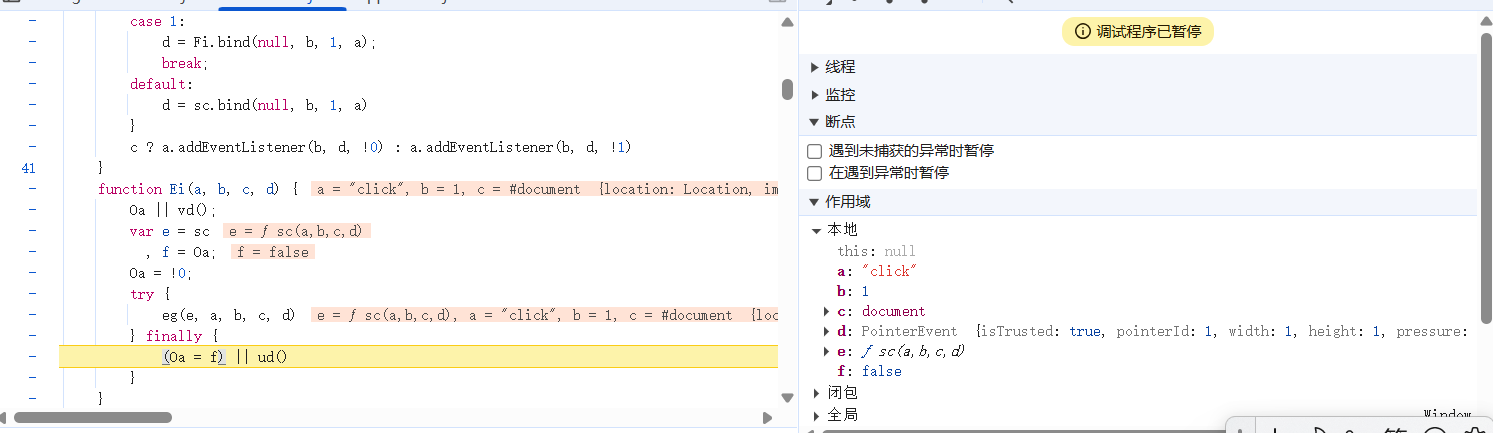
function Ei(a, b, c, d) {
        Oa || vd();
        var e = sc
          , f = Oa;
        Oa = !0;
        try {
            eg(e, a, b, c, d)
        } finally {
            (Oa = f) || ud()
        }
    }
window.getNodeForIndex = t => it[t].deref();
let at = null;
rt({
name: "reset"
}),
new PerformanceObserver(t => {
for (const e of t.getEntries())
null !== at || st() || (at = "hidden" === e.name)
}
).observe({
type: "visibility-state",
buffered: !0
}),
n( () => {
at = !1,
rt({
name: "reset"
})
}
),
z(t => {
const e = {
name: "LCP",
value: t.value,
startedHidden: Boolean(at),
phases: {
timeToFirstByte: t.attribution.timeToFirstByte,
resourceLoadDelay: t.attribution.resourceLoadDelay,
resourceLoadTime: t.attribution.resourceLoadDuration,
elementRenderDelay: t.attribution.elementRenderDelay
}
}
, n = t.attribution.lcpEntry?.element;
n && (e.nodeIndex = ot(n)),
rt(e)
}
, {
reportAllChanges: !0
}),
G(t => {
rt({
name: "CLS",
value: t.value,
clusterShiftIds: t.entries.map($)
})
}
, {
reportAllChanges: !0
}),
J(t => {
rt({
name: "INP",
value: t.value,
phases: {
inputDelay: t.attribution.inputDelay,
processingDuration: t.attribution.processingDuration,
presentationDelay: t.attribution.presentationDelay
},
startTime: t.entries[0].startTime,
entryGroupId: t.entries[0].interactionId,
interactionType: t.attribution.interactionType
})
}
, {
reportAllChanges: !0,
durationThreshold: 0,
onEachInteraction: function(t) {
const e = {
name: "InteractionEntry",
duration: t.value,
phases: {
inputDelay: t.attribution.inputDelay,
processingDuration: t.attribution.processingDuration,
presentationDelay: t.attribution.presentationDelay
},
startTime: t.entries[0].startTime,
entryGroupId: t.entries[0].interactionId,
nextPaintTime: t.attribution.nextPaintTime,
interactionType: t.attribution.interactionType,
eventName: t.entries[0].name,
longAnimationFrameEntries: (n = t.attribution.longAnimationFrameEntries.slice(-5).map(t => t.toJSON()),
n.map(t => {
const e = [];
for (const n of t.scripts) {
if (e.length < 10) {
e.push(n);
continue
}
const t = e.findIndex(t => t.duration < n.duration);
-1 !== t && (e[t] = n)
}
return e.sort( (t, e) => t.startTime - e.startTime),
t.scripts = e,
t
}
))
};
var n;
const r = t.attribution.interactionTarget;
r && (e.nodeIndex = Number(r)),
rt(e)
},
generateTarget(t) {
if (t)
return String(ot(t))
}
}),
K(t => {
rt({
name: "LayoutShift",
score: t.value,
uniqueLayoutShiftId: $(t.entry),
affectedNodeIndices: t.attribution.affectedNodes.map(ot)
})
}
)
}();
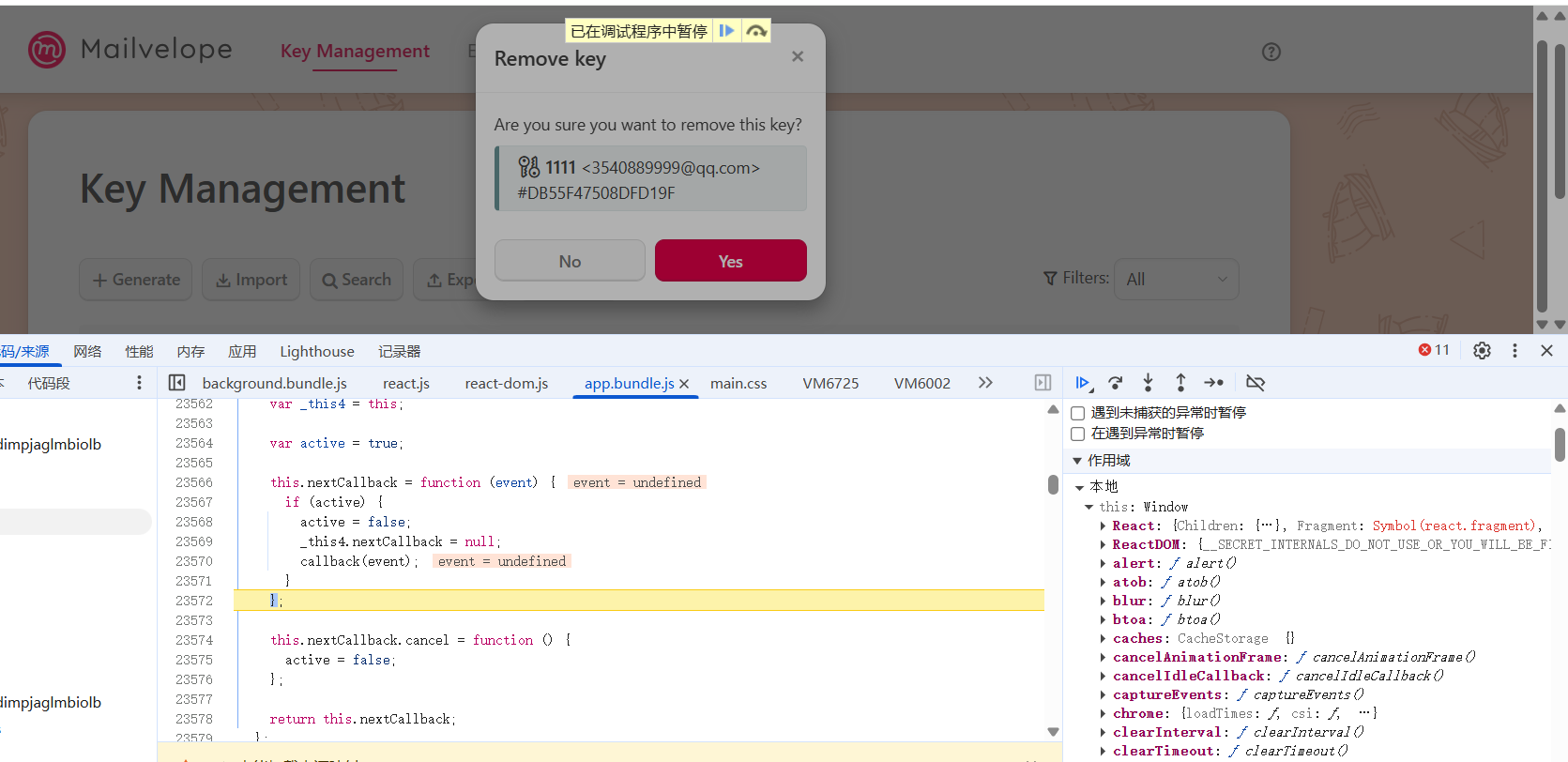
  //函数签名
//把动作封印在变量中
_proto.setNextCallback = function setNextCallback(callback) {
    var _this4 = this;
//开关
    var active = true;

    this.nextCallback = function (event) {
      if (active) {
//重置
        active = false;
//
        _this4.nextCallback = null;
//回调
        callback(event);
      }
    };

//添加一个调用
    this.nextCallback.cancel = function () {
      active = false;
    };

    return this.nextCallback;
  };
const fn = component.setNextCallback(function(event) {
console.log(event);
});
fn('手动传参'); // 这里 '手动传参' 就是 event 的值
new PerformanceObserver(t => {
        for (const e of t.getEntries())
            null !== at || st() || (at = "hidden" === e.name)
    }
0xn 服务器测试

AtomGit 是由开放原子开源基金会联合 CSDN 等生态伙伴共同推出的新一代开源与人工智能协作平台。平台坚持“开放、中立、公益”的理念,把代码托管、模型共享、数据集托管、智能体开发体验和算力服务整合在一起,为开发者提供从开发、训练到部署的一站式体验。
更多推荐

 9
9 0
0- 0


 已为社区贡献6条内容

所有评论(0)