【C++ STL篇(二)】C++ STL string万字剖析(下篇)新手也能看懂!
C++ STL篇(二) —— string精讲
书接上回【C++ STL篇(一)】耗时3天整理!C++ STL string万字剖析(上篇)新手也能看懂!,本篇文章讲继续讲解string常用的接口,万字干货!绝不白读! ദ്ദി˶ー̀֊ー́ )✧
文章目录
1. 元素访问接口
1.1 operator[] —— 下标访问(无边界检查)
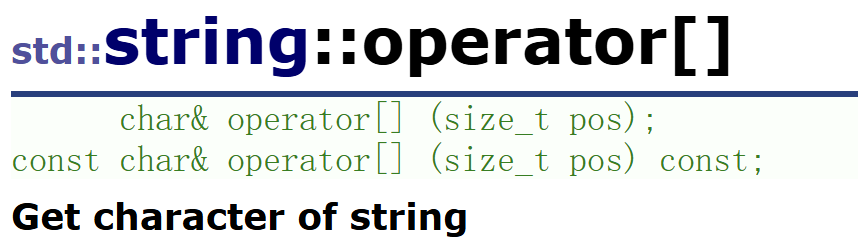
功能: 返回位于pos 处的字符的引用。可以通过这个引用读取或修改该字符。
参数: pos 为字符在字符串中的位置索引,从 0 开始计数。
敲黑板:
- 不进行边界检查:如果
pos超出了字符串的有效范围(pos >= size()),行为是未定义的(通常会导致程序崩溃或读取到乱码)。- 返回的是引用,因此可以放在赋值号左侧进行修改。
- 有
const重载版本,用于只读访问const string对象。
看代码:
#include <iostream>
#include <string>
using namespace std;

int main()
{
    string s = "Hello";

    // 读取字符
    cout << s[0] << endl;  // 'H'
    cout << s[4] << endl;  // 'o'

    // 修改字符
    s[0] = 'h';
    s[4] = '!';
    cout << s << endl;     // "hell!"

    // 危险操作:越界访问(未定义行为)
    // cout << s[10] << endl;  // 可能崩溃或输出垃圾值

    // const 对象只能用 const 版本
    const string cs = "World";
    cout << cs[0] << endl;  // OK,只读
    // cs[0] = 'w';          // 错误!不能修改 const 对象

	string s1("hello world");
	//遍历字符串 下标+[]
	for (size_t i = 0; i < s1.size(); i++)
	{
		cout << s1[i] << " ";
	}
	cout << endl;

    return 0;
}
1.2 at() —— 带边界检查的安全访问
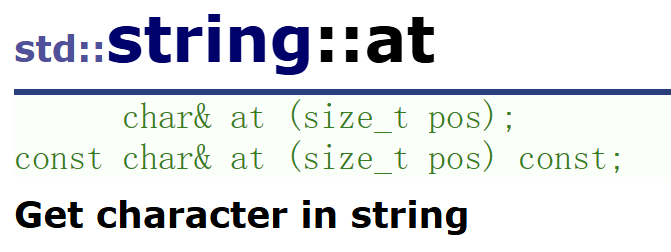
功能: 与 operator[] 相同,返回索引 pos 处字符的引用。但增加了边界检查。
- 如果
pos >= size(),会抛出std::out_of_range异常。- 相比于
operator[],at()有轻微的运行时开销(检查边界),但换来了更高的安全性。
#include <iostream>
#include <string>
using namespace std;

int main()
{
    string s = "Hello";

    // 正常访问
    cout << s.at(1) << endl;  // 'e'
    s.at(1) = 'a';
    cout << s << endl;        // "Hallo"

    // 越界访问会抛出异常
    try {
        cout << s.at(10) << endl;
    } catch (const out_of_range& e) {
        cerr << "越界访问!" << e.what() << endl;
    }

    return 0;
}
输出: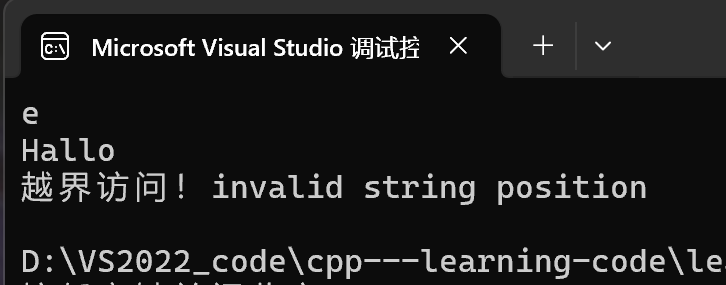
1.3 front() —— 访问第一个字符
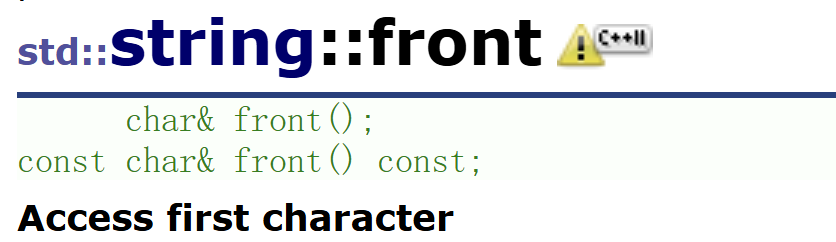
功能: 返回字符串第一个字符的引用。
- 字符串不能为空(
!empty())。对空字符串调用front()是未定义行为。s.front()等价于s[0]或s.at(0)(但无边界检查)。
#include <iostream>
#include <string>
using namespace std;

int main()
{
    string s = "Hello";

    cout << "第一个字符:" << s.front() << endl;  // 'H'

    // 修改第一个字符
    s.front() = 'Y';
    cout << s << endl;  // "Yello"

    // 空字符串调用 front() 是危险的
    string emptyS;
    // cout << emptyS.front() << endl;  // 未定义行为,可能崩溃

    return 0;
}
1.4 back() —— 访问最后一个字符
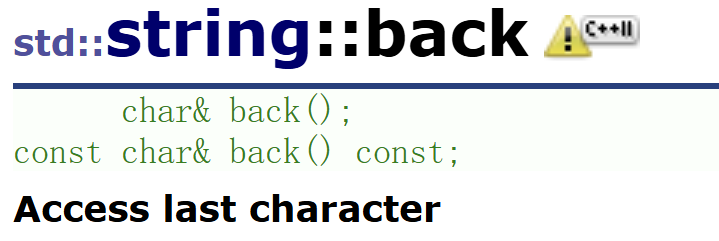
功能: 返回字符串最后一个字符的引用。
- 字符串不能为空。对空字符串调用
back()是未定义行为。s.back()等价于s[s.size() - 1]或s.at(s.size() - 1)(但无边界检查)。
#include <iostream>
#include <string>
using namespace std;

int main()
{
    string s = "Hello";

    cout << "最后一个字符:" << s.back() << endl;  // 'o'

    // 修改最后一个字符
    s.back() = 'p';
    cout << s << endl;  // "Hellp"

    return 0;
}
1.5 只读访问与修改
所有这些接口都提供了两种重载:
- 非常量版本:返回
char&,可读可写。- 常量版本:返回
const char&,仅可读。- 对于
const string对象,只能调用常量版本,从而保证了字符串内容的不可变性。
2. 修改相关的接口
2.1 push_back() —— 在末尾追加单个字符
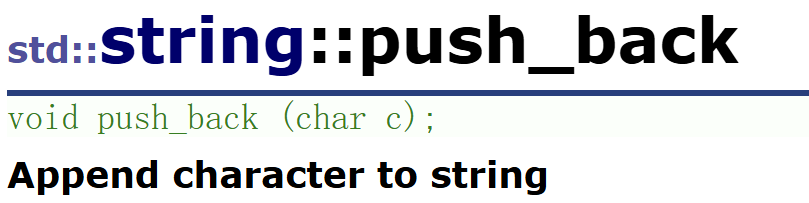
功能: 将字符 c 添加到字符串的末尾,使 size() 增加 1。
- 如果当前
capacity()足够,则直接在末尾构造字符,时间复杂度 O(1)。- 如果容量不足,则会先重新分配更大的内存,再追加字符。
string s("hello world");
s.push_back(' ');
s.push_back('x');
cout << s << endl;  // 输出 "hello world x"
2.2 append() —— 追加字符串或子串
append() 是 string 中重载最丰富的成员函数之一,用于在末尾追加各种形式的内容。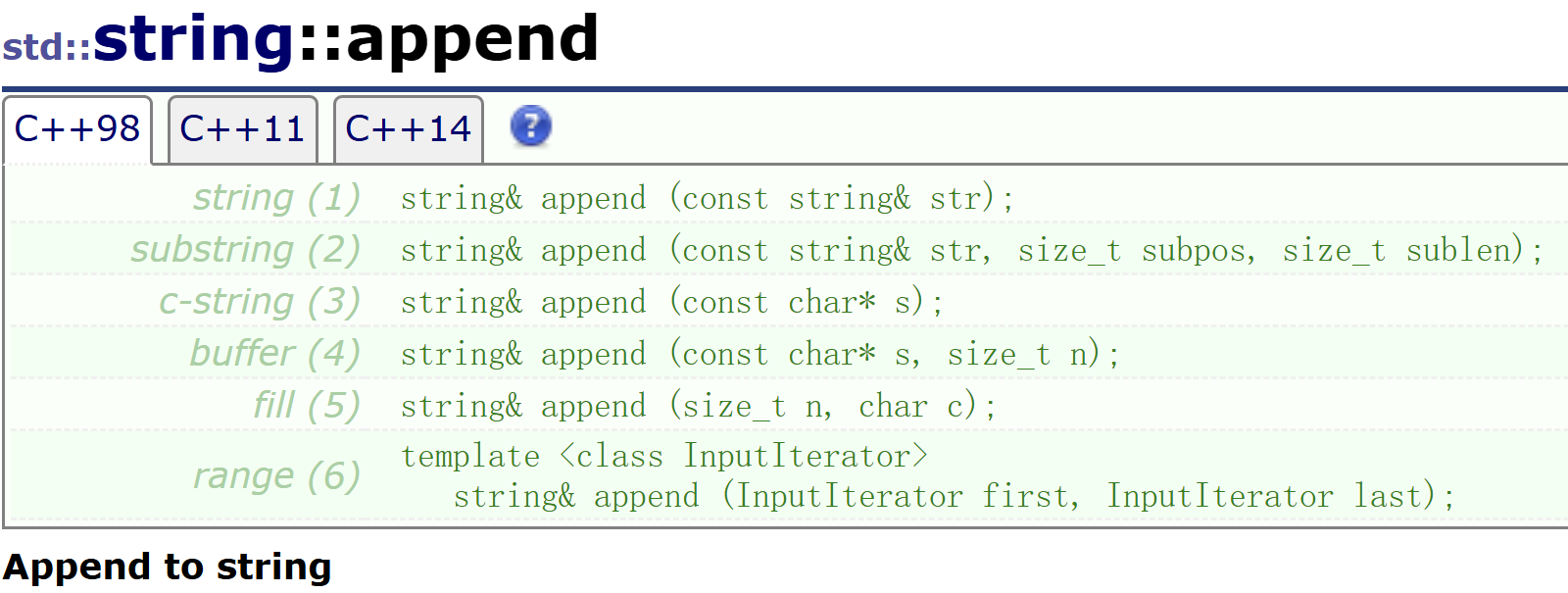
说明:
string& append(const string& str)追加整个 strstring& append(const string& str, size_t subpos, size_t sublen)追加str的子串string& append(const char* s)追加 C 风格字符串string& append(const char* s, size_t n)追加 C 字符串的前 n 个字符string& append(size_t n, char c)追加 n 个字符 cstring& append(InputIterator first, InputIterator last)追加迭代器范围内的字符
string s("hello");
s.append(" world");          // s = "hello world"
s.append(3, '!');            // s = "hello world!!!"
string str = " C++";
s.append(str, 1, 3);      // 追加 str 中从下标1开始的3个字符 -> " C++"
cout << s << endl;           // "hello world!!! C++"
2.3 operator+= —— 追加的简洁写法
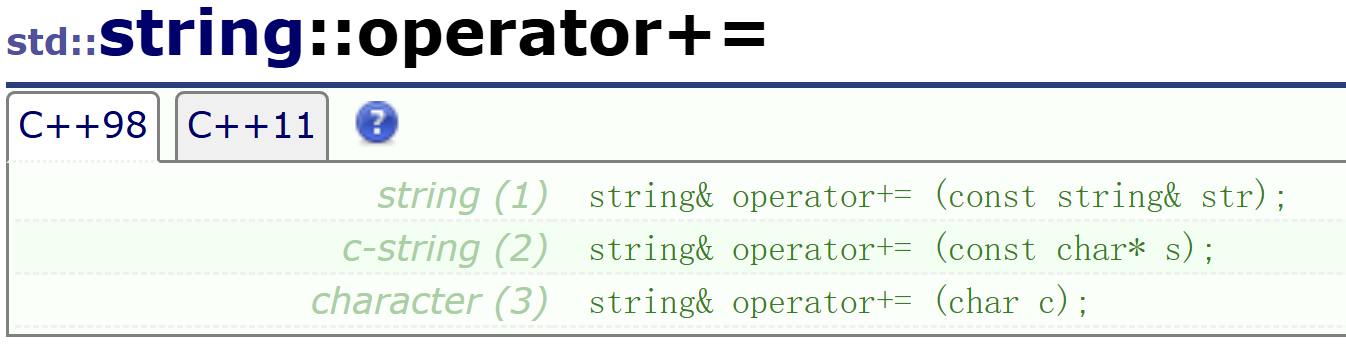
功能: 将右侧的内容追加到当前字符串末尾,并返回 *this 的引用。
特点:
- 语法简洁,与基本类型的 += 用法一致。
- 支持链式调用:
s += "a" += "b";(注意结合顺序)。
string s = "hello";
s += ' ';           // 追加单个字符
s += "world";       // 追加 C 字符串
string str = "!";
s += str;        // 追加 string 对象
cout << s << endl;  // "hello world!"
日常开发中 operator+= 的使用频率最高,因为它最符合直觉。•̀֊•́
2.4 assign() —— 重新分配内容
assign用于替换整个字符串的内容。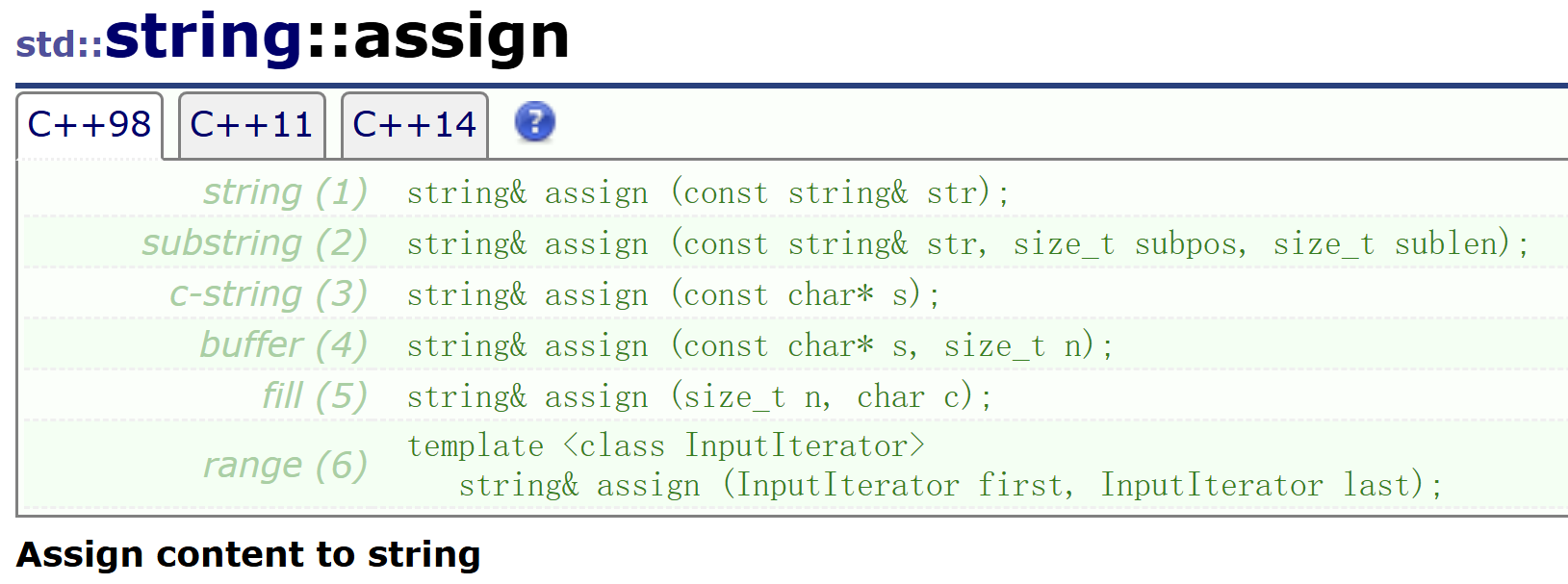
说明:
string& assign(const string& str)将当前字符串的内容替换为另一个字符串str的完整内容,并返回对当前字符串的引用string& assign(const string& str, size_t subpos, size_t sublen)用另一个字符串的指定子串替换当前字符串string& assign(const char* s)用整个C风格字符串替换当前字符串string& assign(const char* s, size_t n)用C风格字符串的前n个字符替换当前字符串。string& assign(size_t n, char c)用n个相同的字符c替换当前字符串。string& assign(InputIterator first, InputIterator last)用迭代器范围内的字符序列替换当前字符串。
string s;
s.assign("Hello World", 5);  // s = "Hello"
s.assign(10, '*');           // s = "**********"
2.5 insert() —— 在指定位置插入内容
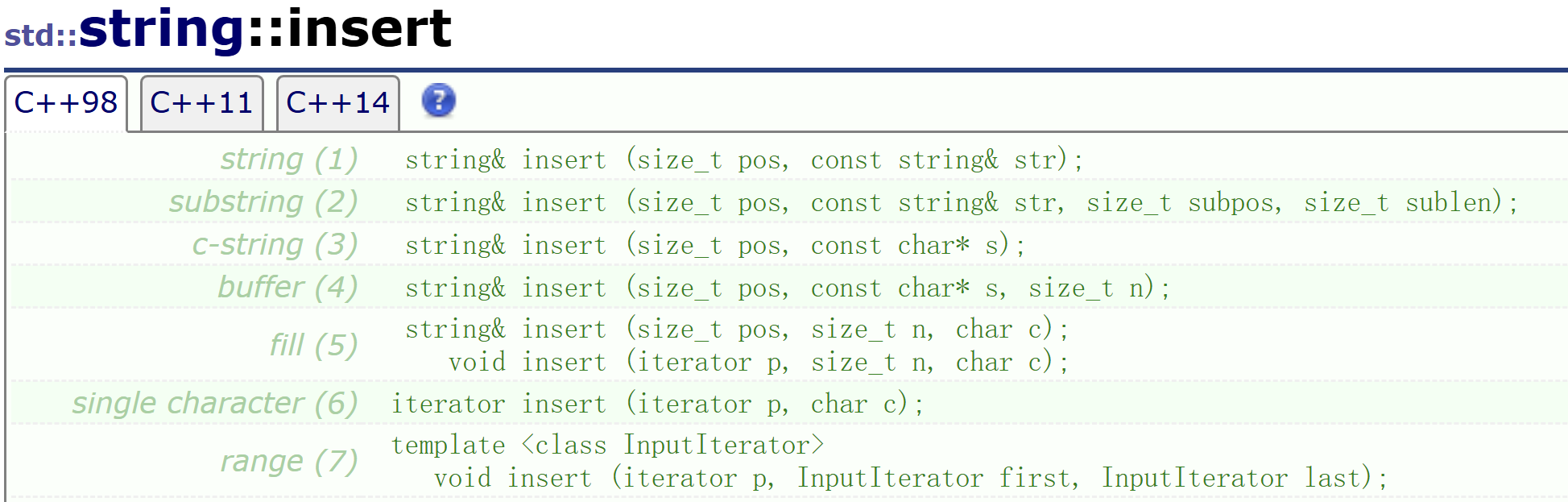
功能: 在指定位置 pos(或迭代器 p 指向的位置)之前插入字符或字符串。
敲黑板:
- 插入操作会导致插入点之后的所有字符向后移动,以腾出空间。
- 如果插入导致容量不足,还会触发内存重新分配和整体拷贝。
- 在字符串开头插入是最低效的操作,因为需要移动整个字符串!
- 一定要谨慎使用!! o((⊙﹏⊙))o
string s("hello world");
s.insert(0, "say: ");          // 在开头插入
cout << s << endl;             // "say: hello world"

s.insert(6, "222222 ");        // 在索引6处插入
cout << s << endl;             // "say: 222222 hello world"

// 插入单个字符的多种方式
s.insert(0, 1, 'x');           // 插入1个字符 'x'
s.insert(s.begin(), 'y');      // 使用迭代器插入
cout << s << endl;             // "yxsay: 222222 hello world"
输出: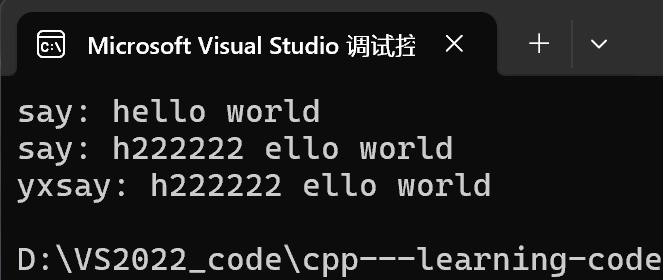
2.6 erase() —— 删除字符或子串
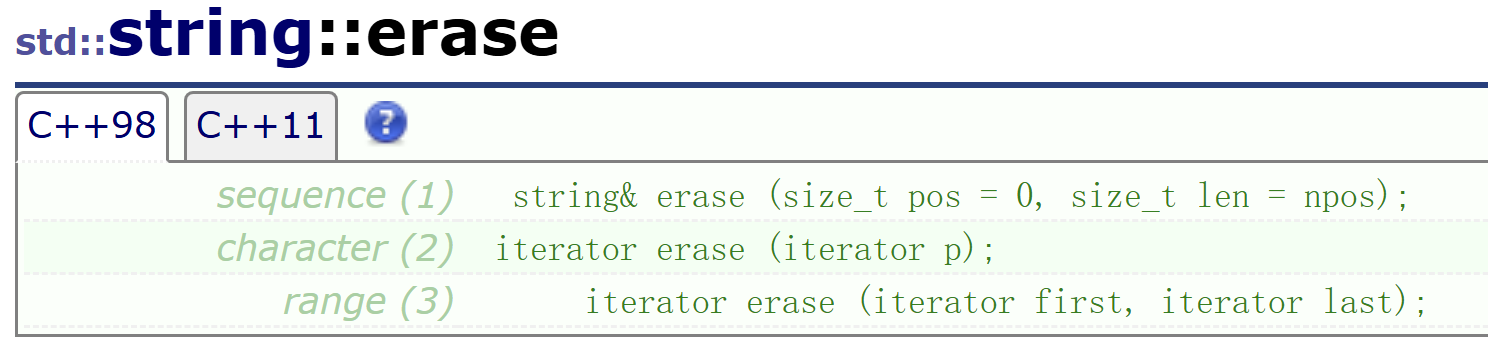
删除指定位置的若干字符string& erase(size_t pos = 0, size_t len = npos);
- 从索引
pos开始,删除len个字符。- 如果
len为npos(默认值)或超过剩余长度,则删除从pos开始到末尾的所有字符。
删除迭代器指向的单个字符iterator erase(const_iterator p);
删除迭代器范围内的字符iterator erase(const_iterator first, const_iterator last);
string s("hello world");

// 删除下标6处的1个字符(空格)
s.erase(6, 1);
cout << s << endl;             // "helloworld"

// 头删(删除第一个字符)
s.erase(s.begin());
cout << s << endl;             // "elloworld"

// 尾删(删除最后一个字符)
s.erase(--s.end());// --s.end()才是有效字符
cout << s << endl;             // "elloworl"

// 删除从下标5开始的所有字符
string ss("hello world");
ss.erase(5);
cout << ss << endl;            // "hello"
注意: 与
insert类似,erase在删除非尾部位置时也会引发后续字符的向前移动,频繁操作也会影响性能 !
2.7 replace() —— 替换子串
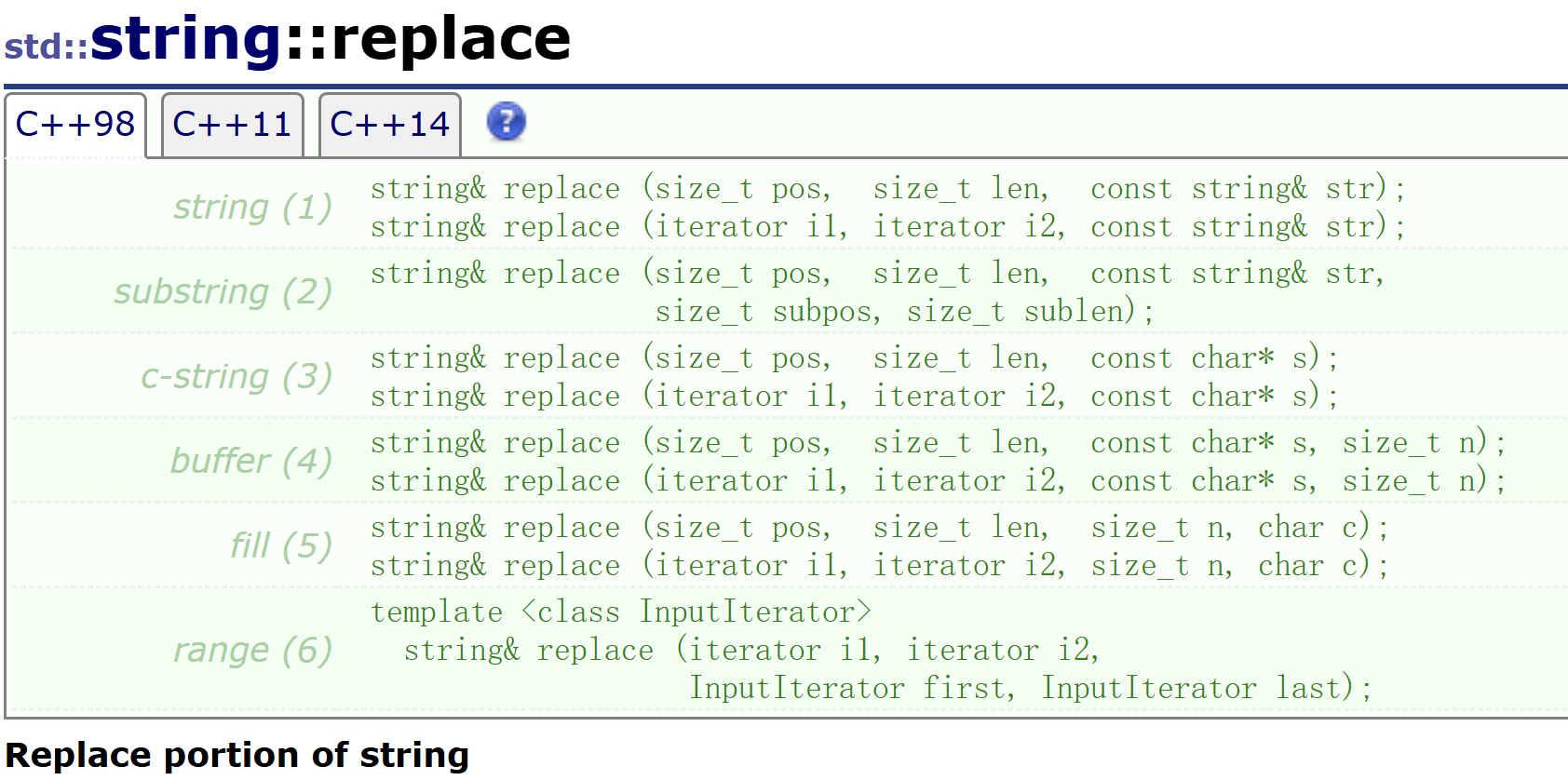
功能: 将指定范围内的字符替换为新内容。
性能杀手警告:\(`Δ’)/
replace是最重量级的修改操作之一。- 它结合了
erase和insert的代价:先删除旧内容,再插入新内容,并伴随数据的两次移动(或重新分配)。- 如果替换前后的长度不一致,还会引发后续字符的整体偏移。
string s("hello world");
s.replace(5, 1, "%%");   // 将索引5处的1个字符替换为 "%%"
cout << s << endl;       // "hello%%world"
实际案例:替换字符串中的所有空格
低效写法(直接使用 replace):
string s("hello world hello world");
size_t pos = s.find(' ');//find() 是查找接口
while (pos != string::npos)
{
    s.replace(pos, 1, "%%");
    pos = s.find(' ', pos + 2);
}
cout << s << endl;
这种方式在每次替换时都会引发后续字符的移动,对于长字符串效率较低。
高效替代方案(空间换时间):
string tmp;
for (auto ch : s)
{
    if (ch == ' ')
    {
        tmp += "%%";
    } else {
        tmp += ch;
    }
}
s.swap(tmp);  // 交换 tmp 和 s,高效且无拷贝
cout << s << endl;
通过构建新字符串,避免了在原字符串上反复移动数据,时间复杂度从 O(n²) 降至 O(n)。
2.8 swap() —— 高效交换两个字符串的内容
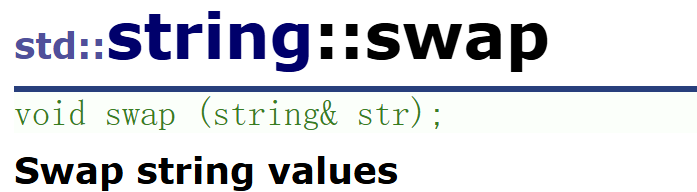
功能: 交换当前字符串与 str 的内部数据指针、大小和容量信息,不进行任何字符拷贝。
复杂度: O(1),极其高效。
string a = "Hello";
string b = "World";
a.swap(b);
cout << a << " " << b << endl;  // "World Hello"
2.9 pop_back() —— 删除最后一个字符(C++11 起)
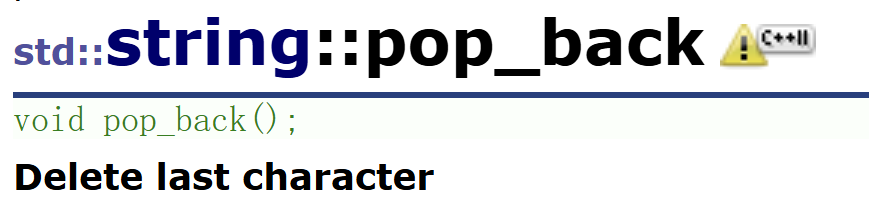
功能: 移除字符串的最后一个字符,将 size() 减少 1。
前置条件: 字符串不能为空,否则行为未定义。
复杂度: O(1),不会重新分配内存。
string s = "hello!";
s.pop_back();
cout << s << endl;  // "hello"
3. 字符串操作接口
3.1c_str() —— 获取 C 字符串(只读)
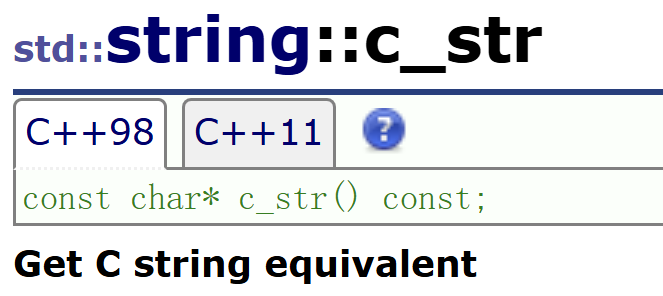
功能: 返回一个指向以空字符结尾的字符数组的指针,该数组包含与 string 相同的内容。返回的指针在 string 对象被修改或销毁前有效。
string s = "Hello";
const char* p = s.c_str();
printf("%s\n", p);  // 输出 Hello
string filename = "data.txt";
FILE* fp = fopen(filename.c_str(), "r");   // 标准用法
3.2 data() —— 获取原始字符数据
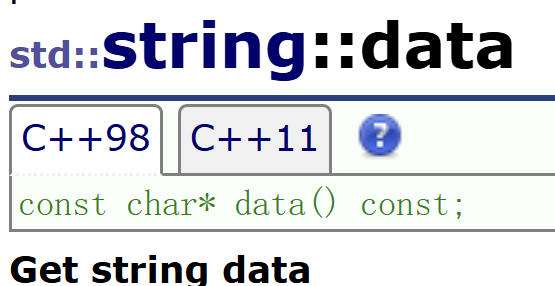
- C++11 前:
data()返回的数组不保证以空字符结尾,因此不能直接当作 C 字符串使用。 - C++11 起:
data()与c_str()效果相同,均保证以 ‘\0’ 结尾。
string s = "hello";
const char* p = s.data();        // 只读访问
char* p2 = s.data();
p2[0] = 'H';                     // 修改首个字符
3.3 copy() —— 拷贝字符到外部缓冲区

功能: 将 string 中从 pos 开始的 len 个字符复制到 s 指向的缓冲区。
- 不会自动添加空字符,需自行保证
s足够大,必要时手动添加 ‘\0’。- 返回实际复制的字符数。
3.4 get_allocator() —— 获取内存分配器
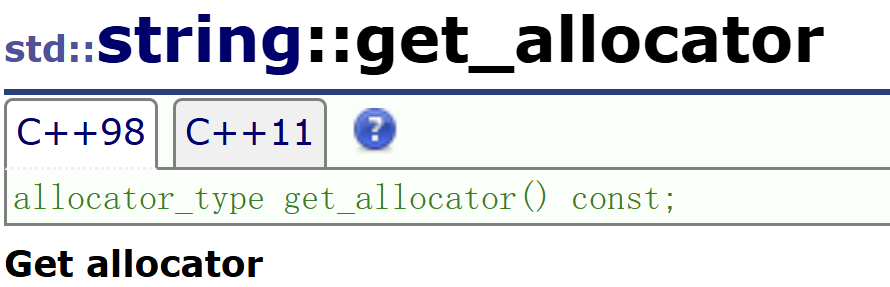
功能: 返回 string 使用的分配器对象,通常用于需要自定义内存管理的高级场景。
日常使用频率较低,了解即可
3.5 查找与定位相关接口
3.5.1 find() —— 正向查找子串/字符
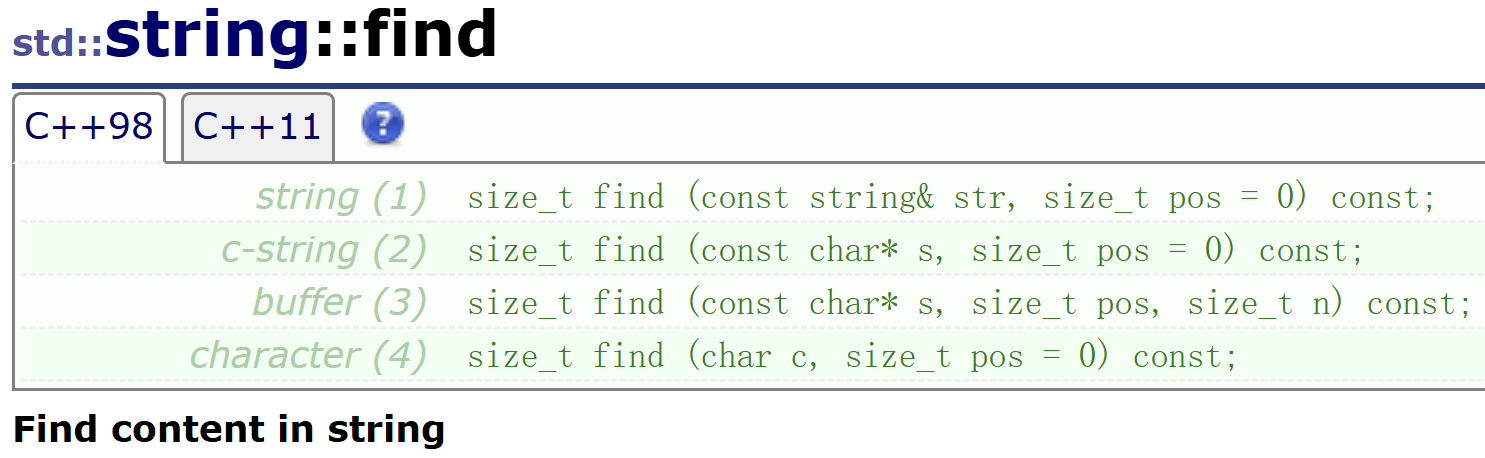
- 在字符串中从位置
pos开始向后搜索,寻找第一次出现的目标子串或字符。 - 如果你不指定
pos,就从开头查找,如果你指定了pos,就从那个位置开始查找 - 找到:返回第一次出现的起始索引。
- 未找到:返回
string::npos(一个静态常量,通常为size_t的最大值)。
string s = "test.cpp";
size_t dotPos = s.find('.');          // 返回 4
size_t cppPos = s.find("cpp");        // 返回 5
3.5.2 rfind() —— 反向查找
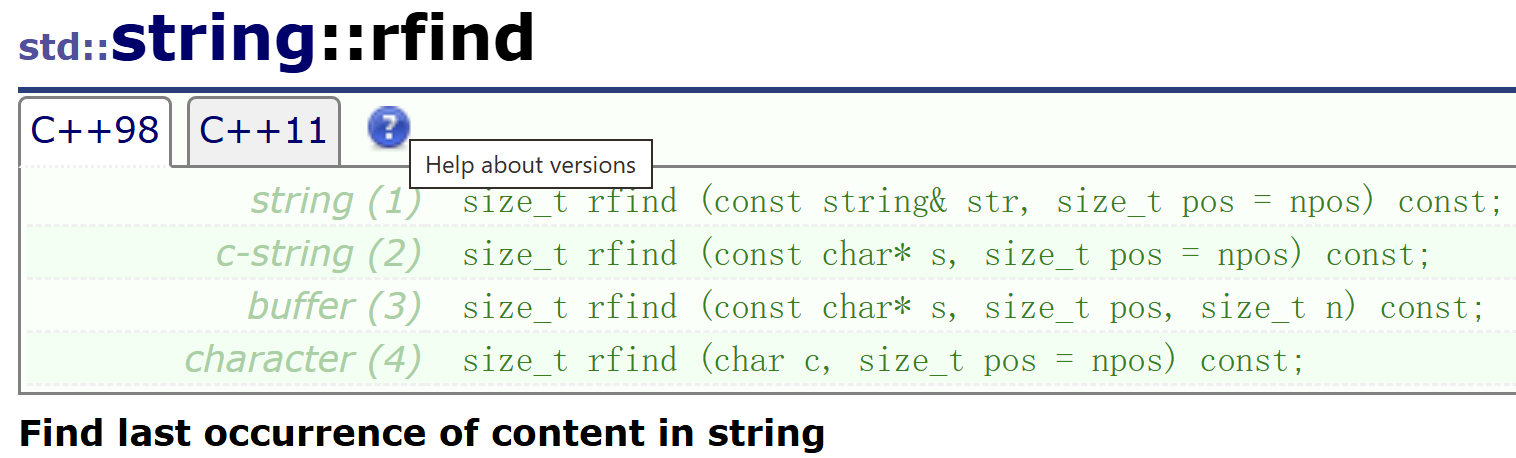
- 从
pos位置开始向前搜索(默认为字符串末尾),返回最后一个匹配项的起始索引。 - 非常适合处理带有多个分隔符的字符串,如提取文件扩展名。
string s = "hello world hello";
size_t pos = s.rfind("hello");
cout << pos << endl;  // 12 (第二个 hello 的起始位置)
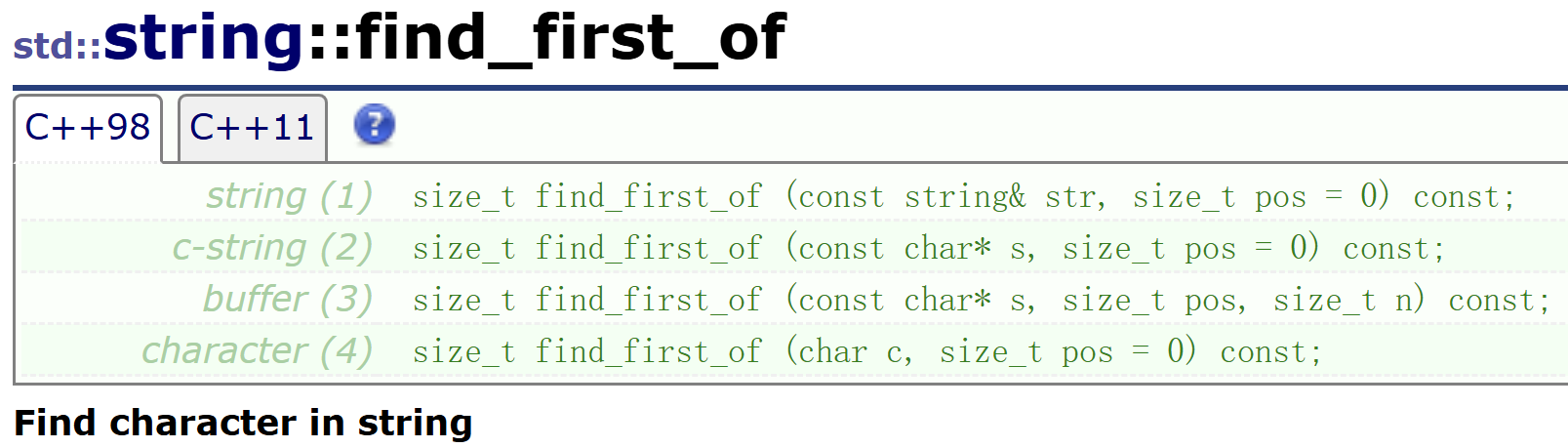
3.5.3 find_first_of() —— 查找集合中任意字符首次出现位置
- 在字符串中从
pos开始查找str中任意一个字符 的首次出现位置。
string s = "aaaa123bbbbb";
size_t idx = s.find_first_of("0123456789");  // 返回 5(第一个数字 '1')
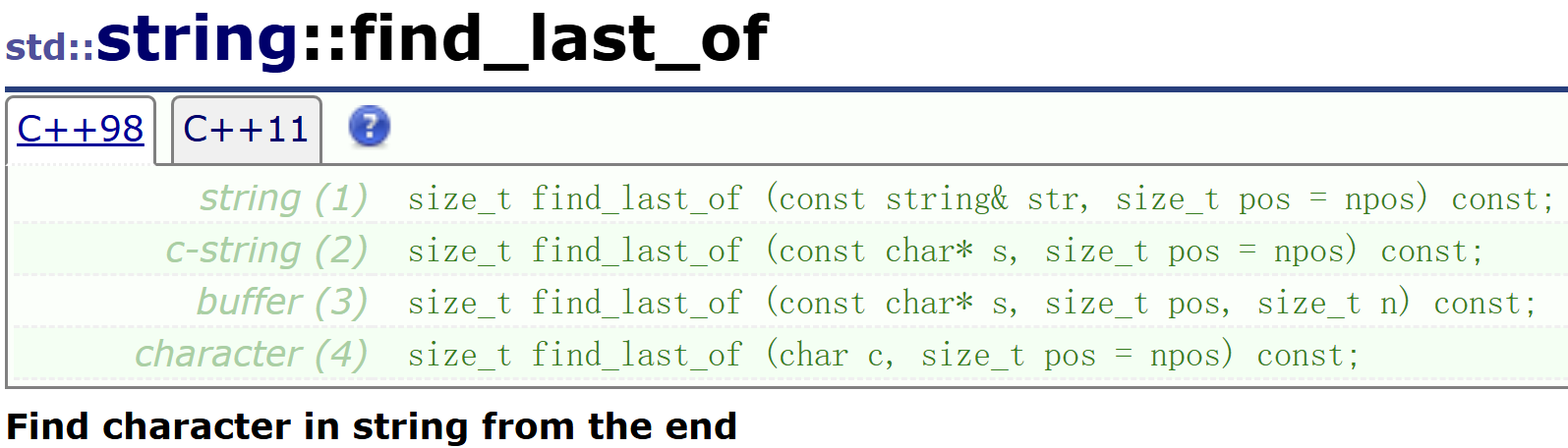
3.5.4 find_last_of() —— 查找集合中任意字符最后一次出现位置
- 查找
str中任意字符在字符串中最后一次出现的位置。
string str1 ("/usr/bin/man");
size_t found = str1.find_last_of("/\\");  // 同时处理 Unix 和 Windows 分隔符
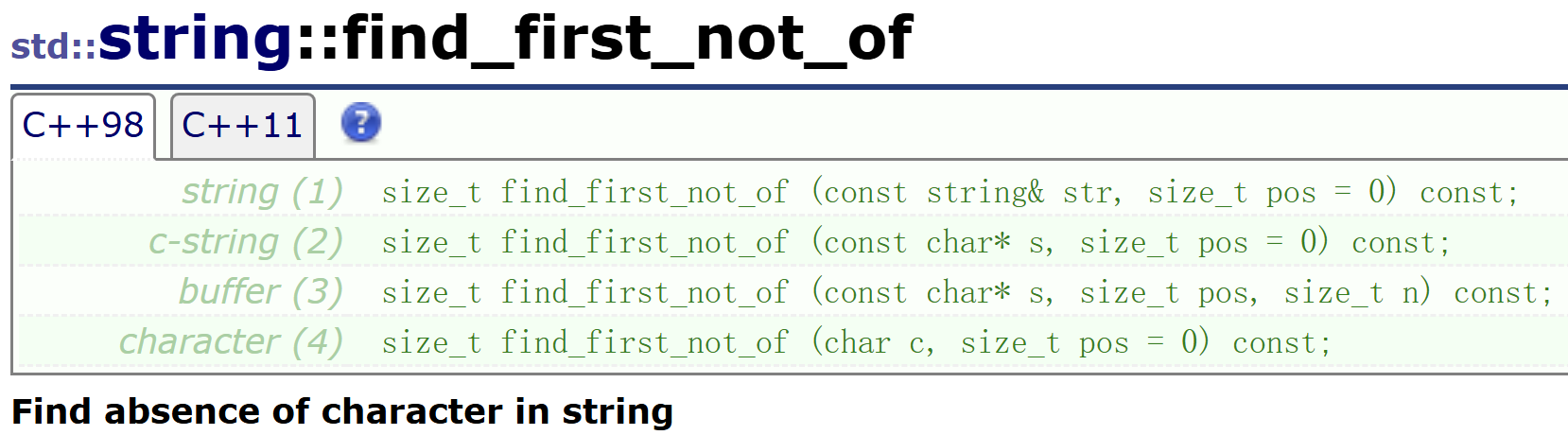
3.5.5 find_first_not_of() —— 查找不在集合中的首个字符
- 从
pos开始查找第一个不属于str中任意字符的位置。 - 常用于跳过空白字符或分隔符。
string s = "    hello";
size_t firstNonSpace = s.find_first_not_of(' ');  // 返回 4
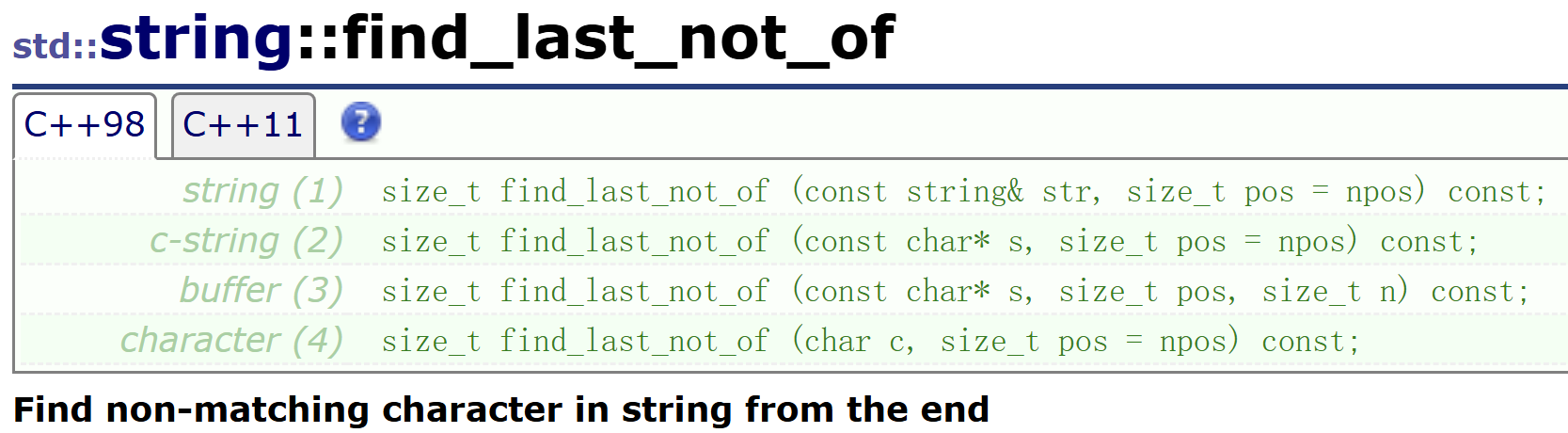
3.5.6 find_last_not_of() —— 查找不在集合中的最后一个字符
- 从
pos开始向前查找最后一个不在str中的字符。
string s = "hello   ";
size_t lastNonSpace = s.find_last_not_of(' ');   // 返回 4('o' 的位置)
3.6 substr() —— 截取子串
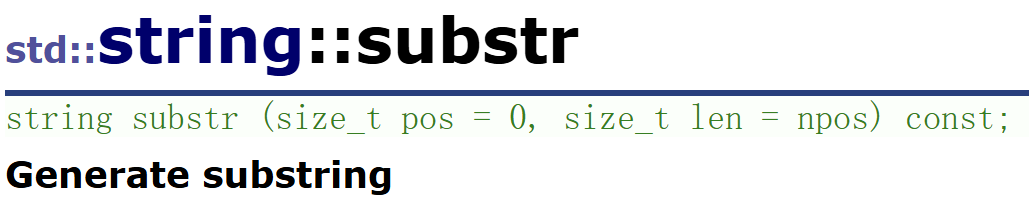
- 返回从
pos开始、长度为len的子串。若len超过剩余长度,则返回剩余全部字符。 - 若
pos越界,抛出std::out_of_range异常。
string s = "Hello World!";
string sub1 = s.substr(6, 5);   // "World"
string sub2 = s.substr(6);      // "World!" (len 默认为 npos)
cout << sub1 << " " << sub2 << endl;
3.7 compare() —— 字符串比较
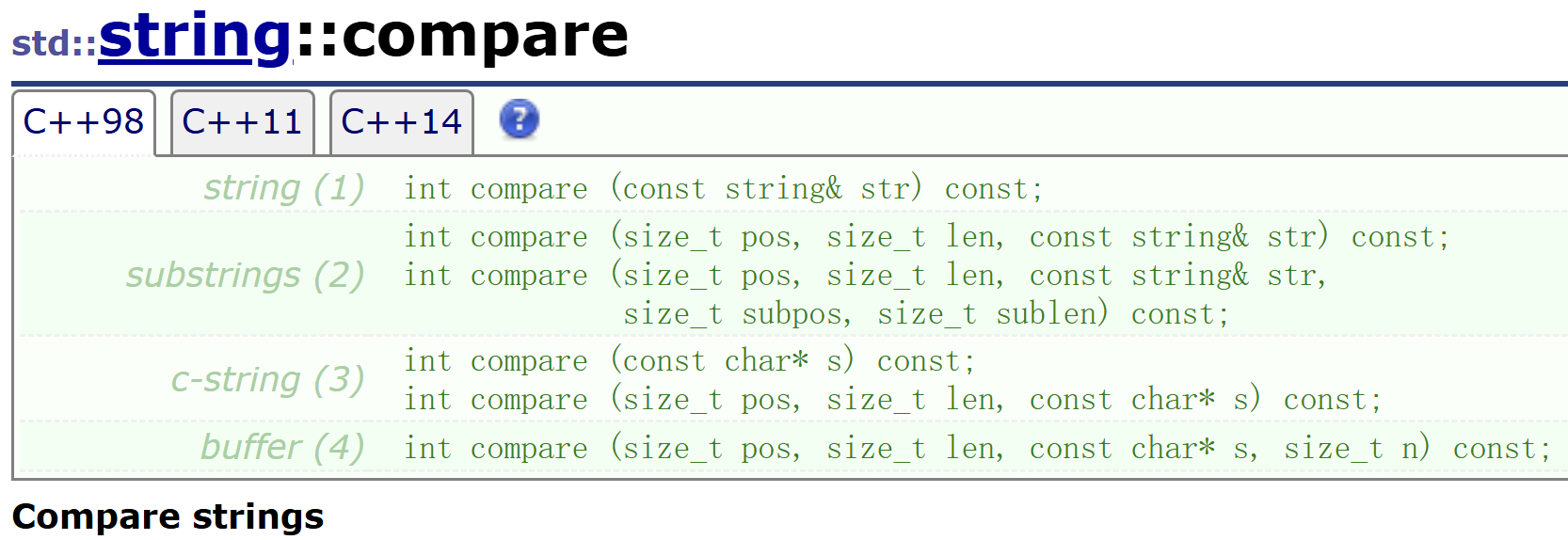
- 返回整数值:
- 0: 相等
- < 0:本字符串字典序小于参数字符串
- > 0: 本字符串字典序大于参数字符串
string a = "apple";
string b = "banana";
if (a.compare(b) < 0)
{
    std::cout << "apple comes before banana\n";
}

// 部分比较
int result = a.compare(2, 2, "pl");   // 比较 a.substr(2,2) 与 "pl",返回 0 相等
4. 非成员函数重载接口
4.1 operator+
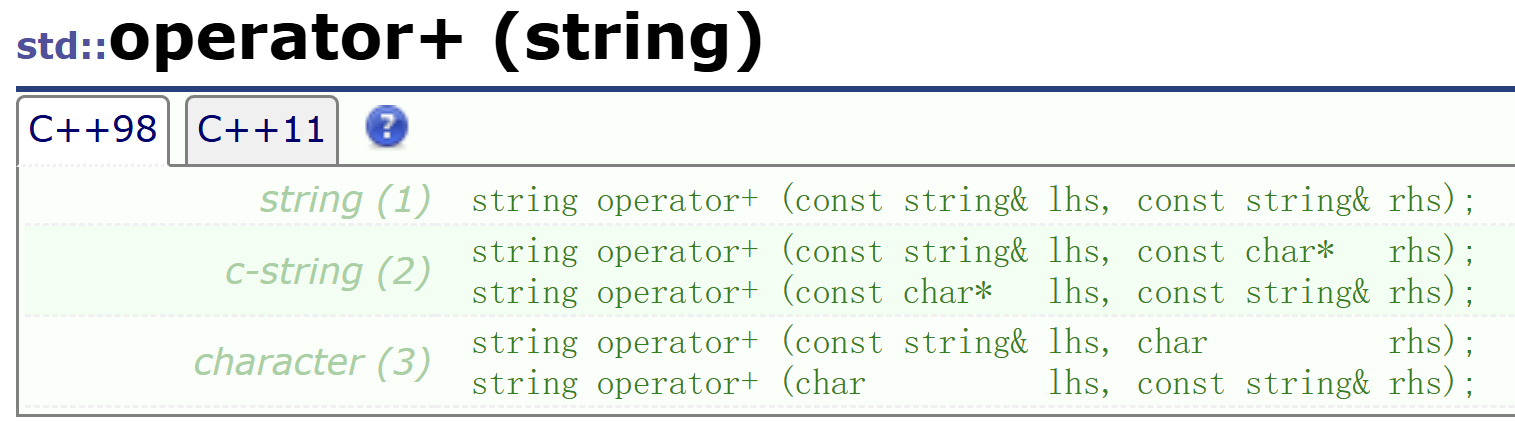
每个 operator+ 重载都会创建一个新的 std::string 临时对象,将两个操作数的内容合并后返回。对于大量拼接操作,建议使用 += 成员函数以减少临时对象的创建。
#include <iostream>
#include <string>

int main()
{
    std::string s1("hello");

    // string + const char*
    std::string s2 = s1 + " world";
    std::cout << s2 << std::endl;          // 输出 "hello world"

    // const char* + string
    std::string s3 = "world " + s1;
    std::cout << s3 << std::endl;          // 输出 "world hello"

    // char + string
    std::string s4 = '!' + s1;
    std::cout << s4 << std::endl;          // 输出 "!hello"

    return 0;
}
4.2 Relational Operators——关系运算符
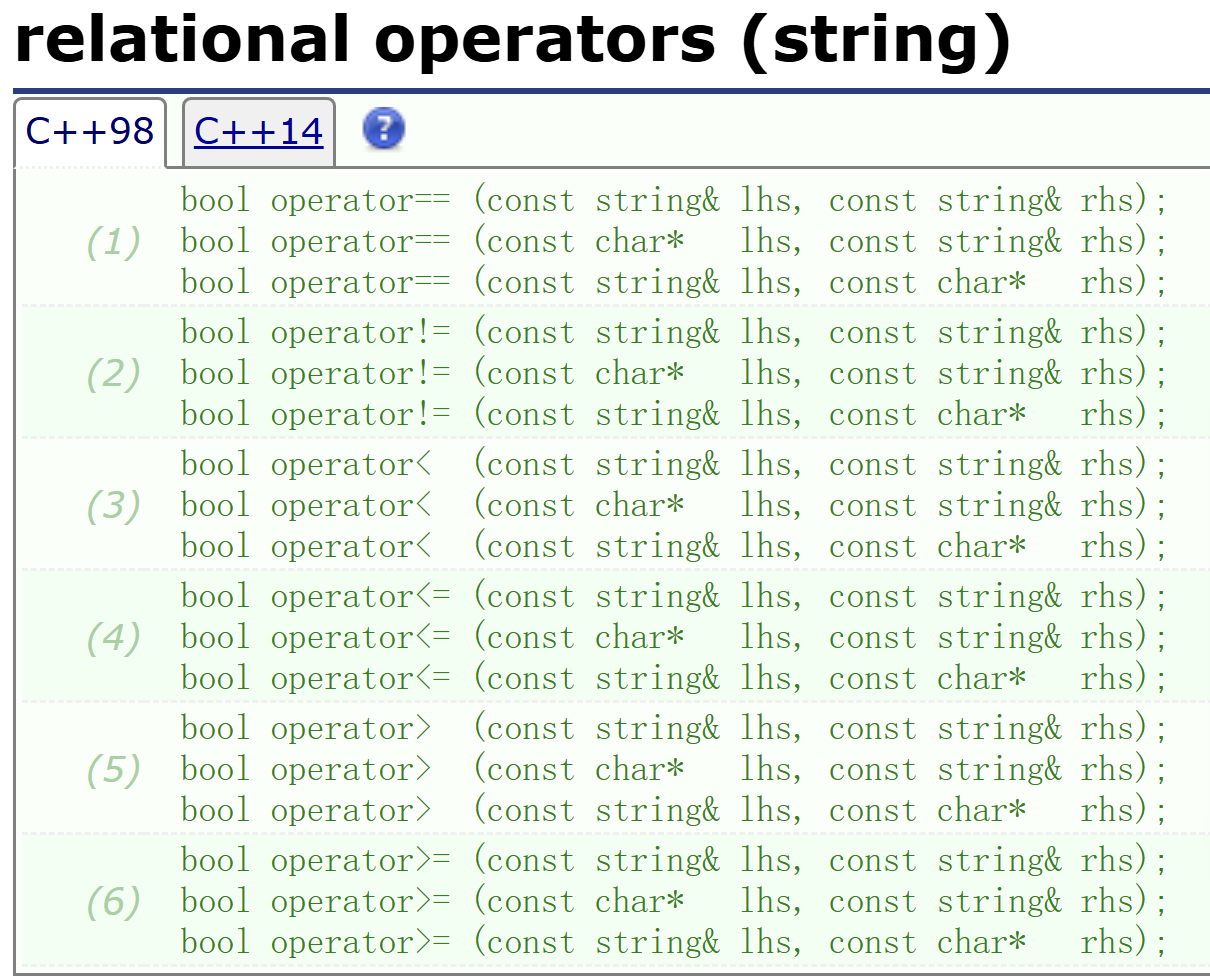
4.3 swap——交换
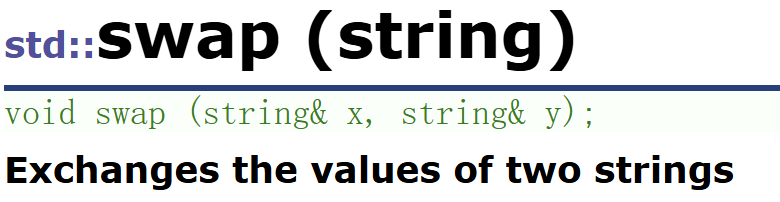
- 高效交换两个字符串的内容
- 通常只交换内部指针、长度等成员,不复制字符数据,时间复杂度为 O(1)。
4.4 operator<< 与 operator>>
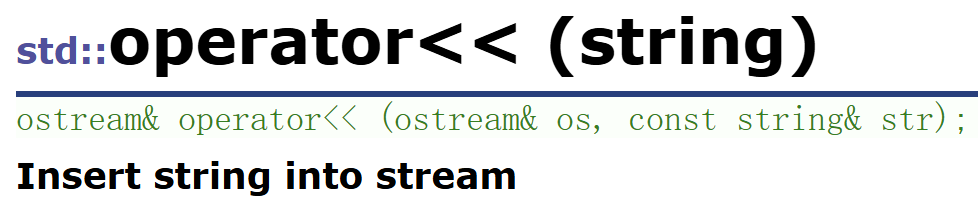
将 str 的内容写入输出流 os,不附加空字符,写入的字符数等于 str.size()。
string str1 = "Hello, World!";
cout << str1 << endl;
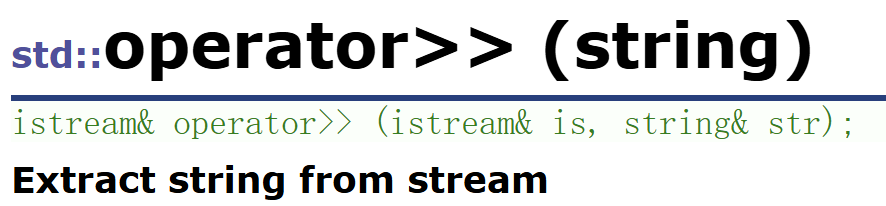
- 从输入流中读取字符,存入
str。 - 跳过前导空白字符(空格、制表符、换行等),然后连续读取非空白字符,遇到下一个空白字符时停止。
- 这意味着默认的
>>不能读取包含空格的字符串
string str1;
cin >> str1;
cout << str1;        // 输入 "Hello World",str1 只得到 "Hello"
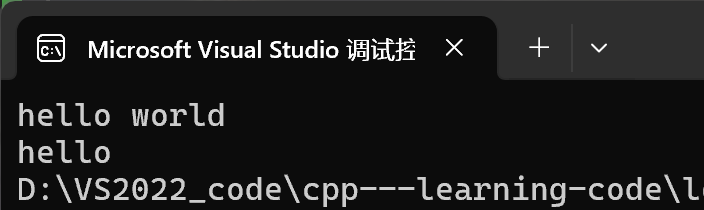
4.5 getline —— 读取整行
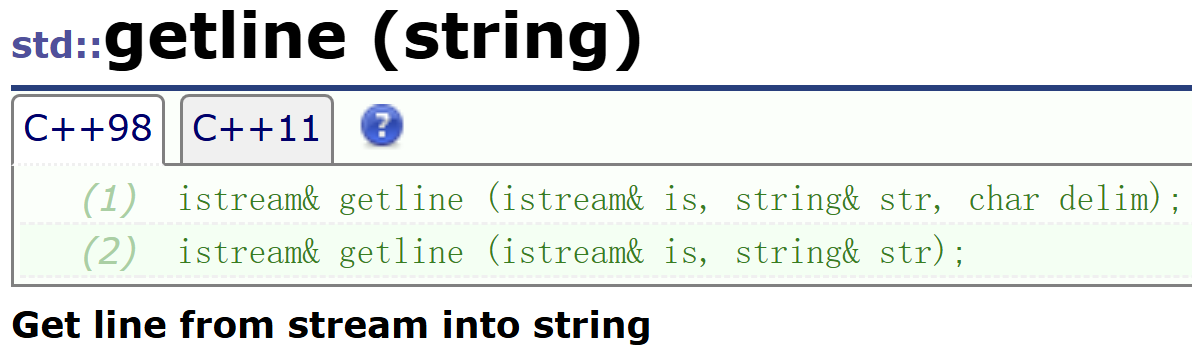
getline 是专门为读取一整行(包括空格)而设计的全局函数,它解决了 operator>> 无法读取空格的问题。
从输入流 is 读取字符,存入 str,直到遇到以下情况之一:
- 指定的分隔符(默认为换行符 ‘
\n’)- 到达文件末尾(
EOF)重要区别:
- 分隔符会被读取并丢弃,不会存入
str。- 不会跳过前导空白字符,会如实读取空格和制表符。
int main()
{
	string s1;
	getline(cin, s1);//遇到换行符才会停止
	cout << s1;

	return 0;
}
效果: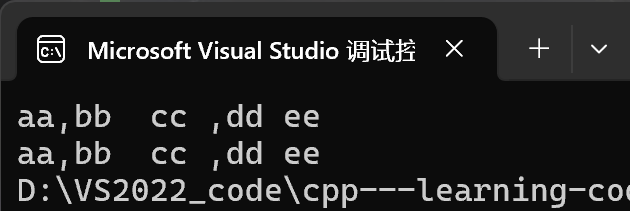
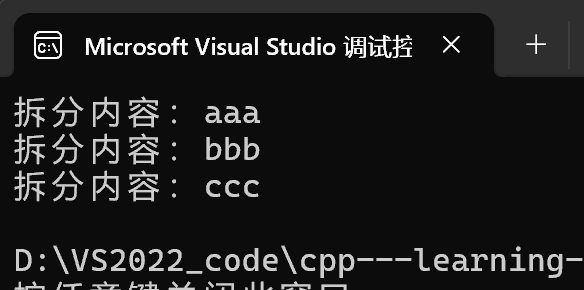
当然了,我们也可以自定义分隔符。
int main()
{
	string s = "aaa,bbb,ccc";
	stringstream flow(s);
	string str;

	while (getline(flow, str, ','))//用逗号做分隔符
	{
		cout << "拆分内容:" << str << endl;
	}
	return 0;
}
5. 数字转字符——to_string
to_string 是定义在 头文件中的全局函数模板族,用于将各种算术类型转换为对应的 std::string 对象。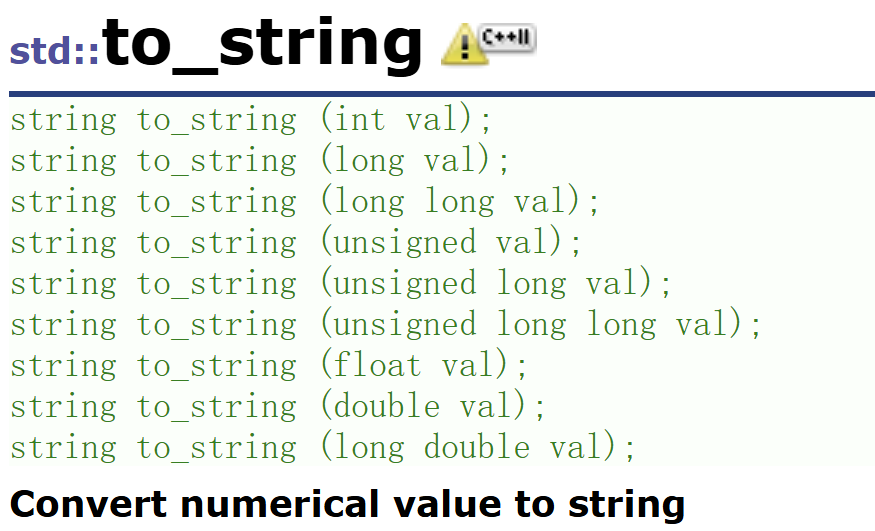
这些重载覆盖了所有基本数值类型,调用时编译器会根据参数类型自动选择正确的版本。
6. 实战演练
6.1 反转字母
ど°0°う♡ 传送门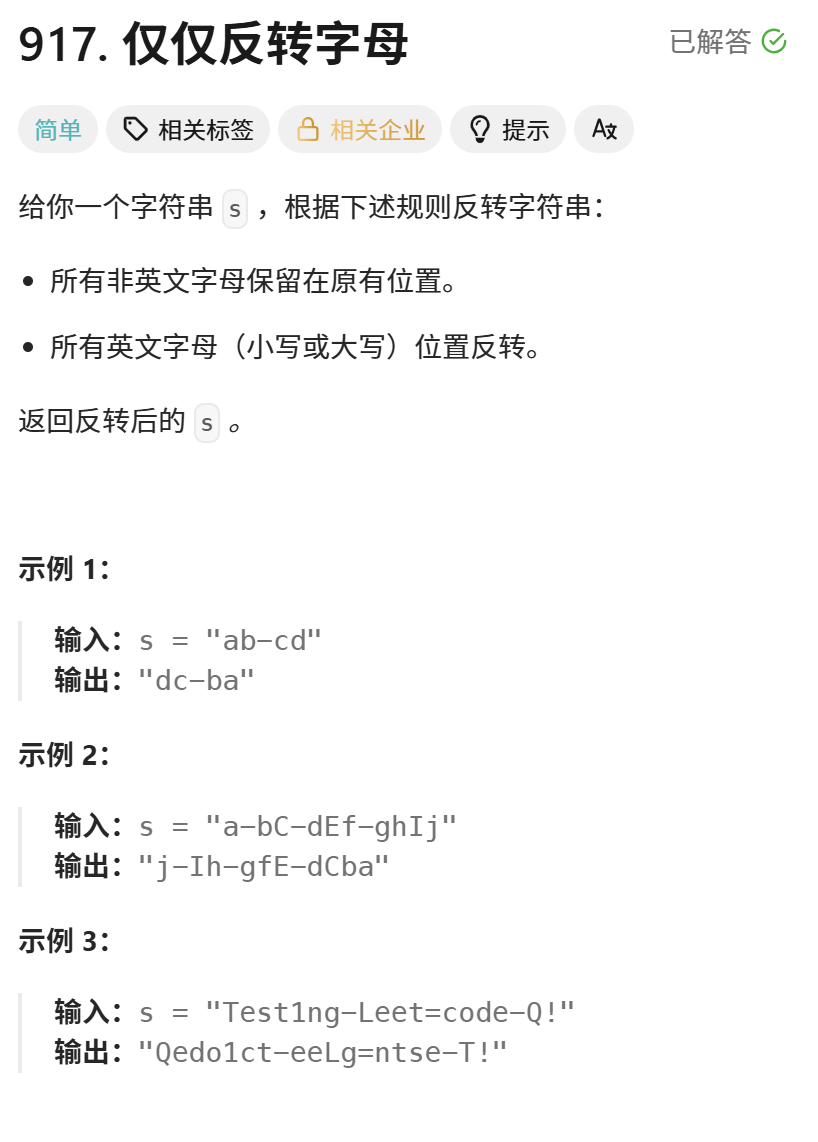
解答示例:
class Solution {
public:
    bool isLetter(char ch)//判断字符是不是英文字母
    {
        if(ch >= 'a' && ch <= 'z')
            return true;
        if(ch >= 'A' && ch <= 'Z')
            return true;

        return false;
    }
    string reverseOnlyLetters(string s) {
        int left = 0,right = s.size()-1;
        while(left<right)
        {
            while(left<right && !isLetter(s[left]))//还要考虑到越界问题
            {
                left++;
            }
            while(left<right && !isLetter(s[right]))
            {
                right--;
            }
            swap(s[left++],s[right--]); //交换完了之后跳到下一个字符的位置
        }
        return s;
    }
};
6.2 字符串中的第一个唯一字符
ど°0°う♡ 传送门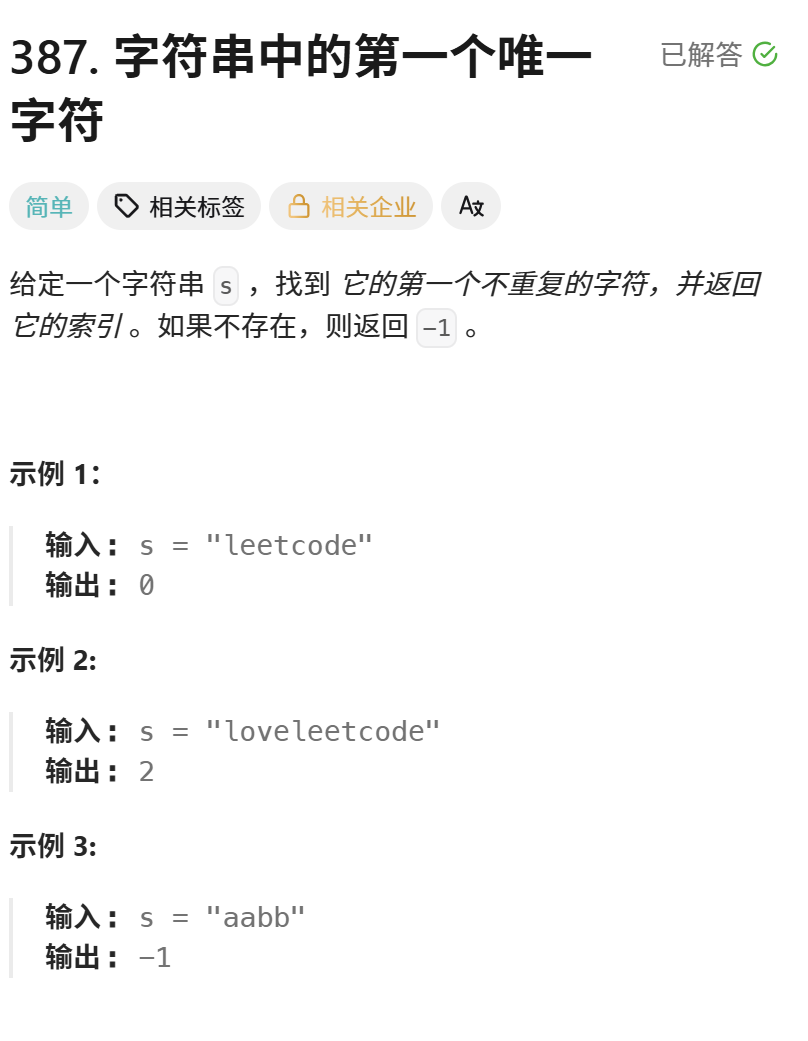
解答示例:
class Solution {
public:
    int firstUniqChar(string s) {
        int count[26]; // 数组大小为26,对应26个小写字母
        for(auto ch : s)
        {
            count[ch - 'a']++;// 将字符转换为数组索引,并增加计数
        }

        for(size_t i = 0;i<s.size();i++)
        {
            // 如果当前字符的出现次数为1,说明是第一个不重复的字符
            if(count[s[i] - 'a'] == 1)
                return i;
        }
        return -1;
    }
};
6.3 字符串相加
ど°0°う♡ 传送门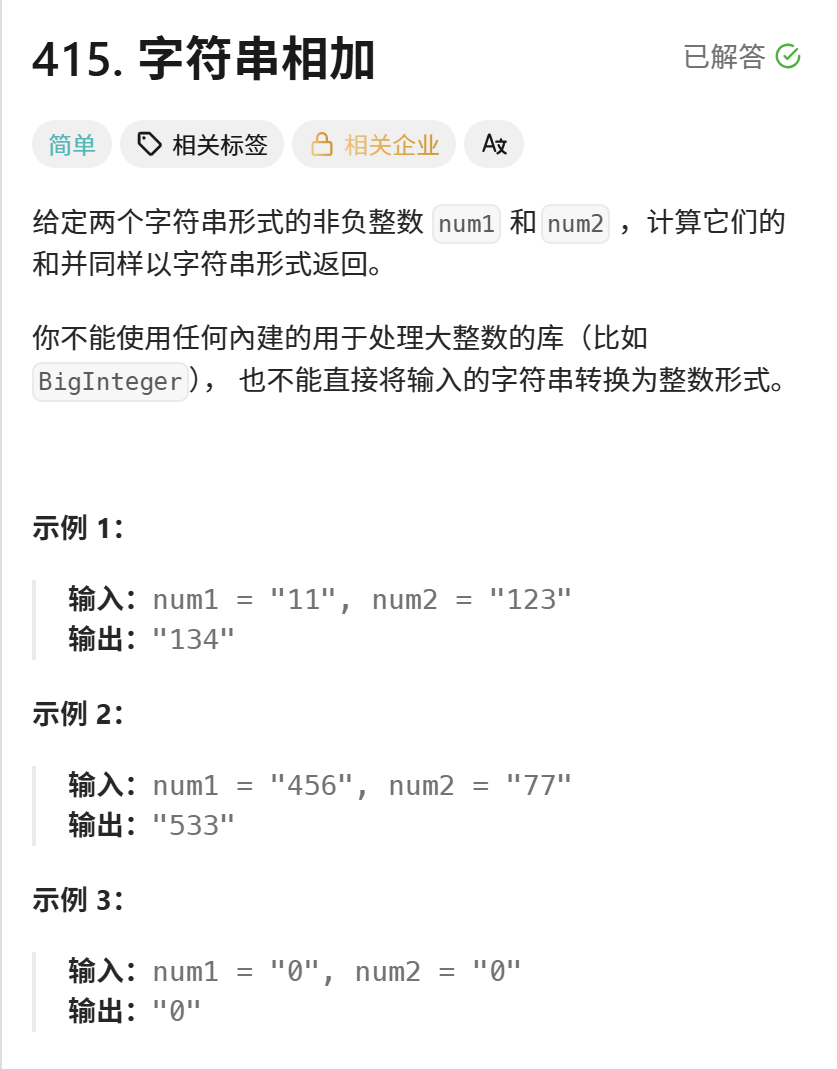
解答示例:
class Solution {
public:
    string addStrings(string num1, string num2) {
        int end1 = num1.size()-1,end2 = num2.size()-1;
        int next = 0;
        string str;
        while(end1 >= 0 || end2 >= 0 )
        {
            int val1 = end1 >= 0 ? num1[end1--] - '0' : 0;//减去'0',变成字符-字符就能得到整型的值
            int val2 = end2 >= 0 ? num2[end2--] - '0' : 0;

            int ret = val1 + val2 + next;

            next = ret / 10;  //得到十位上的数字
            ret = ret % 10;   //得到个位上的数字

            str += (ret + '0'); //将整数转换为对应的字符,然后拼接到字符串末尾
        }

        if(next == 1)//最后一次相加可能还需要进位
        {
            str += '1';
        }
        reverse(str.begin(),str.end());//把倒序变为正序

        return str;
    }
};
6.4 字符串最后一个单词的长度
ど°0°う♡ 传送门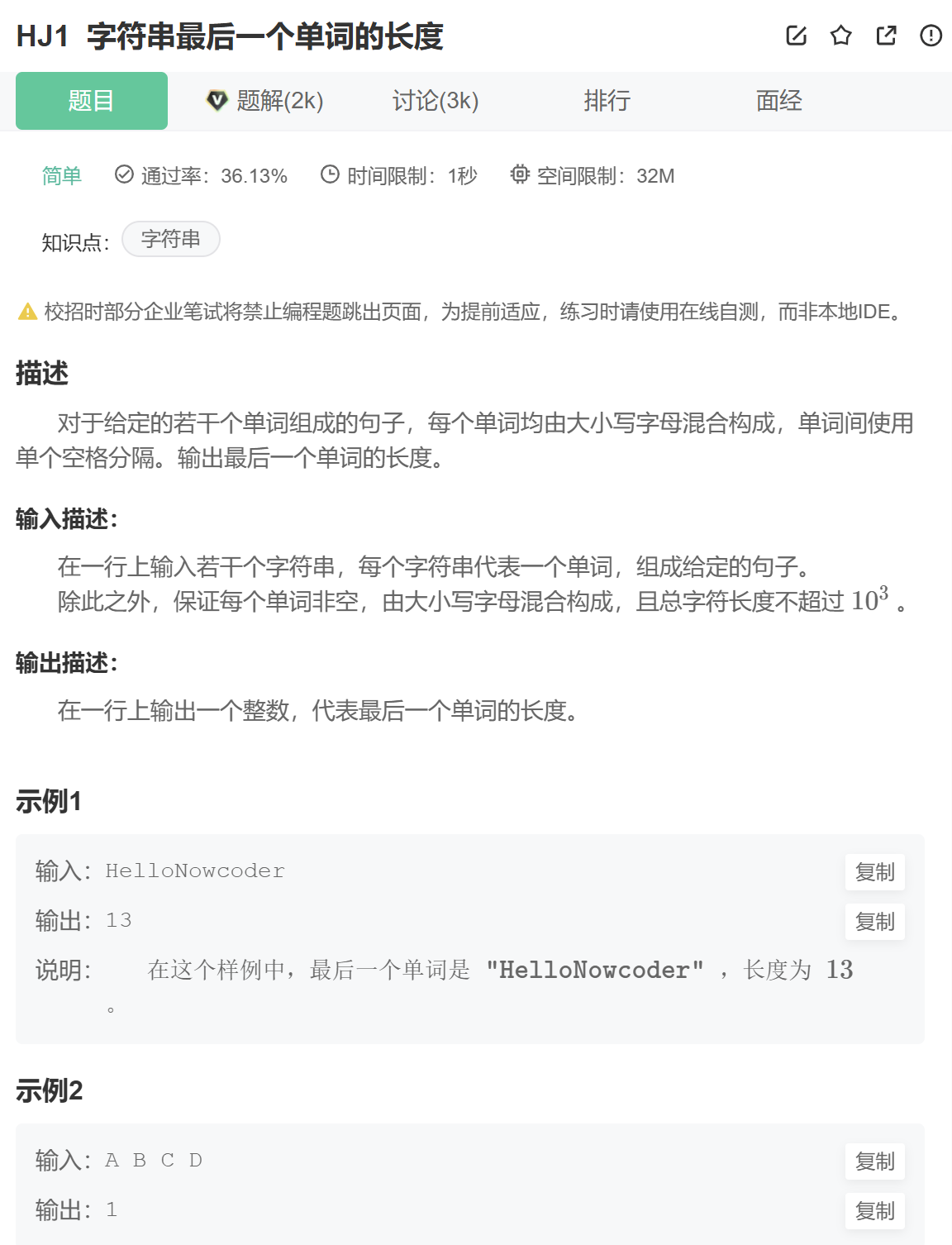
解答示例:
#include <iostream>
using namespace std;

int main()
{
    string s;
    getline(cin,s);//这里不可以直接用cin

    size_t pos = s.rfind(' ');
    size_t len = s.size() - (pos+1);

    cout << len << endl;
    return 0;
}
结语:
今天的内容到这里就结束了,希望你能有所收获~
代码无bug,学习不迷路,我们下篇再见!(•̀ᴗ•́)و

AtomGit 是由开放原子开源基金会联合 CSDN 等生态伙伴共同推出的新一代开源与人工智能协作平台。平台坚持“开放、中立、公益”的理念,把代码托管、模型共享、数据集托管、智能体开发体验和算力服务整合在一起,为开发者提供从开发、训练到部署的一站式体验。
更多推荐

 26
26 0
0- 0


 已为社区贡献4条内容

所有评论(0)