SenseVoicecpp http steam服务[AI人工智能(七十四)]—东方仙盟
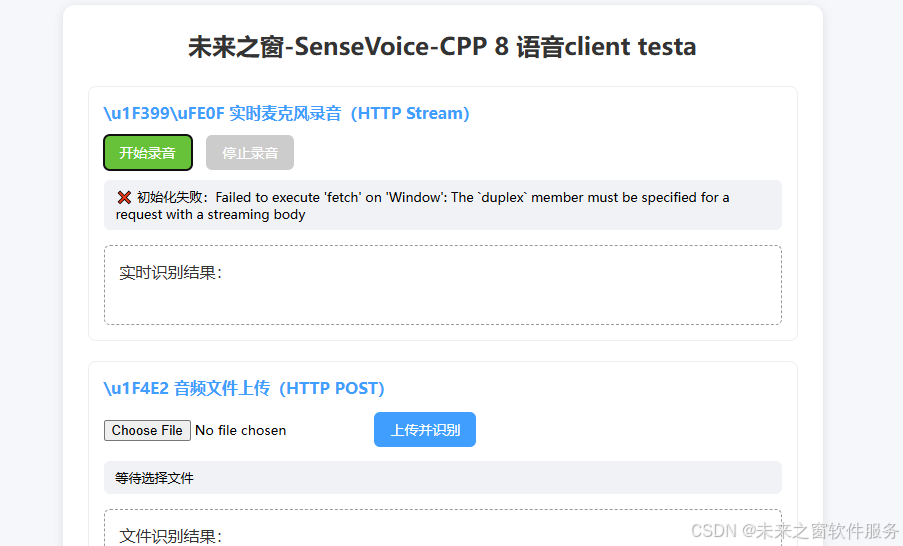
stram代码
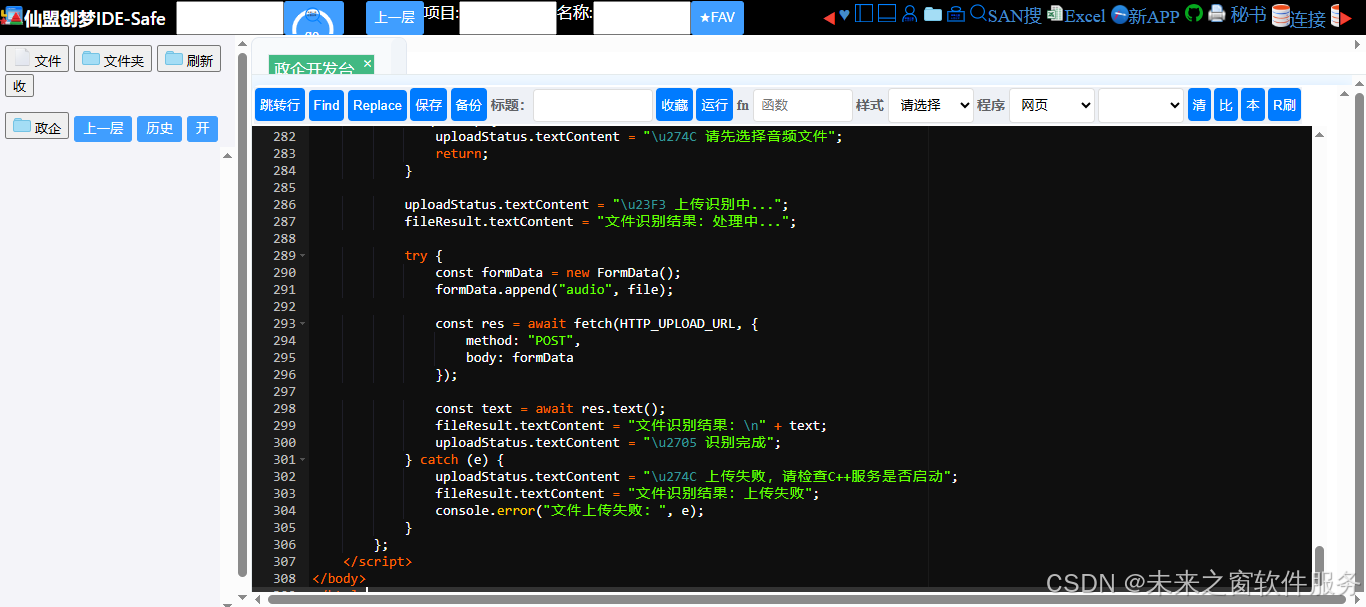
完整代码
<!DOCTYPE html>
<html lang="zh-CN">
<head>
    <meta charset="UTF-8">
    <meta name="viewport" content="width=device-width, initial-scale=1.0">
    <title>未来之窗-SenseVoice-CPP 8 语音client testa</title>
    <style>
        * {
            box-sizing: border-box;
            margin: 0;
            padding: 0;
            font-family: "Microsoft YaHei", sans-serif;
        }
        body {
            max-width: 800px;
            margin: 30px auto;
            padding: 0 20px;
            background: #f5f7fa;
        }
        .container {
            background: white;
            padding: 25px;
            border-radius: 12px;
            box-shadow: 0 2px 10px rgba(0,0,0,0.1);
        }
        h2 {
            text-align: center;
            color: #333;
            margin-bottom: 25px;
        }
        .panel {
            margin: 20px 0;
            padding: 15px;
            border: 1px solid #eee;
            border-radius: 8px;
        }
        .panel h3 {
            color: #409eff;
            margin-bottom: 12px;
            font-size: 16px;
        }
        .btn {
            padding: 8px 16px;
            border: none;
            border-radius: 6px;
            cursor: pointer;
            font-size: 14px;
            margin-right: 10px;
            background: #409eff;
            color: white;
        }
        .btn:disabled {
            background: #ccc;
            cursor: not-allowed;
        }
        .red { background: #f56c6c; }
        .green { background: #67c23a; }
        .status {
            margin: 10px 0;
            padding: 8px 12px;
            border-radius: 6px;
            font-size: 13px;
            background: #f0f2f5;
        }
        .result-box {
            margin-top: 15px;
            padding: 15px;
            min-height: 80px;
            border: 1px dashed #999;
            border-radius: 6px;
            white-space: pre-wrap;
            color: #333;
        }
        input[type="file"] {
            margin: 10px 0;
        }
    </style>
</head>
<body>
    <div class="container">
        <h2>未来之窗-SenseVoice-CPP 8 语音client testa</h2>

        <!-- HTTP Stream 实时录音识别(AudioWorklet实现) -->
        <div class="panel">
            <h3>\u1F399\uFE0F 实时麦克风录音(HTTP Stream)</h3>
            <button class="btn green" id="startRecord">开始录音</button>
            <button class="btn red" id="stopRecord" disabled>停止录音</button>
            <div class="status" id="streamStatus">等待录音</div>
            <div class="result-box" id="realResult">实时识别结果:</div>
        </div>

        <!-- HTTP 文件上传(独立使用) -->
        <div class="panel">
            <h3>\u1F4E2 音频文件上传(HTTP POST)</h3>
            <input type="file" id="audioFile" accept="audio/*">
            <button class="btn" id="uploadBtn">上传并识别</button>
            <div class="status" id="uploadStatus">等待选择文件</div>
            <div class="result-box" id="fileResult">文件识别结果:</div>
        </div>
    </div>

    <script>
        // ====================== 配置项 ======================
        const STREAM_URL = "http://127.0.0.1:20369/stream";
        const HTTP_UPLOAD_URL = "http://127.0.0.1:20369/asr";
        // ====================================================

        // 全局状态
        let isRecording = false;
        let audioContext = null;
        let mediaStream = null;
        let workletNode = null;
        let streamReader = null;
        let streamController = null;

        // DOM元素
        const startRecord = document.getElementById("startRecord");
        const stopRecord = document.getElementById("stopRecord");
        const streamStatus = document.getElementById("streamStatus");
        const realResult = document.getElementById("realResult");
        const audioFile = document.getElementById("audioFile");
        const uploadBtn = document.getElementById("uploadBtn");
        const uploadStatus = document.getElementById("uploadStatus");
        const fileResult = document.getElementById("fileResult");

        // 第一步:内联创建AudioWorklet处理器(无需单独js文件)
        const createAudioWorkletModule = () => {
            const processorCode = `
                class AudioCaptureProcessor extends AudioWorkletProcessor {
                    constructor() {
                        super();
                        // 监听主线程消息,无额外逻辑仅做采集
                    }
                    process(inputs, outputs, parameters) {
                        const input = inputs[0];
                        if (input.length === 0) return true;
                        const channelData = input[0];
                        // 将Float32音频数据发送到主线程
                        this.port.postMessage(channelData);
                        return true;
                    }
                }
                registerProcessor('audio-capture-processor', AudioCaptureProcessor);
            `;
            // 转成Blob URL,模拟模块加载
            const blob = new Blob([processorCode], { type: 'application/javascript' });
            return URL.createObjectURL(blob);
        };

        // Float32转Int16 PCM(适配C++服务的extract_pcm)
        const float32ToInt16 = (float32Array) => {
            const int16Array = new Int16Array(float32Array.length);
            for (let i = 0; i < float32Array.length; i++) {
                const val = Math.max(-1, Math.min(1, float32Array[i]));
                int16Array[i] = val < 0 ? val * 0x8000 : val * 0x7FFF;
            }
            return int16Array;
        };

        // 第二步:开始录音-核心逻辑(AudioWorklet+HTTP Stream)
        startRecord.onclick = async () => {
            if (isRecording) return;
            isRecording = true;
            startRecord.disabled = true;
            stopRecord.disabled = false;

            try {
                // 1. 获取麦克风媒体流(16000采样率,单声道)
                mediaStream = await navigator.mediaDevices.getUserMedia({
                    audio: {
                        sampleRate: 16000,
                        channelCount: 1,
                        echoCancellation: false,
                        noiseSuppression: false
                    }
                });
                streamStatus.textContent = "\u23F1\uFE0F 录音中...建立流连接";

                // 2. 初始化音频上下文(强制16000采样率)
                audioContext = new AudioContext({ sampleRate: 16000 });
                // 加载内联的AudioWorklet模块
                await audioContext.audioWorklet.addModule(createAudioWorkletModule());

                // 3. 创建AudioWorkletNode,连接麦克风流
                workletNode = new AudioWorkletNode(audioContext, 'audio-capture-processor');
                const source = audioContext.createMediaStreamSource(mediaStream);
                source.connect(workletNode);
                workletNode.connect(audioContext.destination);

                // 4. 建立HTTP Stream长连接(POST /stream)
                const fetchResponse = await fetch(STREAM_URL, {
                    method: "POST",
                    headers: {
                        "Content-Type": "application/octet-stream",
                        "Connection": "keep-alive",
                        "Cache-Control": "no-cache"
                    },
                    body: new ReadableStream({
                        start(controller) {
                            streamController = controller;
                            // 监听AudioWorklet的音频数据,推送到C++服务
                            workletNode.port.onmessage = (e) => {
                                if (!isRecording) return;
                                const int16Data = float32ToInt16(e.data);
                                streamController.enqueue(int16Data);
                            };
                        },
                        cancel() {
                            streamController = null;
                        }
                    })
                });

                // 5. 实时读取C++服务的识别结果
                if (!fetchResponse.ok) throw new Error(`HTTP错误:${fetchResponse.status}`);
                streamStatus.textContent = "\u23F1\uFE0F 录音中...识别中";
                streamReader = fetchResponse.body.getReader();
                const decoder = new TextDecoder();
                // 循环读取结果
                const readRecognizeResult = async () => {
                    while (isRecording) {
                        const { done, value } = await streamReader.read();
                        if (done) break;
                        const result = decoder.decode(value, { stream: true });
                        realResult.textContent = "实时识别结果:\n" + result;
                    }
                };
                readRecognizeResult();

            } catch (err) {
                // 精准判断错误类型,不再统一提示
                isRecording = false;
                startRecord.disabled = false;
                stopRecord.disabled = true;
                if (err.name === 'NotAllowedError') {
                    streamStatus.textContent = "\u274C 麦克风权限被拒绝,请在浏览器设置中开启";
                } else if (err.message.includes('HTTP')) {
                    streamStatus.textContent = `\u274C 连接C++服务失败:${err.message}`;
                } else {
                    streamStatus.textContent = `\u274C 初始化失败:${err.message}`;
                }
                console.error("录音启动失败:", err);
            }
        };

        // 第三步:停止录音-释放所有资源
        stopRecord.onclick = () => {
            if (!isRecording) return;
            isRecording = false;

            // 1. 停止麦克风流
            if (mediaStream) {
                mediaStream.getTracks().forEach(track => track.stop());
                mediaStream = null;
            }
            // 2. 关闭音频上下文和Worklet
            if (audioContext) audioContext.close();
            if (workletNode) {
                workletNode.port.close();
                workletNode.disconnect();
                workletNode = null;
            }
            // 3. 关闭流读取和推送
            if (streamReader) streamReader.cancel();
            if (streamController) streamController.close();
            // 4. 重置UI和状态
            startRecord.disabled = false;
            stopRecord.disabled = true;
            streamStatus.textContent = "\u2705 录音已停止";
        };

        // ========== 音频文件上传(原逻辑保留,适配/asr) ==========
        audioFile.onchange = () => {
            if (audioFile.files.length > 0) {
                uploadStatus.textContent = "已选择:" + audioFile.files[0].name;
            }
        };

        uploadBtn.onclick = async () => {
            const file = audioFile.files[0];
            if (!file) {
                uploadStatus.textContent = "\u274C 请先选择音频文件";
                return;
            }

            uploadStatus.textContent = "\u23F3 上传识别中...";
            fileResult.textContent = "文件识别结果:处理中...";

            try {
                const formData = new FormData();
                formData.append("audio", file);

                const res = await fetch(HTTP_UPLOAD_URL, {
                    method: "POST",
                    body: formData
                });

                const text = await res.text();
                fileResult.textContent = "文件识别结果:\n" + text;
                uploadStatus.textContent = "\u2705 识别完成";
            } catch (e) {
                uploadStatus.textContent = "\u274C 上传失败,请检查C++服务是否启动";
                fileResult.textContent = "文件识别结果:上传失败";
                console.error("文件上传失败:", e);
            }
        };
    </script>
</body>
</html>
人人皆为创造者,共创方能共成长
每个人都是使用者,也是创造者;是数字世界的消费者,更是价值的生产者与分享者。在智能时代的浪潮里,单打独斗的发展模式早已落幕,唯有开放连接、创意共创、利益共享,才能让个体价值汇聚成生态合力,让技术与创意双向奔赴,实现平台与伙伴的快速成长、共赢致远。
原创永久分成,共赴星辰大海
原创创意共创、永久收益分成,是东方仙盟始终坚守的核心理念。我们坚信,每一份原创智慧都值得被尊重与回馈,以永久分成锚定共创初心,让创意者长期享有价值红利,携手万千伙伴向着科技星辰大海笃定前行,拥抱硅基 生命与数字智能交融的未来,共筑跨越时代的数字文明共同体。
东方仙盟:拥抱知识开源,共筑数字新生态
在全球化与数字化浪潮中,东方仙盟始终秉持开放协作、知识共享的理念,积极拥抱开源技术与开放标准。我们相信,唯有打破技术壁垒、汇聚全球智慧,才能真正推动行业的可持续发展。
开源赋能中小商户:通过将前端异常检测、跨系统数据互联等核心能力开源化,东方仙盟为全球中小商户提供了低成本、高可靠的技术解决方案,让更多商家能够平等享受数字转型的红利。
共建行业标准:我们积极参与国际技术社区,与全球开发者、合作伙伴共同制定开放协议 与技术规范,推动跨境零售、文旅、餐饮等多业态的系统互联互通,构建更加公平、高效的数字生态。
知识普惠,共促发展:通过开源社区 、技术文档与培训体系,东方仙盟致力于将前沿技术转化为可落地的行业实践,赋能全球合作伙伴,共同培育创新人才,推动数字经济 的普惠式增长
阿雪技术观
在科技发展浪潮中,我们不妨积极投身技术共享。不满足于做受益者,更要主动担当贡献者。无论是分享代码、撰写技术博客,还是参与开源项目 维护改进,每一个微小举动都可能蕴含推动技术进步的巨大能量。东方仙盟是汇聚力量的天地,我们携手在此探索硅基 生命,为科技进步添砖加瓦。
Hey folks, in this wild tech - driven world, why not dive headfirst into the whole tech - sharing scene? Don't just be the one reaping all the benefits; step up and be a contributor too. Whether you're tossing out your code snippets , hammering out some tech blogs, or getting your hands dirty with maintaining and sprucing up open - source projects, every little thing you do might just end up being a massive force that pushes tech forward. And guess what? The Eastern FairyAlliance is this awesome place where we all come together. We're gonna team up and explore the whole silicon - based life thing, and in the process, we'll be fueling the growth of technology

AtomGit 是由开放原子开源基金会联合 CSDN 等生态伙伴共同推出的新一代开源与人工智能协作平台。平台坚持“开放、中立、公益”的理念,把代码托管、模型共享、数据集托管、智能体开发体验和算力服务整合在一起,为开发者提供从开发、训练到部署的一站式体验。
更多推荐



 6
6 0
0- 0


 已为社区贡献85条内容

所有评论(0)