Function Calling 入门
Function Calling 入门 | 大模型开发核心技术系列 2.1
一、引言
在传统的AI应用中,模型只能根据训练数据生成文本,无法与外部世界交互。但现实是,大量的实时信息(如天气、股票价格、数据库记录)并不存在于模型的训练数据中。Function Calling(函数调用)技术的出现,完美解决了这一问题——它让大型语言模型能够调用外部工具,获取实时信息,完成各种复杂任务。本文将深入解析 Function Calling 的原理、实现方法和实战技巧。
二、Function Calling 概述
2.1 什么是 Function Calling
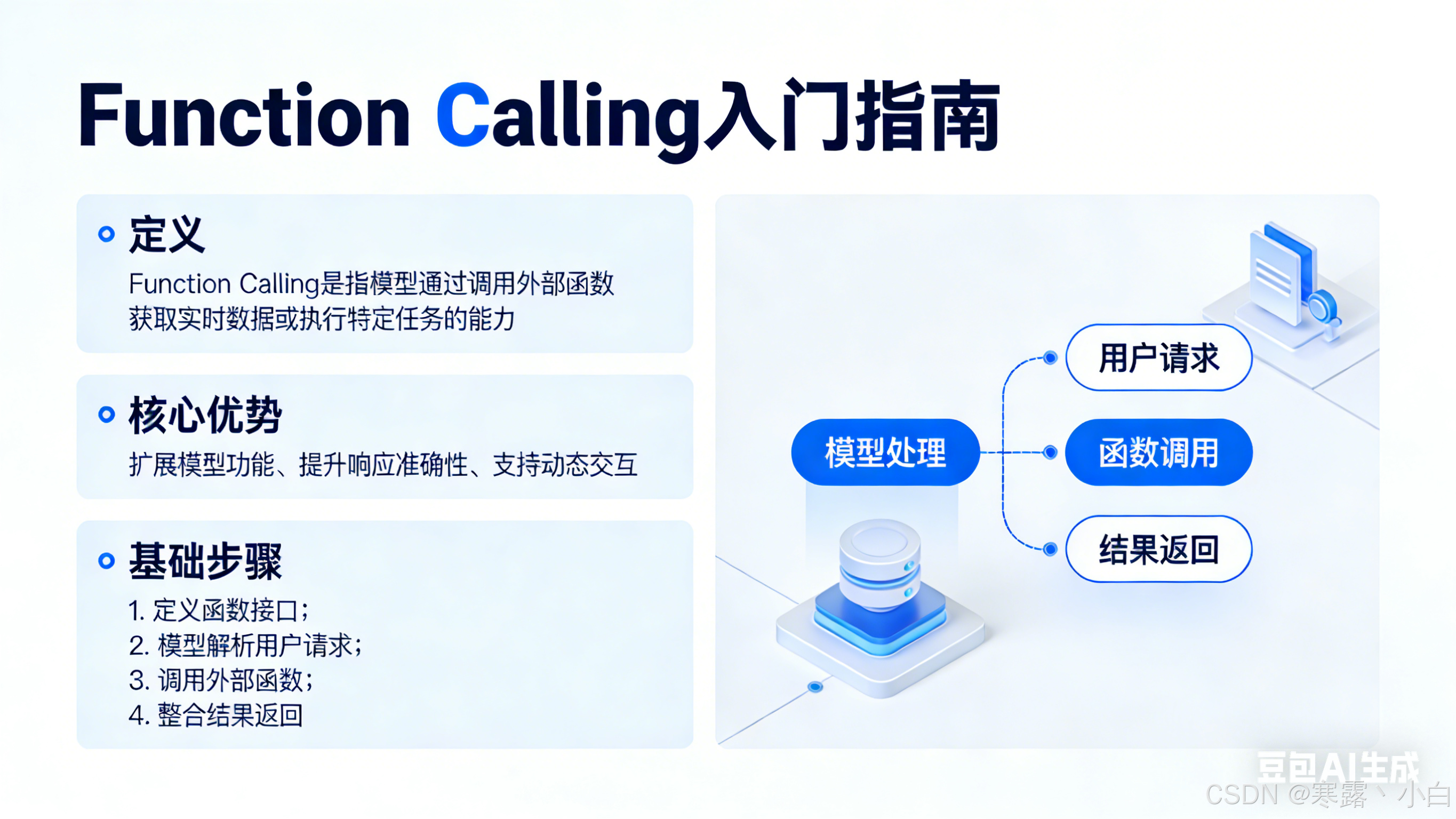
Function Calling 是大型语言模型的一种能力,它允许模型在生成回复时主动调用预定义的函数或 API,并基于函数返回的结果继续生成回答。简单来说,就是让 AI “打电话”给外部系统,获取需要的信息。
# 传统 AI 对话
# 模型只能基于训练数据回答
user: "今天天气怎么样?"
AI: "作为一个 AI,我没有实时天气信息。"

# 使用 Function Calling
# 模型可以调用天气 API 获取实时信息
user: "今天天气怎么样?"
AI: [调用函数 get_weather(location="北京")]
    ↓
返回: {"temperature": 25, "condition": "晴"}
    ↓
AI: "今天北京天气晴朗,气温25度,非常适合外出。"
2.2 Function Calling 的价值
Function Calling 的核心价值在于打破了 AI 的“信息孤岛”状态。它让 AI 能够连接真实世界,获取实时数据,执行具体操作。从技术角度看,Function Calling 实现了以下突破:实时信息获取(天气、新闻、股票)、数据持久化(保存到数据库)、业务逻辑执行(订单处理、支付)、跨系统集成(连接多个服务)。
2.3 发展历程
Function Calling 技术经历了几个重要发展阶段。最早期,开发者需要用复杂的提示词技巧来“诱导”模型生成函数调用,但这种方式极不稳定。随着 OpenAI 在 GPT-4 API 中正式引入 Function Calling 能力,这一技术才真正走向成熟。如今,Anthropic、Google 等各大厂商都提供了各自的函数调用方案。
三、OpenAI Function Calling 详解
3.1 基本原理
OpenAI 的 Function Calling 基于工具描述(Tool Description)机制。开发者预先定义好函数的名称、参数和返回格式,模型根据用户输入判断是否需要调用函数,并生成符合格式的调用请求。
# OpenAI Function Calling 完整示例
import openai
import json

# 1. 定义可用函数
functions = [
    {
        "name": "get_weather",
        "description": "获取指定城市的天气信息",
        "parameters": {
            "type": "object",
            "properties": {
                "location": {
                    "type": "string",
                    "description": "城市名称,如北京、上海"
                },
                "unit": {
                    "type": "string",
                    "enum": ["celsius", "fahrenheit"],
                    "description": "温度单位"
                }
            },
            "required": ["location"]
        }
    }
]

# 2. 发起对话
response = openai.ChatCompletion.create(
    model="gpt-4",
    messages=[
        {"role": "user", "content": "北京今天天气怎么样?"}
    ],
    functions=functions
)

# 3. 检查是否需要调用函数
message = response.choices[0].message

if message.function_call:
    # 4. 解析函数调用
    function_name = message.function_call.name
    arguments = json.loads(message.function_call.arguments)

    # location="北京"
    print(f"需要调用函数: {function_name}")
    print(f"参数: {arguments}")
3.2 函数定义规范
在 OpenAI API 中,函数通过 JSON Schema 格式定义。一个完整的函数定义包含以下关键字段:
# 完整的函数定义示例
function_definition = {
    "name": "calculate_shipping",
    "description": "根据收货地址和商品重量计算运费",
    "parameters": {
        "type": "object",
        "properties": {
            "destination": {
                "type": "string",
                "description": "收货地址"
            },
            "weight": {
                "type": "number",
                "description": "商品重量(千克)"
            },
            "shipping_method": {
                "type": "string",
                "enum": ["standard", "express", "overnight"],
                "description": "快递方式"
            }
        },
        "required": ["destination", "weight"]
    }
}
3.3 调用流程
完整的 Function Calling 流程包含以下步骤:
# 完整调用流程
def chat_with_functions(user_message, functions):
    # 第一轮:模型判断是否需要调用函数
    response1 = openai.ChatCompletion.create(
        model="gpt-4",
        messages=[{"role": "user", "content": user_message}],
        functions=functions
    )

    message = response1.choices[0].message

    # 判断是否需要调用函数
    if message.function_call:
        # 解析函数调用
        function_name = message.function_call.name
        args = json.loads(message.function_call.arguments)

        # 执行函数(这里需要开发者实现)
        result = execute_function(function_name, args)

        # 第二轮:将函数结果返回给模型
        messages = [
            {"role": "user", "content": user_message},
            {"role": "function", "name": function_name, "content": json.dumps(result)}
        ]

        # 获取最终回复
        response2 = openai.ChatCompletion.create(
            model="gpt-4",
            messages=messages,
            functions=functions
        )

        return response2.choices[0].message.content
    else:
        # 无需调用函数,直接返回
        return message.content
3.4 并行调用
当模型需要同时调用多个函数时,API 支持并行处理:
# 并行函数调用
response = openai.ChatCompletion.create(
    model="gpt-4",
    messages=[{"role": "user", "content": "查一下北京今天的天气和上海今天的天气"}],
    functions=[func_weather]
)

# message.function_call 可能包含多个函数调用
for call in message.function_call:
    # 逐个执行调用
    pass
四、Function Calling vs 其他方案
4.1 提示词诱导 vs 原生支持
在 Function Calling 出现之前,开发者需要通过精心设计的提示词来“诱导”模型生成函数调用代码:
# ❌ 旧方式:提示词诱导
prompt = """
你是一个 AI 助手。当需要查询天气时,请按以下格式输出:
[调用天气API]城市=北京[/调用]

用户问题:今天天气怎么样?
"""

# 这种方式非常不稳定,模型可能输出格式错误
# ✅ 新方式:原生 Function Calling
functions = [{
    "name": "get_weather",
    "parameters": {...}
}]

# 模型会严格按照规范生成函数调用
4.2 Function Calling vs LangChain
LangChain 提供了更抽象的 Agent 框架,但底层也是基于 Function Calling:
# LangChain 方式
from langchain.agents import load_tools, initialize_agent

tools = load_tools(["serpapi", "llm-math"], llm=llm)
agent = initialize_agent(tools, llm, agent="zero-shot-react-description")

# LangChain 底层会生成 function_call 请求
| 特性 | 原生 Function Calling | LangChain |
|---|---|---|
| 控制粒度 | 精细 | 抽象 |
| 学习成本 | 中等 | 较高 |
| 灵活性 | 高 | 中等 |
| 适用场景 | 简单直接 | 复杂工作流 |
五、实战案例
5.1 天气查询助手
# 天气查询助手完整示例
import openai
import json

functions = [
    {
        "name": "get_weather",
        "description": "获取指定城市的天气信息",
        "parameters": {
            "type": "object",
            "properties": {
                "city": {
                    "type": "string",
                    "description": "城市名称"
                }
            },
            "required": ["city"]
        }
    }
]

def get_weather(city):
    """模拟天气 API"""
    weather_db = {
        "北京": {"temp": 25, "condition": "晴"},
        "上海": {"temp": 28, "condition": "多云"},
        "广州": {"temp": 32, "condition": "雷阵雨"}
    }
    return weather_db.get(city, {"temp": 0, "condition": "未知"})

def chat_weather(query):
    messages = [{"role": "user", "content": query}]

    # 第一次调用
    response = openai.ChatCompletion.create(
        model="gpt-4",
        messages=messages,
        functions=functions
    )

    msg = response.choices[0].message

    # 需要调用函数
    if msg.function_call:
        func_name = msg.function_call.name
        args = json.loads(msg.function_call.arguments)

        # 执行函数
        result = get_weather(args["city"])

        # 将结果返回给模型
        messages.append({
            "role": "function",
            "name": func_name,
            "content": json.dumps(result)
        })

        # 第二次调用获取最终回复
        final_response = openai.ChatCompletion.create(
            model="gpt-4",
            messages=messages,
            functions=functions
        )

        return final_response.choices[0].message.content

    return msg.content

# 测试
print(chat_weather("北京今天天气怎么样?"))
# 输出:北京今天天气晴朗,气温25度,非常适合外出。
5.2 订单处理系统
# 订单处理函数定义
order_functions = [
    {
        "name": "check_inventory",
        "description": "检查商品库存",
        "parameters": {
            "type": "object",
            "properties": {
                "product_id": {"type": "string"}
            },
            "required": ["product_id"]
        }
    },
    {
        "name": "create_order",
        "description": "创建订单",
        "parameters": {
            "type": "object",
            "properties": {
                "product_id": {"type": "string"},
                "quantity": {"type": "integer"},
                "address": {"type": "string"}
            },
            "required": ["product_id", "quantity"]
        }
    }
]

# 用户请求:我想要购买 iPhone 15 Pro,送到北京市朝阳区
# 模型会自动判断:先检查库存 -> 库存充足 -> 创建订单
5.3 知识库问答
# 结合 RAG 的 Function Calling
functions = [
    {
        "name": "search_knowledge_base",
        "description": "搜索知识库获取相关信息",
        "parameters": {
            "type": "object",
            "properties": {
                "query": {"type": "string", "description": "搜索关键词"}
            },
            "required": ["query"]
        }
    }
]

# 当用户问题需要专业知识时,模型会自动调用搜索函数
六、最佳实践
6.1 函数描述技巧
函数描述是模型能否正确调用的关键:
# ✅ 好的描述
{
    "name": "get_flight_info",
    "description": "查询航班信息,包括起飞时间、到达时间、延误情况等",
    "parameters": {
        "type": "object",
        "properties": {
            "departure": "出发城市",
            "destination": "目的城市",
            "date": "出发日期,格式YYYY-MM-DD"
        },
        "required": ["departure", "destination"]
    }
}

# ❌ 差的描述
{
    "name": "get_info",
    "description": "获取信息",
    # 描述不清晰,模型难以理解
}
6.2 错误处理
生产环境中必须做好错误处理:
def safe_function_call(messages, functions):
    try:
        response = openai.ChatCompletion.create(
            model="gpt-4",
            messages=messages,
            functions=functions
        )

        msg = response.choices[0].message

        if msg.function_call:
            func_name = msg.function_call.name
            try:
                args = json.loads(msg.function_call.arguments)
                result = execute_function(func_name, args)
            except Exception as e:
                result = {"error": str(e)}

            # 返回错误信息
            messages.append({
                "role": "function",
                "name": func_name,
                "content": json.dumps(result)
            })

            # 第二次调用
            return openai.ChatCompletion.create(
                model="gpt-4",
                messages=messages,
                functions=functions
            )

        return msg

    except Exception as e:
        return f"发生错误: {str(e)}"
6.3 调试技巧
调试 Function Calling 时,建议开启详细日志:
def debug_function_call(messages, functions):
    # 打印完整请求
    print("=== Request ===")
    print(f"Messages: {messages}")
    print(f"Functions: {functions}")

    response = openai.ChatCompletion.create(
        model="gpt-4",
        messages=messages,
        functions=functions
    )

    # 打印完整响应
    print("=== Response ===")
    print(f"Function Call: {response.choices[0].message.function_call}")

    return response
七、常见问题
7.1 模型不调用函数
如果模型应该调用函数却没有调用,可以尝试以下方法:增加函数描述的详细程度、提供更多上下文信息、检查函数参数是否过于复杂。
# 如果模型不调用,尝试添加 examples
functions = [{
    "name": "get_weather",
    "description": "获取天气,如用户问'北京天气'、'今天热吗'时调用",
    # 添加使用示例
}]
7.2 参数解析错误
当模型生成的参数格式不正确时,可以:简化参数定义、使用更明确的类型约束、添加参数示例。
7.3 循环调用
当函数返回结果后模型继续调用函数时,需要设置终止条件:
# 最多调用 3 次
max_calls = 3
for i in range(max_calls):
    # ... 调用逻辑
    if not response.choices[0].message.function_call:
        break  # 没有新的函数调用,退出循环
八、总结
Function Calling 是大型语言模型连接外部世界的桥梁,它让 AI 不再局限于静态知识,而是能够获取实时信息、执行具体操作。通过本文的学习,你应该已经掌握了 Function Calling 的基本原理、OpenAI API 的使用方法以及实战技巧。
在实际开发中,良好的函数设计、完善的错误处理和适当的调试技巧是构建稳定 AI 应用的关键。随着技术的演进,Function Calling 将变得更加强大和易用,为 AI 应用开辟更广阔的空间。
参考资料
- OpenAI Function Calling 官方文档
- Anthropic Tool Use 文档
- LangChain Agents 文档

AtomGit 是由开放原子开源基金会联合 CSDN 等生态伙伴共同推出的新一代开源与人工智能协作平台。平台坚持“开放、中立、公益”的理念,把代码托管、模型共享、数据集托管、智能体开发体验和算力服务整合在一起,为开发者提供从开发、训练到部署的一站式体验。
更多推荐



 22
22 0
0- 0



 已为社区贡献9条内容

所有评论(0)