Lightpanda实战指南:11倍性能提升的AI专用Headless浏览器
最近GitHub Trending上大火的Lightpanda项目引起了AI自动化开发者的广泛关注。作为一个专为AI场景设计的Headless浏览器,它宣称比Chrome快11倍,内存优化达到9倍,支持140个并发实例。本文将带你深入理解Lightpanda的核心技术,并提供完整的实战部署指南。
如果你正在使用Chrome Headless、Playwright或Puppeteer进行AI自动化开发,面临性能瓶颈和资源消耗问题,那么Lightpanda可能是你的新选择。
一、技术背景:传统Headless浏览器的局限性
1.1 AI自动化对浏览器的核心需求
在AI自动化工作流中,浏览器主要承担以下角色:
- 动态页面内容解析
- JavaScript执行环境
- 用户交互模拟
- 页面结构分析
1.2 Chrome Headless的瓶颈分析
内存占用过高:单个Chrome Headless实例通常需要200-300MB内存。当需要并发处理多个页面时,内存消耗迅速成为瓶颈。
启动速度慢:完整的Chromium初始化过程包括插件加载、安全沙箱设置等,启动时间在2-4秒。
并发能力有限:受限于Chromium的多进程架构,即使使用容器化也难以高效支持大量并发实例。
资源利用率低:AI自动化通常只需要核心渲染和JavaScript执行功能,Chromium的全套功能成为负担。
1.3 现有解决方案的不足
Playwright和Puppeteer虽然改善了API体验,但底层仍然是Chromium,无法突破架构本身的限制。
二、核心技术架构详解
2.1 非Chromium架构设计
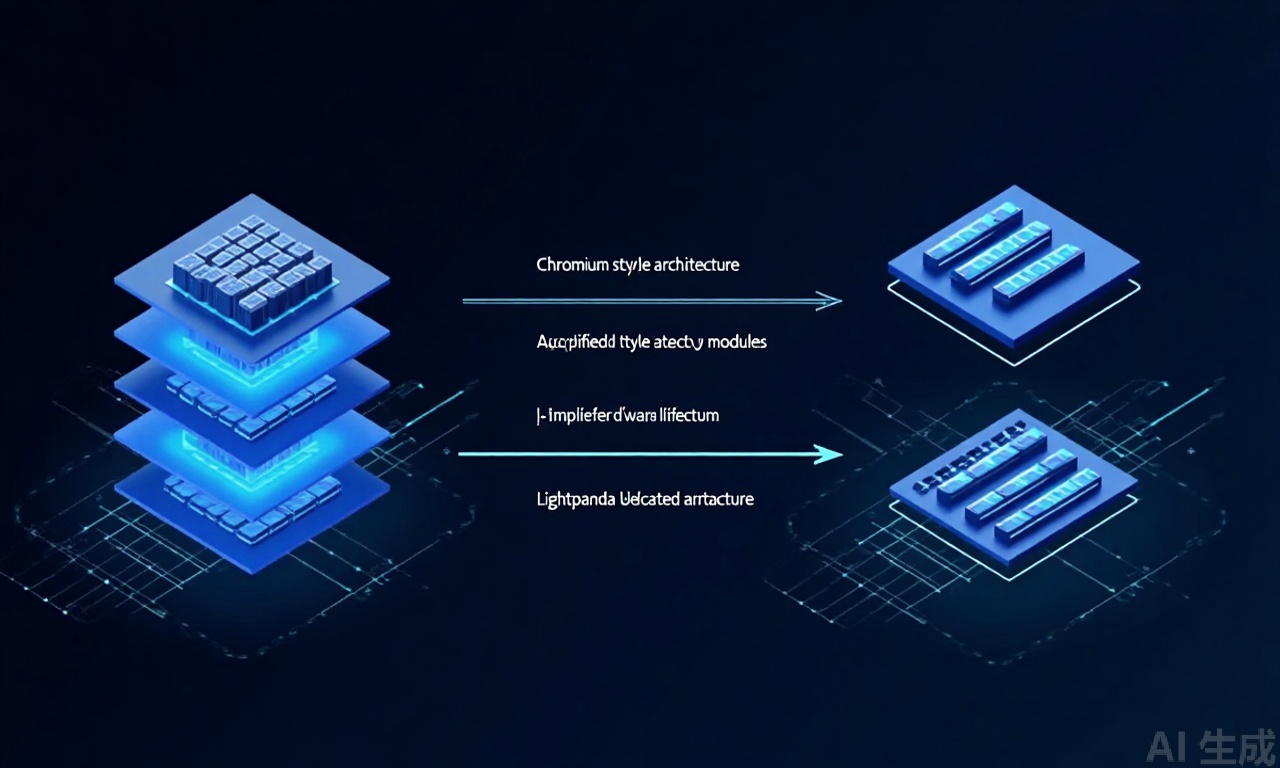
Lightpanda最激进的技术决策是放弃Chromium,从零构建专为AI自动化的渲染引擎。
架构优势对比:
| 特性 | Chrome Headless | Lightpanda |
|---|---|---|
| 二进制大小 | 200MB+ | 30MB左右 |
| 内存占用 | 200-300MB/实例 | 20-30MB/实例 |
| 启动时间 | 2-4秒 | 0.5-1秒 |
| 核心功能 | 完整浏览器 | AI专用功能 |
2.2 内存优化机制
9倍内存优化的实现原理:
# Lightpanda内存管理示例
class LightpandaMemoryManager:
    def __init__(self):
        # 共享内存池
        self.shared_pool = {
            'fonts': SharedFontCache(),
            'css_parser': SharedCSSParser(),
            'js_compiler': SharedJSCompiler()
        }

    def create_instance(self):
        """创建新的浏览器实例"""
        instance = BrowserInstance()
        # 共享只读资源
        instance.fonts = self.shared_pool['fonts']
        instance.css_parser = self.shared_pool['css_parser']
        # 实例专属资源
        instance.dom_tree = DOMTree()
        instance.js_context = JSContext()
        return instance
关键技术手段:
- 共享内存池:多个实例共享字体、CSS解析结果等资源
- 延迟资源加载:非必要资源按需加载
- 智能GC策略:根据AI任务特点优化垃圾回收
2.3 并发处理策略
支持140个并发实例的技术实现:
# 微进程模型实现示意
class MicroProcessManager:
    def __init__(self, max_instances=140):
        self.process_pool = ProcessPool(max_workers=max_instances)
        self.shared_components = SharedComponents()

    async def create_browser_instance(self, task_id):
        """创建轻量级浏览器实例"""
        # 每个实例是轻量级进程
        instance_process = await self.process_pool.create_process()

        # 共享父进程组件
        instance_process.share_component('network')
        instance_process.share_component('resource_cache')

        # 实例专属状态
        instance_process.init_state(task_id)

        return instance_process
并发架构特点:
- 微进程模型:轻量级进程共享核心组件
- 中央任务调度器:避免资源争抢
- 连接池复用:减少网络开销
2.4 AI场景适配设计
专为AI优化的功能:
- DOM快照:快速生成页面结构快照
- 异步操作优化:高效的JavaScript执行模型
- 无头渲染优先:减少GPU依赖
三、实战部署指南
3.1 环境搭建
Docker部署(推荐):
# 拉取Lightpanda镜像
docker pull lightpanda/browser:latest

# 运行容器
docker run -d \
  -p 9222:9222 \
  -p 9223:9223 \
  --name lightpanda \
  lightpanda/browser

# 检查运行状态
docker logs lightpanda
源码编译安装:
# 克隆仓库
git clone https://github.com/lightpanda/browser.git
cd browser

# 安装依赖
cargo build --release

# 运行服务
./target/release/lightpanda --port=9222
3.2 Python SDK使用
基础连接示例:
import asyncio
from lightpanda import connect_async

async def basic_usage():
    # 连接Lightpanda服务
    browser = await connect_async('ws://localhost:9222')

    # 创建新页面
    page = await browser.new_page()

    # 导航到目标URL
    await page.goto('https://example.com')

    # 获取页面内容
    content = await page.content()
    print(f"页面大小: {len(content)} bytes")

    # DOM操作
    elements = await page.query_selector_all('div.article')
    print(f"找到 {len(elements)} 篇文章")

    # JavaScript执行
    title = await page.evaluate('document.title')
    print(f"页面标题: {title}")

    # 关闭页面
    await page.close()

    # 断开连接
    await browser.disconnect()

# 运行示例
asyncio.run(basic_usage())
并发处理示例:
import asyncio
from lightpanda import connect_async

async def process_url(url, task_id):
    """处理单个URL"""
    browser = await connect_async('ws://localhost:9222')
    page = await browser.new_page()

    try:
        await page.goto(url, timeout=10000)

        # 提取关键信息
        data = await page.evaluate('''
            () => {
                const articles = document.querySelectorAll('article');
                return {
                    url: window.location.href,
                    title: document.title,
                    articleCount: articles.length,
                    wordCount: document.body.innerText.length
                };
            }
        ''')

        print(f"任务{task_id}完成: {data['title']}")
        return data

    finally:
        await page.close()
        await browser.disconnect()

async def batch_processing(urls, max_concurrent=50):
    """批量处理URL列表"""
    semaphore = asyncio.Semaphore(max_concurrent)

    async def limited_task(url, task_id):
        async with semaphore:
            return await process_url(url, task_id)

    tasks = [limited_task(url, i) for i, url in enumerate(urls)]
    results = await asyncio.gather(*tasks, return_exceptions=True)

    # 统计结果
    successful = [r for r in results if not isinstance(r, Exception)]
    failed = [r for r in results if isinstance(r, Exception)]

    print(f"批量处理完成: 成功{len(successful)}个, 失败{len(failed)}个")
    return successful

# 使用示例
urls = ['https://example.com/page1', 'https://example.com/page2'] * 50
asyncio.run(batch_processing(urls, max_concurrent=100))
3.3 性能测试框架
综合基准测试:
import time
import statistics
import asyncio
from lightpanda import connect_async

class PerformanceBenchmark:
    def __init__(self, server_url='ws://localhost:9222'):
        self.server_url = server_url

    async def test_page_load(self, url, iterations=10):
        """测试页面加载性能"""
        load_times = []

        for i in range(iterations):
            browser = await connect_async(self.server_url)
            page = await browser.new_page()

            start_time = time.time()
            await page.goto(url)
            load_time = time.time() - start_time

            load_times.append(load_time)

            await page.close()
            await browser.disconnect()

        return {
            'min': min(load_times),
            'max': max(load_times),
            'avg': statistics.mean(load_times),
            'std': statistics.stdev(load_times) if len(load_times) > 1 else 0
        }

    async def test_concurrent_load(self, url, concurrent_levels=[1, 10, 50, 100]):
        """测试并发加载性能"""
        results = {}

        for level in concurrent_levels:
            print(f"测试并发级别: {level}")

            async def single_task(task_id):
                browser = await connect_async(self.server_url)
                page = await browser.new_page()

                start_time = time.time()
                await page.goto(url)
                load_time = time.time() - start_time

                await page.close()
                await browser.disconnect()
                return load_time

            tasks = [single_task(i) for i in range(level)]
            load_times = await asyncio.gather(*tasks)

            results[level] = {
                'total_time': sum(load_times),
                'avg_time': statistics.mean(load_times),
                'throughput': level / sum(load_times)
            }

        return results

# 运行基准测试
async def run_benchmarks():
    benchmark = PerformanceBenchmark()

    # 单页面加载测试
    print("单页面加载测试...")
    single_result = await benchmark.test_page_load('https://example.com')
    print(f"单页面加载结果: {single_result}")

    # 并发加载测试
    print("\n并发加载测试...")
    concurrent_result = await benchmark.test_concurrent_load('https://example.com')
    for level, result in concurrent_result.items():
        print(f"并发{level}: 平均{result['avg_time']:.2f}秒, 吞吐量{result['throughput']:.2f}页/秒")

# 执行测试
asyncio.run(run_benchmarks())

四、从传统方案迁移指南
4.1 兼容性分析
支持的API功能:
- 基本页面导航和内容获取
- DOM查询和操作
- JavaScript执行
- 网络请求拦截(部分)
- Cookie和本地存储
不支持的API功能:
- 浏览器插件相关功能
- 开发者工具集成
- 特定Chromium特性
4.2 迁移步骤
步骤1:并行验证
# 双引擎验证脚本
async def compare_engines(url):
    """比较Lightpanda和Chrome Headless的结果"""

    # Lightpanda测试
    lp_browser = await connect_lightpanda()
    lp_page = await lp_browser.new_page()
    await lp_page.goto(url)
    lp_content = await lp_page.content()
    await lp_page.close()

    # Chrome Headless测试(通过Playwright)
    from playwright.async_api import async_playwright

    async with async_playwright() as p:
        chrome_browser = await p.chromium.launch(headless=True)
        chrome_page = await chrome_browser.new_page()
        await chrome_page.goto(url)
        chrome_content = await chrome_page.content()
        await chrome_browser.close()

    # 比较结果
    similarity = compute_similarity(lp_content, chrome_content)
    print(f"内容相似度: {similarity:.2%}")

    return similarity > 0.95  # 95%以上相似度认为兼容
步骤2:功能适配
识别需要调整的代码:
- CSS选择器支持差异
- JavaScript执行环境差异
- 网络请求处理时机
步骤3:性能优化
根据Lightpanda特点优化脚本:
- 使用DOM快照减少重复分析
- 调整并发策略
- 优化资源加载模式
步骤4:生产切换
采用灰度发布策略:
- 10%流量切换到Lightpanda
- 监控错误率和性能指标
- 逐步增加流量比例
- 完全切换后持续监控
4.3 常见问题解决
问题1:特定CSS选择器不支持
解决方案:使用更通用的选择器,或通过JavaScript查询元素。
问题2:JavaScript执行环境差异
解决方案:避免使用浏览器特定的API,使用标准的ES6+语法。
问题3:网络请求处理不一致
解决方案:明确设置超时和重试策略,监控网络错误。
五、适用场景与最佳实践
5.1 理想应用场景
大规模数据抓取系统:
- 需要同时处理数百个页面的爬虫
- 实时监控多个信息源
- 批量内容分析和提取
AI自动化测试平台:
- CI/CD流水线中的UI测试
- 跨浏览器兼容性测试(配合其他浏览器)
- 性能基准测试
智能内容分析:
- 网页结构分析
- 内容质量评估
- 信息提取和聚合
5.2 性能优化建议
连接池管理:
class ConnectionPool:
    def __init__(self, max_connections=100):
        self.pool = []
        self.max_connections = max_connections

    async def get_connection(self):
        if self.pool:
            return self.pool.pop()
        else:
            return await connect_async('ws://localhost:9222')

    def release_connection(self, connection):
        if len(self.pool) < self.max_connections:
            self.pool.append(connection)
任务批处理:
async def batch_process_tasks(tasks, batch_size=20):
    """批量处理任务,减少连接开销"""
    results = []

    for i in range(0, len(tasks), batch_size):
        batch = tasks[i:i+batch_size]
        batch_results = await asyncio.gather(*batch)
        results.extend(batch_results)

    return results
5.3 监控与维护
关键监控指标:
- 连接成功率
- 平均响应时间
- 内存使用情况
- 错误率
健康检查脚本:
async def health_check():
    """Lightpanda健康检查"""
    try:
        browser = await connect_async('ws://localhost:9222', timeout=5000)
        page = await browser.new_page()
        await page.goto('about:blank')
        content = await page.content()

        await page.close()
        await browser.disconnect()

        return {
            'status': 'healthy',
            'response_time': '正常'
        }
    except Exception as e:
        return {
            'status': 'unhealthy',
            'error': str(e)
        }
六、总结
Lightpanda作为专为AI场景优化的Headless浏览器,在性能、内存效率和并发能力方面有显著优势。对于面临Chrome Headless性能瓶颈的AI自动化项目,Lightpanda提供了可行的替代方案。
技术选型建议:
- 新建AI自动化项目:考虑直接使用Lightpanda
- 现有项目迁移:采用渐进式迁移策略
- 性能关键型应用:优先评估Lightpanda
注意事项:
- 评估AGPL协议对商业应用的影响
- 验证功能兼容性需求
- 建立完善的监控和回滚机制
Lightpanda代表了AI自动化工具向专用化发展的趋势。随着AI应用场景的不断扩展,这类针对特定需求优化的工具将越来越重要。作为开发者,我们需要保持对新技术的关注,适时调整技术栈,以构建更高效、更可靠的AI自动化系统。

AtomGit 是由开放原子开源基金会联合 CSDN 等生态伙伴共同推出的新一代开源与人工智能协作平台。平台坚持“开放、中立、公益”的理念,把代码托管、模型共享、数据集托管、智能体开发体验和算力服务整合在一起,为开发者提供从开发、训练到部署的一站式体验。
更多推荐

 20
20 0
0- 0


 已为社区贡献53条内容

所有评论(0)