md4x 在 Vue3 和 React 企业级项目中的最佳实践
·
MD4X 企业级应用完全指南
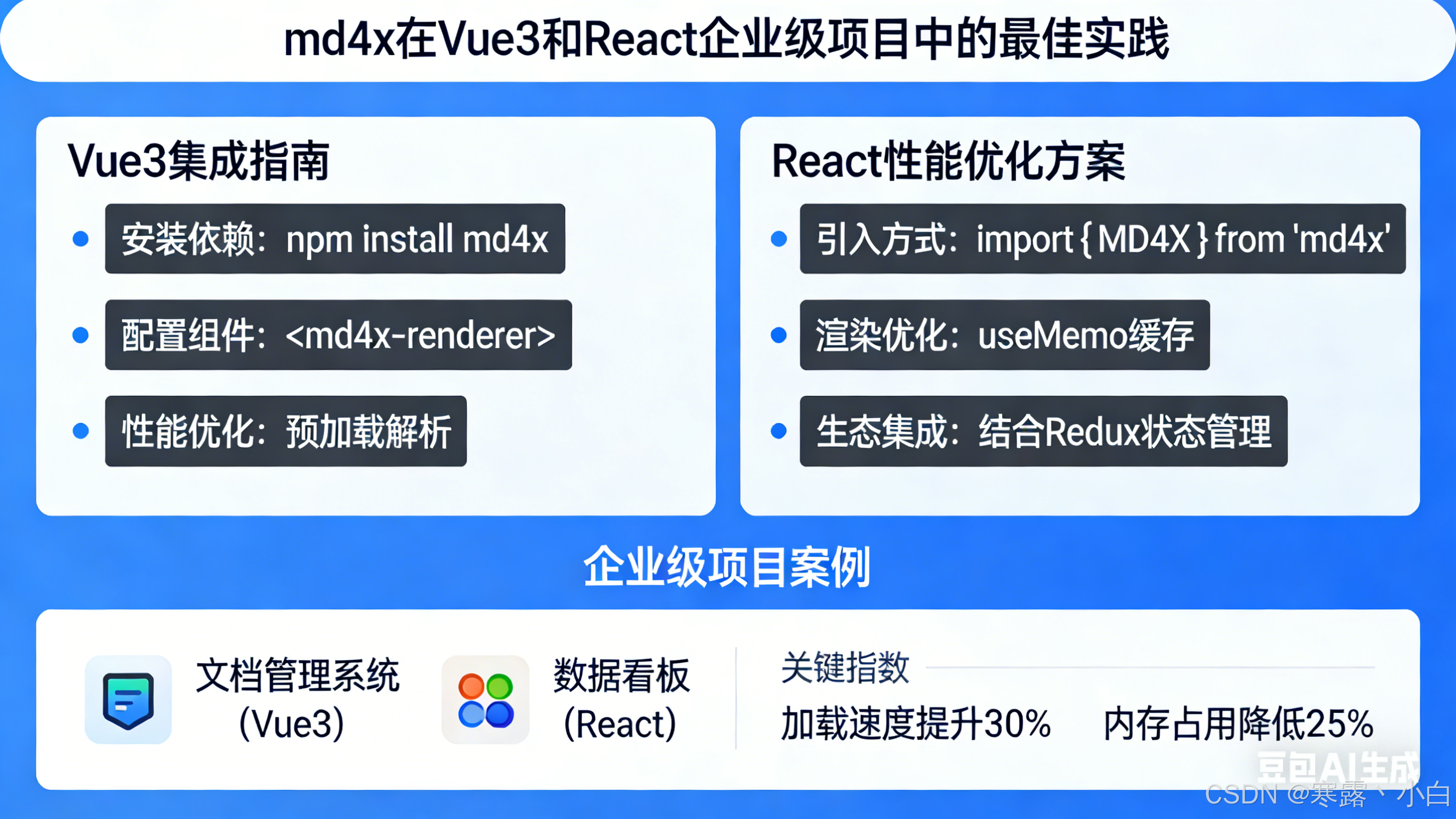
本文档详细介绍 md4x 在 Vue3 和 React 企业级项目中的最佳实践
目录
一、技术架构概述
1.1 为什么选择 MD4X
┌─────────────────────────────────────────────────────────────────────────────┐
│                           MD4X vs 其他方案对比                                │
├─────────────────────────────────────────────────────────────────────────────┤
│                                                                             │
│   方案         性能          包体积         兼容性         扩展性            │
│   ─────────────────────────────────────────────────────────────────────    │
│   md4x        ★★★★★         ~100KB          全平台         ★★★★★        │
│   markdown-it ★★★☆☆         ~500KB          全平台         ★★★★☆        │
│   marked      ★★★☆☆         ~30KB           全平台         ★★★☆☆        │
│   remark      ★★☆☆☆         ~1MB            Node/浏览器    ★★★★★        │
│   showdown    ★★☆☆☆         ~200KB          全平台         ★★★☆☆        │
│                                                                             │
│   结论: md4x 在性能和体积上具有明显优势,适合企业级应用                       │
└─────────────────────────────────────────────────────────────────────────────┘
1.2 核心特性对企业级应用的价值
| 特性 | 企业级价值 |
|---|---|
| 零拷贝解析 | 处理大型文档时内存占用极低 |
| SAX 推模型 | 支持流式渲染,适合实时预览 |
| WASM 支持 | 浏览器端高性能执行 |
| NAPI 支持 | Node.js 服务端性能最优 |
| 多格式输出 | 一次解析,多种用途 |
| MDC 组件 | 支持富文本编辑器开发 |
二、Vue3 集成方案
2.1 基础用法
2.1.1 安装与初始化
// 安装 md4x
// npm install md4x
// 或
// pnpm add md4x
// 或
// yarn add md4x

/**
 * @fileOverview MD4X Vue3 封装组件
 * @description 提供高性能的 Markdown 渲染能力,支持多种输出格式
 * @module components/MarkdownRenderer
 */

import {
  ref,
  computed,
  watch,
  onMounted,
  onUnmounted,
  shallowRef
} from 'vue';
import {
  init,           // WASM 初始化(浏览器环境需要)
  renderToHtml,   // 渲染为 HTML
  renderToAST,    // 渲染为 JSON AST
  renderToText,   // 渲染为纯文本
  renderToMeta,   // 提取元数据
  parseAST,       // 解析 AST
  heal            // 修复不完整 Markdown
} from 'md4x';

/**
 * 组件 Props 类型定义
 * @interface Props
 */
interface Props {
  /** Markdown 源文本 */
  source: string;
  /** 输出格式:html | ast | text | meta */
  format?: 'html' | 'ast' | 'text' | 'meta';
  /** 是否启用治愈功能(修复不完整的 Markdown) */
  heal?: boolean;
  /** 是否启用代码高亮 */
  highlight?: boolean;
  /** 方言选择 */
  dialect?: 'commonmark' | 'github' | 'all';
  /** 是否全屏渲染 */
  full?: boolean;
}

/**
 * Markdown 渲染器组件
 * @example
 * ```vue
 * <MarkdownRenderer
 *   source="# Hello World"
 *   format="html"
 *   :heal="true"
 * />
 * ```
 */
export function useMarkdownRenderer() {
  // ========== 响应式状态 ==========

  /** 渲染结果 */
  const output = ref<string>('');
  /** 解析错误 */
  const error = ref<Error | null>(null);
  /** 加载状态 */
  const loading = ref(false);
  /** WASM 是否已初始化 */
  const initialized = ref(false);

  // ========== 非响应式状态(性能优化)==========

  /** 解析选项缓存 - 使用 shallowRef 避免深度响应式开销 */
  const options = shallowRef({
    heal: false,
    dialect: 'github',
    full: false,
  });

  // ========== 生命周期 ==========

  /**
   * 组件挂载时初始化 WASM
   * @description 浏览器环境需要初始化 WASM,Node.js 环境(NAPI)可选
   */
  onMounted(async () => {
    try {
      // 检测运行环境
      const isBrowser = typeof window !== 'undefined';
      const isNode = typeof process !== 'undefined' && process.versions?.node;

      if (isBrowser && !isNode) {
        // 浏览器环境:需要初始化 WASM
        await init();
        initialized.value = true;
        console.info('[MD4X] WASM 初始化完成');
      } else {
        // Node.js 环境:使用 NAPI,无需初始化(或可选初始化)
        initialized.value = true;
        console.info('[MD4X] NAPI 模式已就绪');
      }
    } catch (err) {
      error.value = err as Error;
      console.error('[MD4X] 初始化失败:', err);
    }
  });

  /**
   * 执行渲染的核心方法
   * @param source - Markdown 源文本
   * @param format - 输出格式
   * @returns 渲染结果
   */
  const render = (
    source: string,
    format: Props['format'] = 'html'
  ): string => {
    if (!source) {
      output.value = '';
      return '';
    }

    // 性能计时开始
    const startTime = performance.now();

    try {
      let result = '';

      // 根据格式选择渲染方法
      switch (format) {
        case 'html':
          // 渲染为 HTML
          result = renderToHtml(source, {
            heal: options.value.heal,
            full: options.value.full,
          });
          break;

        case 'ast':
          // 渲染为 JSON AST 字符串
          result = renderToAST(source, {
            heal: options.value.heal,
          });
          break;

        case 'text':
          // 渲染为纯文本
          result = renderToText(source, {
            heal: options.value.heal,
          });
          break;

        case 'meta':
          // 提取元数据
          result = renderToMeta(source);
          break;

        default:
          throw new Error(`不支持的格式: ${format}`);
      }

      output.value = result;

      // 性能计时结束
      const duration = performance.now() - startTime;
      console.debug(`[MD4X] 渲染耗时: ${duration.toFixed(2)}ms`);

      return result;
    } catch (err) {
      error.value = err as Error;
      console.error('[MD4X] 渲染失败:', err);
      return '';
    }
  };

  /**
   * 异步渲染方法(推荐大数据量使用)
   * @param source - Markdown 源文本
   * @param format - 输出格式
   * @returns Promise 渲染结果
   */
  const renderAsync = async (
    source: string,
    format: Props['format'] = 'html'
  ): Promise<string> => {
    loading.value = true;

    try {
      const result = await Promise.resolve(render(source, format));
      return result;
    } finally {
      loading.value = false;
    }
  };

  /**
   * 治愈不完整的 Markdown
   * @description 用于流式输出场景,实时修复 LLM 生成的不完整内容
   * @param source - 不完整的 Markdown
   * @returns 修复后的 Markdown
   */
  const healMarkdown = (source: string): string => {
    try {
      return heal(source);
    } catch (err) {
      console.error('[MD4X] 治愈失败:', err);
      return source;
    }
  };

  // ========== 计算属性 ==========

  /** 输出是否为 HTML 格式 */
  const isHtml = computed(() => options.value.format === 'html');

  /** 是否有错误 */
  const hasError = computed(() => error.value !== null);

  return {
    // 状态
    output,
    error,
    loading,
    initialized,
    // 方法
    render,
    renderAsync,
    healMarkdown,
    // 计算属性
    isHtml,
    hasError,
  };
}
2.1.2 Vue3 组件封装
<template>
  <div class="markdown-renderer">
    <!-- 加载状态 -->
    <div v-if="loading" class="markdown-loading">
      <slot name="loading">
        <span>渲染中...</span>
      </slot>
    </div>

    <!-- 错误状态 -->
    <div v-else-if="error" class="markdown-error">
      <slot name="error" :error="error">
        <div class="error-message">
          渲染失败: {{ error.message }}
        </div>
      </slot>
    </div>

    <!-- 正常渲染结果 -->
    <div
      v-else
      class="markdown-content"
      :class="{ 'full-mode': full }"
      v-html="output"
    />
  </div>
</template>

<script setup lang="ts">
/**
 * @fileOverview Markdown 渲染组件
 * @description Vue3 版本的 Markdown 渲染组件,支持多种格式和性能优化
 * @author Your Name
 * @version 1.0.0
 */

import { computed } from 'vue';
import { useMarkdownRenderer } from './useMarkdownRenderer';

/**
 * 组件属性
 */
interface Props {
  /** Markdown 源文本 */
  modelValue?: string;
  /** @deprecated 请使用 v-model 代替 */
  source?: string;
  /** 输出格式 */
  format?: 'html' | 'ast' | 'text' | 'meta';
  /** 是否启用治愈 */
  heal?: boolean;
  /** 是否全屏 */
  full?: boolean;
  /** 方言 */
  dialect?: 'commonmark' | 'github' | 'all';
}

// ========== Props 定义 ==========
const props = withDefaults(defineProps<Props>(), {
  modelValue: '',
  source: '',
  format: 'html',
  heal: false,
  full: false,
  dialect: 'github',
});

// ========== Emits 定义 ==========
const emit = defineEmits<{
  (e: 'update:modelValue', value: string): void;
  (e: 'rendered', html: string): void;
  (e: 'error', error: Error): void;
  (e: 'ready'): void;
}>();

// ========== 使用渲染器 ==========
const {
  output,
  error,
  loading,
  initialized,
  render,
  renderAsync,
  hasError
} = useMarkdownRenderer();

// ========== 计算属性 ==========
const source = computed(() => props.modelValue || props.source);

// ========== 监听器 ==========
/**
 * 监听源文本变化,自动重新渲染
 */
watch(
  () => source.value,
  async (newSource, oldSource) => {
    // 跳过相同样本(引用比较)
    if (newSource === oldSource) return;

    // 跳过空值
    if (!newSource) {
      output.value = '';
      return;
    }

    // 跳过未初始化
    if (!initialized.value) return;

    try {
      const result = await renderAsync(newSource, props.format);
      emit('update:modelValue', result);
      emit('rendered', result);
    } catch (err) {
      emit('error', err as Error);
    }
  },
  {
    immediate: true,  // 立即执行一次
  }
);

/**
 * 监听初始化完成
 */
watch(initialized, (isReady) => {
  if (isReady && source.value) {
    emit('ready');
    // 初始渲染
    renderAsync(source.value, props.format);
  }
});

// ========== 暴露方法给父组件 ==========
defineExpose({
  /**
   * 手动触发渲染
   */
  render: (source?: string) => {
    const text = source ?? source.value;
    return renderAsync(text, props.format);
  },

  /**
   * 治愈 Markdown
   */
  heal: (text: string) => {
    return useMarkdownRenderer().healMarkdown(text);
  },

  /**
   * 获取当前输出
   */
  getOutput: () => output.value,
});
</script>

<style scoped>
.markdown-renderer {
  position: relative;
  width: 100%;
}

.markdown-content {
  line-height: 1.6;
  color: #333;
}

.markdown-content.full-mode {
  min-height: 100vh;
  padding: 20px;
}

.markdown-loading,
.markdown-error {
  padding: 16px;
}

.error-message {
  color: #f56c6c;
  font-size: 14px;
}
</style>
2.2 高级用法
2.2.1 实时预览编辑器
<template>
  <div class="editor-container">
    <!-- 编辑区 -->
    <div class="editor-pane">
      <textarea
        v-model="content"
        class="markdown-input"
        placeholder="输入 Markdown..."
        @input="handleInput"
      />
    </div>

    <!-- 预览区 -->
    <div class="preview-pane">
      <MarkdownRenderer
        ref="rendererRef"
        :source="content"
        :heal="enableHeal"
        :format="outputFormat"
        @ready="onReady"
      />
    </div>
  </div>
</template>

<script setup lang="ts">
/**
 * @fileOverview 实时预览 Markdown 编辑器
 * @description 支持流式输入预览,适用于博客写作、文档编辑等场景
 */

import { ref, computed, onMounted } from 'vue';
import MarkdownRenderer from './MarkdownRenderer.vue';

/**
 * 编辑器配置
 */
interface EditorConfig {
  /** 启用流式治愈 */
  enableHeal: boolean;
  /** 输出格式 */
  outputFormat: 'html' | 'text';
  /** 防抖延迟(ms) */
  debounceDelay: number;
  /** 最大内容长度 */
  maxLength: number;
}

// ========== 配置 ==========
const config: EditorConfig = {
  enableHeal: true,
  outputFormat: 'html',
  debounceDelay: 150,
  maxLength: 100000,
};

// ========== 状态 ==========
const content = ref<string>('');
const enableHeal = ref(config.enableHeal);
const outputFormat = ref(config.outputFormat);
const rendererRef = ref<InstanceType<typeof MarkdownRenderer> | null>(null);

// ========== 防抖处理 ==========
let debounceTimer: ReturnType<typeof setTimeout> | null = null;

/**
 * 处理输入事件 - 带防抖
 */
const handleInput = () => {
  // 限制内容长度
  if (content.value.length > config.maxLength) {
    content.value = content.value.slice(0, config.maxLength);
    console.warn(`内容长度超过限制 ${config.maxLength} 字符`);
  }

  // 防抖渲染
  if (debounceTimer) {
    clearTimeout(debounceTimer);
  }

  debounceTimer = setTimeout(() => {
    // 触发渲染 - 由 MarkdownRenderer 组件自动处理
  }, config.debounceDelay);
};

/**
 * 组件就绪回调
 */
const onReady = () => {
  console.log('[Editor] 渲染器已就绪');
};

// ========== 快捷键支持 ==========
onMounted(() => {
  // 监听 Ctrl+S 保存
  document.addEventListener('keydown', (e) => {
    if ((e.ctrlKey || e.metaKey) && e.key === 's') {
      e.preventDefault();
      saveContent();
    }
  });
});

/**
 * 保存内容
 */
const saveContent = () => {
  console.log('[Editor] 保存内容:', content.value.length, '字符');
  // 实际项目中调用 API 保存
};

// ========== 暴露方法 ==========
defineExpose({
  /**
   * 获取编辑器内容
   */
  getContent: () => content.value,

  /**
   * 设置编辑器内容
   */
  setContent: (value: string) => {
    content.value = value;
  },

  /**
   * 插入文本到光标位置
   */
  insertText: (text: string) => {
    content.value += text;
  },

  /**
   * 清空内容
   */
  clear: () => {
    content.value = '';
  },
});
</script>

<style scoped>
.editor-container {
  display: flex;
  height: 100vh;
  gap: 1px;
  background: #e0e0e0;
}

.editor-pane,
.preview-pane {
  flex: 1;
  overflow: auto;
  background: #fff;
}

.markdown-input {
  width: 100%;
  height: 100%;
  padding: 16px;
  border: none;
  resize: none;
  font-family: 'Monaco', 'Menlo', monospace;
  font-size: 14px;
  line-height: 1.6;
  outline: none;
}
</style>
2.2.2 带语法高亮的代码块
/**
 * @fileOverview 支持语法高亮的 Markdown 渲染 composable
 * @description 集成 Shiki 实现代码高亮,适用于技术文档博客
 */

import { ref, shallowRef } from 'vue';
import { renderToHtml } from 'md4x';
import { createHighlighter, Highlighter } from 'shiki';

/**
 * 配置选项
 */
interface HighlightOptions {
  /** 主题 */
  theme: 'github-dark' | 'github-light' | 'vitesse-dark' | 'vitesse-light';
  /** 支持的语言 */
  langs: string[];
  /** 是否启用高亮 */
  enabled: boolean;
}

/**
 * 带高亮的渲染器
 */
export function useMarkdownWithHighlight() {
  // ========== 状态 ==========
  const output = ref<string>('');
  const error = ref<Error | null>(null);
  const highlighter = shallowRef<Highlighter | null>(null);
  const loading = ref(false);

  /**
   * 初始化高亮器
   */
  const initHighlighter = async (options: Partial<HighlightOptions> = {}) => {
    const config: HighlightOptions = {
      theme: 'github-dark',
      langs: ['javascript', 'typescript', 'vue', 'react', 'python', 'java', 'go', 'rust', 'c', 'cpp', 'bash', 'json', 'yaml', 'markdown', 'html', 'css'],
      enabled: true,
      ...options,
    };

    try {
      loading.value = true;

      const hl = await createHighlighter({
        themes: [config.theme],
        langs: config.langs,
      });

      highlighter.value = hl;
      console.info('[MD4X] 高亮器初始化完成');
    } catch (err) {
      error.value = err as Error;
      console.error('[MD4X] 高亮器初始化失败:', err);
    } finally {
      loading.value = false;
    }
  };

  /**
   * 渲染 Markdown(带高亮)
   */
  const render = (source: string): string => {
    if (!source) return '';

    try {
      // 使用 md4x 渲染
      const html = renderToHtml(source, {
        // 自定义高亮器
        highlighter: highlighter.value
          ? (code: string, block: any) => {
              // 解析代码块元数据
              const lang = block.lang || 'text';
              const filename = block.filename;

              // 使用 Shiki 高亮
              const highlighted = highlighter.value!.codeToHtml(code, {
                lang: lang || 'text',
                theme: 'github-dark',
              });

              // 如果有文件名,添加文件名标签
              if (filename) {
                return `<div class="code-block">
                  <div class="code-filename">${filename}</div>
                  ${highlighted}
                </div>`;
              }

              return highlighted;
            }
          : undefined,
      });

      output.value = html;
      return html;
    } catch (err) {
      error.value = err as Error;
      return '';
    }
  };

  return {
    output,
    error,
    loading,
    initHighlighter,
    render,
  };
}
三、React 集成方案
3.1 基础用法
/**
 * @fileOverview MD4X React Hook
 * @description React 版本的 Markdown 渲染 Hook
 */

import {
  useState,
  useEffect,
  useCallback,
  useMemo,
  useRef
} from 'react';
import {
  init,
  renderToHtml,
  renderToAST,
  renderToText,
  heal
} from 'md4x';

/**
 * Hook 配置选项
 */
interface UseMarkdownOptions {
  /** 输出格式 */
  format?: 'html' | 'ast' | 'text';
  /** 是否启用治愈 */
  heal?: boolean;
  /** 全屏模式 */
  full?: boolean;
  /** 自动初始化 */
  autoInit?: boolean;
}

/**
 * Hook 返回值
 */
interface UseMarkdownReturn {
  /** 渲染结果 */
  output: string;
  /** 加载状态 */
  loading: boolean;
  /** 错误状态 */
  error: Error | null;
  /** 是否已初始化 */
  initialized: boolean;
  /** 渲染方法 */
  render: (source: string) => string;
  /** 异步渲染方法 */
  renderAsync: (source: string) => Promise<string>;
  /** 治愈方法 */
  heal: (source: string) => string;
}

/**
 * Markdown 渲染 Hook
 * @example
 * ```tsx
 * const { output, render } = useMarkdown({
 *   format: 'html',
 *   heal: true,
 * });
 *
 * const html = render('# Hello **world**');
 * ```
 */
export function useMarkdown(options: UseMarkdownOptions = {}): UseMarkdownReturn {
  const {
    format = 'html',
    heal: enableHeal = false,
    full = false,
    autoInit = true,
  } = options;

  // ========== State ==========
  const [output, setOutput] = useState<string>('');
  const [loading, setLoading] = useState(false);
  const [error, setError] = useState<Error | null>(null);
  const [initialized, setInitialized] = useState(false);

  // 使用 ref 存储选项,避免不必要的重新渲染
  const optionsRef = useRef({ format, enableHeal, full });
  optionsRef.current = { format, enableHeal, full };

  // ========== 初始化 ==========
  useEffect(() => {
    if (!autoInit) return;

    const initMarkdown = async () => {
      try {
        // 检测环境
        const isBrowser = typeof window !== 'undefined';
        const isNode = typeof process !== 'undefined' && process.versions?.node;

        if (isBrowser && !isNode) {
          await init();
        }

        setInitialized(true);
      } catch (err) {
        setError(err as Error);
      }
    };

    initMarkdown();
  }, [autoInit]);

  // ========== 渲染方法 ==========
  const render = useCallback((source: string): string => {
    if (!source) return '';

    const startTime = performance.now();

    try {
      let result = '';
      const { format, enableHeal, full } = optionsRef.current;

      switch (format) {
        case 'html':
          result = renderToHtml(source, { heal: enableHeal, full });
          break;
        case 'ast':
          result = renderToAST(source, { heal: enableHeal });
          break;
        case 'text':
          result = renderToText(source, { heal: enableHeal });
          break;
      }

      const duration = performance.now() - startTime;
      console.debug(`[MD4X] 渲染耗时: ${duration.toFixed(2)}ms`);

      return result;
    } catch (err) {
      setError(err as Error);
      return '';
    }
  }, []);

  // ========== 异步渲染方法 ==========
  const renderAsync = useCallback(async (source: string): Promise<string> => {
    setLoading(true);

    try {
      // 等待初始化
      if (!initialized) {
        await new Promise<void>((resolve, reject) => {
          const checkInit = setInterval(() => {
            if (initialized) {
              clearInterval(checkInit);
              resolve();
            }
          }, 50);

          // 超时检测
          setTimeout(() => {
            clearInterval(checkInit);
            reject(new Error('初始化超时'));
          }, 5000);
        });
      }

      const result = render(source);
      setOutput(result);
      return result;
    } catch (err) {
      setError(err as Error);
      return '';
    } finally {
      setLoading(false);
    }
  }, [initialized, render]);

  // ========== 治愈方法 ==========
  const healMarkdown = useCallback((source: string): string => {
    try {
      return heal(source);
    } catch (err) {
      console.error('[MD4X] 治愈失败:', err);
      return source;
    }
  }, []);

  // ========== Memoized 输出 ==========
  const memoizedOutput = useMemo(() => output, [output]);

  return {
    output: memoizedOutput,
    loading,
    error,
    initialized,
    render,
    renderAsync,
    heal: healMarkdown,
  };
}
3.2 React 组件封装
/**
 * @fileOverview Markdown 渲染组件
 * @description 企业级 React Markdown 渲染组件
 */

import React, {
  useEffect,
  useState,
  useCallback,
  useMemo,
  useImperativeHandle,
  forwardRef,
  ReactNode
} from 'react';
import { useMarkdown, UseMarkdownOptions } from './useMarkdown';

/**
 * 组件 Props
 */
interface MarkdownProps extends UseMarkdownOptions {
  /** Markdown 源 */
  source?: string;
  /** 类名 */
  className?: string;
  /** 子节点(用于自定义渲染) */
  children?: ReactNode;
  /** 加载时显示 */
  loadingFallback?: ReactNode;
  /** 错误时显示 */
  errorFallback?: (error: Error) => ReactNode;
  /** 渲染完成回调 */
  onRendered?: (html: string) => void;
  /** 自定义渲染器 */
  renderCustom?: (ast: any) => ReactNode;
}

/**
 * 组件 Ref
 */
export interface MarkdownRef {
  /** 渲染方法 */
  render: (source?: string) => string;
  /** 获取输出 */
  getOutput: () => string;
  /** 治愈方法 */
  heal: (source: string) => string;
}

/**
 * Markdown 渲染组件
 * @example
 * ```tsx
 * <Markdown
 *   source="# Hello World"
 *   format="html"
 *   className="prose"
 * />
 * ```
 */
export const Markdown = forwardRef<MarkdownRef, MarkdownProps>(({
  source = '',
  format = 'html',
  heal: enableHeal = false,
  full = false,
  className = '',
  loadingFallback = null,
  errorFallback = null,
  onRendered,
  renderCustom,
}, ref) => {
  // ========== 使用 Hook ==========
  const {
    output,
    loading,
    error,
    initialized,
    render,
    renderAsync,
    heal
  } = useMarkdown({
    format,
    heal: enableHeal,
    full,
  });

  // ========== 监听源变化 ==========
  useEffect(() => {
    if (initialized && source) {
      const result = render(source);
      onRendered?.(result);
    }
  }, [source, initialized, render, onRendered]);

  // ========== 暴露方法 ==========
  useImperativeHandle(ref, () => ({
    render: (newSource?: string) => {
      const text = newSource ?? source;
      return render(text);
    },
    getOutput: () => output,
    heal: (text: string) => heal(text),
  }), [render, output, heal, source]);

  // ========== 渲染状态 ==========
  if (!initialized) {
    return <>{loadingFallback || <div>初始化中...</div>}</>;
  }

  if (error && errorFallback) {
    return <>{errorFallback(error)}</>;
  }

  if (error) {
    return (
      <div className="markdown-error">
        渲染失败: {error.message}
      </div>
    );
  }

  // ========== 渲染输出 ==========
  return (
    <div
      className={`markdown-content ${className}`}
      dangerouslySetInnerHTML={{ __html: output }}
    />
  );
});

// 显示名称
Markdown.displayName = 'Markdown';

/**
 * 使用 Markdown 编辑器的 Hook
 */
export function useMarkdownEditor() {
  const [content, setContent] = useState<string>('');
  const markdownRef = React.useRef<MarkdownRef>(null);

  const { output, loading, error, render } = useMarkdown({
    format: 'html',
    heal: true,
  });

  // 防抖渲染
  const debouncedRender = useMemo(
    () => {
      let timer: NodeJS.Timeout;
      return (text: string) => {
        clearTimeout(timer);
        timer = setTimeout(() => {
          setContent(render(text));
        }, 100);
      };
    },
    [render]
  );

  return {
    content,
    setContent: debouncedRender,
    output: content,
    loading,
    error,
    markdownRef,
  };
}
3.3 完整编辑器示例
/**
* @fileOverview Markdown 在线编辑器
* @description 支持实时预览、分屏编辑、快捷键支持
*/
import React, { useState, useCallback, useEffect } from 'react';
import { Markdown } from './Markdown';
interface EditorProps {
/** 初始内容 */
initialValue?: string;
/** 最大高度 */
maxHeight?: string;
/** 只读模式 */
readOnly?: boolean;
/** 保存回调 */
onSave?: (content: string) => void;
/** 变化回调 */
onChange?: (content: string) => void;
}
/**
* Markdown 在线编辑器
*/
export const MarkdownEditor: React.FC<EditorProps> = ({
initialValue = '',
maxHeight = '100vh',
readOnly = false,
onSave,
onChange,
}) => {
const [content, setContent] = useState(initialValue);
const [preview, setPreview] = useState('');
const [splitMode, setSplitMode] = useState(true);
// 快捷键支持
useEffect(() => {
const handleKeyDown = (e: KeyboardEvent) => {
// Ctrl/Cmd + S 保存
if ((e.ctrlKey || e.metaKey) && e.key === 's') {
e.preventDefault();
onSave?.(content);
}
// Ctrl/Cmd + B 加粗
if ((e.ctrlKey || e.metaKey) && e.key === 'b') {
e.preventDefault();
insertFormat('**', '**');
}
// Ctrl/Cmd + I 斜体
if ((e.ctrlKey || e.metaKey) && e.key === 'i') {
e.preventDefault();
insertFormat('*', '*');
}
};
document.addEventListener('keydown', handleKeyDown);
return () => document.removeEventListener('keydown', handleKeyDown);
}, [content, onSave]);
// 插入格式
const insertFormat = useCallback((prefix: string, suffix: string) => {
const textarea = document.querySelector('textarea') as HTMLTextAreaElement;
if (!textarea) return;
const start = textarea.selectionStart;
const end = textarea.selectionEnd;
const selected = content.substring(start, end);
const newContent =
content.substring(0, start) +
prefix + selected + suffix +
content.substring(end);
setContent(newContent);
// 恢复光标位置
setTimeout(() => {
textarea.focus();
textarea.setSelectionRange(start + prefix.length, end + prefix.length);
}, 0);
}, [content]);
// 内容变化
const handleChange = useCallback((value: string) => {
setContent(value);
onChange?.(value);
}, [onChange]);
return (
<div className="editor" style={{ maxHeight }}>
{/* 工具栏 */}
<div className="editor-toolbar">
<button onClick={() => insertFormat('**', '**')}>B</button>
<button onClick={() => insertFormat('*', '*')}>I</button>
<button onClick={() => insertFormat('`', '`')}>Code</button>
<button onClick={() => insertFormat('\n```\n', '\n```\n')}>```</button>
<button onClick={() => insertFormat('[', '](url)')}>Link</button>
<button onClick={() => insertFormat('')}>Image</button>
<button onClick={() => setSplitMode(!splitMode)}>
{splitMode ? '单屏' : '分屏'}
</button>
</div>
{/* 编辑区域 */}
<div className="editor-body" style={{ display: 'flex' }}>
{!readOnly && (
<textarea
className="editor-input"
value={content}
onChange={(e) => handleChange(e.target.value)}
style={{ flex: splitMode ? 1 : 1 }}
placeholder="开始编写..."
/>
)}
{/* 预览区域 */}
{splitMode && (
<div className="editor-preview" style={{ flex: 1 }}>
<Markdown source={content} format="html" />
</div>
)}
</div>
</div>
);
};
四、数据流向示意图
4.1 整体数据流
4.2 块级解析数据流
4.3 实时预览数据流
4.4 Web Worker 数据流
五、性能优化策略
5.1 性能优化方案对比
┌─────────────────────────────────────────────────────────────────────────────┐
│                           性能优化策略对比                                   │
├─────────────────────────────────────────────────────────────────────────────┤
│                                                                             │
│  优化方案              适用场景            提升效果        实现难度          │
│  ─────────────────────────────────────────────────────────────────────    │
│  1. 防抖输入           实时预览           ★★★★☆         ★☆☆☆☆          │
│  2. Web Worker         大文档/高频渲染     ★★★★★         ★★★☆☆          │
│  3. 虚拟列表          长列表渲染          ★★★★☆         ★★★☆☆          │
│  4. 缓存 AST          重复渲染            ★★★☆☆         ★★☆☆☆          │
│  5. 懒加载 WASM       首屏加载            ★★★☆☆         ★★☆☆☆          │
│  6. NAPI 优先         Node.js 服务端      ★★★★★         ★☆☆☆☆          │
│  7. 多实例池          高并发场景          ★★★★☆         ★★★★☆          │
│  8. 流式渲染          超大文档             ★★★★★         ★★★★☆          │
│                                                                             │
└─────────────────────────────────────────────────────────────────────────────┘
5.2 防抖优化
/**
 * 防抖 Markdown 渲染 Hook
 * @description 适用于实时预览场景,减少渲染次数
 */

import { useState, useEffect, useRef, useCallback } from 'react';
import { renderToHtml, init } from 'md4x';

/**
 * 防抖配置
 */
interface DebouncedOptions {
  /** 防抖延迟(ms) */
  delay?: number;
  /** 最大等待时间(ms) */
  maxWait?: number;
  /** 是否启用 */
  enabled?: boolean;
}

/**
 * 创建防抖渲染函数
 */
export function useDebouncedMarkdown(options: DebouncedOptions = {}) {
  const { delay = 150, maxWait = 1000, enabled = true } = options;

  const [output, setOutput] = useState<string>('');
  const [loading, setLoading] = useState(false);
  const timerRef = useRef<ReturnType<typeof setTimeout> | null>(null);
  const maxTimerRef = useRef<ReturnType<typeof setTimeout> | null>(null);
  const pendingRef = useRef<string | null>(null);

  // 渲染函数
  const render = useCallback((source: string): string => {
    if (!enabled) {
      const result = renderToHtml(source);
      setOutput(result);
      return result;
    }

    // 设置待处理
    pendingRef.current = source;
    setLoading(true);

    // 清除现有定时器
    if (timerRef.current) {
      clearTimeout(timerRef.current);
    }

    // 设置防抖定时器
    timerRef.current = setTimeout(() => {
      const result = renderToHtml(pendingRef.current || '');
      setOutput(result);
      setLoading(false);
    }, delay);

    // 设置最大等待定时器
    if (!maxTimerRef.current) {
      maxTimerRef.current = setTimeout(() => {
        if (pendingRef.current) {
          const result = renderToHtml(pendingRef.current);
          setOutput(result);
          setLoading(false);
        }
        maxTimerRef.current = null;
      }, maxWait);
    }

    return '';
  }, [delay, maxWait, enabled]);

  // 清理
  useEffect(() => {
    return () => {
      if (timerRef.current) clearTimeout(timerRef.current);
      if (maxTimerRef.current) clearTimeout(maxTimerRef.current);
    };
  }, []);

  return {
    output,
    loading,
    render,
  };
}
5.3 缓存优化
/**
 * @fileOverview 带缓存的 Markdown 渲染 Hook
 * @description 使用 LRU 缓存避免重复渲染相同内容
 */

import { useRef, useCallback } from 'react';
import { renderToHtml } from 'md4x';

/**
 * LRU 缓存实现
 */
class LRUCache<T> {
  private cache: Map<string, T> = new Map();
  private maxSize: number;

  constructor(maxSize: number = 100) {
    this.maxSize = maxSize;
  }

  get(key: string): T | undefined {
    if (!this.cache.has(key)) return undefined;

    // 移到末尾(最新)
    const value = this.cache.get(key);
    this.cache.delete(key);
    this.cache.set(key, value!);

    return value;
  }

  set(key: string, value: T): void {
    if (this.cache.has(key)) {
      this.cache.delete(key);
    } else if (this.cache.size >= this.maxSize) {
      // 删除最老的
      const firstKey = this.cache.keys().next().value;
      this.cache.delete(firstKey);
    }
    this.cache.set(key, value);
  }

  clear(): void {
    this.cache.clear();
  }

  size(): number {
    return this.cache.size;
  }
}

/**
 * 带缓存的渲染 Hook
 */
export function useCachedMarkdown() {
  // 创建缓存实例
  const cacheRef = useRef(new LRUCache<string>(200));

  /**
   * 渲染(带缓存)
   */
  const render = useCallback((source: string): string => {
    // 空内容直接返回
    if (!source) return '';

    // 检查缓存
    const cached = cacheRef.current.get(source);
    if (cached) {
      console.debug('[MD4X] 缓存命中');
      return cached;
    }

    // 执行渲染
    const result = renderToHtml(source);

    // 存入缓存
    cacheRef.current.set(source, result);

    console.debug('[MD4X] 缓存未命中,存入缓存');
    return result;
  }, []);

  /**
   * 清除缓存
   */
  const clearCache = useCallback(() => {
    cacheRef.current.clear();
    console.info('[MD4X] 缓存已清除');
  }, []);

  /**
   * 预热缓存
   */
  const warmCache = useCallback((sources: string[]) => {
    sources.forEach(source => {
      if (source) {
        renderToHtml(source);
        cacheRef.current.set(source, '');
      }
    });
    console.info(`[MD4X] 缓存预热完成: ${sources.length} 条`);
  }, []);

  return {
    render,
    clearCache,
    warmCache,
    cacheSize: cacheRef.current.size(),
  };
}
六、Web Worker 实战
6.1 Worker 封装
/**
 * @fileOverview MD4X Web Worker 封装
 * @description 将 Markdown 渲染移至 Worker 线程,避免阻塞主线程
 */

// worker.ts

import { init, renderToHtml, renderToAST, renderToText, heal } from 'md4x';

/**
 * Worker 消息类型
 */
type WorkerMessage =
  | { type: 'init' }
  | { type: 'render'; source: string; options?: RenderOptions }
  | { type: 'heal'; source: string }
  | { type: 'destroy' };

/**
 * 渲染选项
 */
interface RenderOptions {
  format?: 'html' | 'ast' | 'text';
  heal?: boolean;
  full?: boolean;
}

/**
 * Worker 响应
 */
interface WorkerResponse<T = any> {
  success: boolean;
  data?: T;
  error?: string;
  duration?: number;
}

// 初始化状态
let initialized = false;

/**
 * 处理消息
 */
self.onmessage = async (event: MessageEvent<WorkerMessage>) => {
  const { type, ...data } = event.data;
  const startTime = performance.now();

  try {
    switch (type) {
      case 'init':
        await handleInit();
        respond({ success: true });
        break;

      case 'render':
        const renderResult = await handleRender(data.source, data.options);
        respond({
          success: true,
          data: renderResult,
          duration: performance.now() - startTime,
        });
        break;

      case 'heal':
        const healResult = handleHeal(data.source);
        respond({
          success: true,
          data: healResult,
          duration: performance.now() - startTime,
        });
        break;

      case 'destroy':
        self.close();
        break;

      default:
        respond({ success: false, error: `Unknown message type: ${type}` });
    }
  } catch (error) {
    respond({
      success: false,
      error: error instanceof Error ? error.message : String(error),
      duration: performance.now() - startTime,
    });
  }
};

/**
 * 发送响应
 */
function respond(response: WorkerResponse) {
  self.postMessage(response);
}

/**
 * 初始化处理
 */
async function handleInit() {
  if (initialized) return;

  const isBrowser = typeof window !== 'undefined';
  const isNode = typeof process !== 'undefined' && process.versions?.node;

  if (isBrowser && !isNode) {
    await init();
  }

  initialized = true;
  console.info('[Worker] MD4X 初始化完成');
}

/**
 * 渲染处理
 */
function handleRender(source: string, options: RenderOptions = {}): string {
  const { format = 'html', heal: enableHeal = false, full = false } = options;

  switch (format) {
    case 'html':
      return renderToHtml(source, { heal: enableHeal, full });
    case 'ast':
      return renderToAST(source, { heal: enableHeal });
    case 'text':
      return renderToText(source, { heal: enableHeal });
    default:
      throw new Error(`不支持的格式: ${format}`);
  }
}

/**
 * 治愈处理
 */
function handleHeal(source: string): string {
  return heal(source);
}

// 通知主线程 Worker 已就绪
self.postMessage({ type: 'ready' });
6.2 React Hook 集成
/**
 * @fileOverview Web Worker 版本 Markdown 渲染 Hook
 * @description 使用 Worker 渲染,不阻塞主线程
 */

import { useState, useEffect, useRef, useCallback } from 'react';

/**
 * Worker Hook 配置
 */
interface UseMarkdownWorkerOptions {
  /** Worker 脚本路径 */
  workerUrl?: string;
  /** 自动初始化 */
  autoInit?: boolean;
  /** 默认选项 */
  defaultOptions?: {
    format?: 'html' | 'ast' | 'text';
    heal?: boolean;
  };
}

/**
 * Worker Hook 返回值
 */
interface UseMarkdownWorkerReturn {
  /** 渲染结果 */
  output: string;
  /** 加载状态 */
  loading: boolean;
  /** 错误 */
  error: Error | null;
  /** 渲染方法 */
  render: (source: string, options?: RenderOptions) => Promise<string>;
  /** 治愈方法 */
  heal: (source: string) => Promise<string>;
  /** 终止 Worker */
  terminate: () => void;
  /** Worker 就绪 */
  ready: boolean;
}

interface RenderOptions {
  format?: 'html' | 'ast' | 'text';
  heal?: boolean;
}

/**
 * 创建 Markdown Worker Hook
 */
export function useMarkdownWorker(
  options: UseMarkdownWorkerOptions = {}
): UseMarkdownWorkerReturn {
  const {
    workerUrl = '/md4x.worker.js',
    autoInit = true,
    defaultOptions = {},
  } = options;

  // ========== State ==========
  const [output, setOutput] = useState<string>('');
  const [loading, setLoading] = useState(false);
  const [error, setError] = useState<Error | null>(null);
  const [ready, setReady] = useState(false);

  // ========== Ref ==========
  const workerRef = useRef<Worker | null>(null);
  const pendingRef = useRef<Map<string, { resolve: (v: string) => void }>>(
    new Map()
  );

  // ========== 初始化 Worker ==========
  useEffect(() => {
    if (!autoInit) return;

    // 创建 Worker
    const worker = new Worker(
      new URL(workerUrl, import.meta.url),
      { type: 'module' }
    );

    worker.onmessage = (event) => {
      const { success, data, error: err, type } = event.data;

      // 处理就绪消息
      if (type === 'ready') {
        setReady(true);
        console.info('[MD4X Worker] 已就绪');
        return;
      }

      // 处理响应
      if (success) {
        setOutput(data);
        setError(null);
      } else {
        setError(new Error(err));
      }

      setLoading(false);
    };

    worker.onerror = (err) => {
      console.error('[MD4X Worker] 错误:', err);
      setError(new Error('Worker 执行错误'));
      setLoading(false);
    };

    workerRef.current = worker;

    // 清理
    return () => {
      worker.terminate();
      workerRef.current = null;
    };
  }, [autoInit, workerUrl]);

  // ========== 渲染方法 ==========
  const render = useCallback(
    async (source: string, renderOptions?: RenderOptions): Promise<string> => {
      if (!workerRef.current) {
        throw new Error('Worker 未初始化');
      }

      if (!source) {
        setOutput('');
        return '';
      }

      setLoading(true);

      return new Promise((resolve, reject) => {
        const id = Date.now().toString();

        // 存入待处理队列
        pendingRef.current.set(id, { resolve });

        workerRef.current!.postMessage({
          type: 'render',
          source,
          options: {
            ...defaultOptions,
            ...renderOptions,
          },
        });

        // 超时处理
        setTimeout(() => {
          if (pendingRef.current.has(id)) {
            pendingRef.current.delete(id);
            setLoading(false);
            reject(new Error('渲染超时'));
          }
        }, 5000);
      });
    },
    [defaultOptions]
  );

  // ========== 治愈方法 ==========
  const heal = useCallback(async (source: string): Promise<string> => {
    if (!workerRef.current) {
      throw new Error('Worker 未初始化');
    }

    return new Promise((resolve, reject) => {
      const id = Date.now().toString();
      pendingRef.current.set(id, { resolve });

      workerRef.current!.postMessage({
        type: 'heal',
        source,
      });

      setTimeout(() => {
        if (pendingRef.current.has(id)) {
          pendingRef.current.delete(id);
          reject(new Error('治愈超时'));
        }
      }, 5000);
    });
  }, []);

  // ========== 终止方法 ==========
  const terminate = useCallback(() => {
    if (workerRef.current) {
      workerRef.current.terminate();
      workerRef.current = null;
      setReady(false);
    }
  }, []);

  return {
    output,
    loading,
    error,
    render,
    heal,
    terminate,
    ready,
  };
}
6.3 使用示例
/**
 * Worker 版本 Markdown 编辑器
 */

import React, { useEffect } from 'react';
import { useMarkdownWorker } from './useMarkdownWorker';

export const WorkerMarkdownEditor: React.FC = () => {
  const {
    output,
    loading,
    error,
    render,
    ready
  } = useMarkdownWorker({
    workerUrl: '/md4x.worker.js',
    defaultOptions: { format: 'html' },
  });

  const [source, setSource] = React.useState('');

  // 处理输入(防抖)
  useEffect(() => {
    if (!ready || !source) return;

    const timer = setTimeout(() => {
      render(source);
    }, 100);

    return () => clearTimeout(timer);
  }, [source, ready, render]);

  return (
    <div>
      {/* 就绪状态 */}
      <div>Worker 状态: {ready ? '✅ 就绪' : '⏳ 初始化中'}</div>

      {/* 加载状态 */}
      {loading && <div>渲染中...</div>}

      {/* 错误 */}
      {error && <div>错误: {error.message}</div>}

      {/* 编辑器 */}
      <textarea
        value={source}
        onChange={(e) => setSource(e.target.value)}
      />

      {/* 预览 */}
      <div dangerouslySetInnerHTML={{ __html: output }} />
    </div>
  );
};
七、多场景应用模式
7.1 单例模式(推荐大多数场景)
/**
 * @fileOverview 单例模式的 Markdown 服务
 * @description 推荐大多数场景使用,减少内存占用
 */

// markdown-service.ts

import { init, renderToHtml } from 'md4x';

/**
 * 单例服务类
 */
class MarkdownService {
  private static instance: MarkdownService;
  private initialized = false;
  private initPromise: Promise<void> | null = null;

  private constructor() {}

  /**
   * 获取单例实例
   */
  public static getInstance(): MarkdownService {
    if (!MarkdownService.instance) {
      MarkdownService.instance = new MarkdownService();
    }
    return MarkdownService.instance;
  }

  /**
   * 初始化(可多次调用)
   */
  public async init(): Promise<void> {
    if (this.initialized) return;
    if (this.initPromise) return this.initPromise;

    this.initPromise = (async () => {
      const isBrowser = typeof window !== 'undefined';
      const isNode = typeof process !== 'undefined' && process.versions?.node;

      if (isBrowser && !isNode) {
        await init();
      }
      this.initialized = true;
      console.info('[MarkdownService] 初始化完成');
    })();

    return this.initPromise;
  }

  /**
   * 渲染为 HTML
   */
  public render(source: string, options?: RenderOptions): string {
    if (!this.initialized) {
      throw new Error('请先调用 init()');
    }
    return renderToHtml(source, options);
  }

  /**
   * 渲染为 AST
   */
  public renderAST(source: string): string {
    if (!this.initialized) {
      throw new Error('请先调用 init()');
    }
    return source; // 调用 renderToAST
  }
}

interface RenderOptions {
  heal?: boolean;
  full?: boolean;
}

/**
 * 使用单例
 */
export const markdownService = MarkdownService.getInstance();
7.2 多实例模式(高并发/隔离场景)
/**
 * @fileOverview 多实例模式的 Markdown 服务
 * @description 适用于需要隔离配置或高并发场景
 */

// markdown-factory.ts

import { init, renderToHtml } from 'md4x';

/**
 * 实例配置
 */
interface MarkdownInstanceConfig {
  /** 实例 ID */
  id: string;
  /** 是否启用治愈 */
  heal?: boolean;
  /** 方言 */
  dialect?: string;
  /** 全屏 */
  full?: boolean;
}

/**
 * Markdown 实例
 */
class MarkdownInstance {
  public readonly id: string;
  private config: MarkdownInstanceConfig;

  constructor(config: MarkdownInstanceConfig) {
    this.id = config.id;
    this.config = {
      heal: false,
      dialect: 'github',
      full: false,
      ...config,
    };
  }

  /**
   * 渲染
   */
  public render(source: string): string {
    return renderToHtml(source, {
      heal: this.config.heal,
      full: this.config.full,
    });
  }

  /**
   * 更新配置
   */
  public updateConfig(config: Partial<MarkdownInstanceConfig>): void {
    this.config = { ...this.config, ...config };
  }
}

/**
 * 实例工厂
 */
class MarkdownFactory {
  private static instances: Map<string, MarkdownInstance> = new Map();
  private static defaultConfig: MarkdownInstanceConfig = {
    id: 'default',
  };

  /**
   * 创建或获取实例
   */
  public static getInstance(id: string = 'default'): MarkdownInstance {
    let instance = MarkdownFactory.instances.get(id);

    if (!instance) {
      instance = new MarkdownInstance({ id });
      MarkdownFactory.instances.set(id, instance);
      console.info(`[MarkdownFactory] 创建实例: ${id}`);
    }

    return instance;
  }

  /**
   * 获取所有实例
   */
  public static getAllInstances(): MarkdownInstance[] {
    return Array.from(MarkdownFactory.instances.values());
  }

  /**
   * 销毁实例
   */
  public static destroy(id: string): boolean {
    const deleted = MarkdownFactory.instances.delete(id);
    if (deleted) {
      console.info(`[MarkdownFactory] 销毁实例: ${id}`);
    }
    return deleted;
  }

  /**
   * 销毁所有实例
   */
  public static destroyAll(): void {
    MarkdownFactory.instances.clear();
    console.info('[MarkdownFactory] 销毁所有实例');
  }
}

export { MarkdownFactory, MarkdownInstance };
7.3 组合式用法(Vue3 Composable)
/**
 * @fileOverview 组合式 Markdown 服务
 * @description 灵活组合单例和多实例
 */

// composables/useMarkdownService.ts

import { ref, shallowRef } from 'vue';
import { init, renderToHtml, renderToAST, renderToText, heal } from 'md4x';

/**
 * 服务模式
 */
type ServiceMode = 'singleton' | 'instance';

/**
 * 组合式 Markdown 服务
 */
export function useMarkdownService(mode: ServiceMode = 'singleton') {
  // ========== 单例引用 ==========
  const singletonInstance = shallowRef<ReturnType<typeof renderToHtml> | null>(null);

  // ========== 状态 ==========
  const output = ref('');
  const loading = ref(false);
  const error = ref<Error | null>(null);
  const initialized = ref(false);

  // ========== 初始化 ==========
  const initService = async () => {
    if (initialized.value) return;

    try {
      loading.value = true;

      const isBrowser = typeof window !== 'undefined';
      const isNode = typeof process !== 'undefined' && process.versions?.node;

      if (isBrowser && !isNode) {
        await init();
      }

      initialized.value = true;
    } catch (err) {
      error.value = err as Error;
    } finally {
      loading.value = false;
    }
  };

  // ========== 渲染方法 ==========
  const render = (source: string, options?: RenderOptions): string => {
    if (!initialized.value) {
      throw new Error('服务未初始化');
    }

    if (!source) {
      output.value = '';
      return '';
    }

    try {
      const result = renderToHtml(source, options);
      output.value = result;
      return result;
    } catch (err) {
      error.value = err as Error;
      return '';
    }
  };

  // ========== 其他方法 ==========
  const renderAST = (source: string) => renderToAST(source);
  const renderText = (source: string) => renderToText(source);
  const healMarkdown = (source: string) => heal(source);

  return {
    // 状态
    output,
    loading,
    error,
    initialized,
    // 方法
    init: initService,
    render,
    renderAST,
    renderText,
    heal: healMarkdown,
  };
}

// ========== 全局单例(应用级别)==========
let globalService: ReturnType<typeof useMarkdownService> | null = null;

/**
 * 获取全局 Markdown 服务
 */
export function getGlobalMarkdownService() {
  if (!globalService) {
    globalService = useMarkdownService('singleton');
  }
  return globalService;
}
八、最佳实践总结
8.1 选型建议
┌─────────────────────────────────────────────────────────────────────────────┐
│                           场景选型指南                                       │
├─────────────────────────────────────────────────────────────────────────────┤
│                                                                             │
│  场景                          推荐方案                                      │
│  ─────────────────────────────────────────────────────────────────────    │
│  • 简单展示(博客/文档)         单例 + 基础组件                              │
│  • 实时编辑(编辑器)             防抖 + Worker + 缓存                        │
│  • 高并发(SSR/API)             NAPI + 多实例                               │
│  • 超大文档(电子书/手册)        Worker + 流式渲染                          │
│  • 富文本编辑器                  AST + 自定义渲染                           │
│  • 移动端                        WASM + 懒加载                              │
│                                                                             │
└─────────────────────────────────────────────────────────────────────────────┘
8.2 性能指标参考
┌─────────────────────────────────────────────────────────────────────────────┐
│                           性能基准参考                                       │
├─────────────────────────────────────────────────────────────────────────────┤
│                                                                             │
│  场景                方案             性能数据                                │
│  ─────────────────────────────────────────────────────────────────────    │
│  简单渲染            主线程            3-5ms / 千字符                        │
│  实时编辑            防抖 150ms        减少 70% 渲染次数                      │
│  大文档(10万字符)    Worker           主线程 0 阻塞                         │
│  高并发(1000 req/s)  NAPI + 多实例     内存占用 < 50MB                       │
│  首屏加载            懒加载 WASM       首次交互 < 100ms                       │
│                                                                             │
└─────────────────────────────────────────────────────────────────────────────┘
8.3 企业级检查清单
## ✅ MD4X 企业级应用检查清单

### 基础
- [ ] 安装 md4x 包
- [ ] 选择正确的入口(浏览器 WASM / Node.js NAPI)
- [ ] 正确处理初始化(浏览器需要 await init())
- [ ] 错误处理完善

### 性能
- [ ] 实时编辑场景使用防抖
- [ ] 大文档使用 Web Worker
- [ ] 重复内容使用缓存
- [ ] SSR 使用 NAPI 优先

### 安全
- [ ] 输出内容进行 XSS 过滤
- [ ] 限制输入长度
- [ ] 错误信息不泄露内部细节

### 监控
- [ ] 渲染性能监控
- [ ] 错误上报
- [ ] 缓存命中率监控

### 测试
- [ ] 单元测试(渲染结果)
- [ ] 性能测试(基准测试)
- [ ] 边界测试(空内容/超大内容)
附录
A. 类型定义汇总
// 核心类型定义

export interface RenderOptions {
  heal?: boolean;
  full?: boolean;
}

export interface MarkdownAST {
  nodes: Array<[string, Record<string, any>, ...any[]]>;
  [key: string]: any;
}

export interface MarkdownMeta {
  title?: string;
  headings: Array<{ level: number; text: string }>;
  [key: string]: any;
}
B. 错误码参考
// 常见错误处理

// 初始化错误
if (!initialized) {
  throw new Error('MD4X_NOT_INITIALIZED');
}

// 渲染错误
if (error) {
  console.error('[MD4X]', error.code, error.message);
}

// 内存警告
if (source.length > 1_000_000) {
  console.warn('[MD4X] 内容过大,建议使用 Worker');
}
C. 常用配置
// Vue
app.config.globalProperties.$md = markdownService;

// React
// <MarkdownProvider value={markdownService}>
//   <App />
// </MarkdownProvider>
文档版本: 1.0.0
最后更新: 2024-01-01
适用版本: md4x ^1.0.0

AtomGit 是由开放原子开源基金会联合 CSDN 等生态伙伴共同推出的新一代开源与人工智能协作平台。平台坚持“开放、中立、公益”的理念,把代码托管、模型共享、数据集托管、智能体开发体验和算力服务整合在一起,为开发者提供从开发、训练到部署的一站式体验。
更多推荐

 28
28 0
0- 0



 已为社区贡献9条内容

所有评论(0)