AI Agent新秀OpenClaw爆火!手把手教你接入飞书,效率翻倍
一、环境准备
平台:阿里云
配置:2vCPU 4G内存
系统:Ubuntu 22.04.5 LTS
二、部署
1、安装npm
# 更新软件包索引
apt update

# 安装nvm
wget  https://raw.githubusercontent.com/nvm-sh/nvm/v0.40.4/install.sh
chmod +x install.sh
./install.sh

# 验证 nvm 是否安装成功
nvm -v
# 0.40.4

# 安装 node 和 npm
nvm install --lts

# 用以下命令查看并出现版本号即安装成功
node --version
v24.14.0
npm -v
11.9.0
2、准备模型key
这里采用智谱AI,新用户注册送2000w token
注册并登录,领取赠送的token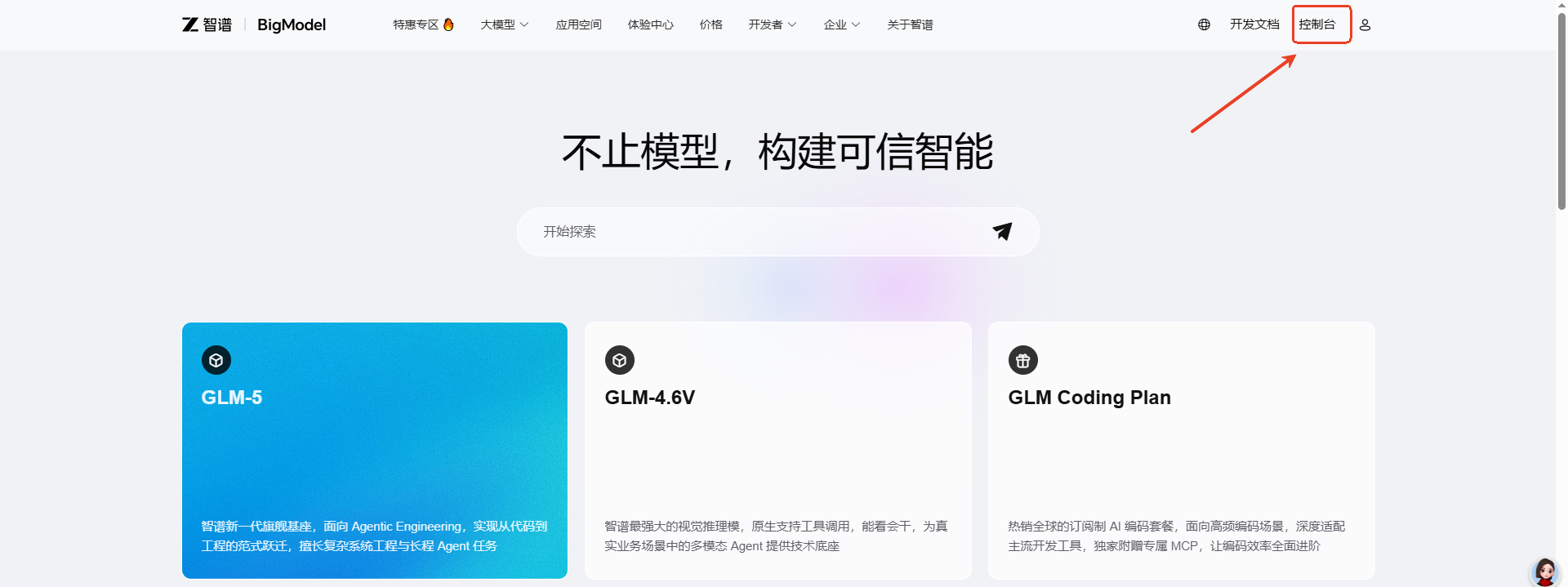
查看资源包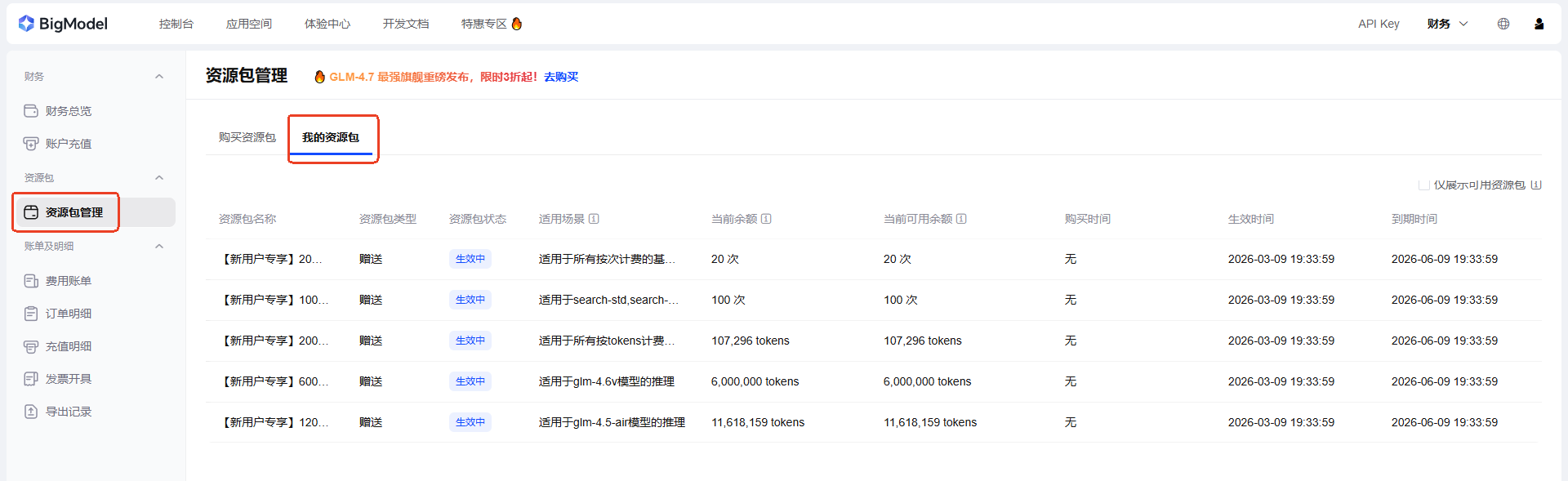
创建API Key
3、创建飞书机器人
飞书开放平台
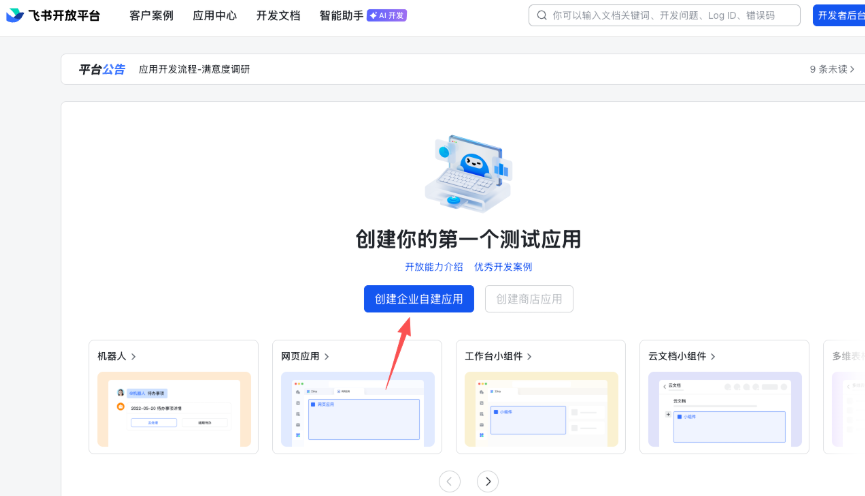
进入开发者后台,创建企业自建应用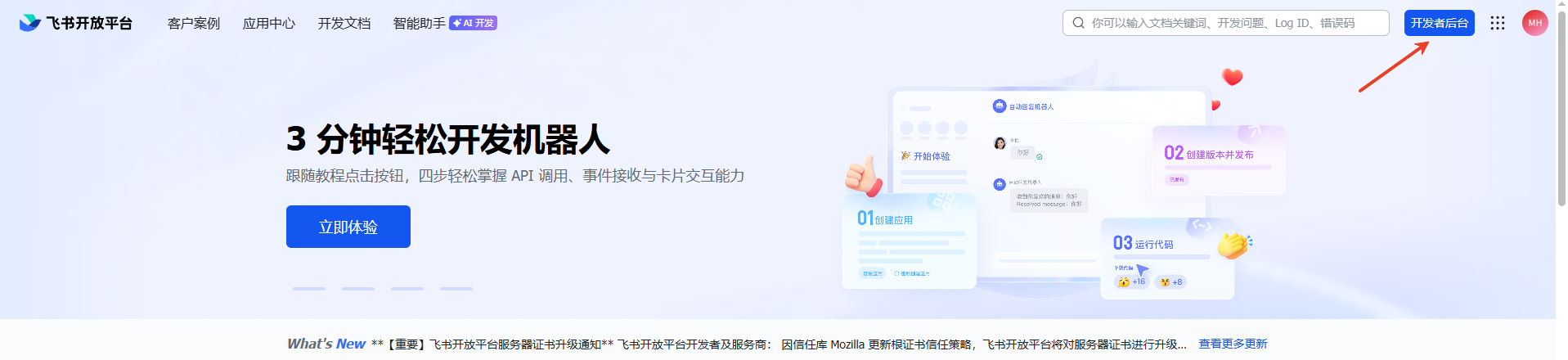
为企业自建应用命名、编写描述、应用图标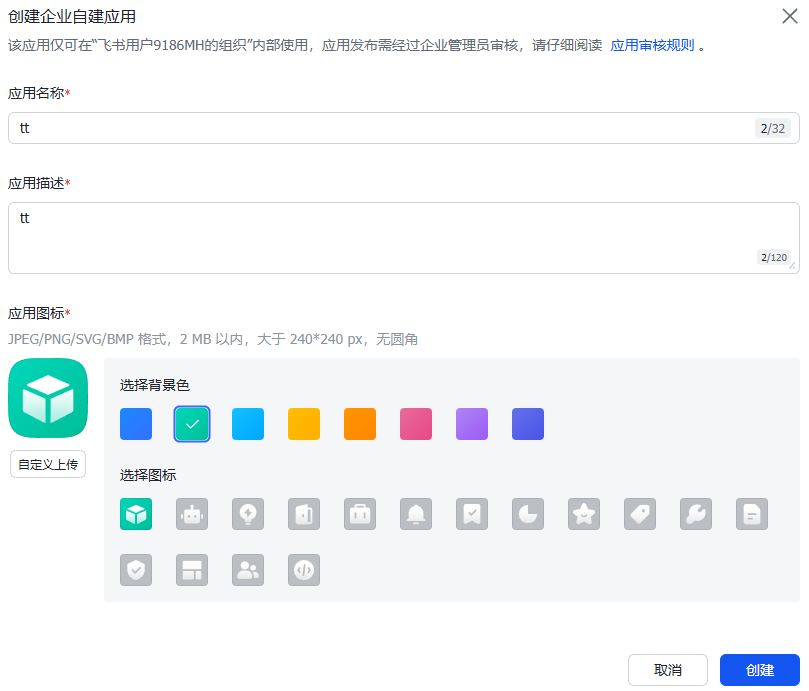
记录下App ID和App Secret两个参数,后续需要配置在openclaw上
配置机器人权限,批量导入权限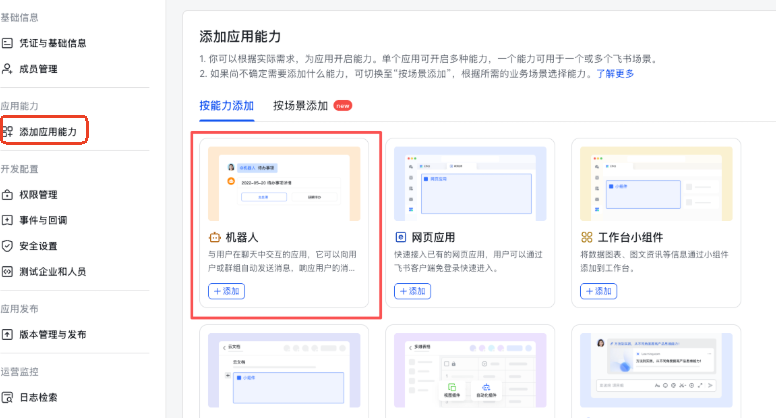
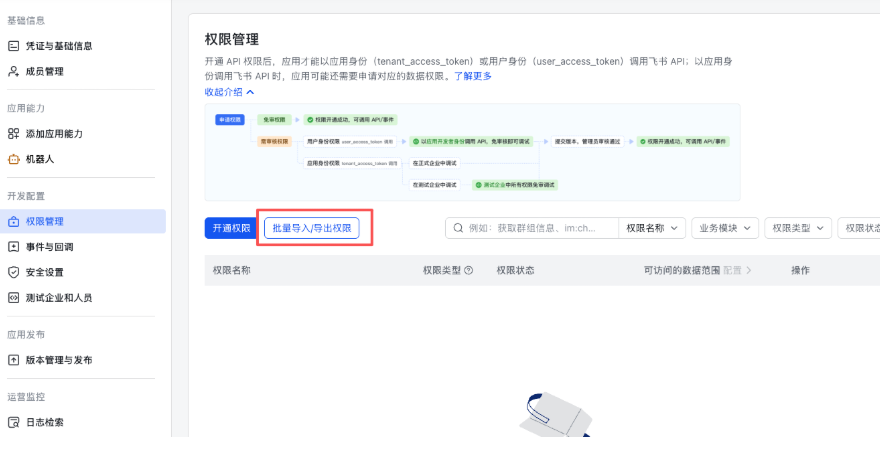
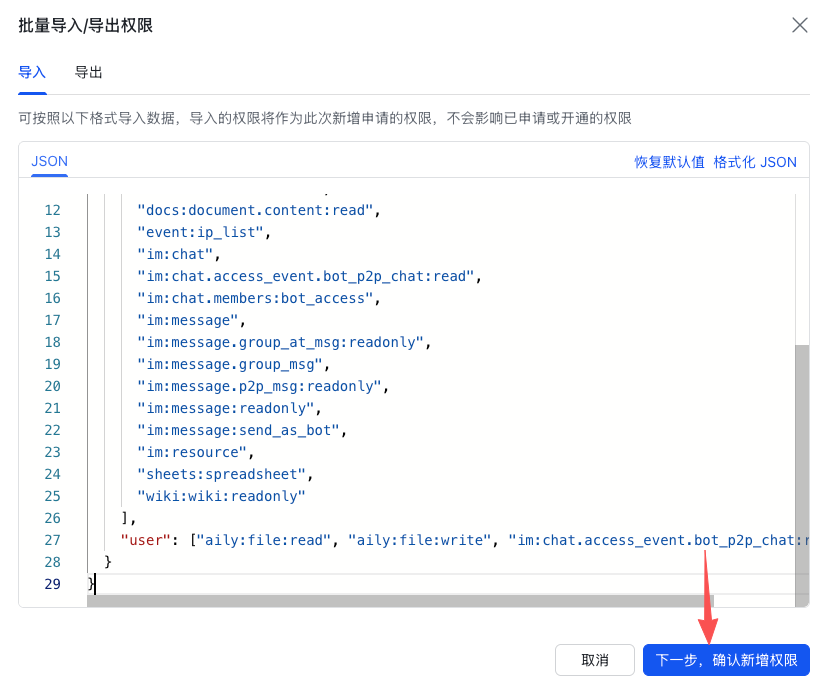
导入以下这一段权限
{
  "scopes": {
    "tenant": [
      "aily:file:read",
      "aily:file:write",
      "application:application.app_message_stats.overview:readonly",
      "application:application:self_manage",
      "application:bot.menu:write",
      "cardkit:card:write",
      "contact:user.employee_id:readonly",
      "corehr:file:download",
      "docs:document.content:read",
      "event:ip_list",
      "im:chat",
      "im:chat.access_event.bot_p2p_chat:read",
      "im:chat.members:bot_access",
      "im:message",
      "im:message.group_at_msg:readonly",
      "im:message.group_msg",
      "im:message.p2p_msg:readonly",
      "im:message:readonly",
      "im:message:send_as_bot",
      "im:resource",
      "sheets:spreadsheet",
      "wiki:wiki:readonly"
    ],
    "user": ["aily:file:read", "aily:file:write", "im:chat.access_event.bot_p2p_chat:read"]
  }
}
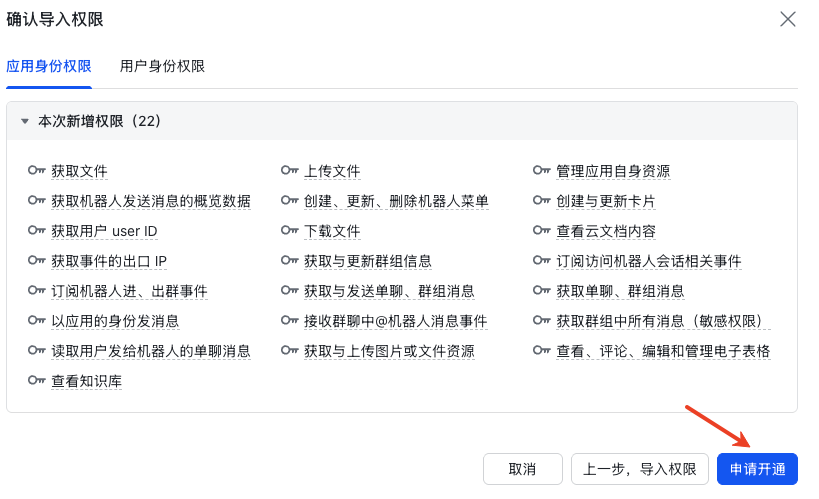
设置事件与回调配置
这一步等待,openclaw 已经进入运行状态(tui/gui)再配置,openclaw 的 channel 已经配置好飞书的 appid 和 appsecret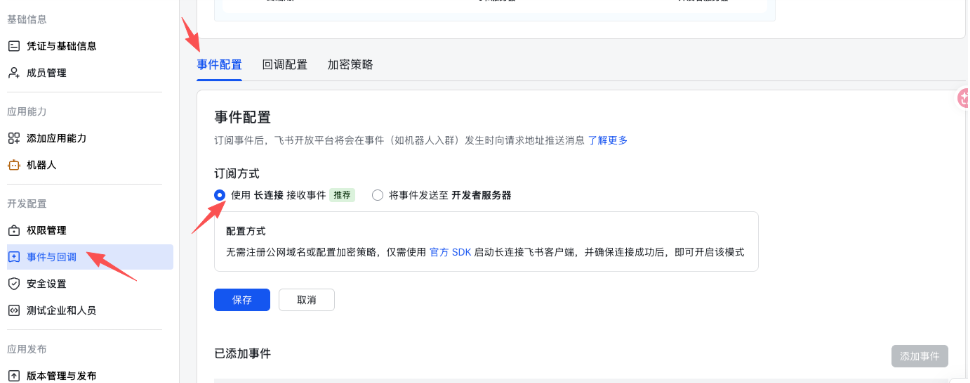
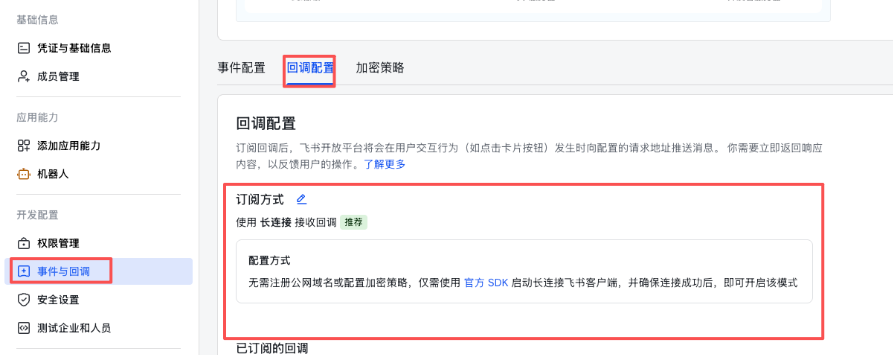
在事件配置中添加必须事件
im.message.receive_v1:接收消息(必需)
im.message.message_read_v1:消息已读
im.chat.member.bot.added_v1:机器人进群
im.chat.member.bot.deleted_v1:机器人被移出群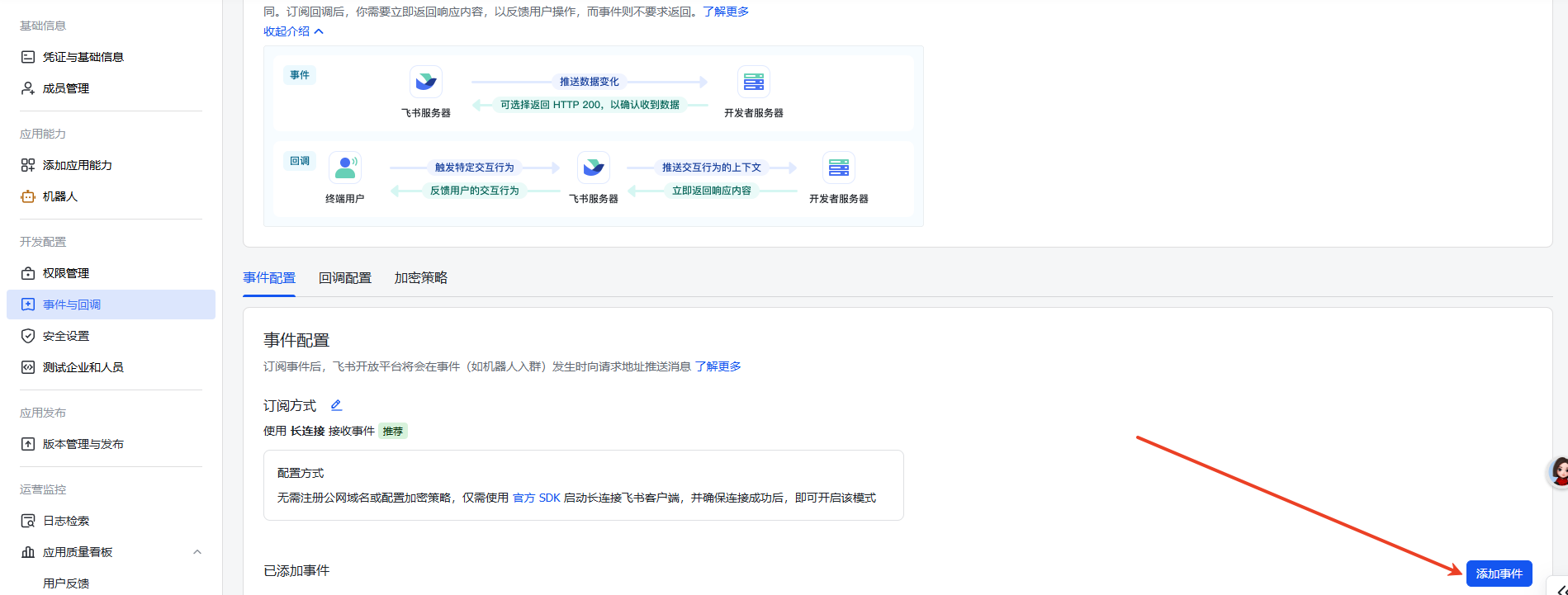
创建版本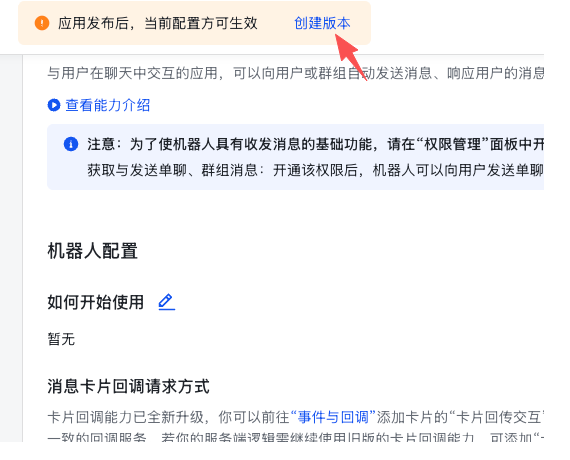
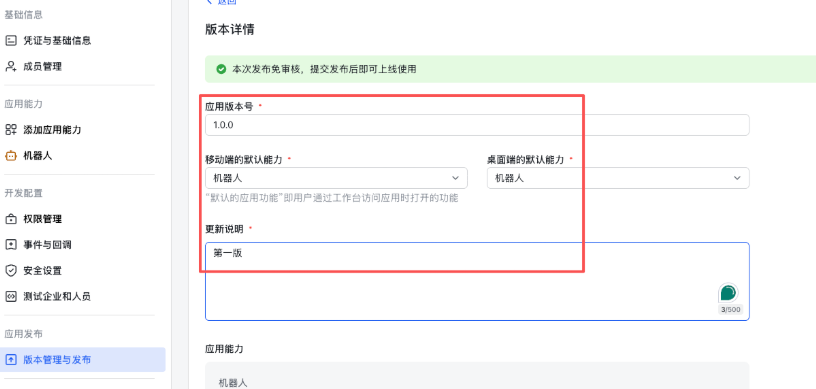
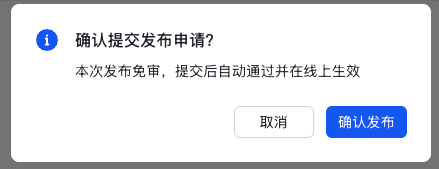
4、安装 OpenClaw
curl -fsSL https://openclaw.ai/install.sh | bash
5、新手引导并安装服务
openclaw onboard --install-daemon
安全选项:知晓安全问题,选择yes
选择 Quickstart
选择模型为Z.ai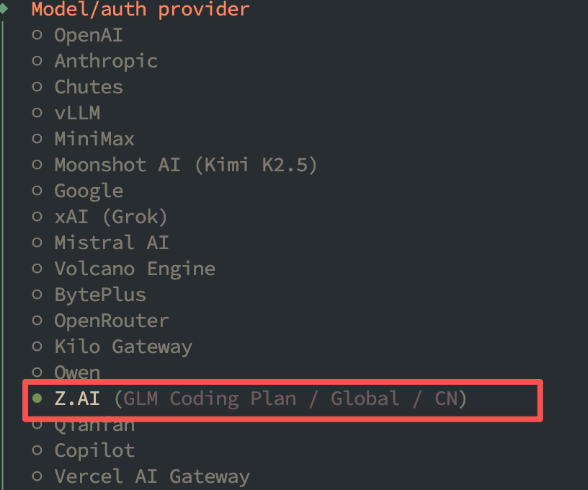
选择CN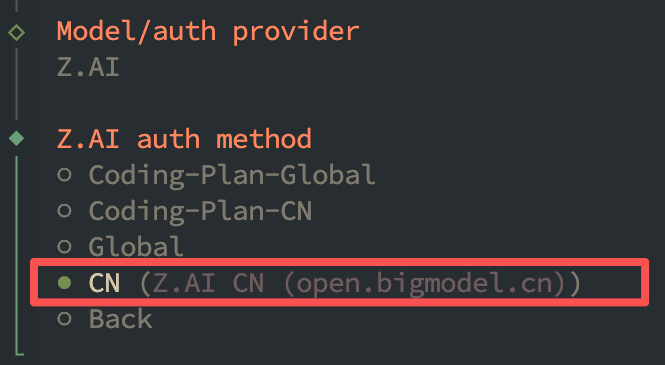
复制上面第2步创建的 API Key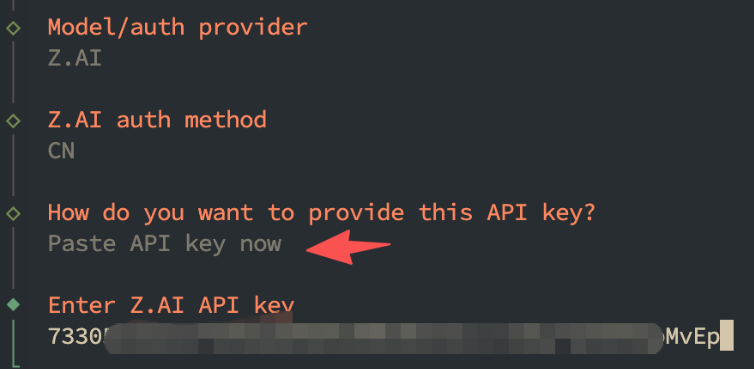
选择保持默认,使用最新模型即可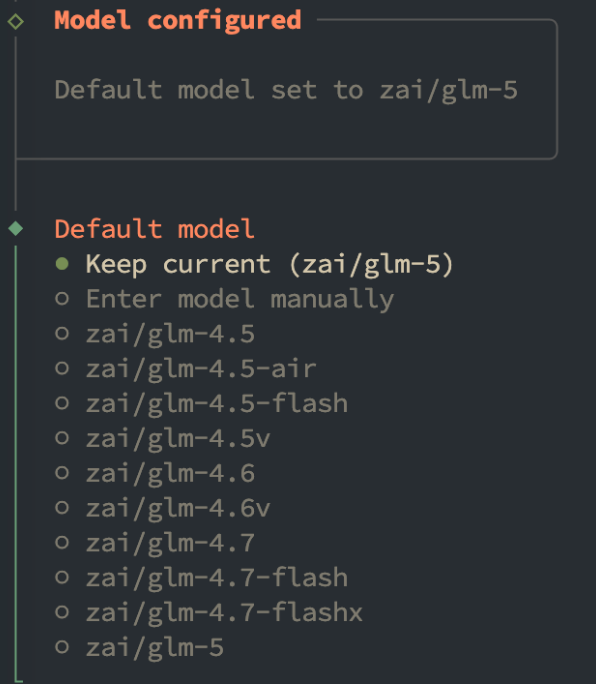
选择聊天工具——飞书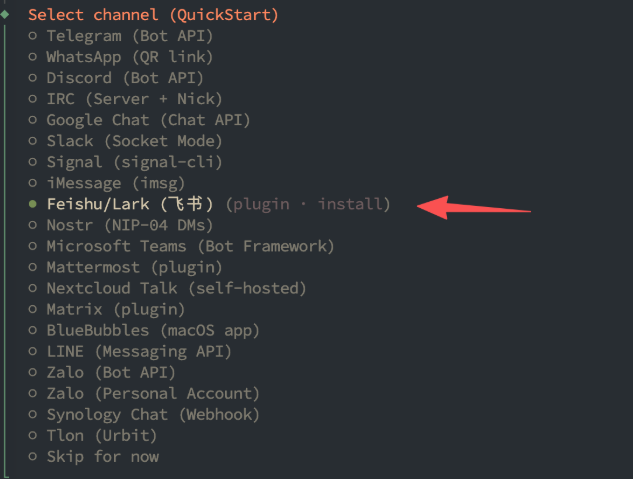
选择npm安装插件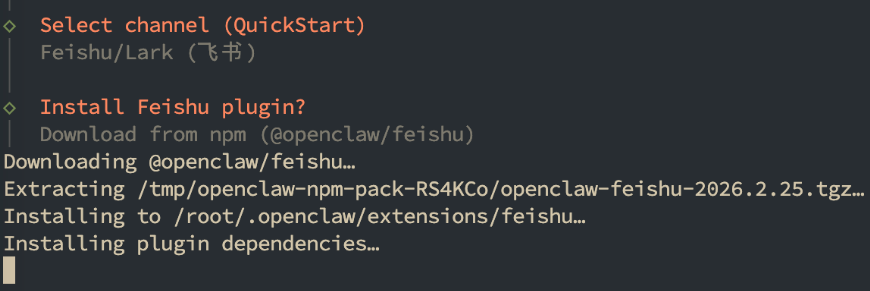
导入上面第3步飞书机器人的 App ID和App Secret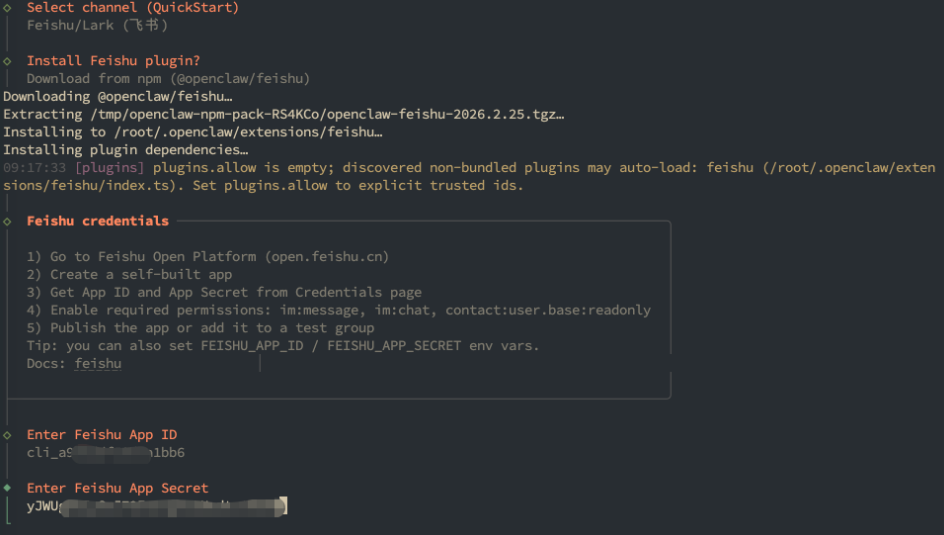
出现Connected as xxxxx 表明OpenClaw已经和飞书机器人关联成功。
选择domain 为 feishu-china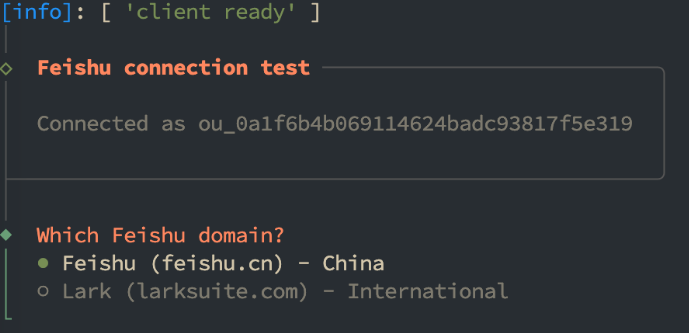
选择 Open-respond in all groups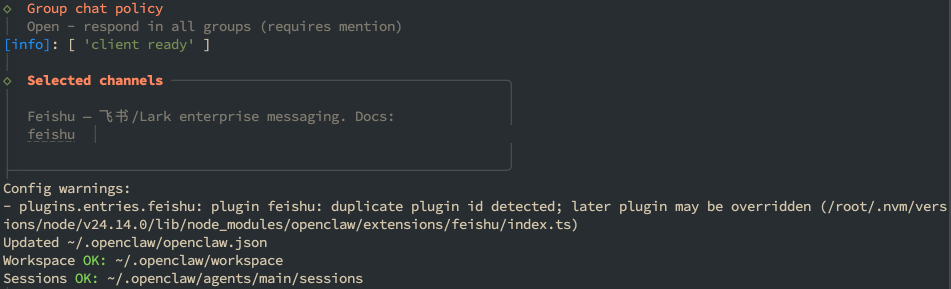
6、进行对话
如果出现报错OpenClaw: access not configured.需要额外进行一次配对操作
根据回复的命令操作,后面的xxxx按照对话实际来
openclaw pairing approve feishu xxxx
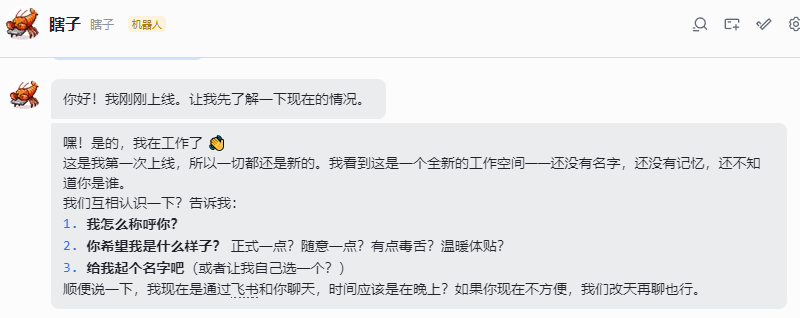
至此,我们完成了使用云主机安装 OpenClaw 以及对接飞书机器人进行聊天的全部流程
三、补充操作
1、为 OpenClaw 添加 Tavily 搜索插件(替代 Brave API)
Tavily Search通过API调用的方式,为Agent提供联网搜索能力。它的核心优势在于:
结构化输出:返回的不是网页链接,而是提取好的关键信息 • AI优化:专门针对大语言模型设计,减少文本处理负担
上下文感知:能根据对话历史优化搜索关键词
(1)注册Tavily账号
访问 Tavily 官网
邮箱注册
点击页面右上角 “Sign Up” 或 “Get Started”
选择 “Continue with Email”(邮箱注册)
填写邮箱地址并完成验证
设置密码,完成注册
提示:无需绑定信用卡,注册即可获得每月 1000 次免费调用额度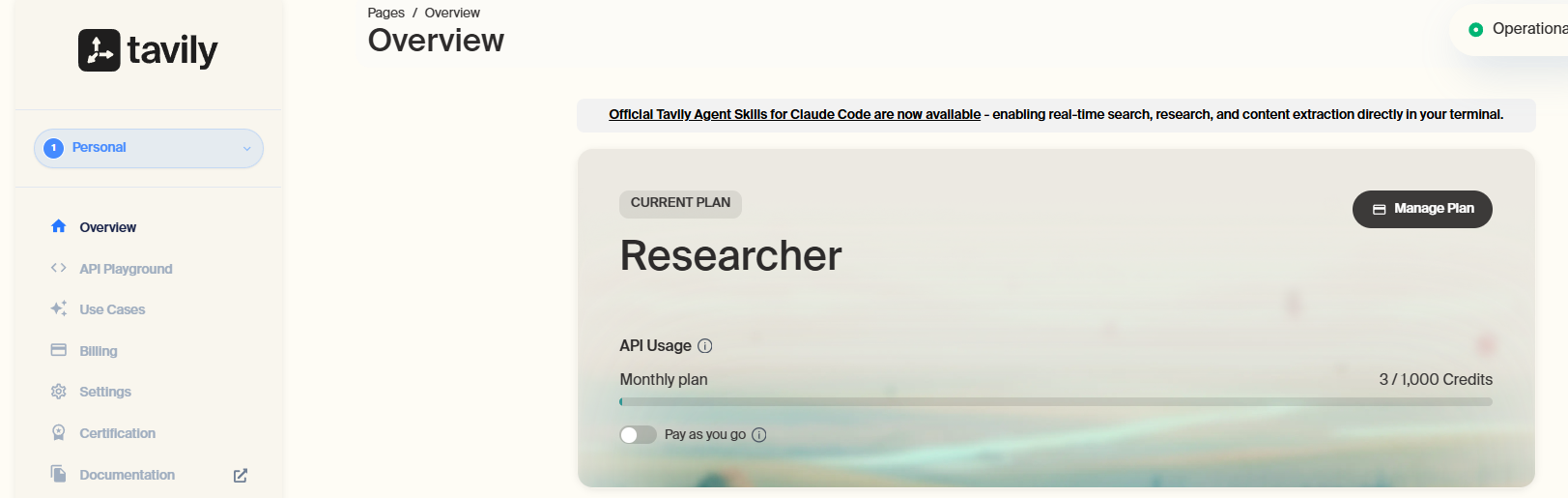
(2)安装Tavily搜索插件
# 这是 GitHub API 的速率限制错误,多重试几次
clawhub install tavily-search
✖ Rate limit exceeded
Error: Rate limit exceeded

# 安装成功
clawhub install tavily-search
✔ OK. Installed tavily-search -> /root/.openclaw/workspace/skills/tavily-search
(3)配置key
export TAVILY_API_KEY="xxx"
echo $TAVILY_API_KEY
echo 'export TAVILY_API_KEY="xxx"' >> ~/.bashrc
source ~/.bashrc
vim .openclaw/.env
TAVILY_API_KEY="xxx"
openclaw gateway restart
(4)验证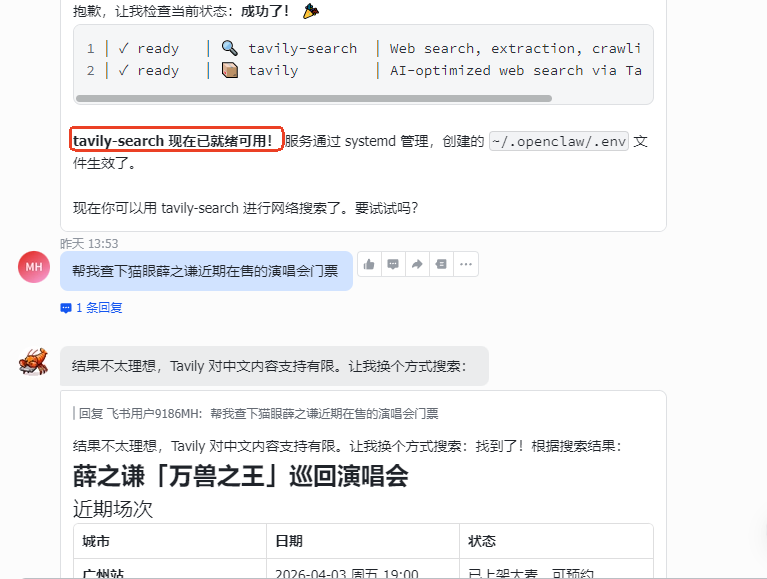
2、接入企业微信
(1)创建智能机器人
前往企业微信官网,自己创建一个企业或者在已有的企业基础上
创建智能机器人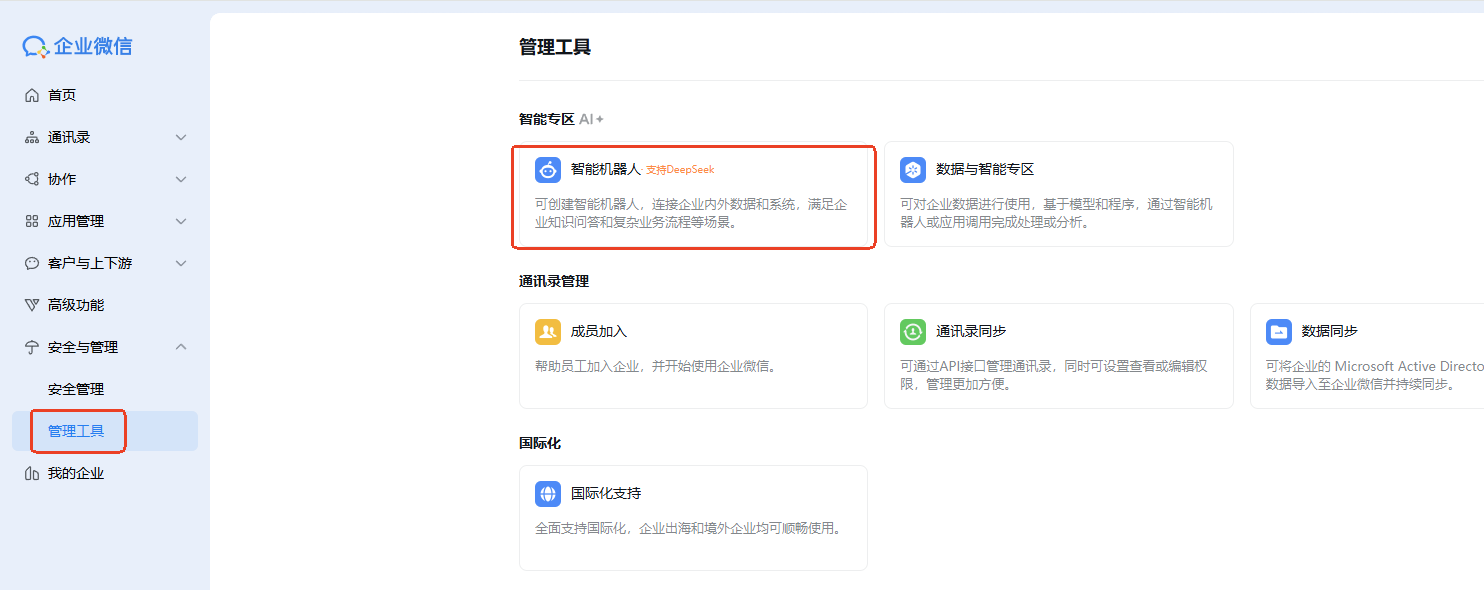
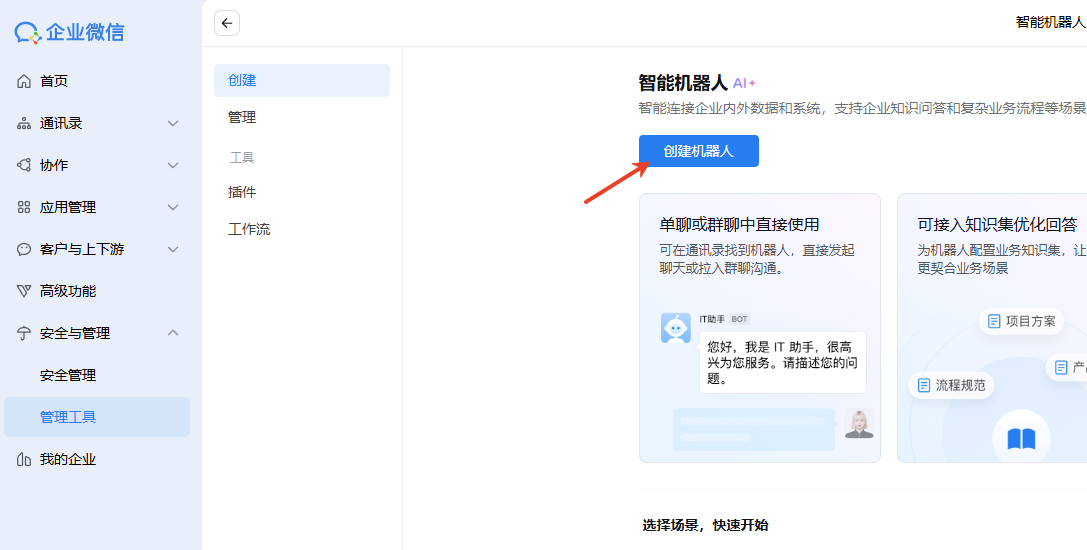
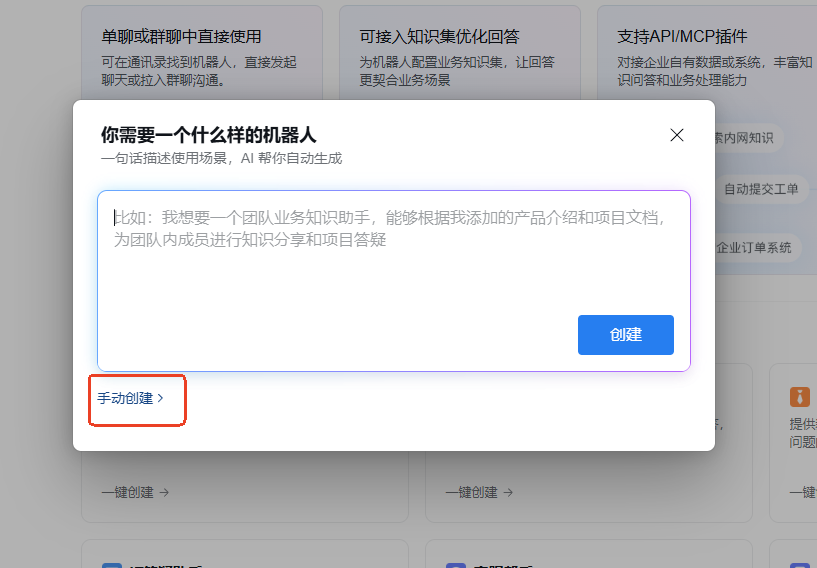
滑到页面最底端,点击API模式创建按钮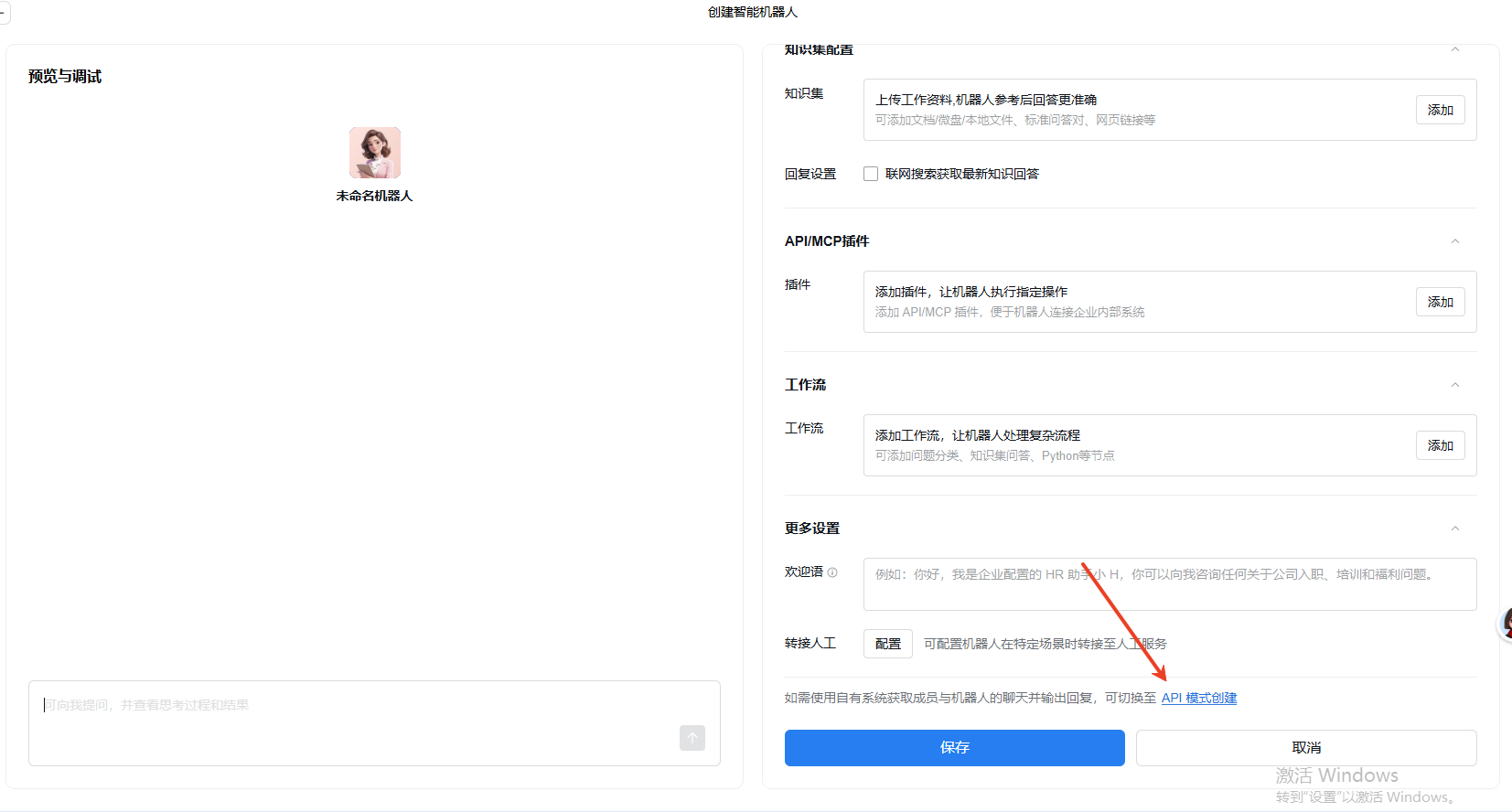
选择以「长连接」方式创建,在配置方法中的Secret处单击点击获取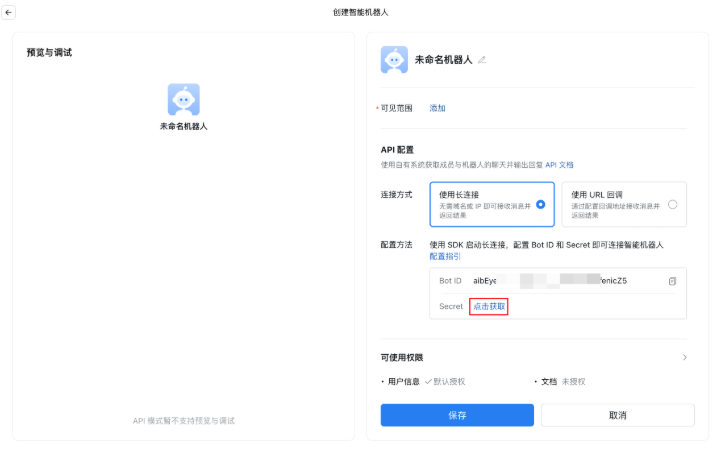
记住Bot ID和Secret,下面增加channels的时候要输入
(2)配置openclaw接入
# 安装企业微信插件
openclaw plugins install @wecom/wecom-openclaw-plugin

# 添加channels
openclaw channels add

# 设置私聊策略为允许所有人
openclaw config set channels.wecom.dmPolicy "open"

# 重启网关
openclaw gateway restart
3、其他操作
(1)切换默认模型
# 查询当前模型
openclaw models list
Config warnings:\n- plugins.entries.feishu: plugin feishu: duplicate plugin id detected; later plugin may be overridden (/root/.openclaw/extensions/feishu/index.ts)
Config warnings:\n- plugins.entries.feishu: plugin feishu: duplicate plugin id detected; later plugin may be overridden (/root/.openclaw/extensions/feishu/index.ts)

🦞 OpenClaw 2026.3.8 (3caab92) — Built by lobsters, for humans. Don't question the hierarchy.

Model                                      Input      Ctx      Local Auth  Tags
zai/glm-4.5-air                            text       128k     no    yes   default,configured,alias:GLM-4.5 Air
zai/glm-5                                  text       200k     no    yes   configured,alias:GLM
zai/glm-4.6v                               text+image 128k     no    yes   configured,alias:GLM-4.6V

# 切换模型
cd .openclaw
cp openclaw.json openclaw.bak
# 修改配置文件,将 primary 改为你想要的模型
vim openclaw.json
"agents": {
  "defaults": {
    "model": {
      "primary": "zai/glm-4.6v"   // 改这里切换默认模型
    }
  }
}

# 默认模型已经更改为4.6v了
openclaw models list
Config warnings:\n- plugins.entries.feishu: plugin feishu: duplicate plugin id detected; later plugin may be overridden (/root/.openclaw/extensions/feishu/index.ts)
Config warnings:\n- plugins.entries.feishu: plugin feishu: duplicate plugin id detected; later plugin may be overridden (/root/.openclaw/extensions/feishu/index.ts)

🦞 OpenClaw 2026.3.8 (3caab92) — Making 'I'll automate that later' happen now.

Config warnings:\n- plugins.entries.feishu: plugin feishu: duplicate plugin id detected; later plugin may be overridden (/root/.openclaw/extensions/feishu/index.ts)
Model                                      Input      Ctx      Local Auth  Tags
zai/glm-4.6v                               text+image 128k     no    yes   default,configured,alias:GLM-4.6V
zai/glm-5                                  text       200k     no    yes   configured,alias:GLM
zai/glm-4.5-air                            text       128k     no    yes   configured,alias:GLM-4.5 Air

AtomGit 是由开放原子开源基金会联合 CSDN 等生态伙伴共同推出的新一代开源与人工智能协作平台。平台坚持“开放、中立、公益”的理念,把代码托管、模型共享、数据集托管、智能体开发体验和算力服务整合在一起,为开发者提供从开发、训练到部署的一站式体验。
更多推荐



 8
8 0
0- 0


 已为社区贡献1条内容

所有评论(0)