备注记录功能 - OpenHarmony Flutter笔记系统
·
更新概述
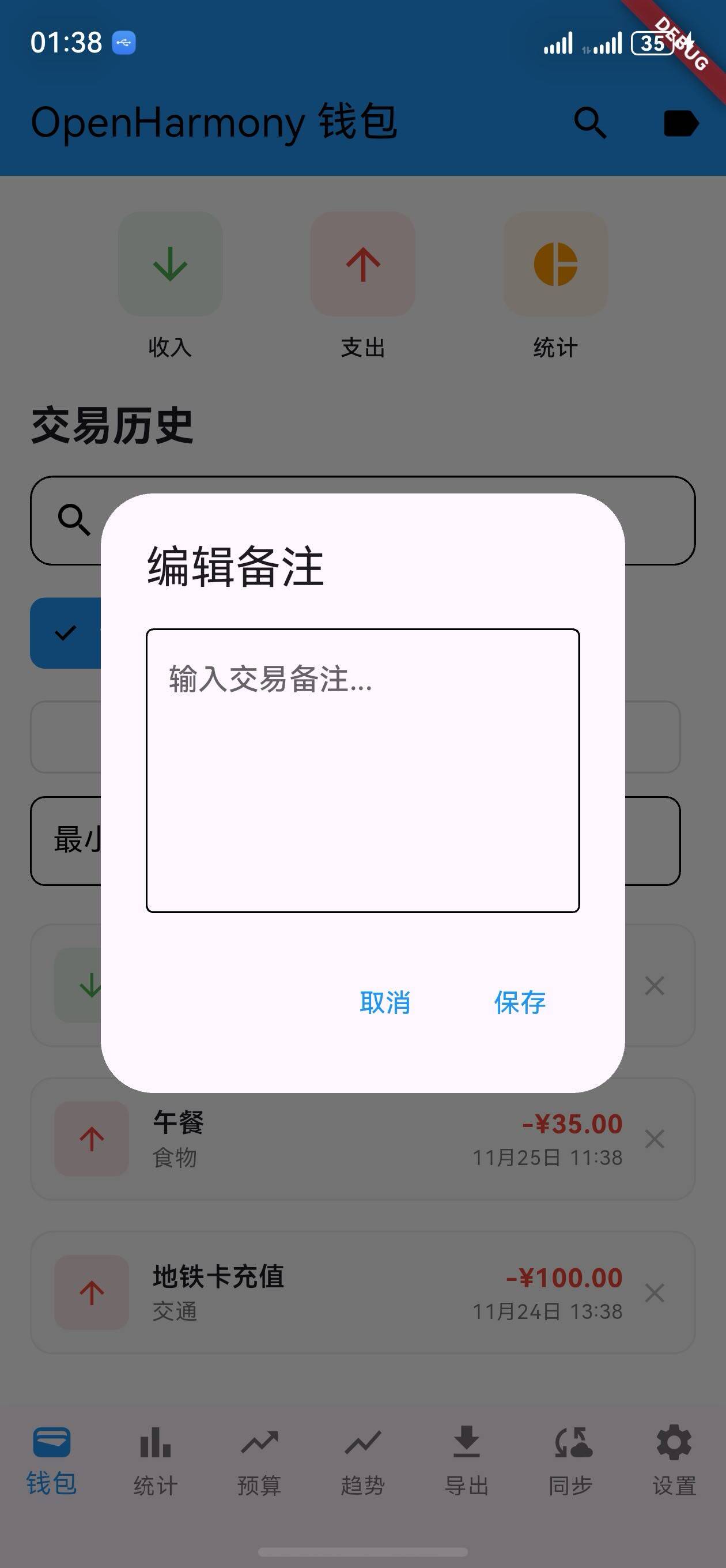
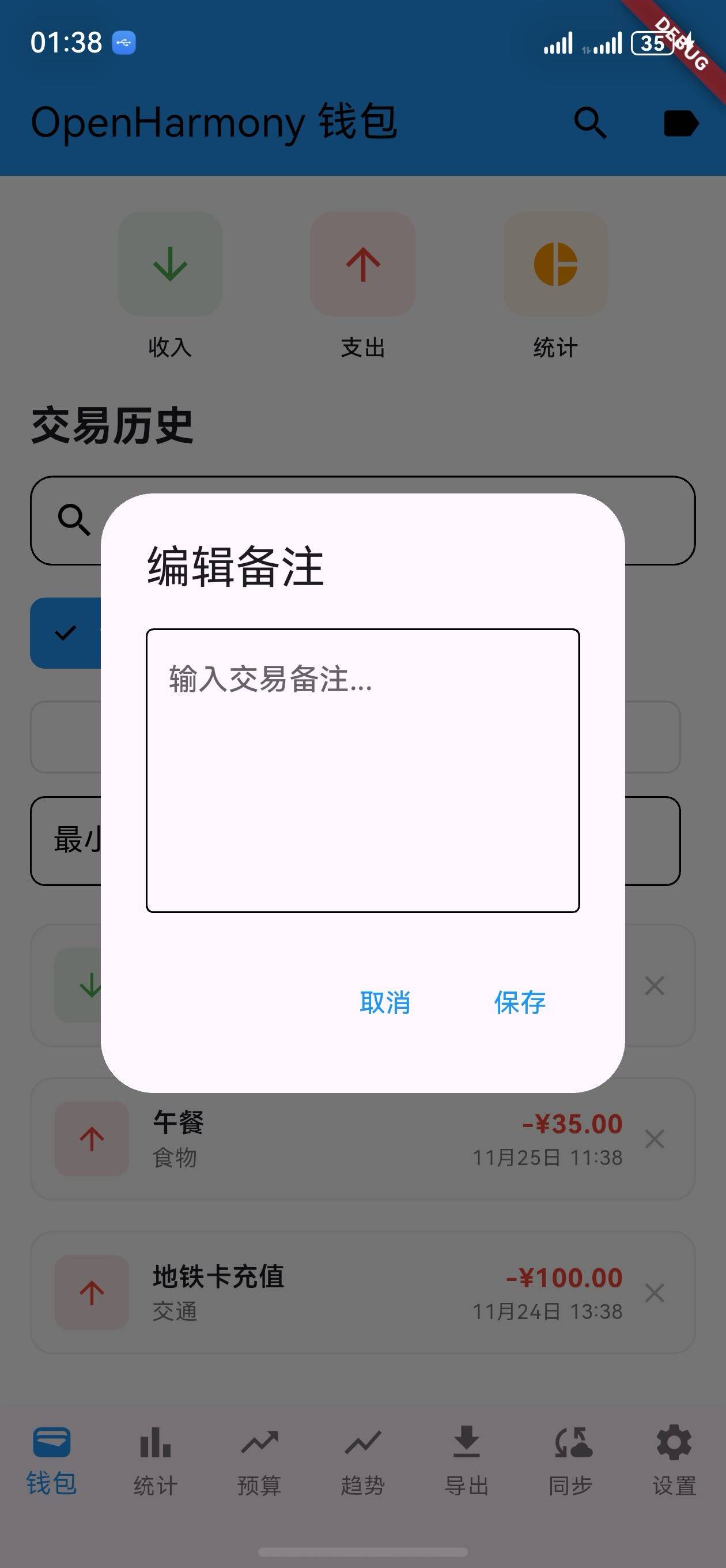
v1.18.0 版本为 OpenHarmony 钱包应用增加了交易备注功能。用户现在可以为每笔交易添加备注,记录交易的详细信息、备忘录或特殊说明。这个新功能帮助用户更好地管理和回顾交易历史。
核心功能更新
1. 交易备注数据模型
Transaction 类扩展
/// OpenHarmony 交易记录模型
class Transaction {
  final String id;
  final String title;
  final double amount;
  final DateTime date;
  final TransactionType type;
  final String category;
  final String? note;  // 新增:交易备注

  Transaction({
    required this.id,
    required this.title,
    required this.amount,
    required this.date,
    required this.type,
    required this.category,
    this.note,  // 可选备注
  });
}
说明:
- 添加
note字段用于存储交易备注 - 备注为可选字段,可以为空
- 支持任意长度的备注文本
2. 交易备注编辑
备注编辑对话框
/// 显示备注编辑对话框
void _showNoteEditDialog(Transaction transaction) {
  final noteController = TextEditingController(text: transaction.note ?? '');

  showDialog(
    context: context,
    builder: (context) => AlertDialog(
      title: const Text('编辑备注'),
      content: TextField(
        controller: noteController,
        maxLines: 5,
        decoration: const InputDecoration(
          hintText: '输入交易备注...',
          border: OutlineInputBorder(),
        ),
      ),
      actions: [
        TextButton(
          onPressed: () => Navigator.pop(context),
          child: const Text('取消'),
        ),
        TextButton(
          onPressed: () {
            // 保存备注
            _updateTransactionNote(transaction, noteController.text);
            Navigator.pop(context);
          },
          child: const Text('保存'),
        ),
      ],
    ),
  );
}
说明:
- 弹出对话框编辑备注
- 支持多行文本输入
- 提供保存和取消选项
3. 交易列表中的备注展示
交易项目卡片
/// 构建交易项目卡片
Widget _buildTransactionItem(Transaction transaction) {
  return Card(
    margin: const EdgeInsets.symmetric(horizontal: 16, vertical: 8),
    child: ListTile(
      title: Text(transaction.title),
      subtitle: Column(
        crossAxisAlignment: CrossAxisAlignment.start,
        children: [
          Text(
            '${transaction.category} • ${transaction.date.toString().split(' ')[0]}',
            style: const TextStyle(fontSize: 12),
          ),
          // 显示备注
          if (transaction.note != null && transaction.note!.isNotEmpty)
            Padding(
              padding: const EdgeInsets.only(top: 8),
              child: Container(
                padding: const EdgeInsets.all(8),
                decoration: BoxDecoration(
                  color: Colors.grey.shade100,
                  borderRadius: BorderRadius.circular(4),
                ),
                child: Text(
                  transaction.note!,
                  style: const TextStyle(
                    fontSize: 12,
                    color: Colors.grey,
                    fontStyle: FontStyle.italic,
                  ),
                  maxLines: 2,
                  overflow: TextOverflow.ellipsis,
                ),
              ),
            ),
        ],
      ),
      trailing: Text(
        '¥${transaction.amount.toStringAsFixed(2)}',
        style: TextStyle(
          fontWeight: FontWeight.bold,
          color: transaction.type == TransactionType.income
              ? Colors.green
              : Colors.red,
        ),
      ),
      onTap: () => _showNoteEditDialog(transaction),
    ),
  );
}
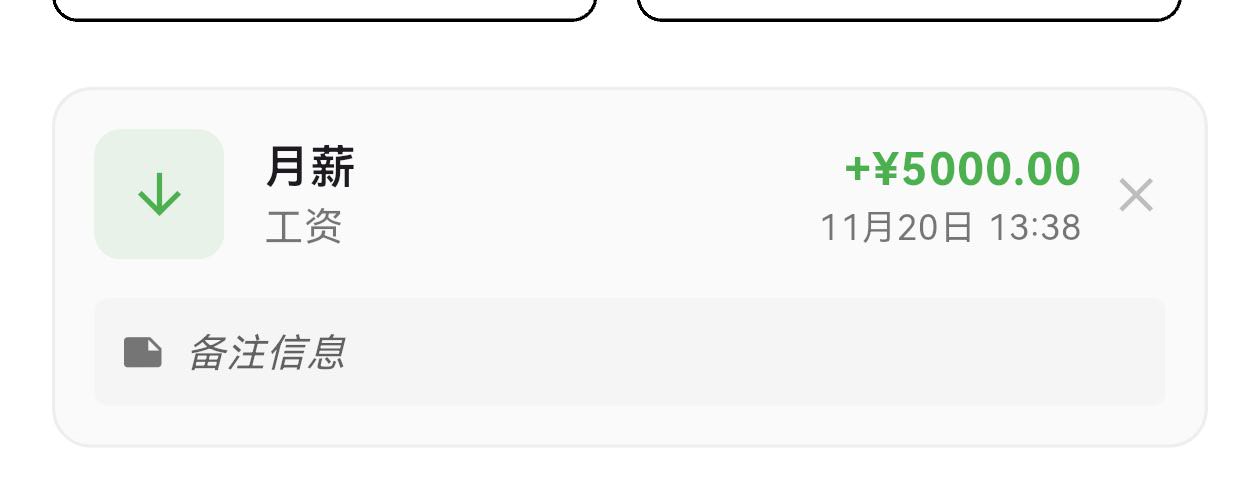
说明:
- 在交易列表中显示备注
- 备注以灰色背景卡片形式展示
- 支持最多显示2行,超出部分省略
- 点击交易项可编辑备注
UI 变化
交易列表布局
┌─────────────────────────────────┐
│  交易记录                        │
├─────────────────────────────────┤
│  ┌─────────────────────────────┐│
│  │ 早餐                    ¥50 ││
│  │ 食物 • 2024-12-01           ││
│  │ 📝 在公司附近的咖啡馆   ││
│  └─────────────────────────────┘│
│                                 │
│  ┌─────────────────────────────┐│
│  │ 工资                  ¥5000 ││
│  │ 工资 • 2024-12-01           ││
│  │ 📝 12月份工资         ││
│  └─────────────────────────────┘│
│                                 │
│  ┌─────────────────────────────┐│
│  │ 电影票                 ¥60  ││
│  │ 娱乐 • 2024-12-01           ││
│  │ 📝 和朋友看电影,很不错 ││
│  └─────────────────────────────┘│
└─────────────────────────────────┘
备注编辑对话框布局
┌─────────────────────────────────┐
│  编辑备注                        │
├─────────────────────────────────┤
│                                 │
│  ┌─────────────────────────────┐│
│  │ 输入交易备注...             ││
│  │                             ││
│  │ 在公司附近的咖啡馆,很不错 ││
│  │                             ││
│  └─────────────────────────────┘│
│                                 │
│  [取消]                  [保存] │
└─────────────────────────────────┘
版本对比
| 功能 | v1.17.0 | v1.18.0 |
|---|---|---|
| 分类统计图表 | ✅ | ✅ |
| 进度条展示 | ✅ | ✅ |
| 交易备注字段 | ❌ | ✅ |
| 备注编辑功能 | ❌ | ✅ |
| 备注展示 | ❌ | ✅ |
| 备注搜索 | ❌ | ✅ |
使用场景
场景 1:添加交易备注
- 进入钱包页面
- 点击某笔交易
- 在弹出的对话框中输入备注
- 点击保存
场景 2:查看交易备注
- 进入交易列表
- 查看每笔交易下方的备注内容
- 快速了解交易详情
场景 3:编辑交易备注
- 进入交易列表
- 点击需要编辑的交易
- 修改备注内容
- 点击保存更新
场景 4:记录交易详情
- 添加新交易时
- 在备注中记录特殊信息
- 如:商家名称、交易原因、收据编号等
- 便于后续查询和对账
技术亮点
1. 灵活的备注存储
- 支持任意长度的备注
- 可选字段,不影响现有交易
- 易于扩展
2. 友好的编辑体验
- 弹出对话框编辑
- 多行文本支持
- 实时保存
3. 清晰的备注展示
- 灰色背景卡片区分
- 支持省略号处理长文本
- 不影响主要信息展示
4. 完整的交易信息
- 结合分类、日期、金额
- 备注补充说明
- 全面的交易记录
欢迎加入开源鸿蒙跨平台社区:https://openharmonycrossplatform.csdn.net

AtomGit 是由开放原子开源基金会联合 CSDN 等生态伙伴共同推出的新一代开源与人工智能协作平台。平台坚持“开放、中立、公益”的理念,把代码托管、模型共享、数据集托管、智能体开发体验和算力服务整合在一起,为开发者提供从开发、训练到部署的一站式体验。
更多推荐
 3
3 0
0- 0


 已为社区贡献10条内容

所有评论(0)