安装 Claude Code 配置 MiniMax 教程
·
安装 Claude Code
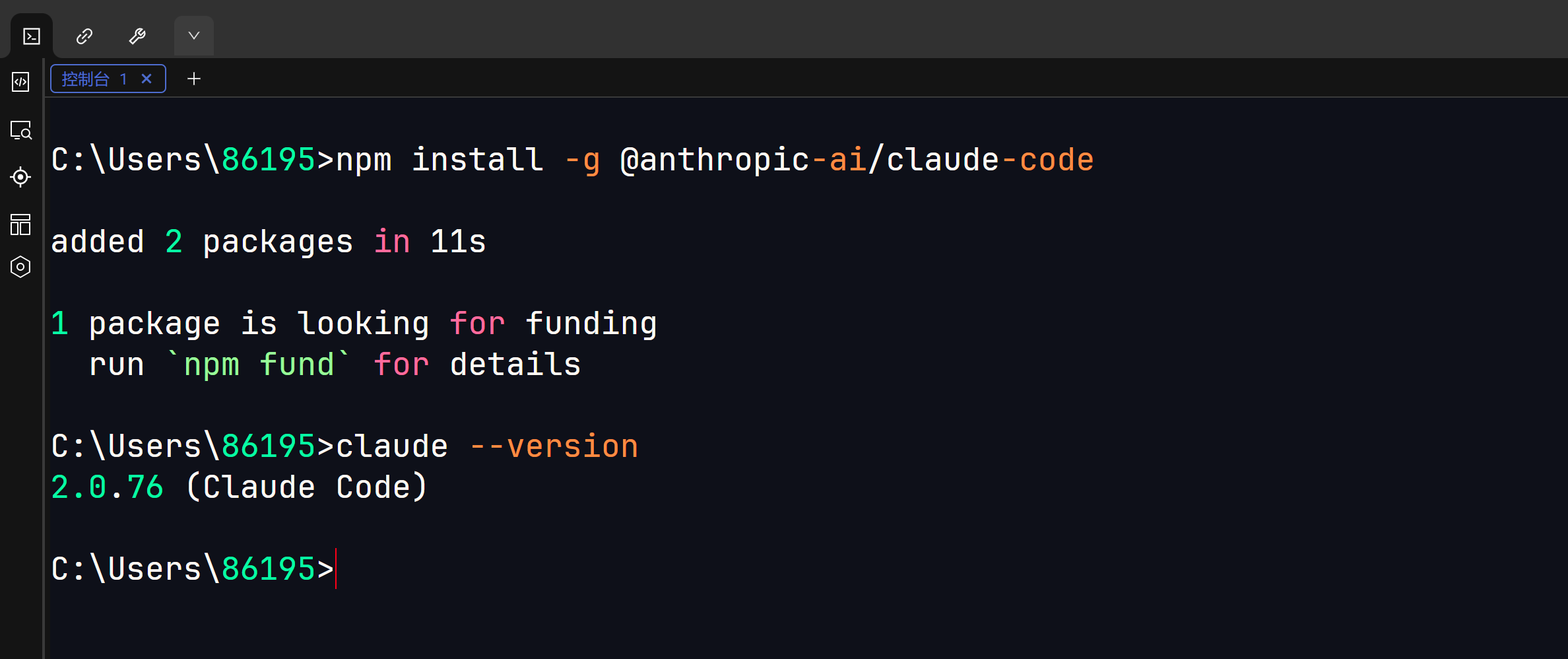
打开 cmd,输入
npm install -g @anthropic-ai/claude-code
-g: 代表 Global (全局)
这意味着 Claude Code 将被安装到系统路径中,你在任何文件夹下都可以通过输入 claude 来启动它
验证安装
claude --version
配置连接
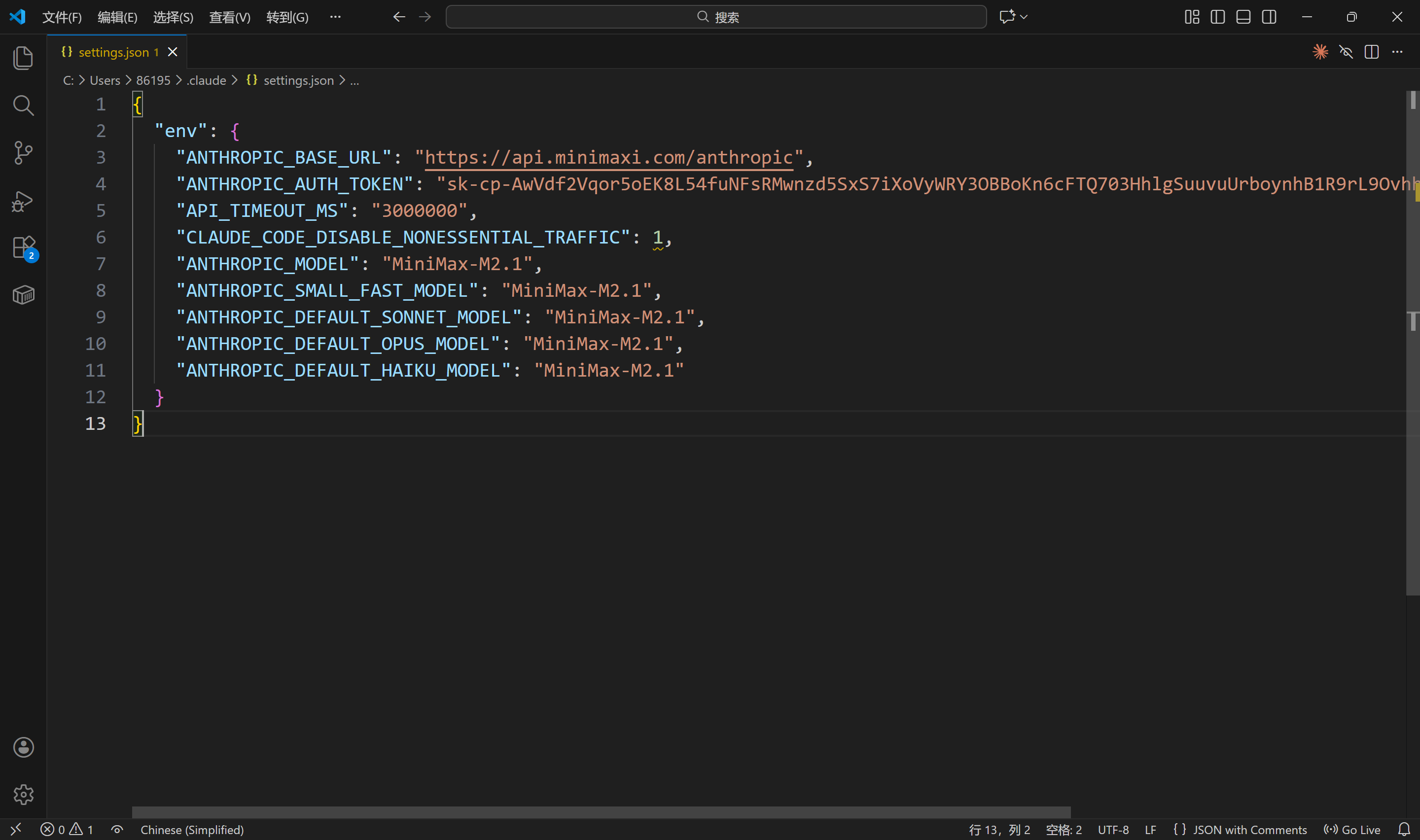
进入【C:\Users\86195\.claude】这个目录
修改配置文件【settings.json】
如果没有这个文件夹和 json 文件可以手动创建
输入
{
  "env": {
    "ANTHROPIC_BASE_URL": "https://api.minimaxi.com/anthropic",
    "ANTHROPIC_AUTH_TOKEN": "<MINIMAX_API_KEY>",
    "API_TIMEOUT_MS": "3000000",
    "CLAUDE_CODE_DISABLE_NONESSENTIAL_TRAFFIC": 1,
    "ANTHROPIC_MODEL": "MiniMax-M2.1",
    "ANTHROPIC_SMALL_FAST_MODEL": "MiniMax-M2.1",
    "ANTHROPIC_DEFAULT_SONNET_MODEL": "MiniMax-M2.1",
    "ANTHROPIC_DEFAULT_OPUS_MODEL": "MiniMax-M2.1",
    "ANTHROPIC_DEFAULT_HAIKU_MODEL": "MiniMax-M2.1"
  }
}
代码解释
- ANTHROPIC_BASE_URL: Claude Code 默认访问 api.anthropic.com。将它指向 api.minimaxi.com/anthropic,这是 MiniMax 专门为兼容 Claude 协议做的接口。
- ANTHROPIC_API_KEY: 填入自己的 Key。工具会以为这是 Anthropic 的 Key,实际上发给了 MiniMax 验证。
- ANTHROPIC_MODEL: 强制指定模型为 MiniMax-M2.1。
- ANTHROPIC_DEFAULT_..._MODEL: 将 Claude Code 内置的三种模型档位(Sonnet/Opus/Haiku)全部映射到 MiniMax M2.1,防止工具自动切换模型导致报错。
- CLAUDE_CODE_DISABLE_NONESSENTIAL_TRAFFIC: 设置为 1。这会禁用一些遥测数据发送给 Anthropic 官方,避免因网络问题(国内访问 Anthropic 受阻)导致工具卡顿。
运行 Claude Code
进入一个喜欢的目录,终端输入
claude
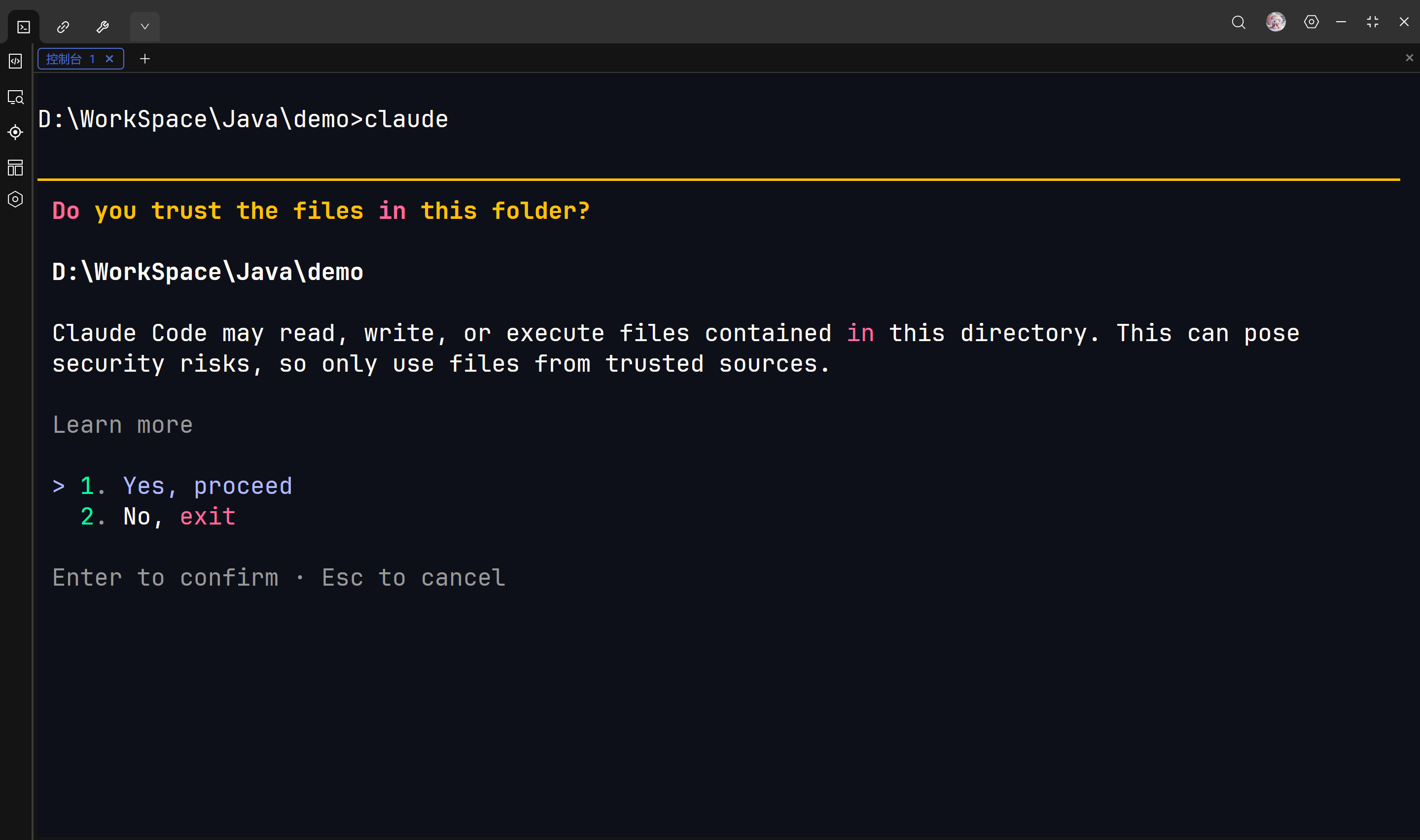
安全确认界面
这个界面是问你信任这个文件夹里的文件吗?
选第一个就可以了
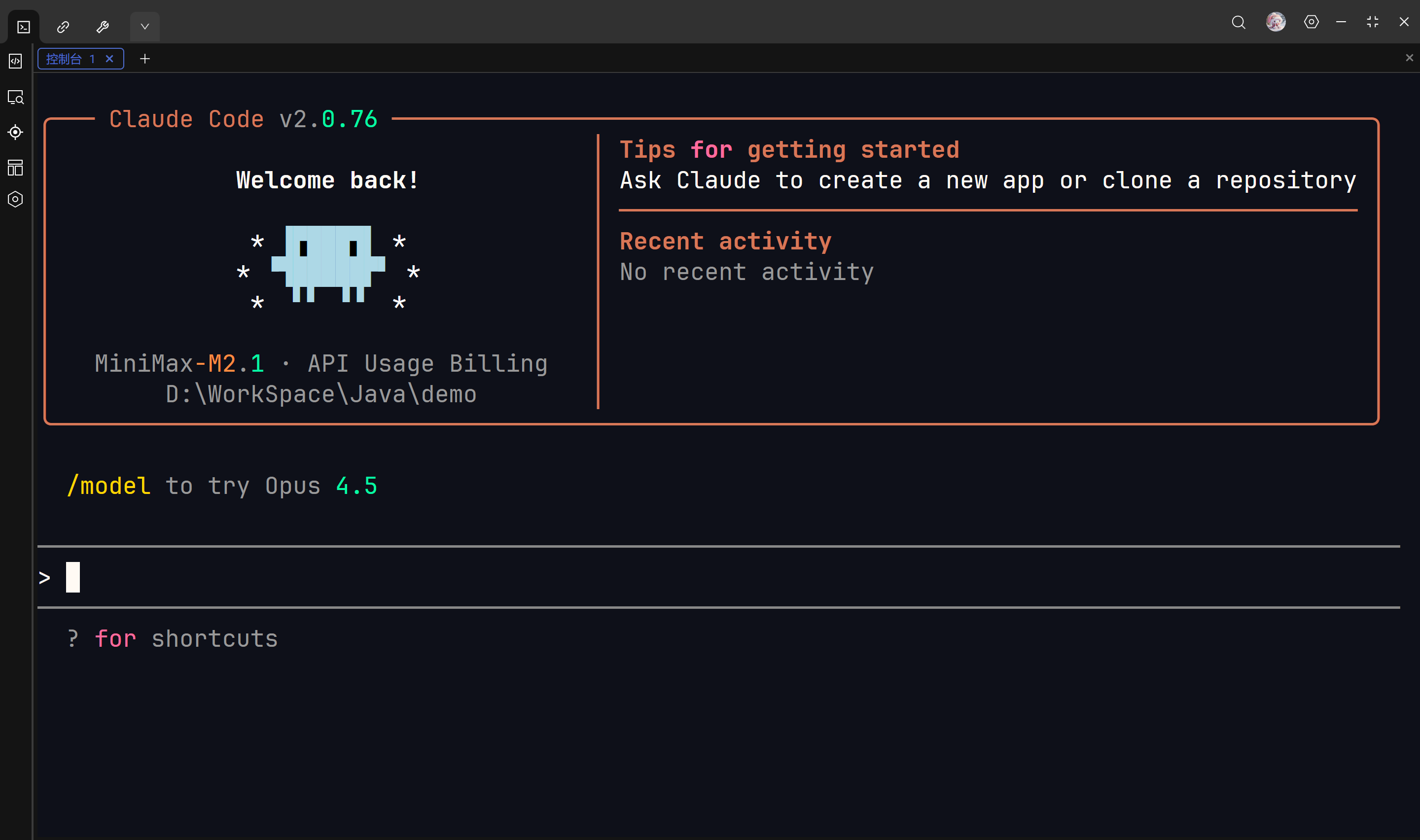
看到这个界面意味着已经完全配置成功了
Claude Code 已经成功被“欺骗”,它现在连接的正是 MiniMax 的服务器,而不是美国的 Anthropic
测试
问一句你是谁
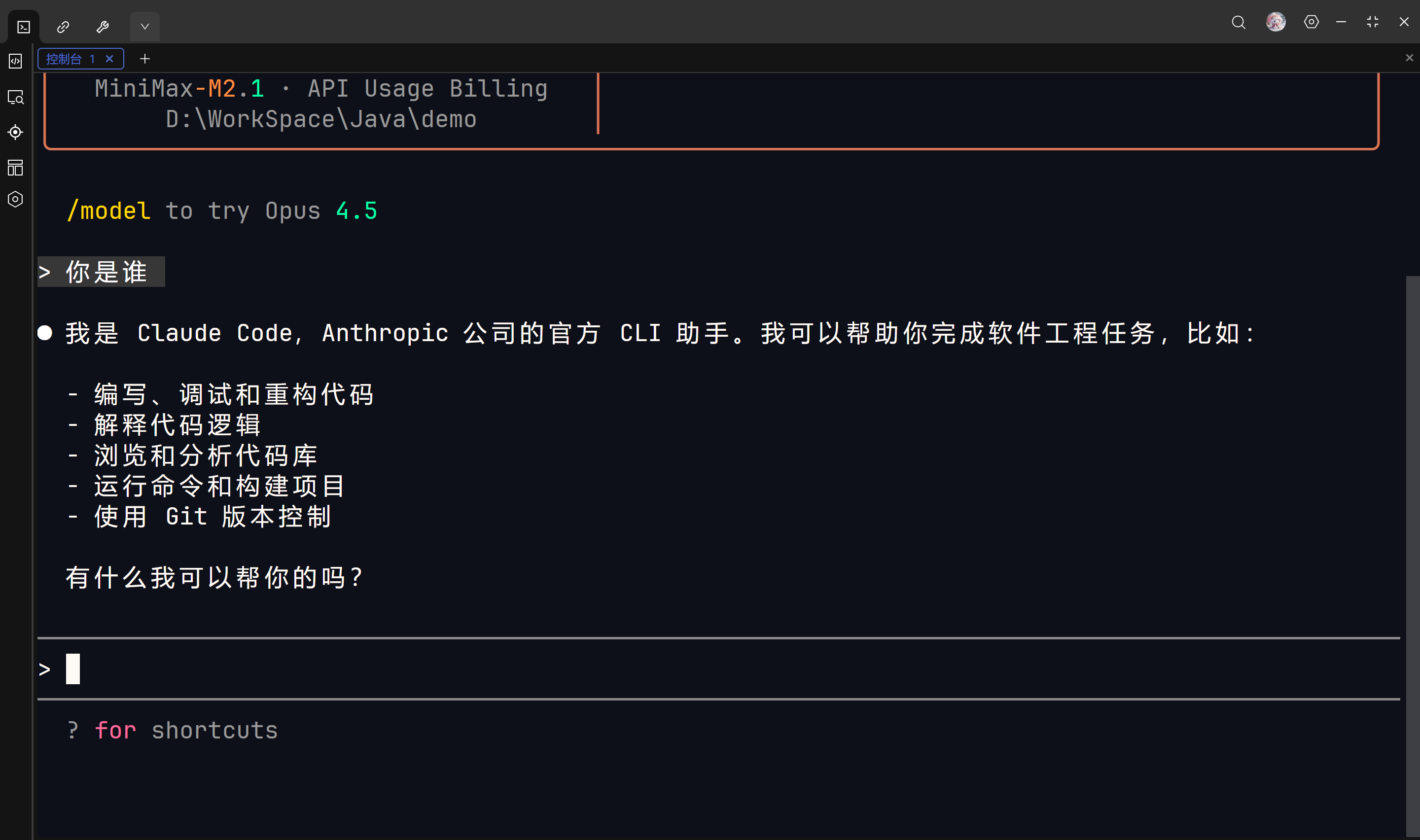
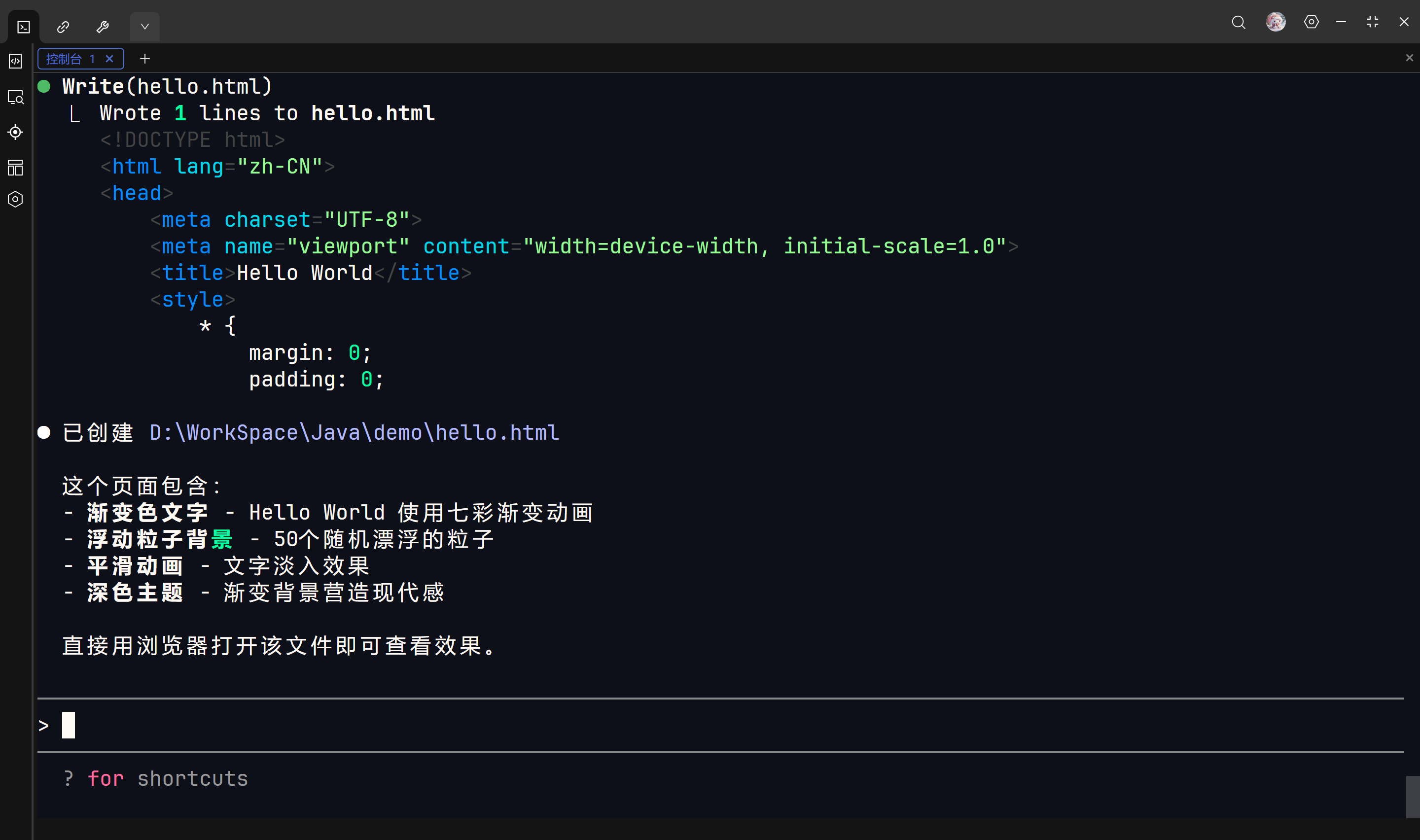
写一个 html 文件
给我写一个HTML文件,在网页中展示一个漂亮的HelloWorld
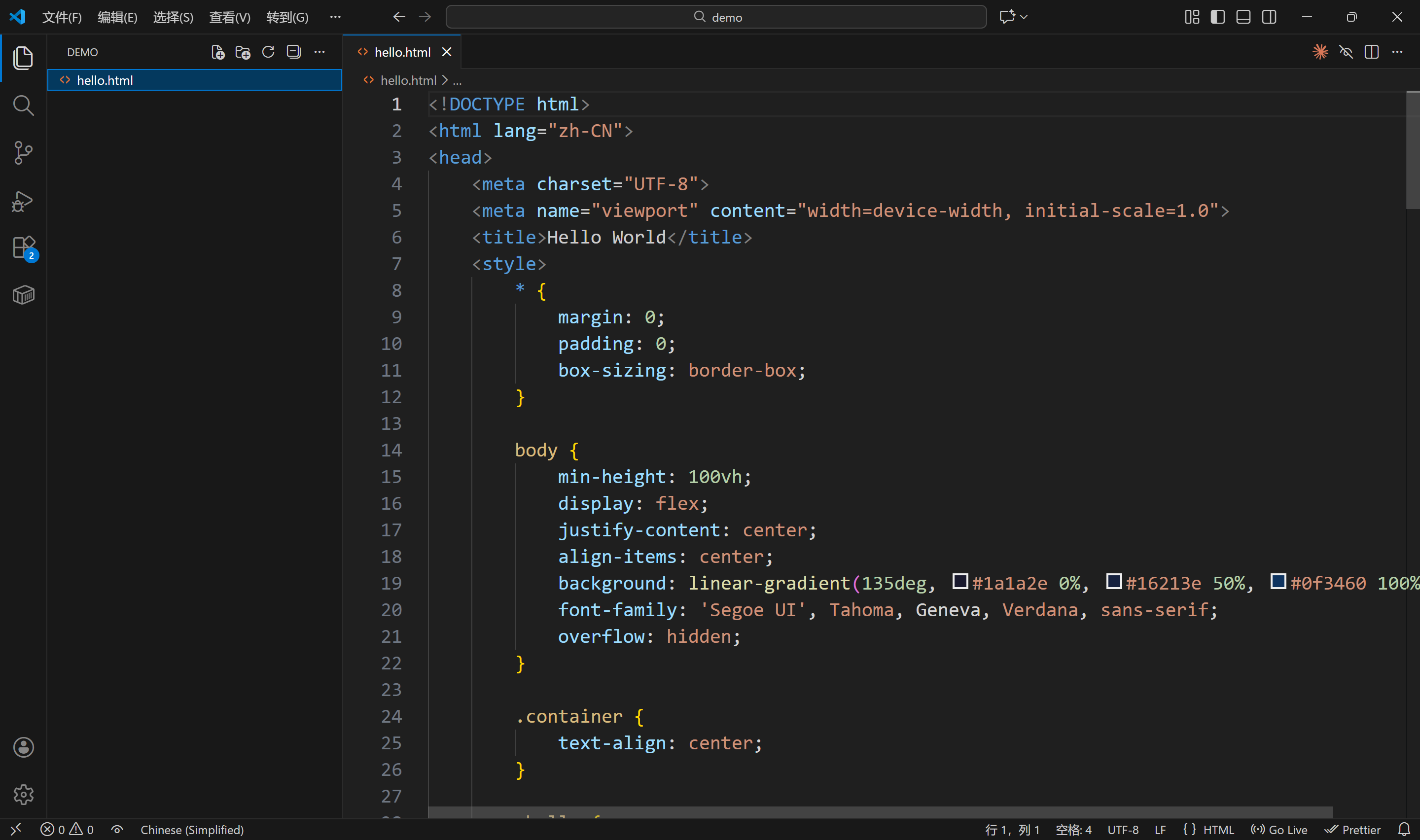
VScode 中可以看到这个 html 文件
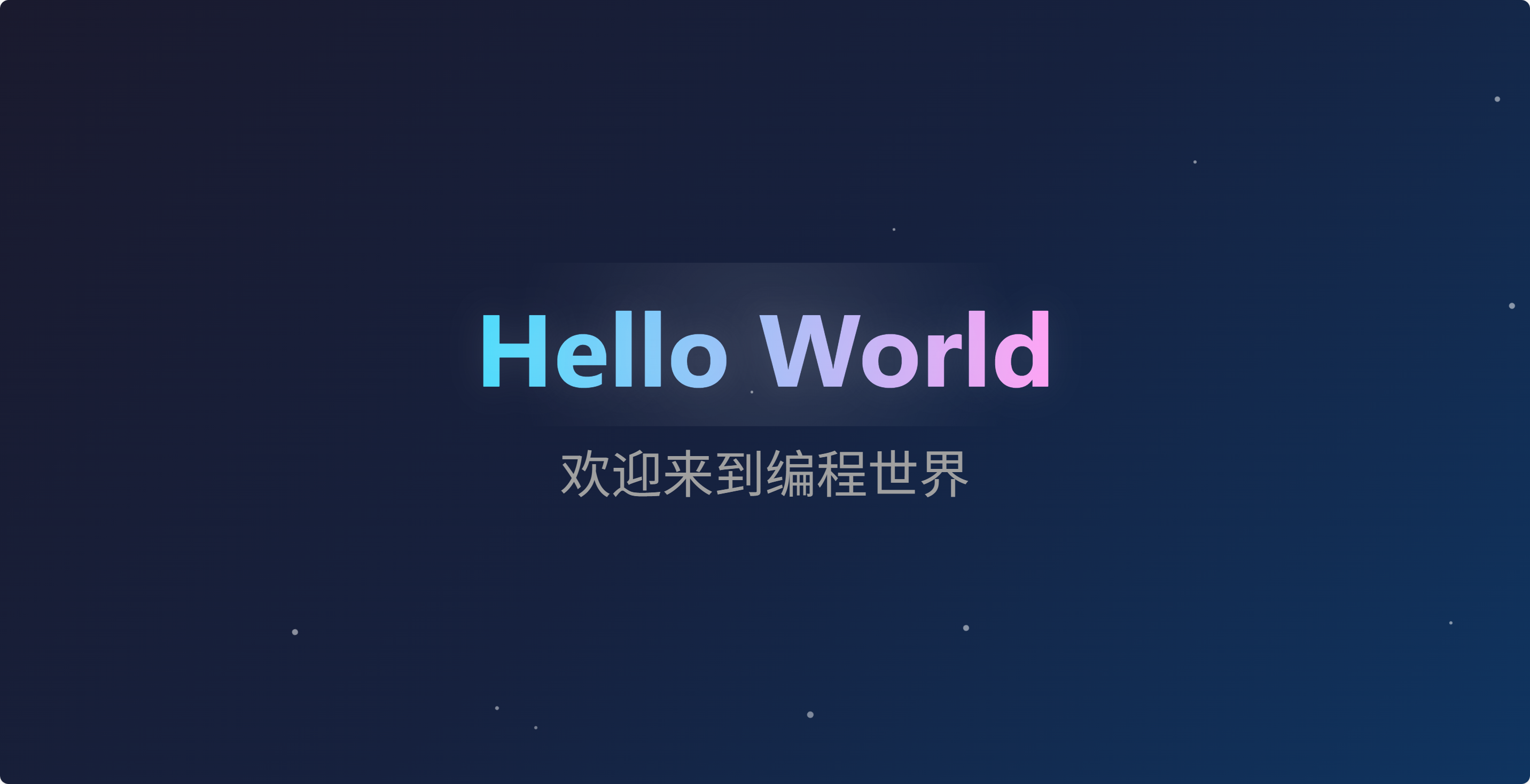
打开看看
看起来不错
Claude Code 写的文件如下
<!DOCTYPE html>
<html lang="zh-CN">
<head>
    <meta charset="UTF-8">
    <meta name="viewport" content="width=device-width, initial-scale=1.0">
    <title>Hello World</title>
    <style>
        * {
            margin: 0;
            padding: 0;
            box-sizing: border-box;
        }

        body {
            min-height: 100vh;
            display: flex;
            justify-content: center;
            align-items: center;
            background: linear-gradient(135deg, #1a1a2e 0%, #16213e 50%, #0f3460 100%);
            font-family: 'Segoe UI', Tahoma, Geneva, Verdana, sans-serif;
            overflow: hidden;
        }

        .container {
            text-align: center;
        }

        .hello {
            font-size: 6rem;
            font-weight: bold;
            background: linear-gradient(90deg, #ff6b6b, #feca57, #48dbfb, #ff9ff3);
            background-size: 300% 300%;
            -webkit-background-clip: text;
            -webkit-text-fill-color: transparent;
            background-clip: text;
            animation: gradient 4s ease infinite;
            text-shadow: 0 0 30px rgba(255, 255, 255, 0.1);
            position: relative;
        }

        .hello::after {
            content: '';
            position: absolute;
            top: 50%;
            left: 50%;
            transform: translate(-50%, -50%);
            width: 120%;
            height: 120%;
            background: radial-gradient(circle, rgba(255,255,255,0.1) 0%, transparent 70%);
            z-index: -1;
        }

        @keyframes gradient {
            0% { background-position: 0% 50%; }
            50% { background-position: 100% 50%; }
            100% { background-position: 0% 50%; }
        }

        .world {
            font-size: 3rem;
            color: #a0a0a0;
            margin-top: 20px;
            opacity: 0;
            animation: fadeIn 1s ease forwards;
            animation-delay: 0.5s;
        }

        @keyframes fadeIn {
            from {
                opacity: 0;
                transform: translateY(20px);
            }
            to {
                opacity: 1;
                transform: translateY(0);
            }
        }

        .particles {
            position: fixed;
            top: 0;
            left: 0;
            width: 100%;
            height: 100%;
            pointer-events: none;
            overflow: hidden;
            z-index: -1;
        }

        .particle {
            position: absolute;
            width: 4px;
            height: 4px;
            background: rgba(255, 255, 255, 0.5);
            border-radius: 50%;
            animation: float 15s infinite;
        }

        @keyframes float {
            0%, 100% {
                transform: translateY(100vh) rotate(0deg);
                opacity: 0;
            }
            10% {
                opacity: 1;
            }
            90% {
                opacity: 1;
            }
            100% {
                transform: translateY(-100vh) rotate(720deg);
                opacity: 0;
            }
        }
    </style>
</head>
<body>
    <div class="particles" id="particles"></div>
    <div class="container">
        <h1 class="hello">Hello World</h1>
        <p class="world">欢迎来到编程世界</p>
    </div>

    <script>
        const particlesContainer = document.getElementById('particles');
        const particleCount = 50;

        for (let i = 0; i < particleCount; i++) {
            const particle = document.createElement('div');
            particle.classList.add('particle');
            particle.style.left = Math.random() * 100 + '%';
            particle.style.animationDelay = Math.random() * 15 + 's';
            particle.style.animationDuration = (10 + Math.random() * 10) + 's';
            particle.style.width = (2 + Math.random() * 4) + 'px';
            particle.style.height = particle.style.width;
            particlesContainer.appendChild(particle);
        }
    </script>
</body>
</html>

AtomGit 是由开放原子开源基金会联合 CSDN 等生态伙伴共同推出的新一代开源与人工智能协作平台。平台坚持“开放、中立、公益”的理念,把代码托管、模型共享、数据集托管、智能体开发体验和算力服务整合在一起,为开发者提供从开发、训练到部署的一站式体验。
更多推荐


 6
6 0
0- 0


 已为社区贡献4条内容

所有评论(0)