ANSYS掉许可证情况解决
ANSYS掉许可证情况解决
下载好ansys后重新打开时是一切正常的,但是隔天打开时发现有弹窗,且Mechanical无法打开数据库。
主包的ANSYS为2022R2中文版
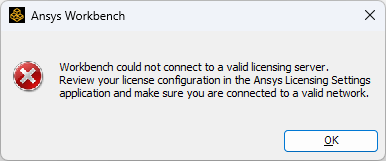
弹窗1显示**Workbench could not connect to a valid licensing server.Review your license confguration in the Ansys Licensing Settngsapplication and make sure you are connected to a valid network.**如图1
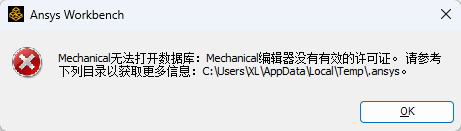
在使用Mechanical弹窗显示**Mechanical无法打开数据库:Mechanical编辑器没有有效的许可证。请参考下列目录以获取更多信息:c:UsersxLAppDataLocalTempl.ansyso。**如图2。
解决方法
查找了很多方法之后我用了两个方法,不确定是哪个解决了问题。
方法一
-
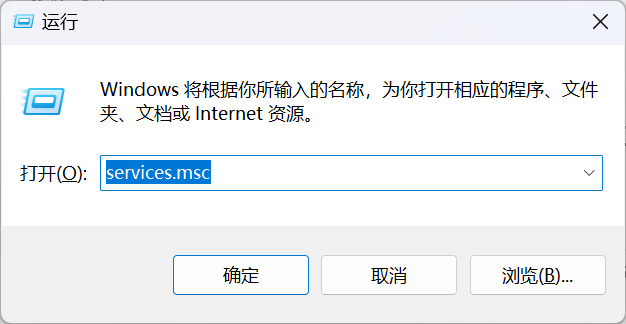
win+r ,输入services.msc;
-
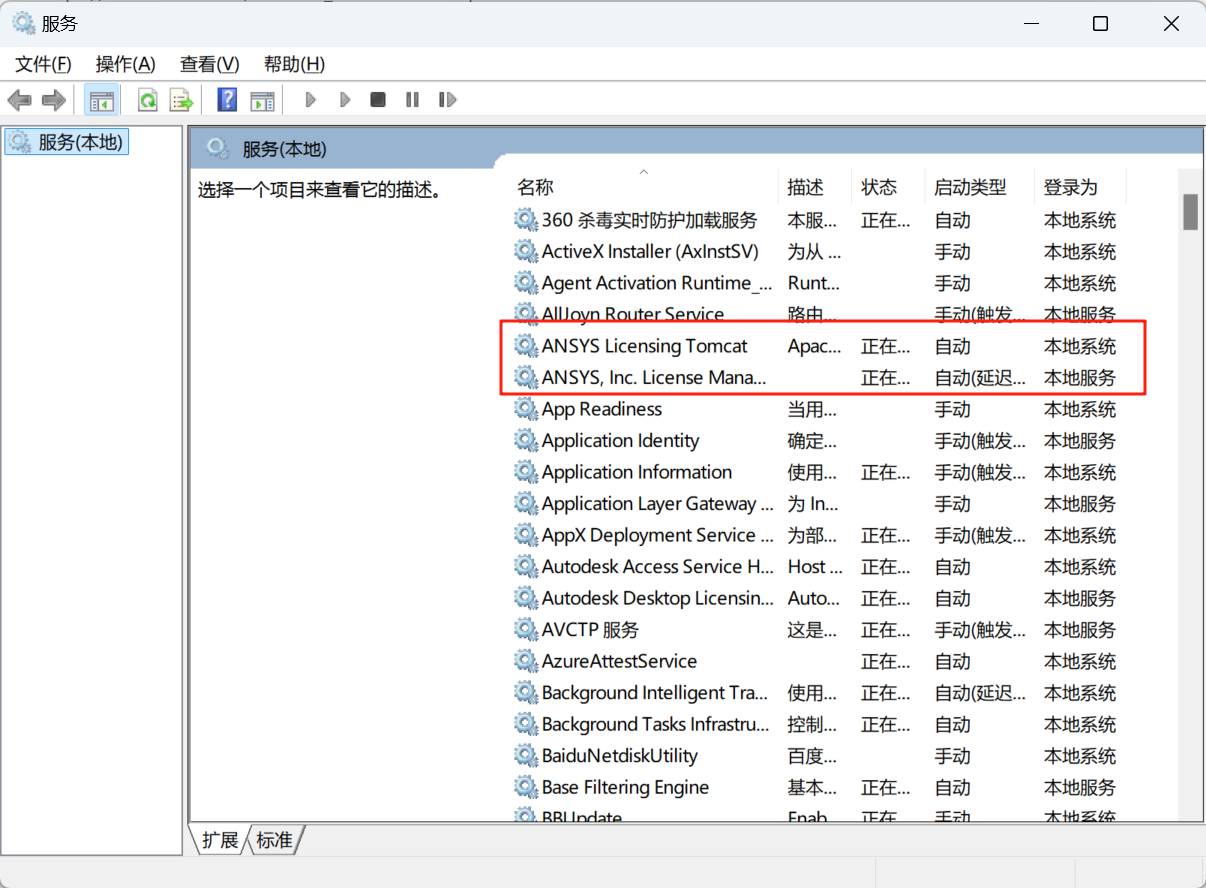
回车后弹出窗口显示有两个和ansys有关的 ;
-
双击点击恢复框,把前三行都选为重新启动服务;
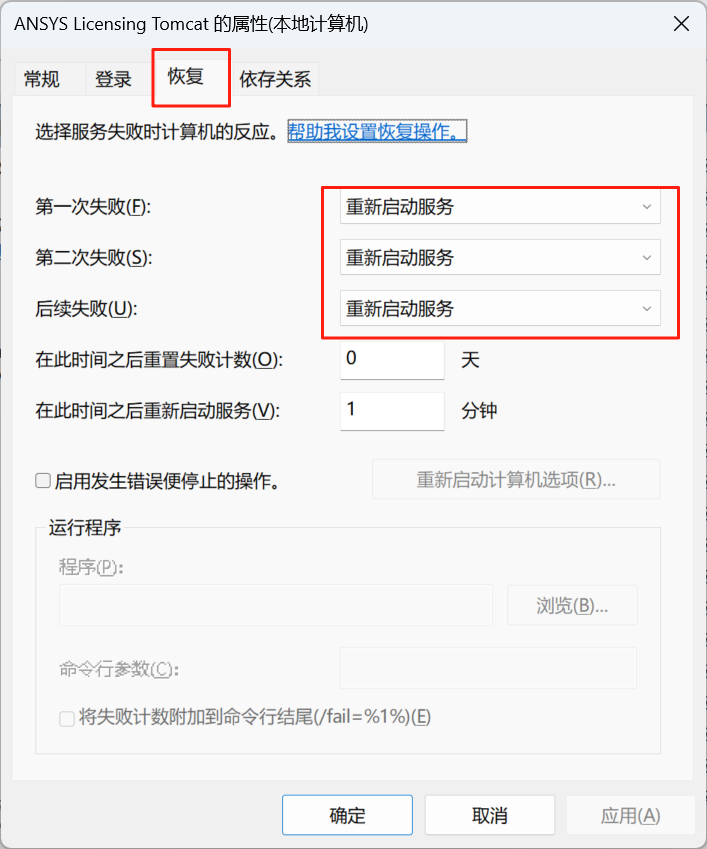
结果重新启动后还是会弹Workbench could not connect to a valid licensing server.Review your license confguration in the Ansys Licensing Settngsapplication and make sure you are connected to a valid network.
方法二
-
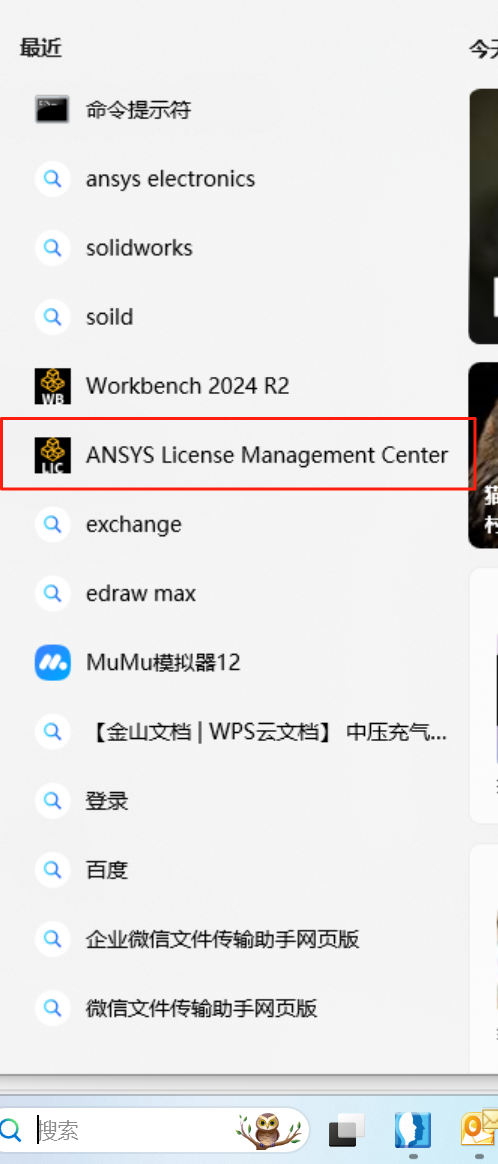
搜索框搜索 license management center;
-
-
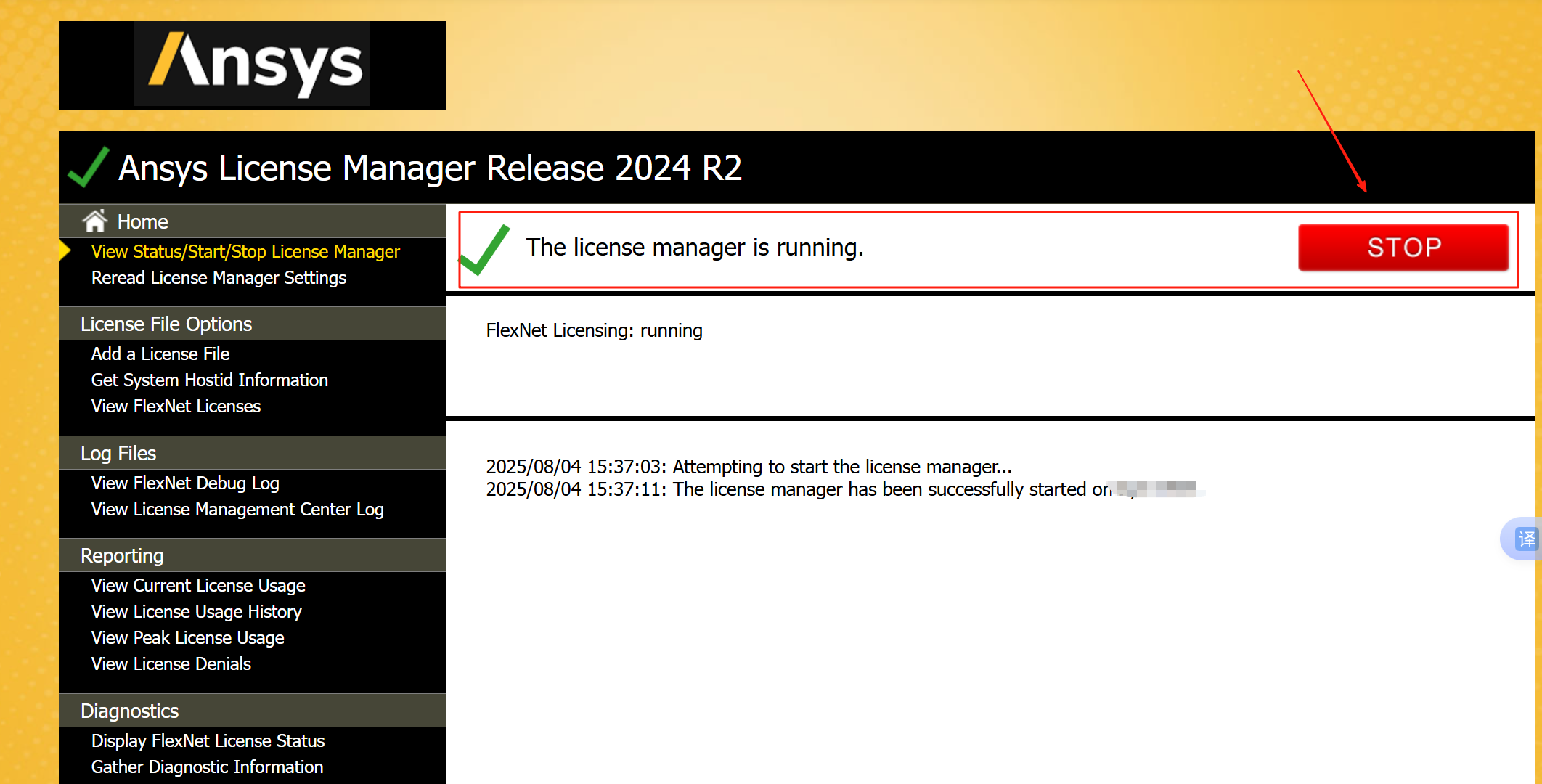
双击后弹出网页,点击run,显示the license manager is running即可。
-
重启workbench r2就成功了。

AtomGit 是由开放原子开源基金会联合 CSDN 等生态伙伴共同推出的新一代开源与人工智能协作平台。平台坚持“开放、中立、公益”的理念,把代码托管、模型共享、数据集托管、智能体开发体验和算力服务整合在一起,为开发者提供从开发、训练到部署的一站式体验。
更多推荐



 42
42 0
0- 0


 已为社区贡献1条内容

所有评论(0)