全网vip电影免费看(最全操作)
·
全网vip电影免费看(电脑网页版)
第一步 下载Edge浏览器
1、如果电脑没有浏览器可以在正规的电脑商店里面进行下载(这样不会下载到病毒和恶意软件应用)。
2、如果电脑有浏览器,点开直接使用就可以。
第二步 下载安装扩展
1、点击进入浏览器主页。
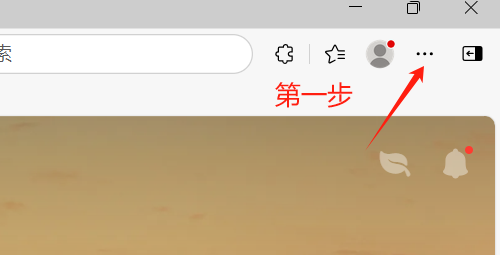
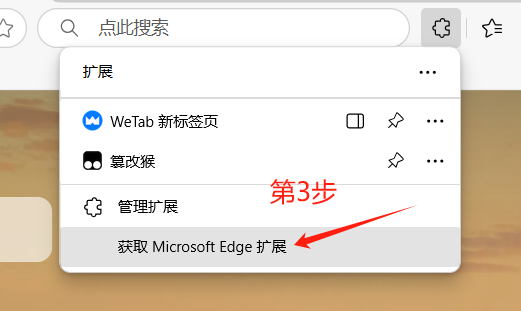
2、点击右上角的三个点,再点击扩展,弹出窗口,点击获取扩展。
如下图所示:
第一步:点击三个点
第二步:点击扩展。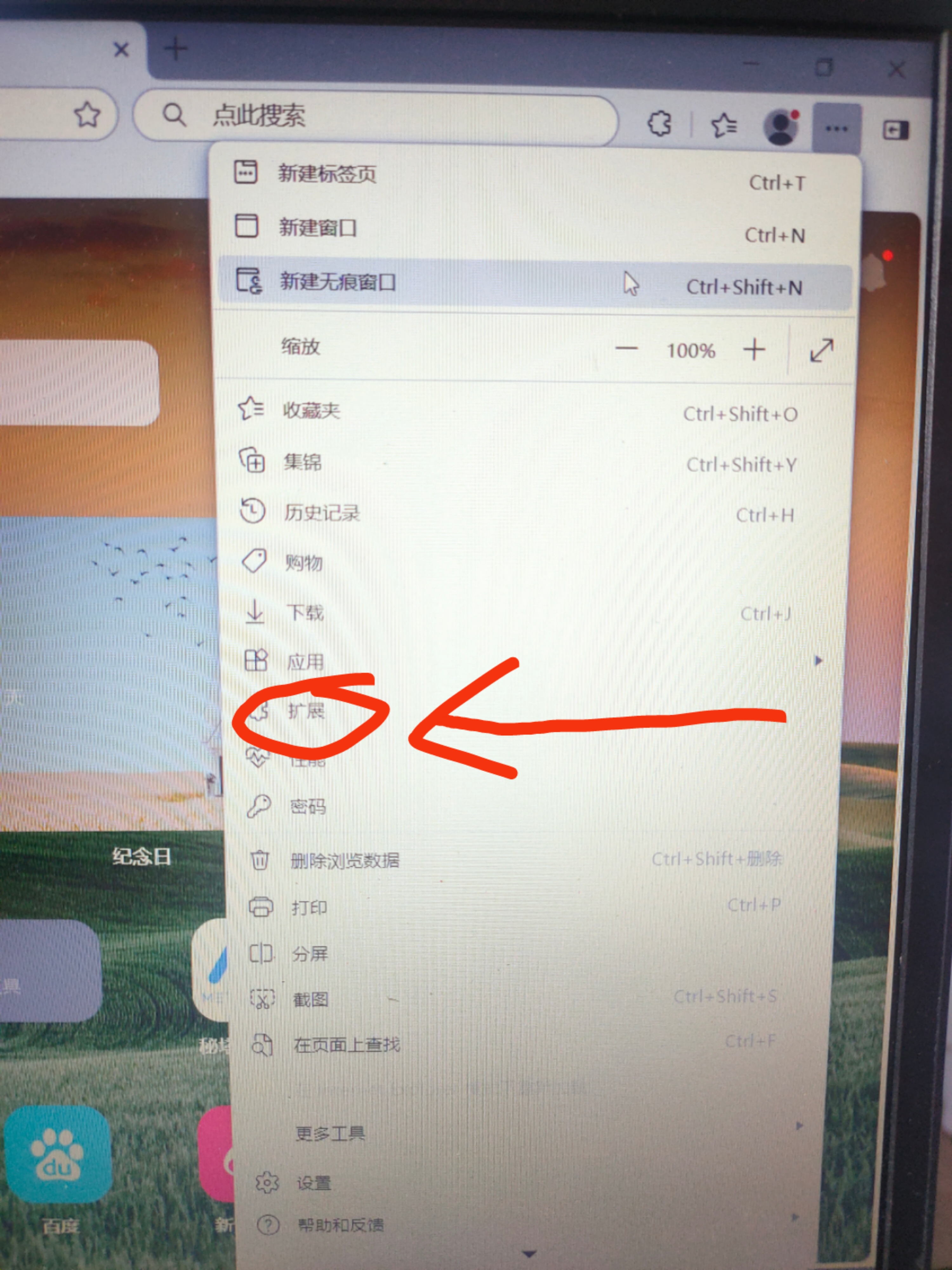
第三步:点击获取扩展。
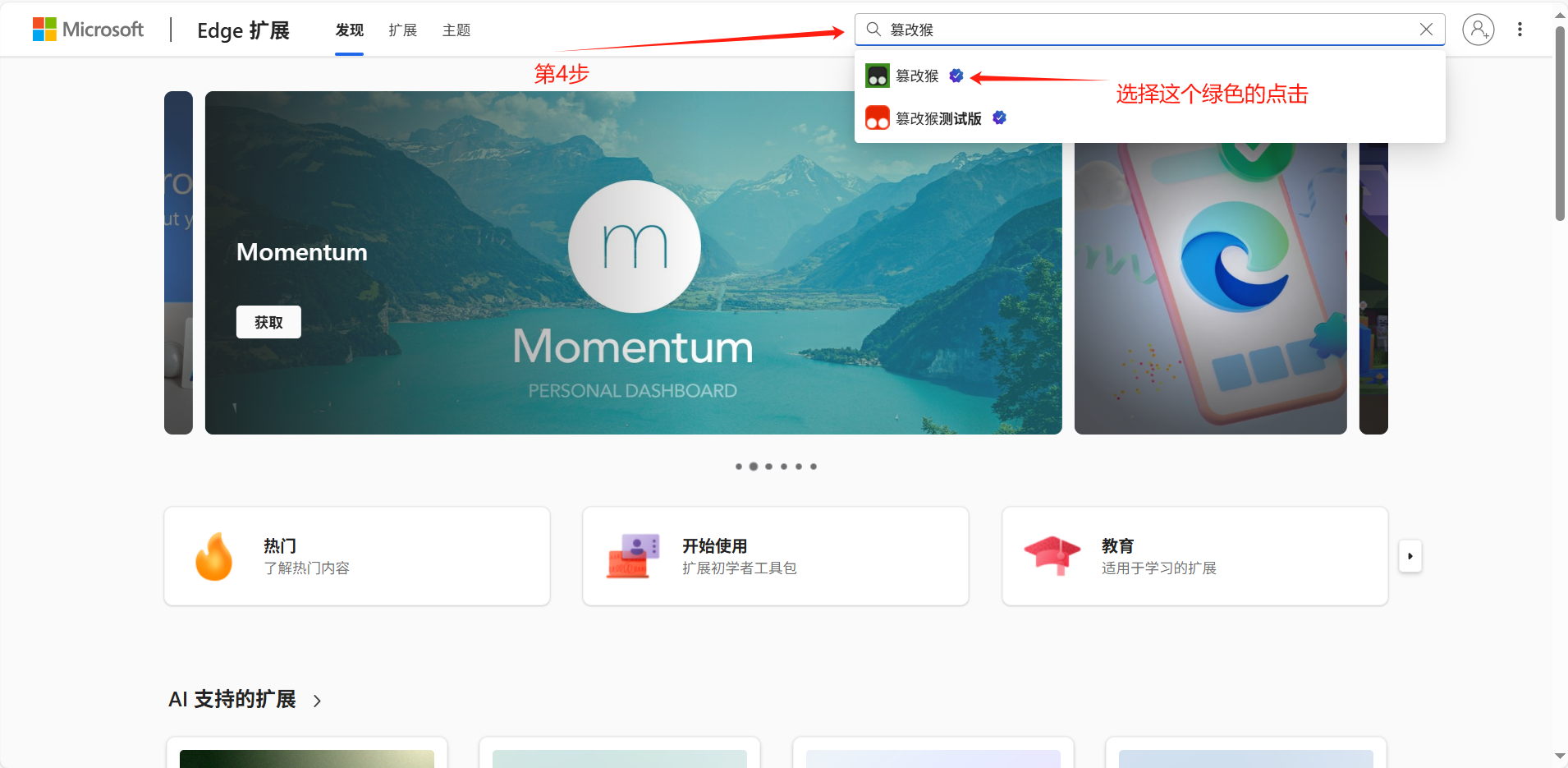
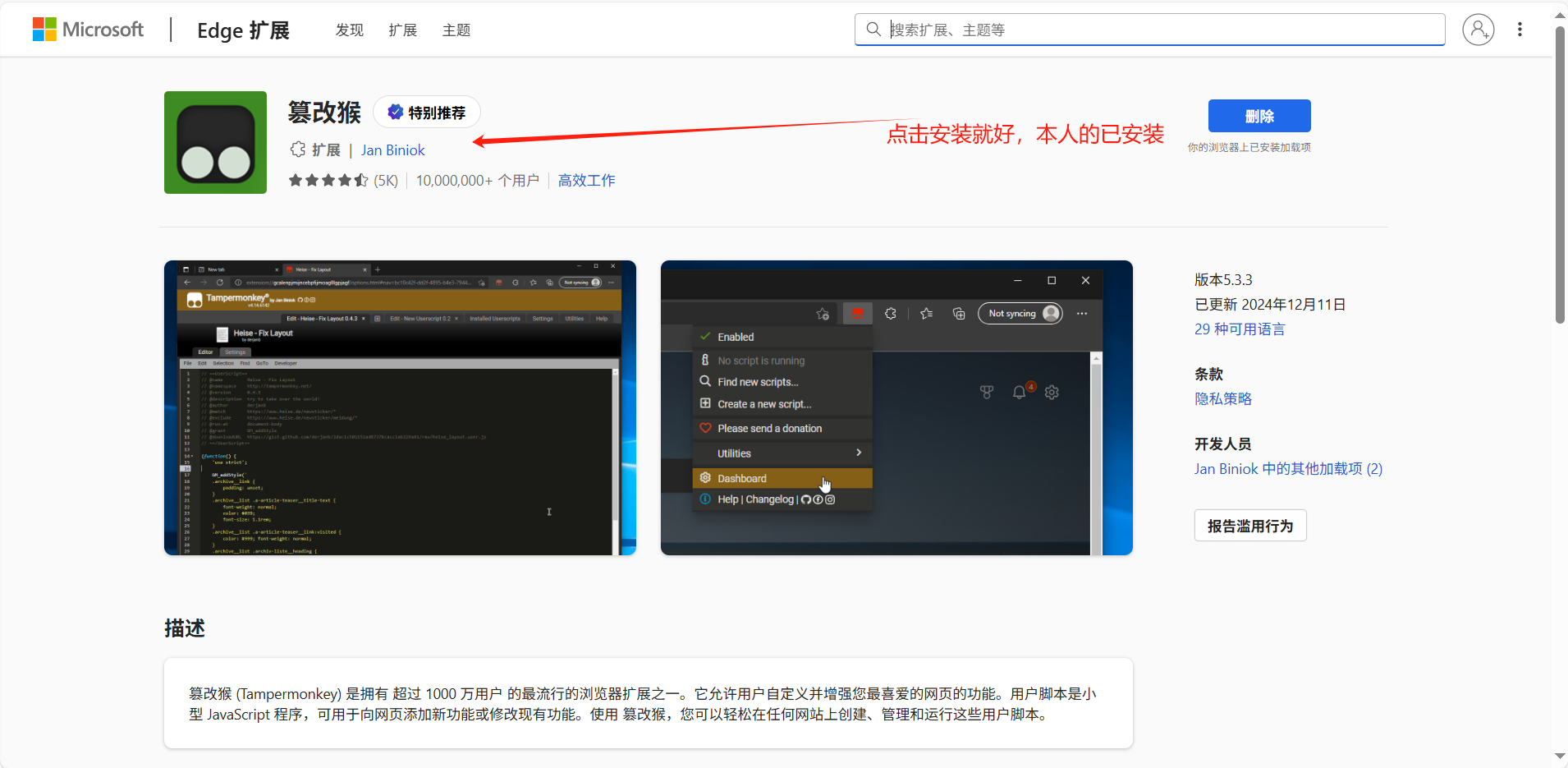
第四步:在搜索页面搜索篡改猴(注意是绿色的)。
第五步:点击安装就好,博主已安装,所以显示删除。
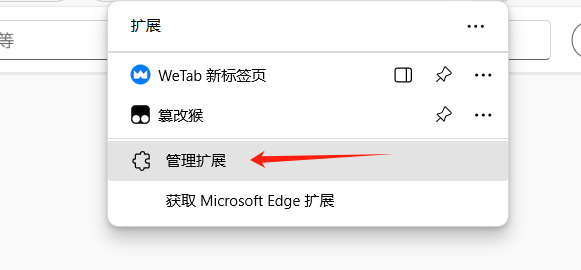
第六步:安装完之后点击管理扩展。
第七步:在这里就有已经安装的扩展,进行启用就好。
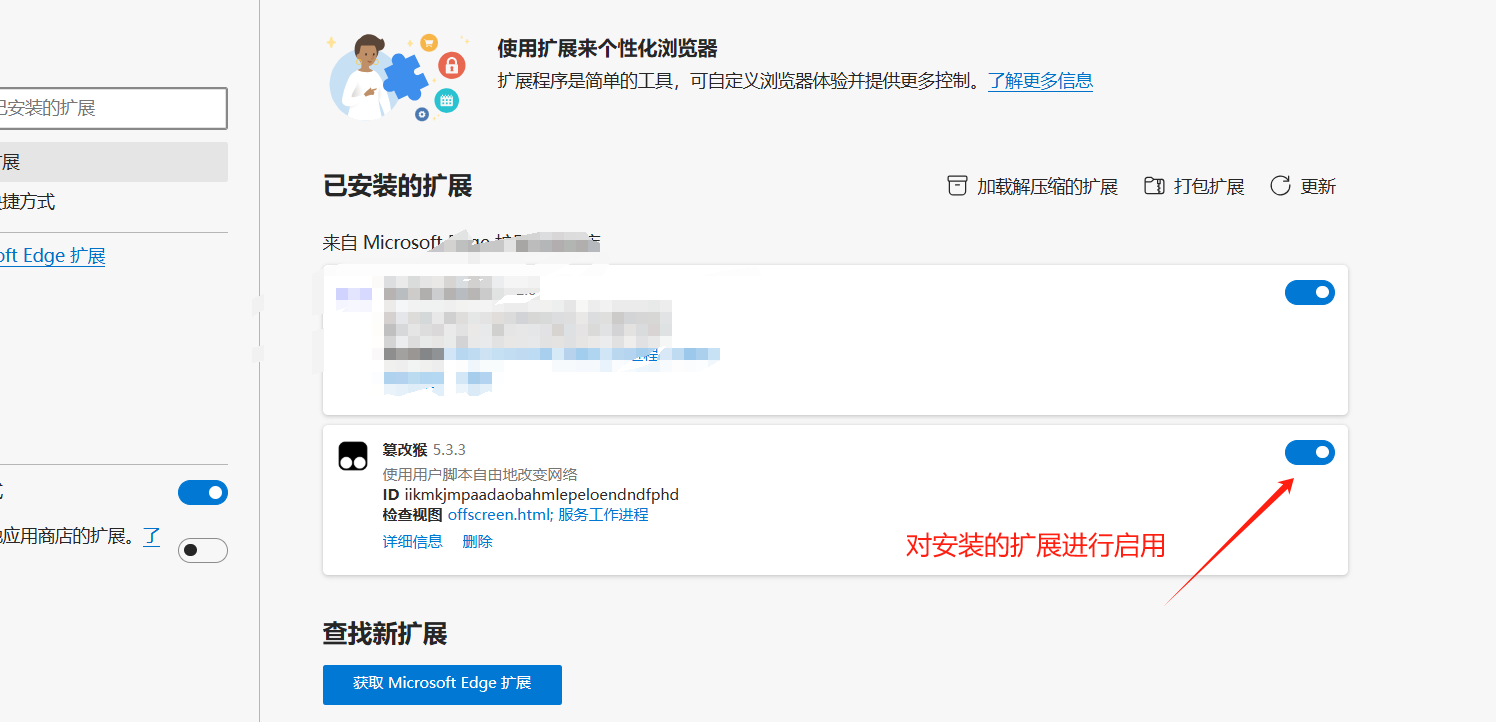
此时你的浏览器扩展安装完成,接下来安装插件。
第三步 下载安装插件
跟着博主走,永远不迷路。
第一步:点击下载的扩展篡改猴。
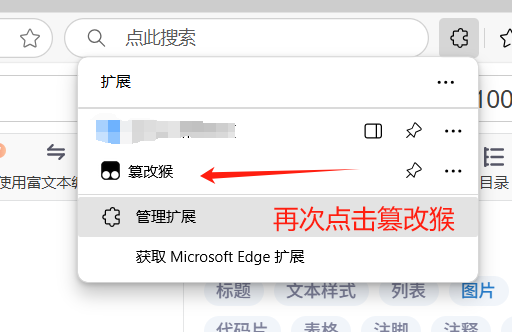
第二步:点击之后出现以下页面,点击获取新脚本。

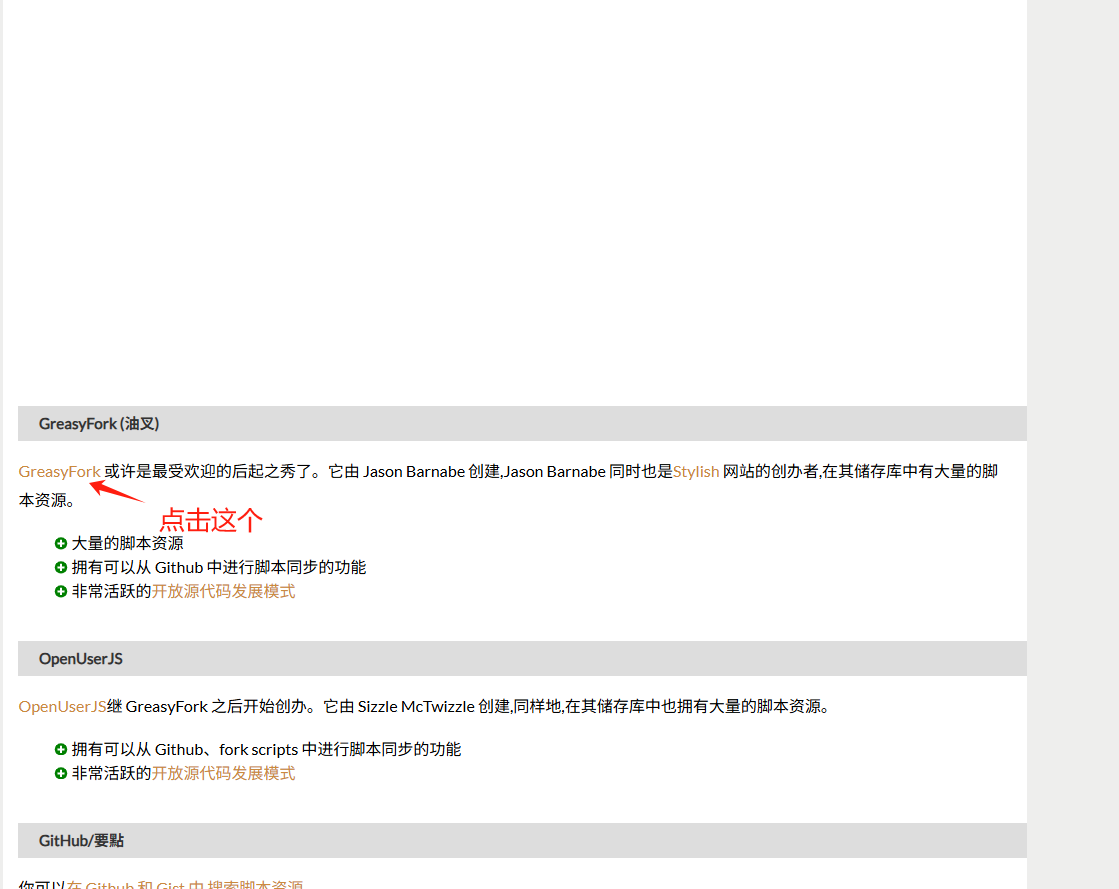
第三步:进去之后点击GreasyFork进入页面。
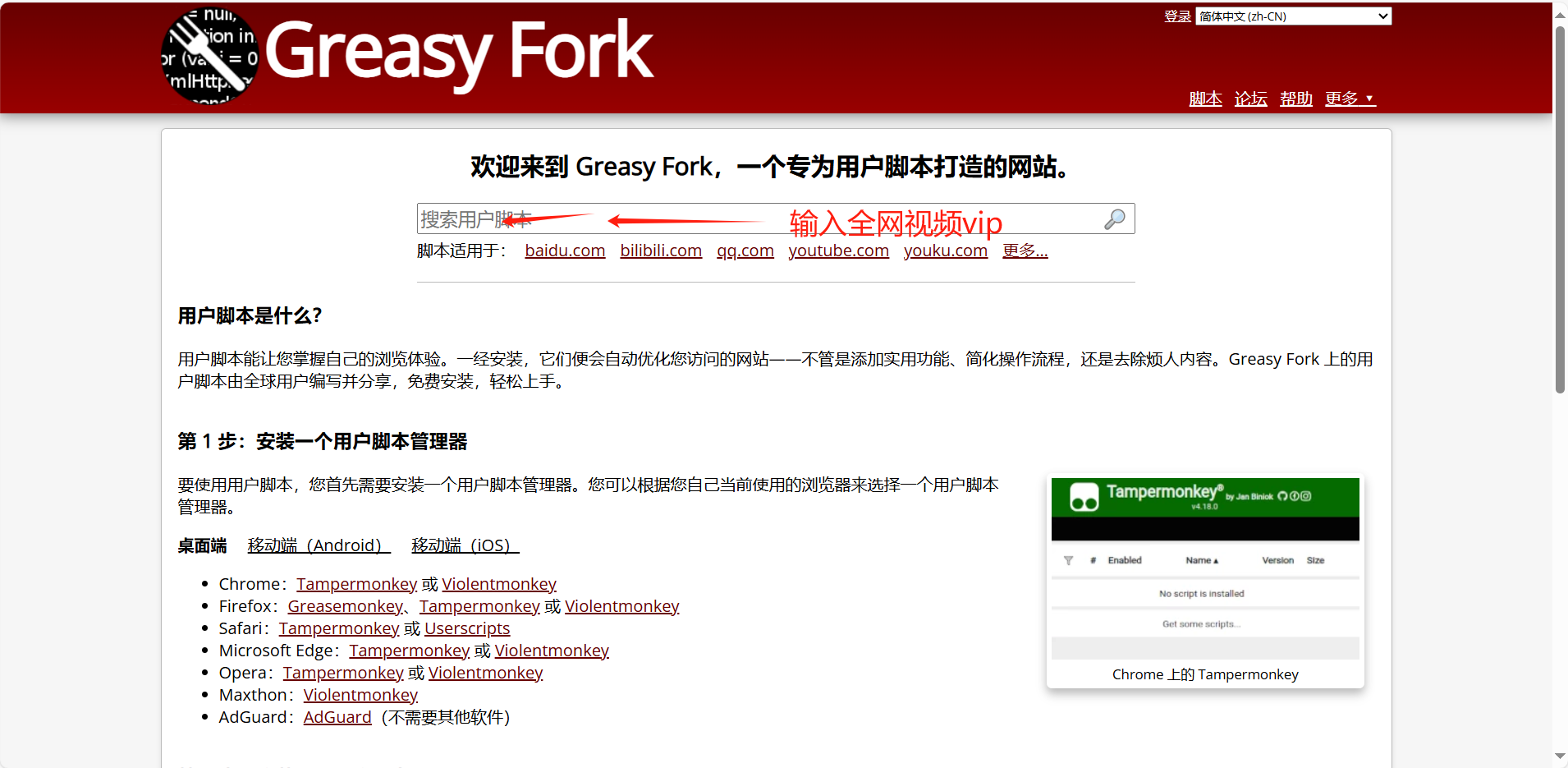
第四步:进入之后搜索全网视频VIP。
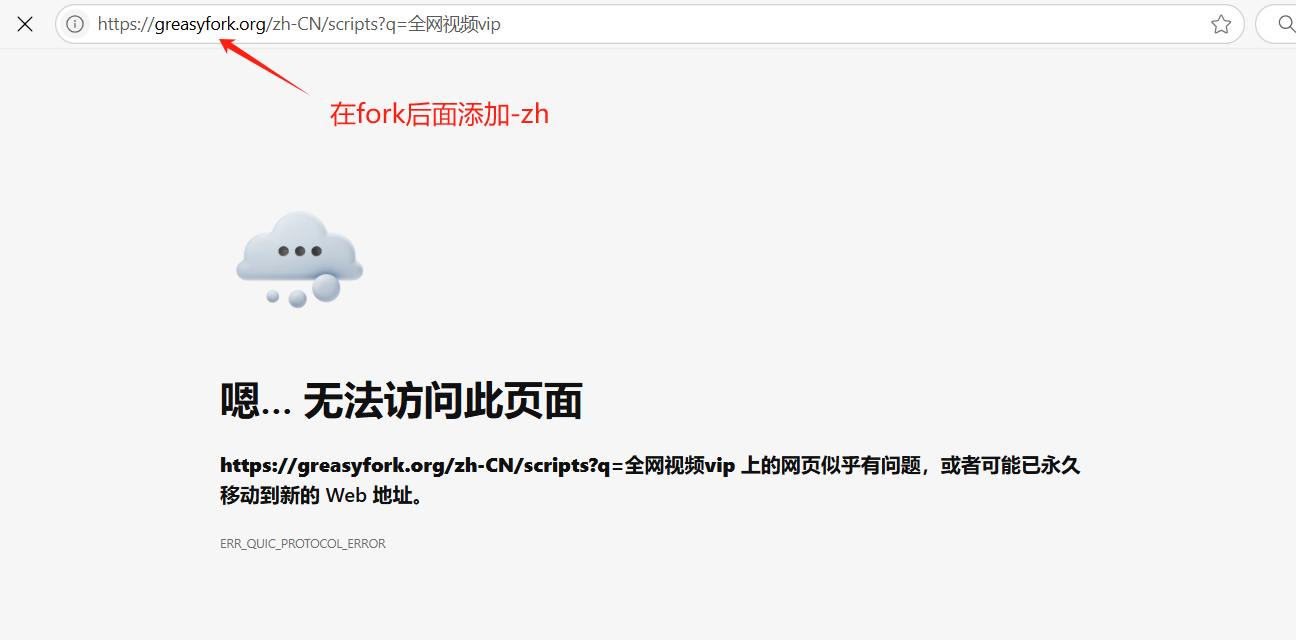
第五步:这个时候有些会显示无法访问,这个时候在网址里面添加**-zh**
第六步:加入-zh之后可以访问,在里面搜索全网视频VIP
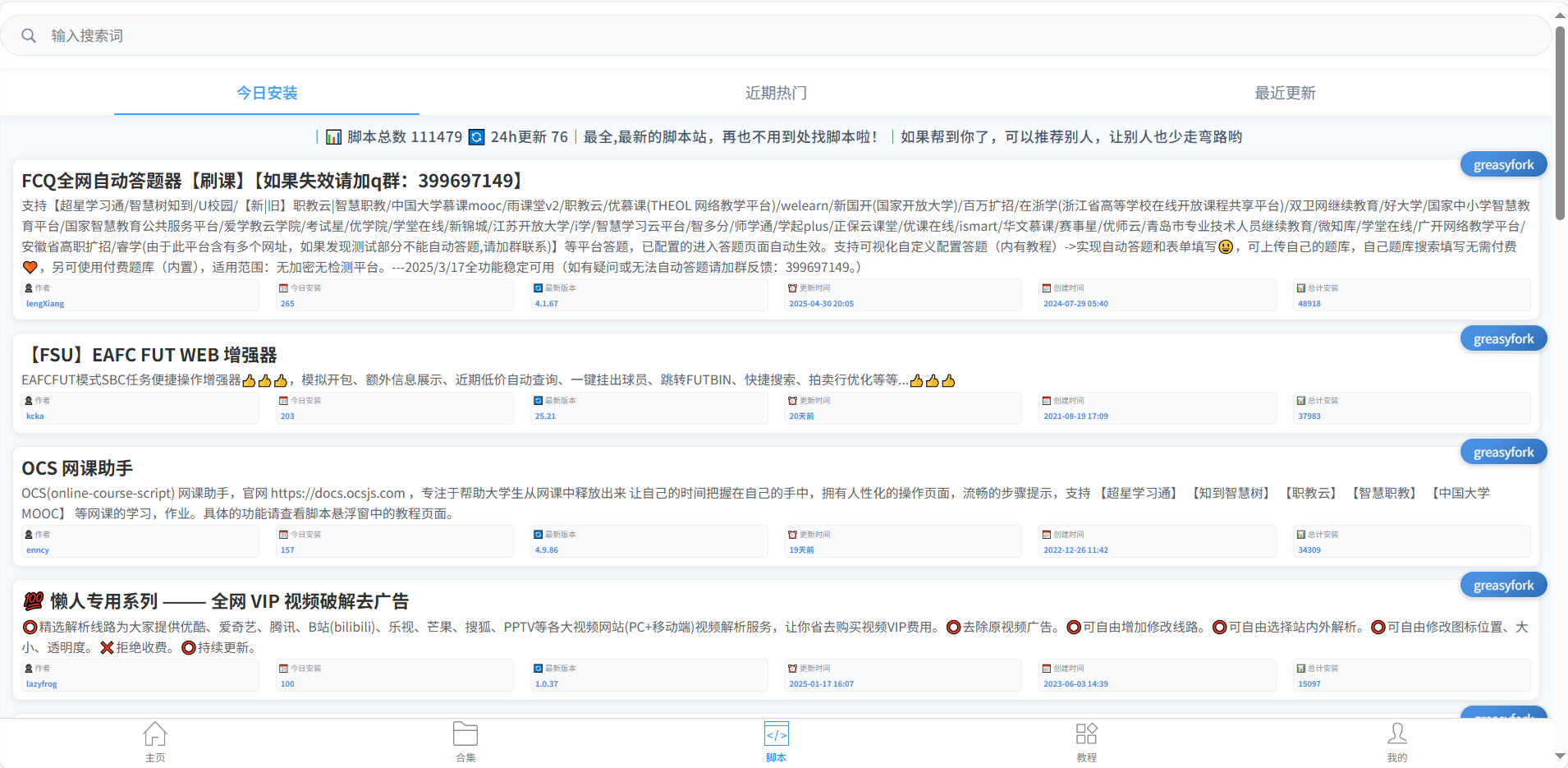
第七步:选择第一个下载就好。
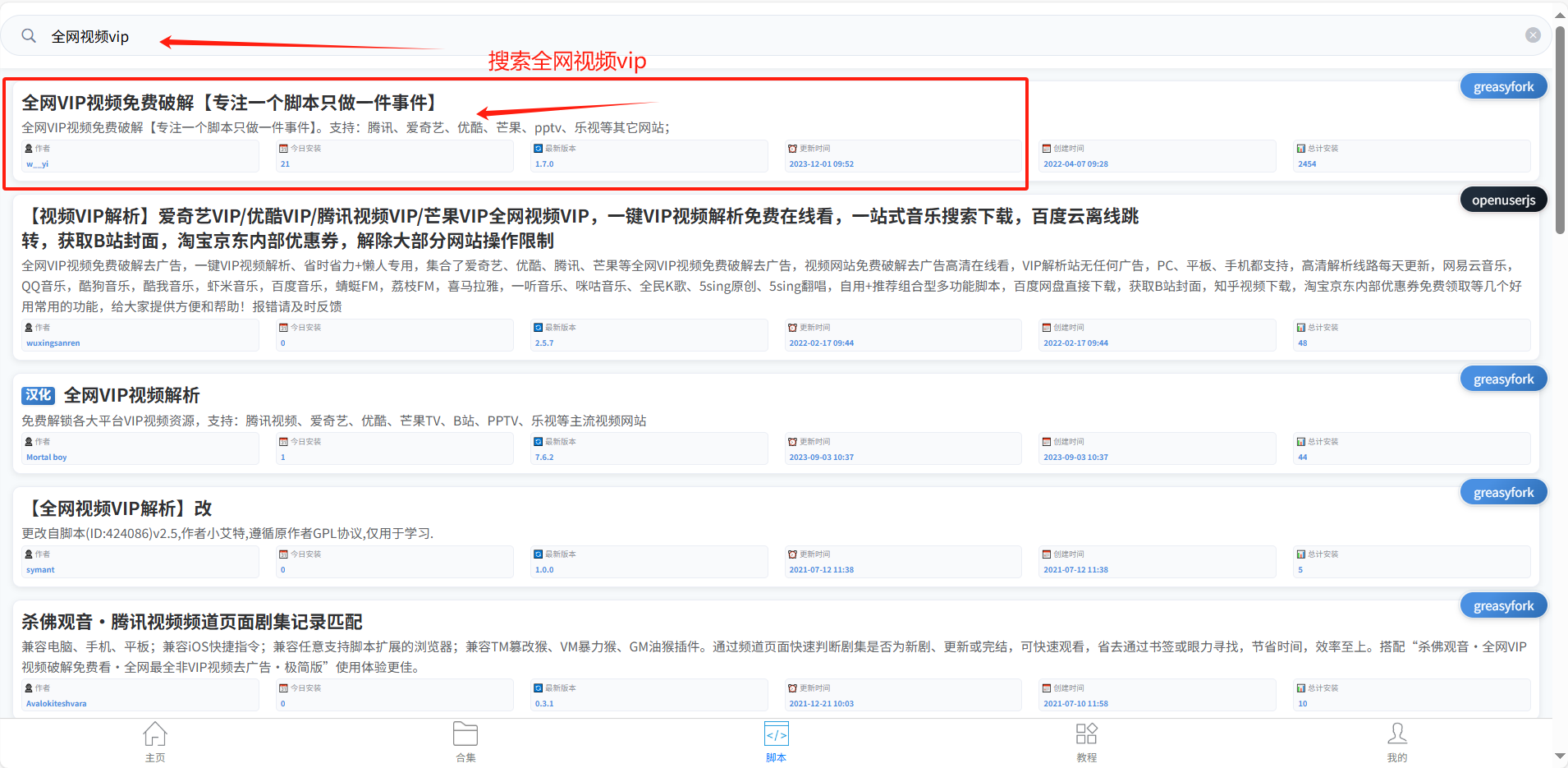
第八步:点击下载下来。
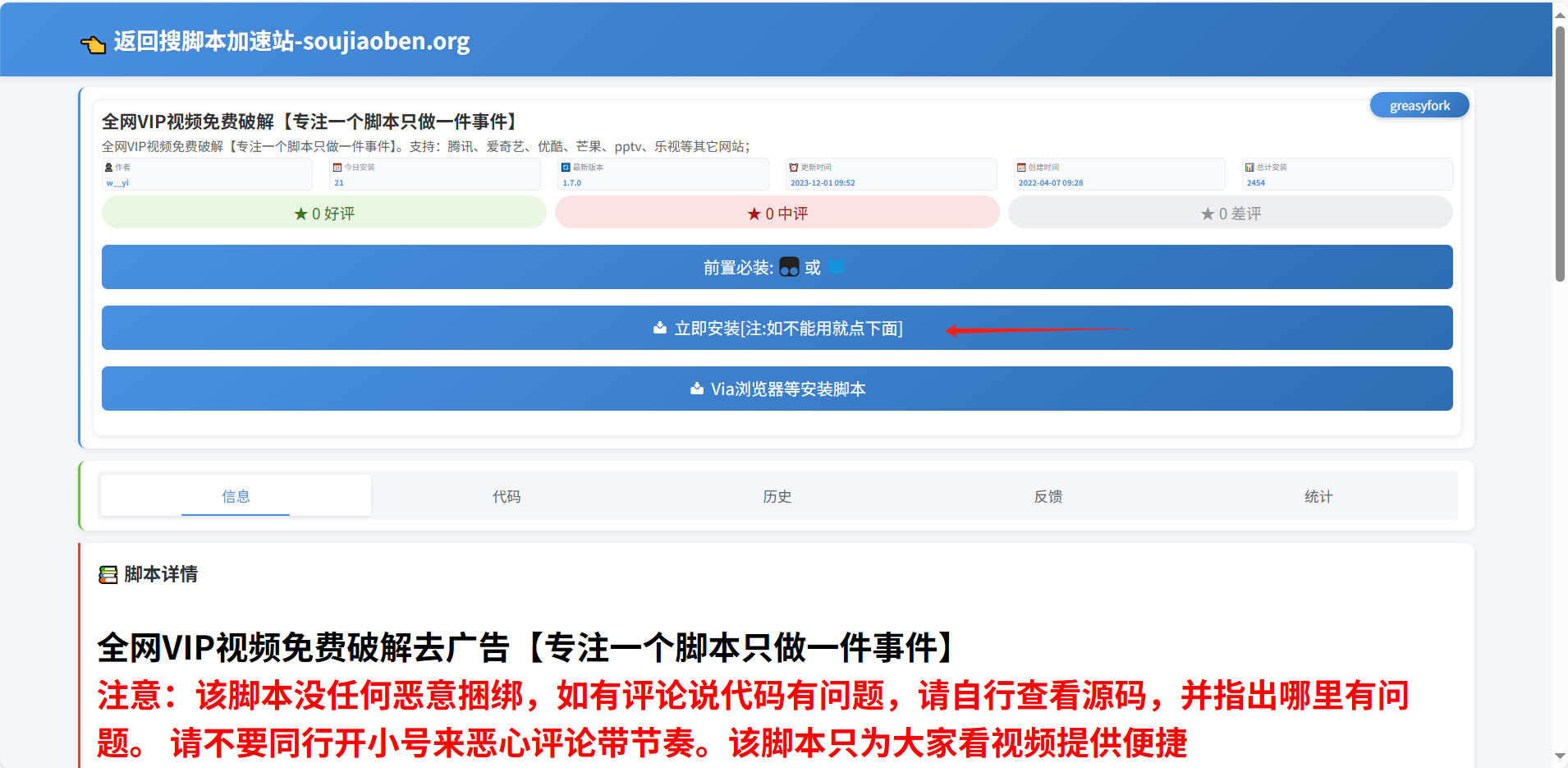
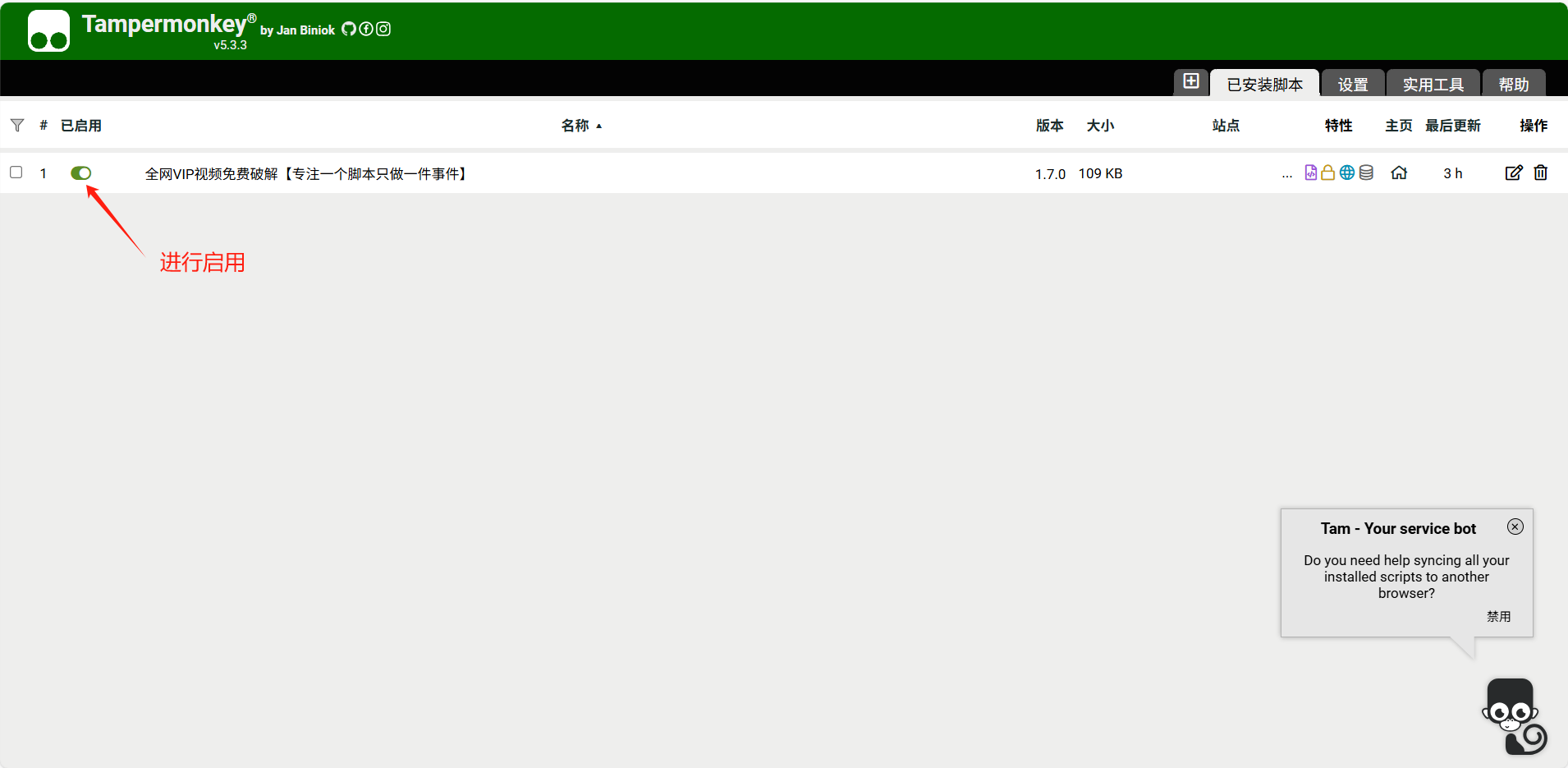
第九步:点击添加新脚本,将刚下载的脚本进行添加。

第十步:点击按钮进行启用该插件。
第十一步:打开需要看的电视网页版,会看到最左边有这样的一个按钮。点到自己要看的vip电视里面会有免费看5分钟。
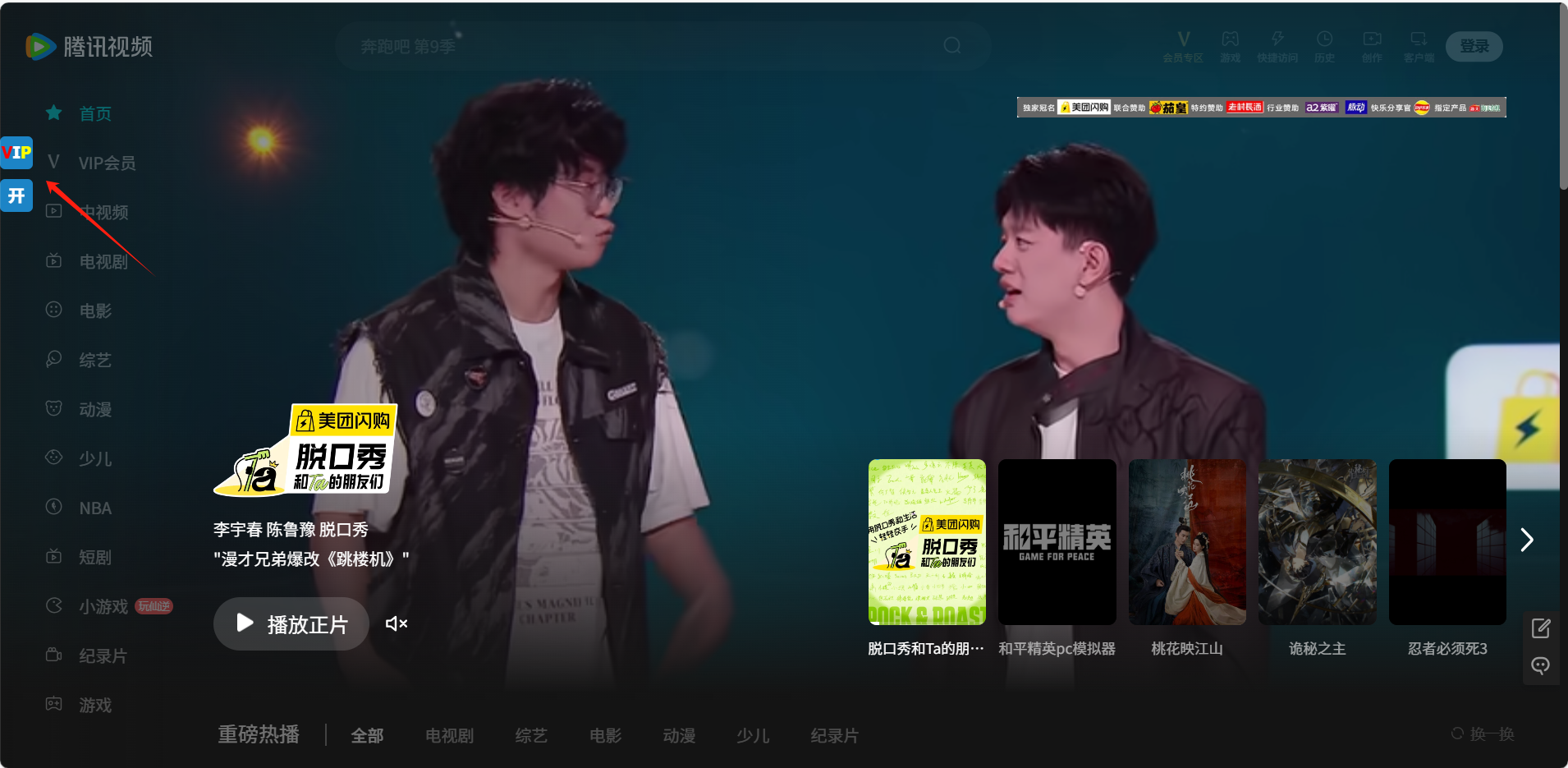
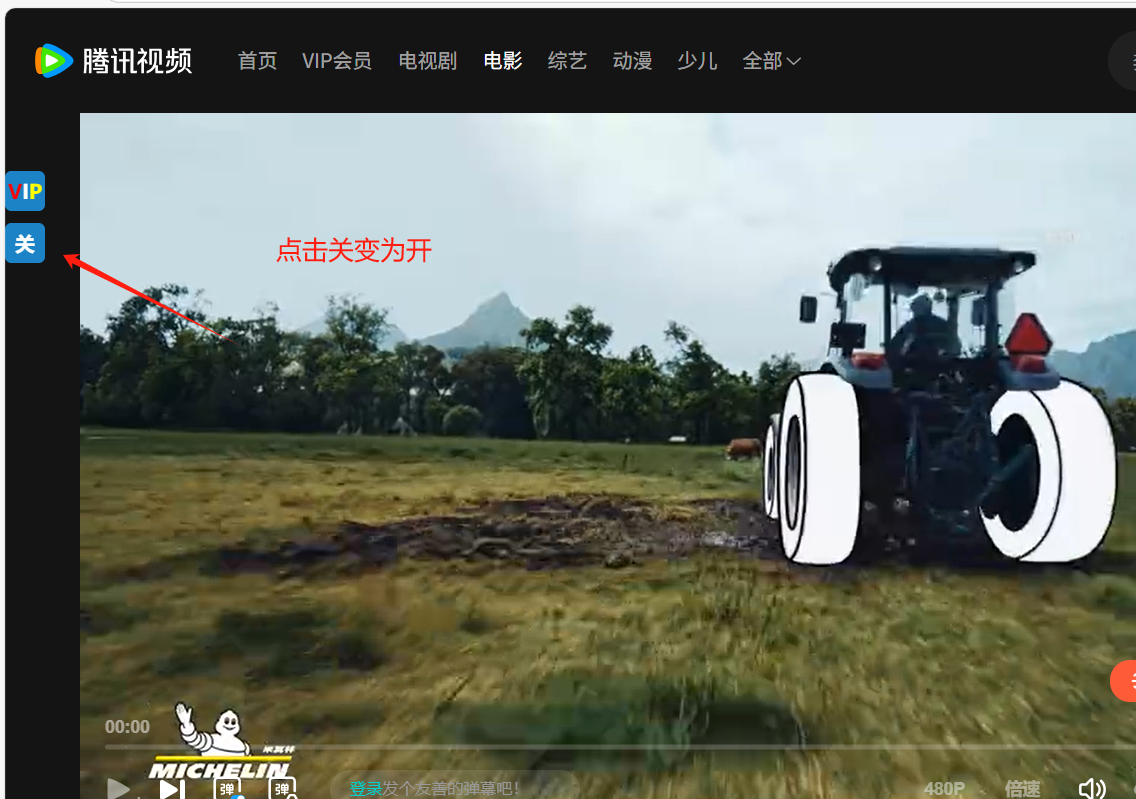
点击做左边关为开就可以免费看了。
第四步 完成
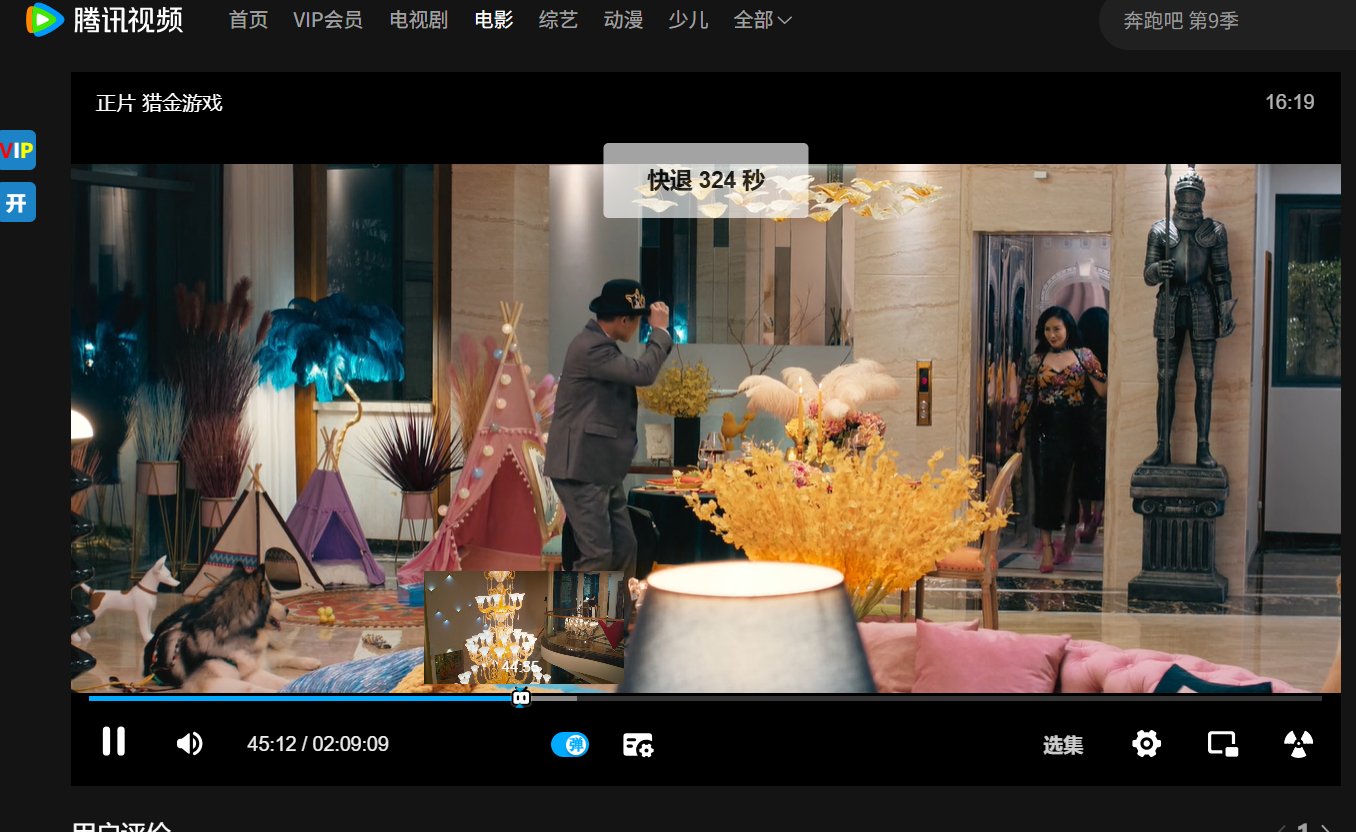
脚本源代码:
代码仅作为参考,可以依照功能修改自己需要的。
// ==/UserScript==
const util = (function () {
function findTargetElement(targetContainer) {
const body = window.document;
let tabContainer;
let tryTime = 0;
const maxTryTime = 120;
let startTimestamp;
return new Promise((resolve, reject) => {
function tryFindElement(timestamp) {
if (!startTimestamp) {
startTimestamp = timestamp;
}
const elapsedTime = timestamp - startTimestamp;
if (elapsedTime >= 500) {
GM_log("查找元素:" + targetContainer + ",第" + tryTime + "次");
tabContainer = body.querySelector(targetContainer);
if (tabContainer) {
resolve(tabContainer);
} else if (++tryTime === maxTryTime) {
reject();
} else {
startTimestamp = timestamp;
}
}
if (!tabContainer && tryTime < maxTryTime) {
requestAnimationFrame(tryFindElement);
}
}
requestAnimationFrame(tryFindElement);
});
}
function urlChangeReload() {
const oldHref = window.location.href;
let interval = setInterval(() => {
let newHref = window.location.href;
if (oldHref !== newHref) {
clearInterval(interval);
window.location.reload();
}
}, 500);
}
function reomveVideo() {
setInterval(() => {
for (let video of document.getElementsByTagName("video")) {
if (video.src) {
video.removeAttribute("src");
video.muted = true;
video.load();
video.pause();
}
}
}, 500);
}
function syncRequest(option) {
return new Promise((resolve, reject) => {
option.onload = (res) => {
resolve(res);
};
option.onerror = (err) => {
reject(err);
};
GM_xmlhttpRequest(option);
});
}
return {
req: (option) => syncRequest(option),
findTargetEle: (targetEle) => findTargetElement(targetEle),
urlChangeReload: () => urlChangeReload(),
reomveVideo: () => reomveVideo()
}
})();
class BaseConsumer {
constructor() {
this.parse = () => {
util.findTargetEle('body')
.then((container) => this.preHandle(container))
.then((container) => this.generateElement(container))
.then((container) => this.bindEvent(container))
.then((container) => this.autoPlay(container))
.then((container) => this.postHandle(container));
}
}
preHandle(container) {
_CONFIG_.currentPlayerNode.displayNodes.forEach((item, index) => {
util.findTargetEle(item)
.then((obj) => obj.style.display = 'none')
.catch(e => console.warn("不存在元素", e));
});
return new Promise((resolve, reject) => resolve(container));
}
let autoPlay = !!GM_getValue(_CONFIG_.autoPlayerKey, null) ? "开" : "关";
$(container).append(`
<div id="${_CONFIG_.vipBoxId}">
<div class="vip_icon">
<div class="img_box" title="选择解析源" style="color:white;font-size:16px;font-weight:bold;border-radius:5px;"><span style="color: red;">V</span>I<span style="color: yellow;">P</span></div>
<div class="vip_list">
<div>
<h3 style="color:#1c84c6; font-weight: bold; font-size: 16px; padding:5px 0px;">[内嵌播放]</h3>
<ul>
${type_1_str}
<div style="clear:both;"></div>
</ul>
</div>
<div>
<h3 style="color:#1c84c6; font-weight: bold; font-size: 16px; padding:5px 0px;">[弹窗播放带选集]</h3>
<ul>
${type_2_str}
<div style="clear:both;"></div>
</ul>
</div>
<div>
<h3 style="color:#1c84c6; font-weight: bold; font-size: 16px; padding:5px 0px;">[弹窗播放不带选集]</h3>
<ul>
${type_3_str}
<div style="clear:both;"></div>
</ul>
</div>
<div style="text-align:left;color:#FFF;font-size:10px;padding:0px 10px;margin-top:10px;">
<b>自动解析功能说明:</b>
<br> 1、自动解析功能默认关闭(自动解析只支持内嵌播放源)
<br> 2、开启自动解析,网页打开后脚本将根据当前选中的解析源自动解析视频。如解析失败,请手动选择不同的解析源尝试
<br> 3、没有选中解析源将随机选取一个
<br> 4、如某些网站有会员可以关闭自动解析功能
</div>
</div>
</div>
<div class="img_box" id="vip_auto" style="color:white;font-size:16px;font-weight:bold;border-radius:5px;" title="是否打开自动解析。若自动解析失败,请手动选择其它接口尝试!!">${autoPlay}</div>
</div>`);
return new Promise((resolve, reject) => resolve(container));
}
bindEvent(container) {
const vipBox = $(`#${_CONFIG_.vipBoxId}`);
if (_CONFIG_.isMobile) {
vipBox.find(".vip_icon").on("click", () => vipBox.find(".vip_list").toggle());
} else {
vipBox.find(".vip_icon").on("mouseover", () => vipBox.find(".vip_list").show());
vipBox.find(".vip_icon").on("mouseout", () => vipBox.find(".vip_list").hide());
}
let _this = this;
vipBox.find(".vip_list .nq-li").each((liIndex, item) => {
item.addEventListener("click", () => {
const index = parseInt($(item).attr("data-index"));
GM_setValue(_CONFIG_.autoPlayerVal, index);
GM_setValue(_CONFIG_.flag, "true");
_this.showPlayerWindow(_CONFIG_.videoParseList[index]);
vipBox.find(".vip_list li").removeClass("selected");
$(item).addClass("selected");
});
});
return new Promise((resolve, reject) => resolve(container));
}
autoPlay(container) {
const vipBox = $(`#${_CONFIG_.vipBoxId}`);
vipBox.find("#vip_auto").on("click", function () {
if (!!GM_getValue(_CONFIG_.autoPlayerKey, null)) {
GM_setValue(_CONFIG_.autoPlayerKey, null);
$(this).html("关");
$(this).attr("title", "是否打开自动解析。若自动解析失败,请手动选择其它接口尝试!!");
} else {
GM_setValue(_CONFIG_.autoPlayerKey, "true");
$(this).html("开");
}
setTimeout(function () {
window.location.reload();
}, 200);
});
if (!!GM_getValue(_CONFIG_.autoPlayerKey, null)) {
this.selectPlayer(container);
}
return new Promise((resolve, reject) => resolve(container));
}
selectPlayer(container) {
let index = GM_getValue(_CONFIG_.autoPlayerVal, 2);
let autoObj = _CONFIG_.videoParseList[index];
let _th = this;
if (autoObj.type.includes("1")) {
setTimeout(function () {
_th.showPlayerWindow(autoObj);
const vipBox = $(`#${_CONFIG_.vipBoxId}`);
vipBox.find(`.vip_list [title="${autoObj.name}1"]`).addClass("selected");
$(container).find("#vip_auto").attr("title", `自动解析源:${autoObj.name}`);
}, 2500);
}
}
showPlayerWindow(videoObj) {
util.findTargetEle(_CONFIG_.currentPlayerNode.container)
.then((container) => {
const type = videoObj.type;
let url = videoObj.url + window.location.href;
if (type.includes("1")) {
util.reomveVideo();
$(container).empty();
$(container).empty();
let iframeDivCss = "width:100%;height:100%;z-index:999999;";
if (_CONFIG_.isMobile) {
iframeDivCss = "width:100%;height:220px;z-index:999999;";
}
if (_CONFIG_.isMobile && window.location.href.indexOf("iqiyi.com") !== -1) {
iframeDivCss = "width:100%;height:220px;z-index:999999;margin-top:-56.25%;";
}
$(container).append(`<div style="${iframeDivCss}"><iframe id="iframe-player-4a5b6c" src="${url}" style="border:none;" allowfullscreen="true" width="100%" height="100%"></iframe></div>`);
}
});
}
postHandle(container) {
if (!!GM_getValue(_CONFIG_.autoPlayerKey, null)) {
util.urlChangeReload();
} else {
let oldHref = window.location.href;
let interval = setInterval(() => {
let newHref = window.location.href;
if (oldHref !== newHref) {
oldHref = newHref;
if (!!GM_getValue(_CONFIG_.flag, null)) {
clearInterval(interval);
window.location.reload();
}
}
}, 1000);
}
}
}
class DefaultConsumer extends BaseConsumer {
}
return {
start: () => {
GM_setValue(_CONFIG_.flag, null);
let mallCase = 'Default';
let playerNode = _CONFIG_.playerContainers.filter(value => value.host === window.location.host);
if (playerNode === null || playerNode.length <= 0) {
console.warn(window.location.host + "该网站暂不支持,请联系作者,作者将会第一时间处理(注意:请记得提供有问题的网址)");
return;
}
_CONFIG_.currentPlayerNode = playerNode[0];
mallCase = _CONFIG_.currentPlayerNode.name;
const targetConsumer = eval(`new ${mallCase}Consumer`);
targetConsumer.parse();
}
}
})();
(function () {
superVip.start();
})();

AtomGit 是由开放原子开源基金会联合 CSDN 等生态伙伴共同推出的新一代开源与人工智能协作平台。平台坚持“开放、中立、公益”的理念,把代码托管、模型共享、数据集托管、智能体开发体验和算力服务整合在一起,为开发者提供从开发、训练到部署的一站式体验。
更多推荐

 27
27 0
0- 0


 已为社区贡献2条内容

所有评论(0)