分享几个在线浏览URDF文件的网站
·
网站说明
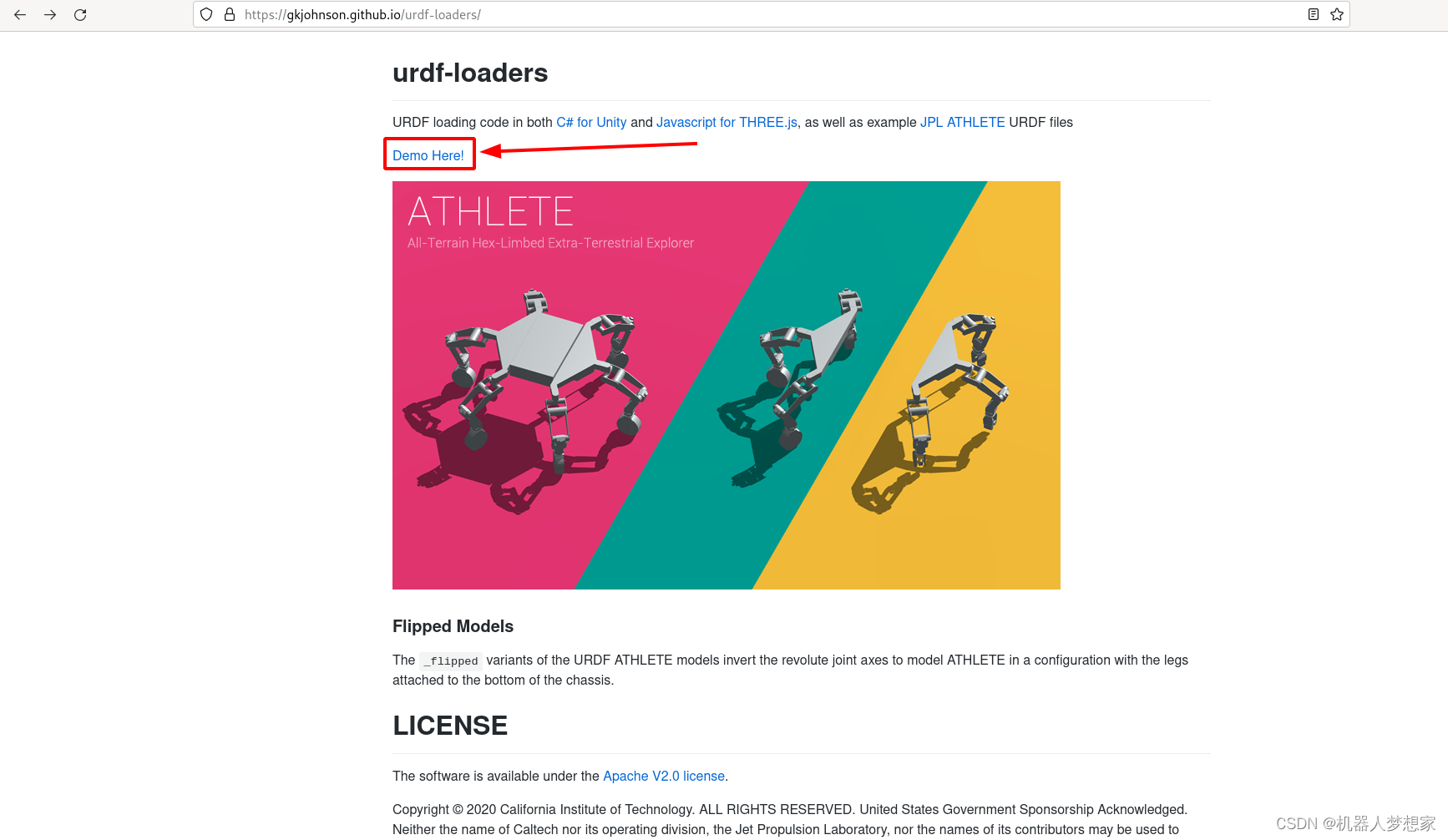
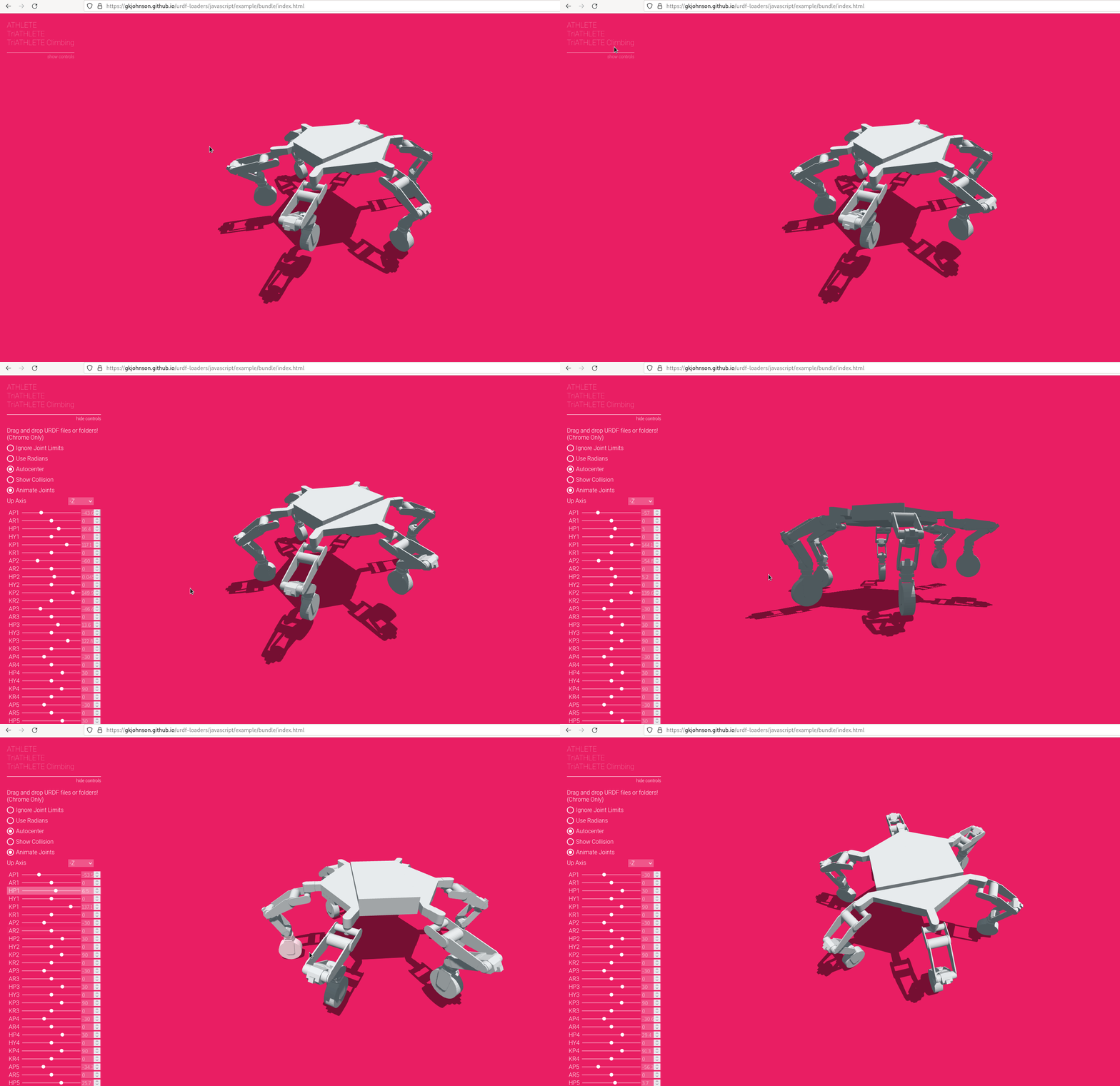
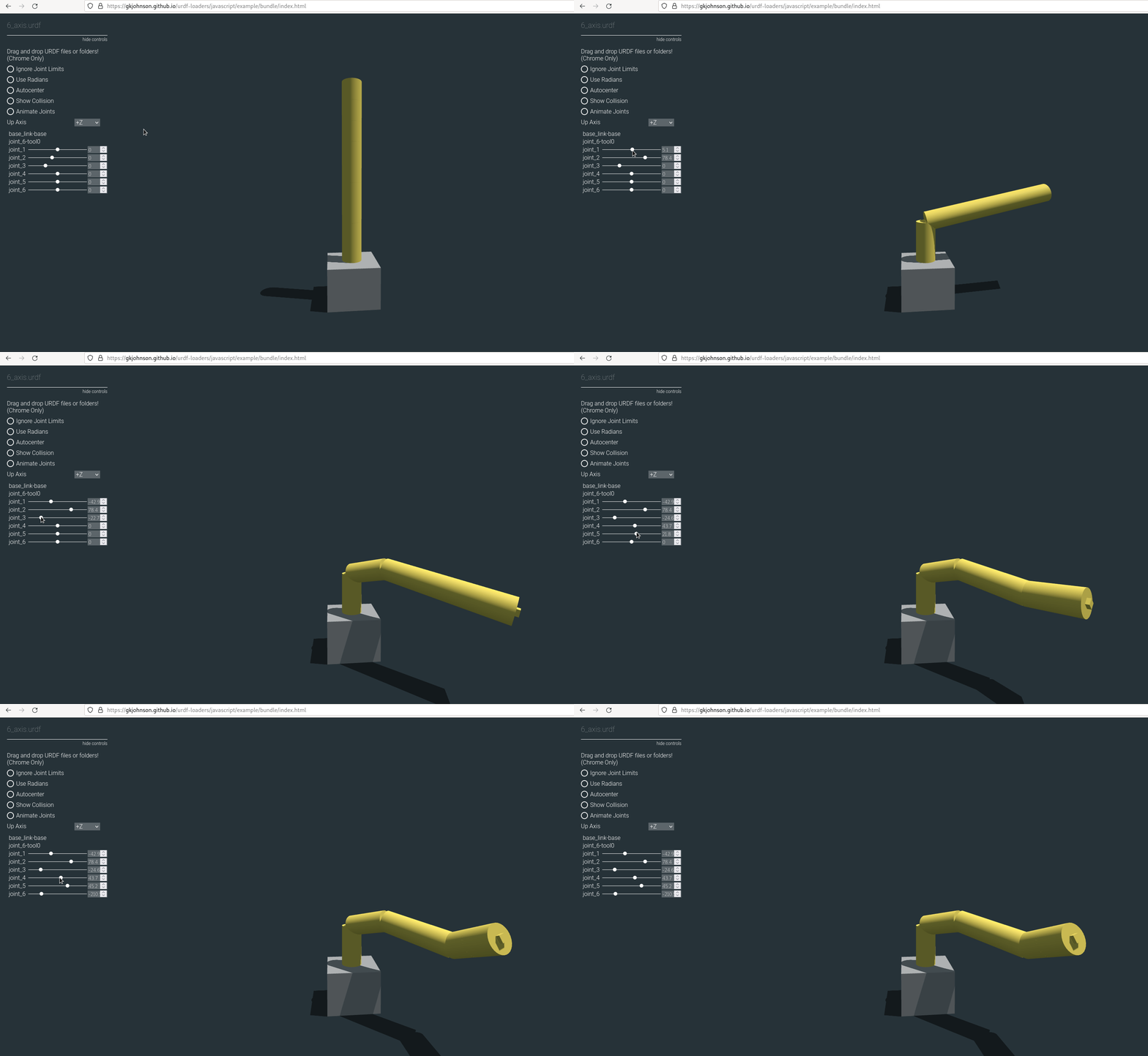
可控制各轴运动
https://gkjohnson.github.io/urdf-loaders/
该网站可以导入外部文件并控制各个joint的运动,但是无法显示link的状态,所以无法通过坐标系看轴之间的联系。
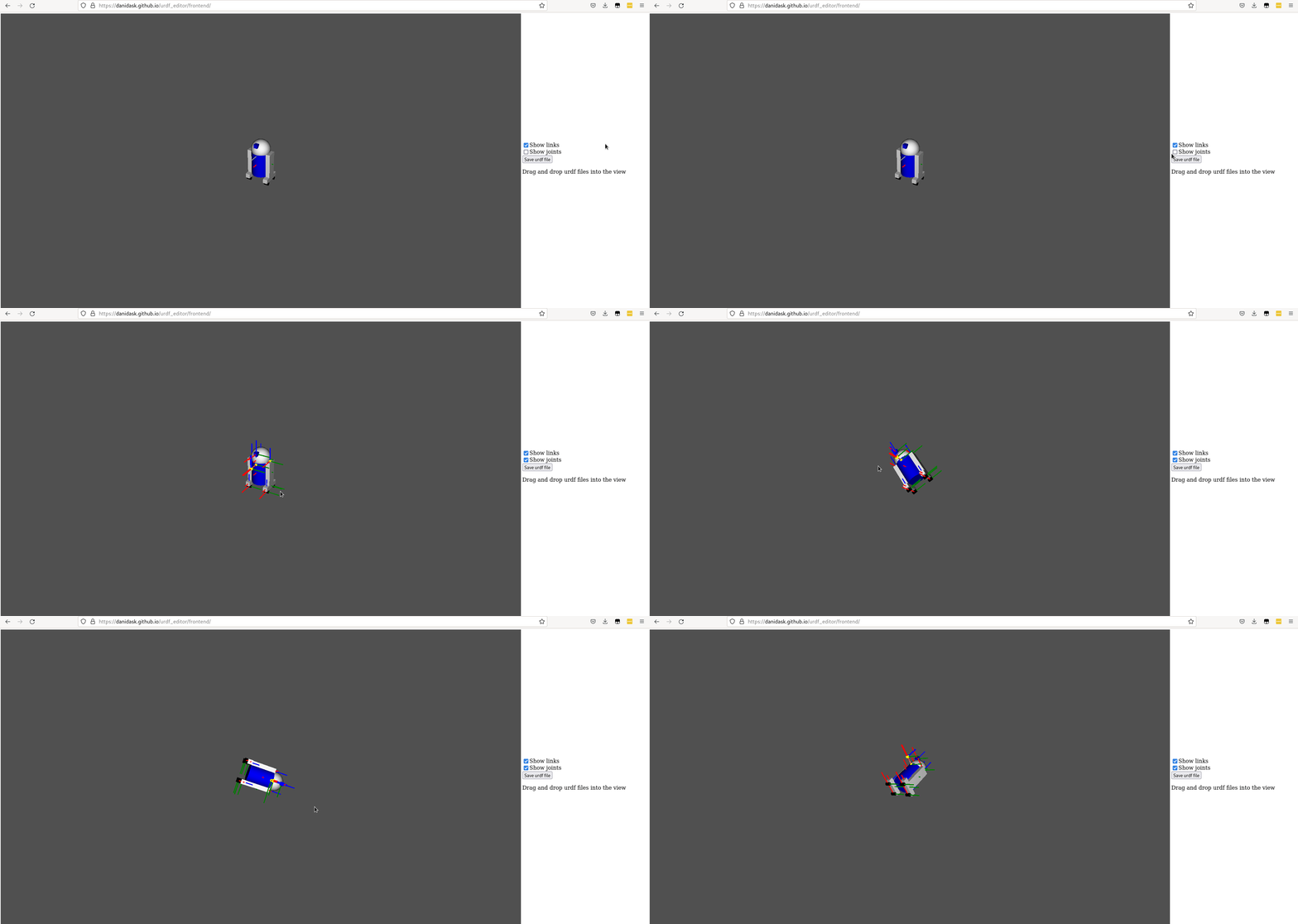
可显示各轴link
https://danidask.github.io/urdf_editor/frontend/
该网站也可以导入外部URDF文件,并且可以显示各个joint和link,但是缺点也比较明显,无法控制各个轴的值。
示例URDF
<?xml version="1.0" ?>
<!-- =================================================================================== -->
<!-- |    This document was autogenerated by xacro from m10ia.xacro                    | -->
<!-- |    EDITING THIS FILE BY HAND IS NOT RECOMMENDED                                 | -->
<!-- =================================================================================== -->
<robot name="my_6axis" xmlns:xacro="http://ros.org/wiki/xacro">
  <link name="base_link">
    <visual>
      <origin rpy="0 0 0" xyz="0 0 0.2"/>
      <geometry>
        <box size="0.5 0.5 0.4"/>
      </geometry>
      <material name="">
        <color rgba="0.4 0.4 0.4 1.0"/>
      </material>
    </visual>
    <collision>
      <origin rpy="0 0 0" xyz="0 0 0.2"/>
      <geometry>
        <box size="0.5 0.5 0.4"/>
      </geometry>
    </collision>
  </link>
  <link name="link_1">
    <visual>
      <origin rpy="0 0 0" xyz="0 0 0.2"/>
      <geometry>
        <cylinder length="0.4" radius="0.1"/>
      </geometry>
      <material name="">
        <color rgba="0.96 0.76 0.13 1.0"/>
      </material>
    </visual>
    <collision>
      <origin rpy="0 0 0" xyz="0 0 0.2"/>
      <geometry>
        <cylinder length="0.4" radius="0.1"/>
      </geometry>
    </collision>
  </link>
  <link name="link_2">
    <visual>
      <origin rpy="0 0 0" xyz="0 0 0.2"/>
      <geometry>
        <cylinder length="0.4" radius="0.1"/>
      </geometry>
      <material name="">
        <color rgba="0.96 0.76 0.13 1.0"/>
      </material>
    </visual>
    <collision>
      <origin rpy="0 0 0" xyz="0 0 0.2"/>
      <geometry>
        <cylinder length="0.4" radius="0.1"/>
      </geometry>
    </collision>
  </link>
  <link name="link_3">
    <visual>
      <origin rpy="0 0 0" xyz="0 0 0.2"/>
      <geometry>
        <cylinder length="0.4" radius="0.1"/>
      </geometry>
      <material name="">
        <color rgba="0.96 0.76 0.13 1.0"/>
      </material>
    </visual>
    <collision>
      <origin rpy="0 0 0" xyz="0 0 0.2"/>
      <geometry>
        <cylinder length="0.4" radius="0.1"/>
      </geometry>
    </collision>
  </link>
  <link name="link_4">
    <visual>
      <origin rpy="0 0 0" xyz="0 0 0.1"/>
      <geometry>
        <cylinder length="0.2" radius="0.1"/>
      </geometry>
      <material name="">
        <color rgba="0.96 0.76 0.13 1.0"/>
      </material>
    </visual>
    <collision>
      <origin rpy="0 0 0" xyz="0 0 0.1"/>
      <geometry>
        <cylinder length="0.2" radius="0.1"/>
      </geometry>
    </collision>
  </link>
  <link name="link_5">
    <visual>
      <origin rpy="0 0 0" xyz="0 0 0.1"/>
      <geometry>
        <cylinder length="0.2" radius="0.1"/>
      </geometry>
      <material name="">
        <color rgba="0.96 0.76 0.13 1.0"/>
      </material>
    </visual>
    <collision>
      <origin rpy="0 0 0" xyz="0 0 0.1"/>
      <geometry>
        <cylinder length="0.2" radius="0.1"/>
      </geometry>
    </collision>
  </link>
  <link name="link_6">
    <visual>
      <origin rpy="0 0 0" xyz="0 0 0.1"/>
      <geometry>
        <cylinder length="0.2" radius="0.1"/>
      </geometry>
      <material name="">
        <color rgba="0.96 0.76 0.13 1.0"/>
      </material>
    </visual>
    <collision>
      <origin rpy="0 0 0" xyz="0 0 0.1"/>
      <geometry>
        <cylinder length="0.2" radius="0.1"/>
      </geometry>
    </collision>
  </link>
  <link name="tool0">
    <visual>
      <origin rpy="0 0 0" xyz="0 0 0"/>
      <geometry>
        <box size="0.05 0.05 0.05"/>
      </geometry>
      <material name="">
        <color rgba="0.96 0.76 0.13 1.0"/>
      </material>
    </visual>
  </link>
  <joint name="joint_1" type="revolute">
    <origin rpy="0 0 0" xyz="0 0 0.4"/>
    <parent link="base_link"/>
    <child link="link_1"/>
    <axis xyz="0 0 1"/>
    <limit effort="0" lower="-3.14" upper="3.14" velocity="3.67"/>
  </joint>
  <joint name="joint_2" type="revolute">
    <origin rpy="0 0 0" xyz="0 0 0.4"/>
    <parent link="link_1"/>
    <child link="link_2"/>
    <axis xyz="0 1 0"/>
    <limit effort="0" lower="-1.57" upper="2.36" velocity="3.32"/>
  </joint>
  <joint name="joint_3" type="revolute">
    <origin rpy="0 0 0" xyz="0 0 0.4"/>
    <parent link="link_2"/>
    <child link="link_3"/>
    <axis xyz="0 -1 0"/>
    <limit effort="0" lower="-1.4" upper="3.6" velocity="3.67"/>
  </joint>
  <joint name="joint_4" type="revolute">
    <origin rpy="0 0 0" xyz="0 0 0.4"/>
    <parent link="link_3"/>
    <child link="link_4"/>
    <axis xyz="0 0 1"/>
    <limit effort="0" lower="-6.28" upper="6.28" velocity="6.98"/>
  </joint>
  <joint name="joint_5" type="revolute">
    <origin rpy="0 0 0" xyz="0 0 0.2"/>
    <parent link="link_4"/>
    <child link="link_5"/>
    <axis xyz="0 -1 0"/>
    <limit effort="0" lower="-2.18" upper="2.18" velocity="6.98"/>
  </joint>
  <joint name="joint_6" type="revolute">
    <origin rpy="0 0 0" xyz="0 0 0.2"/>
    <parent link="link_5"/>
    <child link="link_6"/>
    <axis xyz="0 0 1"/>
    <limit effort="0" lower="-6.28" upper="6.28" velocity="10.47"/>
  </joint>
  <joint name="joint_6-tool0" type="fixed">
    <origin rpy="0 0 0" xyz="0 0 0.2"/>
    <parent link="link_6"/>
    <child link="tool0"/>
  </joint>
  <link name="base"/>
  <joint name="base_link-base" type="fixed">
    <origin rpy="0 0 0" xyz="0 0 0.4"/>
    <parent link="base_link"/>
    <child link="base"/>
  </joint>
</robot>
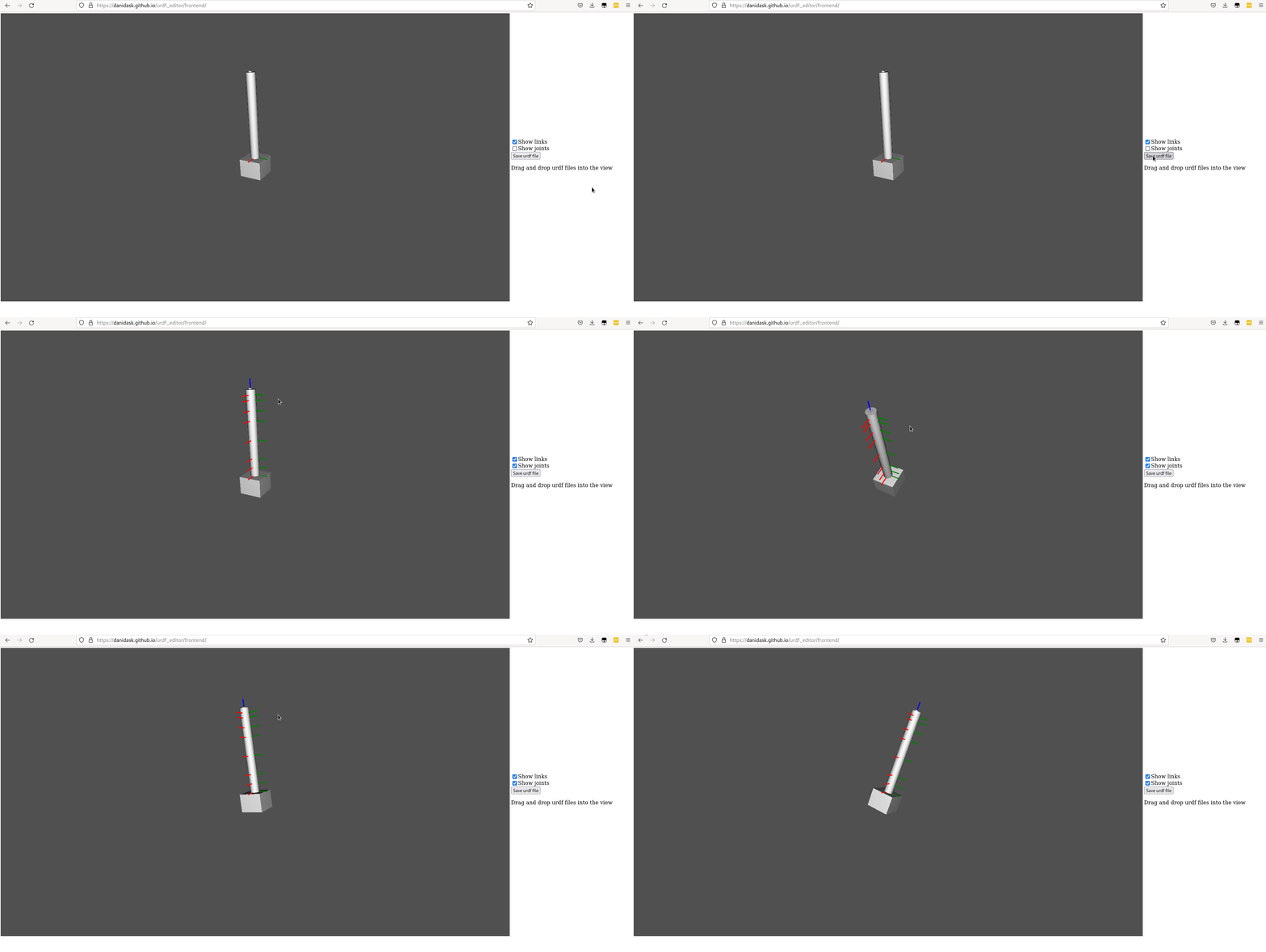
总结
如果本地没有合适的环境,将以上两个网站可以结合起来使用来验证URDF文件。

AtomGit 是由开放原子开源基金会联合 CSDN 等生态伙伴共同推出的新一代开源与人工智能协作平台。平台坚持“开放、中立、公益”的理念,把代码托管、模型共享、数据集托管、智能体开发体验和算力服务整合在一起,为开发者提供从开发、训练到部署的一站式体验。
更多推荐


 7
7 0
0- 0


 已为社区贡献1条内容

所有评论(0)