ChatWise 配置接入三方模型
文章目录
一、环境准备
官网地址: https://chatwise.app/
下载ChatWise(Windows x64)
https://releases.chatwise.app/26.5.3/ChatWise-26.5.3-setup.exe
| API-KEY类型\协议 | OpenAI兼容(均支持接入) | Anthropic兼容(均不支持) |
|---|---|---|
| 百炼通用按量付费 | https://dashscope.aliyuncs.com/apps/anthropic |
https://dashscope.aliyuncs.com/apps/anthropic |
| 百炼TokenPlan | https://token-plan.cn-beijing.maas.aliyuncs.com/compatible-mode/v1 |
https://token-plan.cn-beijing.maas.aliyuncs.com/apps/anthropic |
| 百炼CodingPlan | https://coding.dashscope.aliyuncs.com/v1 |
https://coding.dashscope.aliyuncs.com/apps/anthropic |
二、百炼通用API-KEY接入
1、创建提供方
打开ChatWise, 添加自定义模型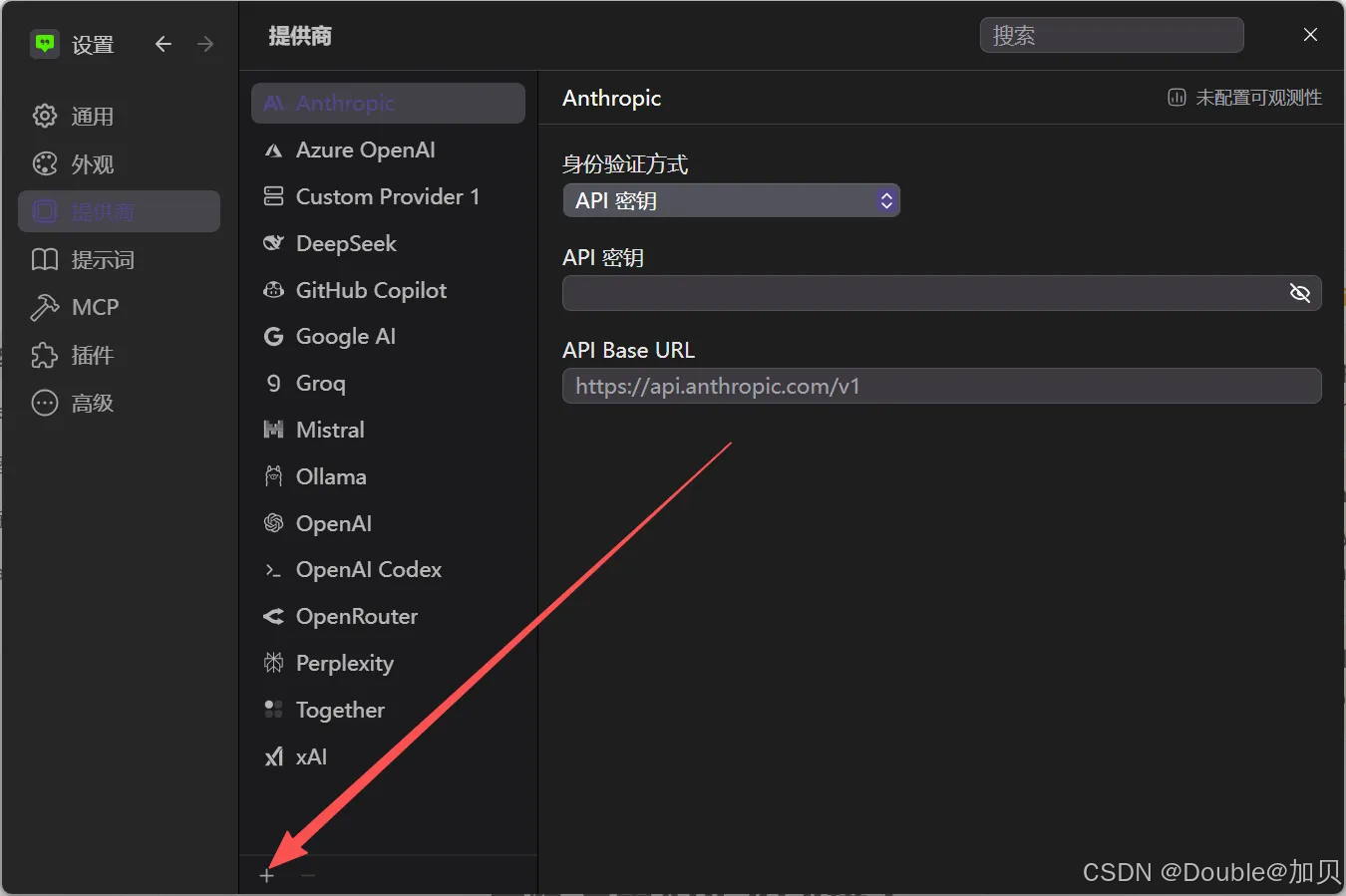
配置信息接入,可加载出模型列表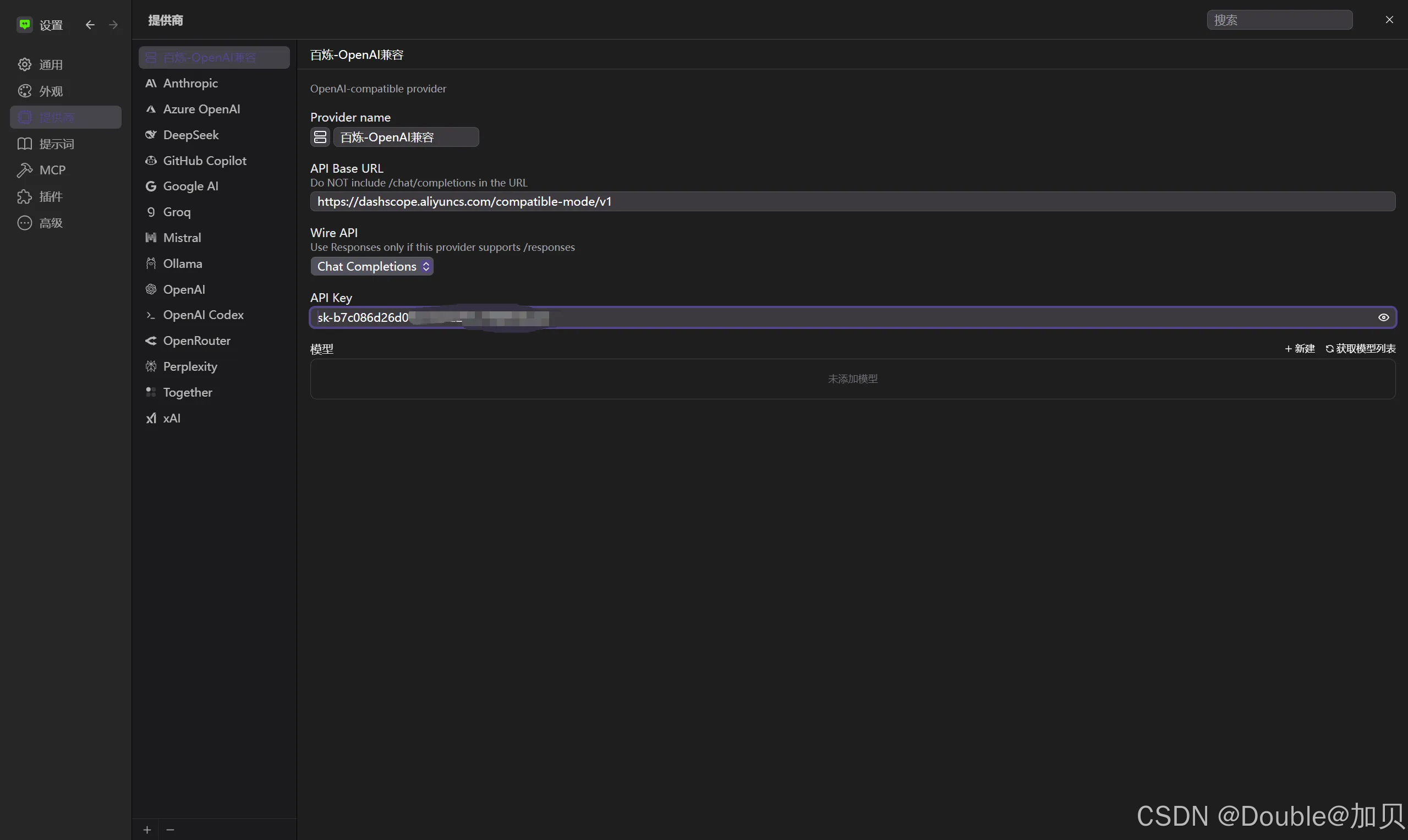
2、测试验证
选择刚配置的映射模型来问答验证,确认可以成功响应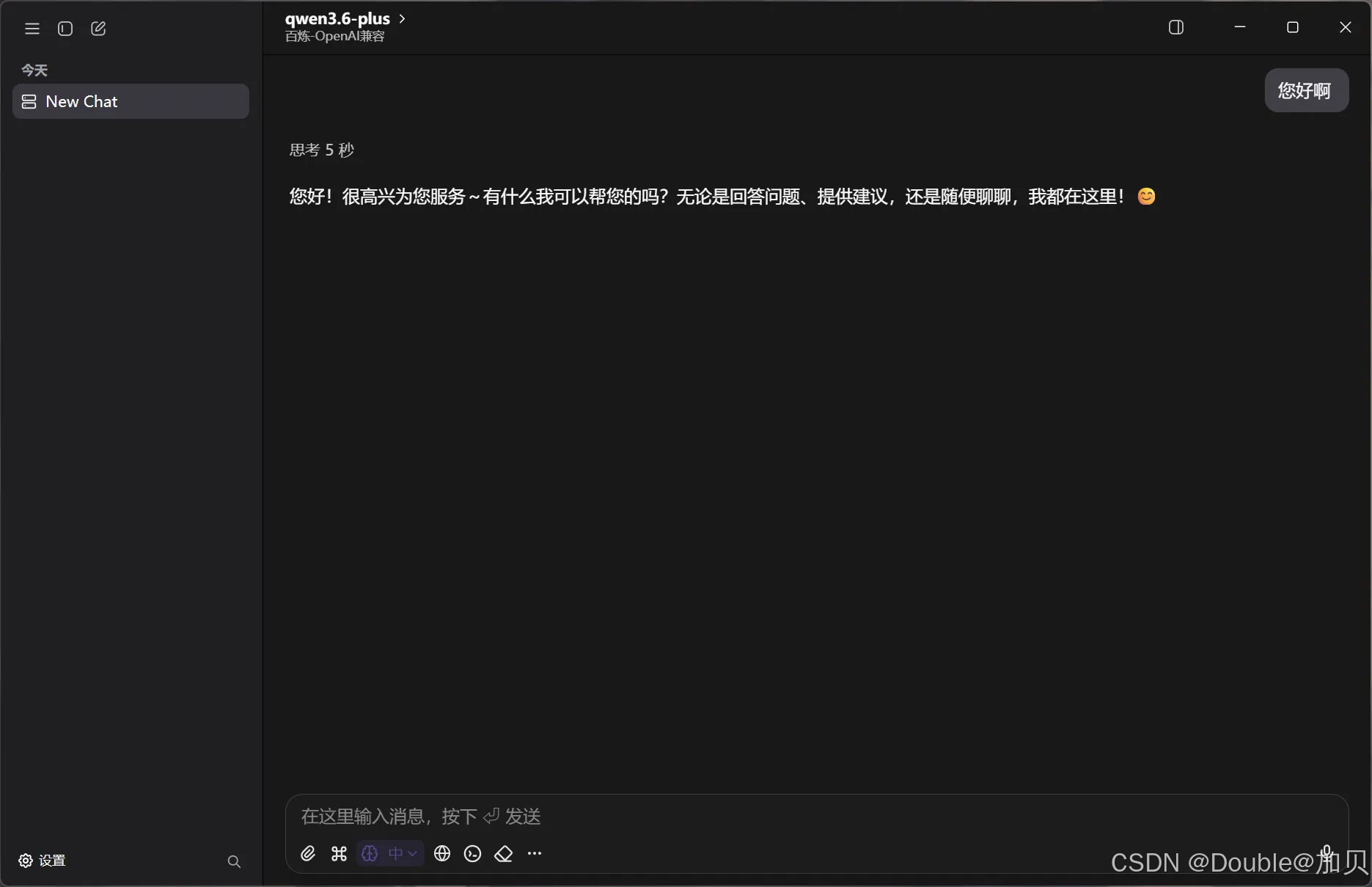
二、百炼TokenPlan接入
1、创建提供方
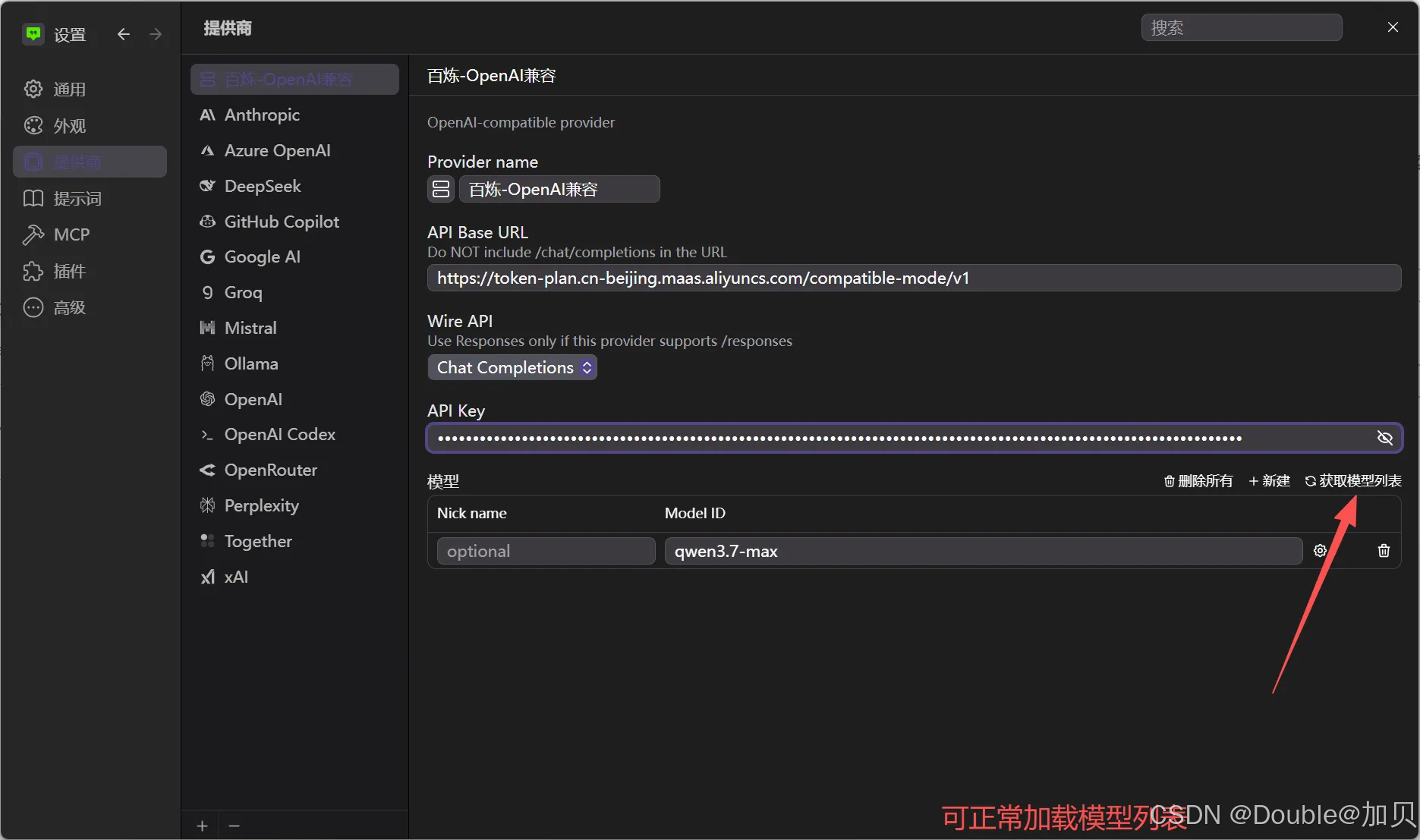
2、测试验证
选择对应模型进行问答,成功响应
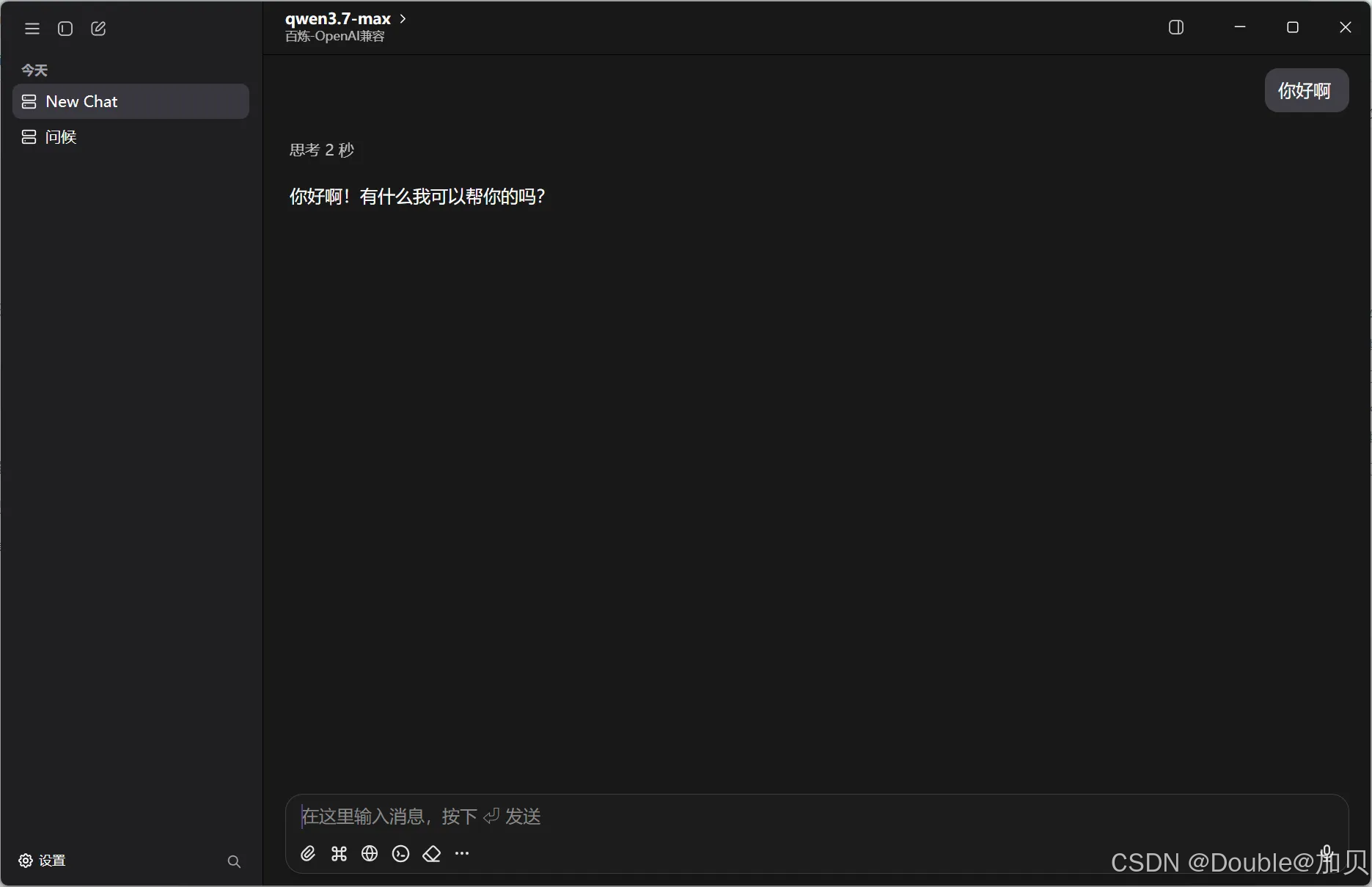
三、百炼通CodingPlan接入
1、创建提供方
创建提供方,并手动添加模型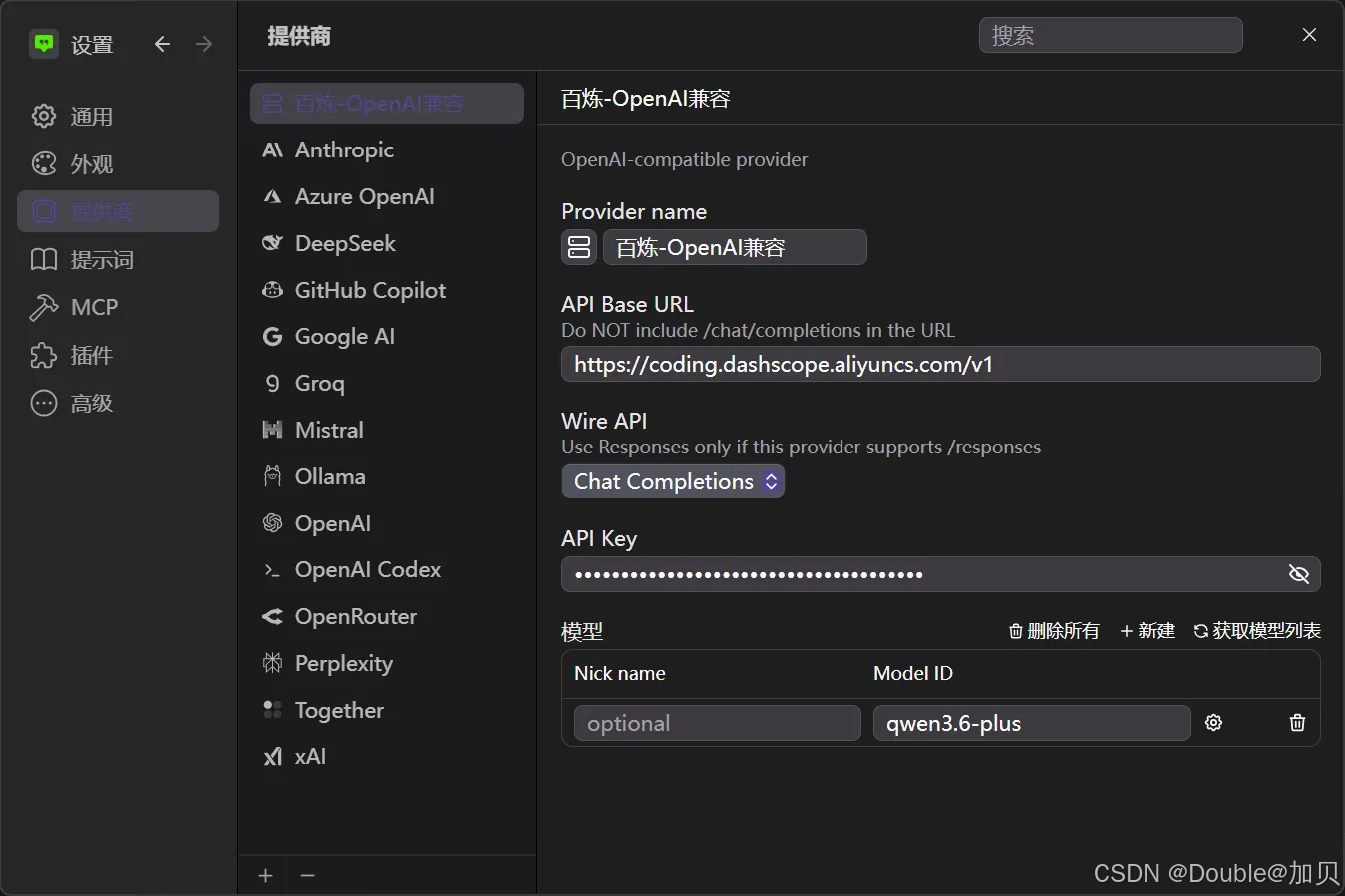
2、测试验证
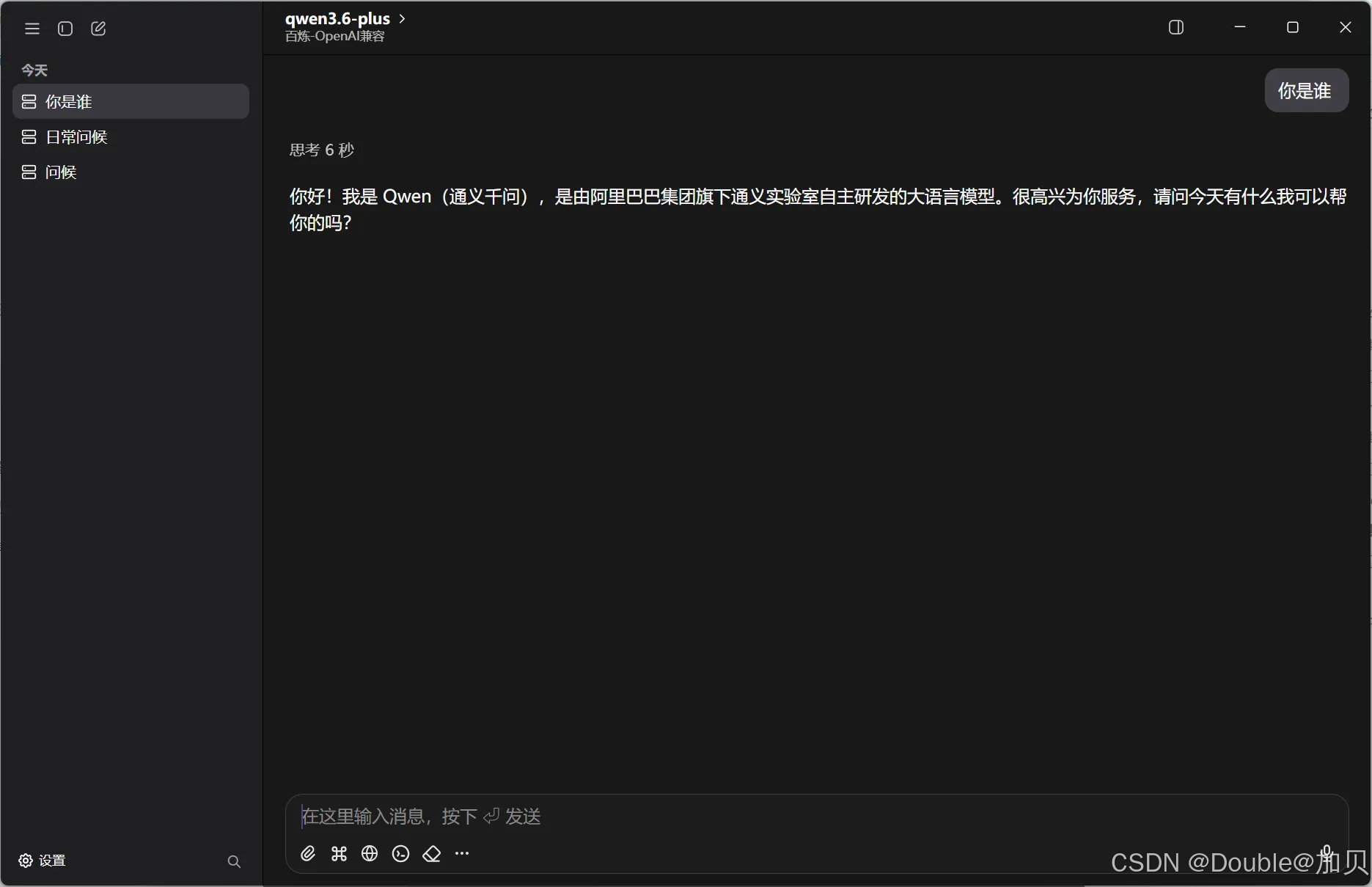
四、常见问题
1、CodingPlan OpenAI接入获取模型列表失败报错 404:
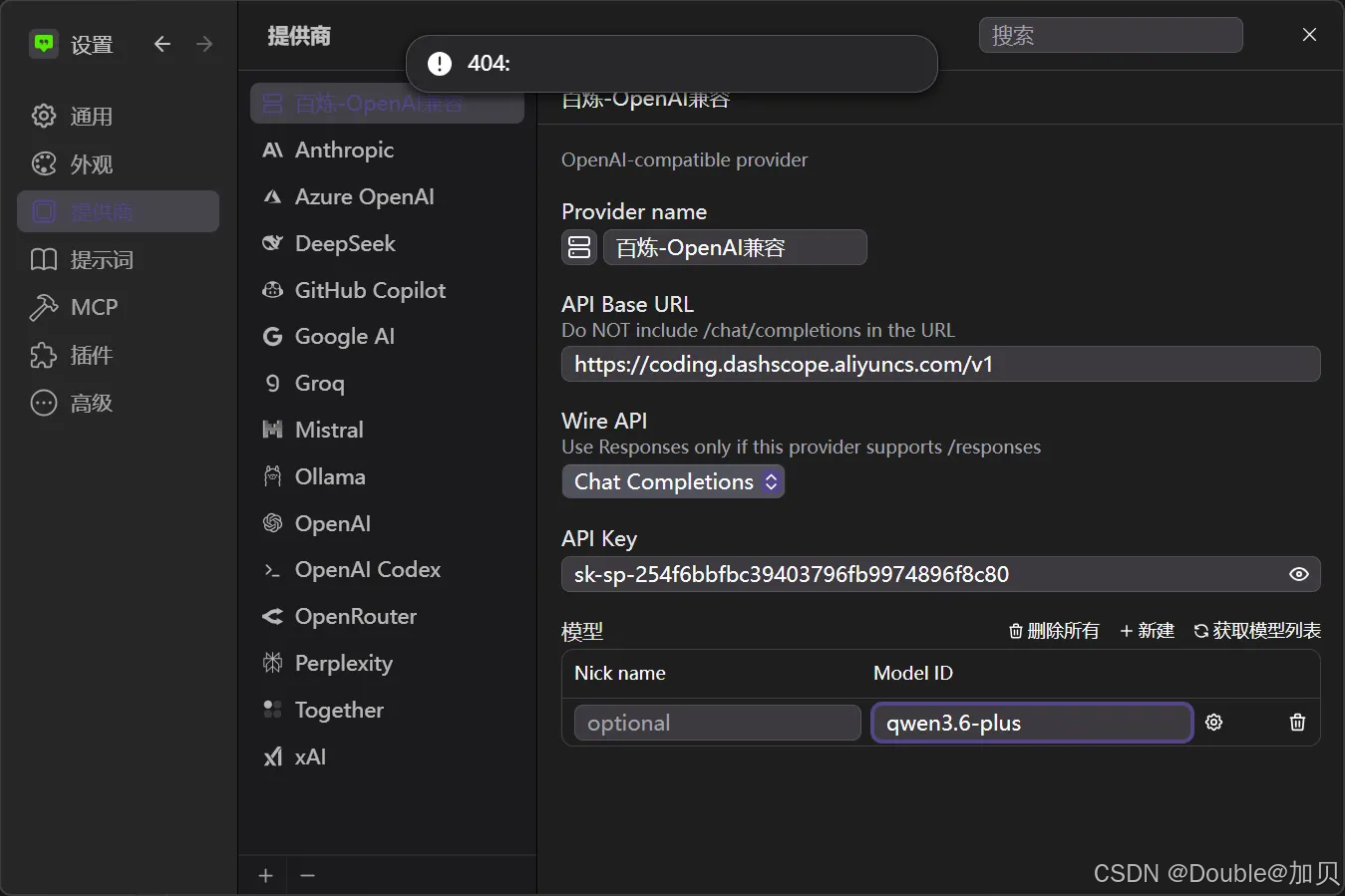
解决方案: 需要手动添加支持的模型
2、阿里云提供商接入报错Incorrect API key provided
阿里云 (cus_aliyun) provider error:
Incorrect API key provided. For details, see: https://help.aliyun.com/zh/model-studio/error-code#apikey-error 401: {“error”:{“message”:“Incorrect API key provided. For details, see: https://help.aliyun.com/zh/model-studio/error-code#apikey-error”,“type”:“invalid_request_error”,“param”:null,“code”:“invalid_api_key”},“request_id”:“482e0eef-a799-9a39-85b0-b18a8194fb73”}
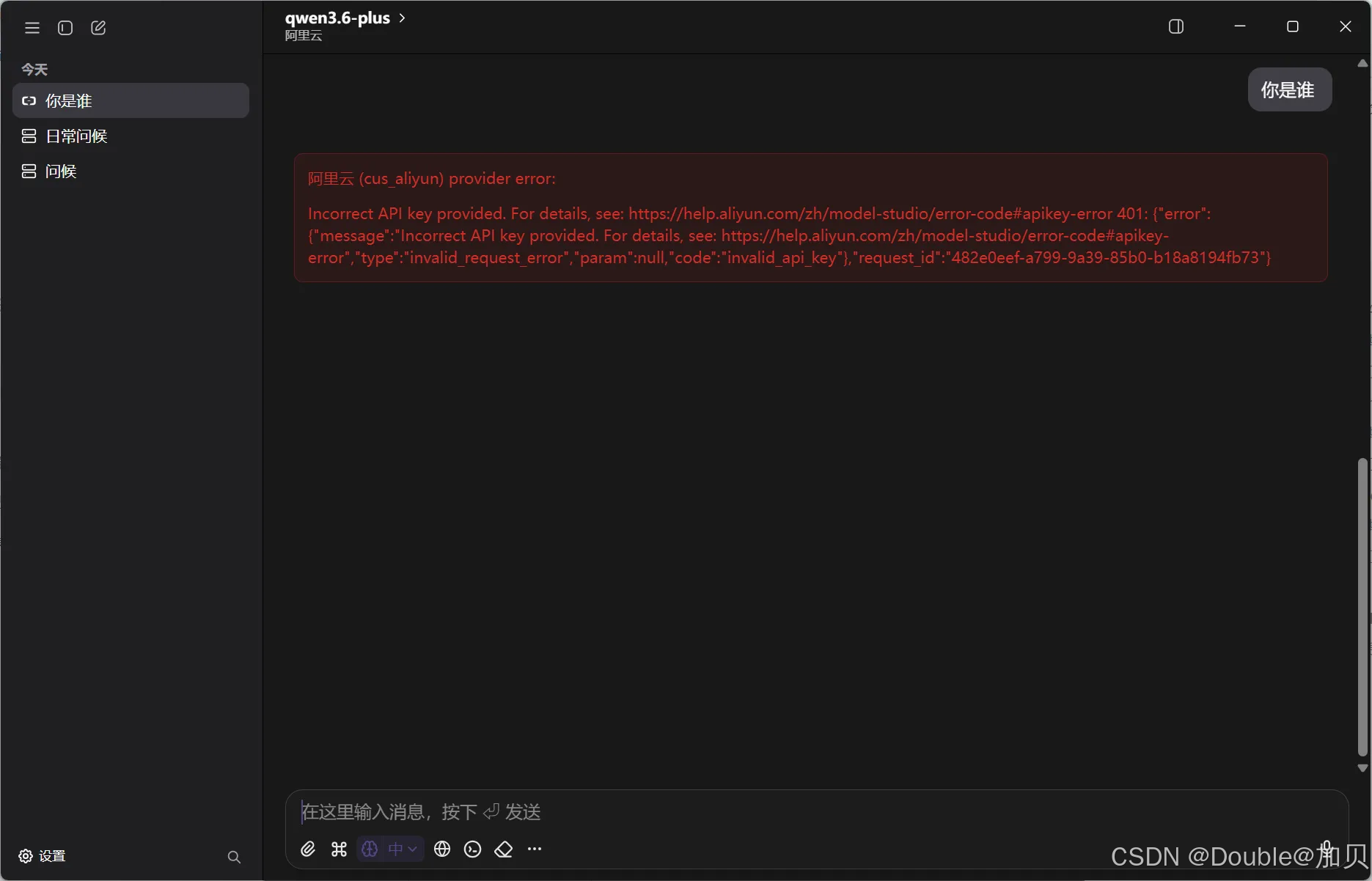
解决方案: 阿里云提供商只能使用百炼按量付费的通用API-KEY

AtomGit 是由开放原子开源基金会联合 CSDN 等生态伙伴共同推出的新一代开源与人工智能协作平台。平台坚持“开放、中立、公益”的理念,把代码托管、模型共享、数据集托管、智能体开发体验和算力服务整合在一起,为开发者提供从开发、训练到部署的一站式体验。
更多推荐

 7
7 0
0- 0


 已为社区贡献3条内容

所有评论(0)