记录一次简单的springAI的大模型调用
·
记录一次简单的springAI的大模型调用
前言
记录一次学习springAI的简单入门,初次学习spring后台调用大模型
一、创建项目结构
-
idea中创建基础项目:file->new project
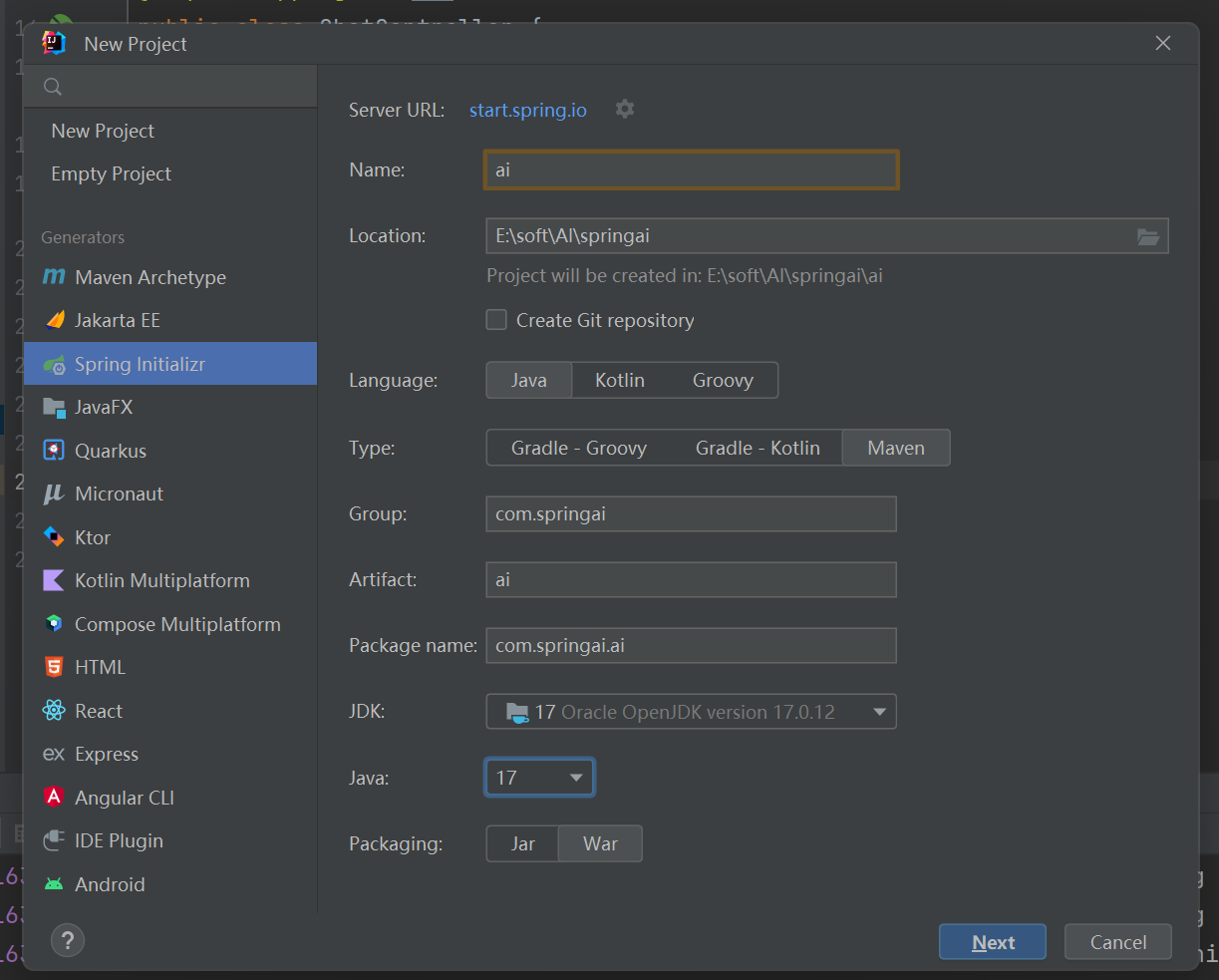
-
勾选需要的依赖支持
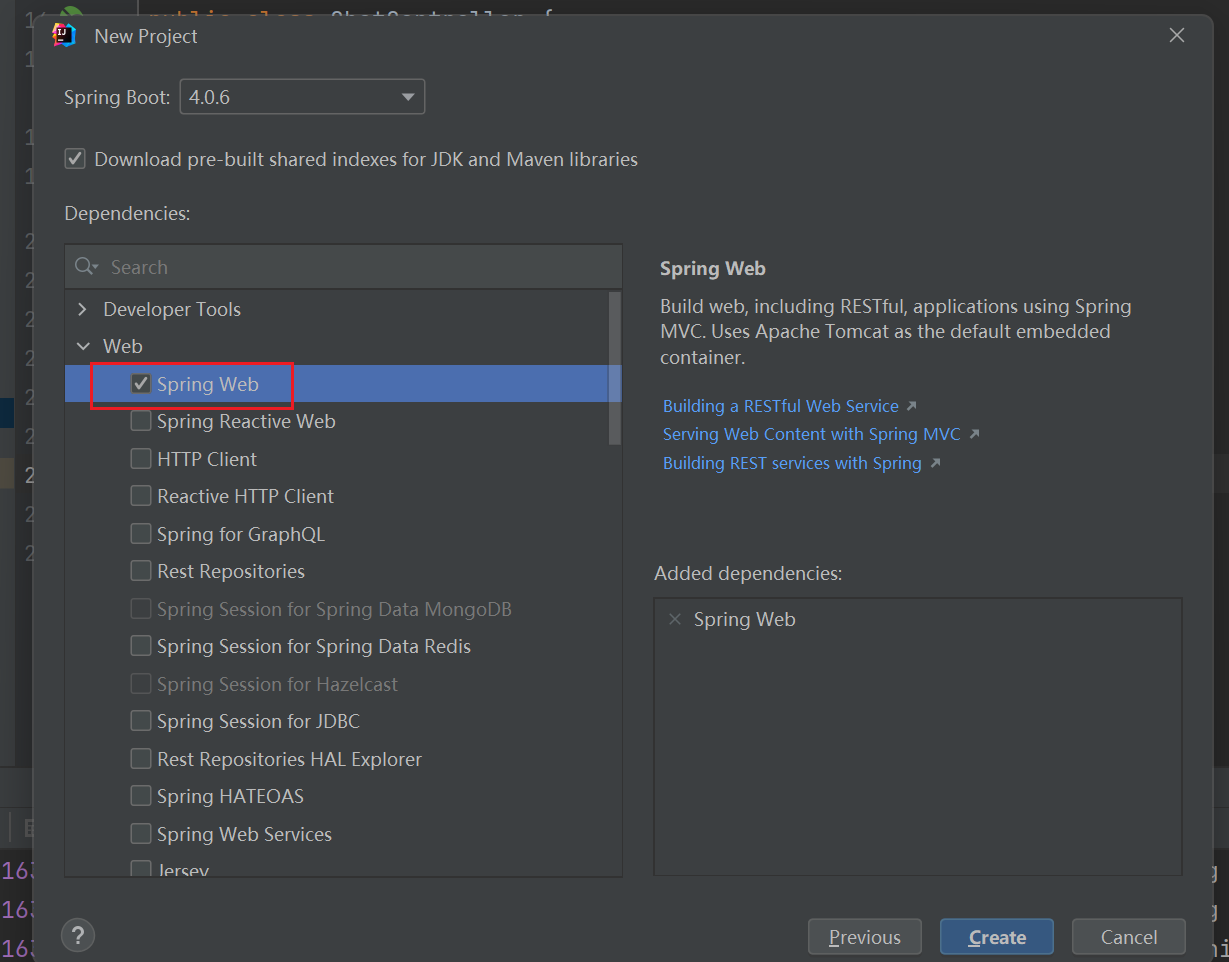
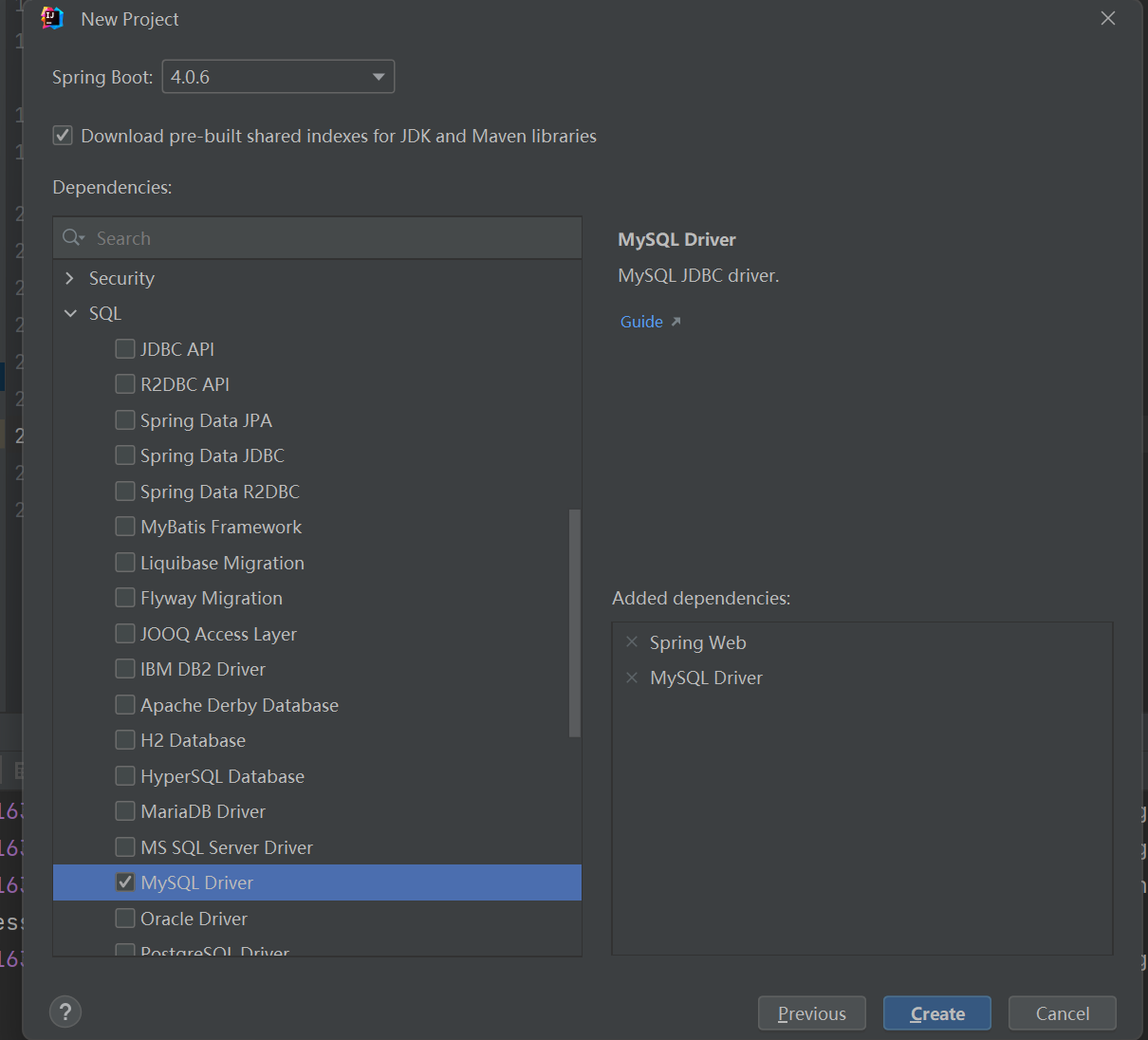
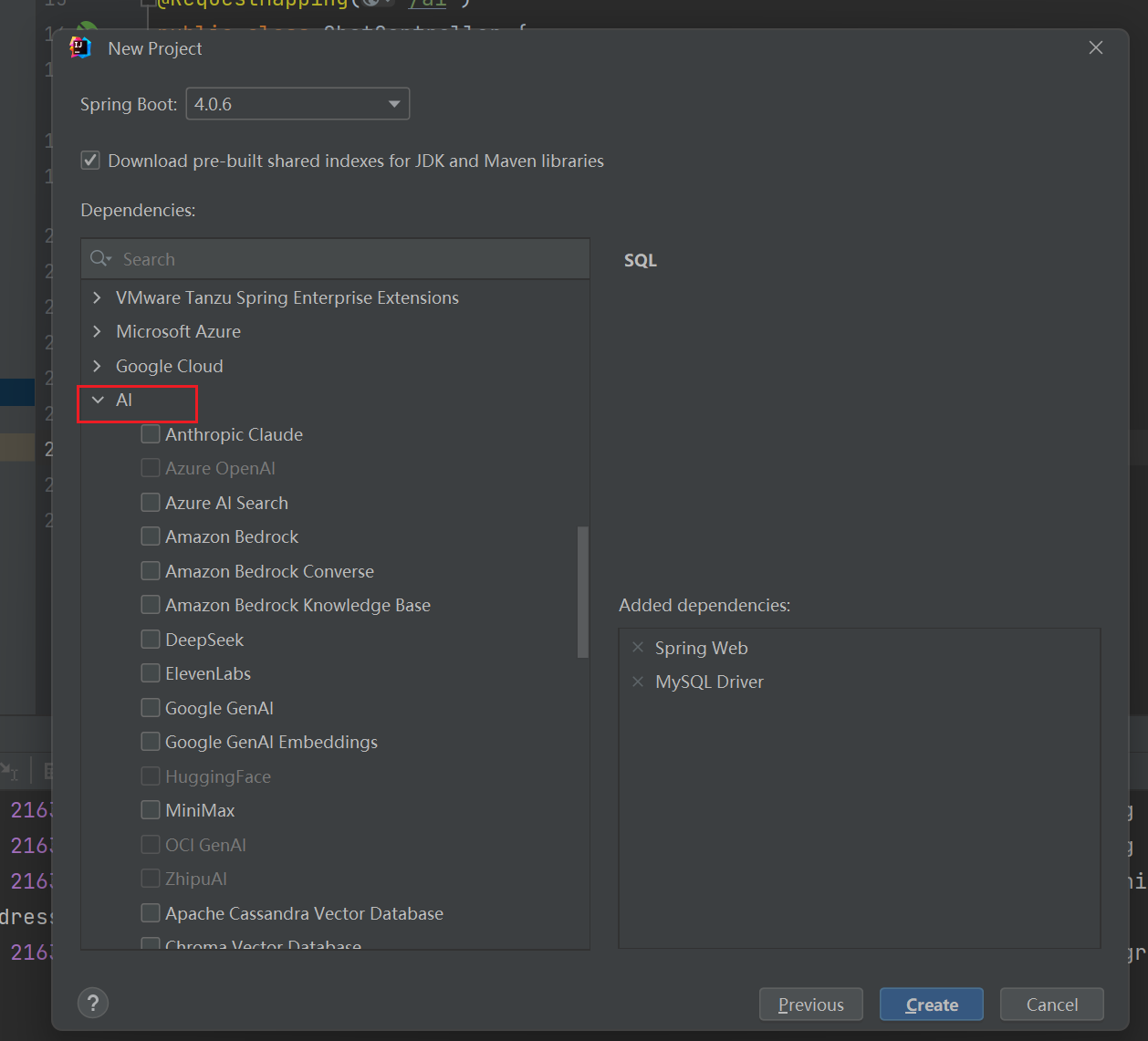
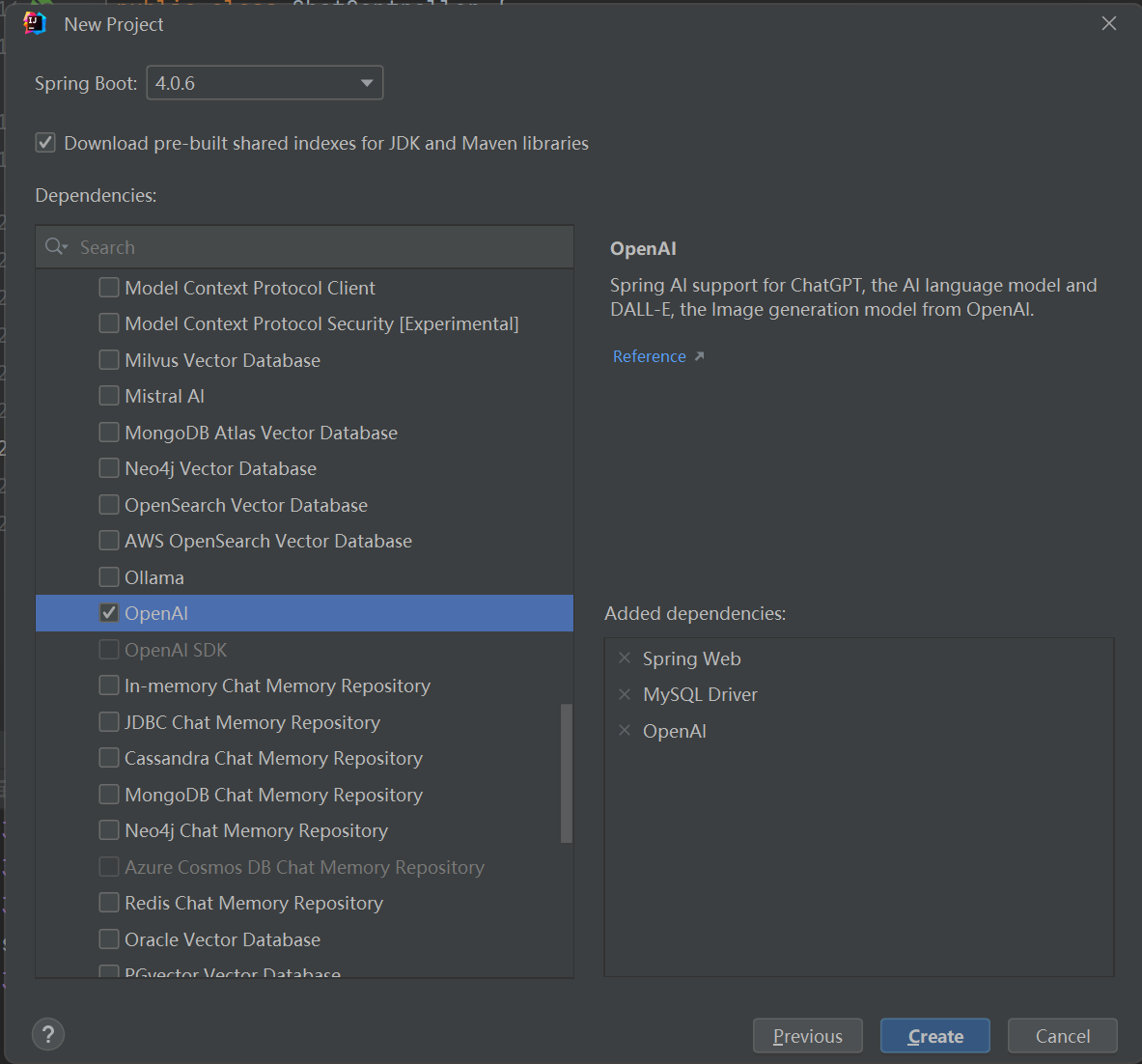
二、使用步骤
1.接入百炼云大模型(有免费额度)
- 找到需要的bas_url
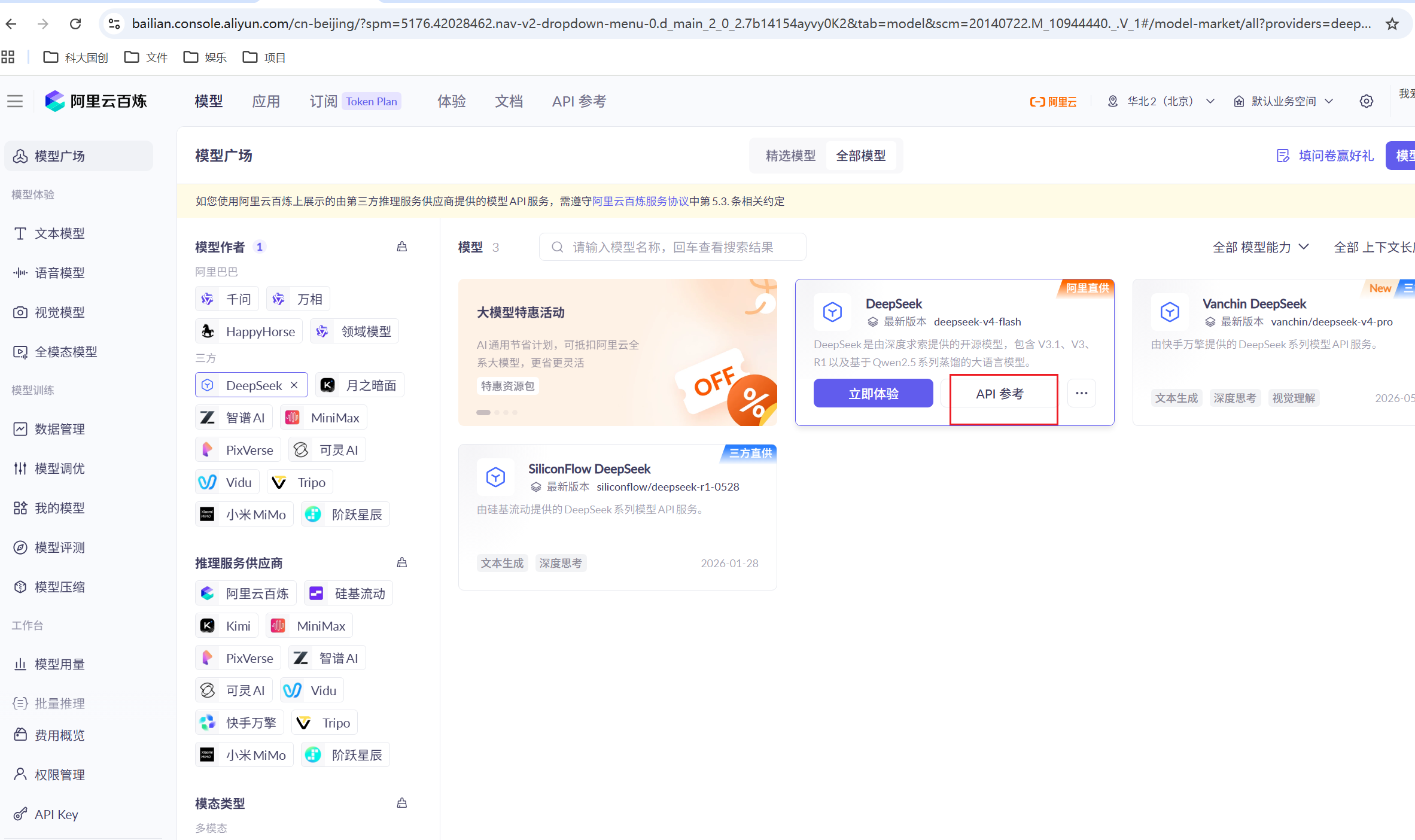
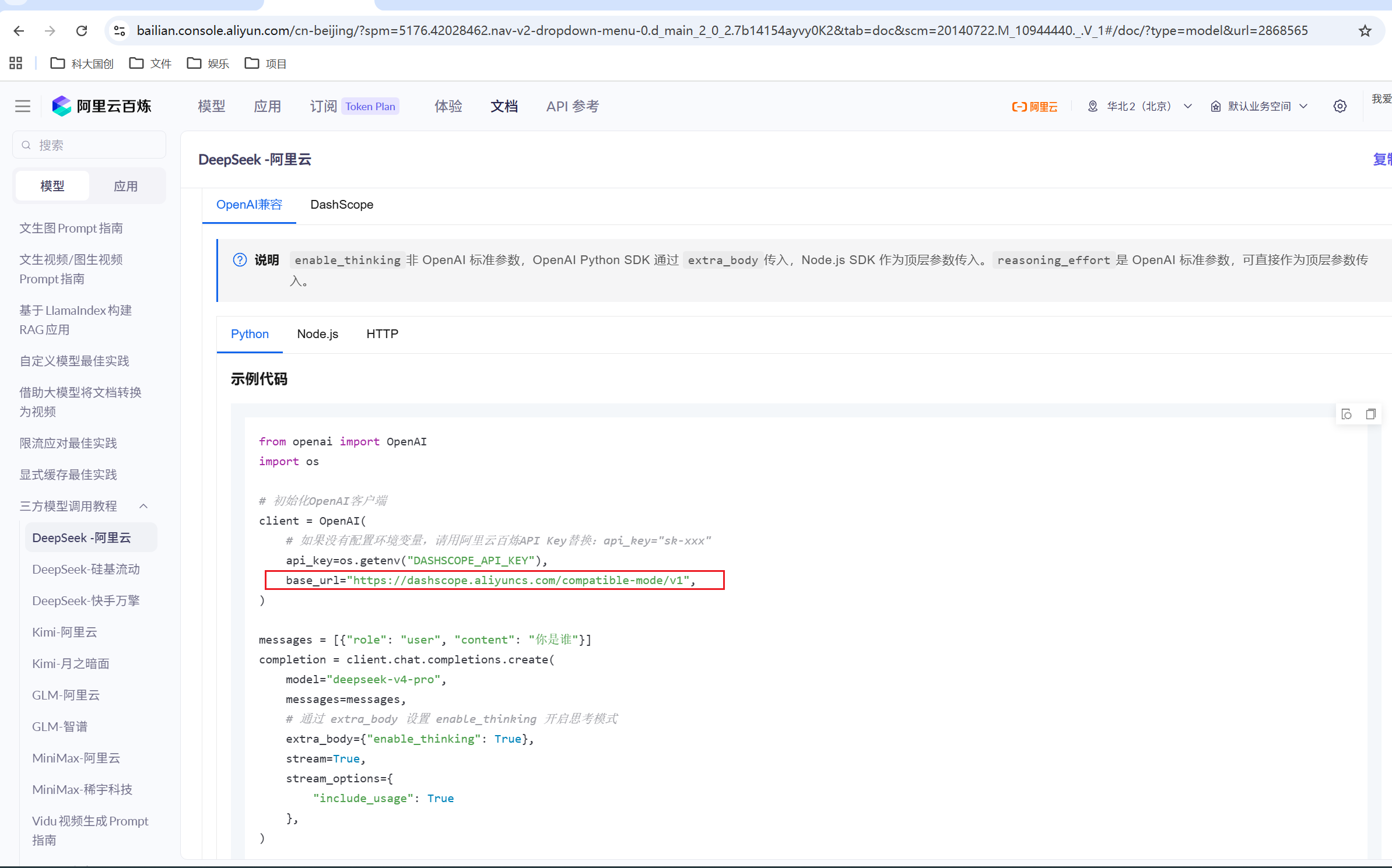
- 创建一个自己的apikey
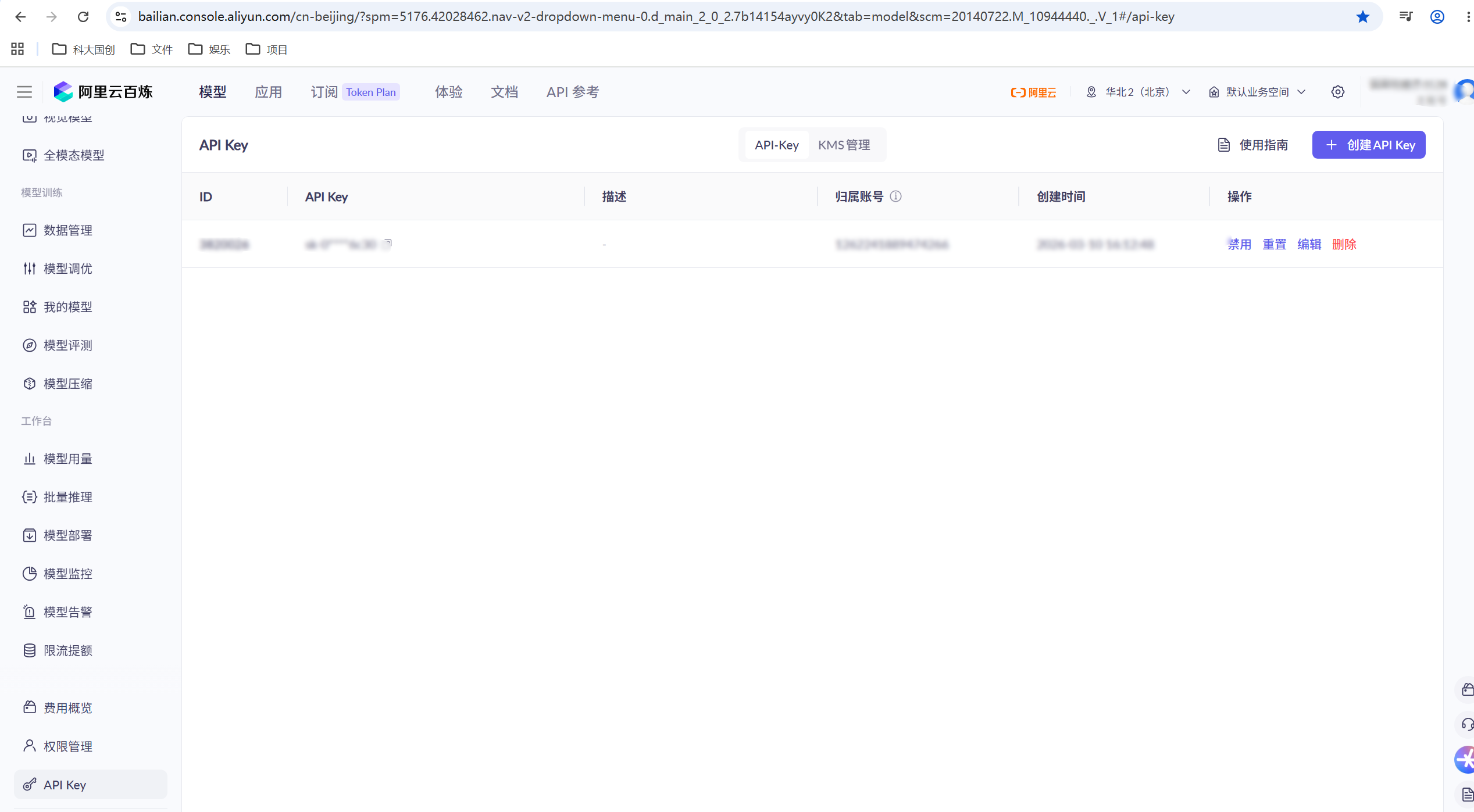
2.代码使用
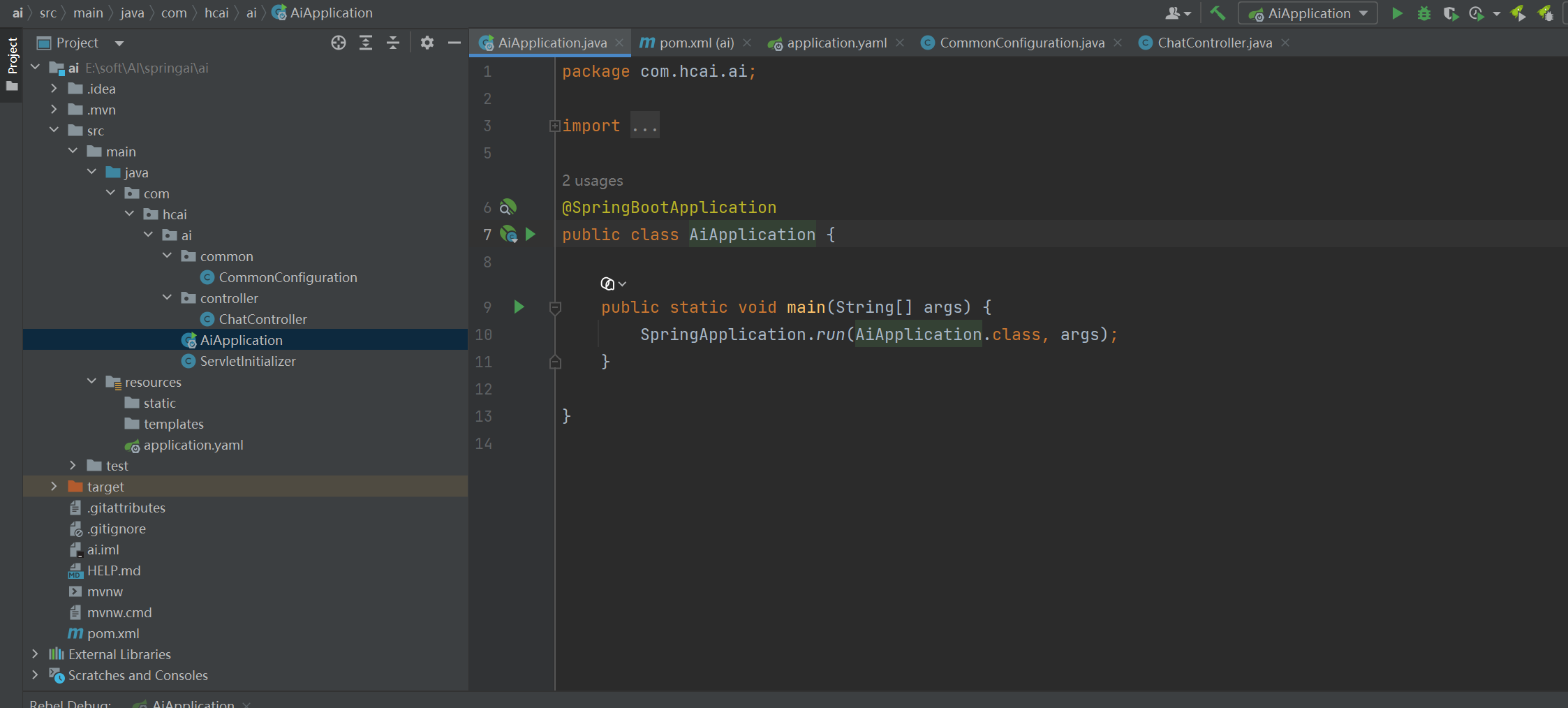
- AiApplication
package com.hcai.ai;

import org.springframework.boot.SpringApplication;
import org.springframework.boot.autoconfigure.SpringBootApplication;

@SpringBootApplication
public class AiApplication {

    public static void main(String[] args) {
        SpringApplication.run(AiApplication.class, args);
    }

}
- CommonConfiguration
package com.hcai.ai.common;

import org.springframework.ai.chat.client.ChatClient;
import org.springframework.ai.openai.OpenAiChatModel;
import org.springframework.context.annotation.Bean;
import org.springframework.context.annotation.Configuration;

/**
 * @author han.chao
 * @description 初始化
 * @date 2026/6/8 10:12
 */
@Configuration
public class CommonConfiguration {

    @Bean
    public ChatClient chatClient(OpenAiChatModel model) {
        return ChatClient.builder(model).build();
    }
}
- ChatController
package com.hcai.ai.controller;

import lombok.RequiredArgsConstructor;
import org.springframework.ai.chat.client.ChatClient;
import org.springframework.web.bind.annotation.RequestMapping;
import org.springframework.web.bind.annotation.RestController;

/**
 * @author han.chao
 * @description 聊天客户端
 * @date 2026/6/8 10:17
 */
@RequiredArgsConstructor
@RestController
@RequestMapping("/ai")
public class ChatController {

    private final ChatClient chatClient;

    @RequestMapping("/chat")
    public String chat(String prompt) {
        return chatClient.prompt()
                .user(prompt)
                .call()
                .content();
    }
}
- application.yaml
spring:
  application:
    name: ai
  ai:
    openai:
      api-key: 你的paikey
      base-url: https://dashscope.aliyuncs.com/compatible-mode/v1
      chat:
        model: deepseek-v4-pro
- pom
<?xml version="1.0" encoding="UTF-8"?>
<project xmlns="http://maven.apache.org/POM/4.0.0" xmlns:xsi="http://www.w3.org/2001/XMLSchema-instance"
         xsi:schemaLocation="http://maven.apache.org/POM/4.0.0 https://maven.apache.org/xsd/maven-4.0.0.xsd">
    <modelVersion>4.0.0</modelVersion>
    <parent>
        <groupId>org.springframework.boot</groupId>
        <artifactId>spring-boot-starter-parent</artifactId>
        <version>4.0.6</version>
        <relativePath/> <!-- lookup parent from repository -->
    </parent>
    <groupId>com.hcai</groupId>
    <artifactId>ai</artifactId>
    <version>0.0.1-SNAPSHOT</version>
    <packaging>war</packaging>
    <name>ai</name>
    <description>ai</description>
    <url/>
    <licenses>
        <license/>
    </licenses>
    <developers>
        <developer/>
    </developers>
    <scm>
        <connection/>
        <developerConnection/>
        <tag/>
        <url/>
    </scm>
    <properties>
        <java.version>17</java.version>
        <spring-ai.version>2.0.0-M8</spring-ai.version>
    </properties>
    <dependencies>
        <dependency>
            <groupId>org.springframework.boot</groupId>
            <artifactId>spring-boot-starter-webmvc</artifactId>
        </dependency>
        <dependency>
            <groupId>org.springframework.ai</groupId>
            <artifactId>spring-ai-starter-model-openai</artifactId>
        </dependency>

        <dependency>
            <groupId>com.mysql</groupId>
            <artifactId>mysql-connector-j</artifactId>
            <scope>runtime</scope>
        </dependency>
        <dependency>
            <groupId>org.springframework.boot</groupId>
            <artifactId>spring-boot-starter-tomcat</artifactId>
            <scope>provided</scope>
        </dependency>
        <dependency>
            <groupId>org.springframework.boot</groupId>
            <artifactId>spring-boot-starter-webmvc-test</artifactId>
            <scope>test</scope>
        </dependency>
        <dependency>
            <groupId>org.projectlombok</groupId>
            <artifactId>lombok</artifactId>
            <version>1.18.20</version>
        </dependency>
    </dependencies>
    <dependencyManagement>
        <dependencies>
            <dependency>
                <groupId>org.springframework.ai</groupId>
                <artifactId>spring-ai-bom</artifactId>
                <version>${spring-ai.version}</version>
                <type>pom</type>
                <scope>import</scope>
            </dependency>
        </dependencies>
    </dependencyManagement>

    <build>
        <plugins>
            <plugin>
                <groupId>org.springframework.boot</groupId>
                <artifactId>spring-boot-maven-plugin</artifactId>
            </plugin>
        </plugins>
    </build>

</project>
三、使用步骤

AtomGit 是由开放原子开源基金会联合 CSDN 等生态伙伴共同推出的新一代开源与人工智能协作平台。平台坚持“开放、中立、公益”的理念,把代码托管、模型共享、数据集托管、智能体开发体验和算力服务整合在一起,为开发者提供从开发、训练到部署的一站式体验。
更多推荐



 8
8 0
0- 0


 已为社区贡献1条内容

所有评论(0)