[DSP]C6748 串口烧录
·
1.将boot mode 1~5拨到00101,以UART2模式启动,注意开发板不要上电(复位经常出现以下问题)
(AIS Parse): Read magic word 0x41504954.
(AIS Parse): Waiting for BOOTME... (power on or reset target now)
(AIS Parse): BOOTME received!
(AIS Parse): Performing Start-Word Sync...
(AIS Parse): Performing Ping Opcode Sync...
(AIS Parse): Boot aborted.
Booting SFT failed. Trying again (you may need to reset the target)...
(AIS Parse): Read magic word 0x41504954.
(AIS Parse): Waiting for BOOTME... (power on or reset target now)
(AIS Parse): Read invalid BOOTME string.
(AIS Parse): Boot aborted.
2. 打开AISgen for D800K008软件,点击File -->Load Configuration选择C6748AISgen_456M_config.cfg,在DSP Application File中选择对应程序的.out文件,AIS Output File选择ais文件保存路径,点击Generate AIS即可生成。
3. 在"demo\HostApp\HexAIS_sfh_slh"目录下找到"sfh_OMAP-L138.exe",将其拷贝到C盘根目录。打开cmd,运行以下命令。注意不要拷贝错exe了,拷贝这个180kb的,314kb那个无法正常烧录。

cd C:\
.\sfh_OMAP-L138.exe -flash_noubl -targetType C6748 -flashType NAND -p COM8 erase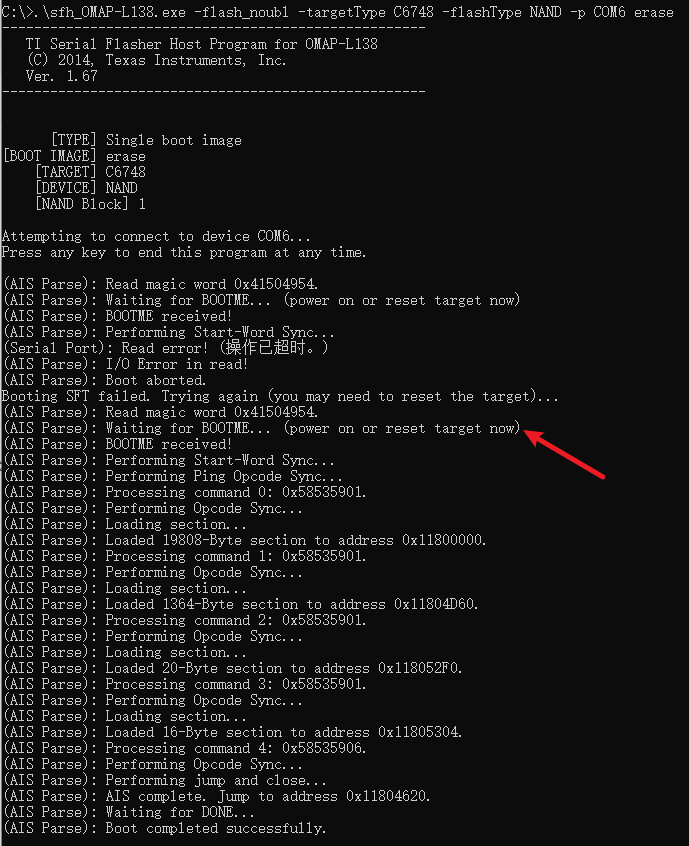
提示Waiting for BootME时,再给开发板上电,这样可以成功。我这里尝试过一开始开发板就上电,提示Waiting for BootME时,按复位按钮,容易报以下错。
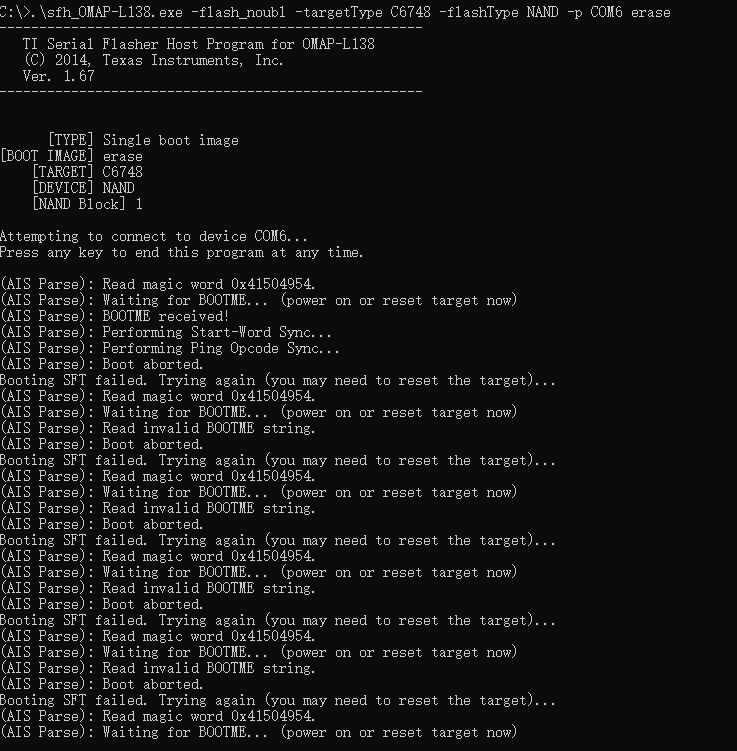
清除成功后,输入以下命令烧程序
.\sfh_OMAP-L138.exe -flash_noubl -targetType C6748 -flashType NAND -p COM6 C:\Users\ZN200774\Desktop\dsp_uartserver.ais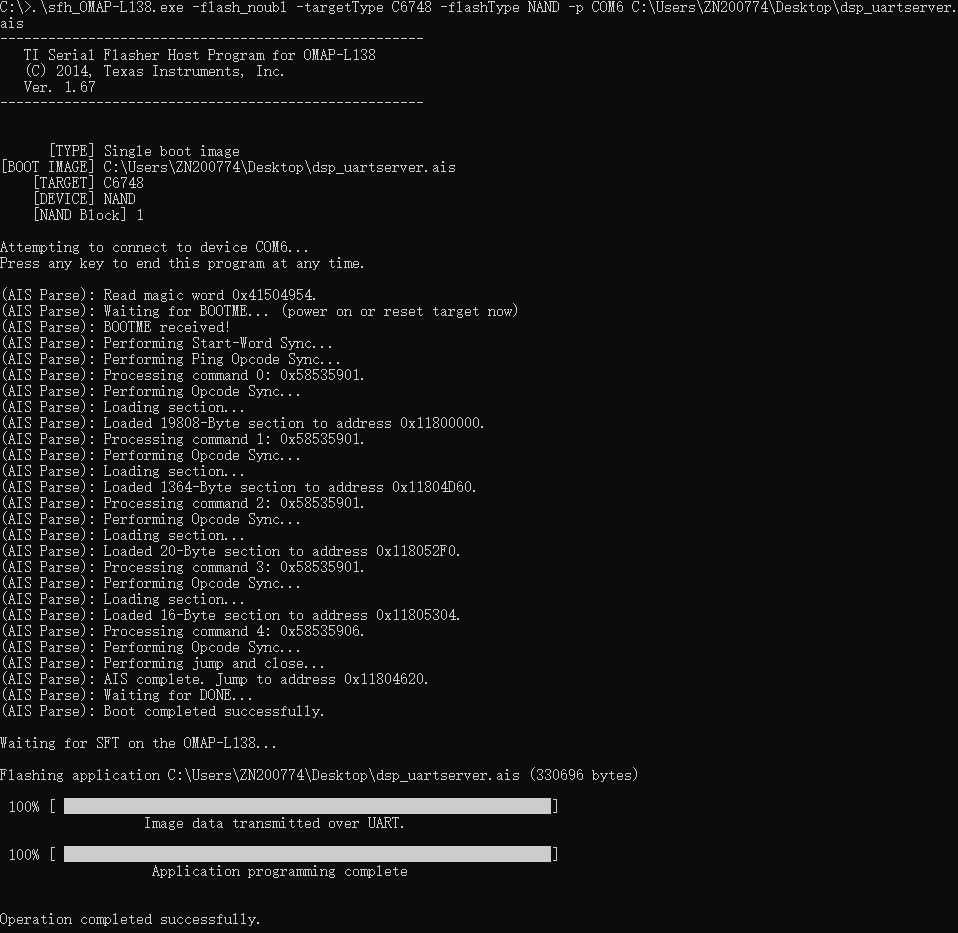
成功烧录。
断电,将Boot mode调成01110,Nand Flash启动,上电程序正常运行。

AtomGit 是由开放原子开源基金会联合 CSDN 等生态伙伴共同推出的新一代开源与人工智能协作平台。平台坚持“开放、中立、公益”的理念,把代码托管、模型共享、数据集托管、智能体开发体验和算力服务整合在一起,为开发者提供从开发、训练到部署的一站式体验。
更多推荐



 2
2 0
0- 0


 已为社区贡献1条内容

所有评论(0)