Windows下 Codex 中 Chrome 和 Computer Use 插件不可用问题排查及解决参考方式
背景
这次问题出现在 Windows 版 Codex 桌面端更新之后。
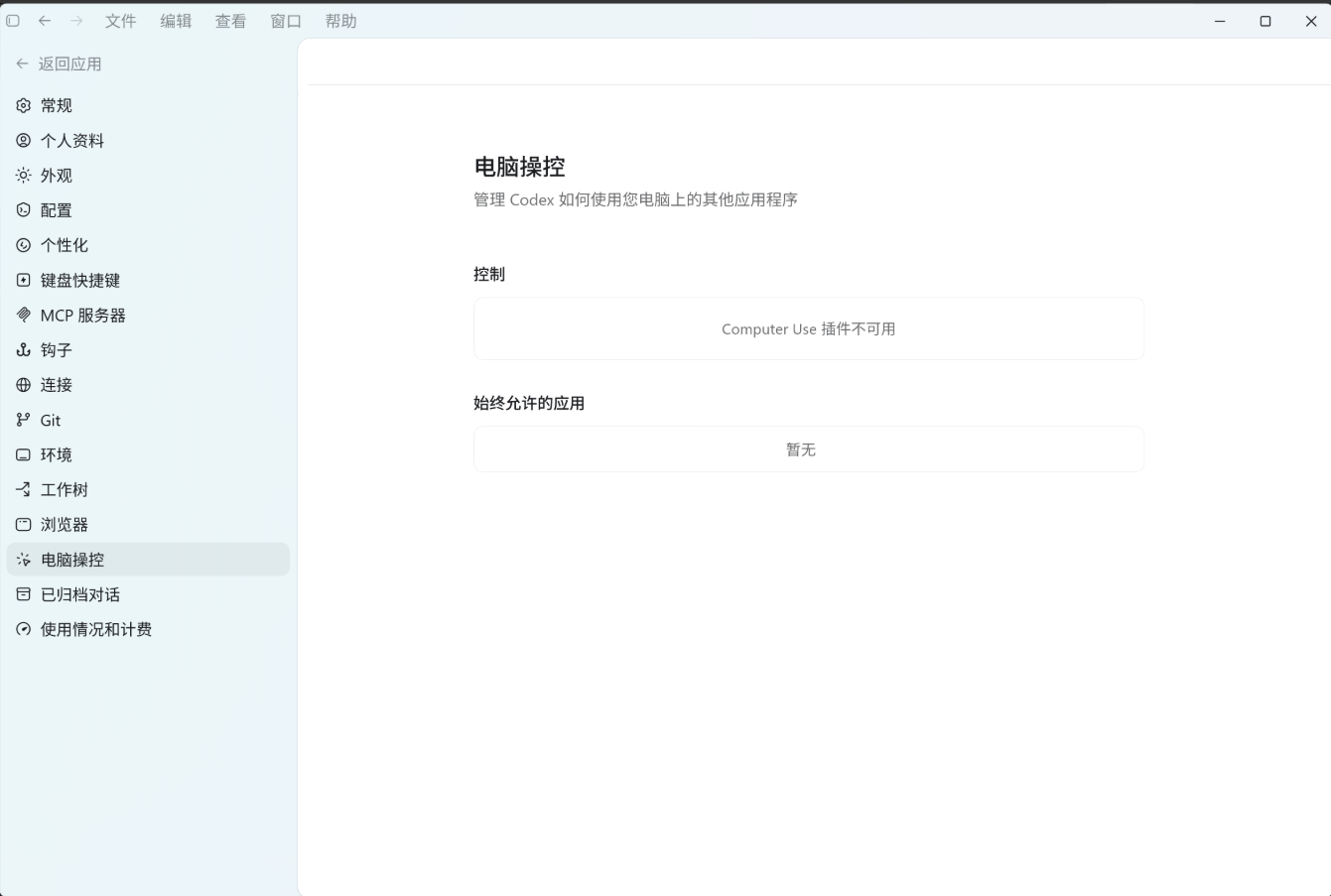
主要现象有三个:
- Codex 设置页中
Chrome插件显示不可用。 Computer Use插件显示不可用。- 点击 Chrome 插件open setting时,一直弹出 Electron 错误:
Error launching app

Unable to find Electron app at C:\Program Files\WindowsApps\OpenAI.Codex_...
Cannot find module ...
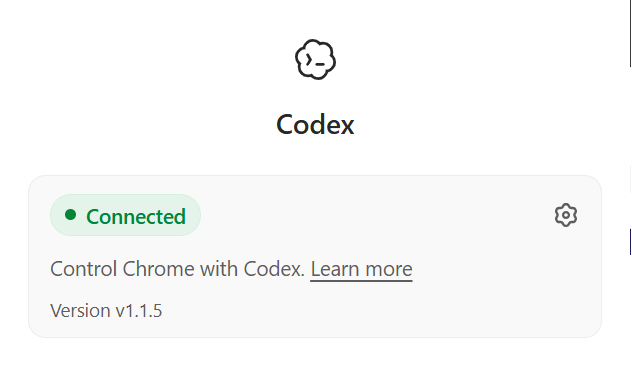
Chrome 浏览器里其实已经安装了 Codex 扩展,扩展弹窗也显示 Connected,所以一开始容易误以为是 Chrome 扩展没有安装成功。但实际根因不在浏览器扩展本身。
环境
大致环境如下:
系统:Windows
应用:Codex Desktop
插件:chrome@openai-bundled、browser@openai-bundled、computer-use@openai-bundled
Codex 配置目录:%USERPROFILE%\.codex
注意:Codex 最好使用默认安装路径,安装在 C 盘目录下。
本次问题和 WindowsApps、插件缓存、Native Messaging、
codex://协议注册都有关系。使用默认安装位置可以减少路径权限、AppX 注册、插件查找路径不一致等额外变量,排查起来也更稳定。
备份
排查前先备份 Codex 相关配置和插件状态文件,避免误改后无法恢复。
建议至少备份这些文件:
%USERPROFILE%\.codex\config.toml
%USERPROFILE%\.codex\.codex-global-state.json
%USERPROFILE%\.codex\chrome-native-hosts.json
%LOCALAPPDATA%\OpenAI\extension\com.openai.codexextension.json
同时也可以导出注册表:
reg export HKCU\Software\Google\Chrome\NativeMessagingHosts\com.openai.codexextension chrome-native-host.reg
reg export HKCU\Software\Classes\codex codex-url-protocol.reg
排查过程
1. 先确认 Chrome 扩展是否真的可用
进入 Chrome:
chrome://extensions/
确认 Codex 扩展已安装并启用。
再检查 Native Messaging Host:
reg query HKCU\Software\Google\Chrome\NativeMessagingHosts\com.openai.codexextension /ve
正常情况下会指向类似:
%LOCALAPPDATA%\OpenAI\extension\com.openai.codexextension.json
这个 manifest 文件中的 path 应该指向 Codex Chrome 插件里的 extension-host.exe。
2. 检查 Codex 插件清单
使用 Codex CLI 查看插件:
codex plugin marketplace list
codex plugin list
当时这里出现了关键错误:
Error: failed to load configured marketplace snapshot(s):
- `openai-bundled` at ...\marketplace-source:
  marketplace root does not contain a supported manifest
这个错误说明 Codex 不是找不到 Chrome 扩展,而是本地 bundled plugin marketplace 本身坏了。
3. 检查 openai-bundled marketplace
正常的 bundled marketplace 目录结构应该类似:
openai-bundled
├─ .agents
│  └─ plugins
│     └─ marketplace.json
└─ plugins
   ├─ browser
   ├─ chrome
   ├─ computer-use
   └─ latex
其中最关键的是:
.agents\plugins\marketplace.json
我本地的问题是修复过程中只补了 plugins 目录,但漏掉了 .agents\plugins\marketplace.json,导致 Codex CLI 和桌面端都无法把该目录识别为合法 marketplace。
4. 检查插件 latest 指针和关键文件
需要确认这些路径存在:
%USERPROFILE%\.codex\plugins\cache\openai-bundled\chrome\latest
%USERPROFILE%\.codex\plugins\cache\openai-bundled\browser\latest
%USERPROFILE%\.codex\plugins\cache\openai-bundled\computer-use\latest
关键文件:
chrome\latest\scripts\browser-client.mjs
chrome\latest\extension-host\windows\x64\extension-host.exe
browser\latest\scripts\browser-client.mjs
computer-use\latest\scripts\computer-use-client.mjs
如果 latest 指向临时目录、旧目录、残缺目录,就会导致插件不可用。
5. 检查 Codex 日志
Codex 桌面端日志在类似目录:
%LOCALAPPDATA%\Packages\OpenAI.Codex_*\LocalCache\Local\Codex\Logs
重点搜索:
BundledPluginsMarketplace
bundled_plugins_marketplace_resolve_failed
computer-use native pipe startup failed
Windows Computer Use helper paths are unavailable
当时日志中出现:
bundled_plugins_marketplace_resolve_failed
EBUSY: resource busy or locked, rmdir ...

computer-use native pipe startup failed
Windows Computer Use helper paths are unavailable
这说明:
- Codex 在处理旧的 bundled marketplace 临时目录时失败。
- Computer Use 找不到 helper path,所以 native pipe 启动失败。
根因
最终确认主要有三个问题叠加:
1. openai-bundled marketplace 指向残缺目录
config.toml 中的 openai-bundled marketplace source 曾指向一个残缺临时目录:
%USERPROFILE%\.codex\.tmp\bundled-marketplaces\openai-bundled
该目录里只有部分 Chrome extension-host 文件,没有完整插件结构。
2. marketplace-source 缺少 manifest
修复后新的 marketplace-source 目录一开始缺少:
.agents\plugins\marketplace.json
所以 Codex CLI 报:
marketplace root does not contain a supported manifest
这会导致 UI 继续显示 Chrome 和 Computer Use 不可用。
3. 旧临时目录残留并被占用
旧目录:
%USERPROFILE%\.codex\.tmp\bundled-marketplaces\openai-bundled
里面残留了 Chrome 的 extension-host.exe,Codex reconcile 时尝试删除它,但因为文件被占用或权限原因失败,日志中出现 EBUSY。
修复方式
1. 修复 config.toml 中的 marketplace source
将:
[marketplaces.openai-bundled]
source_type = "local"
source = '\\?\C:\Users\xxx\.codex\.tmp\bundled-marketplaces\openai-bundled'
改为指向用户目录下稳定的 marketplace-source:
[marketplaces.openai-bundled]
source_type = "local"
source = '\\?\C:\Users\xxx\.codex\plugins\cache\openai-bundled\marketplace-source'
注意:修改 config.toml 时要保存为 UTF-8 without BOM。
2. 从当前 Codex 安装包复制完整 bundled plugin
当前 Codex 安装包中的完整 bundled plugin 通常在:
C:\Program Files\WindowsApps\OpenAI.Codex_版本号_x64__2p2nqsd0c76g0\app\resources\plugins\openai-bundled
从这里复制完整结构到:
%USERPROFILE%\.codex\plugins\cache\openai-bundled\marketplace-source
尤其不能漏掉:
.agents\plugins\marketplace.json
3. 补齐 plugin cache
确保这些目录存在并完整:
%USERPROFILE%\.codex\plugins\cache\openai-bundled\chrome\26.527.31326
%USERPROFILE%\.codex\plugins\cache\openai-bundled\browser\26.527.31326
%USERPROFILE%\.codex\plugins\cache\openai-bundled\computer-use\26.527.31326
并让 latest 指向对应完整版本目录。
4. 补齐旧临时目录
如果日志中仍然显示 Codex 在读取旧目录:
%USERPROFILE%\.codex\.tmp\bundled-marketplaces\openai-bundled
而且该目录删不掉,可以不要强删,直接把它也补完整:
.agents\plugins\marketplace.json
plugins\browser
plugins\chrome
plugins\computer-use
plugins\latex
这样即使 Codex 继续读取旧临时目录,也不会因为半截 marketplace 失败。
5. 修复 codex:// 协议注册
如果点击通知或插件时出现 Electron app path 错误,需要检查:
reg query HKCU\Software\Classes\codex /s
正常应包含 AppX DelegateExecute 相关项,而不是只有一个空的 URL Protocol。
可参考系统自动生成的 AppX handler:
reg query HKCU\Software\Classes\AppXybfp6cjpb1wf0pftw0fd4bz59gzn1401 /s
将 codex 协议补成相同的 AppX DelegateExecute handler 后,通知点击和深链启动错误消失。
验证
修复后运行:
codex plugin marketplace list
codex plugin list
最终应看到:
Marketplace `openai-bundled`

PLUGIN                       STATUS              VERSION
browser@openai-bundled       installed, enabled  26.527.31326
chrome@openai-bundled        installed, enabled  26.527.31326
computer-use@openai-bundled  installed, enabled  26.527.31326
然后完整重启 Codex 桌面端。
重启后验证:
- 设置页中 Chrome 插件不再显示不可用。
- Computer Use 插件不再显示不可用。
- Chrome 扩展保持 Connected。
@chrome可以正常读取 Chrome 标签页。- 日志中不再反复出现:
Windows Computer Use helper paths are unavailable
bundled_plugins_marketplace_resolve_failed
总结
这次问题表面上看是 Chrome 插件或 Computer Use 插件不可用,但实际根因是 Codex 更新后本地 bundled plugin marketplace 状态损坏。
排查重点不是只看 Chrome 扩展是否安装,而是要同时检查:
config.toml中 marketplace source 是否正确。- openai-bundled marketplace 是否包含
.agents\plugins\marketplace.json。 chrome/browser/computer-use插件目录是否完整。latest是否指向完整版本目录。- Codex 日志中是否存在 marketplace resolve 或 Computer Use helper path 失败。
codex://协议注册是否完整。
最终修复后,codex plugin list 能正确显示三个插件为 installed, enabled,Codex 桌面端重启后 Chrome 和 Computer Use 恢复正常。
把处理思路直接丢给 Codex 让其操作更方便哦。

AtomGit 是由开放原子开源基金会联合 CSDN 等生态伙伴共同推出的新一代开源与人工智能协作平台。平台坚持“开放、中立、公益”的理念,把代码托管、模型共享、数据集托管、智能体开发体验和算力服务整合在一起,为开发者提供从开发、训练到部署的一站式体验。
更多推荐



 19
19 6
6- 0


 已为社区贡献1条内容

所有评论(0)