鸿蒙PC Electron框架深度解析:文章编辑器核心功能实现
·
欢迎加入开源鸿蒙PC社区:
https://harmonypc.csdn.net/
atomgit仓库地址:https://atomgit.com/feng8403000/cms
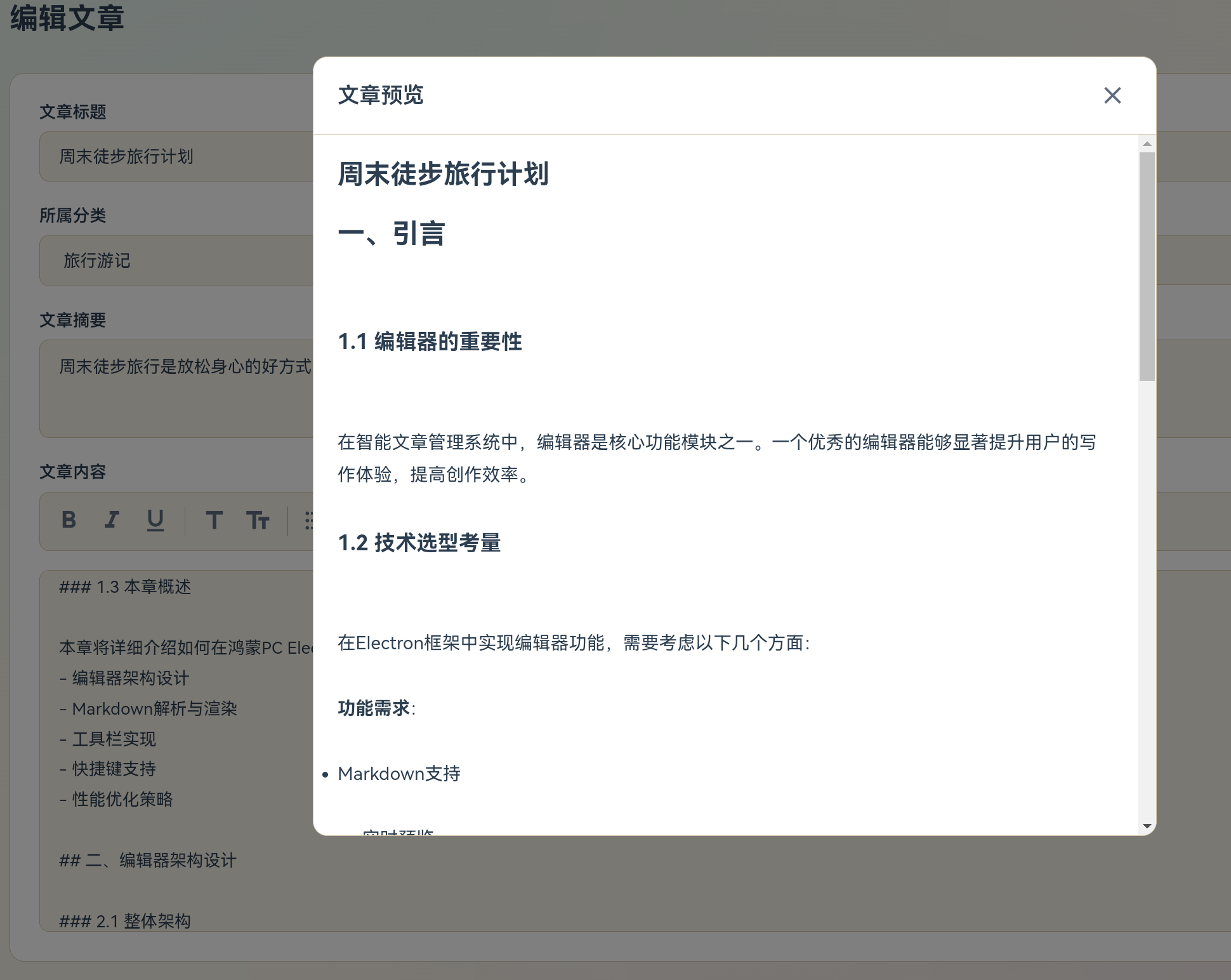
测试markdown代码
## 一、引言

### 1.1 编辑器的重要性

在智能文章管理系统中,编辑器是核心功能模块之一。一个优秀的编辑器能够显著提升用户的写作体验,提高创作效率。

### 1.2 技术选型考量

在Electron框架中实现编辑器功能,需要考虑以下几个方面:

**功能需求**:
- Markdown支持
- 实时预览
- 格式化工具
- 图片上传
- 代码高亮

**技术挑战**:
- 性能优化
- 跨平台兼容性
- 数据持久化
- 用户体验

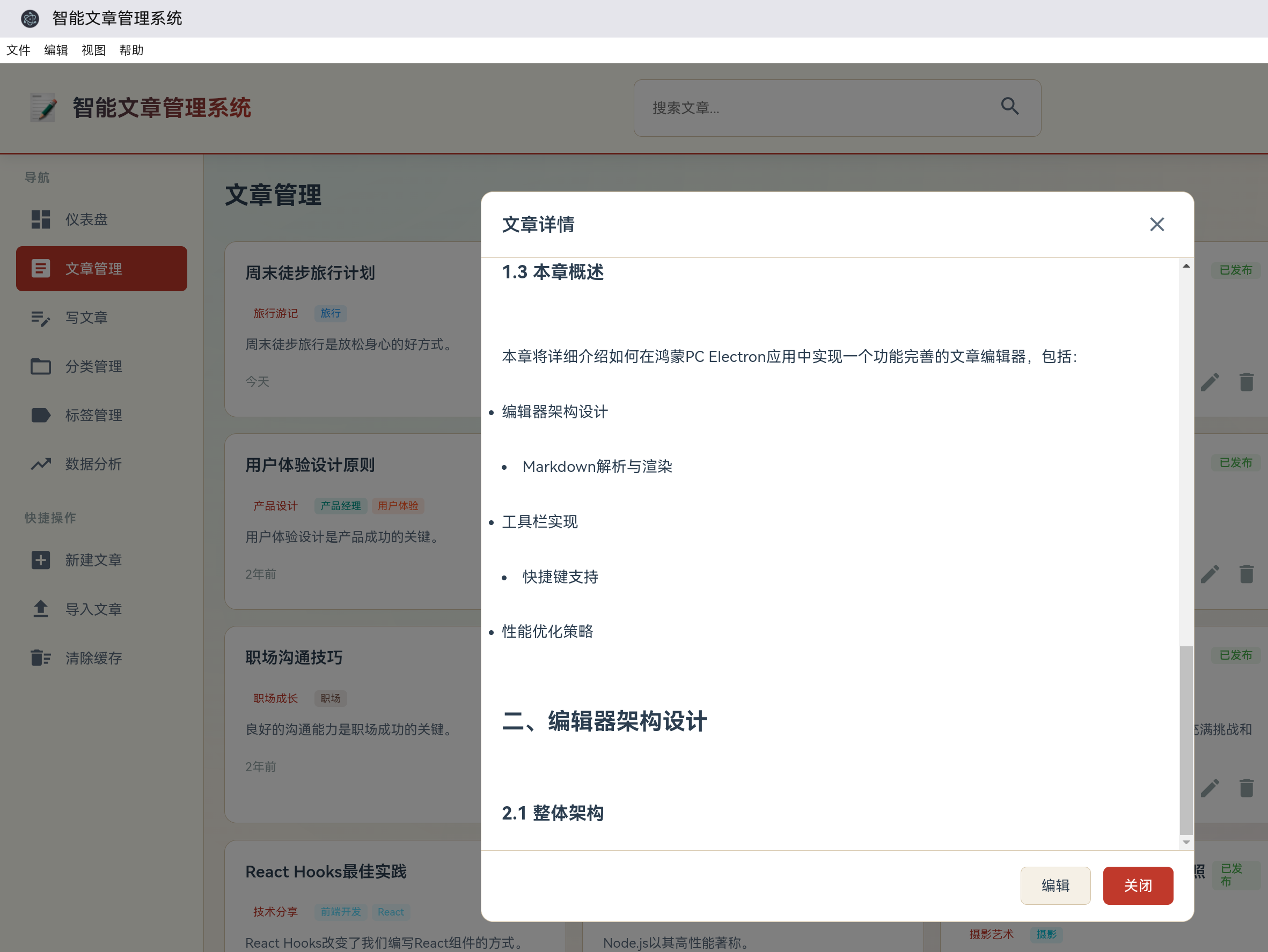
### 1.3 本章概述

本章将详细介绍如何在鸿蒙PC Electron应用中实现一个功能完善的文章编辑器,包括:
- 编辑器架构设计
- Markdown解析与渲染
- 工具栏实现
- 快捷键支持
- 性能优化策略

## 二、编辑器架构设计

### 2.1 整体架构
一、引言
1.1 编辑器的重要性
在智能文章管理系统中,编辑器是核心功能模块之一。一个优秀的编辑器能够显著提升用户的写作体验,提高创作效率。
1.2 技术选型考量
在Electron框架中实现编辑器功能,需要考虑以下几个方面:
功能需求:
- Markdown支持
- 实时预览
- 格式化工具
- 图片上传
- 代码高亮
技术挑战:
- 性能优化
- 跨平台兼容性
- 数据持久化
- 用户体验
1.3 本章概述
本章将详细介绍如何在鸿蒙PC Electron应用中实现一个功能完善的文章编辑器,包括:
- 编辑器架构设计
- Markdown解析与渲染
- 工具栏实现
- 快捷键支持
- 性能优化策略
二、编辑器架构设计
2.1 整体架构
编辑器采用经典的MVC架构模式:
┌─────────────────────────────────────────────────────┐
│                    View层                           │
│  ┌─────────────┐  ┌─────────────┐  ┌─────────────┐ │
│  │  工具栏      │  │  编辑区      │  │  预览区      │ │
│  │  Toolbar    │  │  Editor     │  │  Preview    │ │
│  └─────────────┘  └─────────────┘  └─────────────┘ │
└─────────────────────────────────────────────────────┘
                        │
                        ▼
┌─────────────────────────────────────────────────────┐
│                    Controller层                      │
│           EditorController - 编辑器控制器           │
└─────────────────────────────────────────────────────┘
                        │
                        ▼
┌─────────────────────────────────────────────────────┐
│                     Model层                         │
│        Article - 文章数据模型                        │
│        EditorState - 编辑器状态                      │
└─────────────────────────────────────────────────────┘
2.2 核心组件设计
2.2.1 编辑器组件
class MarkdownEditor {
    constructor(container) {
        this.container = container;
        this.textarea = null;
        this.preview = null;
        this.toolbar = null;
        this.content = '';
        this.isPreviewMode = false;
        this.setup();
    }

    setup() {
        this.createLayout();
        this.setupEventListeners();
        this.setupKeyboardShortcuts();
    }

    createLayout() {
        this.container.innerHTML = `
            <div class="editor-wrapper">
                <!-- 工具栏 -->
                <div class="editor-toolbar" id="editor-toolbar">
                    <!-- 工具栏按钮 -->
                </div>

                <!-- 编辑区域 -->
                <div class="editor-content">
                    <textarea
                        id="editor-textarea"
                        class="editor-textarea"
                        placeholder="开始写作..."
                    ></textarea>
                    <div id="editor-preview" class="editor-preview"></div>
                </div>

                <!-- 状态栏 -->
                <div class="editor-statusbar">
                    <span class="status-item">字数: <span id="word-count">0</span></span>
                    <span class="status-item">字符: <span id="char-count">0</span></span>
                    <span class="status-item">行数: <span id="line-count">1</span></span>
                </div>
            </div>
        `;

        this.textarea = document.getElementById('editor-textarea');
        this.preview = document.getElementById('editor-preview');
        this.toolbar = document.getElementById('editor-toolbar');

        this.renderToolbar();
    }

    renderToolbar() {
        const tools = [
            { icon: 'bold', action: 'toggleBold', title: '粗体 (Ctrl+B)' },
            { icon: 'italic', action: 'toggleItalic', title: '斜体 (Ctrl+I)' },
            { icon: 'strikethrough', action: 'toggleStrike', title: '删除线 (Ctrl+S)' },
            { type: 'separator' },
            { icon: 'heading', action: 'insertHeading', title: '标题' },
            { icon: 'list', action: 'insertList', title: '无序列表' },
            { icon: 'list_numbered', action: 'insertOrderedList', title: '有序列表' },
            { type: 'separator' },
            { icon: 'link', action: 'insertLink', title: '链接 (Ctrl+L)' },
            { icon: 'image', action: 'insertImage', title: '图片 (Ctrl+G)' },
            { type: 'separator' },
            { icon: 'code', action: 'insertCode', title: '代码块' },
            { icon: 'quote', action: 'insertQuote', title: '引用' },
            { type: 'separator' },
            { icon: 'undo', action: 'undo', title: '撤销 (Ctrl+Z)' },
            { icon: 'redo', action: 'redo', title: '重做 (Ctrl+Y)' },
            { type: 'separator' },
            { icon: 'eye', action: 'togglePreview', title: '预览模式', toggle: true },
        ];

        this.toolbar.innerHTML = tools.map(tool => {
            if (tool.type === 'separator') {
                return '<div class="toolbar-separator"></div>';
            }

            const toggleClass = tool.toggle ? 'toggle-tool' : '';
            return `
                <button
                    class="toolbar-btn ${toggleClass}"
                    data-action="${tool.action}"
                    title="${tool.title}"
                >
                    <span class="material-icons">${tool.icon}</span>
                </button>
            `;
        }).join('');
    }

    setupEventListeners() {
        // 文本输入事件
        this.textarea.addEventListener('input', (e) => {
            this.content = e.target.value;
            this.updatePreview();
            this.updateStatus();
        });

        // 工具栏点击事件
        this.toolbar.addEventListener('click', (e) => {
            const btn = e.target.closest('.toolbar-btn');
            if (btn) {
                const action = btn.dataset.action;
                if (this[action]) {
                    this[action]();
                }
            }
        });

        // 键盘事件
        this.textarea.addEventListener('keydown', (e) => {
            if (e.ctrlKey || e.metaKey) {
                this.handleKeyboardShortcut(e);
            }
        });
    }

    setupKeyboardShortcuts() {
        this.shortcuts = {
            'b': 'toggleBold',
            'i': 'toggleItalic',
            's': 'toggleStrike',
            'l': 'insertLink',
            'g': 'insertImage',
            'z': 'undo',
            'y': 'redo',
            'Enter': 'handleEnter',
            'Tab': 'handleTab',
        };
    }
}
2.2.2 编辑器状态管理
class EditorState {
    constructor() {
        this.history = [];
        this.historyIndex = -1;
        this.maxHistory = 50;
        this.selection = { start: 0, end: 0 };
    }

    save(content) {
        // 移除当前位置之后的历史记录
        this.history = this.history.slice(0, this.historyIndex + 1);

        // 添加新的历史记录
        this.history.push({
            content,
            timestamp: Date.now()
        });

        // 限制历史记录数量
        if (this.history.length > this.maxHistory) {
            this.history.shift();
        } else {
            this.historyIndex++;
        }
    }

    undo() {
        if (this.historyIndex > 0) {
            this.historyIndex--;
            return this.history[this.historyIndex].content;
        }
        return null;
    }

    redo() {
        if (this.historyIndex < this.history.length - 1) {
            this.historyIndex++;
            return this.history[this.historyIndex].content;
        }
        return null;
    }

    canUndo() {
        return this.historyIndex > 0;
    }

    canRedo() {
        return this.historyIndex < this.history.length - 1;
    }

    setSelection(start, end) {
        this.selection = { start, end };
    }

    getSelection() {
        return this.selection;
    }
}
三、Markdown解析与渲染
3.1 Markdown解析原理
Markdown是一种轻量级标记语言,我们需要将其转换为HTML进行渲染。
3.1.1 解析流程
function parseMarkdown(text) {
    let html = text;

    // 处理标题
    html = html.replace(/^(#{1,6})\s+(.+)$/gm, (match, level, content) => {
        return `<h${level.length}>${content}</h${level.length}>`;
    });

    // 处理粗体
    html = html.replace(/\*\*(.+?)\*\*/g, '<strong>$1</strong>');

    // 处理斜体
    html = html.replace(/\*(.+?)\*/g, '<em>$1</em>');

    // 处理删除线
    html = html.replace(/~~(.+?)~~/g, '<del>$1</del>');

    // 处理代码
    html = html.replace(/`(.+?)`/g, '<code>$1</code>');

    // 处理代码块
    html = html.replace(/```(\w+)?\n([\s\S]*?)```/g, (match, lang, code) => {
        return `<pre><code class="language-${lang || 'plain'}">${escapeHtml(code)}</code></pre>`;
    });

    // 处理链接
    html = html.replace(/\[(.+?)\]\((.+?)\)/g, '<a href="$2" target="_blank">$1</a>');

    // 处理图片
    html = html.replace(/!\[(.+?)\]\((.+?)\)/g, '<img src="$2" alt="$1" />');

    // 处理引用
    html = html.replace(/^>\s+(.+)$/gm, '<blockquote>$1</blockquote>');

    // 处理无序列表
    html = html.replace(/^(\s*)-\s+(.+)$/gm, '<li>$2</li>');
    html = html.replace(/(<li>.+<\/li>)/g, (match) => {
        if (!match.includes('</ul>')) {
            return `<ul>${match}</ul>`;
        }
        return match;
    });

    // 处理有序列表
    html = html.replace(/^(\s*)\d+\.\s+(.+)$/gm, '<li>$2</li>');
    html = html.replace(/(<li>.+<\/li>)/g, (match) => {
        if (!match.includes('</ol>')) {
            return `<ol>${match}</ol>`;
        }
        return match;
    });

    // 处理段落
    html = html.replace(/^(?!<h)(?!<ul)(?!<ol)(?!<li)(?!<blockquote)(?!<pre)(.+)$/gm, '<p>$1</p>');

    // 处理换行
    html = html.replace(/\n/g, '<br>');

    return html;
}

function escapeHtml(text) {
    const div = document.createElement('div');
    div.textContent = text;
    return div.innerHTML;
}
3.2 实时预览实现
updatePreview() {
    if (!this.isPreviewMode) {
        return;
    }

    const html = parseMarkdown(this.content);
    this.preview.innerHTML = html;

    // 代码高亮
    this.highlightCode();

    // 图片懒加载
    this.setupImageLazyLoad();
}

highlightCode() {
    const codeBlocks = this.preview.querySelectorAll('pre code');
    codeBlocks.forEach(block => {
        // 简单的代码高亮实现
        const text = block.textContent;
        const highlighted = this.simpleHighlight(text);
        block.innerHTML = highlighted;
    });
}

simpleHighlight(code) {
    // 关键字高亮
    const keywords = ['const', 'let', 'var', 'function', 'return', 'if', 'else', 'for', 'while'];

    let result = escapeHtml(code);

    keywords.forEach(keyword => {
        const regex = new RegExp(`\\b(${keyword})\\b`, 'g');
        result = result.replace(regex, '<span class="keyword">$1</span>');
    });

    // 字符串高亮
    result = result.replace(/(".*?")|('.*?')/g, '<span class="string">$1</span>');

    // 注释高亮
    result = result.replace(/(\/\/.*$)/gm, '<span class="comment">$1</span>');

    return result;
}

setupImageLazyLoad() {
    const images = this.preview.querySelectorAll('img');
    images.forEach(img => {
        const observer = new IntersectionObserver((entries) => {
            entries.forEach(entry => {
                if (entry.isIntersecting) {
                    const img = entry.target;
                    img.src = img.getAttribute('data-src') || img.src;
                    observer.unobserve(img);
                }
            });
        });
        observer.observe(img);
    });
}
四、工具栏功能实现
4.1 格式化工具
toggleBold() {
    this.surroundSelection('**', '**');
}

toggleItalic() {
    this.surroundSelection('*', '*');
}

toggleStrike() {
    this.surroundSelection('~~', '~~');
}

insertHeading() {
    const selection = this.textarea.selectionStart;
    const lineStart = this.content.lastIndexOf('\n', selection - 1) + 1;

    // 检查当前行是否已有标题
    const lineContent = this.content.substring(lineStart, this.content.indexOf('\n', selection));
    const headingMatch = lineContent.match(/^(#{1,6})\s/);

    if (headingMatch) {
        // 如果已有标题,增加一级或移除
        const level = headingMatch[1].length;
        if (level >= 6) {
            // 移除标题标记
            this.content = this.content.substring(0, lineStart) +
                          lineContent.substring(2) +
                          this.content.substring(this.content.indexOf('\n', selection));
        } else {
            // 增加一级
            this.content = this.content.substring(0, lineStart) +
                          '#' + lineContent +
                          this.content.substring(this.content.indexOf('\n', selection));
        }
    } else {
        // 添加一级标题
        this.content = this.content.substring(0, lineStart) +
                      '# ' + lineContent +
                      this.content.substring(this.content.indexOf('\n', selection));
    }

    this.updateTextarea();
}

surroundSelection(prefix, suffix) {
    const start = this.textarea.selectionStart;
    const end = this.textarea.selectionEnd;
    const selectedText = this.content.substring(start, end);

    this.content = this.content.substring(0, start) +
                  prefix + selectedText + suffix +
                  this.content.substring(end);

    this.updateTextarea();

    // 设置光标位置
    const newStart = start + prefix.length;
    const newEnd = newStart + selectedText.length;
    this.textarea.setSelectionRange(newStart, newEnd);
}

updateTextarea() {
    this.textarea.value = this.content;
    this.updatePreview();
    this.updateStatus();
}
4.2 列表与引用
insertList() {
    const lines = this.getSelectedLines();

    if (lines.length === 0) {
        // 在光标位置插入列表项
        this.insertAtCursor('- ');
    } else {
        // 将选中的行转换为列表项
        let newContent = this.content;

        lines.forEach((line, index) => {
            const lineStart = this.content.indexOf(line);
            if (lineStart !== -1) {
                newContent = newContent.substring(0, lineStart) +
                            '- ' + line +
                            newContent.substring(lineStart + line.length);
            }
        });

        this.content = newContent;
        this.updateTextarea();
    }
}

insertOrderedList() {
    const lines = this.getSelectedLines();

    if (lines.length === 0) {
        this.insertAtCursor('1. ');
    } else {
        let newContent = this.content;

        lines.forEach((line, index) => {
            const lineStart = this.content.indexOf(line);
            if (lineStart !== -1) {
                newContent = newContent.substring(0, lineStart) +
                            `${index + 1}. ` + line +
                            newContent.substring(lineStart + line.length);
            }
        });

        this.content = newContent;
        this.updateTextarea();
    }
}

insertQuote() {
    const lines = this.getSelectedLines();

    if (lines.length === 0) {
        this.insertAtCursor('> ');
    } else {
        let newContent = this.content;

        lines.forEach(line => {
            const lineStart = this.content.indexOf(line);
            if (lineStart !== -1) {
                newContent = newContent.substring(0, lineStart) +
                            '> ' + line +
                            newContent.substring(lineStart + line.length);
            }
        });

        this.content = newContent;
        this.updateTextarea();
    }
}

getSelectedLines() {
    const start = this.textarea.selectionStart;
    const end = this.textarea.selectionEnd;

    const textBefore = this.content.substring(0, start);
    const textAfter = this.content.substring(end);

    const lineStart = textBefore.lastIndexOf('\n') + 1;
    const lineEnd = textAfter.indexOf('\n');

    if (lineEnd === -1) {
        return [this.content.substring(lineStart)];
    }

    const selectedText = this.content.substring(lineStart, end + lineEnd);
    return selectedText.split('\n');
}

insertAtCursor(text) {
    const start = this.textarea.selectionStart;
    const end = this.textarea.selectionEnd;

    this.content = this.content.substring(0, start) +
                  text +
                  this.content.substring(end);

    this.updateTextarea();

    // 设置光标位置
    this.textarea.setSelectionRange(start + text.length, start + text.length);
}
4.3 链接与图片
insertLink() {
const url = prompt('请输入链接地址:', 'https://');
if (!url) return;
const start = this.textarea.selectionStart;
const end = this.textarea.selectionEnd;
const selectedText = this.content.substring(start, end) || '链接文本';
this.content = this.content.substring(0, start) +
`[${selectedText}](${url})` +
this.content.substring(end);
this.updateTextarea();
}
insertImage() {
const url = prompt('请输入图片地址:', 'https://');
if (!url) return;
const alt = prompt('请输入图片描述:', '图片');
this.content = this.content.substring(0, this.textarea.selectionStart) +
`` +
this.content.substring(this.textarea.selectionEnd);
this.updateTextarea();
}
insertCode() {
const start = this.textarea.selectionStart;
const end = this.textarea.selectionEnd;
const selectedText = this.content.substring(start, end);
if (selectedText.includes('\n')) {
// 多行代码,使用代码块
this.content = this.content.substring(0, start) +
'```\n' + selectedText + '\n```' +
this.content.substring(end);
} else {
// 单行代码,使用行内代码
this.content = this.content.substring(0, start) +
'`' + selectedText + '`' +
this.content.substring(end);
}
this.updateTextarea();
}
五、快捷键系统
5.1 快捷键映射
handleKeyboardShortcut(e) {
    const key = e.key.toLowerCase();

    if (this.shortcuts[key]) {
        e.preventDefault();
        this[this.shortcuts[key]]();
    }
}

handleEnter() {
    const start = this.textarea.selectionStart;
    const lineContent = this.content.substring(
        this.content.lastIndexOf('\n', start - 1) + 1,
        start
    );

    // 检查是否在列表中
    const listMatch = lineContent.match(/^(\s*)([-*]|\d+\.)\s/);
    if (listMatch) {
        // 如果是列表项,自动添加下一个列表项
        e.preventDefault();
        const indent = listMatch[1];
        const listType = listMatch[2];

        if (listType.match(/\d+/)) {
            // 有序列表
            const nextNum = parseInt(listType) + 1;
            this.insertAtCursor(`\n${indent}${nextNum}. `);
        } else {
            // 无序列表
            this.insertAtCursor(`\n${indent}${listType} `);
        }
    }
}

handleTab(e) {
    e.preventDefault();
    this.insertAtCursor('    ');
}
5.2 撤销/重做功能
undo() {
    const previousContent = this.state.undo();
    if (previousContent !== null) {
        this.content = previousContent;
        this.updateTextarea();
    }
}

redo() {
    const nextContent = this.state.redo();
    if (nextContent !== null) {
        this.content = nextContent;
        this.updateTextarea();
    }
}
六、性能优化策略
6.1 虚拟滚动
对于长文档编辑,虚拟滚动可以显著提升性能:
class VirtualScroller {
    constructor(container, contentProvider) {
        this.container = container;
        this.contentProvider = contentProvider;
        this.visibleLines = [];
        this.scrollTop = 0;
        this.lineHeight = 24;

        this.setup();
    }

    setup() {
        this.container.addEventListener('scroll', (e) => {
            this.scrollTop = e.target.scrollTop;
            this.updateVisibleLines();
        });

        this.updateVisibleLines();
    }

    updateVisibleLines() {
        const containerHeight = this.container.clientHeight;
        const startLine = Math.floor(this.scrollTop / this.lineHeight) - 5;
        const endLine = startLine + Math.ceil(containerHeight / this.lineHeight) + 10;

        this.visibleLines = this.contentProvider.getLines(startLine, endLine);
        this.renderVisibleLines();
    }

    renderVisibleLines() {
        const html = this.visibleLines.map((line, index) => {
            const lineNumber = index + Math.floor(this.scrollTop / this.lineHeight) - 5;
            return `<div class="editor-line" style="top: ${lineNumber * this.lineHeight}px">
                <span class="line-number">${lineNumber + 1}</span>
                <span class="line-content">${escapeHtml(line)}</span>
            </div>`;
        }).join('');

        this.container.innerHTML = html;
    }
}
6.2 增量渲染
class IncrementalRenderer {
    constructor() {
        this.renderQueue = [];
        this.isRendering = false;
        this.lastRenderTime = 0;
    }

    queueRender(text) {
        this.renderQueue.push(text);

        if (!this.isRendering) {
            this.startRendering();
        }
    }

    async startRendering() {
        this.isRendering = true;

        while (this.renderQueue.length > 0) {
            const now = Date.now();

            // 限制渲染频率,避免阻塞主线程
            if (now - this.lastRenderTime < 50) {
                await new Promise(resolve => setTimeout(resolve, 16));
                continue;
            }

            const text = this.renderQueue.shift();
            this.render(text);
            this.lastRenderTime = Date.now();
        }

        this.isRendering = false;
    }

    render(text) {
        const html = parseMarkdown(text);
        // 更新预览区域
    }
}
6.3 防抖优化
class DebouncedEditor {
    constructor() {
        this.debounceTimer = null;
        this.debounceDelay = 300;
    }

    onInput(text) {
        if (this.debounceTimer) {
            clearTimeout(this.debounceTimer);
        }

        this.debounceTimer = setTimeout(() => {
            this.processInput(text);
        }, this.debounceDelay);
    }

    processInput(text) {
        // 处理输入,如语法高亮、拼写检查等
        this.updatePreview(text);
        this.updateStatus(text);
        this.saveToHistory(text);
    }
}
七、数据持久化与备份
7.1 自动保存机制
class AutoSaver {
    constructor(editor) {
        this.editor = editor;
        this.saveInterval = null;
        this.saveDelay = 30000; // 30秒
        this.lastSavedContent = '';

        this.start();
    }

    start() {
        this.saveInterval = setInterval(() => {
            this.autoSave();
        }, this.saveDelay);
    }

    stop() {
        if (this.saveInterval) {
            clearInterval(this.saveInterval);
        }
    }

    autoSave() {
        const currentContent = this.editor.getContent();

        if (currentContent !== this.lastSavedContent) {
            this.save(currentContent);
            this.lastSavedContent = currentContent;
        }
    }

    save(content) {
        try {
            localStorage.setItem('draft-' + Date.now(), content);
            // 保留最近10个草稿
            this.cleanupOldDrafts();
        } catch (error) {
            console.error('自动保存失败:', error);
        }
    }

    cleanupOldDrafts() {
        const keys = Object.keys(localStorage).filter(k => k.startsWith('draft-'));

        if (keys.length > 10) {
            keys.sort();
            const toDelete = keys.slice(0, keys.length - 10);
            toDelete.forEach(key => localStorage.removeItem(key));
        }
    }
}
7.2 导出功能
exportArticle(format = 'markdown') {
    const article = {
        title: document.getElementById('article-title-input').value,
        content: this.content,
        createdAt: new Date().toISOString()
    };

    let content = '';
    let filename = '';
    let mimeType = '';

    switch (format) {
        case 'markdown':
            content = `# ${article.title}\n\n${article.content}`;
            filename = `${article.title}.md`;
            mimeType = 'text/markdown';
            break;

        case 'html':
            content = parseMarkdown(content);
            filename = `${article.title}.html`;
            mimeType = 'text/html';
            break;

        case 'json':
            content = JSON.stringify(article, null, 2);
            filename = `${article.title}.json`;
            mimeType = 'application/json';
            break;
    }

    this.downloadFile(content, filename, mimeType);
}

downloadFile(content, filename, mimeType) {
    const blob = new Blob([content], { type: mimeType });
    const url = URL.createObjectURL(blob);

    const a = document.createElement('a');
    a.href = url;
    a.download = filename;
    document.body.appendChild(a);
    a.click();
    document.body.removeChild(a);

    URL.revokeObjectURL(url);
}
八、跨平台兼容性
8.1 鸿蒙PC平台适配
在鸿蒙PC平台上开发Electron应用需要特别注意:
// 检测平台
function detectPlatform() {
    const platform = process.platform;

    if (platform === 'win32') {
        return 'windows';
    } else if (platform === 'linux') {
        // 检查是否是鸿蒙PC
        if (process.env.OHOS_VERSION) {
            return 'harmonyos';
        }
        return 'linux';
    } else if (platform === 'darwin') {
        return 'macos';
    }

    return 'unknown';
}

// 针对鸿蒙PC的特殊处理
function setupHarmonyOSFeatures() {
    const platform = detectPlatform();

    if (platform === 'harmonyos') {
        // 鸿蒙PC特有功能
        setupHarmonyOSMenu();
        setupHarmonyOSProtocolHandler();
    }
}

function setupHarmonyOSMenu() {
    // 适配鸿蒙PC菜单风格
    const menu = Menu.buildFromTemplate([
        {
            label: '文件',
            submenu: [
                {
                    label: '新建',
                    accelerator: 'Ctrl+N',
                    click: () => {
                        // 新建文章
                    }
                },
                // 更多菜单项
            ]
        }
    ]);

    Menu.setApplicationMenu(menu);
}
8.2 字体与渲染优化
/* 鸿蒙PC字体优化 */
@media screen and (min-width: 768px) {
    :root {
        --font-family: 'HarmonyOS Sans SC', -apple-system, BlinkMacSystemFont, 'Segoe UI', Roboto, sans-serif;
    }
}

.editor-textarea {
    font-family: var(--font-family);
    font-size: 14px;
    line-height: 1.6;
    tab-size: 4;
    -webkit-font-smoothing: antialiased;
    -moz-osx-font-smoothing: grayscale;
}

.editor-preview {
    font-family: var(--font-family);
    font-size: 15px;
    line-height: 1.8;
}
九、总结与展望
9.1 功能回顾
本章详细介绍了文章编辑器的实现,包括:
- 架构设计:MVC模式,分离关注点
- Markdown解析:完整的解析器实现
- 工具栏功能:格式化、列表、链接等
- 快捷键支持:提高操作效率
- 性能优化:虚拟滚动、增量渲染、防抖
- 数据持久化:自动保存、多格式导出
- 跨平台适配:鸿蒙PC平台特殊处理
9.2 技术亮点
- 模块化设计:代码结构清晰,易于维护
- 实时预览:所见即所得的编辑体验
- 智能列表:自动识别并继续列表
- 历史记录:完整的撤销/重做功能
- 自动保存:防止数据丢失
9.3 未来扩展
未来可以考虑添加以下功能:
- 协作编辑:多人实时协作
- 拼写检查:内置拼写检查器
- 模板系统:支持文章模板
- 版本控制:Git风格的版本管理
- 云端同步:支持云存储

AtomGit 是由开放原子开源基金会联合 CSDN 等生态伙伴共同推出的新一代开源与人工智能协作平台。平台坚持“开放、中立、公益”的理念,把代码托管、模型共享、数据集托管、智能体开发体验和算力服务整合在一起,为开发者提供从开发、训练到部署的一站式体验。
更多推荐

 0
0 0
0- 0


 已为社区贡献72条内容

所有评论(0)