我使用unrealEngine5.7.4创建了使用第三人称模版创建了蓝图桌面工程命名MyGameFPS,创建基础关卡,然后再工具菜单Platforms->Cook Content ->Cook Con
UE5系列文章目录
前言
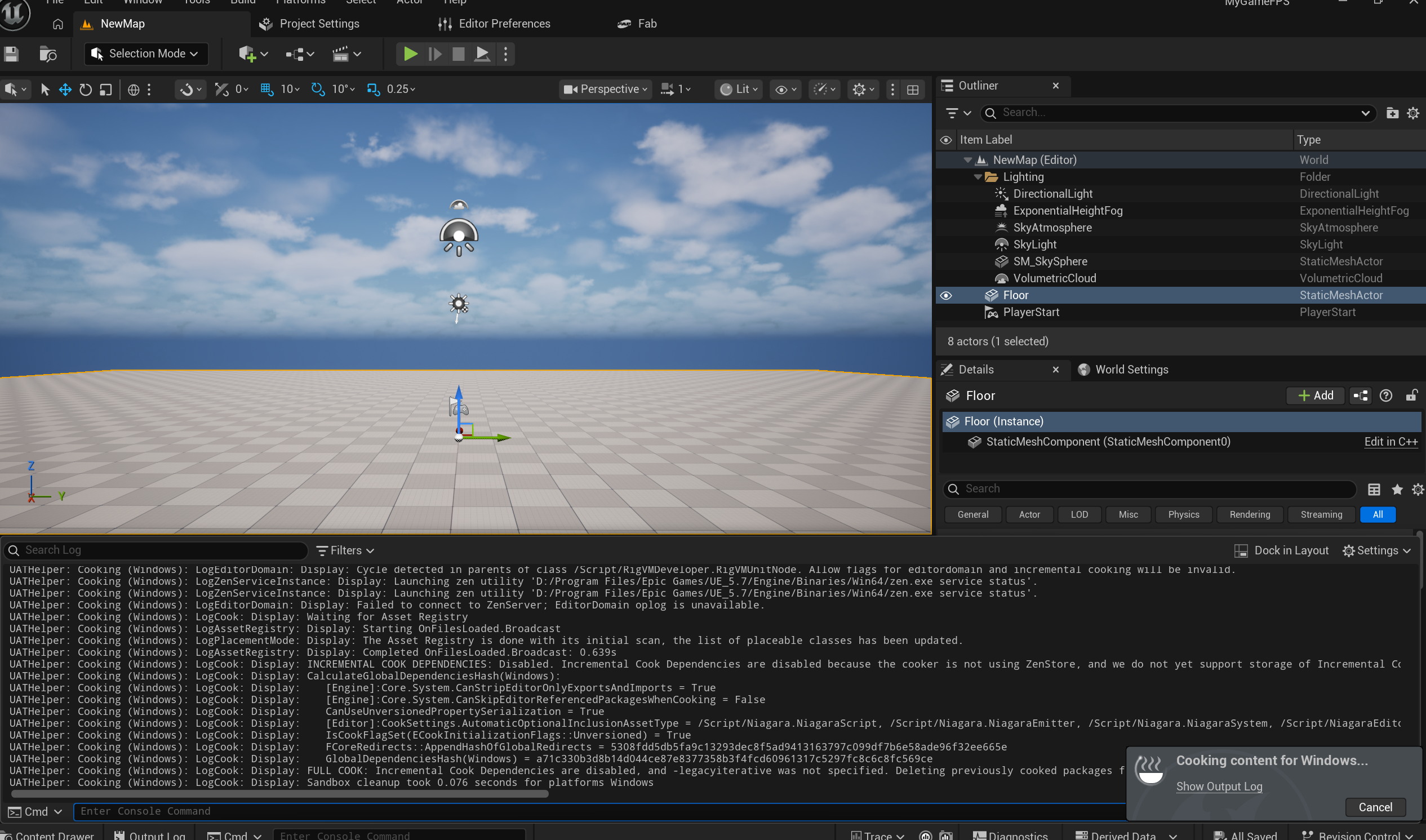
我使用unrealEngine5.7.4创建了使用第三人称模版创建了蓝图桌面工程命名MyGameFPS,创建基础关卡,然后再工具菜单Platforms->Cook Content ->Cook Content
ue编辑器右下角提示:Cooking failed!
然后我点击Show Output Log 后,窗口显示错误信息,
UATHelper: Error: Cooking (Windows): Cook failed.
UATHelper: Cooking (Windows): AutomationTool exiting with ExitCode=25 (Error_UnknownCookFailure)
LogWindows: Failed to load ‘aqProf.dll’ (GetLastError=126)
LogWindows: Failed to load ‘VtuneApi.dll’ (GetLastError=126)
LogWindows: Failed to load ‘VtuneApi32e.dll’ (GetLastError=126)
LogWindows: Failed to load ‘WinPixGpuCapturer.dll’ (GetLastError=126)
LogStreaming: Warning: Failed to read file ‘…/…/…/Engine/Platforms/VisionOS/Content/Editor/Slate/Launcher/Platform_VisionOS_24x.png’ error.
LogStreaming: Warning: Failed to read file ‘…/…/…/Engine/Platforms/VisionOS/Content/Editor/Slate/Launcher/Platform_VisionOS_128x.png’ error.
LogStreaming: Warning: Failed to read file ‘…/…/…/Engine/Content/Slate/Common/ButtonHoverHint.png’ error.
LogStreaming: Warning: Failed to read file ‘…/…/…/Engine/Content/Slate/./Editor/Slate/Icons/doc_16x.png’ error.
LogStreaming: Warning: Failed to read file ‘…/…/…/Engine/Plugins/Animation/EaseCurveTool/Resources/Common/ButtonHoverHint.png’ error.
LogStreaming: Warning: Failed to read file ‘…/…/…/Engine/Platforms/VisionOS/Content/Editor/Slate/Launcher/Platform_VisionOS_24x.png’ error.
LogStreaming: Warning: Failed to read file ‘…/…/…/Engine/Platforms/VisionOS/Content/Editor/Slate/Launcher/Platform_VisionOS_128x.png’ error.
LogStreaming: Warning: Failed to read file ‘…/…/…/Engine/Content/Slate/./Editor/Slate/Icons/doc_16x.png’ error.
LogStreaming: Warning: Failed to read file ‘…/…/…/Engine/Plugins/Animation/EaseCurveTool/Resources/Common/ButtonHoverHint.png’ error.
LogWindows: Failed to load ‘Wintab32.dll’ (GetLastError=126)
MapCheck: Map check complete: 0 Error(s), 0 Warning(s), took 0.429ms to complete.
LogEOSSDK: Warning: LogEOS: Error response received from backend. ServiceName=[Friend], OperationName=[GetBlockList], Url=[], HttpStatus=[403], ErrorCode=[errors.com.epicgames.common.insufficient_scopes], NumericErrorCode=[1056], ErrorMessage=[Insufficient access scopes. Expected: [friends_list]], CorrId=[EOS-z9ixF68g8UCps6CPaRDK0A-adH9MAIWgEeiCSQy060Lzg]
LogEOSSDK: Error: LogEOSAuth: Authentication session lost due to failing verification. Error: EOS_Auth_InvalidToken UserId: 1f8…1b9
ditor-Cmd.exe" -platform=Win64 -DDC=InstalledNoZenLocalFallback -installed -SkipCookingErrorSummary -JsonStdOut -skipstage" -nocompile -nocompileuat ]
LogStreaming: Display: FlushAsyncLoading(405): 1 QueuedPackages, 0 AsyncPackages
UATHelper: Cooking (Windows): Running: D:\Program Files\Epic Games\UE_5.7\Engine\Binaries\Win64\UnrealEditor-Cmd.exe “E:\workSpace\project\Ue5Exercise\MyGameFPS\MyGameFPS.uproject” -run=Cook -TargetPlatform=Windows -ddc=InstalledNoZenLocalFallback -unversioned -NoErrorSummary -fileopenlog -abslog=“D:\Program Files\Epic Games\UE_5.7\Engine\Programs\AutomationTool\Saved\Cook-2026.05.21-10.15.15.txt” -stdout -CrashForUAT -unattended -NoLogTimes
UATHelper: Cooking (Windows): LogInit: Display: Running engine for game: MyGameFPS
UATHelper: Cooking (Windows): LogCsvProfiler: Display: Metadata set : commandline=“” E:\workSpace\project\Ue5Exercise\MyGameFPS\MyGameFPS.uproject -run=Cook -TargetPlatform=Windows -ddc=InstalledNoZenLocalFallback -unversioned -NoErrorSummary -fileopenlog -abslog=“D:\Program Files\Epic Games\UE_5.7\Engine\Programs\AutomationTool\Saved\Cook-2026.05.21-10.15.15.txt” -stdout -CrashForUAT -unattended -NoLogTimes""
UATHelper: Cooking (Windows): LogCsvProfiler: Display: Metadata set : loginid=“069f22d64f4b4280702c28b51ed4b644”
UATHelper: Error: Cooking (Windows): LogShaderCompilers: Error: Shader compiler returned a non-zero error code (-1073741819).
UATHelper: Error: Cooking (Windows): LogShaderCompilers: Error: Shader compiler returned a non-zero error code (-1073741819).
UATHelper: Error: Cooking (Windows): LogShaderCompilers: Error: Shader compiler returned a non-zero error code (-1073741819).
UATHelper: Error: Cooking (Windows): Cook failed.
请问发生了什么错误,为什么导致错误,如何解决?
我什么都没做尝试第二次烘焙,提示成功了,为什么呢?
主要原因是第一次虽然最后被判定失败,但它其实已经做完了大量工作:
LogCook: Display: Done!
Shaders Compiled: 7,578
NumPackagesSaved=526
第一次失败发生在 shader 编译/XGE/IncrediBuild 相关路径里,但很多 shader 和资源已经被编译并写进了缓存,也就是 DDC / Derived Data Cache。第二次再 Cook 时,日志显示:
TotalGetHits = 4795
TotalGetMisses = 0
GetHitPct = 1.000000
Assets Built = 0
这说明第二次基本都是直接命中缓存,没有再大规模重新编译 shader,所以绕过了第一次容易出错的重编译阶段,21 秒就完成了。
简单说就是:第一次像是“边失败边把作业写进缓存了”,第二次直接用缓存,所以成功了。
但这不代表根因完全消失。你的环境里仍然有 IncrediBuild License not activated 和 XGE shader compile 的隐患。以后清空缓存、换材质、升级引擎、换机器,可能还会复现。稳妥做法还是禁用 XGE shader 编译,或者正确激活/修复 IncrediBuild。
一、彻底解决
1.修改GameFPS.uproject文件
/MyGameFPS/MyGameFPS.uproject
使用notepad++ 打开
{
	"FileVersion": 3,
	"EngineAssociation": "5.7",
	"Category": "",
	"Description": "",
	"Plugins": [
		{
			"Name": "ModelingToolsEditorMode",
			"Enabled": true,
			"TargetAllowList": [
				"Editor"
			]
		},
		{
			"Name": "GameplayStateTree",
			"Enabled": true
		},
		{
			"Name": "XGEController",
			"Enabled": false
		}
	]
}
- 修改ConsoleVariables.ini文件
/MyGameFPS/Config/ConsoleVariables.ini
; Keep shader compilation local for this project.
; The XGE/IncrediBuild path can fail when IncrediBuild is installed but not licensed.
r.XGEShaderCompile=0
r.XGEController.Enabled=0
二、成功
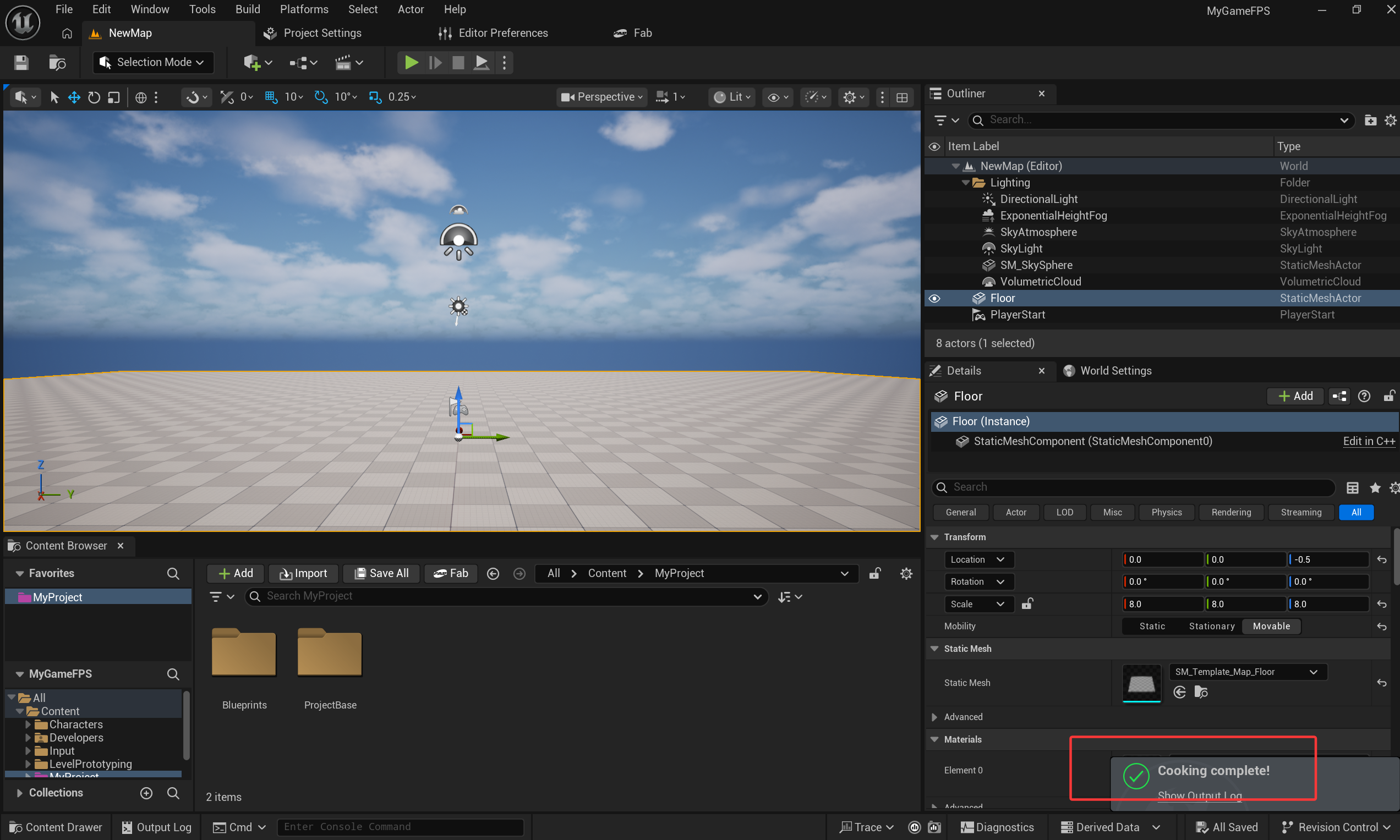
再次Platforms->Cook Content ->Cook Content

AtomGit 是由开放原子开源基金会联合 CSDN 等生态伙伴共同推出的新一代开源与人工智能协作平台。平台坚持“开放、中立、公益”的理念,把代码托管、模型共享、数据集托管、智能体开发体验和算力服务整合在一起,为开发者提供从开发、训练到部署的一站式体验。
更多推荐



 6
6 0
0- 0


 已为社区贡献6条内容

所有评论(0)