How to Make a Lookbook: The Complete Guide to Creating Stunning Digital Flipbooks
How to Make a Lookbook: The Complete Guide to Creating Stunning Digital Flipbooks
From concept to shareable flipbook — create a professional lookbook online in minutes with FlipFlow.
A lookbook is one of the most powerful marketing tools a brand can have. Whether you’re a fashion designer showcasing a new collection, an interior decorator presenting your portfolio, a retailer launching a seasonal catalog, or a photographer curating your best work — a well-crafted lookbook tells your story in a way that plain product pages simply cannot.
In this complete guide, we’ll walk you through everything you need to know about how to make a lookbook: what it is, who needs one, how to design it, and — most importantly — how to publish it as a beautiful, interactive digital flipbook using FlipFlow, the fastest and most feature-rich flipbook maker online.
What Is a Lookbook?
A lookbook is a curated collection of images, visuals, and styling that communicates the identity, aesthetic, and mood of a brand or collection. Unlike a product catalog — which focuses on listing items for sale — a lookbook is about feeling. It’s an editorial experience that invites the viewer into a world: your world.
Think of it as a visual narrative. Each spread tells part of a story. The colors, the layouts, the models, the settings — all of it works together to create an emotional impression that sticks in the viewer’s memory long after they’ve put it down.
Lookbooks are used across many industries:
- Fashion brands — seasonal collections, capsule lines, editorial shoots
- Interior design studios — portfolio showcases and style guides
- Photographers — client-facing portfolios and mood boards
- Jewelry and accessories brands — product stories and lifestyle imagery
- Real estate agencies — property showcases styled as editorial content
- Cosmetics and beauty brands — campaign launches and product ranges
Why Make Your Lookbook a Digital Flipbook?
Printed lookbooks are beautiful — but expensive, slow to produce, and impossible to update once printed. Digital lookbooks solve all of those problems, and when they’re published as interactive flipbooks, they go even further.
A digital flipbook lookbook created with FlipFlow gives you:
- Realistic page-turning animations — your readers flip through your lookbook just like a physical magazine
- Instant shareability — one link, accessible on any device, anywhere in the world
- Interactive hotspots — embed video, links, product pages, and pop-ups directly onto your pages
- Analytics — see who’s reading your lookbook, which pages they linger on, and how long they spend
- No printing costs — update your lookbook anytime without reprinting a single copy
- Background music — set the perfect ambient mood for your collection
Let’s get into exactly how to make one.
Step 1: Define Your Lookbook’s Purpose and Audience
Before you open any design software, get clear on two things: who is this for and what do you want them to feel or do?
A lookbook for a luxury womenswear brand targeting 30–50-year-old professionals has an entirely different energy than a streetwear lookbook aimed at Gen Z sneaker collectors. Your purpose could be:
- Driving traffic to product pages on your website
- Building brand awareness and emotional connection
- Supporting a sales team with a leave-behind after client meetings
- Generating leads through a gated digital download
Your answers will shape every decision that follows: the mood, the color palette, the copy tone, the call-to-action at the end.
Step 2: Curate Your Visual Content
The quality of your lookbook lives and dies by the quality of your imagery. Here’s what to keep in mind:
Shoot with consistency
All your images should feel like they belong in the same world. Consistent lighting, color grading, and styling are more important than having the most technically perfect individual shots.
Background matters
Clean, uncluttered backgrounds let your product breathe. Natural environments, minimalist studio setups, and architectural spaces all work well — the key is that the background supports the product rather than competing with it.
Mix close-ups with full looks
Alternate between wide lifestyle shots (that convey mood and story) and close-up detail shots (that show texture, quality, and craft). This rhythm keeps the viewer engaged as they flip through the pages.
Shoot more than you need
You’ll edit ruthlessly in post. Capture a wide variety of angles, expressions, and compositions so you have real choices when it’s time to lay out the pages.
Step 3: Design Your Lookbook Pages
You don’t need to be a professional designer to produce a great-looking lookbook. Tools like Canva, Adobe InDesign, or Google Slides all let you build lookbook pages, which you then export as a PDF or image files — the input formats that FlipFlow converts into flipbooks.
A few design principles to follow:
Start with a compelling cover
Your cover is the first impression. Use your strongest image, your brand name, and a simple title (e.g., “Spring Collection 2026” or “The Edit: Minimalism Revisited”). Less is more — let the image do the talking.
Establish a color palette
Pick 2–4 colors that run consistently through the lookbook. They should align with your brand identity and the mood of the collection. Consistency here creates a sense of visual harmony across all pages.
Use white space intentionally
Resist the urge to fill every page with content. White (or empty) space gives images room to breathe and communicates elegance and confidence.
Add your logo
Place your logo consistently — typically on the cover, back cover, and occasionally on interior spreads. This keeps your brand in the viewer’s visual memory without being intrusive.
End with a clear call-to-action
The last page should tell viewers what to do next: visit your website, contact your team, shop the collection, follow on social media. Don’t let them finish without a direction.
Once your pages are designed, export everything as a PDF (or as a set of images) — you’re ready for FlipFlow.
Step 4: Convert Your Lookbook into a Flipbook with FlipFlow
This is where your static PDF becomes something truly special. Head to flippingbooks.org, create a free account, and upload your PDF. FlipFlow converts it into an interactive, page-turning digital flipbook in seconds.
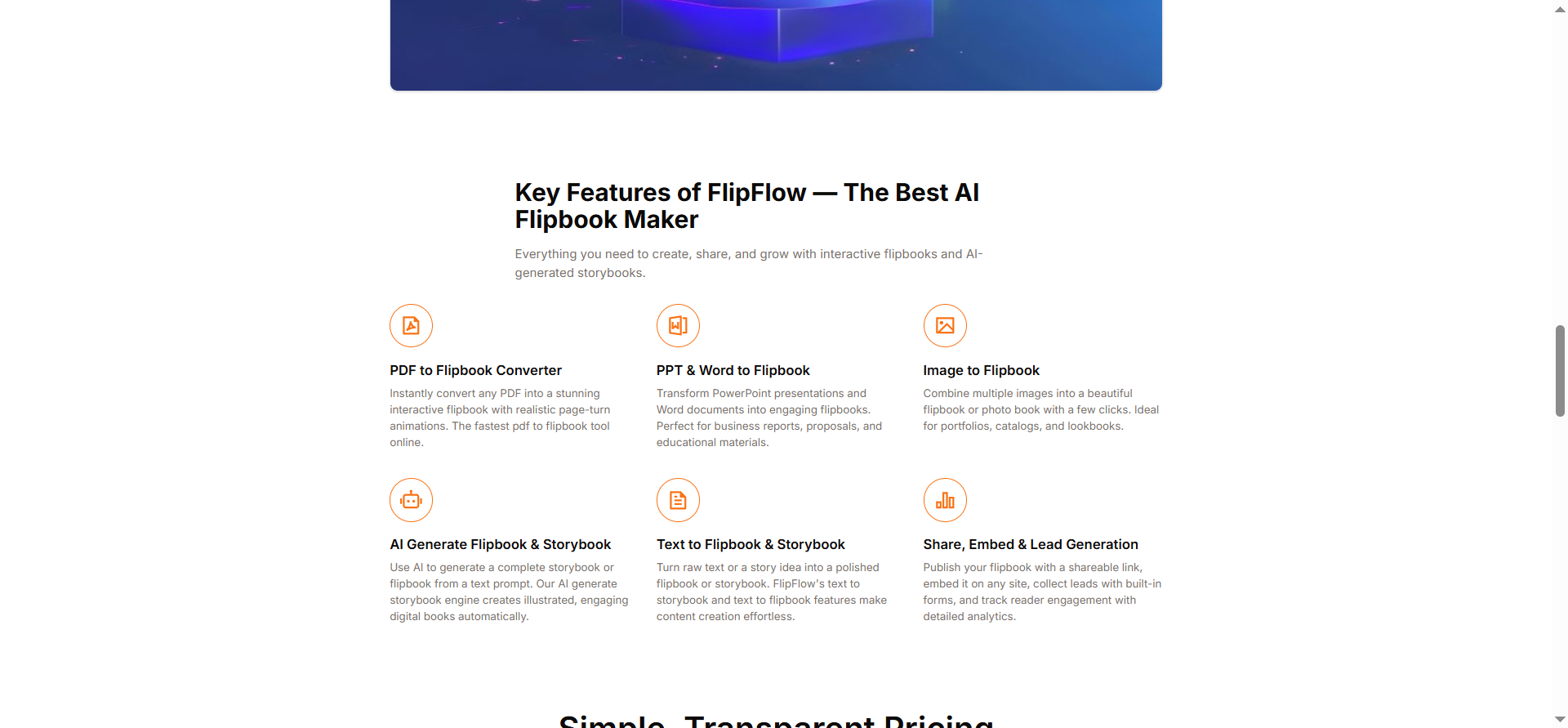
FlipFlow converts PDF, Word, PPT, and images into beautiful interactive flipbooks.
Step 5: Configure the Style and Feel
Once your lookbook is uploaded, FlipFlow gives you an extensive suite of styling options to match the look and feel of your brand.
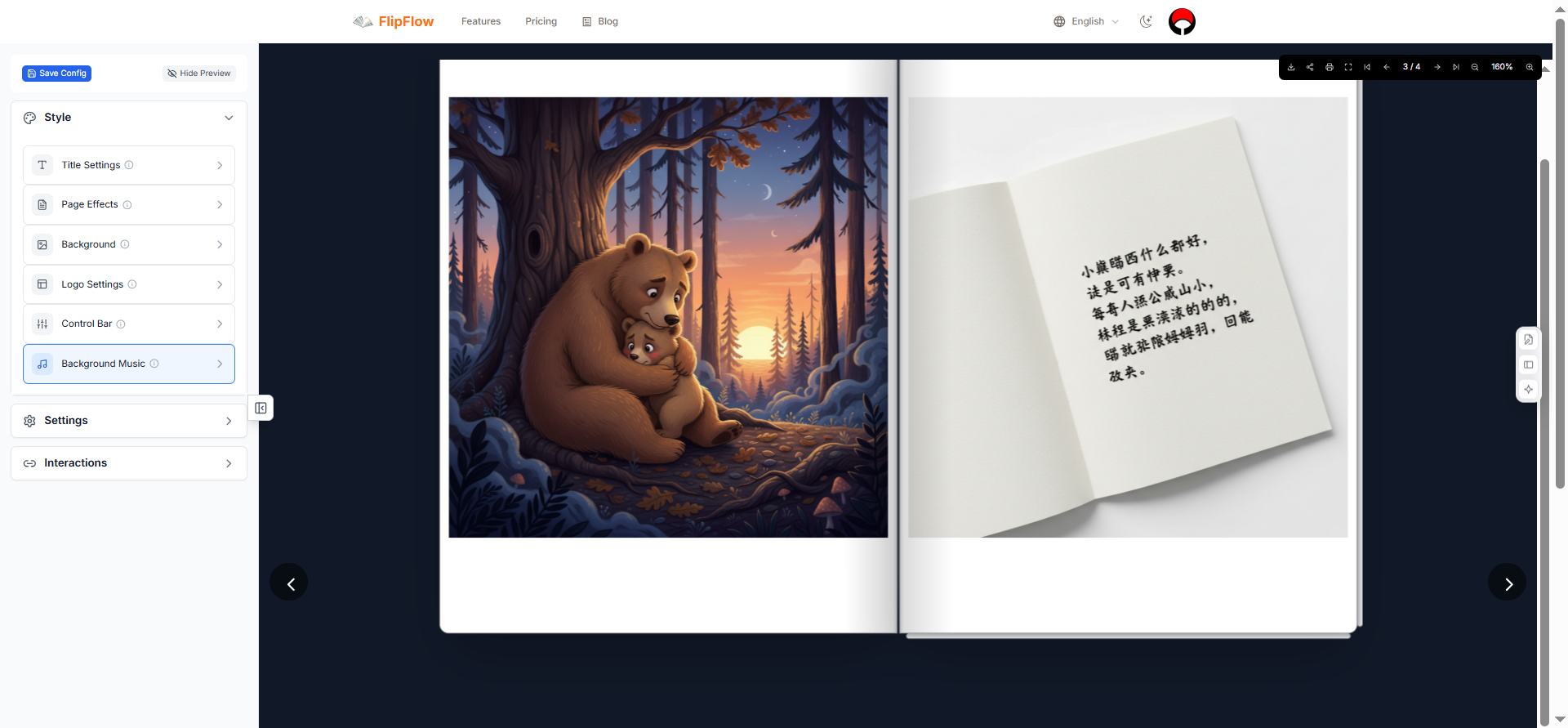
Style panel: choose your page effect, configure sounds, backgrounds, logo, and control bar theme.
Choose your page-turning effect
FlipFlow offers 8 distinct page effects:
- Magazine — classic horizontal page flip, ideal for fashion and editorial lookbooks
- Book — traditional book-style turning, great for portfolios and catalogs
- Photo Album — soft, photo-focused effect with a warm feel
- Notebook — casual and approachable
- Slide — modern lateral sliding transition
- Card — sharp, graphic card flip
- Cover Flow — dynamic 3D rotation, great for high-impact brand moments
- Single Page — full-screen single-page focus
For a fashion lookbook, Magazine or Photo Album are typically the most fitting. For a portfolio or interior design lookbook, Book or Cover Flow create a premium impression.
Turn on page-turn sound effects
Enable the built-in page-turn sound for an immersive, tactile reading experience — the satisfying whoosh of a turning page adds a layer of physicality that viewers respond to emotionally.
Set a custom background
Go beyond white. FlipFlow lets you set a background image, color, or a fully styled background with controls for size, position, repeat, transparency, and blur. A deep charcoal or warm cream background can completely transform the mood of your lookbook.
Upload your logo
Add your brand’s logo directly into the flipbook viewer — configurable for position, width, and height. Your brand stays present throughout the reading experience without interrupting the content.
Set the control bar style
The navigation toolbar your readers see can be themed to match your aesthetic. Choose from: Simple, Round, Colorful, Cartoon, Spring, Summer, Autumn, or Winter. For a luxury fashion lookbook, Simple or Round keeps things clean and elevated.
Add background music
Upload a music file to play as your reader browses. A carefully chosen ambient track — jazz, lo-fi, classical, or a brand playlist — can dramatically deepen the emotional experience of your lookbook.
Step 6: Add Interactive Elements
This is where a FlipFlow lookbook pulls decisively ahead of a static PDF. Using the Interactions feature, you can draw a region over any area of any page and attach live, interactive behavior to it — all for free.
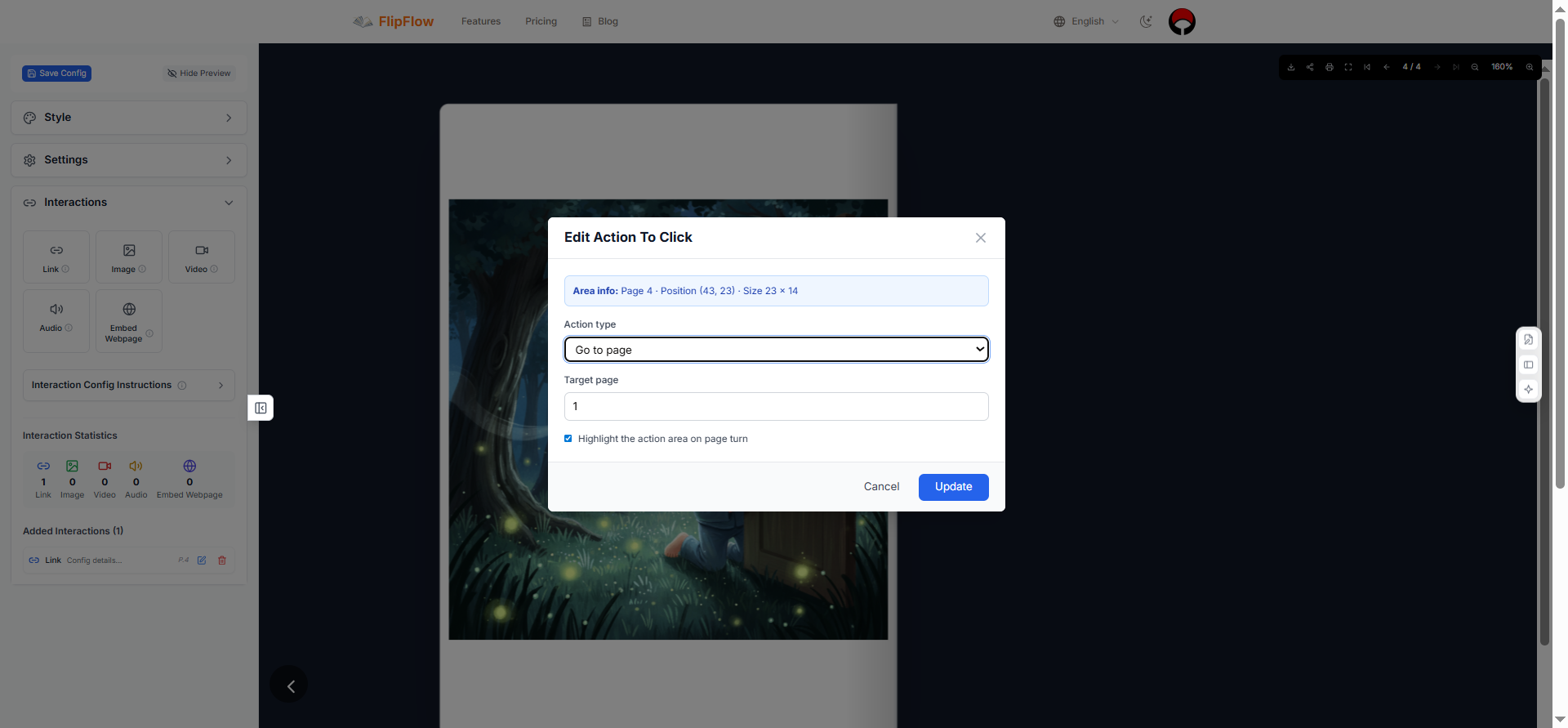
Draw a region on any page and attach a link, video, image, or pop-up overlay.
Link hotspots
Tap any item in the lookbook to open a product page, send an email, make a phone call, or open a WhatsApp conversation. For fashion brands, this means readers can go from admiring a look to purchasing it in one tap — no friction, no searching.
Embedded video
Select a region and embed a video directly into the page — from YouTube, Vimeo, or a direct upload. Show behind-the-scenes footage from the shoot, a runway video of the collection in motion, or a fabric quality close-up. Configure autoplay, loop, and player visibility to match the experience you want.
Pop-up overlays
Trigger a full-screen or floating image, video, or webpage overlay when a reader clicks a hotspot. Perfect for showing additional product angles, zooming into fabric details, or linking to a brand film.
Page navigation hotspots
Create a region that jumps to a specific page — useful for lookbook chapters, “shop this look” links that jump to a product spread, or back-cover calls-to-action that return readers to page 1.
Step 7: Configure Navigation and Reader Settings
FlipFlow’s settings panel gives you fine-grained control over how readers experience your flipbook.
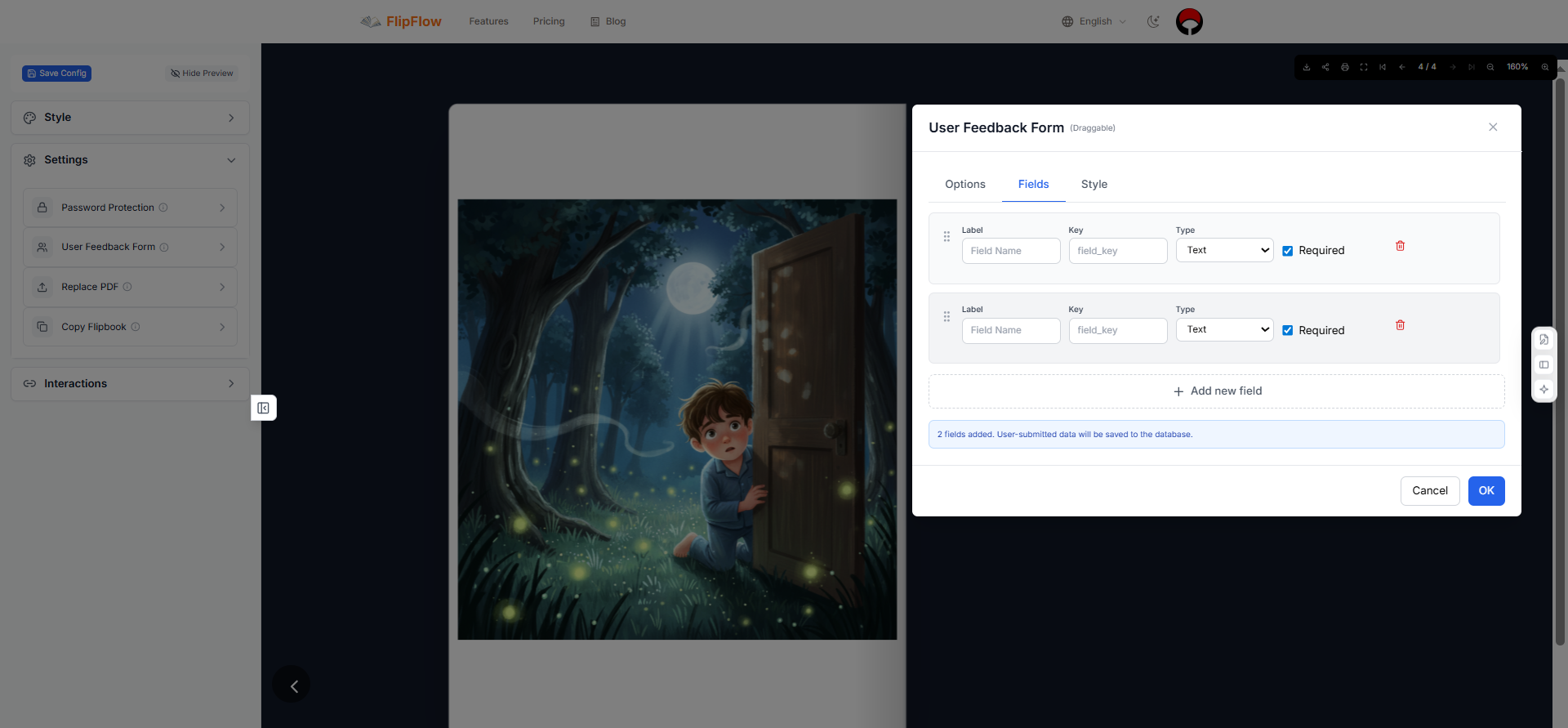
Settings: navigation bar, scroll behavior, resume reading, initial page, and premium features.
- Navigation bar — position it at the top or bottom; choose between thumbnail previews, page numbers, or both
- Resume reading — FlipFlow remembers where each reader left off and returns them to that page on their next visit
- Initial page — open the flipbook directly to a specific spread (useful for campaign launches or seasonal sections)
- Scroll-wheel behavior — configure the mouse scroll to flip pages or zoom in
- Control bar position — choose from 8 positions around the page
Step 8: Share Your Lookbook with the World
Once configured, FlipFlow generates a shareable link for your lookbook. Share it via:
Share your flipbook lookbook across Facebook, X (Twitter), Instagram, LinkedIn, and more.
- Direct link (via email, messaging apps, or your website)
- Social media — Facebook, X (Twitter), Instagram, LinkedIn, and more
- Embedded on your website or blog (FlipFlow provides an embed code)
- Printed QR code — link your physical materials to the digital flipbook
For brands that want to share exclusive lookbooks with a select audience, FlipFlow’s Password Protection (a premium feature) lets you gate access behind a password — ideal for press previews, VIP client presentations, or wholesale buyer meetings.
Step 9: Track Reader Engagement with Analytics
After your lookbook is live, FlipFlow’s Analytics dashboard (powered by Google Analytics) shows you exactly how it’s performing.
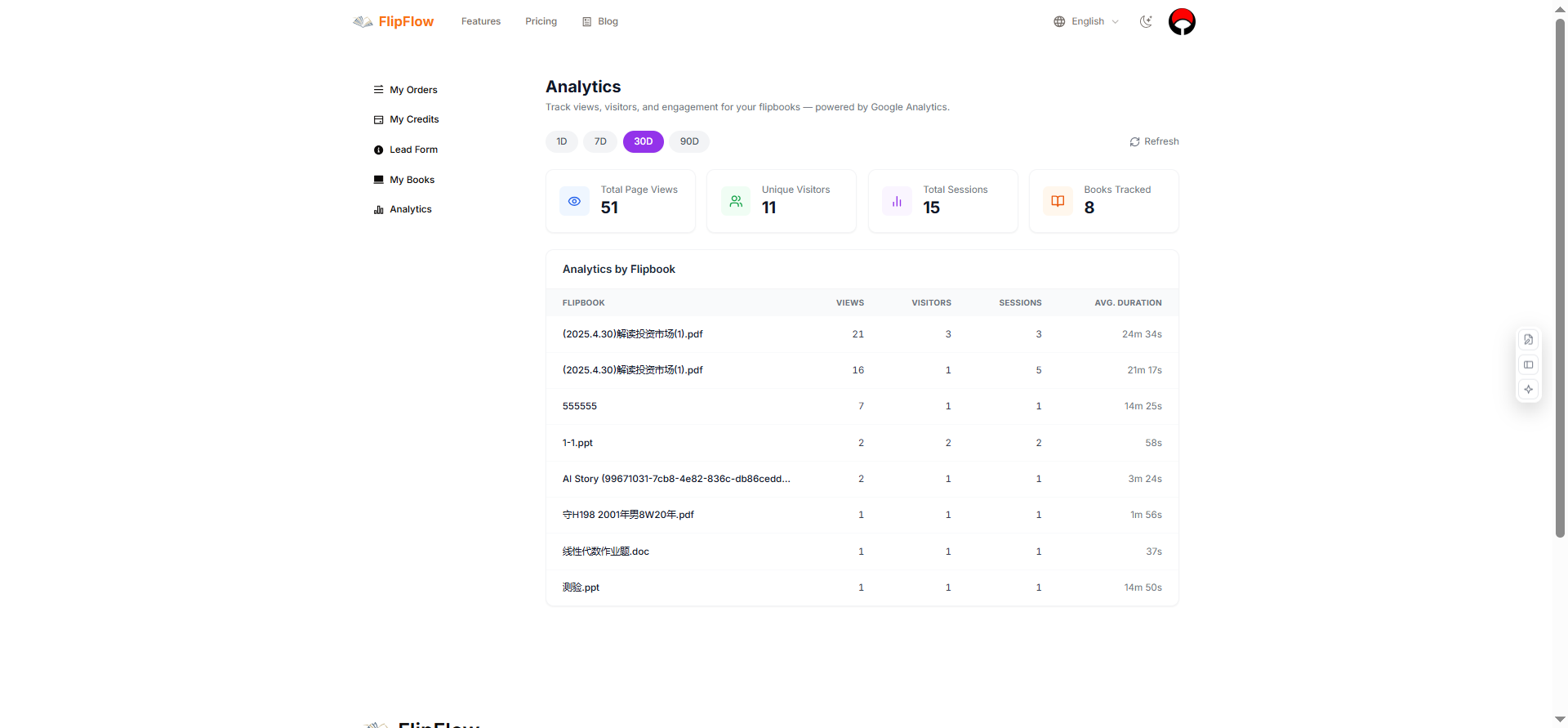
Track total views, unique visitors, sessions, average reading duration, and per-book breakdowns.
You can monitor:
- Total page views and unique visitors
- Session count and average reading duration
- Per-flipbook breakdowns — see which lookbooks are getting the most attention
This data is invaluable for understanding what resonates with your audience and refining your content strategy over time.
Bonus: Use AI to Generate a Lookbook-Style Storybook
FlipFlow has one more trick up its sleeve — one that sets it apart from every other flipbook tool on the market.
The AI Story Creator lets you generate a fully illustrated, page-turning flipbook from nothing more than a text prompt, powered by Google’s Gemini 2.5 Flash image generation model. While this feature is particularly beloved by parents creating children’s storybooks, it has creative applications for brands too: concept lookbooks, mood boards, illustrated brand stories, and creative pitches can all be generated in minutes.
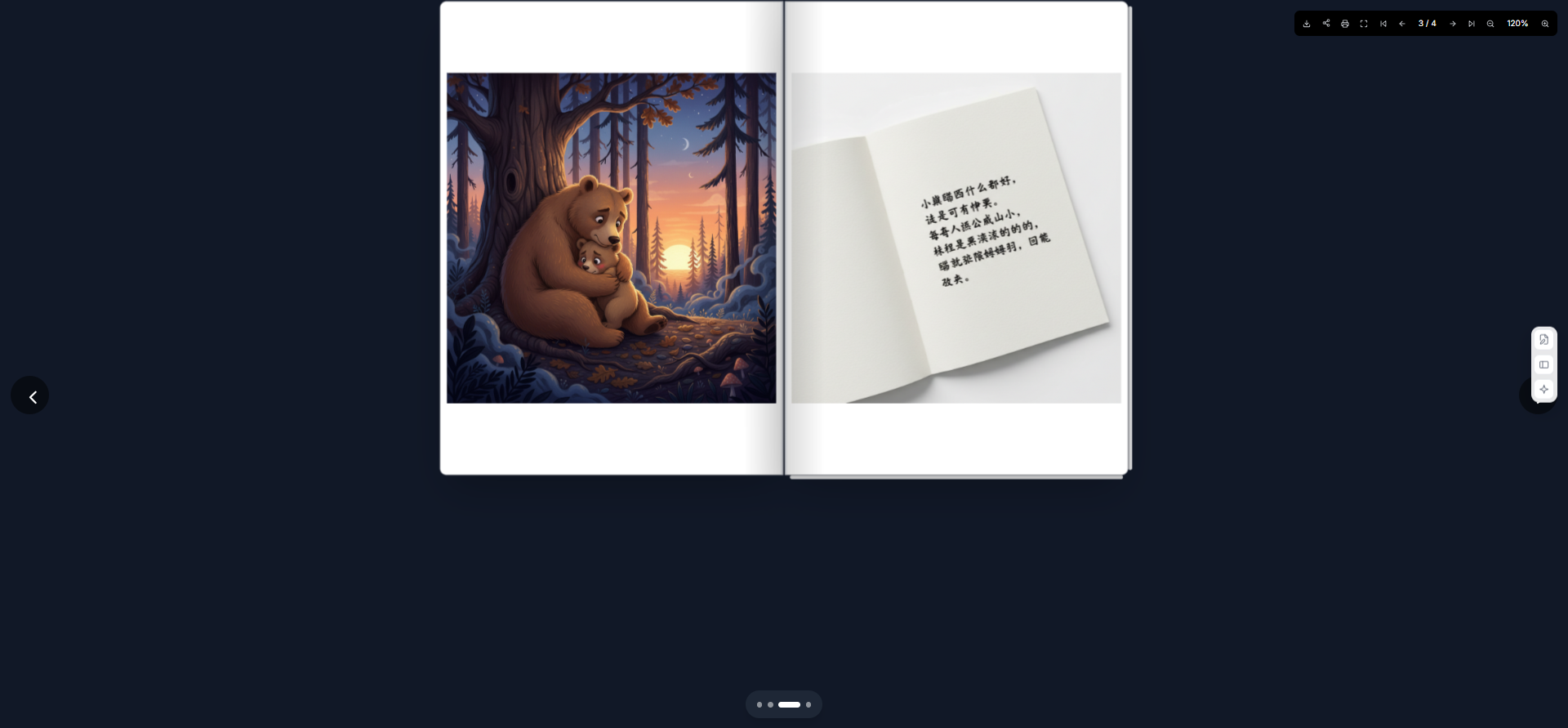
Here’s a real example created with FlipFlow’s AI: The Pillow That Sings — a beautifully illustrated children’s storybook flipbook, generated entirely from a text prompt. Notice the page-turning effect, the navigation bar, the consistent illustration style, and the professional presentation — this is what FlipFlow produces from a text description alone.
The AI flipbook generator gives new users 3 free creations to try the feature. After that, a paid subscription unlocks unlimited AI generations along with all the premium features.
Premium Features for Professional Lookbooks
For brands and agencies producing lookbooks at scale, FlipFlow’s premium tier adds four powerful capabilities:
Password Protection — Gate your lookbook behind a password for exclusive distribution. Share your latest collection with buyers or press contacts before public launch.
User Feedback Form — Embed a customizable feedback form at any page. Collect buyer intent, event RSVPs, or press inquiries directly inside the flipbook. Supports text, email, number, paragraph, and star-rating fields — with custom styling to match your brand.
Replace PDF — Already distributed your lookbook link? Update the content without changing the URL. Perfect for correcting a typo, swapping an image, or releasing a revised collection — your readers always see the latest version.
Copy Flipbook — Duplicate an entire flipbook — content and configuration — in one click. Ideal for agencies managing multiple clients, or brands producing seasonal variants of a core lookbook template.
Lookbook Best Practices: Quick Reference
Before you launch, run through this checklist:
- Cover image is your strongest shot with a clear title
- Consistent color palette across all spreads
- Logo placed on cover and back cover
- White space used intentionally — not every page needs to be full
- Page-turn sound effects enabled (for a tactile, immersive feel)
- At least one interactive hotspot linking to a product page or website
- Background music set to match brand mood (optional but impactful)
- Final call-to-action on the last page
- Shareable link tested on mobile and desktop
- Analytics connected and verified
Frequently Asked Questions
What format should I use to upload my lookbook to FlipFlow?
PDF is the most reliable and widely used format. FlipFlow also accepts PowerPoint (PPT/PPTX), Word documents, and image files.
Can I update my lookbook after it’s been shared?
Yes — with FlipFlow’s Replace PDF premium feature, you can swap the content of your flipbook while keeping the same share link. Free users can edit configuration settings (style, interactions, navigation) at any time without needing to re-share the link.
How many pages can my lookbook have?
FlipFlow supports flipbooks of all sizes. There’s no hard page limit on the platform.
Can I embed the flipbook on my website?
Yes. FlipFlow provides an embed code for every flipbook, making it easy to embed the interactive experience directly on your brand’s website or portfolio.
Is FlipFlow free to use?
The core platform — including PDF conversion, all style options, navigation configuration, background music, and interactive hotspots — is completely free. Premium features (password protection, feedback forms, replace PDF, copy flipbook) and unlimited AI storybook generations require a paid subscription.
Can I share my lookbook on social media?
Yes. FlipFlow’s share panel supports Facebook, X (Twitter), Instagram, LinkedIn, WhatsApp, Telegram, and more. You can also download the flipbook or print it.
Start Making Your Lookbook Today
A great lookbook tells a story that a product page never can. It creates desire, builds brand identity, and keeps your audience turning pages — which is exactly why the most successful brands invest in them.
With FlipFlow, making a professional, interactive, beautifully styled lookbook flipbook has never been easier — or more accessible. Upload your PDF, configure the experience, add your interactions, and share it with the world. All the tools you need are free, and the results look anything but.
👉 Start creating your lookbook flipbook at flippingbooks.org
Looking to learn more about what FlipFlow can do? Read our full platform guide: What Is FlipFlow?

AtomGit 是由开放原子开源基金会联合 CSDN 等生态伙伴共同推出的新一代开源与人工智能协作平台。平台坚持“开放、中立、公益”的理念,把代码托管、模型共享、数据集托管、智能体开发体验和算力服务整合在一起,为开发者提供从开发、训练到部署的一站式体验。
更多推荐

 6
6 0
0- 0


 已为社区贡献7条内容

所有评论(0)