第一部分-Three.js基础入门——05. 几何体
·

05. 几何体(Geometry)
1. 概述
几何体(Geometry)定义了 3D 对象的形状结构,由顶点位置、法线、UV 坐标等数据组成。Three.js 提供了大量预定义的几何体,同时也支持创建自定义几何体。
┌─────────────────────────────────────────────────────────────┐
│                      几何体体系                              │
├─────────────────────────────────────────────────────────────┤
│                                                             │
│   BufferGeometry (核心几何体基类)                           │
│       │                                                     │
│       ├── 标准几何体                                        │
│       │   ├── BoxGeometry (立方体)                          │
│       │   ├── SphereGeometry (球体)                         │
│       │   ├── CylinderGeometry (圆柱体)                     │
│       │   ├── ConeGeometry (圆锥体)                         │
│       │   ├── TorusGeometry (圆环体)                        │
│       │   ├── TorusKnotGeometry (环形结)                    │
│       │   ├── PlaneGeometry (平面)                          │
│       │   ├── CircleGeometry (圆形)                         │
│       │   ├── RingGeometry (圆环)                           │
│       │   └── IcosahedronGeometry (二十面体)                │
│       │                                                     │
│       ├── 平面几何体                                        │
│       │   ├── ExtrudeGeometry (挤压几何体)                  │
│       │   ├── LatheGeometry (车削几何体)                    │
│       │   ├── ShapeGeometry (形状几何体)                    │
│       │   └── TextGeometry (文字几何体)                     │
│       │                                                     │
│       └── 自定义几何体                                      │
│           ├── 顶点数据                                      │
│           ├── 索引数据                                      │
│           ├── 法线数据                                      │
│           └── UV 坐标数据                                   │
│                                                             │
└─────────────────────────────────────────────────────────────┘
2. BufferGeometry 基类
BufferGeometry 是所有几何体的基类,用于存储顶点数据。
2.1 核心属性
const geometry = new THREE.BufferGeometry();

// 属性缓冲区
geometry.attributes.position;  // 顶点位置
geometry.attributes.normal;    // 顶点法线
geometry.attributes.uv;        // UV 坐标
geometry.attributes.color;     // 顶点颜色

// 索引
geometry.index;                // 顶点索引

// 边界框
geometry.boundingBox;          // 包围盒
geometry.boundingSphere;       // 包围球

// 组(用于多材质)
geometry.groups;               // 材质组

// 绘制范围
geometry.drawRange;            // 绘制范围 { start, count }
2.2 核心方法
// 计算法线(重要:添加顶点后必须调用)
geometry.computeVertexNormals();

// 计算边界框
geometry.computeBoundingBox();

// 计算边界球
geometry.computeBoundingSphere();

// 中心化几何体
geometry.center();

// 缩放几何体
geometry.scale(x, y, z);

// 旋转几何体
geometry.rotateX(angle);
geometry.rotateY(angle);
geometry.rotateZ(angle);

// 平移几何体
geometry.translate(x, y, z);

// 克隆几何体
const clone = geometry.clone();

// 释放内存
gometry.dispose();

// 设置属性
geometry.setAttribute(name, attribute);

// 删除属性
geometry.deleteAttribute(name);

// 是否有属性
geometry.hasAttribute(name);
3. 标准几何体
3.1 立方体(BoxGeometry)
new THREE.BoxGeometry(width, height, depth, widthSegments, heightSegments, depthSegments)
| 参数 | 说明 | 默认值 |
|---|---|---|
width |
X 轴方向长度 | 1 |
height |
Y 轴方向长度 | 1 |
depth |
Z 轴方向长度 | 1 |
widthSegments |
X 轴分段数 | 1 |
heightSegments |
Y 轴分段数 | 1 |
depthSegments |
Z 轴分段数 | 1 |
// 基础立方体
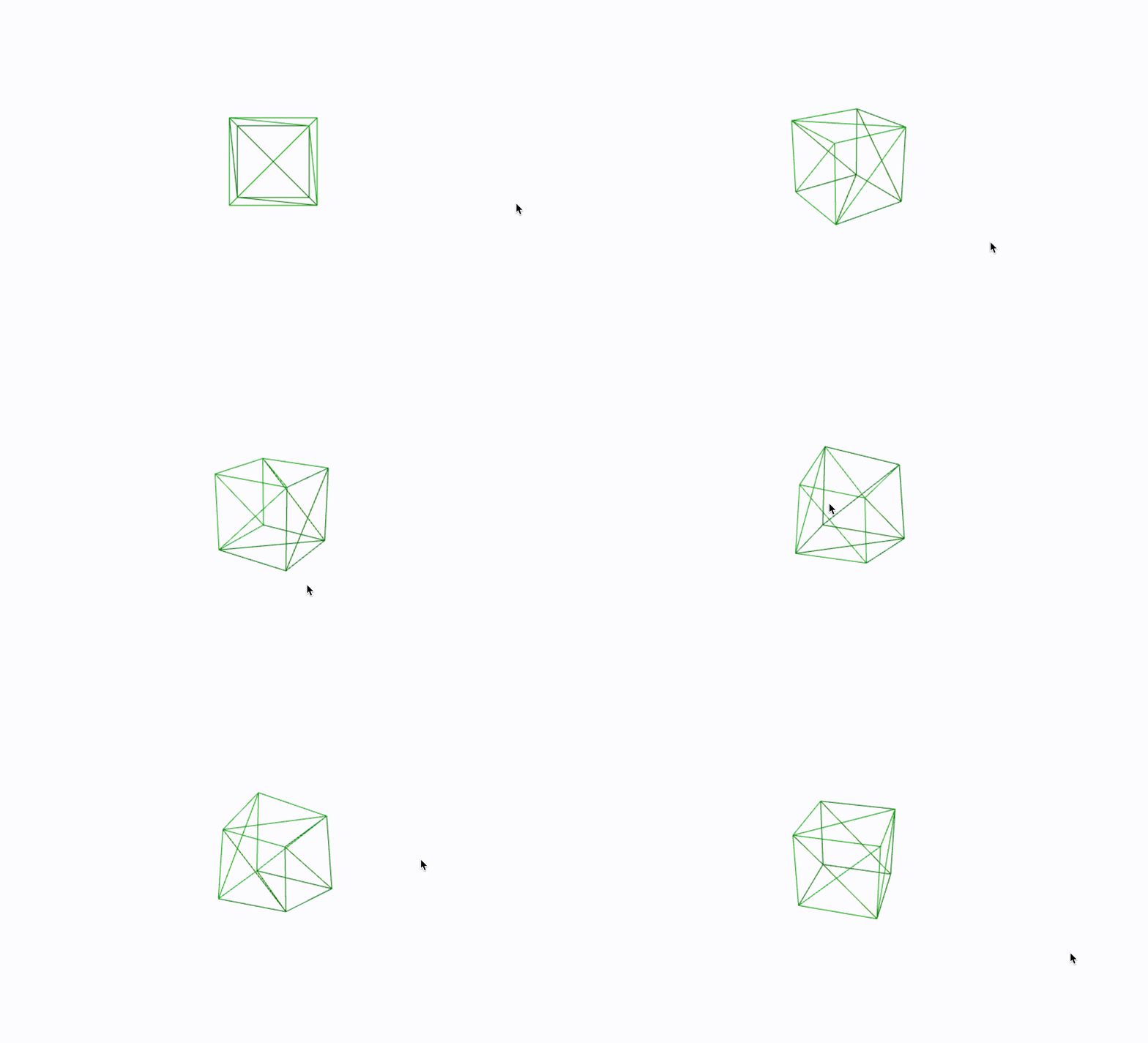
const boxGeometry = new THREE.BoxGeometry(1, 1, 1);

// 细分立方体(用于变形)
const subdividedBox = new THREE.BoxGeometry(2, 2, 2, 10, 10, 10);
box-01
3.2 球体(SphereGeometry)
new THREE.SphereGeometry(radius, widthSegments, heightSegments, phiStart, phiLength, thetaStart, thetaLength)
| 参数 | 说明 | 默认值 |
|---|---|---|
radius |
半径 | 1 |
widthSegments |
经度分段数 | 32 |
heightSegments |
纬度分段数 | 16 |
phiStart |
经度起始角 | 0 |
phiLength |
经度跨度 | 2π |
thetaStart |
纬度起始角 | 0 |
thetaLength |
纬度跨度 | π |
// 完整球体
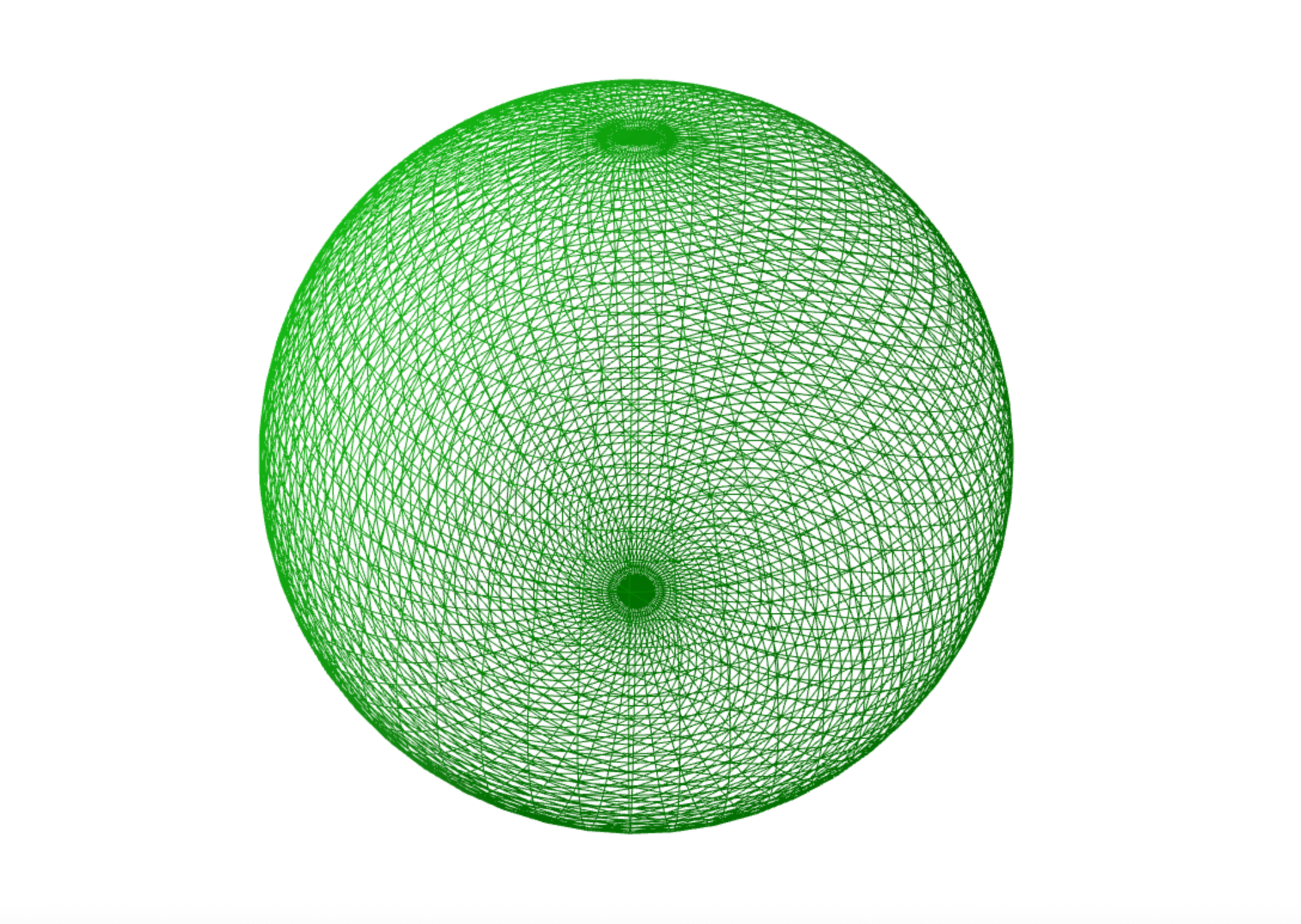
const sphereGeometry = new THREE.SphereGeometry(1, 64, 64);

// 半球
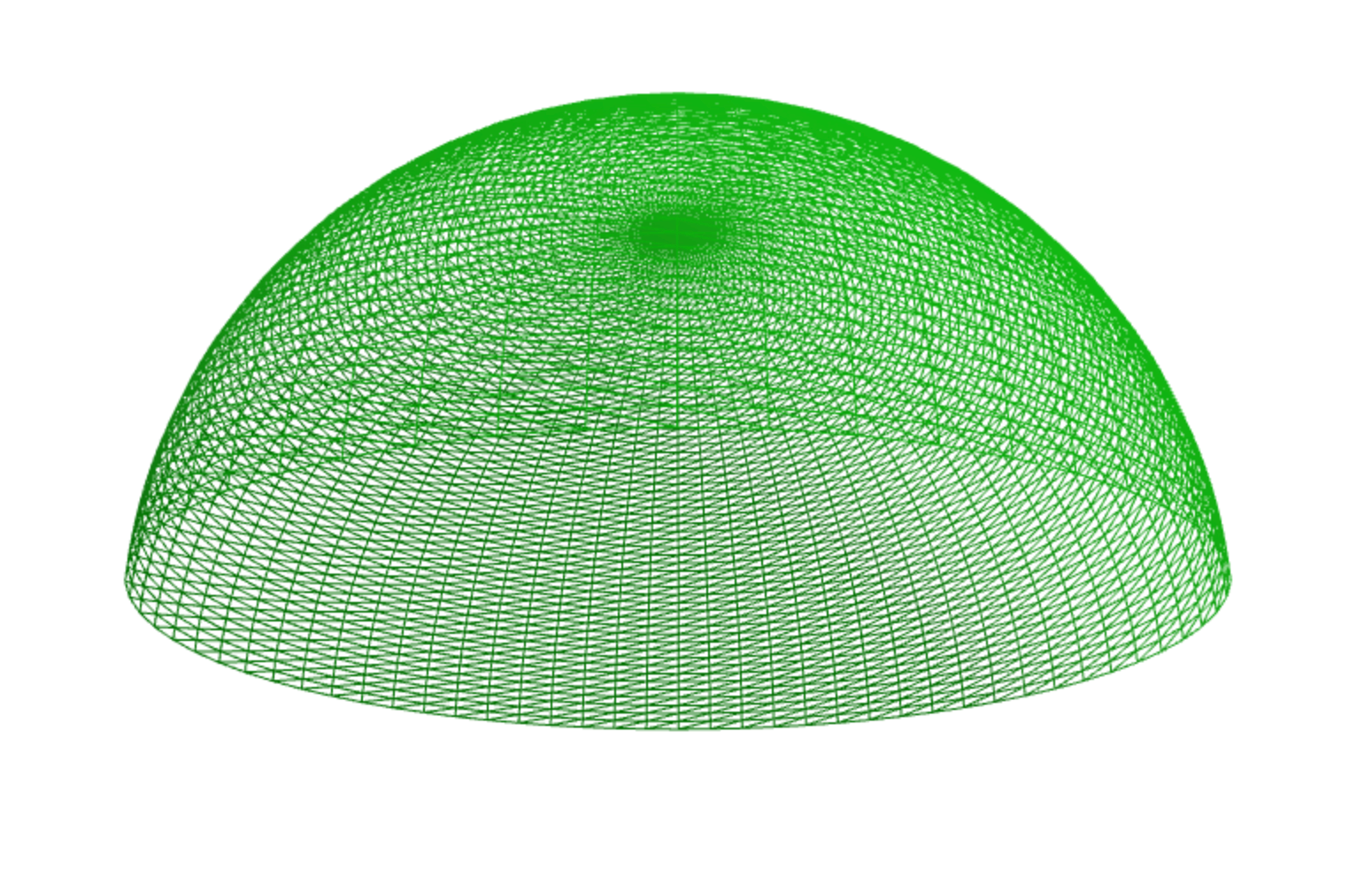
const hemisphereGeometry = new THREE.SphereGeometry(1, 64, 64, 0, Math.PI * 2, 0, Math.PI / 2);

// 球体片段
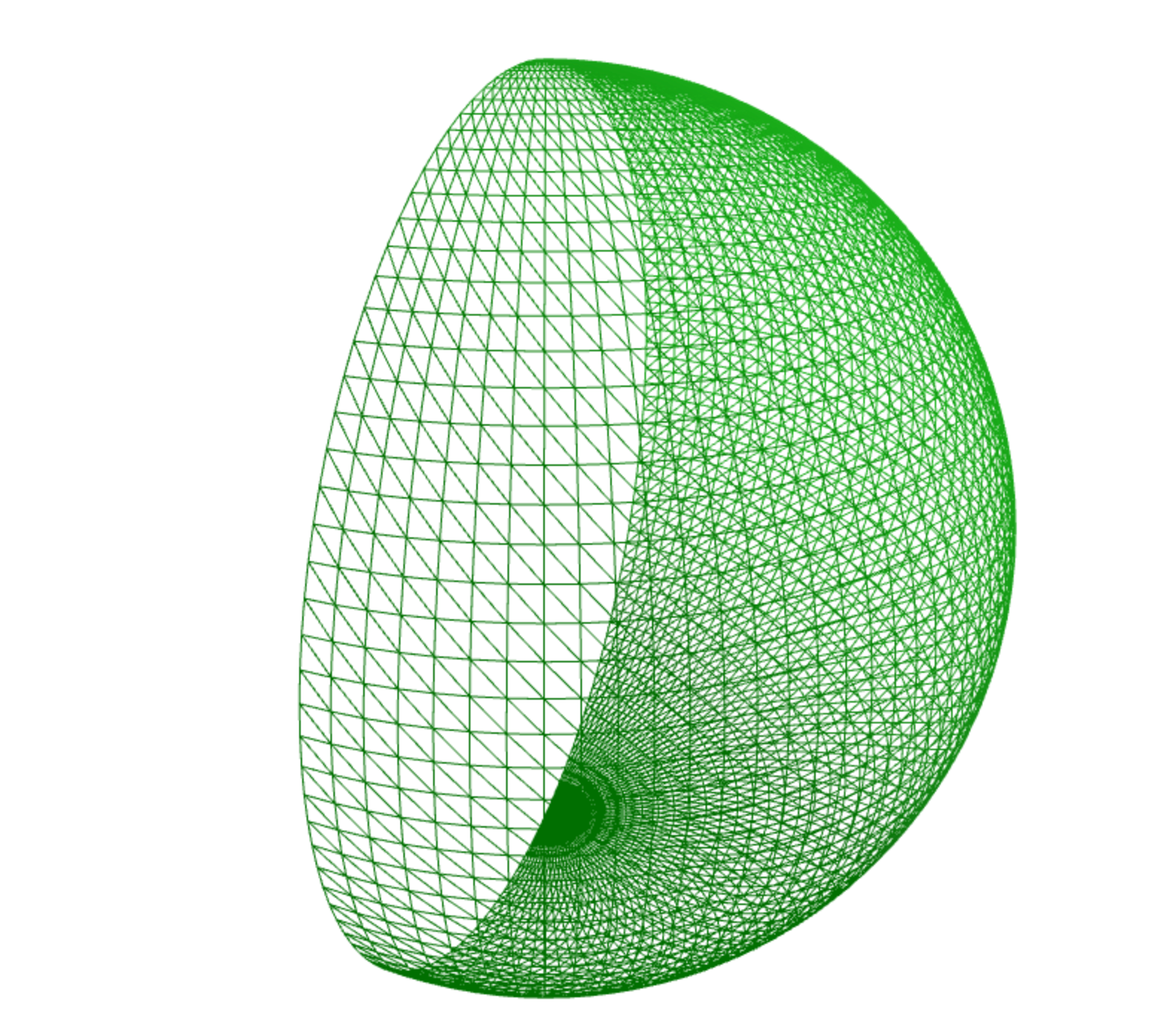
const sphereSlice = new THREE.SphereGeometry(1, 64, 64, 0, Math.PI, 0, Math.PI);
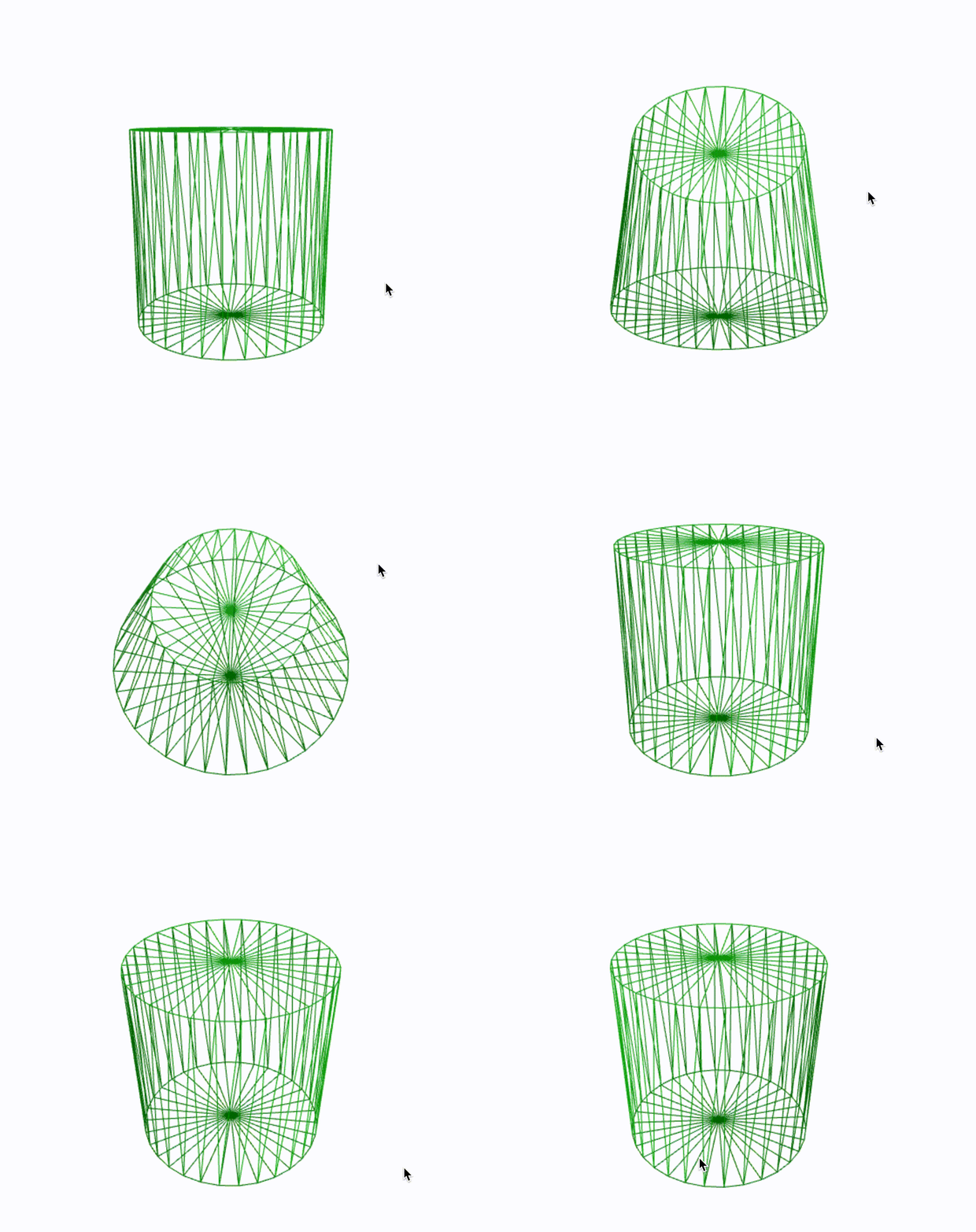
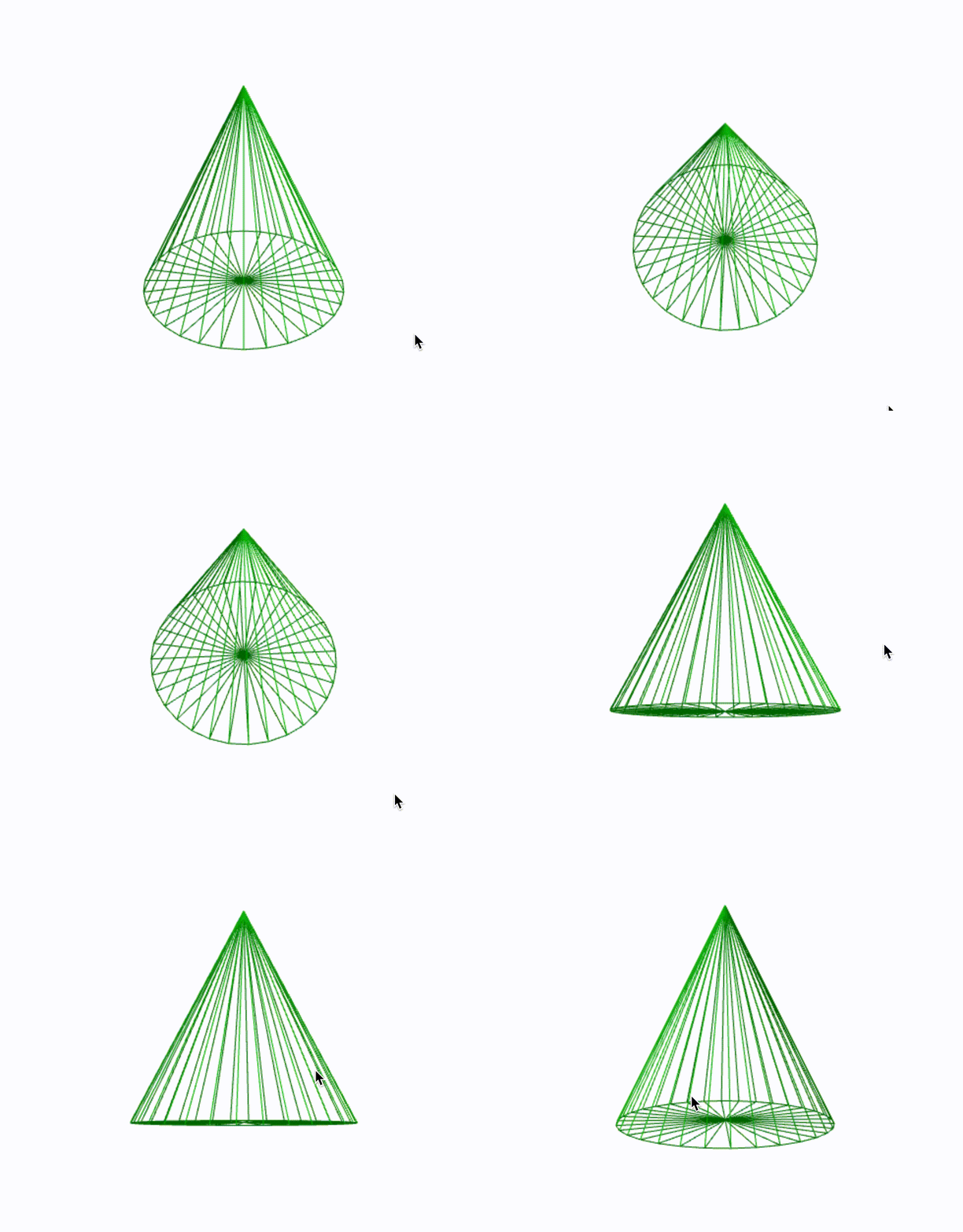
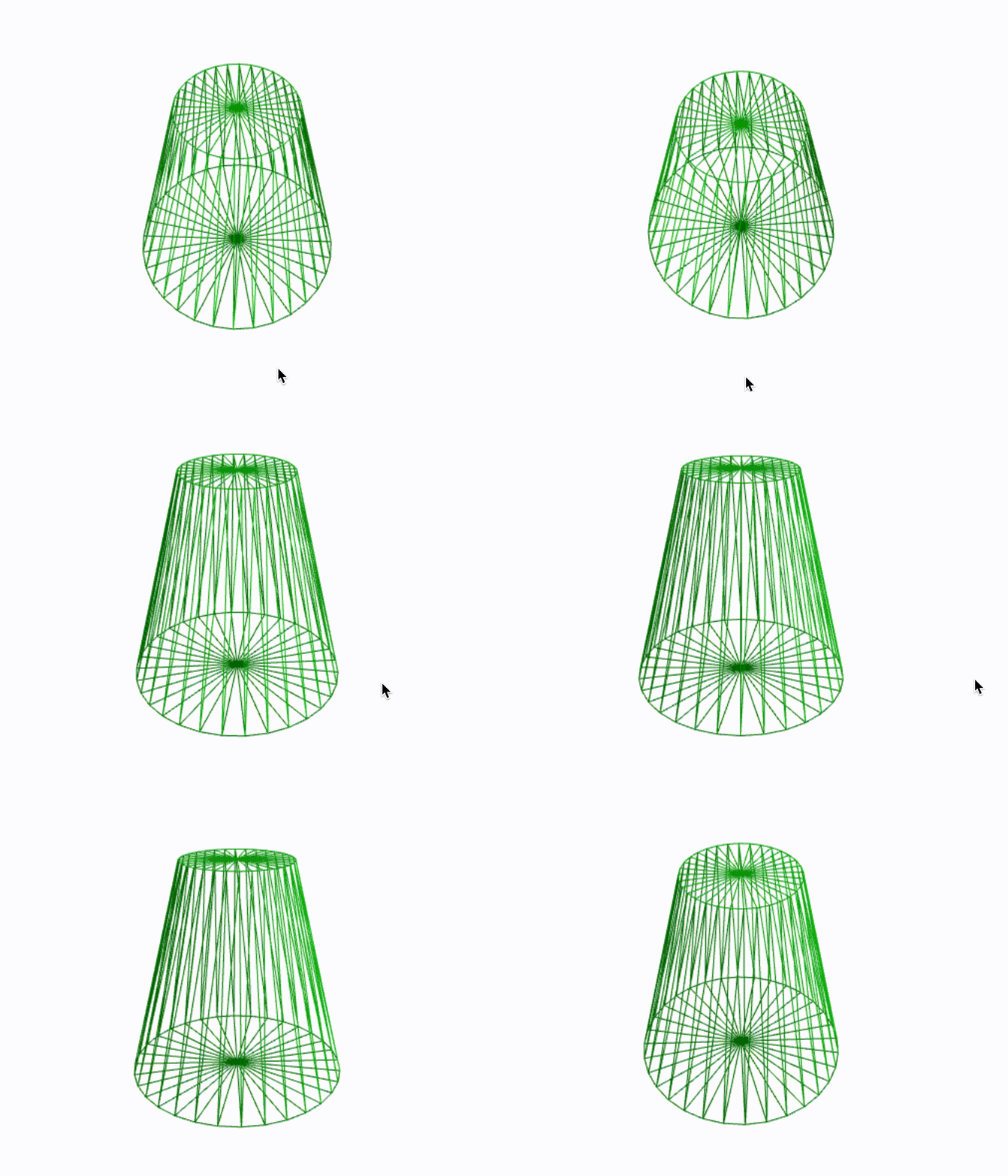
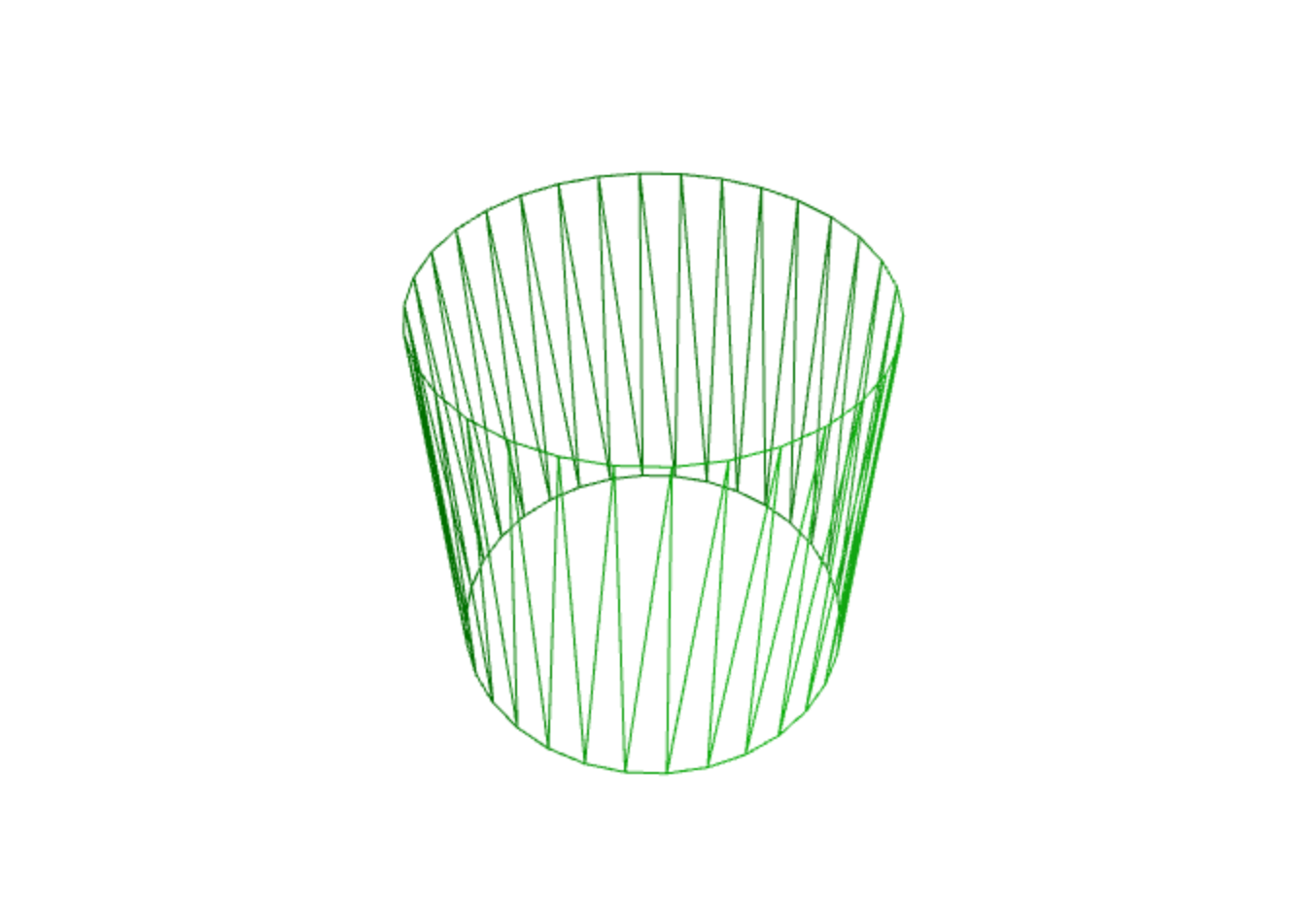
3.3 圆柱体(CylinderGeometry)
new THREE.CylinderGeometry(radiusTop, radiusBottom, height, radialSegments, heightSegments, openEnded, thetaStart, thetaLength)
| 参数 | 说明 | 默认值 |
|---|---|---|
radiusTop |
顶部半径 | 1 |
radiusBottom |
底部半径 | 1 |
height |
高度 | 1 |
radialSegments |
径向分段数 | 32 |
heightSegments |
高度分段数 | 1 |
openEnded |
是否开口 | false |
thetaStart |
起始角 | 0 |
thetaLength |
角度跨度 | 2π |
// 圆柱体
const cylinderGeometry = new THREE.CylinderGeometry(1, 1, 2, 32);

// 圆锥体(顶部半径为0)
const coneGeometry = new THREE.CylinderGeometry(0, 1, 2, 32);

// 圆台
const frustumGeometry = new THREE.CylinderGeometry(0.5, 1, 2, 32);

// 开口圆柱
const openCylinder = new THREE.CylinderGeometry(1, 1, 2, 32, 1, true);
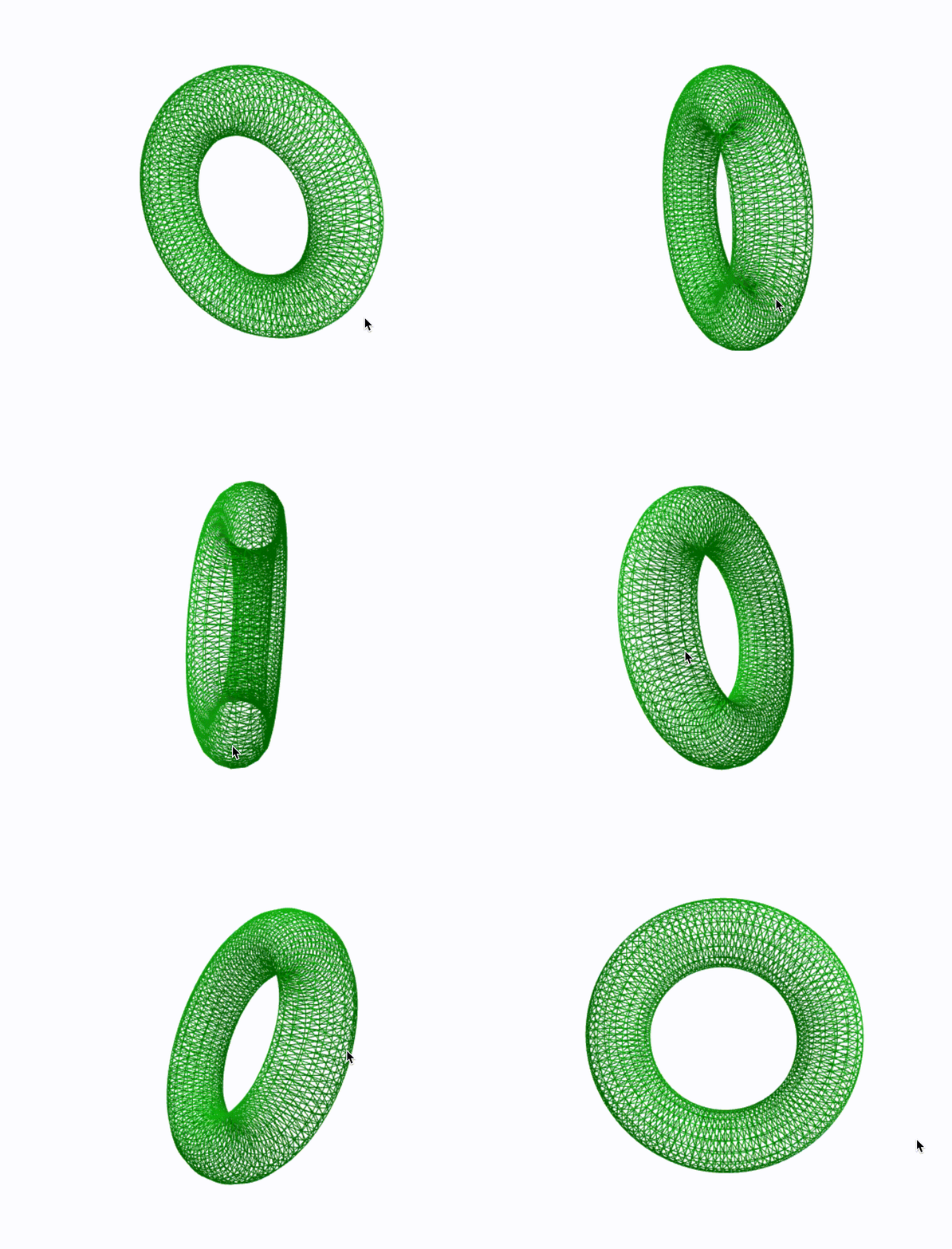
3.4 圆环体(TorusGeometry)
new THREE.TorusGeometry(radius, tube, radialSegments, tubularSegments, arc)
| 参数 | 说明 | 默认值 |
|---|---|---|
radius |
环半径 | 1 |
tube |
管半径 | 0.4 |
radialSegments |
横截面分段数 | 8 |
tubularSegments |
圆周分段数 | 64 |
arc |
弧度 | 2π |
const torusGeometry = new THREE.TorusGeometry(1, 0.3, 16, 100);
3.5 环形结(TorusKnotGeometry)
new THREE.TorusKnotGeometry(radius, tube, tubularSegments, radialSegments, p, q)
| 参数 | 说明 | 默认值 |
|---|---|---|
radius |
半径 | 1 |
tube |
管半径 | 0.3 |
tubularSegments |
圆周分段数 | 64 |
radialSegments |
横截面分段数 | 8 |
p |
绕数 | 2 |
q |
绕数 | 3 |
const knotGeometry = new THREE.TorusKnotGeometry(1, 0.3, 100, 16, 3, 4);
TorusKnotGeometry-01
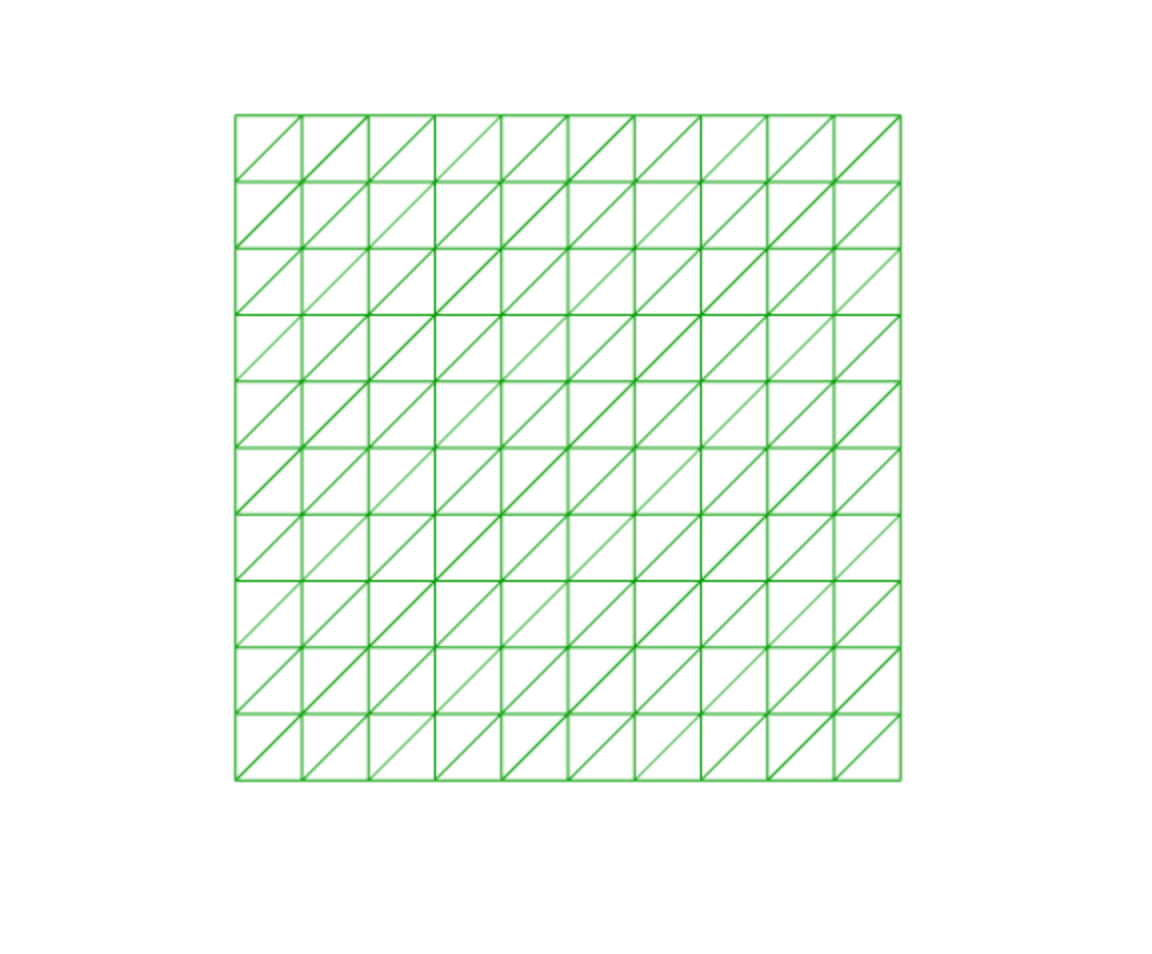
3.6 平面(PlaneGeometry)
new THREE.PlaneGeometry(width, height, widthSegments, heightSegments)
| 参数 | 说明 | 默认值 |
|---|---|---|
width |
宽 | 1 |
height |
高 | 1 |
widthSegments |
宽分段数 | 1 |
heightSegments |
高分段数 | 1 |
const planeGeometry = new THREE.PlaneGeometry(5, 5, 10, 10);
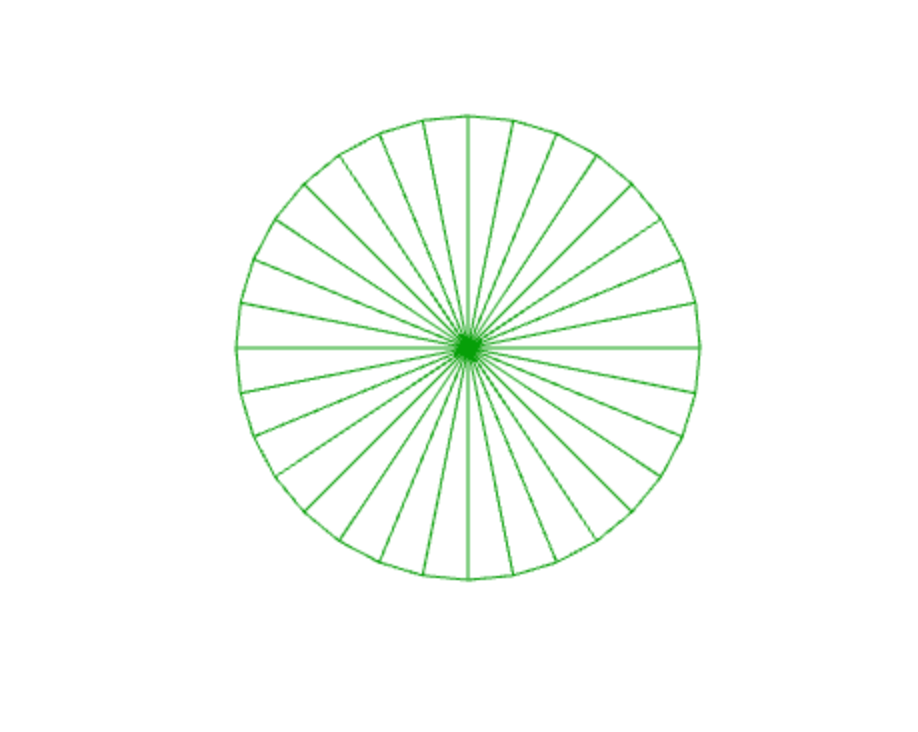
3.7 圆形(CircleGeometry)
new THREE.CircleGeometry(radius, segments, thetaStart, thetaLength)
| 参数 | 说明 | 默认值 |
|---|---|---|
radius |
半径 | 1 |
segments |
分段数 | 32 |
thetaStart |
起始角度 | 0 |
thetaLength |
角度 | Math.PI*2 |
const circleGeometry = new THREE.CircleGeometry(1, 32);
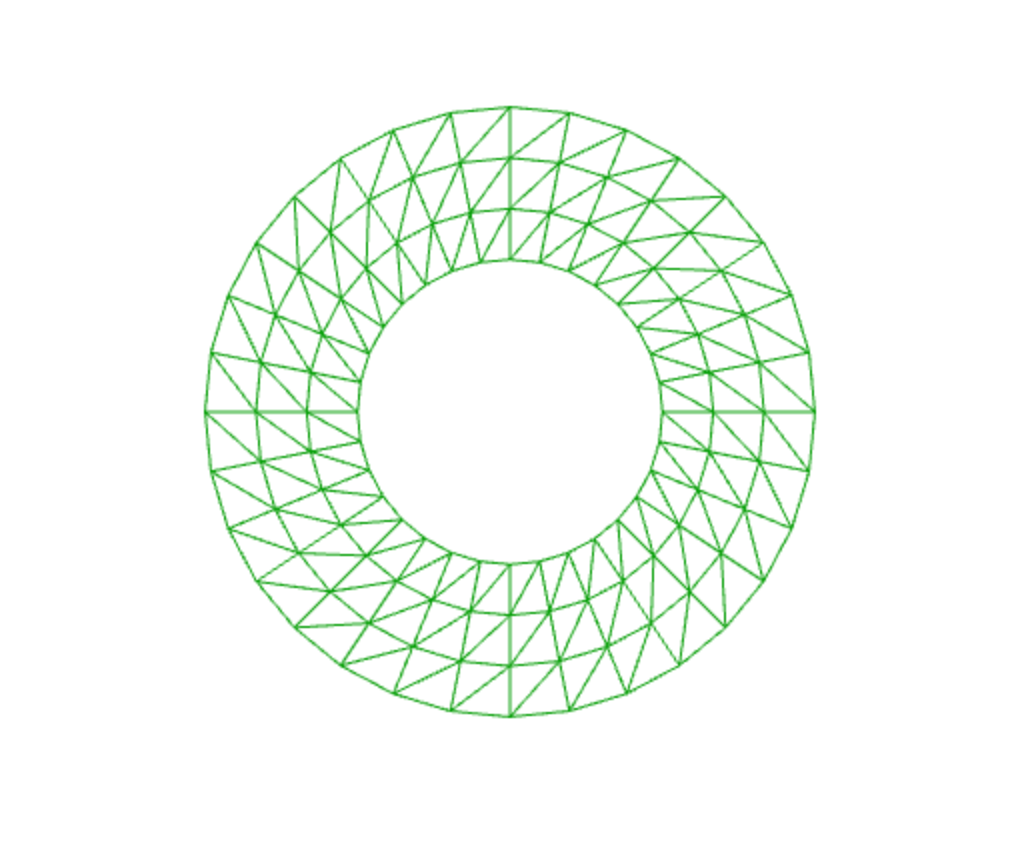
3.8 圆环(RingGeometry)
new THREE.RingGeometry(innerRadius, outerRadius, thetaSegments, phiSegments, thetaStart, thetaLength)
| 参数 | 说明 | 默认值 |
|---|---|---|
innerRadius |
内半径 | 0.5 |
outerRadius |
外半径 | 1 |
thetaSegments |
环段数量 | 32 |
phiSegments |
环数量 | 1 |
thetaStart |
起始角度 | 0 |
thetaLength |
角度 | Math.PI*2 |
const ringGeometry = new THREE.RingGeometry(0.5, 1, 32, 3);
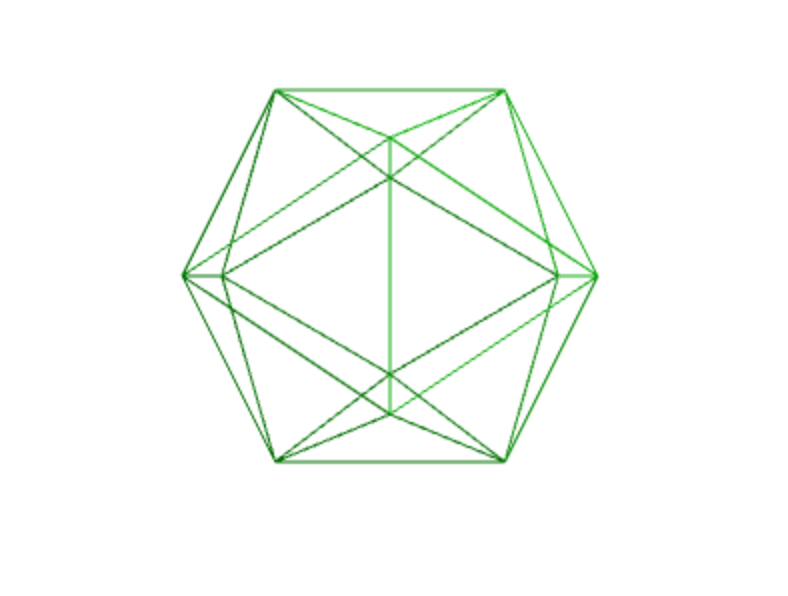
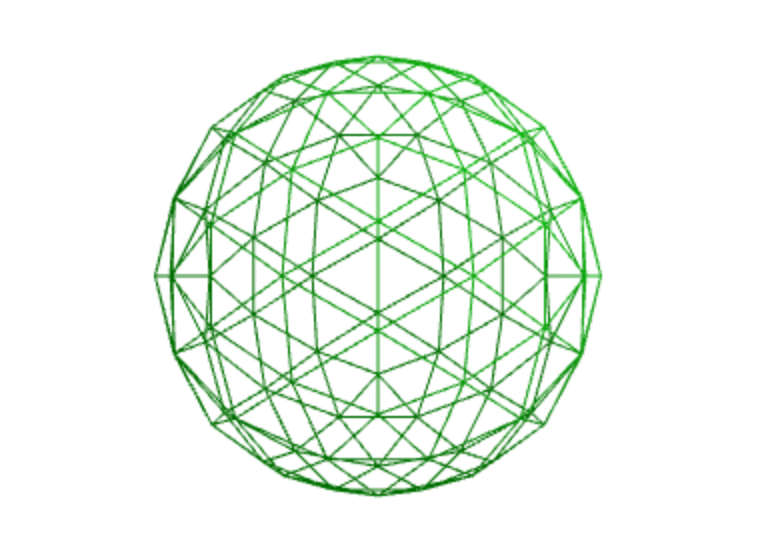
3.9 二十面体(IcosahedronGeometry)
new THREE.IcosahedronGeometry(radius, detail)
| 参数 | 说明 | 默认值 |
|---|---|---|
radius |
半径 | 0.5 |
detail |
新增顶点 | 0 |
const icosahedronGeometry = new THREE.IcosahedronGeometry(1, 0);

// 细分二十面体(更平滑)
const smoothIcosahedron = new THREE.IcosahedronGeometry(1, 2);
4. 高级几何体
4.1 文字几何体(TextGeometry)
需要加载字体文件。
import { FontLoader } from 'three';
import { TextGeometry } from 'three/examples/jsm/geometries/TextGeometry.js';

const loader = new FontLoader();
loader.load('fonts/helvetiker_regular.typeface.json', (font) => {
    const textGeometry = new TextGeometry('Hello Three.js', {
        font: font,
        size: 0.5,
        height: 0.1,
        curveSegments: 12,
        bevelEnabled: true,
        bevelThickness: 0.03,
        bevelSize: 0.02,
        bevelSegments: 5
    });

    const material = new THREE.MeshStandardMaterial({ color: 0x44aa88 });
    const textMesh = new THREE.Mesh(textGeometry, material);
    scene.add(textMesh);
});
4.2 挤压几何体(ExtrudeGeometry)
ExtrudeGeometry 是 Three.js 中的挤压几何体,核心原理:把一个二维的平面轮廓(Shape),沿着垂直方向(或自定义路径)拉伸一段距离,形成具有厚度的 3D 立体模型。
import { ExtrudeGeometry } from 'three';
import { Shape } from 'three';

const shape = new Shape();
shape.moveTo(0, 0);
shape.lineTo(1, 0);
shape.lineTo(1, 1);
shape.lineTo(0, 1);
shape.lineTo(0, 0);

const extrudeSettings = {
    steps: 1,
    depth: 0.5,
    bevelEnabled: true,
    bevelThickness: 0.1,
    bevelSize: 0.1,
    bevelSegments: 3
};

const extrudeGeometry = new ExtrudeGeometry(shape, extrudeSettings);
| 参数名 | 说明 | 默认值 |
|---|---|---|
curveSegments |
曲线上的顶点数量 | 12 |
steps |
沿挤压样条深度细分线段所用的顶点数量 | 1 |
depth |
形状的挤压深度 | 1 |
bevelEnabled |
是否为形状添加斜角 | true |
bevelThickness |
斜角深入原始形状的深度 | 0.2 |
bevelSize |
斜角延伸至形状轮廓外的距离 | bevelThickness - 0.1 |
bevelOffset |
斜角起始位置与形状轮廓的距离 | 0 |
bevelSegments |
斜角的分层数量 | 3 |
extrudePath |
形状沿其进行挤压的3D样条路径(路径挤压不支持斜角) | null |
UVGenerator |
提供UV生成函数的对象,用于自定义UV映射 | - |
4.3 车削几何体(LatheGeometry)
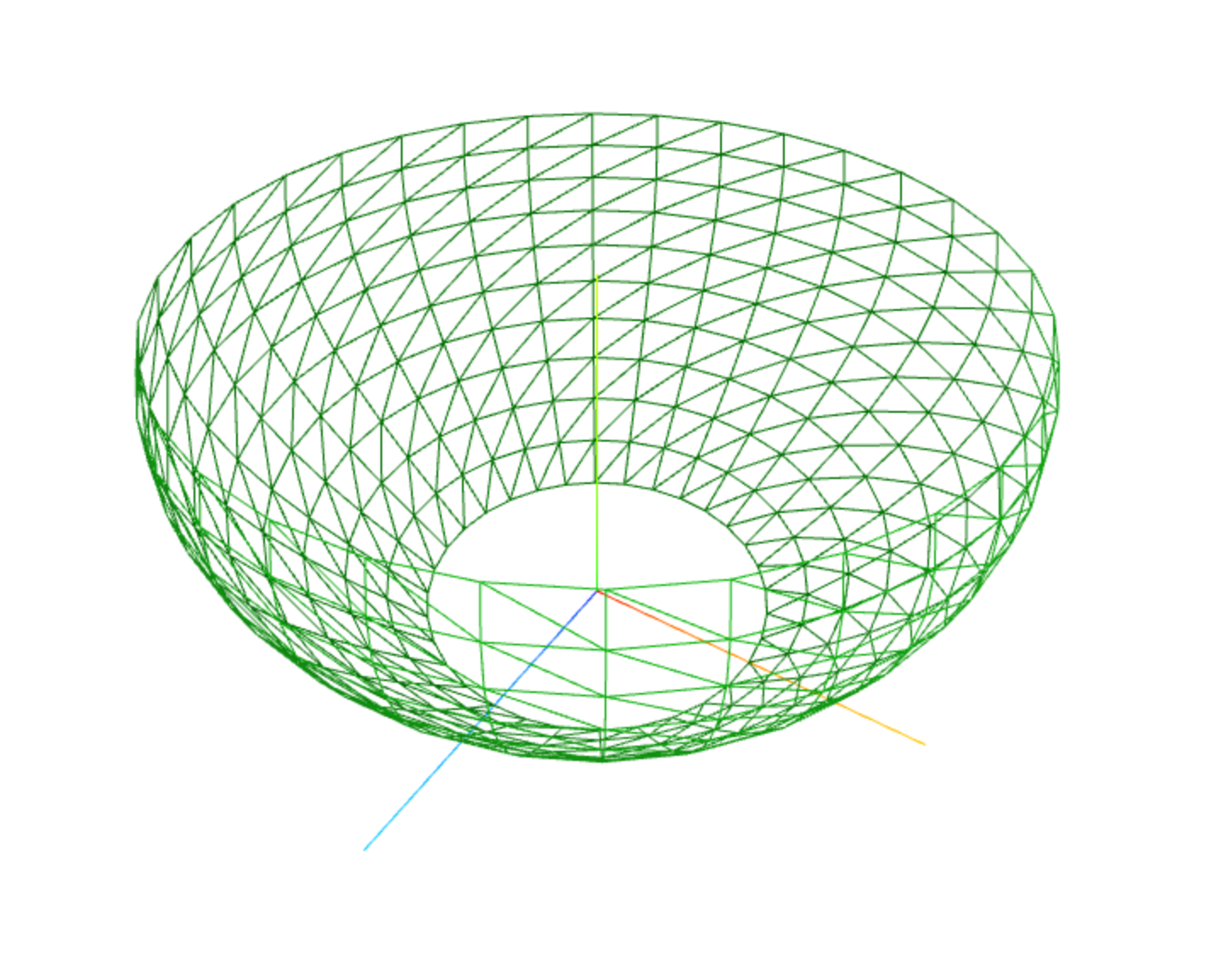
LatheGeometry 是 Three.js 中的旋转成型几何体,核心原理:将一条 2D 轮廓线,沿着一条竖直的中心轴旋转一周,自动生成 3D 立体模型。
它的名字来源于现实中的车床加工:车床固定材料,让材料旋转,刀具切削出对称的圆形物体,和这个几何体的生成逻辑完全一致。
| 参数名 | 说明 | 默认值 |
|---|---|---|
| points | 必选,二维轮廓点集(Y轴为旋转轴) | - |
| segments | 旋转分段数(数值越大越光滑) | 12 |
| phiStart | 旋转起始角度(弧度) | 0 |
| phiLength | 旋转总角度(默认360°=2π) | Math.PI * 2 |
const points = [];
for (let i = 0; i <= 10; i++) {
    points.push(new THREE.Vector2(Math.sin(i * 0.2) * 0.5 + 0.5, i / 10));
}
const latheGeometry = new THREE.LatheGeometry(points, 32);
5. 自定义几何体
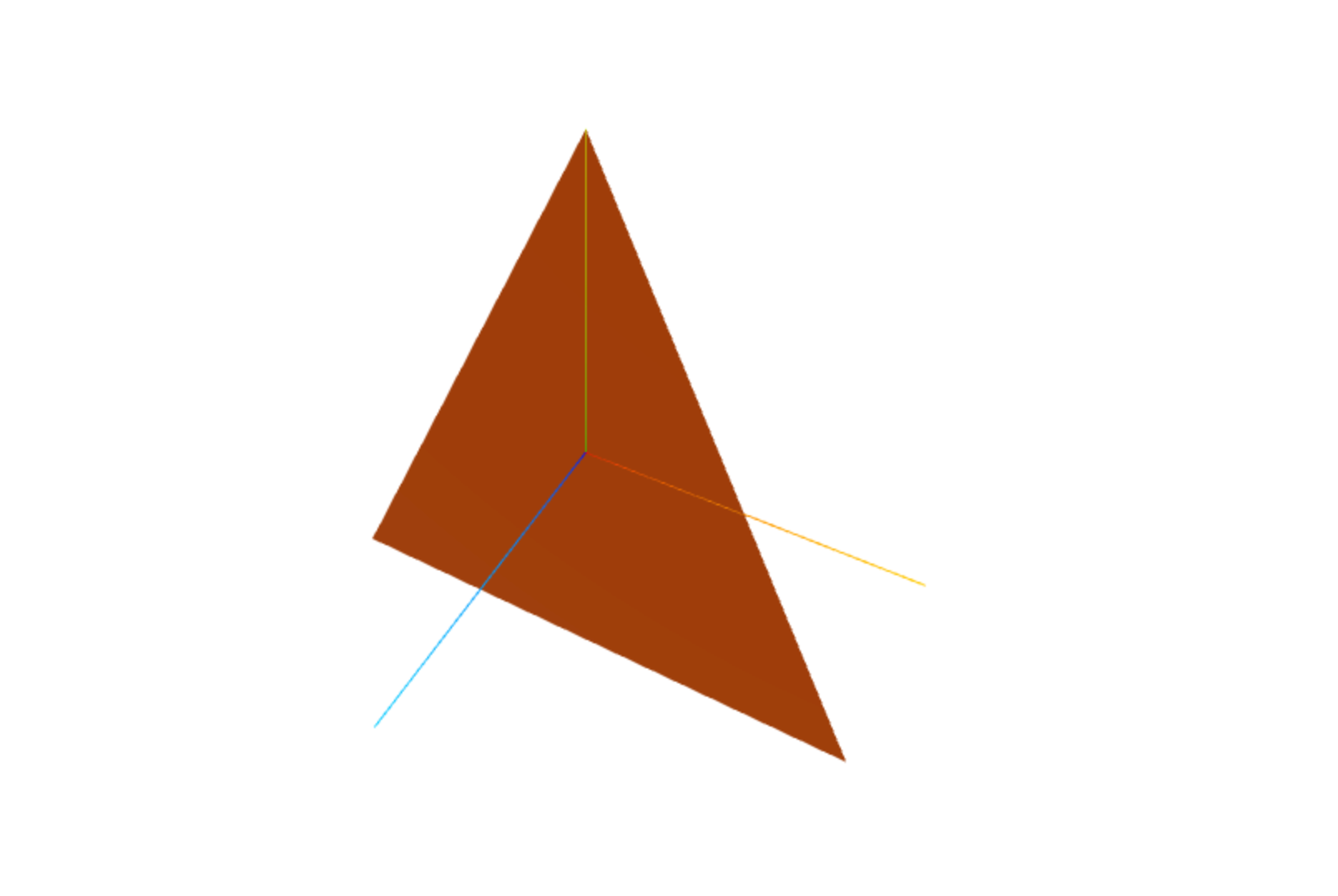
5.1 创建三角形
const geometry = new THREE.BufferGeometry();

// 顶点位置(3个顶点,每个顶点3个坐标)
const vertices = new Float32Array([
    -1, -1, 0,   // 顶点1
     1, -1, 0,   // 顶点2
     0,  1, 0    // 顶点3
]);

geometry.setAttribute('position', new THREE.BufferAttribute(vertices, 3));

// 计算法线(需要光照时)
geometry.computeVertexNormals();

// 材质
const material = new THREE.MeshStandardMaterial({ color: 0xff6600, side: THREE.DoubleSide });
const triangle = new THREE.Mesh(geometry, material);
scene.add(triangle);
5.2 创建立方体(手动)
const geometry = new THREE.BufferGeometry();

// 8个顶点
const vertices = new Float32Array([
    // 前面
    -1, -1,  1,   1, -1,  1,   1,  1,  1,  -1,  1,  1,
    // 后面
    -1, -1, -1,  -1,  1, -1,   1,  1, -1,   1, -1, -1,
    // 左面
    -1, -1, -1,  -1, -1,  1,  -1,  1,  1,  -1,  1, -1,
    // 右面
     1, -1, -1,   1,  1, -1,   1,  1,  1,   1, -1,  1,
    // 上面
    -1,  1, -1,  -1,  1,  1,   1,  1,  1,   1,  1, -1,
    // 下面
    -1, -1, -1,   1, -1, -1,   1, -1,  1,  -1, -1,  1
]);

geometry.setAttribute('position', new THREE.BufferAttribute(vertices, 3));

// 法线
const normals = new Float32Array([
    // 前面
    0, 0, 1,  0, 0, 1,  0, 0, 1,  0, 0, 1,
    // 后面
    0, 0, -1, 0, 0, -1, 0, 0, -1, 0, 0, -1,
    // 左面
    -1, 0, 0, -1, 0, 0, -1, 0, 0, -1, 0, 0,
    // 右面
    1, 0, 0,  1, 0, 0,  1, 0, 0,  1, 0, 0,
    // 上面
    0, 1, 0,  0, 1, 0,  0, 1, 0,  0, 1, 0,
    // 下面
    0, -1, 0, 0, -1, 0, 0, -1, 0, 0, -1, 0
]);

geometry.setAttribute('normal', new THREE.BufferAttribute(normals, 3));

// 索引(优化渲染)
const indices = [
    0, 1, 2,  0, 2, 3,   // 前面
    4, 5, 6,  4, 6, 7,   // 后面
    8, 9, 10, 8, 10, 11, // 左面
    12, 13, 14, 12, 14, 15, // 右面
    16, 17, 18, 16, 18, 19, // 上面
    20, 21, 22, 20, 22, 23  // 下面
];

geometry.setIndex(indices);
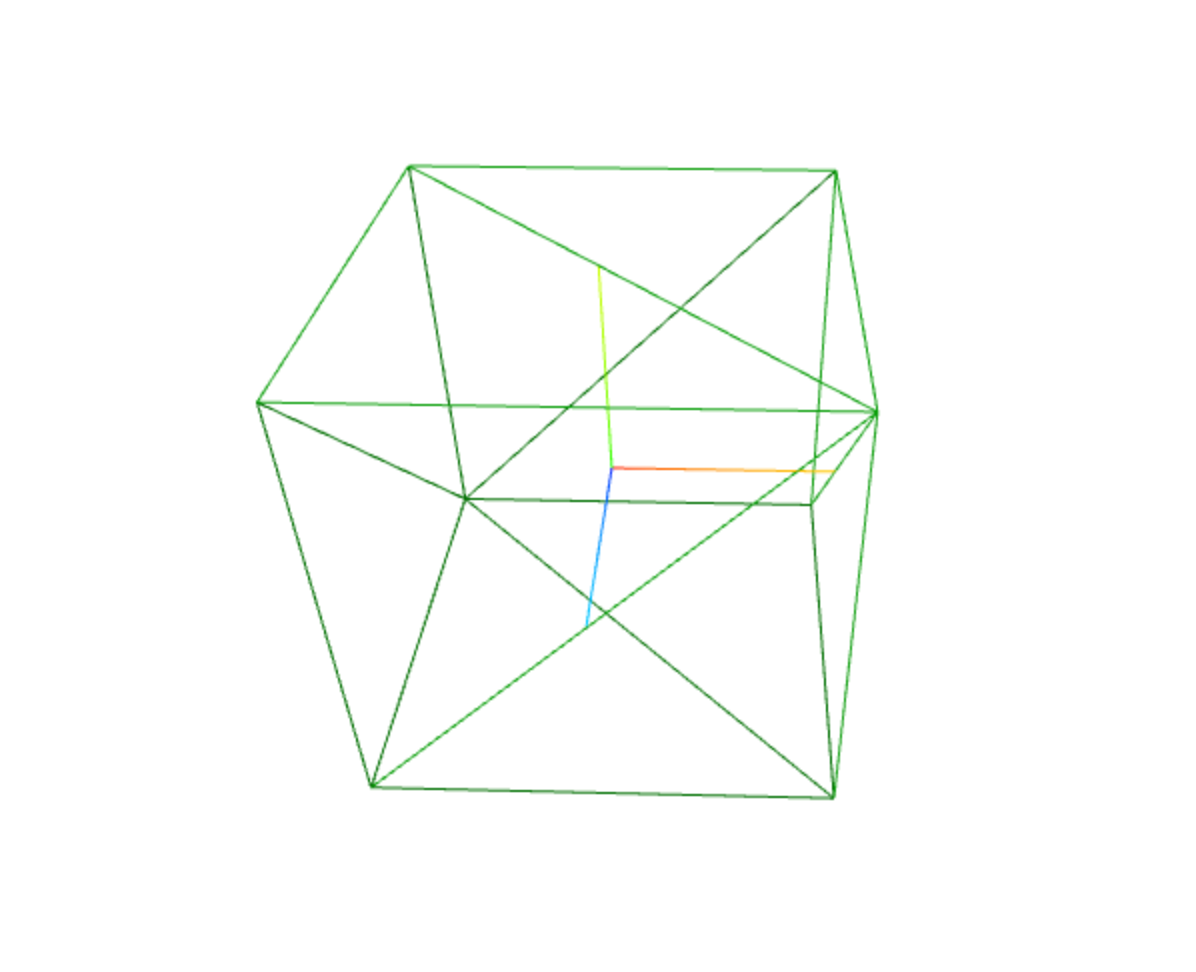
5.3 UV 坐标
// 为平面添加 UV 坐标(用于纹理映射)
const geometry = new THREE.BufferGeometry();

const vertices = new Float32Array([
    -1, -1, 0,
     1, -1, 0,
     1,  1, 0,
    -1,  1, 0
]);

const uvs = new Float32Array([
    0, 0,  // 左下
    1, 0,  // 右下
    1, 1,  // 右上
    0, 1   // 左上
]);

geometry.setAttribute('position', new THREE.BufferAttribute(vertices, 3));
geometry.setAttribute('uv', new THREE.BufferAttribute(uvs, 2));

// 设置索引
geometry.setIndex([0, 1, 2, 0, 2, 3]);

// 计算法线
geometry.computeVertexNormals();
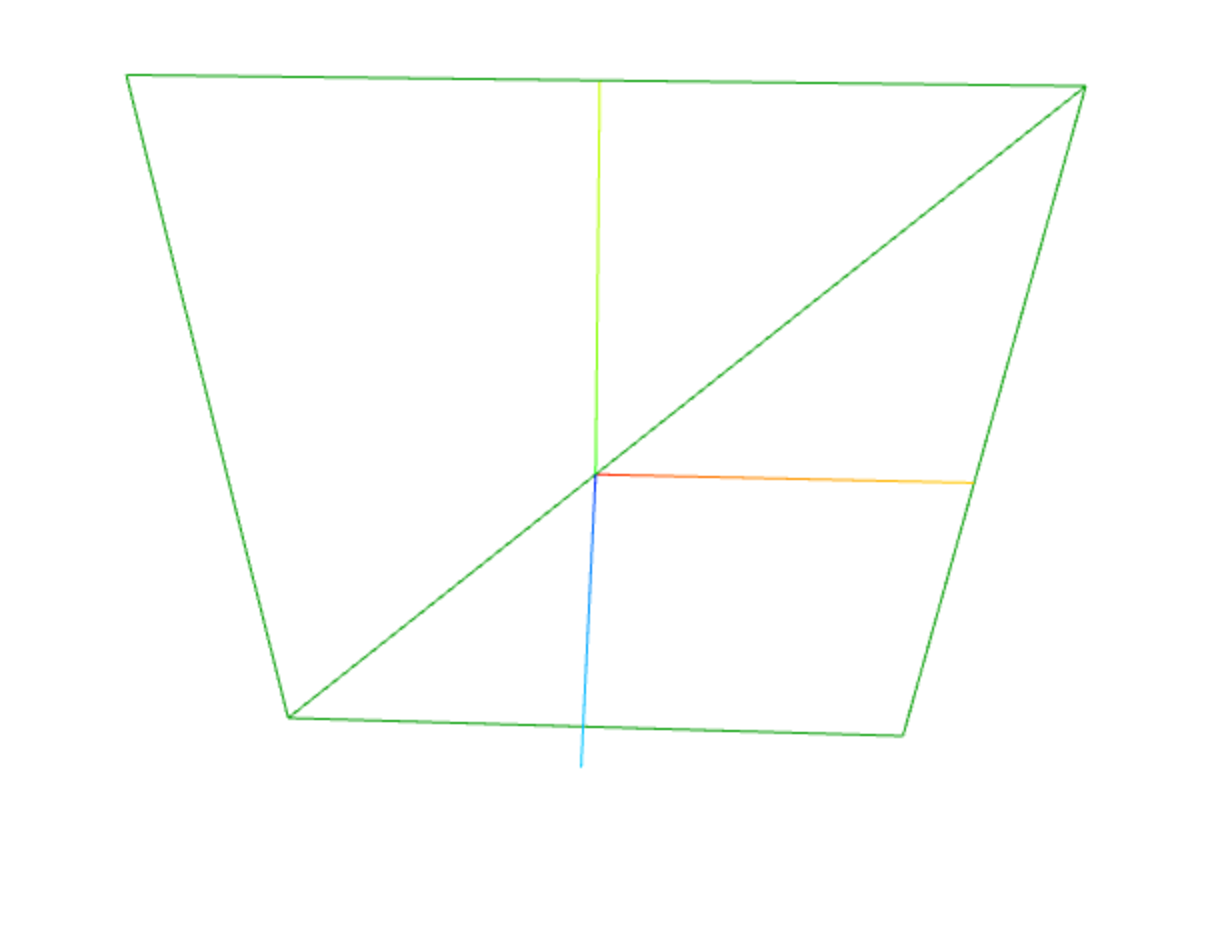
6. 几何体操作
6.1 合并几何体
import { BufferGeometryUtils } from 'three/examples/jsm/utils/BufferGeometryUtils.js';

const geometries = [];
for (let i = 0; i < 100; i++) {
    const geometry = new THREE.BoxGeometry(0.2, 0.2, 0.2);
    geometry.translate(Math.random() * 10 - 5, Math.random() * 10 - 5, Math.random() * 10 - 5);
    geometries.push(geometry);
}

const mergedGeometry = BufferGeometryUtils.mergeBufferGeometries(geometries);
const material = new THREE.MeshStandardMaterial({ color: 0x44aa88 });
const mergedMesh = new THREE.Mesh(mergedGeometry, material);
scene.add(mergedMesh);
6.2 几何体变换
const geometry = new THREE.BoxGeometry(1, 1, 1);

// 平移
geometry.translate(1, 0, 0);

// 旋转
geometry.rotateY(Math.PI / 4);

// 缩放
geometry.scale(2, 1, 1);

// 中心化
geometry.center();
7. 完整示例
import * as THREE from 'three';
import { OrbitControls } from 'three/examples/jsm/controls/OrbitControls.js';

const scene = new THREE.Scene();
scene.background = new THREE.Color(0x111122);

const camera = new THREE.PerspectiveCamera(45, window.innerWidth / window.innerHeight, 0.1, 1000);
camera.position.set(5, 5, 10);
camera.lookAt(0, 0, 0);

const renderer = new THREE.WebGLRenderer({ antialias: true });
renderer.setSize(window.innerWidth, window.innerHeight);
renderer.shadowMap.enabled = true;
document.body.appendChild(renderer.domElement);

const controls = new OrbitControls(camera, renderer.domElement);
controls.enableDamping = true;

// 光源
const ambientLight = new THREE.AmbientLight(0x404040);
scene.add(ambientLight);

const directionalLight = new THREE.DirectionalLight(0xffffff, 1);
directionalLight.position.set(5, 10, 7);
directionalLight.castShadow = true;
scene.add(directionalLight);

// 辅助对象
const axesHelper = new THREE.AxesHelper(5);
scene.add(axesHelper);
const gridHelper = new THREE.GridHelper(15, 20);
scene.add(gridHelper);

// 各种几何体展示
const geometries = [
    { name: '立方体', geo: new THREE.BoxGeometry(1, 1, 1), color: 0xff3333, pos: [-3, 1.5, 0] },
    { name: '球体', geo: new THREE.SphereGeometry(0.6, 64, 64), color: 0x33ff33, pos: [0, 1.5, 0] },
    { name: '圆柱体', geo: new THREE.CylinderGeometry(0.6, 0.6, 1.2, 32), color: 0x3333ff, pos: [3, 1.5, 0] },
    { name: '圆锥体', geo: new THREE.CylinderGeometry(0, 0.8, 1.2, 32), color: 0xffcc33, pos: [-3, 1.5, -3] },
    { name: '圆环体', geo: new THREE.TorusGeometry(0.6, 0.2, 32, 100), color: 0xff66cc, pos: [0, 1.5, -3] },
    { name: '环形结', geo: new THREE.TorusKnotGeometry(0.5, 0.15, 100, 16, 3, 4), color: 0x66ccff, pos: [3, 1.5, -3] },
    { name: '二十面体', geo: new THREE.IcosahedronGeometry(0.6, 0), color: 0xccaa88, pos: [-3, 1.5, -6] },
    { name: '平面', geo: new THREE.PlaneGeometry(1.2, 1.2), color: 0x88aaff, pos: [0, 1.5, -6] },
    { name: '圆形', geo: new THREE.CircleGeometry(0.6, 32), color: 0xaaff88, pos: [3, 1.5, -6] }
];

geometries.forEach((item) => {
    const material = new THREE.MeshStandardMaterial({
        color: item.color,
        metalness: 0.5,
        roughness: 0.3,
        flatShading: item.geo.type === 'IcosahedronGeometry'
    });
    const mesh = new THREE.Mesh(item.geo, material);
    mesh.position.set(item.pos[0], item.pos[1], item.pos[2]);
    mesh.castShadow = true;
    mesh.receiveShadow = true;
    scene.add(mesh);
});

// 地面
const planeGeometry = new THREE.PlaneGeometry(12, 12);
const planeMaterial = new THREE.MeshStandardMaterial({ color: 0x336699, side: THREE.DoubleSide });
const plane = new THREE.Mesh(planeGeometry, planeMaterial);
plane.rotation.x = -Math.PI / 2;
plane.position.y = -0.5;
plane.receiveShadow = true;
scene.add(plane);

// 自定义几何体示例
const customGeometry = new THREE.BufferGeometry();
const customVertices = new Float32Array([
    -0.5, -0.5, 0,
     0.5, -0.5, 0,
     0,    0.5, 0
]);
customGeometry.setAttribute('position', new THREE.BufferAttribute(customVertices, 3));
customGeometry.computeVertexNormals();
const customMaterial = new THREE.MeshStandardMaterial({ color: 0xffaa44, side: THREE.DoubleSide });
const customMesh = new THREE.Mesh(customGeometry, customMaterial);
customMesh.position.set(0, 1.5, 3);
customMesh.castShadow = true;
scene.add(customMesh);

function animate() {
    requestAnimationFrame(animate);
    controls.update();
    renderer.render(scene, camera);
}

animate();

window.addEventListener('resize', onWindowResize, false);
function onWindowResize() {
    camera.aspect = window.innerWidth / window.innerHeight;
    camera.updateProjectionMatrix();
    renderer.setSize(window.innerWidth, window.innerHeight);
}
8. 总结
| 几何体类型 | 构造函数 | 主要参数 |
|---|---|---|
| 立方体 | BoxGeometry | width, height, depth |
| 球体 | SphereGeometry | radius, widthSegments, heightSegments |
| 圆柱体 | CylinderGeometry | radiusTop, radiusBottom, height |
| 圆锥体 | CylinderGeometry(0, radius, height) | - |
| 圆环体 | TorusGeometry | radius, tube |
| 环形结 | TorusKnotGeometry | radius, tube, p, q |
| 平面 | PlaneGeometry | width, height |
| 圆形 | CircleGeometry | radius, segments |
| 文字 | TextGeometry | 需要字体文件 |
| BufferGeometry 方法 | 说明 |
|---|---|
setAttribute() |
设置属性缓冲区 |
computeVertexNormals() |
计算顶点法线 |
computeBoundingBox() |
计算包围盒 |
center() |
中心化 |
translate() |
平移 |
scale() |
缩放 |
rotateX/Y/Z() |
旋转 |
dispose() |
释放内存 |

AtomGit 是由开放原子开源基金会联合 CSDN 等生态伙伴共同推出的新一代开源与人工智能协作平台。平台坚持“开放、中立、公益”的理念,把代码托管、模型共享、数据集托管、智能体开发体验和算力服务整合在一起,为开发者提供从开发、训练到部署的一站式体验。
更多推荐



 3
3 0
0- 0


 已为社区贡献16条内容

所有评论(0)