LangGraph 基础一篇就够了
LangGraph 基础学习
构建一个聊天机器人
安装所需的软件包
pip install -U langgraph langsmith
创建一个 StateGraph
现在您可以使用 LangGraph 创建一个基本聊天机器人。这个聊天机器人将直接回复用户的消息。
首先创建一个 StateGraph。一个 StateGraph 对象将我们的聊天机器人结构定义为“状态机”。
我们将添加 节点 来表示 LLM 和聊天机器人可以调用的函数,并添加 边 来指定机器人应如何在这些函数之间进行转换。
from typing import Annotated

from typing_extensions import TypedDict

from langgraph.graph import StateGraph, START
from langgraph.graph.message import add_messages


class State(TypedDict):
    # Messages have the type "list". The `add_messages` function
    # in the annotation defines how this state key should be updated
    # (in this case, it appends messages to the list, rather than overwriting them)
    messages: Annotated[list, add_messages]


graph_builder = StateGraph(State)
- 每个 节点 都可以接收当前 状态 作为输入,并输出状态的更新。
- 对消息的更新将追加到现有列表而不是覆盖它,这得益于与 Annotated 语法一起使用的预构建 add_messages 函数。
添加一个节点
from langchain.chat_models import init_chat_model
import os
os.environ["ZHIPUAI_API_KEY"] = "your key"


llm = init_chat_model(
model="zhipuai:glm-4",  # 智谱的模型标识格式
temperature=0.5
)
现在我们可以将聊天模型集成到一个简单的节点中
def chatbot(state: State):
return {"messages": [llm.invoke(state["messages"])]}


# The first argument is the unique node name
# The second argument is the function or object that will be called whenever
# the node is used.
graph_builder.add_node("chatbot", chatbot)
添加一个 入口 点
添加一个 入口 点,以告诉图每次运行时**从何处开始工作
graph_builder.add_edge(START, “chatbot”)
编译图
在运行图之前,我们需要对其进行编译。我们可以通过在图构建器上调用 compile() 来完成。这将创建一个 CompiledGraph,我们可以在我们的状态上调用它
graph = graph_builder.compile()
可视化图(可选)
您可以使用 get_graph 方法和其中一个“绘图”方法(例如 draw_ascii 或 draw_png)来可视化图。这些 draw 方法都需要额外的依赖项
from IPython.display import Image, display

try:
    display(Image(graph.get_graph().draw_mermaid_png()))
except Exception:
    # This requires some extra dependencies and is optional
    pass
运行聊天机器人
python .\langGraph_demo.py 就会进入聊天模式
添加工具
为了处理聊天机器人“凭记忆”无法回答的查询,请集成一个网页搜索工具。聊天机器人可以使用此工具查找相关信息并提供更好的回复。
安装使用Tavily搜索引擎所需的依赖
pip install -U langchain-tavily
配置环境
https://app.tavily.com/ 官网注册账号设置key
os.environ["TAVILY_API_KEY"] = "key"  # 替换为您的真实API Key
初始化 Tavily 搜索工具,指定返回结果数量
tavily_tool = TavilySearchResults(max_results=2)
tools = [tavily_tool]  # 将工具放入列表,便于扩展
将工具绑定到 LLM,这样 LLM 就知道在需要时可以调用哪些工具
llm_with_tools = llm.bind_tools(tools)
添加节点和边
graph_builder.add_node("chatbot", chatbot)

# 使用 LangGraph 预构建的 ToolNode,它会自动执行工具调用
tool_node = ToolNode(tools=tools)
graph_builder.add_node("tools", tool_node)

# 添加条件边:chatbot 执行后,根据 tools_condition 判断下一步去 tools 还是直接结束
graph_builder.add_conditional_edges(
    "chatbot",
    tools_condition,  # 预构建的路由函数:如果 LLM 返回了 tool_calls,则去 "tools";否则去 END
)

# 添加从工具节点返回聊天机器人的边
graph_builder.add_edge("tools", "chatbot")
# 设置入口点
graph_builder.add_edge(START, "chatbot")
完整代码Demo
from typing import Annotated
from typing_extensions import TypedDict
from langgraph.graph import StateGraph, START
from langgraph.graph.message import add_messages
from langchain.chat_models import init_chat_model
from langchain_community.chat_models import ChatZhipuAI
from langchain_tavily import TavilySearch
from langgraph.prebuilt import ToolNode, tools_condition
from langchain_community.tools.tavily_search import TavilySearchResults  # 导入 Tavily 工具

import os

os.environ["ZHIPUAI_API_KEY"] = "key"  # 替换为您的真实API Key
os.environ["TAVILY_API_KEY"] = "tvly-key"  # 替换为您的真实API Key


# ==================== 2. 定义工具 ====================
# 初始化 Tavily 搜索工具,指定返回结果数量
tavily_tool = TavilySearchResults(max_results=2)
tools = [tavily_tool]  # 将工具放入列表,便于扩展


# ==================== 3. 定义图状态 ====================
class State(TypedDict):
    messages: Annotated[list, add_messages]

graph_builder = StateGraph(State)

# 4. 定义并绑定工具的 LLM
llm = ChatZhipuAI(
    model="glm-4",
    temperature=0.5
)

# 将工具绑定到 LLM,这样 LLM 就知道在需要时可以调用哪些工具
llm_with_tools = llm.bind_tools(tools)

# ==================== 5. 定义聊天机器人节点 ====================
def chatbot(state: State):
    return {"messages": [llm_with_tools.invoke(state["messages"])]}


# ==================== 6. 添加节点和边 ====================
graph_builder.add_node("chatbot", chatbot)

# 使用 LangGraph 预构建的 ToolNode,它会自动执行工具调用
tool_node = ToolNode(tools=tools)
graph_builder.add_node("tools", tool_node)

# 添加条件边:chatbot 执行后,根据 tools_condition 判断下一步去 tools 还是直接结束
graph_builder.add_conditional_edges(
    "chatbot",
    tools_condition,  # 预构建的路由函数:如果 LLM 返回了 tool_calls,则去 "tools";否则去 END
)

# 添加从工具节点返回聊天机器人的边
graph_builder.add_edge("tools", "chatbot")
# 设置入口点
graph_builder.add_edge(START, "chatbot")

# ==================== 7. 编译图 ====================
graph = graph_builder.compile()

def stream_graph_updates(user_input: str):
    for event in graph.stream({"messages": [{"role": "user", "content": user_input}]}):
        for value in event.values():
            print("Assistant:", value["messages"][-1].content)

# 主循环
while True:
    try:
        user_input = input("User: ")
        if user_input.lower() in ["quit", "exit", "q"]:
            print("Goodbye!")
            break
        stream_graph_updates(user_input)
    except:
        # fallback if input() is not available
        user_input = "What do you know about LangGraph?"
        print("User: " + user_input)
        stream_graph_updates(user_input)
        break
测试过程

忽略思考过程咱直接看输出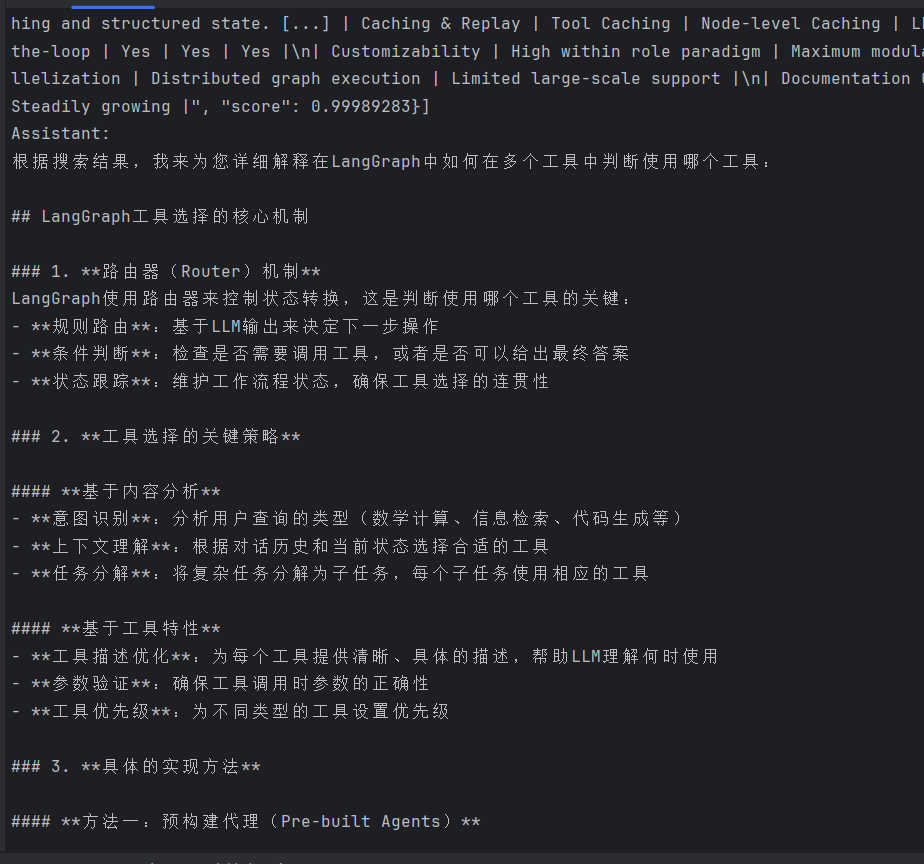
添加记忆
现在,聊天机器人可以使用工具来回答用户问题,但它不记得之前交互的上下文。这限制了它进行连贯多轮对话的能力。
LangGraph 通过持久性检查点解决了这个问题。如果您在编译图时提供一个checkpointer,
、并在调用图时提供一个thread_id,LangGraph 会在每一步之后自动保存状态。当您使用相同的thread_id再次调用图时,图会加载其保存的状态,允许聊天机器人从上次中断的地方继续。
我们稍后会看到,检查点比简单的聊天记忆功能强大得多——它允许您随时保存和恢复复杂状态,用于错误恢复、人工干预工作流、时间旅行交互等。
但首先,让我们添加检查点以实现多轮对话。
-
短期记忆:记住“刚才”说了什么
它是什么:这就像一个“聊天记录”,负责记住一次对话里的所有内容。比如你说“我叫小明”,它在下轮就能记住。
怎么工作:靠的是检查点 (Checkpoint)。系统会自动把聊天记录保存下来。你只需在编译图时加上 checkpointer,并给每次对话设置一个唯一的 thread_id,它就能分得清不同会话。
怎么解决长对话:如果聊得太久,记录太长导致模型“记不住”,可以用消息修剪 (Trim) 或生成摘要 (Summarize) 来压缩。 -
长期记忆:记住“你是谁”和“你喜欢什么”
它是什么:这像一个用户档案,负责在多次独立的对话里记住你的固定信息,比如偏好或习惯。
怎么工作:LangGraph 提供了一个专门的存储 (Store) 功能。你可以让 AI 主动把“用户喜欢简短回答”这类事实存进去,下次聊天时再读出来。
存什么:可以存三类信息:
语义记忆:事实(如“用户名叫小明”)。
情景记忆:过往经历(如“用户上周询问过产品A”)。
程序记忆:操作规则(如“回答要专业”)。
创建MemorySaver的检查点
from langgraph.checkpoint.memory import MemorySaver

memory = MemorySaver()
这是一个内存中的检查点,方便本教程使用。然而,在生产应用程序中,您可能会将其更改为使用 SqliteSaver 或 PostgresSaver 并连接数据库。
使用提供的检查点编译图,图在遍历每个节点时将对 State 进行检查点。
graph = graph_builder.compile(checkpointer=memory)

# 可视化 LangGraph 的图结构
#如果使用功能需要安装一些组件
#pip install matplotlib  # Image 显示需要
#pip install pydot       # 图形渲染需要
## 或者使用 mermaid 方案:
#pip install pygraphviz  # 备选方案

from IPython.display import Image, display

try:
    display(Image(graph.get_graph().draw_mermaid_png()))
except Exception:
    # This requires some extra dependencies and is optional
    pass
与聊天机器人互动
选择一个线程作为此对话的键。
config = {"configurable": {"thread_id": "1"}}
调用聊天机器人
user_input = "Hi there! My name is Will."

# The config is the **second positional argument** to stream() or invoke()!
events = graph.stream(
    {"messages": [{"role": "user", "content": user_input}]},
    config,
    stream_mode="values",
)
for event in events:
    event["messages"][-1].pretty_print()
在调用图时,配置作为第二个位置参数提供。重要的是,它不嵌套在图输入中 ({‘messages’: []})。
检查状态功能
- 查看当前状态 (graph.get_state(config)):看看机器人现在记住了什么,以及下一步要做什么。
- 查看历史状态 (graph.get_state_history(config)):像看回放一样,回溯对话的每一步,了解机器人的思考过程。
- 从特定点恢复/重放:可以选择历史的某个步骤,重新执行或继续执行。
- 修改历史状态:甚至可以修改某个历史步骤的状态,然后从这个点开始生成一个全新的对话分支,实现"时间旅行"式的调试。
代码案例
# 在你的 main() 函数中,与机器人完成一轮对话后
# 假设我们使用 thread_id = "default_session"
config = {"configurable": {"thread_id": "default_session"}}

# --- 1. 获取当前状态 (看看机器人现在记得什么) ---
print("\n--- 获取当前状态 ---")
current_state = graph.get_state(config)
print(f"当前状态值: {current_state.values}")
print(f"下一步要执行的节点: {current_state.next}")
print(f"当前状态的配置 (含 checkpoint_id): {current_state.config}")

# --- 2. 获取历史状态 (回放整个对话的每一步) ---
print("\n--- 获取历史状态 ---")
# 使用 list() 将历史记录转换为列表,方便查看
history = list(graph.get_state_history(config))

print(f"共有 {len(history)} 个历史检查点")
# 遍历并打印每个历史步骤的关键信息
for i, state_snapshot in enumerate(history):
    print(f"\n步骤 {i+1}:")
    print(f"   - 状态值: {state_snapshot.values}")
    print(f"   - 下一步: {state_snapshot.next}")
    print(f"   - 配置: {state_snapshot.config}")
完整代码案例
from typing import Annotated
from typing_extensions import TypedDict
from langgraph.graph import StateGraph, START, END
from langgraph.graph.message import add_messages
from langchain.chat_models import init_chat_model
from langchain_community.chat_models import ChatZhipuAI
from langchain_community.tools.tavily_search import TavilySearchResults
from langgraph.prebuilt import ToolNode, tools_condition
from langgraph.checkpoint.memory import MemorySaver
import os
import argparse  # 添加命令行参数支持

# 配置环境变量
os.environ["ZHIPUAI_API_KEY"] = "xxxxxx"  # 替换为您的真实API Key
os.environ["TAVILY_API_KEY"] = "xxxxxx"  # 替换为您的真实API Key

# ==================== 定义工具 ====================
tavily_tool = TavilySearchResults(max_results=2)
tools = [tavily_tool]


# ==================== 定义图状态 ====================
class State(TypedDict):
    messages: Annotated[list, add_messages]


graph_builder = StateGraph(State)

# ==================== 定义并绑定工具的 LLM ====================
llm = ChatZhipuAI(
    model="glm-4",
    temperature=0.5
)
llm_with_tools = llm.bind_tools(tools)


# ==================== 定义聊天机器人节点 ====================
def chatbot(state: State):
    return {"messages": [llm_with_tools.invoke(state["messages"])]}


# ==================== 添加节点和边 ====================
graph_builder.add_node("chatbot", chatbot)
tool_node = ToolNode(tools=tools)
graph_builder.add_node("tools", tool_node)

graph_builder.add_conditional_edges(
    "chatbot",
    tools_condition,
)
graph_builder.add_edge("tools", "chatbot")
graph_builder.add_edge(START, "chatbot")

# ==================== 编译图(带记忆) ====================
memory = MemorySaver()
graph = graph_builder.compile(checkpointer=memory)


# ==================== 辅助函数 ====================
def check_state(thread_id: str):
    """检查当前状态"""
    config = {"configurable": {"thread_id": thread_id}}
    state = graph.get_state(config)
    print(f"\n[DEBUG] 当前状态:")
    print(f"  - 消息数量: {len(state.values.get('messages', []))}")
    print(f"  - 下一步: {state.next if state.next else 'END'}")
    print(f"  - 最后一条消息: {state.values['messages'][-1].content[:100] if state.values.get('messages') else '无'}")
    return state


def show_history(thread_id: str):
    """显示历史记录"""
    config = {"configurable": {"thread_id": thread_id}}
    history = list(graph.get_state_history(config))
    print(f"\n[DEBUG] 历史记录数: {len(history)}")
    for i, snap in enumerate(history[-5:]):  # 显示最近5步
        print(f"  步骤 {i + 1}: 下一步 -> {snap.next if snap.next else 'END'}")


def stream_graph_updates(user_input: str, thread_id: str = "default_session"):
    """发送消息并获取回复"""
    config = {"configurable": {"thread_id": thread_id}}

    print(f"\n[INFO] 会话ID: {thread_id}")
    for event in graph.stream(
            {"messages": [{"role": "user", "content": user_input}]},
            config=config,
    ):
        for value in event.values():
            if "messages" in value and value["messages"]:
                print("Assistant:", value["messages"][-1].content)


# ==================== 主函数 ====================
def main():
    # 解析命令行参数
    parser = argparse.ArgumentParser(description='LangGraph 聊天机器人')
    parser.add_argument('-d', '--debug', action='store_true', help='启用调试模式')
    parser.add_argument('-t', '--thread', default='default_session', help='会话ID')
    args = parser.parse_args()

    debug_mode = True
    thread_id = args.thread

    print("🤖 多轮对话机器人已启动")
    if debug_mode:
        print("🐛 调试模式已启用")
        print("📌 调试命令: /state, /history, /help")
    else:
        print("💡 提示: 使用 python langGraph_demo.py --debug 启动调试模式")
    print("💬 输入 'quit' 退出, 'new' 开始新会话\n")

    current_thread_id = thread_id

    while True:
        try:
            user_input = input("User: ")

            # 退出命令
            if user_input.lower() in ["quit", "exit", "q"]:
                print("Goodbye!")
                break

            # 新会话命令
            if user_input.lower() == "new":
                current_thread_id = input("请输入新的会话ID: ") or "default_session"
                print(f"✅ 已切换到会话: {current_thread_id}")
                continue

            # 调试命令(仅在调试模式下可用)
            if debug_mode and user_input.startswith("/"):
                if user_input == "/state":
                    check_state(current_thread_id)
                    continue
                elif user_input == "/history":
                    show_history(current_thread_id)
                    continue
                elif user_input == "/help":
                    print("\n📖 可用命令:")
                    print("  /state   - 查看当前会话状态")
                    print("  /history - 查看对话历史")
                    print("  new      - 开始新会话")
                    print("  quit     - 退出程序\n")
                    continue

            # 正常对话
            stream_graph_updates(user_input, thread_id=current_thread_id)

        except KeyboardInterrupt:
            print("\n\nGoodbye!")
            break
        except Exception as e:
            print(f"❌ 发生错误: {e}")
            if debug_mode:
                import traceback
                traceback.print_exc()


if __name__ == "__main__":
    main()
添加人工在环控制
代理可能不可靠,可能需要人工输入才能成功完成任务。同样,对于某些操作,您可能需要在运行前要求人工批准,以确保一切按预期运行。
LangGraph 的 持久化 层支持人工在环工作流,允许根据用户反馈暂停和恢复执行。此功能的主要接口是 interrupt 函数。在节点内部调用 interrupt 将暂停执行。
可以通过传入一个 Command 对象来恢复执行,并伴随来自人工的新输入。interrupt 在人体工程学上类似于 Python 的内置 input() 函数,但有一些注意事项。
添加 human_assistance 工具
从 为聊天机器人添加记忆 教程的现有代码开始,为聊天机器人添加 human_assistance 工具。此工具使用 interrupt 来接收来自人工的信息
def human_assistance(query: str) -> str:
"""
人工协助工具 - 当AI需要专家意见或敏感操作批准时调用
使用 interrupt() 暂停图执行,等待人工提供信息或批准
"""
print(f"\n[!!!] AI 请求人工协助: {query}")
# interrupt() 会暂停整个图的执行,并等待外部传入恢复命令
# 类似于 input(),但用于图执行流程
human_response = interrupt({
    "type": "human_assistance_request",
    "query": query,
    "requires_approval": True  # 标记需要人工批准
})
print(f"[!!!] 人工响应: {human_response}")
return f"专家响应: {human_response}"

tools = [tavily_tool, human_assistance]  # 包含新的人工协助工具
恢复执行
要恢复执行,请传入一个包含工具所需数据的 Command 对象。此数据的格式可以根据需要进行定制。可以通过传入一个 Command 对象来恢复执行
例如:
def resume_with_human_input(thread_id: str, human_response: dict):
"""
恢复被 interrupt 暂停的图执行
参数:
    thread_id: 会话ID
    human_response: 人工提供的响应数据,格式应与 interrupt 期望的匹配
"""
config = {"configurable": {"thread_id": thread_id}}
# 使用 Command 对象恢复执行,resume 参数携带人工输入
return graph.invoke(Command(resume=human_response), config=config)
或者:
for event in graph.stream(Command(resume=human_input), config=config):
    for value in event.values():
        if "messages" in value and value["messages"]:
            msg = value["messages"][-1]
            if hasattr(msg, 'content') and msg.content:
                print("Assistant:", msg.content)
注意interrupt 的工作机制:
实际的执行流程是:
-
- stream() 遇到 interrupt → 静默结束(或抛异常)
-
- AI 请求人工协助 这行 print 是在 interrupt 之前执行的,所以能看到
-
- 之后图就挂起了,等待外部用 Command(resume=…) 恢复
完整代码
"""
LangGraph 智能对话机器人 - 带人工在环控制
演示使用 LangGraph 构建支持人工干预的对话系统,关键操作需人工批准或协助
"""

from typing import Annotated
from typing_extensions import TypedDict
from langgraph.graph import StateGraph, START, END
from langgraph.graph.message import add_messages
from langgraph.checkpoint.memory import MemorySaver
from langgraph.types import interrupt, Command  # 新增:人工在环控制的核心组件
from langchain_community.chat_models import ChatZhipuAI
from langchain_community.tools.tavily_search import TavilySearchResults
from langgraph.prebuilt import ToolNode, tools_condition
import os
import argparse

# ==================== 步骤1: 配置环境变量 ====================
# 说明: 设置访问第三方服务所需的API密钥
os.environ["ZHIPUAI_API_KEY"] = "xxxxxx"  # 替换为您的真实API Key
os.environ["TAVILY_API_KEY"] = "xxxxxx"  # 替换为您的真实API Key


# ==================== 步骤2: 定义工具(包含人工协助工具) ====================
# 说明: 定义两个工具 - 网络搜索和人工协助
# 关键新增: human_assistance 工具使用 interrupt() 函数实现人工在环控制
tavily_tool = TavilySearchResults(max_results=2)

def human_assistance(query: str) -> str:
    """
    人工协助工具 - 当AI需要专家意见或敏感操作批准时调用
    使用 interrupt() 暂停图执行,等待人工提供信息或批准
    """
    print(f"\n[!!!] AI 请求人工协助: {query}")
    # interrupt() 会暂停整个图的执行,并等待外部传入恢复命令
    # 类似于 input(),但用于图执行流程
    human_response = interrupt({
        "type": "human_assistance_request",
        "query": query,
        "requires_approval": True  # 标记需要人工批准
    })
    print(f"[!!!] 人工响应: {human_response}")
    return f"""
        【人工专家响应】
        用户的问题/请求: {query}
        专家提供的意见/批准: {human_response}
        请根据以上专家意见,以自然、友好的方式回复用户。
    """

tools = [tavily_tool, human_assistance]  # 包含新的人工协助工具


# ==================== 步骤3: 定义图状态 ====================
# 说明: 状态结构与之前相同,但新增的 interrupt 机制会自动保存状态
class State(TypedDict):
    messages: Annotated[list, add_messages]  # 消息列表,自动合并


# ==================== 步骤4: 构建状态图 ====================
graph_builder = StateGraph(State)


# ==================== 步骤5: 初始化LLM并绑定工具 ====================
# 说明: LLM 现在可以使用 human_assistance 工具,当需要人工介入时会自动调用
llm = ChatZhipuAI(model="glm-4", temperature=0.5)
llm_with_tools = llm.bind_tools(tools)


# ==================== 步骤6: 定义聊天机器人节点 ====================
def chatbot(state: State):
    """聊天机器人节点:调用LLM生成回复,可能触发工具调用"""
    response = llm_with_tools.invoke(state["messages"])
    return {"messages": [response]}


# ==================== 步骤7: 添加节点到图中 ====================
graph_builder.add_node("chatbot", chatbot)
tool_node = ToolNode(tools=tools)  # 工具节点会自动处理 interrupt
graph_builder.add_node("tools", tool_node)


# ==================== 步骤8: 添加边 ====================
graph_builder.add_conditional_edges("chatbot", tools_condition)
graph_builder.add_edge("tools", "chatbot")
graph_builder.add_edge(START, "chatbot")


# ==================== 步骤9: 编译图并启用持久化 ====================
# 说明: 使用 MemorySaver 保存状态,这是人工在环工作的基础
# 当 interrupt 触发时,图会暂停,状态被保存,等待恢复
memory = MemorySaver()
graph = graph_builder.compile(checkpointer=memory)


# ==================== 步骤10: 人工在环恢复函数 ====================
def resume_with_human_input(thread_id: str, human_response: dict):
    """
    恢复被 interrupt 暂停的图执行
    参数:
        thread_id: 会话ID
        human_response: 人工提供的响应数据,格式应与 interrupt 期望的匹配
    """
    config = {"configurable": {"thread_id": thread_id}}
    # 使用 Command 对象恢复执行,resume 参数携带人工输入
    return graph.invoke(Command(resume=human_response), config=config)


# ==================== 辅助函数 ====================
def check_state(thread_id: str):
    """检查当前状态,特别关注是否处于中断状态"""
    config = {"configurable": {"thread_id": thread_id}}
    state = graph.get_state(config)
    print(f"\n[DEBUG] 当前状态:")
    print(f"  - 消息数量: {len(state.values.get('messages', []))}")
    print(f"  - 下一步: {state.next if state.next else 'END'}")
    print(f"  - 是否中断: {bool(state.next and state.next[0] == 'tools')}")
    if state.values.get('messages'):
        last_msg = state.values['messages'][-1]
        print(f"  - 最后一条消息: {last_msg.content[:100] if hasattr(last_msg, 'content') else str(last_msg)[:100]}")
    return state


def stream_graph_updates(user_input: str, thread_id: str = "default_session"):
    """
    发送消息并获取回复,自动处理 interrupt 中断
    当遇到 interrupt 时,会提示人工输入
    """
    config = {"configurable": {"thread_id": thread_id}}
    print(f"\n[INFO] 会话ID: {thread_id}")

    for event in graph.stream(
        {"messages": [{"role": "user", "content": user_input}]},
        config=config,
    ):
        for value in event.values():
            if "messages" in value and value["messages"]:
                msg = value["messages"][-1]
                if hasattr(msg, 'content') and msg.content:
                    print("Assistant:", msg.content)
    # 执行完后检查是否因 interrupt 而挂起
    state = graph.get_state(config)
    if state.next and state.next[0] == 'tools':
        print("[系统] 图已暂停,等待人工响应。请输入 /resume 继续。")


# ==================== 主函数(增强版) ====================
def main():
    parser = argparse.ArgumentParser(description='LangGraph 聊天机器人 - 支持人工在环')
    parser.add_argument('-d', '--debug', action='store_true', help='启用调试模式')
    parser.add_argument('-t', '--thread', default='default_session', help='会话ID')
    args = parser.parse_args()

    debug_mode = True
    thread_id = args.thread

    print("🤖 LangGraph 多轮对话机器人已启动(支持人工在环)")
    if debug_mode:
        print("🐛 调试模式已启用")
        print("📌 调试命令: /state, /history, /help")
    print("💡 当AI请求人工协助时,请根据提示输入响应")
    print("💬 输入 'quit' 退出, 'new' 开始新会话\n")

    current_thread_id = thread_id

    while True:
        try:
            user_input = input("User: ")

            if user_input.lower() in ["quit", "exit", "q"]:
                print("Goodbye!")
                break

            if user_input.lower() == "new":
                current_thread_id = input("请输入新的会话ID: ") or "default_session"
                print(f"✅ 已切换到会话: {current_thread_id}")
                continue

            if debug_mode and user_input.startswith("/"):
                if user_input == "/state":
                    check_state(current_thread_id)
                    continue
                elif user_input == "/history":
                    show_history(current_thread_id)
                    continue
                elif user_input == "/resume":
                    state = graph.get_state({"configurable": {"thread_id": current_thread_id}})
                    if state.next and state.next[0] == 'tools':
                        human_input = input("请提供人工响应内容: ")
                        config = {"configurable": {"thread_id": current_thread_id}}
                        print(f"\n[INFO] 会话ID: {current_thread_id}")
                        for event in graph.stream(Command(resume=human_input), config=config):
                            for value in event.values():
                                if "messages" in value and value["messages"]:
                                    msg = value["messages"][-1]
                                    if hasattr(msg, 'content') and msg.content:
                                        print("Assistant:", msg.content)
                    else:
                        print("[INFO] 当前没有中断的会话需要恢复")
                    continue
                elif user_input == "/help":
                    print("\n📖 可用命令:")
                    print("  /state   - 查看当前会话状态")
                    print("  /history - 查看对话历史")
                    print("  /resume  - 恢复中断的会话(实验性)")
                    print("  new      - 开始新会话")
                    print("  quit     - 退出程序\n")
                    continue

            # 正常对话
            stream_graph_updates(user_input, thread_id=current_thread_id)

        except KeyboardInterrupt:
            print("\n\nGoodbye!")
            break
        except Exception as e:
            print(f"❌ 发生错误: {e}")
            if debug_mode:
                import traceback
                traceback.print_exc()


def show_history(thread_id: str):
    """显示状态历史(包括中断点)"""
    config = {"configurable": {"thread_id": thread_id}}
    history = list(graph.get_state_history(config))
    print(f"\n[DEBUG] 历史记录数: {len(history)}")
    for i, snap in enumerate(history[-5:]):
        interrupted = bool(snap.next and snap.next[0] == 'tools')
        status = "⏸️ 中断" if interrupted else "✅ 完成"
        print(f"  步骤 {i+1}: {status} | 下一步 -> {snap.next if snap.next else 'END'}")


if __name__ == "__main__":
    main()
自定义状态
在本教程中,您将向状态添加额外的字段,以定义复杂的行为,而无需依赖消息列表。聊天机器人将使用其搜索工具查找特定信息并将其转发给人工进行审查。
向状态添加键
通过向状态添加 name 和 birthday 键来更新聊天机器人,以研究实体的生日
class State(TypedDict):
messages: Annotated[list, add_messages]
name: str      # 自定义字段:用户姓名
birthday: str  # 自定义字段:用户生日
定义个人信息验证工具 - 暂停图执行,等待人工验证姓名和生日
添加节点更新节点状态
完整代码
"""
LangGraph 智能对话机器人 - 带人工在环控制 + 自定义状态更新
"""

from typing import Annotated
from typing_extensions import TypedDict
from langgraph.graph import StateGraph, START, END
from langgraph.graph.message import add_messages
from langgraph.checkpoint.memory import MemorySaver
from langgraph.types import interrupt, Command
from langchain_community.chat_models import ChatZhipuAI
from langchain_community.tools.tavily_search import TavilySearchResults
from langgraph.prebuilt import ToolNode, tools_condition
from langchain_core.messages import ToolMessage, AIMessage
import os
import argparse
import json

os.environ["ZHIPUAI_API_KEY"] = "xxx"
os.environ["TAVILY_API_KEY"] = "xxx"

# ==================== 工具定义 ====================

tavily_tool = TavilySearchResults(max_results=2)


def human_assistance(query: str) -> str:
    """人工协助工具 - 暂停图执行,等待人工响应"""
    print(f"\n[!!!] AI 请求人工协助: {query}")
    human_response = interrupt({"type": "human_assistance_request", "query": query})
    print(f"[!!!] 人工响应: {human_response}")
    return f"【人工专家响应】问题: {query} | 意见: {human_response}"


def verify_personal_info(name: str, birthday: str) -> str:
    """
    个人信息验证工具 - 暂停图执行,等待人工验证姓名和生日
    返回带 __VERIFIED__ 前缀的字符串,由 update_state_node 解析并更新 State
    人工响应格式:
      {"correct": "yes"}                         -> 信息正确,原样保存
      {"name": "张三", "birthday": "1990-01-01"} -> 修正后保存
    """
    print(f"\n[!!!] 请求验证个人信息: 姓名={name}, 生日={birthday}")
    print(f'[提示] /resume 时输入 JSON,例如:')
    print(f'       确认正确: {{"correct": "yes"}}')
    print(f'       修正信息: {{"name": "张三", "birthday": "1990-01-01"}}')

    human_response = interrupt({"type": "personal_info_verification", "name": name, "birthday": birthday})
    print(f"[!!!] 人工响应: {human_response}")

    if isinstance(human_response, dict) and human_response.get("correct", "").lower().startswith(("y", "是")):
        vname, vbirthday = name, birthday
        display = f"验证通过:姓名={vname}, 生日={vbirthday}"
    elif isinstance(human_response, dict):
        vname = human_response.get("name", name)
        vbirthday = human_response.get("birthday", birthday)
        display = f"已修正:({name},{birthday}) -> ({vname},{vbirthday})"
    else:
        vname, vbirthday = name, birthday
        display = f"保留原始信息:姓名={name}, 生日={birthday}"

    # 用特殊前缀传递验证结果,update_state_node 会解析这个字符串更新 state
    return f"__VERIFIED__:{vname}:{vbirthday}:{display}"


tools = [tavily_tool, human_assistance, verify_personal_info]


# ==================== 状态定义 ====================

class State(TypedDict):
    messages: Annotated[list, add_messages]
    name: str      # 自定义字段:用户姓名
    birthday: str  # 自定义字段:用户生日


# ==================== 图节点 ====================

graph_builder = StateGraph(State)

llm = ChatZhipuAI(model="glm-4", temperature=0.5)
llm_with_tools = llm.bind_tools(tools)


def chatbot(state: State):
    response = llm_with_tools.invoke(state["messages"])
    return {"messages": [response]}


# ToolNode 负责执行工具并自动注入 tool_call_id,不手动构造 ToolMessage
tool_node = ToolNode(tools=tools)


def update_state_node(state: State):
    """
    状态更新节点:在 tools 执行完后运行
    解析 verify_personal_info 返回的 __VERIFIED__ 标记,将 name/birthday 写入 State
    这是绕开 tool_call_id 问题、更新自定义字段的关键节点
    """
    updates = {}
    for msg in reversed(state["messages"]):
        if isinstance(msg, ToolMessage) and isinstance(msg.content, str) and msg.content.startswith("__VERIFIED__:"):
            # 格式: __VERIFIED__:name:birthday:display_msg
            parts = msg.content.split(":", 3)
            if len(parts) == 4:
                _, vname, vbirthday, _ = parts
                updates["name"] = vname
                updates["birthday"] = vbirthday
                print(f"\n[STATE] 自定义状态已更新 -> 姓名: {vname}, 生日: {vbirthday}")
            break
    return updates


graph_builder.add_node("chatbot", chatbot)
graph_builder.add_node("tools", tool_node)
graph_builder.add_node("update_state", update_state_node)

graph_builder.add_conditional_edges("chatbot", tools_condition)
graph_builder.add_edge("tools", "update_state")    # tools 完成后先更新 state
graph_builder.add_edge("update_state", "chatbot")  # 再回到 chatbot
graph_builder.add_edge(START, "chatbot")

memory = MemorySaver()
graph = graph_builder.compile(checkpointer=memory)


# ==================== 辅助函数 ====================

def check_state(thread_id: str):
    config = {"configurable": {"thread_id": thread_id}}
    state = graph.get_state(config)
    print(f"\n[DEBUG] 当前状态:")
    print(f"  - 姓名: {state.values.get('name', '未设置')}")
    print(f"  - 生日: {state.values.get('birthday', '未设置')}")
    print(f"  - 消息数量: {len(state.values.get('messages', []))}")
    print(f"  - 下一步: {state.next if state.next else 'END'}")
    print(f"  - 是否中断: {bool(state.next and state.next[0] == 'tools')}")
    if state.values.get('messages'):
        last_msg = state.values['messages'][-1]
        content = last_msg.content if hasattr(last_msg, 'content') else str(last_msg)
        print(f"  - 最后一条消息: {str(content)[:100]}")
    return state


def show_history(thread_id: str):
    config = {"configurable": {"thread_id": thread_id}}
    history = list(graph.get_state_history(config))
    print(f"\n[DEBUG] 历史记录数: {len(history)}")
    for i, snap in enumerate(history[-5:]):
        interrupted = bool(snap.next and snap.next[0] == 'tools')
        status = "⏸️ 中断" if interrupted else "✅ 完成"
        print(f"  步骤 {i+1}: {status} | 下一步 -> {snap.next if snap.next else 'END'}")


def stream_graph_updates(user_input: str, thread_id: str = "default_session"):
    config = {"configurable": {"thread_id": thread_id}}
    print(f"\n[INFO] 会话ID: {thread_id}")

    for event in graph.stream(
        {"messages": [{"role": "user", "content": user_input}]},
        config=config,
    ):
        for value in event.values():
            if "messages" in value and value["messages"]:
                msg = value["messages"][-1]
                if isinstance(msg, AIMessage) and msg.content:
                    print("Assistant:", msg.content)

    state = graph.get_state(config)
    if state.next and state.next[0] == 'tools':
        print("[系统] 图已暂停,等待人工响应。请输入 /resume 继续。")


# ==================== 主函数 ====================

def main():
    parser = argparse.ArgumentParser(description='LangGraph 聊天机器人 - 支持人工在环')
    parser.add_argument('-t', '--thread', default='default_session', help='会话ID')
    args = parser.parse_args()

    current_thread_id = args.thread

    print("🤖 LangGraph 多轮对话机器人已启动(支持人工在环 + 自定义状态)")
    print("📌 调试命令: /state, /history, /resume, /help")
    print("💬 输入 'quit' 退出, 'new' 开始新会话\n")

    while True:
        try:
            user_input = input("User: ")

            if user_input.lower() in ["quit", "exit", "q"]:
                print("Goodbye!")
                break

            if user_input.lower() == "new":
                current_thread_id = input("请输入新的会话ID: ") or "default_session"
                print(f"✅ 已切换到会话: {current_thread_id}")
                continue

            if user_input.startswith("/"):
                if user_input == "/state":
                    check_state(current_thread_id)
                elif user_input == "/history":
                    show_history(current_thread_id)
                elif user_input == "/resume":
                    state = graph.get_state({"configurable": {"thread_id": current_thread_id}})
                    if state.next and state.next[0] == 'tools':
                        raw = input("请提供人工响应 (JSON 或 普通文本): ").strip()
                        try:
                            human_input = json.loads(raw)
                        except Exception:
                            human_input = raw
                        config = {"configurable": {"thread_id": current_thread_id}}
                        print(f"\n[INFO] 会话ID: {current_thread_id}")
                        for event in graph.stream(Command(resume=human_input), config=config):
                            for value in event.values():
                                if "messages" in value and value["messages"]:
                                    msg = value["messages"][-1]
                                    if isinstance(msg, AIMessage) and msg.content:
                                        print("Assistant:", msg.content)
                        check_state(current_thread_id)
                    else:
                        print("[INFO] 当前没有中断的会话需要恢复")
                elif user_input == "/help":
                    print("\n📖 可用命令:")
                    print("  /state   - 查看当前会话状态(含 name/birthday)")
                    print("  /history - 查看对话历史")
                    print("  /resume  - 恢复中断的会话")
                    print("  new      - 开始新会话")
                    print("  quit     - 退出程序\n")
                continue

            stream_graph_updates(user_input, thread_id=current_thread_id)

        except KeyboardInterrupt:
            print("\n\nGoodbye!")
            break
        except Exception as e:
            print(f"❌ 发生错误: {e}")
            import traceback
            traceback.print_exc()


    if __name__ == "__main__":
        main()
时间旅行
angGraph 的"时间旅行"是一种强大的调试和状态管理功能。它允许你回放 AI 智能体过去的任何一步,查看当时的状态,甚至回到某个节点"分叉"出一条全新的执行路径,而不会影响原来的执行记录。
这个功能的实现依赖于 LangGraph 的持久化层。每当图的状态发生变化时,系统都会通过检查点保存一个完整的快照,记录下当时的对话消息、变量等所有信息
你可以实现两种核心操作
重放
从过去的任意检查点重新执行,主要用于调试或复现问题。
特点:重新执行检查点之后的所有节点。这意味着 LLM 的调用、API 请求都会再次真实发生,结果可能和上次不同。
场景:当智能体在某个步骤做出了错误决策时,你可以重放到那一步之前,观察它当时看到了什么信息,从而定位问题。
分叉
从过去的某个检查点创建一个新的分支,可以修改状态,探索不同的可能性。
特点:你可以先回到过去,修改智能体的内部状态(比如纠正一个错误的用户输入),然后再让它继续执行,从而观察一个"修正后"的新结果。
场景:
纠正错误:在"人在回路"(Human-in-the-loop)的工作流中,如果审核员发现某一步操作不对,可以回到之前的状态,修改指令后重新执行。
探索替代方案:在对话中,如果你想看看智能体在另一个话题下会如何回应,可以分叉出一个新分支进行实验。
核心操作流程
在代码层面,实现"时间旅行"通常遵循以下步骤:
编译时开启持久化:在编译图(Graph)时必须传入一个checkpointer(如MemorySaver用于内存测试,或SqliteSaver用于持久化存储),这是记录所有状态快照的基础。
获取历史:使用graph.get_state_history(config)方法,可以按时间倒序获取该线程的所有历史状态。每个状态对象都包含一个唯一的checkpoint_id。
重放或分叉:
重放:调用graph.invoke(None, config),并在config中指定你想要恢复的checkpoint_id,图就会从那个点开始重新执行。
分叉:先调用graph.update_state(config, {“key”: “new_value”}, checkpoint_id=…)来修改特定检查点的状态。此操作会生成一个新的config(包含新的checkpoint_id),然后再用新的config调用graph.invoke(None, …)即可从分叉点继续运行。
代码案例
"""
LangGraph 智能对话机器人 - 时间旅行
"""

from typing import Annotated
from typing_extensions import TypedDict
from langgraph.graph import StateGraph, START, END
from langgraph.graph.message import add_messages
from langgraph.checkpoint.memory import MemorySaver
from langgraph.types import interrupt, Command
from langchain_community.chat_models import ChatZhipuAI
from langchain_community.tools.tavily_search import TavilySearchResults
from langgraph.prebuilt import ToolNode, tools_condition
from langchain_core.messages import ToolMessage, AIMessage
import os
import argparse
import json

os.environ["ZHIPUAI_API_KEY"] = "xxxxxx"
os.environ["TAVILY_API_KEY"] = "xxxxxx"

# ==================== 工具定义 ====================

tavily_tool = TavilySearchResults(max_results=2)

def verify_personal_info(name: str, birthday: str) -> str:
    """
        个人信息验证工具 - 暂停图执行,等待人工验证姓名和生日
        返回带 __VERIFIED__ 前缀的字符串,由 update_state_node 解析并更新 State
        人工响应格式:
          {"name": "张三", "birthday": "1990-01-01"} -> 修正后保存
        """
    print(f"\n[!!!] 请求验证个人信息: 姓名={name}, 生日={birthday}")
    human_response = interrupt({"type": "personal_info_verification", "name": name, "birthday": birthday})
    print(f"[!!!] 人工响应: {human_response}")
    if isinstance(human_response, dict) and human_response.get("correct", "").lower().startswith(("y", "是")):
        vname, vbirthday = name, birthday
        display = f"验证通过:姓名={vname}, 生日={vbirthday}"
    elif isinstance(human_response, dict):
        vname = human_response.get("name", name)
        vbirthday = human_response.get("birthday", birthday)
        display = f"已修正:({name},{birthday}) -> ({vname},{vbirthday})"
    else:
        vname, vbirthday = name, birthday
        display = f"保留原始信息:姓名={name}, 生日={birthday}"

    # 用特殊前缀传递验证结果,update_state_node 会解析这个字符串更新 state
    return f"__VERIFIED__:{vname}:{vbirthday}:{display}"

tools = [tavily_tool,verify_personal_info]


# ==================== 状态定义 ====================

class State(TypedDict):
    messages: Annotated[list, add_messages]
    name: str      # 自定义字段:用户姓名
    birthday: str  # 自定义字段:用户生日


# ==================== 图节点 ====================

graph_builder = StateGraph(State)

llm = ChatZhipuAI(model="glm-4", temperature=0.5)
llm_with_tools = llm.bind_tools(tools)


def chatbot(state: State):
    response = llm_with_tools.invoke(state["messages"])
    return {"messages": [response]}

def update_state_node(state: State):
    """
    状态更新节点:在 tools 执行完后运行
    解析 verify_personal_info 返回的 __VERIFIED__ 标记,将 name/birthday 写入 State
    这是绕开 tool_call_id 问题、更新自定义字段的关键节点
    """
    updates = {}
    for msg in reversed(state["messages"]):
        if isinstance(msg, ToolMessage) and isinstance(msg.content, str) and msg.content.startswith("__VERIFIED__:"):
            # 格式: __VERIFIED__:name:birthday:display_msg
            parts = msg.content.split(":", 3)
            if len(parts) == 4:
                _, vname, vbirthday, _ = parts
                updates["name"] = vname
                updates["birthday"] = vbirthday
                print(f"\n[STATE] 自定义状态已更新 -> 姓名: {vname}, 生日: {vbirthday}")
            break
    return updates

# ToolNode 负责执行工具并自动注入 tool_call_id,不手动构造 ToolMessage
tool_node = ToolNode(tools=tools)


graph_builder.add_node("chatbot", chatbot)
graph_builder.add_node("tools", tool_node)
graph_builder.add_node("update_state", update_state_node)

graph_builder.add_conditional_edges("chatbot", tools_condition)
graph_builder.add_edge("tools", "update_state")    # tools 完成后先更新 state
graph_builder.add_edge("update_state", "chatbot")  # 再回到 chatbot
graph_builder.add_edge(START, "chatbot")

memory = MemorySaver()
graph = graph_builder.compile(checkpointer=memory)


# ==================== 辅助函数 ====================
def check_state(thread_id: str):
    config = {"configurable": {"thread_id": thread_id}}
    state = graph.get_state(config)
    checkpoint_id = state.config['configurable']['checkpoint_id']
    print(f"\n[DEBUG] 当前状态:")
    print(f" 当前checkpoint_id: {checkpoint_id}")
    print(f"  - 姓名: {state.values.get('name', '未设置')}")
    print(f"  - 生日: {state.values.get('birthday', '未设置')}")
    print(f"  - 消息数量: {len(state.values.get('messages', []))}")
    print(f"  - 下一步: {state.next if state.next else 'END'}")
    print(f"  - 是否中断: {bool(state.next and state.next[0] == 'tools')}")
    if state.values.get('messages'):
        last_msg = state.values['messages'][-1]
        content = last_msg.content if hasattr(last_msg, 'content') else str(last_msg)
        print(f"  - 最后一条消息: {str(content)[:100]}")
    return state


def show_history(thread_id: str):
    config = {"configurable": {"thread_id": thread_id}}
    history = list(graph.get_state_history(config))
    print(f"\n[DEBUG] 历史记录数: {len(history)}")
    for i, snap in enumerate(history[-5:]):
        interrupted = bool(snap.next and snap.next[0] == 'tools')
        status = "⏸️ 中断" if interrupted else "✅ 完成"
        checkpoint_id = snap.config['configurable']['checkpoint_id']
        print(f"  步骤 {i+1}: {checkpoint_id}  {status} | 下一步 -> {snap.next if snap.next else 'END'}")


def replay_from_checkpoint(thread_id: str, checkpoint_id: str):
    """
    重放:从指定 checkpoint_id 重新执行图。
    传入 None 作为输入,图会从该检查点的状态继续向后执行。
    """
    config = {
        "configurable": {
            "thread_id": thread_id,
            "checkpoint_id": checkpoint_id,
        }
    }
    print(f"\n[REPLAY] 从 checkpoint_id={checkpoint_id} 开始重放...")
    for event in graph.stream(None, config=config, stream_mode="values"):
        messages = event.get("messages", [])
        if messages:
            msg = messages[-1]
            if isinstance(msg, AIMessage) and msg.content:
                print("Assistant:", msg.content)
    print("[REPLAY] 重放完成")


def fork_from_checkpoint(thread_id: str, checkpoint_id: str, patch: dict):
    """
    分叉:在指定 checkpoint_id 的状态上打补丁(修改状态),
    然后从该分叉点继续执行,产生一条新的执行路径。
    patch 示例: {"name": "李四", "birthday": "2000-05-20"}
    """
    # 1. 定位到目标检查点
    fork_config = {
        "configurable": {
            "thread_id": thread_id,
            "checkpoint_id": checkpoint_id,
        }
    }
    # 2. 用 update_state 在该检查点上打补丁,返回新的 config(含新 checkpoint_id)
    new_config = graph.update_state(fork_config, patch)
    new_checkpoint_id = new_config["configurable"]["checkpoint_id"]
    print(f"\n[FORK] 已在 {checkpoint_id} 基础上创建分叉,新 checkpoint_id={new_checkpoint_id}")
    print(f"[FORK] 应用补丁: {patch}")

    # 3. 从分叉点继续执行
    for event in graph.stream(None, config=new_config, stream_mode="values"):
        messages = event.get("messages", [])
        if messages:
            msg = messages[-1]
            if isinstance(msg, AIMessage) and msg.content:
                print("Assistant:", msg.content)
    print("[FORK] 分叉执行完成")

def stream_graph_updates(user_input: str, thread_id: str = "default_session"):
    config = {"configurable": {"thread_id": thread_id}}
    print(f"\n[INFO] 会话ID: {thread_id}")

    for event in graph.stream(
        {"messages": [{"role": "user", "content": user_input}]},
        config=config,
    ):
        for value in event.values():
            if "messages" in value and value["messages"]:
                msg = value["messages"][-1]
                if isinstance(msg, AIMessage) and msg.content:
                    print("Assistant:", msg.content)

    state = graph.get_state(config)
    if state.next and state.next[0] == 'tools':
        print("[系统] 图已暂停,等待人工响应。请输入 /resume 继续。")


# ==================== 主函数 ====================

def main():
    parser = argparse.ArgumentParser(description='LangGraph 聊天机器人 验证时间旅行')
    parser.add_argument('-t', '--thread', default='default_session', help='会话ID')
    args = parser.parse_args()

    current_thread_id = args.thread

    print("🤖 LangGraph 多轮对话机器人已启动(支持人工在环 + 自定义状态)")
    print("📌 调试命令: /state, /history, /resume, /help")
    print("💬 输入 'quit' 退出, 'new' 开始新会话\n")

    while True:
        try:
            user_input = input("User: ")

            if user_input.lower() in ["quit", "exit", "q"]:
                print("Goodbye!")
                break

            if user_input.lower() == "new":
                current_thread_id = input("请输入新的会话ID: ") or "default_session"
                print(f"✅ 已切换到会话: {current_thread_id}")
                continue

            if user_input.startswith("/"):
                if user_input == "/state":
                    check_state(current_thread_id)
                elif user_input == "/history":
                    show_history(current_thread_id)
                elif user_input == "/resume":
                    state = graph.get_state({"configurable": {"thread_id": current_thread_id}})
                    if state.next and state.next[0] == 'tools':
                        raw = input("请提供人工响应 (JSON 或 普通文本): ").strip()
                        try:
                            human_input = json.loads(raw)
                        except Exception:
                            human_input = raw
                        config = {"configurable": {"thread_id": current_thread_id}}
                        print(f"\n[INFO] 会话ID: {current_thread_id}")
                        for event in graph.stream(Command(resume=human_input), config=config):
                            for value in event.values():
                                if "messages" in value and value["messages"]:
                                    msg = value["messages"][-1]
                                    if isinstance(msg, AIMessage) and msg.content:
                                        print("Assistant:", msg.content)
                        check_state(current_thread_id)
                    else:
                        print("[INFO] 当前没有中断的会话需要恢复")
                elif user_input.startswith("/replay"):
                    # 用法: /replay <checkpoint_id>
                    parts = user_input.split(maxsplit=1)
                    if len(parts) < 2:
                        # 没有指定 checkpoint_id,列出历史让用户选
                        show_history(current_thread_id)
                        checkpoint_id = input("请输入要重放的 checkpoint_id: ").strip()
                    else:
                        checkpoint_id = parts[1].strip()
                    if checkpoint_id:
                        replay_from_checkpoint(current_thread_id, checkpoint_id)
                    else:
                        print("[INFO] 未提供 checkpoint_id,已取消")
                elif user_input.startswith("/fork"):
                    # 用法: /fork <checkpoint_id>
                    parts = user_input.split(maxsplit=1)
                    if len(parts) < 2:
                        show_history(current_thread_id)
                        checkpoint_id = input("请输入要分叉的 checkpoint_id: ").strip()
                    else:
                        checkpoint_id = parts[1].strip()
                    if checkpoint_id:
                        raw_patch = input("请输入要修改的状态 (JSON,如 {\"name\":\"李四\"}): ").strip()
                        try:
                            patch = json.loads(raw_patch)
                        except Exception:
                            print("[ERROR] JSON 解析失败,已取消")
                            continue
                        fork_from_checkpoint(current_thread_id, checkpoint_id, patch)
                    else:
                        print("[INFO] 未提供 checkpoint_id,已取消")
                elif user_input == "/help":
                    print("\n📖 可用命令:")
                    print("  /state            - 查看当前会话状态(含 name/birthday)")
                    print("  /history          - 查看对话历史及 checkpoint_id")
                    print("  /resume           - 恢复中断的会话")
                    print("  /replay [ckpt_id] - 从指定检查点重放图执行")
                    print("  /fork   [ckpt_id] - 从指定检查点分叉并修改状态后继续执行")
                    print("  new               - 开始新会话")
                    print("  quit              - 退出程序\n")
                continue

            stream_graph_updates(user_input, thread_id=current_thread_id)

        except KeyboardInterrupt:
            print("\n\nGoodbye!")
            break
        except Exception as e:
            print(f"❌ 发生错误: {e}")
            import traceback
            traceback.print_exc()


if __name__ == "__main__":
    main()

AtomGit 是由开放原子开源基金会联合 CSDN 等生态伙伴共同推出的新一代开源与人工智能协作平台。平台坚持“开放、中立、公益”的理念,把代码托管、模型共享、数据集托管、智能体开发体验和算力服务整合在一起,为开发者提供从开发、训练到部署的一站式体验。
更多推荐

 10
10 0
0- 0


 已为社区贡献4条内容

所有评论(0)