MotionBuilder 动画编辑流程
·
因为项目需要接触MB批量修改和retarget动画文件,感觉这个软件相关教程不是很多,防止自己忘记,就简单总结了一下流程。
MotionBuilder 简介
MotionBuilder 是一款由 Autodesk 推出的专业角色动画软件,主要用于角色动画制作、动作捕捉处理(Motion Capture)以及动画重定向(Retargeting)。
在游戏开发中,MotionBuilder最大的价值在于连接不同动画数据来源,并提供高效的编辑与重定向能力,使动画资源能够快速适配到目标角色与引擎环境中。
一些有用的参考文档:
Pascal Moscato佬的youtube教程也很有帮助 链接
动画文件编辑流程
-
characterize model 角色化模型
-
导入模型
-
打开character controls
-
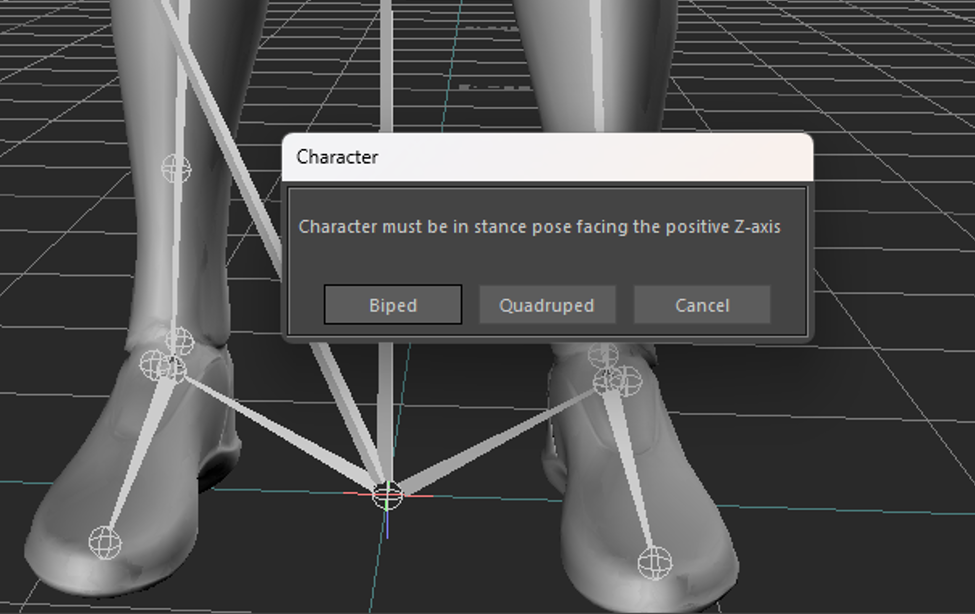
创建characer(下方template选择character拖到场景里,然后在character definition勾选characterize,选择Biped
-
依次把模型右上角骨骼map到character
-
-
合并动画,用动画驱动模型
- 用motion file import 合并动画,只读取动画(对比merge,不会导入模型mesh)
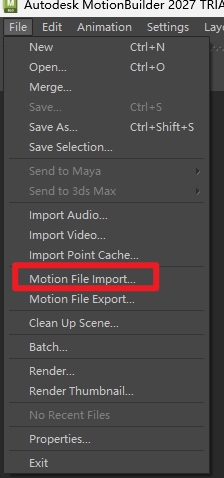
- 需要动画文件原模型和角色化模型一致,不一致的话需要进行retarget。可以拖动timeline检查模型是否被动画文件驱动
- 用motion file import 合并动画,只读取动画(对比merge,不会导入模型mesh)
-
创建control rig
- Character Controls -> Create Control Rig -> 选择FK/IK
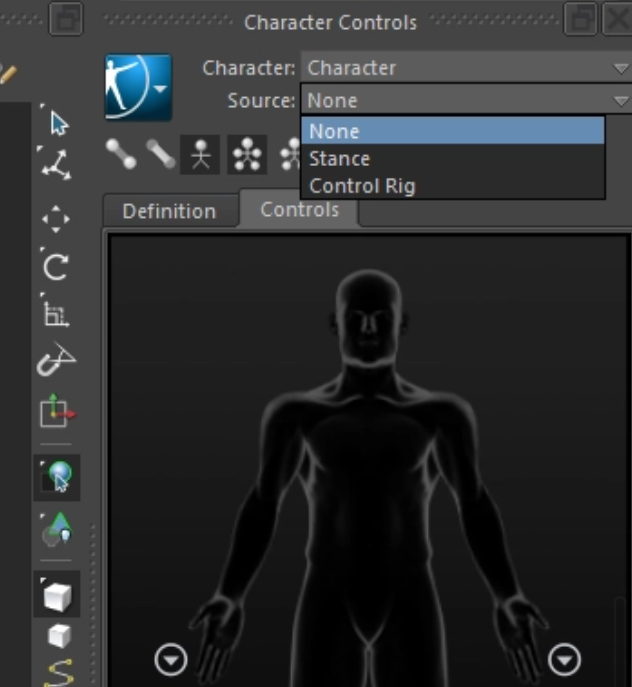
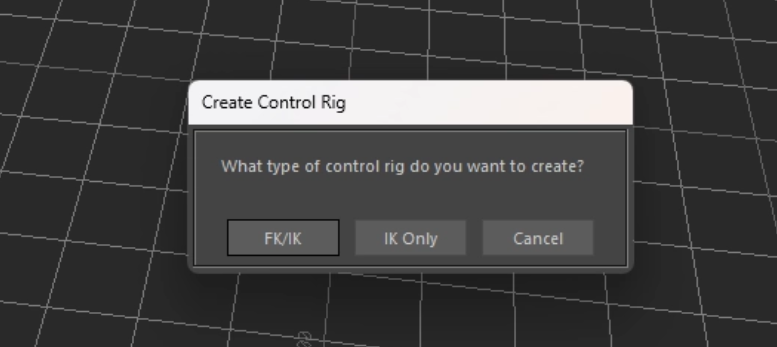
- 在character settings的input source选择current skeleton,点击plot character,就可以将骨骼动画烘焙到control rig上,此时点击右上角的character controls面板,检查是否可以用control rig驱动骨骼,成功的话就可以用control rig进行动画修改了。
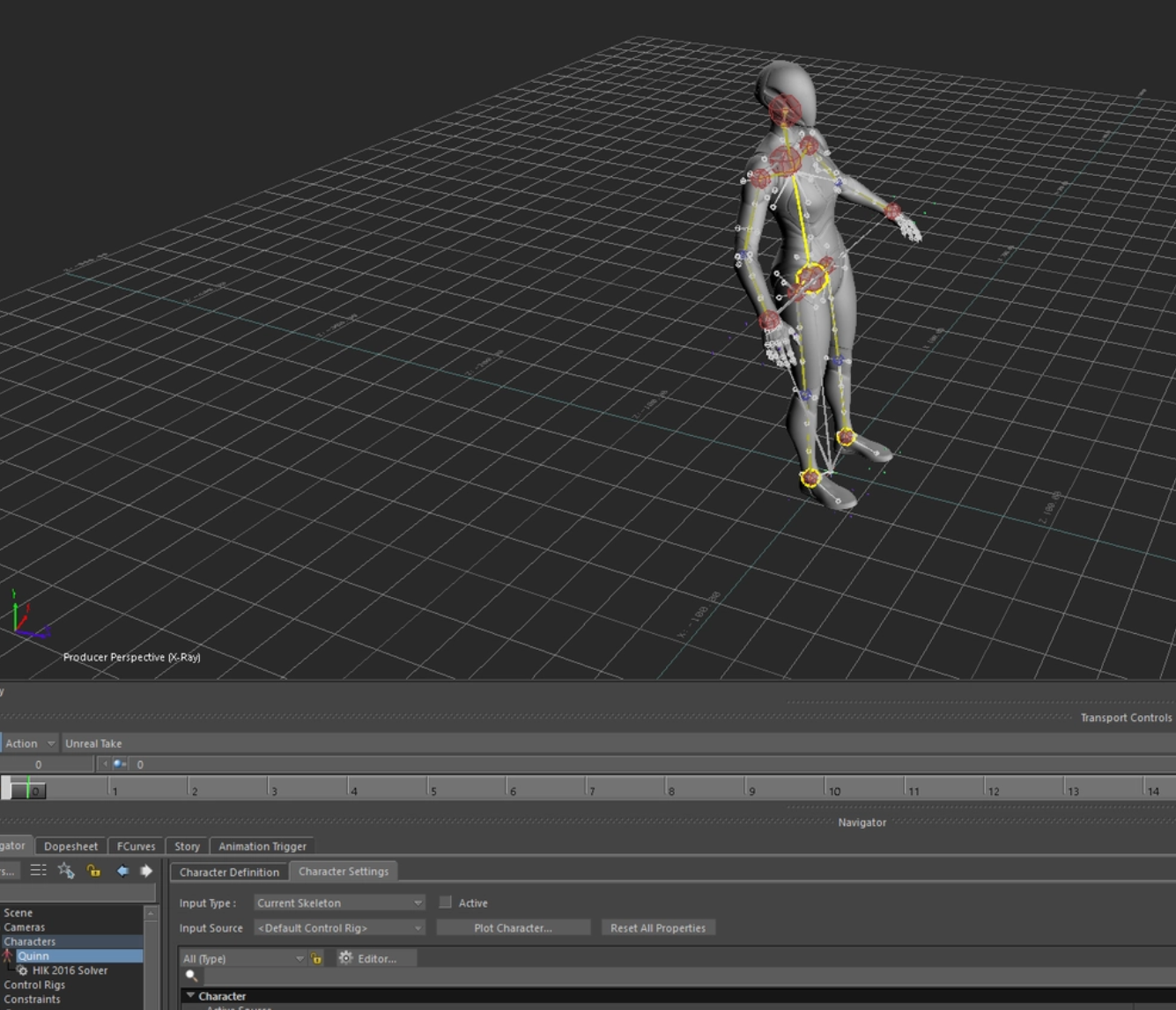
- 注意:keying group 有full body和body parts的选择,如果只想更改单个身体部位记得改成body parts,不然可能会意外修改到其他部位。
- Character Controls -> Create Control Rig -> 选择FK/IK
-
修改动画
- 新建animation layer,点击面板的骨骼,用control rig修改动作,key关键帧。
-
烘焙动画到骨骼
- 修改过后,把动画从control rig plot到skeleton上
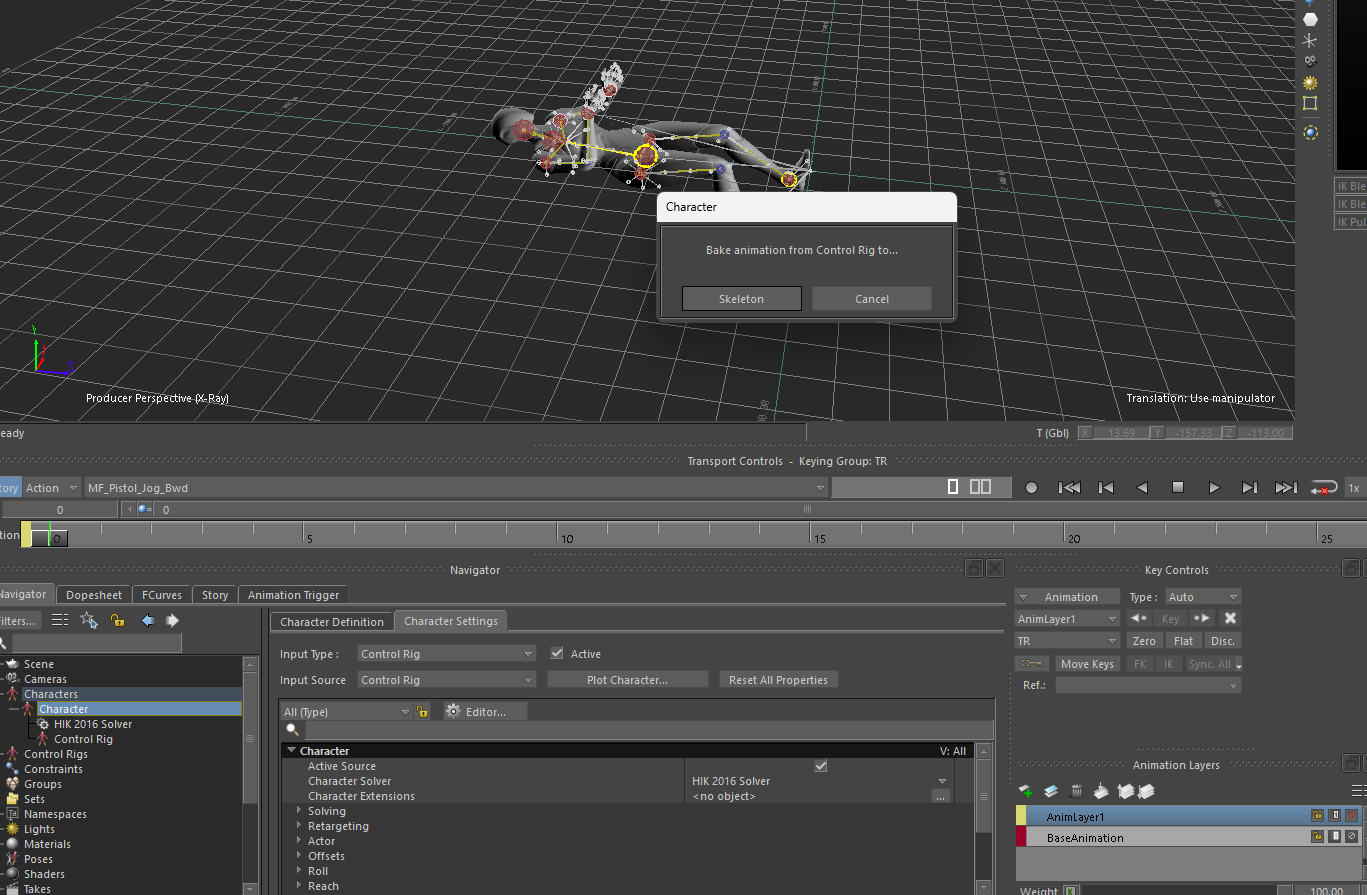
- 修改过后,把动画从control rig plot到skeleton上
-
导出
- file -> save selection, 导入unity时最好只选中模型和骨骼,不导出MB自己产生的character_ctrl_reference 辅助层级和节点
-
辅助脚本批量导入
ai协助写了一个批量导入动画文件的python脚本,支持读取指定文件夹中多个动画文件,分别合并导入到一个人物模型的场景,并依据动画文件名称命名单个take。
from pyfbsdk import *
import os

anim_folder = r"C:\Users\动画文件path"

def find_character():
    scene = FBSystem().Scene
    if scene.Characters and len(scene.Characters) > 0:
        return scene.Characters[0]
    return None

def take_exists(name):
    scene = FBSystem().Scene
    return any(t.Name == name for t in scene.Takes)

def batch_import_anim_takes():
    app = FBApplication()
    system = FBSystem()
    scene = system.Scene

    my_char = find_character()
    if not my_char:
        FBMessageBox("Error", "Please open a clean characterized character scene first.", "OK")
        return

    files = sorted([f for f in os.listdir(anim_folder) if f.lower().endswith(".fbx")])
    print(f"Found {len(files)} FBX files.")

    # Keep character evaluation simple during import
    # Do NOT switch to MarkerSet
    my_char.Active = True
    scene.Evaluate()

    for filename in files:
        path = os.path.join(anim_folder, filename)
        take_name = os.path.splitext(filename)[0]

        print(f"\n=== Processing: {take_name} ===")

        if take_exists(take_name):
            print(f"Take already exists, skipping: {take_name}")
            continue

        # Load merge options from this FBX
        # True = load file options for import/merge
        opts = FBFbxOptions(True, path)

        # Start from "discard everything"
        opts.SetAll(FBElementAction.kFBElementActionDiscard, False)

        # We want takes and bone animation only
        # Exact property availability can vary slightly by version,
        # but these are the important ones to keep.
        try:
            opts.Bones = FBElementAction.kFBElementActionMerge
        except:
            pass

        try:
            opts.Models = FBElementAction.kFBElementActionMerge
        except:
            pass

        try:
            opts.Materials = FBElementAction.kFBElementActionDiscard
            opts.Textures = FBElementAction.kFBElementActionDiscard
            opts.Video = FBElementAction.kFBElementActionDiscard
            opts.Cameras = FBElementAction.kFBElementActionDiscard
            opts.Lights = FBElementAction.kFBElementActionDiscard
            opts.Constraints = FBElementAction.kFBElementActionDiscard
            opts.Groups = FBElementAction.kFBElementActionDiscard
            opts.Characters = FBElementAction.kFBElementActionDiscard
            opts.CharacterExtensions = FBElementAction.kFBElementActionDiscard
        except:
            pass

        # Animation on
        try:
            opts.BonesAnimation = True
        except:
            pass

        try:
            opts.ModelsAnimation = True
            opts.MaterialsAnimation = False
            opts.LightsAnimation = False
            opts.CamerasAnimation = False
            opts.ConstraintsAnimation = False
            opts.CharactersAnimation = False
        except:
            pass

        # Explicitly route imported take(s)
        take_count = opts.GetTakeCount()
        print(f"Source take count: {take_count}")

        if take_count == 0:
            print("No source takes found, skipping.")
            continue

        for i in range(take_count):
            src_take = opts.GetTakeName(i)
            print(f"  Source take: {src_take}")

            # import this take
            opts.SetTakeSelect(i, True)

            # if file has one take, rename it to filename
            # if multiple takes, preserve uniqueness
            dest_name = take_name if take_count == 1 else f"{take_name}__{src_take}"
            opts.SetTakeDestinationName(i, dest_name)
            print(f"  Destination take: {dest_name}")

        # Merge with options
        result = app.FileMerge(path, False, opts)
        print("FileMerge returned:", result)

        scene.Evaluate()

        # Verify imported take(s) now exist
        imported_names = []
        for i in range(take_count):
            src_take = opts.GetTakeName(i)
            dest_name = take_name if take_count == 1 else f"{take_name}__{src_take}"
            if take_exists(dest_name):
                imported_names.append(dest_name)

        print("Imported takes found in scene:", imported_names)

    print("\n=== BATCH IMPORT COMPLETE ===")

batch_import_anim_takes()

AtomGit 是由开放原子开源基金会联合 CSDN 等生态伙伴共同推出的新一代开源与人工智能协作平台。平台坚持“开放、中立、公益”的理念,把代码托管、模型共享、数据集托管、智能体开发体验和算力服务整合在一起,为开发者提供从开发、训练到部署的一站式体验。
更多推荐


 8
8 0
0- 0


 已为社区贡献1条内容

所有评论(0)