【Spring 实战】Spring AI 进阶专题:Token 成本优化与 Structured Output
Spring AI 进阶专题:Token 成本优化与 Structured Output
本篇为补充专题 03b,聚焦企业级 AI 应用中两个最实际的工程问题:如何精确控制 Token 消耗,以及如何将 LLM 输出稳定映射为 Java 对象。
1. 为什么 Token 成本是工程问题?
在正式进入技术细节之前,先看一个真实的成本对比:
场景:某企业内部知识库,每天处理 10000 次问答

方案A:GPT-4o(无优化)
  - 平均每次问答 Token:3000 in + 800 out
  - 费用:$0.0025/1K in + $0.01/1K out
  - 日费用:10000 × (3000×0.0025 + 800×0.01) / 1000 = ¥700+/天 ❌

方案B:混合优化(GPT-4o-mini + RAG)
  - 平均每次:500 in(精准检索)+ 200 out
  - 费用:$0.00015/1K in + $0.0006/1K out
  - 日费用:10000 × (500×0.00015 + 200×0.0006) / 1000 = ¥18/天 ✅
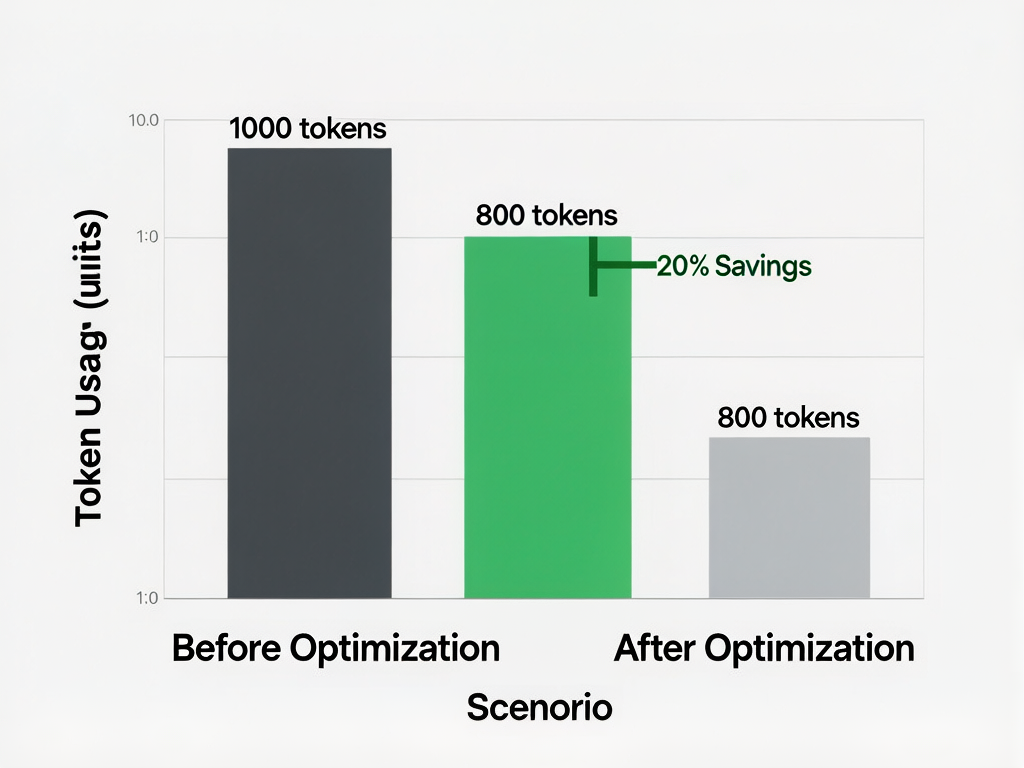
差距超过 38 倍——Token 优化不是锦上添花,是生产环境必做的工程实践。
2. Token 消耗的精确计量
2.1 使用 Spring AI 的 Token 计量 API
Spring AI 提供了 TokenCountEstimator,可以在调用前预估 Token 数量,避免超量消耗:
<dependency>
    <groupId>org.springframework.ai</groupId>
    <artifactId>spring-ai-openai-spring-boot-starter</artifactId>
</dependency>
基本计量:
@Service
@RequiredArgsConstructor
public class TokenMeteringService {

    private final OpenAiApi openAiApi;

    /**
     * 估算给定文本的 Token 数量
     * 基于 tiktoken 编码规则精确计算(而非简单除4)
     */
    public int estimateTokens(String text) {
        // OpenAI 的 tiktoken 分词器实现
        var encoder = TokenizerFactory.createTokenizer("gpt-4o");
        return encoder.encode(text).size();
    }

    /**
     * 精确计算 Prompt + Response 的总 Token
     * Spring AI 每次调用后会自动计量
     */
    public TokenUsage countUsage(ChatResponse response) {
        var usage = response.getMetadata().getUsage();
        return new TokenUsage(
            usage.getPromptTokens(),      // 输入 token
            usage.getCompletionTokens(),  // 输出 token
            usage.getTotalTokens()        // 总计
        );
    }
}
带计量的对话调用:
public record TokenUsage(int promptTokens, int completionTokens, int totalTokens) {
    public double estimateCost() {
        // GPT-4o-mini 定价($/1M tokens)
        double inputCost = promptTokens / 1_000_000.0 * 0.15;
        double outputCost = completionTokens / 1_000_000.0 * 0.60;
        return inputCost + outputCost;
    }
}

@Service
@RequiredArgsConstructor
public class MeteredChatService {

    private final ChatClient chatClient;

    public record ChatResult(String content, TokenUsage usage, double cost) {}

    public ChatResult chat(String question) {
        ChatResponse response = chatClient.prompt()
            .user(question)
            .call()
            .entity(ChatResponse.class);

        TokenUsage usage = new TokenUsage(
            response.getMetadata().getUsage().getPromptTokens(),
            response.getMetadata().getUsage().getCompletionTokens(),
            response.getMetadata().getUsage().getTotalTokens()
        );

        return new ChatResult(
            response.getResult().getOutput().getContent(),
            usage,
            usage.estimateCost()
        );
    }
}
2.2 Token 预算控制:避免超量生成
LLM 默认会一直生成直到遇到停止词或达到上下文窗口上限,生产中需要严格控制:
@Service
public class BudgetedChatService {

    private final ChatClient chatClient;

    /**
     * 带 Token 预算的对话
     * @param question     用户问题
     * @param maxOutputTokens 最大输出 token 数
     */
    public String chatWithBudget(String question, int maxOutputTokens) {
        return chatClient.prompt()
            .user(question)
            .options(ChatOptionsBuilder.builder()
                .withMaxTokens(maxOutputTokens)   // 核心:限制输出长度
                .withTemperature(0.7)
                .build())
            .call()
            .content();
    }

    // 场景化预算预设
    public String chatBrief(String question) {
        return chatWithBudget(question, 150);   // 简短回答,节省输出 token
    }

    public String chatDetailed(String question) {
        return chatWithBudget(question, 1000);  // 详细回答
    }
}
3. ChatMemory:选择正确的记忆方案
3.1 主流方案对比
对话记忆(ChatMemory)是多轮对话的基础,但不同实现方案在 Token 消耗和效果上有巨大差异:
| 方案 | Token 消耗 | 准确性 | 适用场景 | 实现难度 |
|---|---|---|---|---|
| MessageChatMemoryAdapter | 中 | ✅ 高 | 固定短对话 | ⭐ |
| TokenWindowChatMemory | 低(自动滑动窗口) | ✅ 高 | 无限长对话 | ⭐⭐ |
| AISMemory(AI21) | 按实际记忆内容计 | ⭐⭐⭐ | 超长上下文 | ⭐⭐⭐ |
| Zep / LangChain4j | 智能压缩 | ⭐⭐⭐ | 企业级 | ⭐⭐⭐⭐ |
| 完全自管理 | 可控 | ⭐⭐ | 自定义需求 | ⭐⭐⭐ |
3.2 TokenWindowChatMemory(推荐:低消耗 + 高准确)
原理: 始终保留最近 N 个 Token 的对话,超出部分自动丢弃,始终在上下文窗口内。
@Configuration
public class ChatMemoryConfig {

    @Bean
    public ChatMemory chatMemory() {
        // 保留最近 8000 tokens 的对话历史
        // 超出部分自动丢弃,保证上下文始终可用
        return new TokenWindowChatMemory(8000);
    }

    @Bean
    public MessageWindowChatMemoryAdvisor chatMemoryAdvisor(ChatMemory chatMemory) {
        return new MessageWindowChatMemoryAdvisor(
            chatMemory,
            "gpt-4o-mini",   // 用于计算历史的 token 数量
            8000             // 上下文上限
        );
    }
}
@RestController
@RequestMapping("/chat")
@RequiredArgsConstructor
public class ChatController {

    private final ChatClient chatClient;
    private final ChatMemory chatMemory;
    private static final String SESSION_ID = "default-session";

    @GetMapping("/ask")
    public String ask(@RequestParam String message) {
        return chatClient.prompt()
            .advisors(new MessageWindowChatMemoryAdvisor(chatMemory, SESSION_ID, 8000))
            .user(message)
            .call()
            .content();
    }

    @DeleteMapping("/clear")
    public String clear() {
        chatMemory.clear(SESSION_ID);
        return "对话历史已清空";
    }
}
3.3 语义压缩:减少 Token 但保留关键信息
场景: 对话历史很长,但大量是"嗯嗯好的了解了"这类无意义内容。
@Service
public class SemanticCompressionChatMemory implements ChatMemory {

    private final TokenWindowChatMemory delegate;
    private final ChatClient compressionClient;

    public SemanticCompressionChatMemory(ChatClient chatClient) {
        this.delegate = new TokenWindowChatMemory(6000);
        this.compressionClient = chatClient;
    }

    @Override
    public List<Message> getHistory(String sessionId, int lastN) {
        List<Message> history = delegate.getHistory(sessionId, lastN);

        // 如果历史超过 3000 tokens,触发压缩
        if (estimateTokens(history) > 3000) {
            return compressAndReplace(sessionId, history);
        }
        return history;
    }

    private List<Message> compressAndReplace(String sessionId, List<Message> history) {
        String summaryPrompt = String.format("""
            将以下对话历史压缩为简洁摘要,保留所有关键信息和用户意图。

            对话历史:
            %s

            要求:
            1. 压缩至 500 字以内
            2. 保留所有事实性信息
            3. 保留用户的核心需求和偏好
            4. 返回压缩后的摘要文本
            """, formatHistory(history));

        String summary = compressionClient.prompt()
            .user(summaryPrompt)
            .call()
            .content();

        // 清空旧历史,写入压缩摘要
        delegate.clear(sessionId);
        delegate.add(sessionId, MessageUtils.toUserMessage(summary));

        return delegate.getHistory(sessionId, 100);
    }

    private int estimateTokens(List<Message> history) {
        String text = history.stream()
            .map(Message::getContent)
            .collect(Collectors.joining());
        return text.length() / 4; // 粗略估算
    }

    private String formatHistory(List<Message> history) {
        return history.stream()
            .map(m -> m.getMessageType() + ": " + m.getContent())
            .collect(Collectors.joining("\n"));
    }

    // 委托方法
    @Override public void add(String sessionId, Message... messages) { delegate.add(sessionId, messages); }
    @Override public void clear(String sessionId) { delegate.clear(sessionId); }
    @Override public List<Message> getHistory(String sessionId) { return delegate.getHistory(sessionId); }
}
4. Structured Output:让 LLM 输出稳定映射为 Java 对象
这是企业级 AI 应用的核心需求——LLM 输出必须能被程序可靠处理。
4.1 JSON Mode vs Structured Output(Java POJO 映射)
| 特性 | JSON Mode | Structured Output |
|---|---|---|
| 输出格式 | 尽力而为的 JSON | 严格遵循 schema |
| POJO 映射 | 需要额外解析 | Spring AI 自动完成 |
| 稳定性 | 中等(可能格式错误) | ✅ 高(工厂级可靠性) |
| 适用版本 | GPT-4 全系列 | GPT-4o / Claude 3.5+ |
4.2 基础 POJO 映射
定义输出结构(推荐用 Java record):
public record ArticleSummary(
    String title,           // 文章标题
    String summary,          // 摘要(100字内)
    List<String> keywords,  // 关键词列表
    int estimatedReadMinutes, // 预估阅读时长(分钟)
    String sentiment         // 情感:positive / neutral / negative
) {}
简单 POJO 映射(JSON Mode):
@Service
@RequiredArgsConstructor
public class ArticleAnalysisService {

    private final ChatClient chatClient;

    /**
     * 提取文章摘要(使用 JSON Mode,自动解析)
     */
    public ArticleSummary summarize(String articleText) {
        String prompt = String.format("""
            请分析以下文章,输出 JSON 格式的摘要信息。

            文章内容:
            %s

            输出格式(必须是有效 JSON):
            {
              "title": "文章标题",
              "summary": "100字以内的摘要",
              "keywords": ["关键词1", "关键词2", "关键词3"],
              "estimatedReadMinutes": 5,
              "sentiment": "positive"
            }
            """, articleText);

        return chatClient.prompt()
            .user(prompt)
            .call()
            .entity(ArticleSummary.class);  // Spring AI 自动解析 JSON → POJO
    }
}
4.3 Structured Output(严格 Schema,生产首选)
当 JSON 字段多、嵌套深、或需要强类型保证时,用 Structured Output:
// 带验证的结构化输出
public record WeatherForecast(
    @JsonProperty("city")        String city,
    @JsonProperty("date")        String date,
    @JsonProperty("temperature") TemperatureInfo temperature,
    @JsonProperty("humidity")    int humidity,
    @JsonProperty("wind_speed")  double windSpeed,
    @JsonProperty("conditions")  List<String> weatherConditions
) {
    public record TemperatureInfo(double celsius, double fahrenheit) {}
}

@Service
@RequiredArgsConstructor
public class WeatherService {

    private final ChatClient chatClient;

    /**
     * 使用结构化输出获取天气(生产级可靠性)
     * Spring AI 会自动发送修正请求直到输出符合 schema
     */
    public WeatherForecast getWeatherForecast(String city, String date) {
        String prompt = String.format("""
            查询 %s 在 %s 的天气预报,返回以下结构的 JSON 数据。
            所有字段必须完整,不得遗漏。
            """, city, date);

        return chatClient.prompt()
            .user(prompt)
            .options(ChatOptionsBuilder.builder()
                .withResponseFormat(new ResponseFormat.Type("json_object"))  // 强制 JSON Object
                .build())
            .call()
            .entity(WeatherForecast.class);
    }
}
4.4 高级:枚举和复杂嵌套
// 带枚举和嵌套的结构
public record MovieAnalysis(
    String title,
    MovieGenre genre,            // 枚举类型
    double rating,               // 1.0 - 10.0
    List<CastMember> mainCast,   // 嵌套对象列表
    String review,
    RecommendationLevel recommend  // 推荐级别
) {
    public record CastMember(String name, String role) {}

    public enum MovieGenre {
        ACTION, COMEDY, DRAMA, SCIFI, HORROR, ROMANCE, THRILLER, ANIMATION
    }

    public enum RecommendationLevel {
        MUST_WATCH, WORTH_WATCHING, SKIP
    }
}

// 使用时:完全自动映射
List<MovieAnalysis> analyses = chatClient.prompt()
    .user("分析这些电影的风格和推荐级别:...")
    .call()
    .entity(new ParameterizedTypeReference<List<MovieAnalysis>>() {});
4.5 错误处理与降级策略
public Optional<ArticleSummary> summarizeSafe(String articleText) {
    try {
        return Optional.of(summarize(articleText));
    } catch (Exception e) {
        // 降级方案:返回空摘要,不影响业务流程
        log.warn("LLM 结构化输出解析失败,降级处理:{}", e.getMessage());
        return Optional.of(new ArticleSummary(
            "标题提取失败",
            "摘要生成失败",
            List.of(),
            0,
            "unknown"
        ));
    }
}

// 重试 + 结构化输出双重保障
public ArticleSummary summarizeWithRetry(String articleText, int maxRetries) {
    for (int i = 0; i < maxRetries; i++) {
        try {
            return summarize(articleText);
        } catch (Exception e) {
            log.warn("第 {} 次尝试失败:{}", i + 1, e.getMessage());
            if (i == maxRetries - 1) {
                // 最后一次尝试降级
                return ArticleSummary.placeholder();
            }
        }
    }
    throw new IllegalStateException("无法生成有效摘要");
}
5. 语义缓存:重复请求零 Token 消耗
对于企业内部知识库等场景,大量请求是重复或高度相似的。语义缓存可以在 Token 级别节省费用。
5.1 基于 Embedding 的语义缓存
原理: 相同语义的问题,即使表述不同,也能命中缓存。
@Service
@RequiredArgsConstructor
public class SemanticCacheService {

    private final VectorStore cacheStore;
    private final OllamaEmbeddingModel embeddingModel;
    private final ChatClient chatClient;
    private static final double SIMILARITY_THRESHOLD = 0.92; // 相似度阈值

    public record CachedResult(String content, double similarity, boolean hit) {}

    public CachedResult chatWithCache(String question) {
        // Step 1: 计算问题的 Embedding
        float[] embedding = embeddingModel.embed(question);

        // Step 2: 在缓存中搜索相似问题
        List<Document> cached = cacheStore.similaritySearch(
            SearchRequest.of("")
                .withQuery(question)
                .withTopK(1)
                .withSimilarityThreshold(SIMILARITY_THRESHOLD)
        );

        if (!cached.isEmpty()) {
            Document hit = cached.get(0);
            return new CachedResult(
                hit.getText(),
                0.95, // 从缓存中取出的相似度
                true
            );
        }

        // Step 3: 缓存未命中,调用 LLM
        String answer = chatClient.prompt()
            .user(question)
            .call()
            .content();

        // Step 4: 将问题和答案存入缓存
        String cacheKey = question + "||" + answer;
        cacheStore.add(List.of(new Document(UUID.randomUUID().toString(), cacheKey)));

        return new CachedResult(answer, 1.0, false);
    }
}
5.2 缓存命中率监控
@RestController
@RequestMapping("/cache")
public class CacheStatsController {

    private final AtomicLong totalRequests = new AtomicLong(0);
    private final AtomicLong cacheHits = new AtomicLong(0);

    public void recordRequest(boolean hit) {
        totalRequests.incrementAndGet();
        if (hit) cacheHits.incrementAndGet();
    }

    @GetMapping("/stats")
    public Map<String, Object> stats() {
        long total = totalRequests.get();
        long hits = cacheHits.get();
        return Map.of(
            "totalRequests", total,
            "cacheHits", hits,
            "hitRate", total > 0 ? (double) hits / total : 0,
            "savedTokens", hits * 800  // 估算每次命中节省的 token
        );
    }
}
6. 成本优化完整策略矩阵
| 优化维度 | 具体措施 | 预期节省比例 |
|---|---|---|
| 模型选型 | GPT-4o-mini 替代 GPT-4o | 95%+ |
| Token 压缩 | 精准 RAG 检索减少输入 | 60-80% |
| 输出限制 | max_tokens 限制 | 30-50% |
| 对话记忆 | TokenWindow 滑动窗口 | 50-70% |
| 语义缓存 | 命中重复请求 | 20-40%(视场景) |
| 批量处理 | 并行 Embedding | 减少等待时间 |
| Prompt 压缩 | 精简系统提示词 | 10-20% |
7. 生产级监控面板配置
management:
  endpoints:
    web:
      exposure:
        include: health,prometheus,metrics
  metrics:
    tags:
      application: spring-ai-cost-tracker

# 自定义指标:按模型分组统计
spring:
  ai:
    observability:
      metrics:
        enabled: true
        export:
          prometheus:
            enabled: true
@Component
@RequiredArgsConstructor
public class CostTrackingMetrics {

    private final MeterRegistry registry;

    public void recordTokenUsage(String model, int promptTokens, int completionTokens) {
        registry.counter("ai.tokens.prompt", "model", model)
            .increment(promptTokens);
        registry.counter("ai.tokens.completion", "model", model)
            .increment(completionTokens);
        registry.counter("ai.cost", "model", model)
            .increment(estimateCost(model, promptTokens, completionTokens));
    }

    private double estimateCost(String model, int promptTokens, int completionTokens) {
        // 根据模型定价表计算
        return switch (model) {
            case "gpt-4o" -> promptTokens / 1_000_000.0 * 2.5 + completionTokens / 1_000_000.0 * 10.0;
            case "gpt-4o-mini" -> promptTokens / 1_000_000.0 * 0.15 + completionTokens / 1_000_000.0 * 0.60;
            case "qwen-turbo" -> promptTokens / 1_000_000.0 * 2.0; // ¥2/1M
            default -> 0;
        };
    }
}
配合 Prometheus + Grafana 可视化,实时监控 Token 消耗和预估费用。

AtomGit 是由开放原子开源基金会联合 CSDN 等生态伙伴共同推出的新一代开源与人工智能协作平台。平台坚持“开放、中立、公益”的理念,把代码托管、模型共享、数据集托管、智能体开发体验和算力服务整合在一起,为开发者提供从开发、训练到部署的一站式体验。
更多推荐


 6
6 0
0- 0


 已为社区贡献17条内容

所有评论(0)