Piggy_Packages V2026.1 帮助文档(六)WRF全球模式
获取Piggy_Packages
Piggy_Packages 是⼀个在 Windows 操作系统环境下“开箱即⽤”的便捷式气象科研环境。⽆需复杂的安装和配置步骤,就能快速投⼊到实际的科研⼯作中。
还没有Piggy_Packages的同学,请参考这篇帖子获取:
Piggy_Packages V2026.1 帮助文档(一)开箱即用
不少初学者会有这样一个疑问:为什么WRF的模拟时间不能超过GRIB气象场资料的时间呢?这是因为,我们平常运行的是区域模式,WRF不知道区域外面发生了什么,因此需要由范围更大的气象资料为区域模式提供边界条件。
那么,WRF可以直接运行全球模式吗?全球模式还需要边界条件吗?这一节,我们就来尝试下,用WRF运行全球模式!
Note:尽管WRF具备运行全球模式的能力,但是官方并不推荐使用WRF来运行全球模式,更推荐的是MPAS模式。
首先我们回到Home目录,创建一个名称为Case4的目录,并进入。将WPS、WRF-Real拷贝过来。
cd
mkdir -p Case4
cd Case4
cp -r /pp_model/WRF-4.7.1/WRF-Real .
cp -r /pp_model/WRF-4.7.1/WPS .
进入WPS目录,编辑namelist.wps
cd WPS
open -e namelist.wps
把以下内容贴进去,替换原始内容:
&share
wrf_core = 'ARW',
max_dom = 1,
start_date = '2026-03-31_00:00:00',
end_date = '2026-03-31_00:00:00',
interval_seconds = 10800
/&geogrid
parent_id = 1,
parent_grid_ratio = 1,
i_parent_start = 1,
j_parent_start = 1,
e_we = 145,
e_sn = 73,
geog_data_res = 'lowres',
map_proj = 'lat-lon',
stand_lon = 0.
pole_lat = 90.0
pole_lon = 0.0
geog_data_path = '/pp_model/WRF-4.7.1/WPS_GEOG'
/&ungrib
out_format = 'WPS',
prefix = 'FILE',
/&metgrid
fg_name = 'FILE'
/
查看区域配置:
plotgrids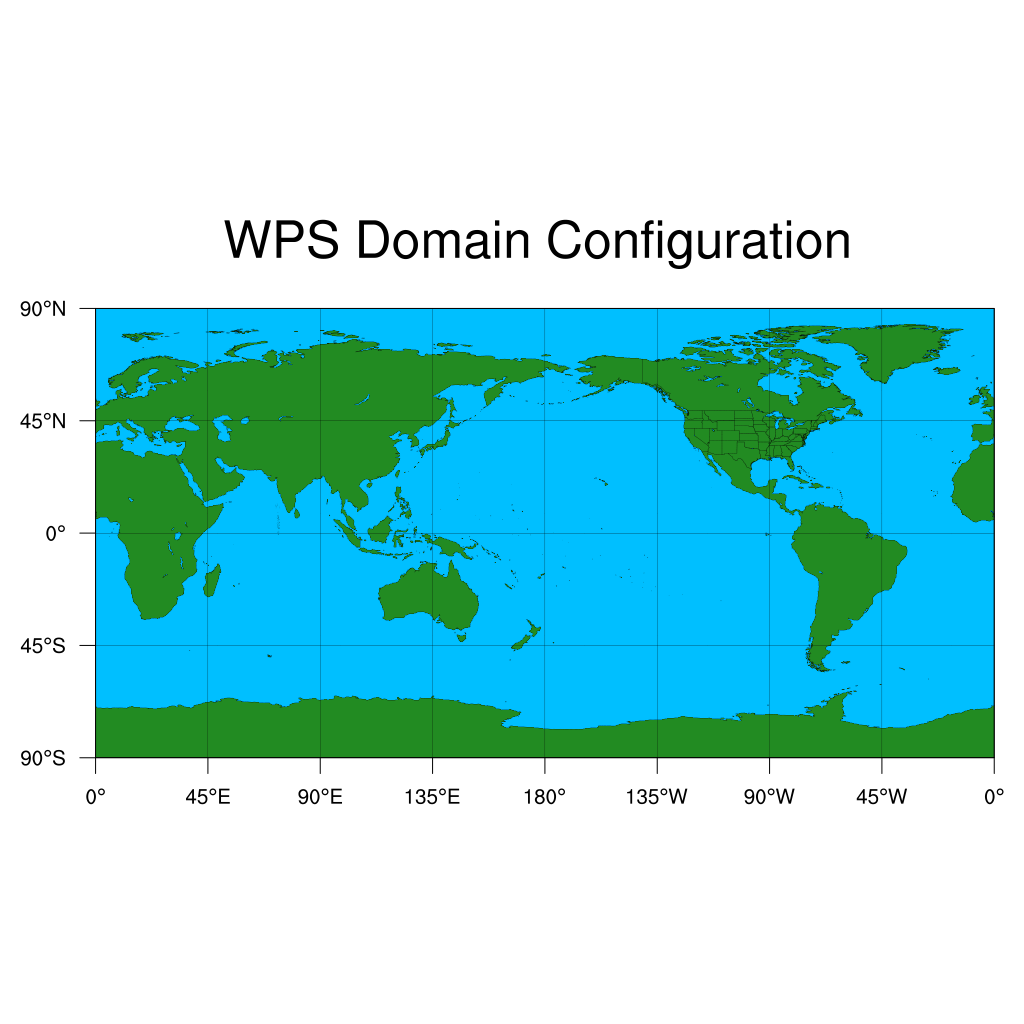
运行WPS三件套:
mpirun -np 4 ./geogrid.exe
./link_grib.csh ~/Case1/FNL/fnl_20260331_00_00.grib2
ln -s ungrib/Variable_Tables/Vtable.GFS Vtable
./ungrib.exe
mpirun -np 4 ./metgrid.exe
运行完成后,会生成met_em.d01.2026-03-31_00:00:00.nc,我们可以可视化查看它:
Panoply met_em.d01.2026-03-31_00:00:00.nc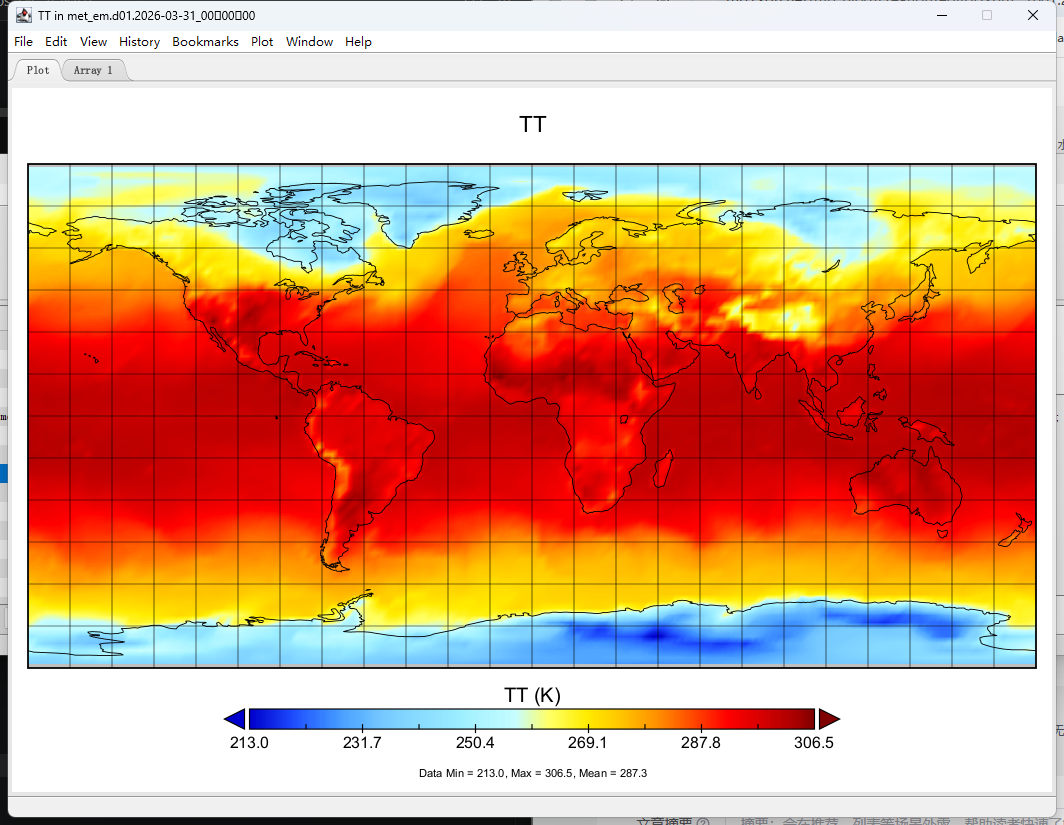
我们需要记录下来一个关键数值,geogrid生成的DX、DY分别是多少,稍后需要在WRF的namelist中配置。
ncdump -h geo_em.d01.nc | grep -E ":DX =|:DY ="执行后将会显示:
:DX = 277943.7f ;
:DY = 277943.7f ;
然后我们切换到WRF目录,编辑配置文件。
cd ../WRF-Real/run
open -e namelist.input
把以下内容贴进去,替换原始内容:
&time_control
run_days = 0,
run_hours = 1,
run_minutes = 0,
run_seconds = 0,
start_year = 2026,
start_month = 03,
start_day = 31,
start_hour = 00,
end_year = 2026,
end_month = 03,
end_day = 31,
end_hour = 00,
interval_seconds = 600
input_from_file = .true.,
history_interval = 10,
frames_per_outfile = 1,
restart = .false.,
restart_interval = 7200,
io_form_history = 2
io_form_restart = 2
io_form_input = 2
io_form_boundary = 2
/&domains
time_step = 120,
time_step_fract_num = 0,
time_step_fract_den = 1,
max_dom = 1,
e_we = 145,
e_sn = 73,
dx = 277943.7, ! 这里填入上面查询得到的DX
dy = 277943.7, ! 这里填入上面查询得到的DY
e_vert = 50,
dzbot = 30.
dzstretch_s = 1.11
dzstretch_u = 1.10
p_top_requested = 5000,
num_metgrid_levels = 34,
num_metgrid_soil_levels = 4,
grid_id = 1,
parent_id = 0,
i_parent_start = 1,
j_parent_start = 1,
parent_grid_ratio = 1,
parent_time_step_ratio = 1,
feedback = 1,
smooth_option = 0,
/&physics
physics_suite = 'CONUS'
mp_physics = -1, -1,
cu_physics = -1, -1,
ra_lw_physics = -1, -1,
ra_sw_physics = -1, -1,
bl_pbl_physics = -1, -1,
sf_sfclay_physics = -1, -1,
sf_surface_physics = -1, -1,
radt = 15, 15,
bldt = 0, 0,
cudt = 0, 0,
icloud = 1,
num_land_cat = 21,
sf_urban_physics = 0, 0,
fractional_seaice = 1,
/&fdda
/&dynamics
hybrid_opt = 2,
w_damping = 0,
diff_opt = 2, 2,
km_opt = 4, 4,
diff_6th_opt = 0, 0,
diff_6th_factor = 0.12, 0.12,
base_temp = 290.
damp_opt = 3,
zdamp = 5000., 5000.,
dampcoef = 0.2, 0.2,
khdif = 0, 0,
kvdif = 0, 0,
non_hydrostatic = .true., .true.,
moist_adv_opt = 1, 1,
scalar_adv_opt = 1, 1,
gwd_opt = 0, 0,
fft_filter_lat = 45.,
/&bdy_control
specified = .false.,
periodic_x = .true.,
polar = .true.,
/&grib2
/&namelist_quilt
nio_tasks_per_group = 0,
nio_groups = 1,
/
然后我们来运行real.exe和wrf.exe
全球模式不会生成wrfbdy_d01边界场文件,因为它没有边界~
ln -s ../../WPS/met_em.d01.2026-03-31_00:00:00.nc .
mpirun -np 4 ./real.exe
mpirun -np 4 ./wrf.exe
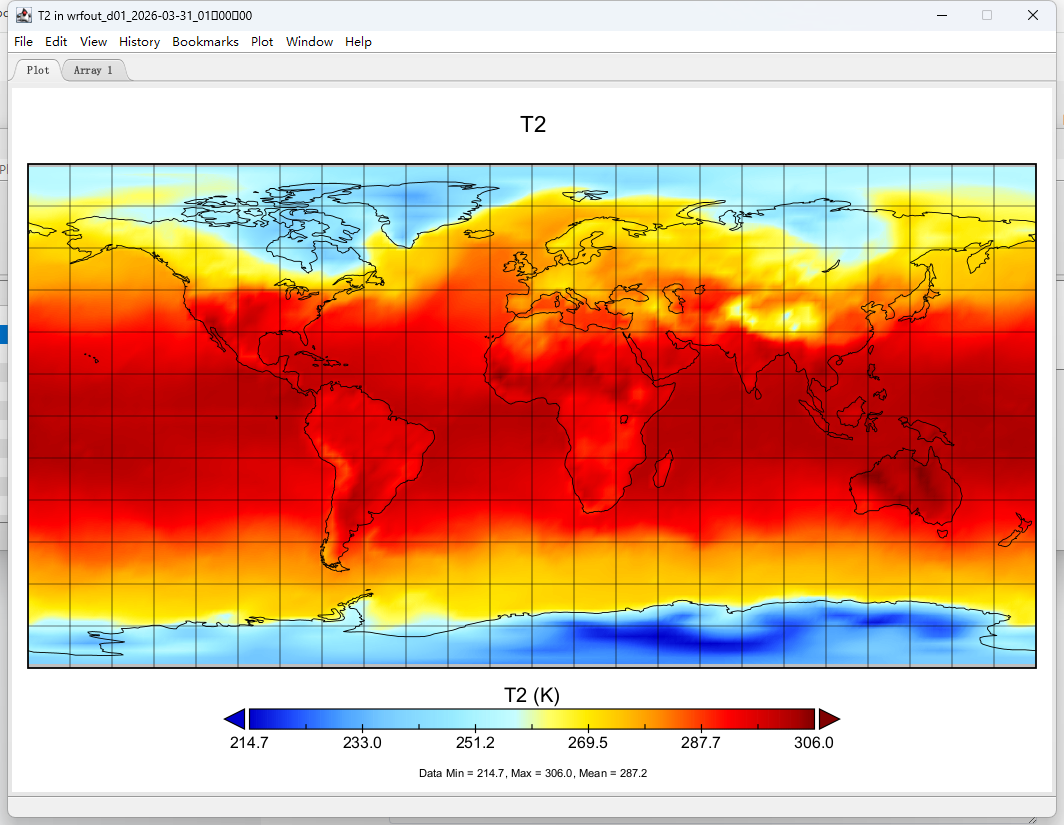
全球模式的运行时间较长,我们可以实时查看模拟进度。
新开一个终端窗口,输入:
tail -f ~/Case4/WRF-Real/run/rsl.out.0000注意:这里我们只运行了1小时的预报,你可以修改namelist中的run_hours来控制预报时常,理论上它可以无限运行下去。

AtomGit 是由开放原子开源基金会联合 CSDN 等生态伙伴共同推出的新一代开源与人工智能协作平台。平台坚持“开放、中立、公益”的理念,把代码托管、模型共享、数据集托管、智能体开发体验和算力服务整合在一起,为开发者提供从开发、训练到部署的一站式体验。
更多推荐



 18
18 0
0- 0


 已为社区贡献2条内容

所有评论(0)