C++基础语法
C++基础语法完整笔记
一、C++程序结构
PPT这一部分讲了:关键字、预处理指令、注释、main函数、命名空间。
1. 关键字、标识符、操作符、标点
PPT先介绍了 C++ 的基本组成元素,并说明 C++ 关键字数量较多。核心理解是:
-
关键字:C++保留字,比如
int、return、if、switch -
标识符:程序员自己取的名字,比如变量名、函数名
-
操作符:比如
+、-、=、<< -
标点:比如
;、{}、()
2. 预处理指令
PPT指出,预处理指令:
-
以
#开头 -
不以分号结尾
-
在正式编译前处理
-
它本身不理解完整的 C++ 语法。
常见例子:
#include <iostream>
#define PI 3.14159
3. 注释
C++里常见两种注释:
// 单行注释

/*
多行注释
*/
注释的作用是解释代码、提升可读性,不会参与运行。
4. main函数
PPT中 main 函数是程序入口,展示了两种形式:普通 main 和带命令行参数的 main。对应代码如下。
对应代码 1:最基本的 main 函数
文件:1.main_type.cpp
作用:演示最简单程序结构,输出一句话。
#include <iostream>
using namespace std;

int main()
{
cout << "Hello Main Function" << endl;
return 0;
}
对应代码 2:带参数的 main 函数
文件:2.main_type.cpp
作用:演示 argc 和 argv 的用法。argc 表示参数个数,argv 表示参数列表。
#include <iostream>
using namespace std;

// argc 代表argument count,参数数量
// argv 代表argumen vector,参数列表

int main(int argc, char** argv)
{
cout << "参数数量:" << argc << endl;
cout << "==========================" << endl;
for (int i = 0;i < argc;i++)
{
cout << argv[i] << endl;
}
return 0;
}
复习结论
-
main()是程序入口 -
return 0;表示程序正常结束 -
int main(int argc, char** argv)能接收命令行参数
5. 命名空间 namespace
PPT说明命名空间是为了解决命名冲突,可以用 std::cout,也可以 using namespace std;。
你在前面代码里已经反复使用了:
using namespace std;复习结论
-
std::cout、std::cin、std::endl都在std命名空间里 -
using namespace std;可以省略std::
二、变量和常量
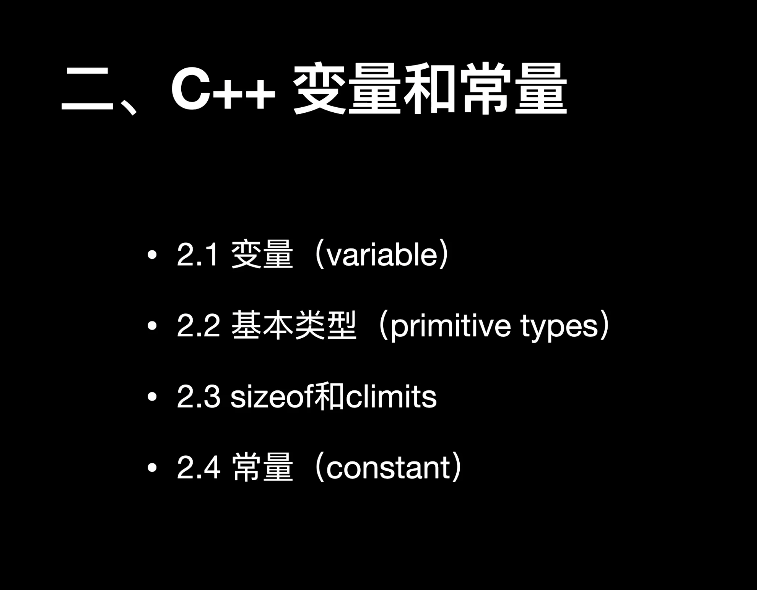
PPT这一章讲了:变量、基本类型、sizeof 和 climits、常量。
2.1 变量(variable)
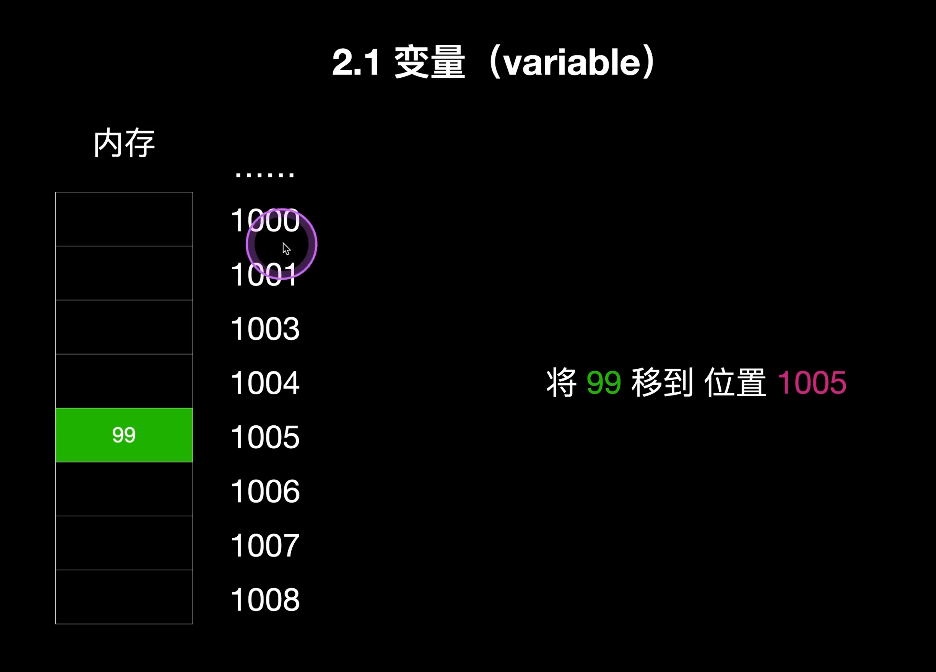
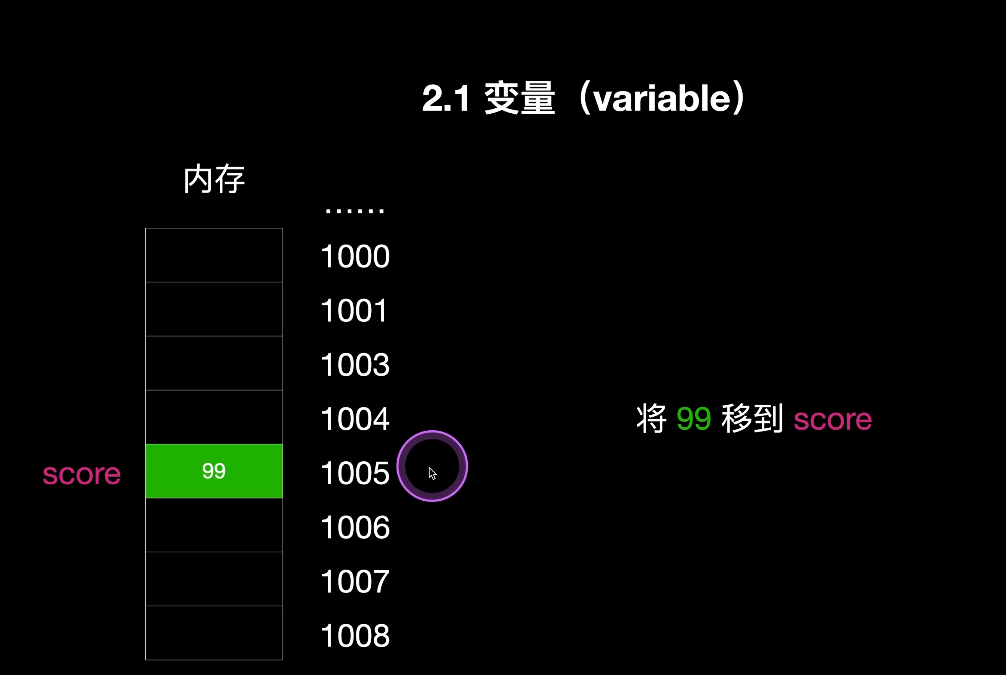
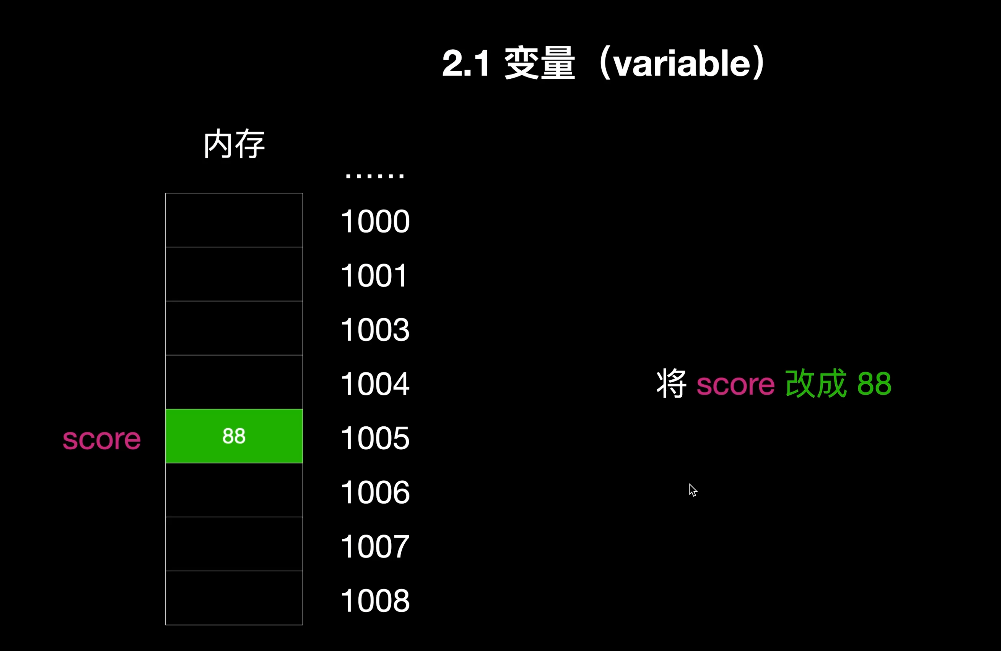
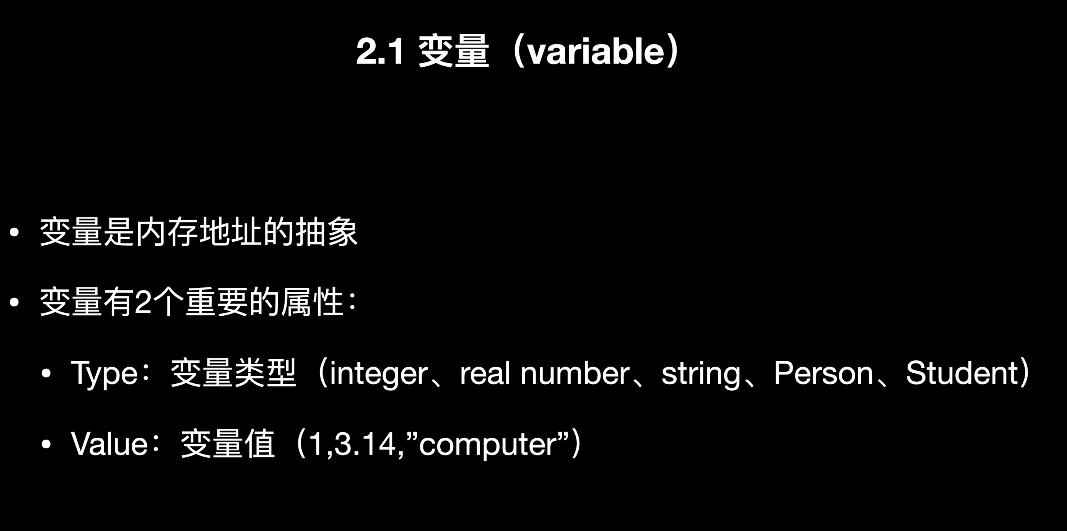
PPT中强调:变量是内存地址的抽象,变量有两个重要属性:
-
Type:类型
-
Value:值。
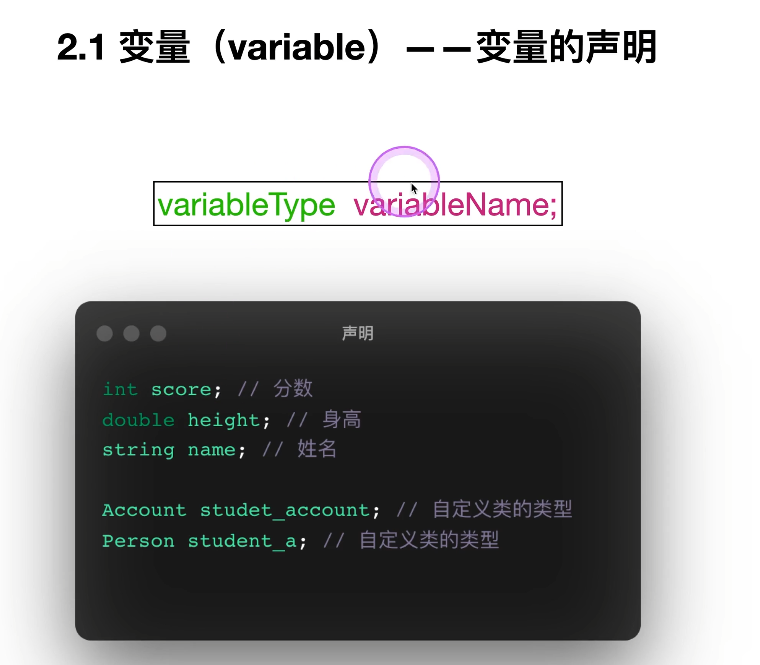
1. 变量声明
PPT给出的基本格式是:
variableType variableName;也就是:
类型 变量名;
例如:
int score;
double height;
string name;
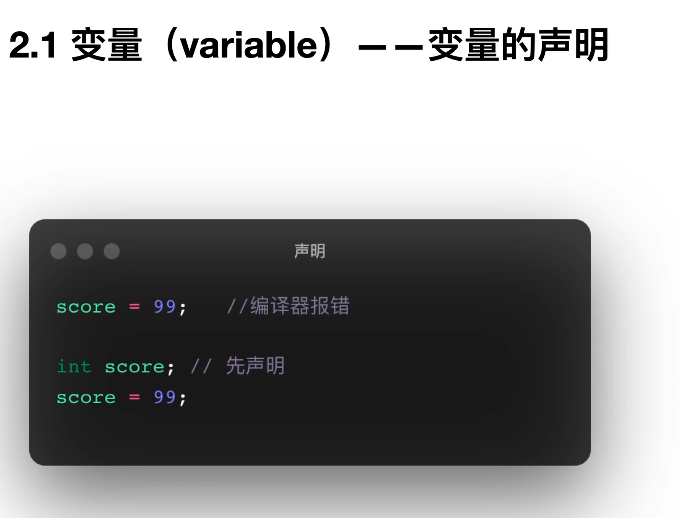
2. 必须先声明再使用
PPT里明确演示了:
score = 99; // 报错
int score;
score = 99; // 正确
说明变量必须先声明,编译器才知道它的类型和存储方式。
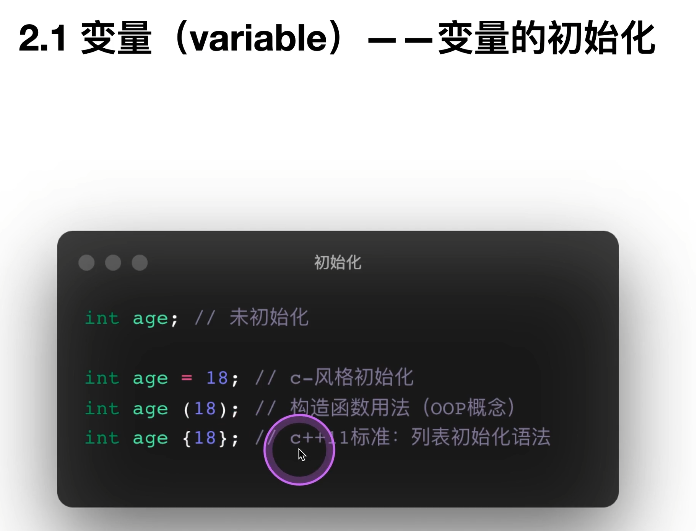
3. 变量初始化
PPT展示了三种写法:
int age;
int age = 18;
int age(18);
int age{18};
其中 {} 是现代 C++ 更推荐的写法,因为更安全。
对应代码 3:未初始化变量警告
文件:3.var_warning.cpp
作用:说明变量如果只声明、不初始化,值是不确定的。
#include <iostream>
using namespace std;
// 未初始化警告
int main()
{
int age;
cout << age << endl;
return 0;
}
复习结论
-
局部变量不初始化时,值是未定义的
-
实际开发中尽量声明时就初始化
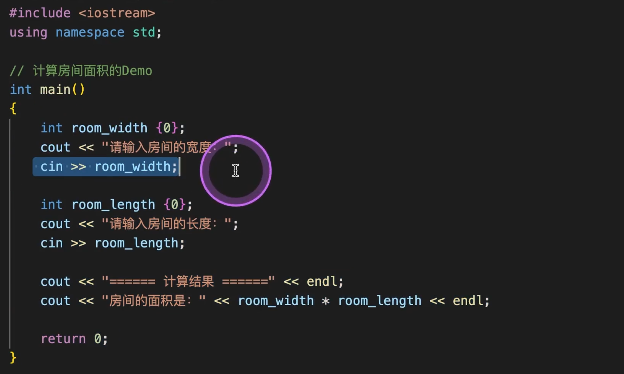
对应代码 4:变量实际应用——房间面积
文件:4.room_square.cpp
作用:练习变量声明、输入、计算、输出。
#include <iostream>
using namespace std;

// 这个例子可以计算房间面积
int main()
{
int room_width {0};
cout << "请输入房间的宽度:";
cin >> room_width;

int room_length {0};
cout << "请输入房间的长度:";
cin >> room_length;

cout << "房间面积是:" << room_width * room_length << "平方米" << endl;

return 0;
}
这里学到的点
-
cin >>输入数据 -
cout <<输出数据 -
变量可以参与表达式运算
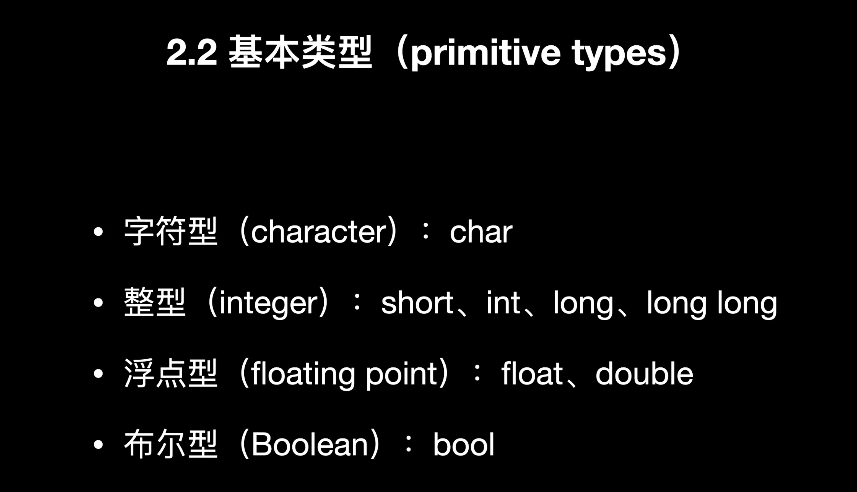
2.2 基本类型(primitive types)
PPT列出四大类:
-
char -
short / int / long / long long -
float / double -
bool。
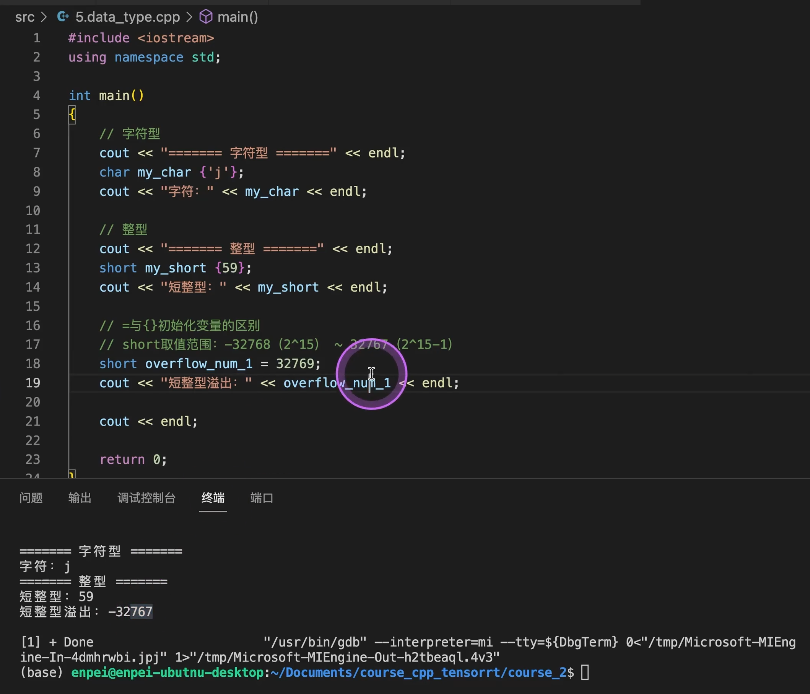
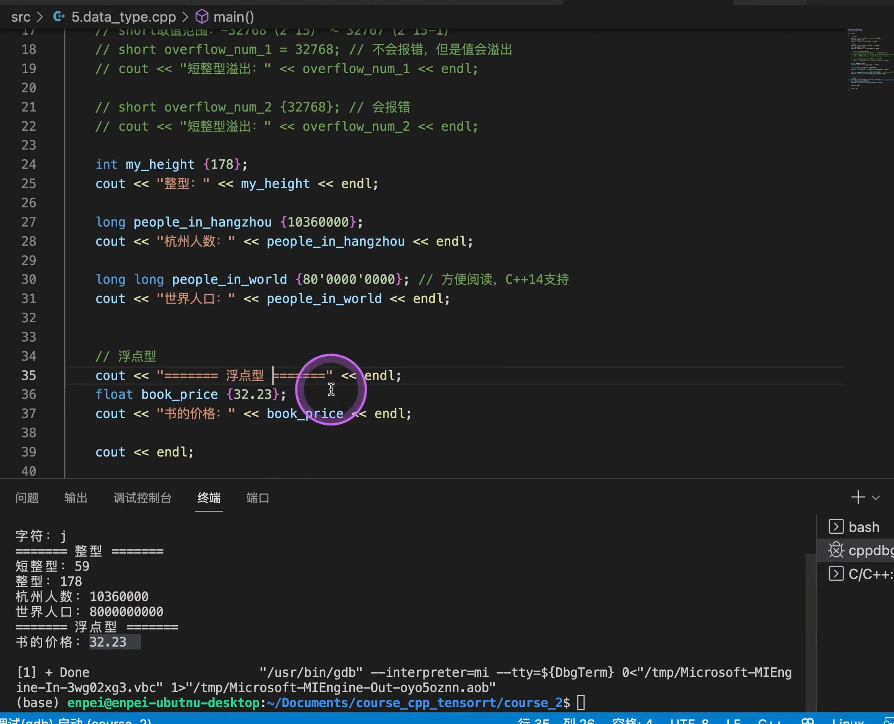
对应代码 5:数据类型演示
文件:5.data_type.cpp
作用:集中演示字符型、整型、浮点型、布尔型,以及 {} 初始化的优势。
#include <iostream>
using namespace std;

int main(){
// 字符型
cout << "====================" << endl;
char my_char {'j'}; // 注意是单引号,双引号是string类型
cout << "my char: " << my_char << endl;

// 整型
cout << "====================" << endl;
short my_score {59};
cout << "my score: " << my_score << endl;

short overflow_num_1 = 32768; // 不会报错,但是值会变成-32768
cout << overflow_num_1 << endl; // -32768

int my_height {178};
cout << "my height: " << my_height << endl;

long people_in_hangzhou {10360000};
cout << "people in hangzhou: " << people_in_hangzhou << endl;

long long people_on_earth {80'0000'0000};
cout << "people on earth: " << people_on_earth << endl;

// 浮点型
cout << "====================" << endl;
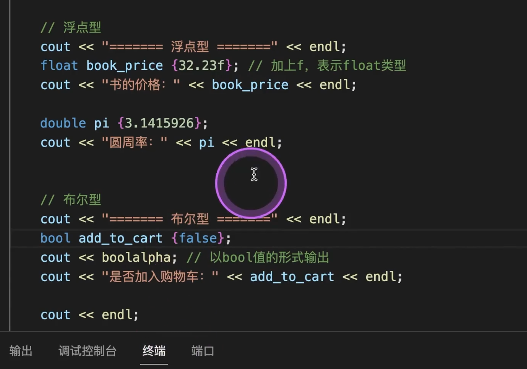
float book_price {32.23f};
cout << "book price: " << book_price << endl;

double pi {3.14149};
cout << "pi: " << pi << endl;

// 布尔型
cout << "====================" << endl;
bool add_to_cart {false};
cout << "add to cart: " << add_to_cart << endl; // 0表示false

return 0;
}
逐项对应 PPT 理解
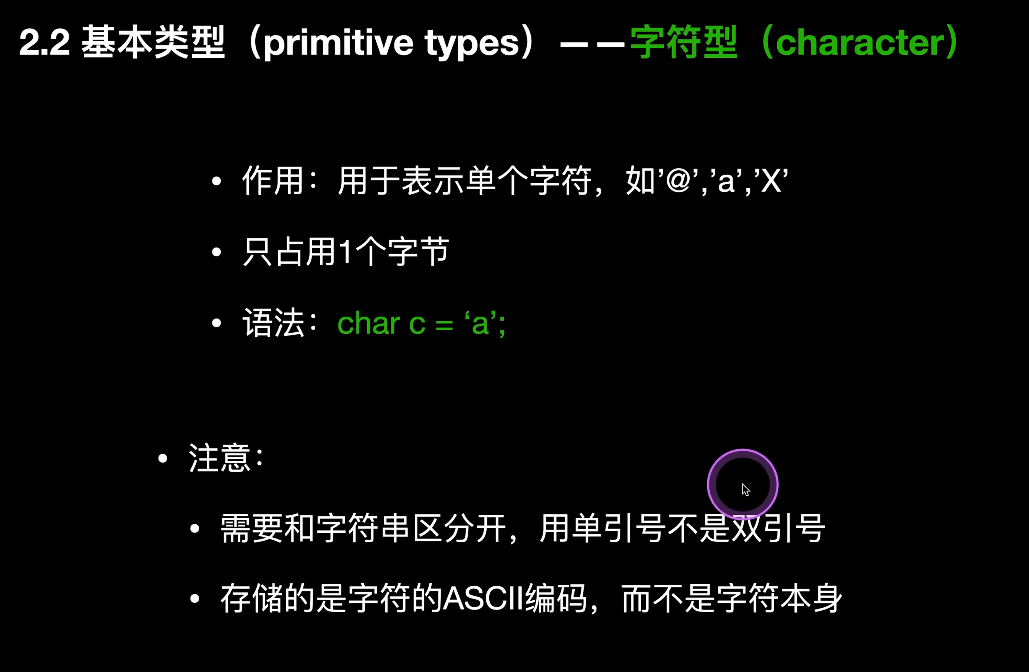
1)char
PPT说:
-
表示单个字符
-
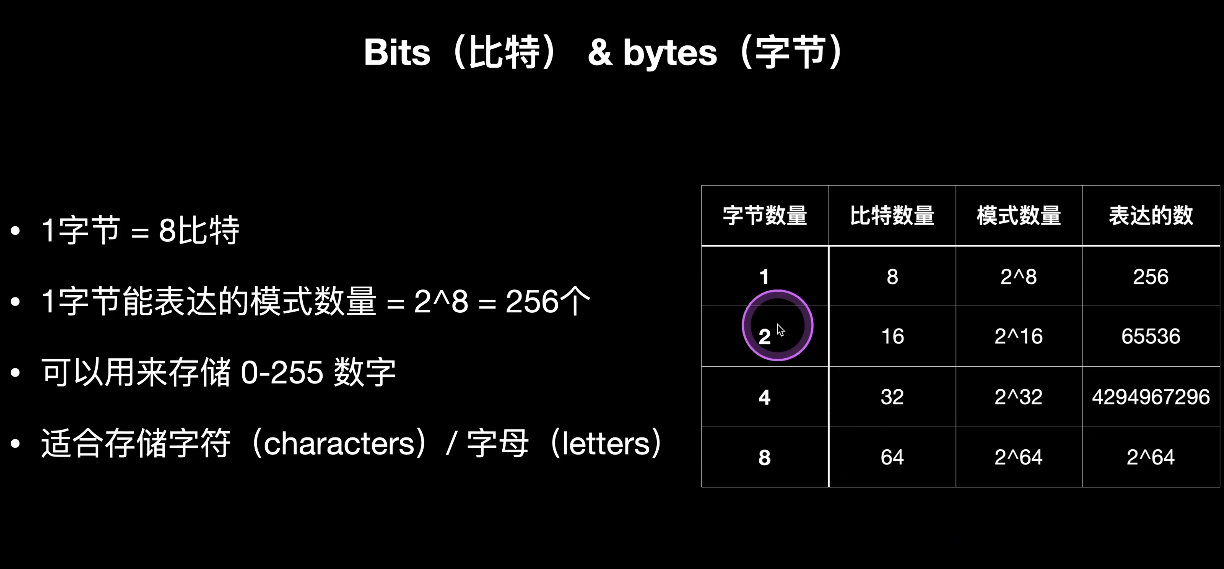
占 1 字节
-
用单引号
-
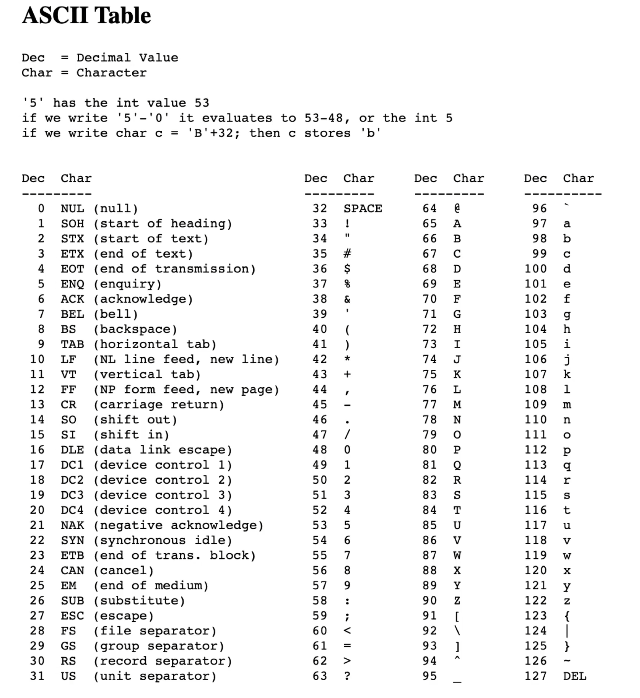
存储的是 ASCII 编码。
代码对应:
char my_char {'j'};2)整数类型
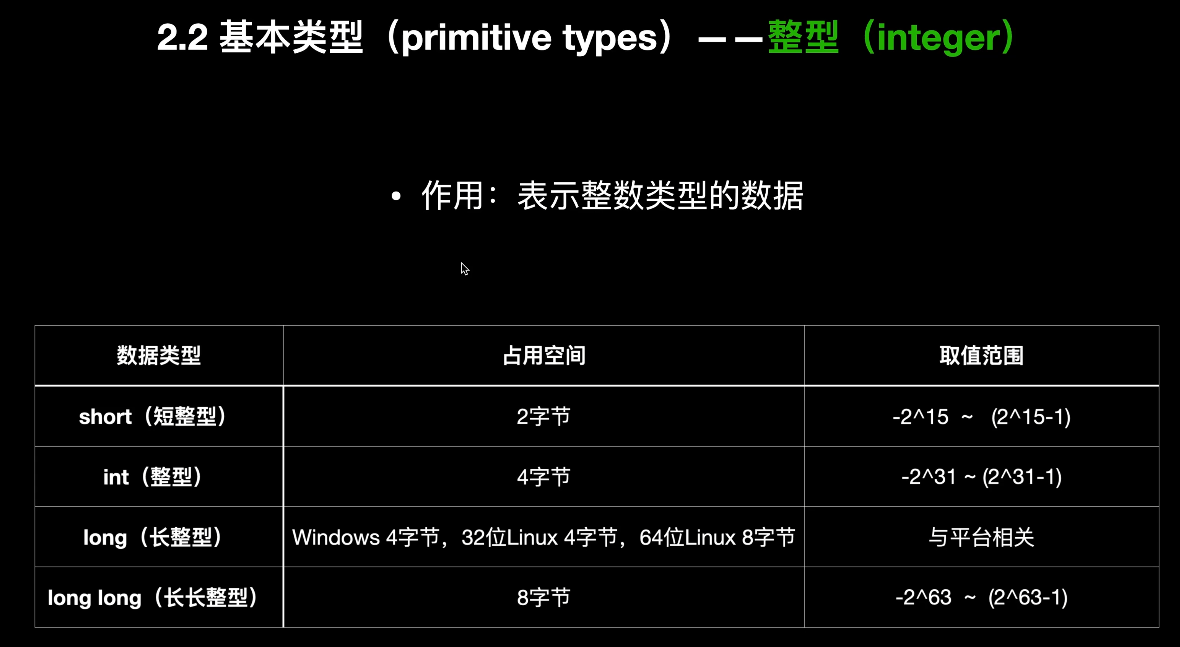
PPT列出了 short/int/long/long long 的典型范围,并说明大小与平台有关。
代码里重点演示了:
short overflow_num_1 = 32768;这说明:
-
=初始化可能允许溢出 -
{}初始化更严格,能在编译期发现问题
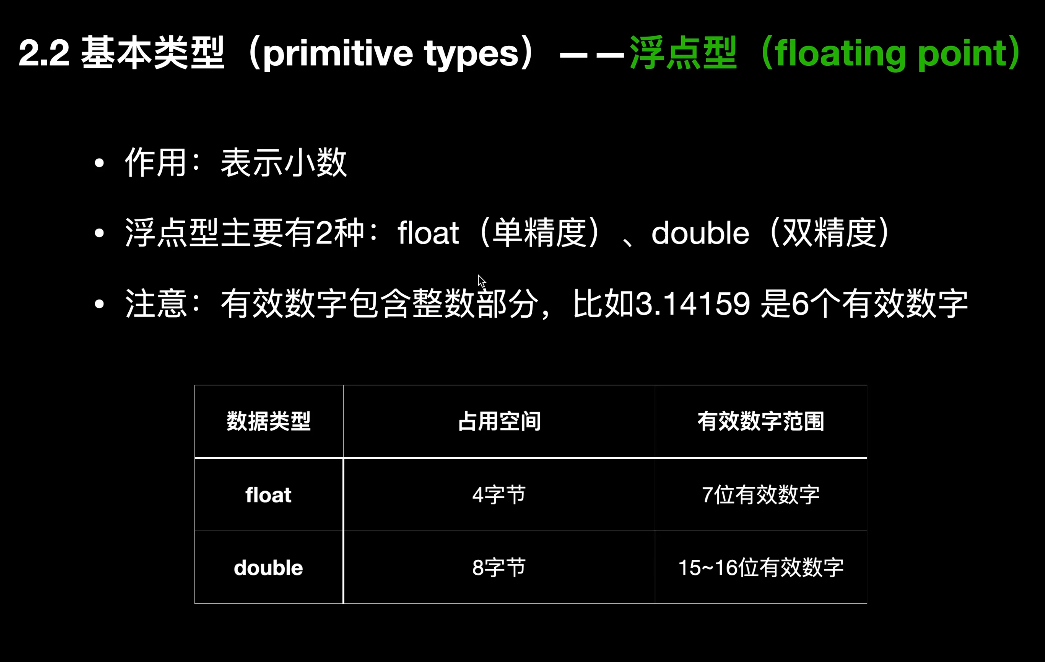
3)浮点类型
PPT说:
-
float单精度 -
double双精度 -
double精度更高。
代码对应:
float book_price {32.23f};
double pi {3.14149};
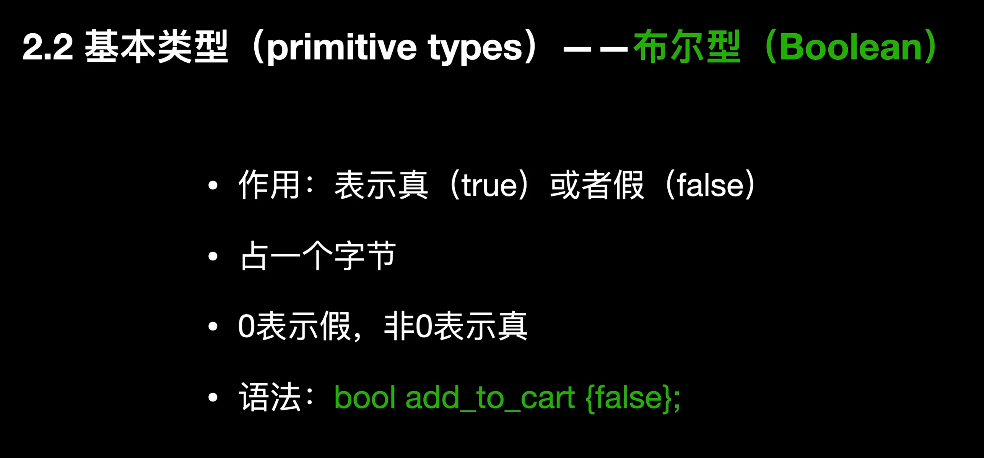
4)bool
PPT说:
-
只表示
true/false -
占 1 字节
-
0是假,非0为真。
代码对应:
bool add_to_cart {false};2.3 sizeof 和 climits
PPT这一页主要讲:
-
sizeof(type)查看类型大小 -
sizeof(变量)查看变量占多少字节 -
<climits>里可以查看整型最小值、最大值。
对应代码 6:sizeof_demo.cpp
文件:6.sizeof_demo.cpp。
#include <iostream>
#include <climits>

using namespace std;

int main()
{
cout << "char:" << sizeof(char) << " bytes." << endl;
cout << "short:" << sizeof(short) << " bytes." << endl;
cout << "int:" << sizeof(int) << " bytes." << endl;
cout << "long:" << sizeof(long) << " bytes." << endl;
cout << "long long:" << sizeof(long long) << " bytes." << endl;

cout << "float:" << sizeof(float) << " bytes." << endl;
cout << "double:" << sizeof(double) << " bytes." << endl;

cout << "char min:" << CHAR_MIN << ",char max:" << CHAR_MAX << endl;
cout << "short min:" << SHRT_MIN << ",short max:" << SHRT_MAX << endl;
cout << "int min:" << INT_MIN << ",int max:" << INT_MAX << endl;
cout << "long min:" << LONG_MIN << ",long max:" << LONG_MAX << endl;
cout << "long long min:" << LLONG_MIN << ",long long max:" << LLONG_MAX << endl;

int age {31};
cout << "age is " << sizeof(age) << " bytes" << endl;

double salary {22.34};
cout << "salary is " << sizeof(salary) << " bytes" << endl;

return 0;
}
复习结论
-
sizeof(int)看类型大小 -
sizeof(age)看变量大小 -
<climits>提供整型范围常量
2.4 常量(constant)
PPT说明:常量的作用是记录不可修改的数据,防止误改。并提到老写法 #define,以及更推荐的 const。
对应代码 7:const_demo.cpp
文件:7.const_demo.cpp。
#include <iostream>
using namespace std;

int main()
{
const double pi {3.14159}; // 常量
cout << "输入半径: ";
double radius {0};
cin >> radius;
cout << "圆的面积是: " << pi * radius * radius << endl;

return 0;
}
复习结论
-
常量一旦定义就不能再改
-
常量适合表示固定值,比如 π、月份数、上限下限
三、数组和容器
PPT这部分包括:数组 array 和 容器 vector。
3.1 数组(array)
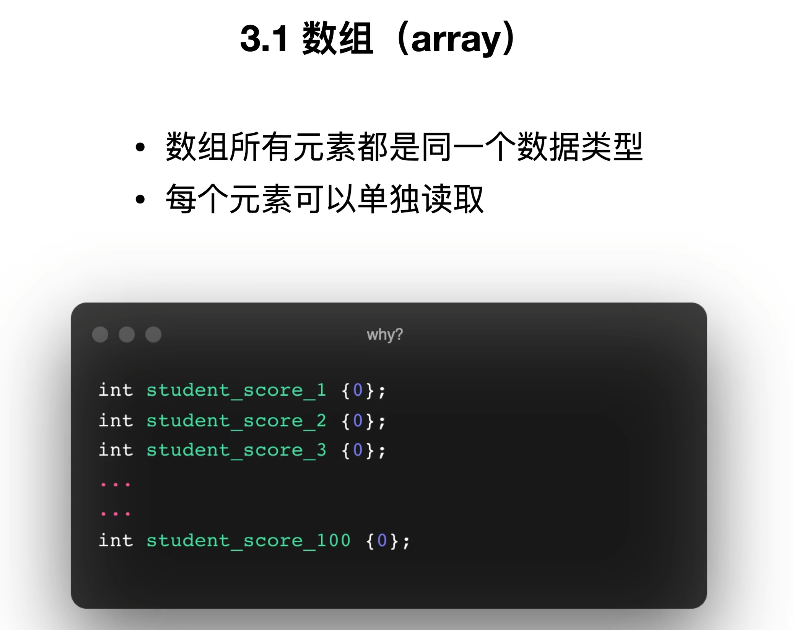
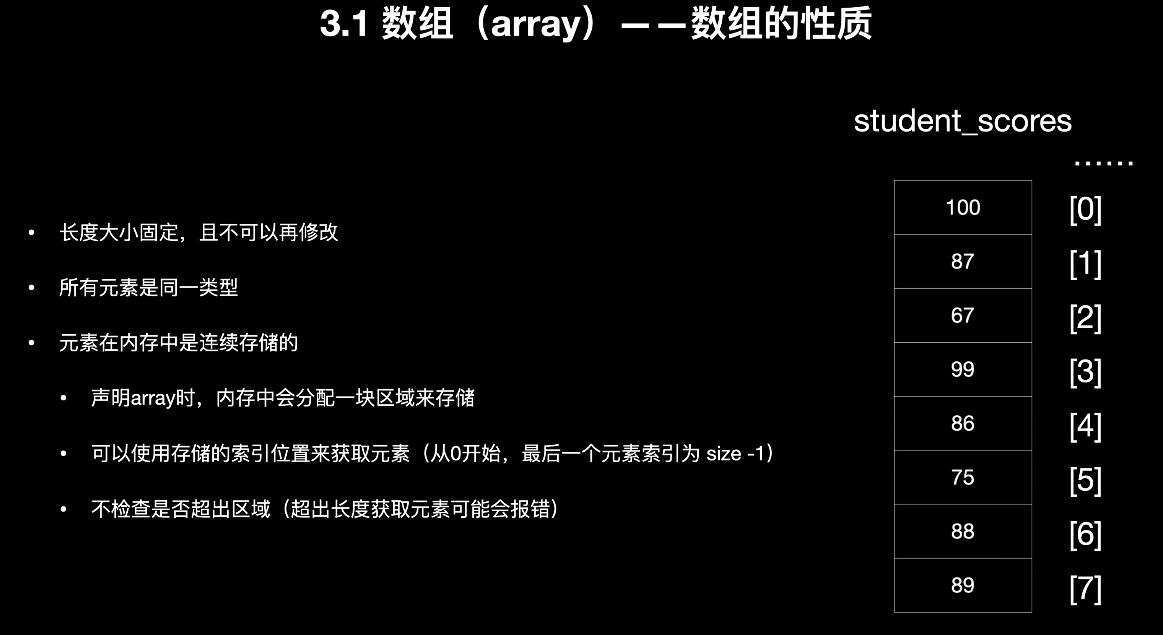
PPT强调:
-
所有元素类型相同
-
长度固定
-
内存连续
-
下标从 0 开始
-
不做越界检查,越界可能出错。
1. 数组声明
PPT给出的格式:
elementType array_name[size];例如:
int student_scores[100];2. 数组初始化
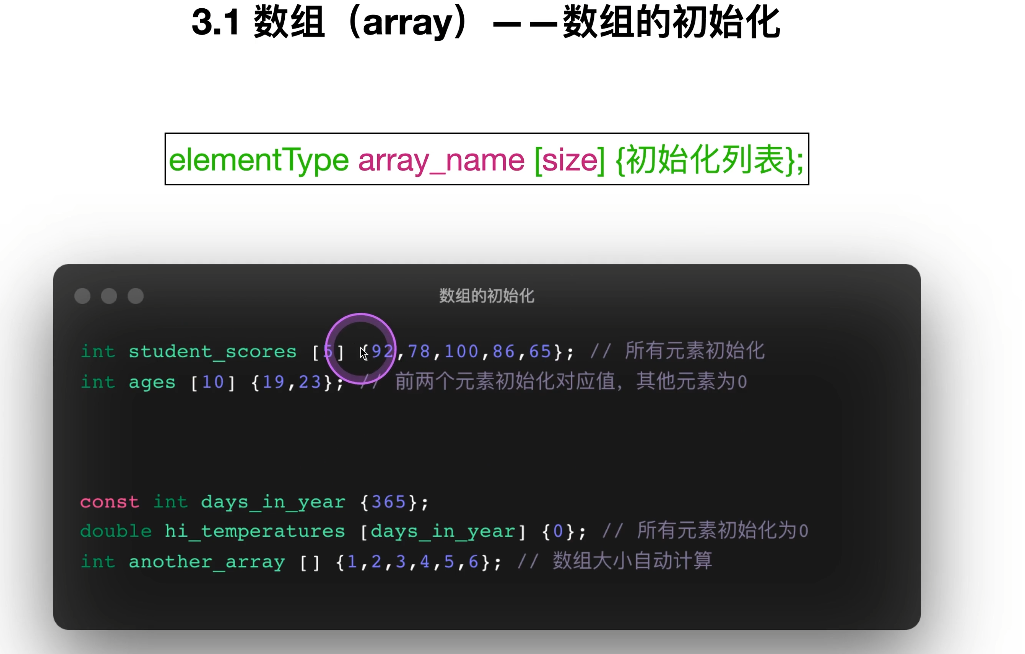
PPT示例:
int student_scores[5] {92,78,100,86,65};
int ages[10] {19,23};
double hi_temperatures[days_in_year] {0};
int another_array[] {1,2,3,4,5,6};
表示:
-
可以全部初始化
-
可以部分初始化,其余自动补 0
-
可以让编译器自动推导数组大小。
3. 数组元素获取和修改
PPT示例强调用下标访问:
array_name[index]并可更新:
student_scores[2] = 97;对应代码 8:array_demo.cpp
文件:8.array_demo.cpp。
重点代码:
char vowels[] {'a', 'e', 'i', 'o', 'u'};
cout << vowels[0] << endl;
cout << vowels[4] << endl;

double hi_temps[] {90.1, 89.8, 77.5, 81.6};
hi_temps[0] = 100.7;
cout << hi_temps[5] << endl; // 越界访问


int student_scores [5] {};
cin >> student_scores[0];
cin >> student_scores[1];
cin >> student_scores[2];
cin >> student_scores[3];
cin >> student_scores[4];


int movie_ratings [3][4] {
{0, 4, 3, 5},
{2, 3, 3, 5},
{1, 4, 4, 5}
};
这里对应的知识点
-
一维数组
-
越界风险
-
全 0 初始化:
int arr[5] {}; -
二维数组
复习结论
-
数组适合元素个数固定的场景
-
优点:简单、快
-
缺点:大小固定,越界不安全
3.2 容器(vector)
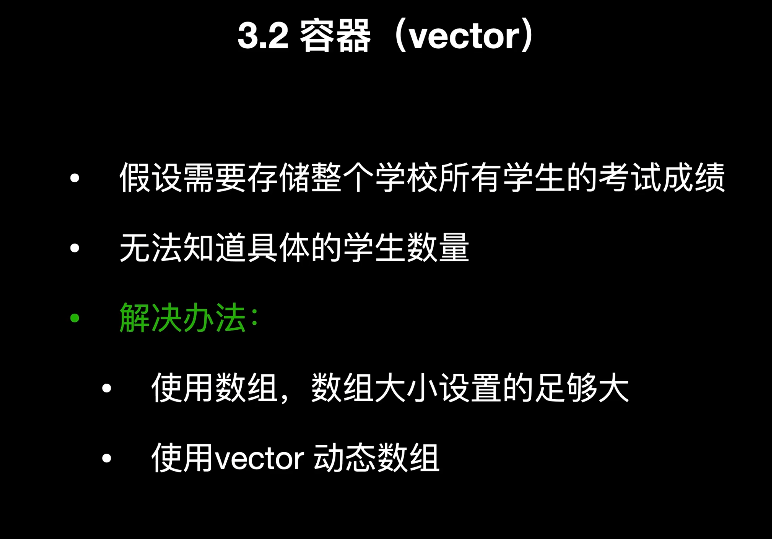
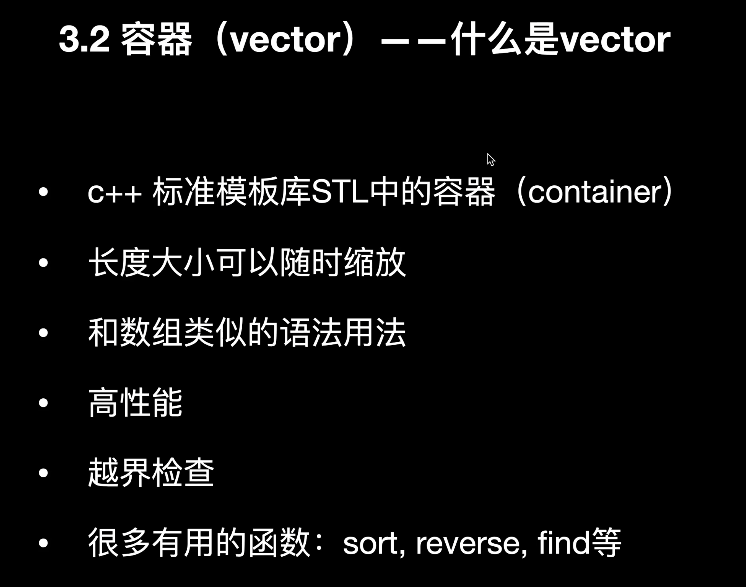
PPT中说 vector 是 STL 中的容器,特点是:
-
动态调整大小
-
元素类型相同
-
内存连续
-
用法类似数组
-
有越界检查函数
-
功能更强。
1. vector 声明
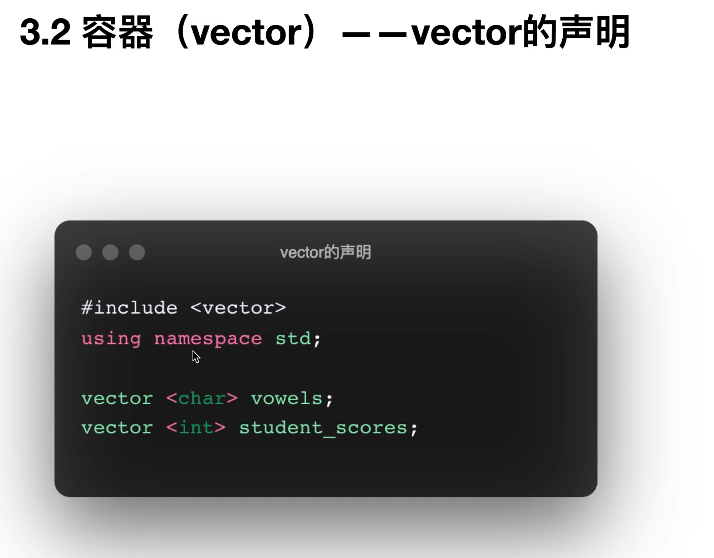
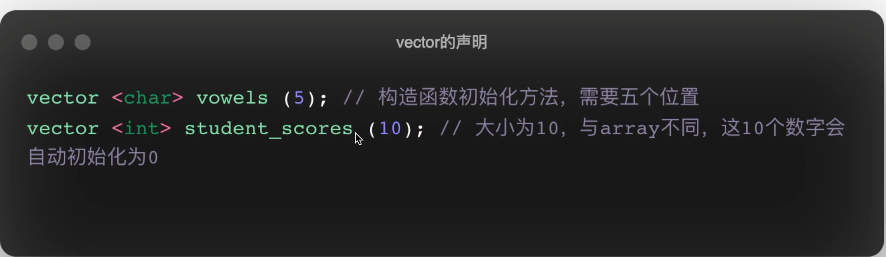
PPT示例:
vector<char> vowels;
vector<int> student_scores;
vector<char> vowels(5);//构造函数初始化方法,需要五个位置
vector<int> student_scores(10);//大小为10,与arrry不同 这10个数字会自动初始化为0
2. vector 初始化
PPT示例:
vector<char> vowels {'a','e','i','o','u'};//vowels会被初始化为这五个字母
vector<int> student_scores {100,99,98,97,96};
vector<double> hi_temperatures(365, 37.0);//这365个数都会被初始化为37.0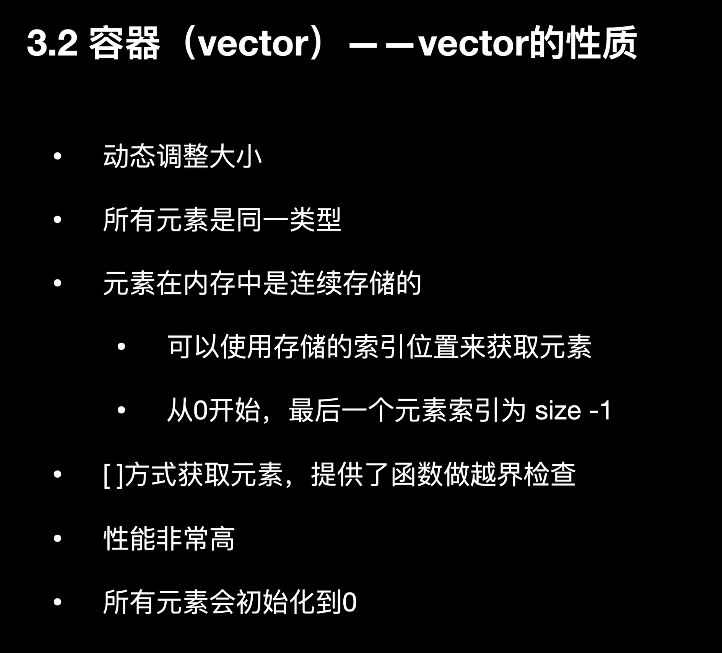
3. 获取元素
PPT展示了两种方式:
student_scores[0]
student_scores.at(0)
其中 at() 更安全,因为会做越界检查。
4. 追加元素
PPT展示:
student_scores.push_back(80);
student_scores.push_back(90);
用于在末尾新增元素。
对应代码 9:vector_demo.cpp
文件:9.vector_demo.cpp。
核心内容如下:
vector <char> vowels {'a', 'e', 'i', 'o', 'u'};
cout << vowels[0] << endl;
cout << vowels[4] << endl;


vector <int> student_scores {100, 99, 98};
cout << student_scores[0] << endl;
cout << student_scores.at(0) << endl;
cout << student_scores.size() << endl;


cin >> student_scores.at(0);
cin >> student_scores.at(1);
cin >> student_scores.at(2);


student_scores.push_back(new_add_score);
student_scores.push_back(new_add_score);


vector <vector<int>> vector_2d
{
{1,2,3},
{4,5,6},
{7,8,9}
};
复习结论
-
vector比数组更灵活 -
[]用起来像数组 -
at()更安全 -
size()看长度 -
push_back()追加元素 -
可以定义二维 vector
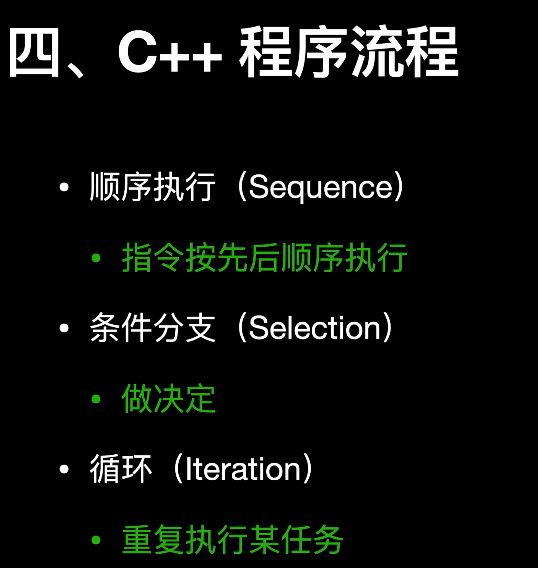
四、程序流程
PPT把程序流程分成三类:
-
顺序执行
-
条件分支
-
循环。
4.1 if
对应代码 10:if_demo.cpp
文件:10.if_demo.cpp。
int input_num {0};
const int lower_limit {10};
const int upper_limit {100};

if(input_num >= lower_limit){ ... }
if(input_num <= upper_limit){ ... }
if(input_num >= lower_limit && input_num <= upper_limit){ ... }
if(input_num == lower_limit || input_num == upper_limit){ ... }
这段代码练习了
-
单独
if -
关系运算符:
>= <= == -
逻辑与:
&& -
逻辑或:
||
复习结论
-
if适合单条件判断 -
多个
if是彼此独立的
4.2 if else
对应代码 11:if_else_demo.cpp
文件:11.if_else_demo.cpp。
if (input_num <= target_num){
cout << input_num << "小于等于" << target_num << endl;
}else{
cout << input_num << "大于" << target_num << endl;
}
复习结论
-
if else适合二选一分支 -
两个分支只会执行一个
4.3 switch
对应代码 12:switch_demo.cpp
文件:12.switch_demo.cpp。
switch (letter_grade){
case 'a':
case 'A':
cout << "优秀" << endl;
break;
case 'b':
case 'B':
cout << "良好" << endl;
break;
...
default:
cout << "输入错误" << endl;
}
这里要注意
-
switch适合多分支 -
case后一般要加break -
default是兜底分支
对应代码 13:switch_enum.cpp
文件:13.switch_enum.cpp。
enum Traffic_light {red, yellow, green};
Traffic_light light_color {yellow};

switch (light_color){
case red:
cout << "红灯" << endl;
break;
case yellow:
cout << "黄灯" << endl;
break;
default:
cout << "ok" << endl;
}
复习结论
-
switch不仅能和字符、整数配合,也能和枚举配合 -
枚举让程序语义更清晰
4.4 for 循环
PPT中提到循环包括 for、while、do-while,你的代码主要练了 for 和 do-while。
对应代码 14:for_demo.cpp
文件:14.for_demo.cpp。
核心示例:
for (int i {1}, j {5}; i <= 5; ++i, ++j)
cout << i << " * "<< j << " = " << (i * j) << endl;


vector <int> nums {1,2,3,4,5,6,7,8,9,10};
for (unsigned i {0}; i < nums.size(); ++i)
cout << nums[i] << endl;
学到的点
-
for(初始化; 条件; 变化) -
可以同时控制多个变量
-
可以用下标遍历容器
4.5 范围 for(for-each / auto)
对应代码 15:for_auto_demo.cpp
文件:15.for_auto_demo.cpp。
里面展示了几种范围 for 的用法:
for (auto score: student_scores)
cout << score << endl;


for (auto temp: temps)
temp_total += temp;


for (auto i: {1,2,3,4,5,6,7,8,9,10})
cout << i << endl;


for (auto c: "This is a test")
cout << c;
复习结论
-
auto让编译器自动推导类型 -
范围 for 更适合“逐个遍历元素”
-
常用来遍历数组、vector、string
4.6 do while
对应代码 16:do_while_demo.cpp
文件:16.do_while_demo.cpp。
do {
cout << "\n 菜单:" << endl;
...
cin >> input_char;

switch (input_char)
{
case '1':
cout << "Hello World" << endl;
break;
...
}

} while (input_char != 'q' && input_char != 'Q');
复习结论
-
do while至少会执行一次 -
适合菜单、反复输入等场景
五、字符和字符串
PPT最后一章讲了:
-
C 风格字符串
-
C++ 风格字符串
std::string。
5.1 C 风格字符串(C-style string)
本质上是 字符数组,以 '\0' 结尾,常配合 <cstring> 使用。
对应代码 17:cstr_demo.cpp
文件:17.cstr_demo.cpp。
核心内容:
char first_name [20] {};
char last_name [20] {};
char full_name [50] {};
char temp [50] {};
1)读取字符串
cin.getline(full_name, 50);比 cin >> full_name 更适合读带空格的一整行。
2)求长度
strlen(first_name)3)拷贝与拼接
strcpy(full_name, first_name);
strcat(full_name, " ");
strcat(full_name, last_name);
4)比较
strcmp(temp, full_name)5)字符处理
if (isalpha(full_name[i])){
full_name[i] = toupper(full_name[i]);
}else{
full_name[i] = '*';
}
复习结论
-
C 风格字符串操作偏底层
-
需要自己管理数组大小
-
容易越界,使用时要小心
5.2 C++ 风格字符串 std::string
PPT说明:
-
std::string是 STL 的类 -
用前要
#include <string> -
动态大小
-
更安全
-
能和 C 风格字符串相互转换。
对应代码 18:cpp_string_demo.cpp
文件:18.cpp_string_demo.cpp。
里面虽然很多内容被注释了,但正好都是学习重点。
1)声明和初始化
string s1;
string s2 {"hello"};
string s3 {s2};
string s4 {s3, 0, 4};
string s5 {"hello", 3};
string s6 (5, 'x');
2)赋值
s1 = "C++ hello world";
s2 = s1;
3)拼接
sentence = part1 + " " + part2 + "语言";4)取字符、改字符
cout << s1[1] << endl;
cout << s1.at(2) << endl;

s1[1] = 'a';
s1.at(2) = 'X';
5)遍历
for(auto c: s1){
cout << c << endl;
}
6)ASCII 现象
for(int c: s1){
cout << c << endl;
}
如果遍历时用 int,输出的是字符对应的编码值。
复习结论
-
string比字符数组更推荐 -
支持赋值、拼接、取值、修改、遍历
-
[]和at()都能取字符,at()更安全
最后给你一份总复习提纲
这节课必须掌握的知识点
程序结构
-
#include -
注释
-
main() -
namespace std
变量和常量
-
变量声明
-
变量初始化
-
基本数据类型
-
sizeof -
climits -
const
数组和容器
-
数组声明、初始化、访问、修改
-
二维数组
-
vector 声明、初始化、访问、
size()、push_back() -
二维 vector
程序流程
-
if -
if else -
switch -
for -
范围
for -
do while
字符串
-
C 风格字符串:
strlen/strcpy/strcat/strcmp -
C++ 字符串:
string -
字符访问、修改、遍历、拼接
建议你这样复习
第一遍先只背“概念和语法格式”,第二遍对着每个 .cpp 文件手敲一遍,第三遍重点记下面这些最容易考、最容易写错的地方:
-
变量要先声明再使用
-
局部变量不初始化值不确定
-
char用单引号,string用双引号 -
{}初始化比=更安全 -
数组越界不会自动报错
-
vector.at()比[]安全 -
switch记得写break -
do while至少执行一次 -
cin >>读字符串遇到空格会截断,getline才能读整行
如果你愿意,我下一步可以把这份内容继续整理成一份 更漂亮的 Markdown 版笔记,或者直接帮你排版成 可打印的复习文档。
变量的类型和名称
、

AtomGit 是由开放原子开源基金会联合 CSDN 等生态伙伴共同推出的新一代开源与人工智能协作平台。平台坚持“开放、中立、公益”的理念,把代码托管、模型共享、数据集托管、智能体开发体验和算力服务整合在一起,为开发者提供从开发、训练到部署的一站式体验。
更多推荐

 13
13 0
0- 0


 已为社区贡献3条内容

所有评论(0)