基于YOLOv8深度学习的蘑菇毒性检测系统(YOLOv8+YOLO数据集+UI界面+Python项目源码+模型)
一、项目介绍
摘要
随着人们对于野生菌菇膳食兴趣的增加以及户外采摘活动的普及,误食有毒蘑菇的事件频发,对公众健康构成了严重威胁。传统的蘑菇种类鉴别高度依赖专家的形态学经验,普通爱好者难以准确掌握,且现有识别应用在应对复杂背景和相似品种时准确性有限。针对这一现状,本项目提出并实现了一种基于YOLOv8深度学习算法的蘑菇毒性检测系统。
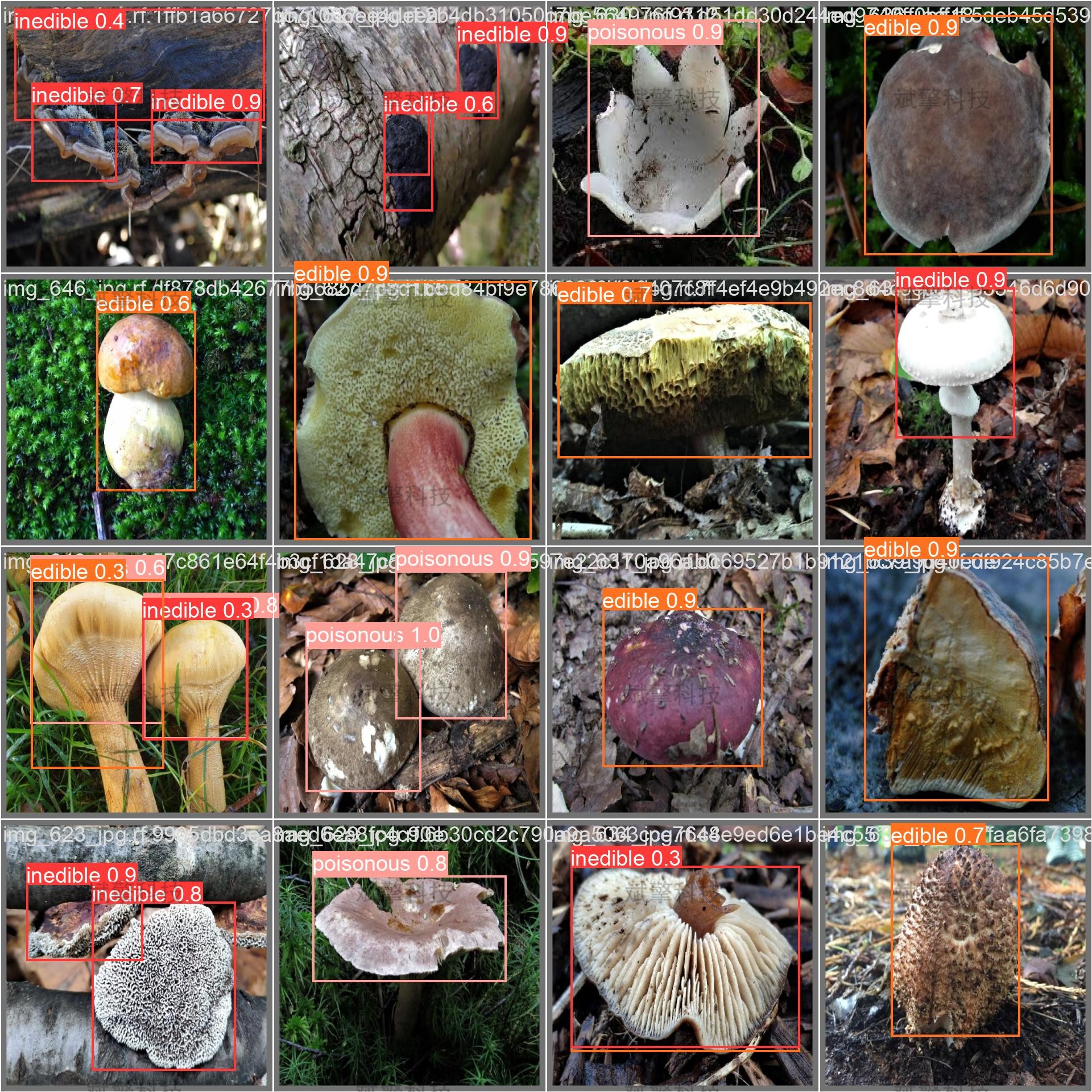
该系统旨在通过计算机视觉技术,实现对蘑菇图像的实时、准确分类与毒性预警。系统主要功能涵盖图片检测、视频文件检测以及实时摄像头检测,能够将蘑菇划分为可食用(edible)、有毒(poisonous)和不可食用(inedible)三个类别。实验结果表明,该模型在测试集上具有良好的识别精度与鲁棒性,能够为用户提供便捷的野外辅助鉴别手段,具有一定的社会应用价值与科普意义。
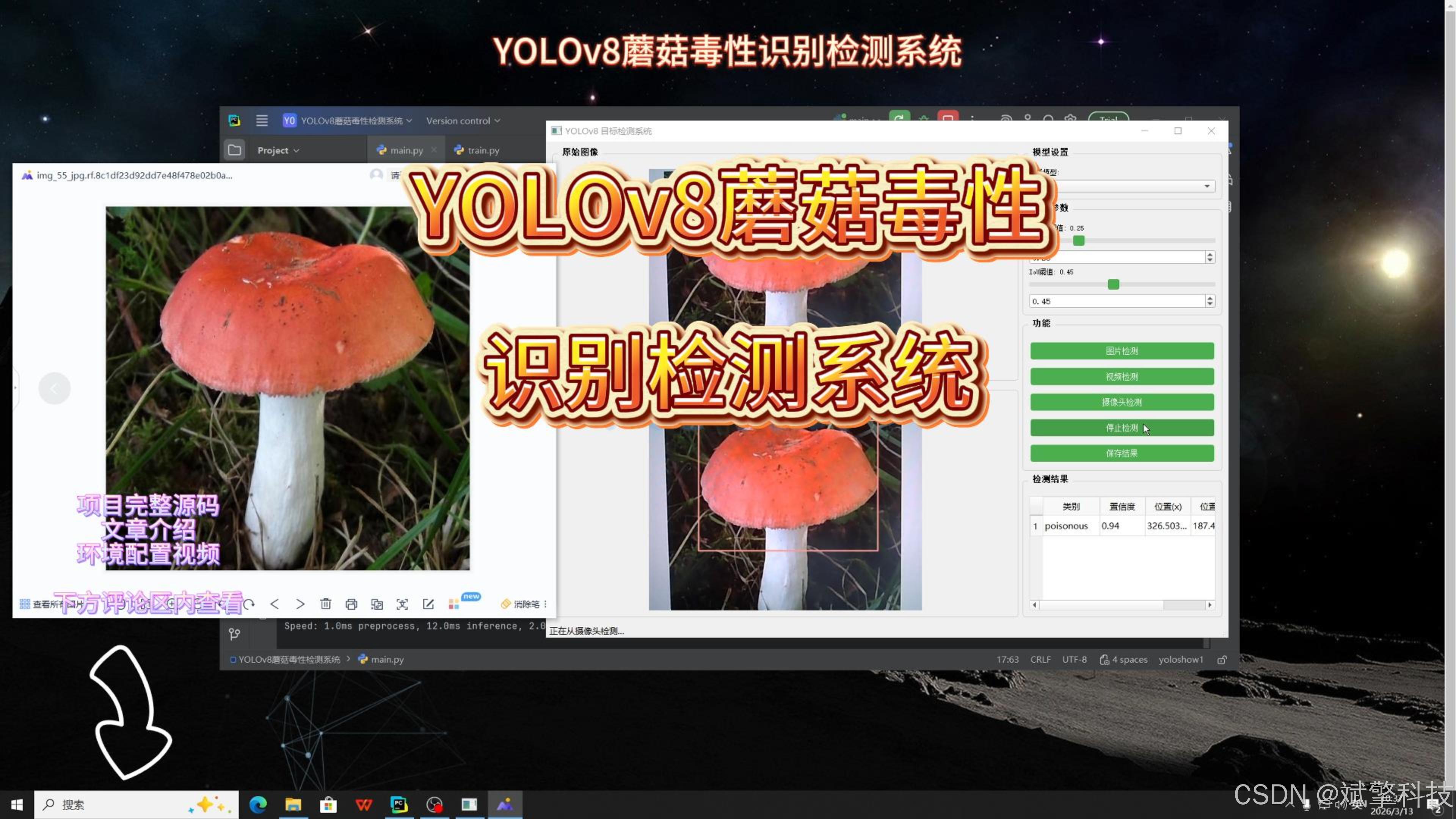
本项目开发了一款基于YOLOv8目标检测算法的蘑菇毒性智能识别系统。针对野生蘑菇识别难度大、误食风险高的问题,该系统利用深度学习技术,为用户提供了一种直观、高效的蘑菇毒性快速检测解决方案。
演示视频:
【免费获取模型】YOLOv8蘑菇毒性检测系统(YOLOv8+YOLO数据集+UI界面+Python项目源码+模型)_哔哩哔哩_bilibili
【免费获取模型】YOLOv8蘑菇毒性检测系统(YOLOv8+YOLO数据集+UI界面+Python项目源码+模型)_哔哩哔哩_bilibili https://www.bilibili.com/video/BV1AmSSBME2s?spm_id_from=333.788.videopod.sections&vd_source=549d0b4e2b8999929a61a037fcce3b0fhttps://www.bilibili.com/video/BV1AmSSBME2s
目录
二、项目功能展示
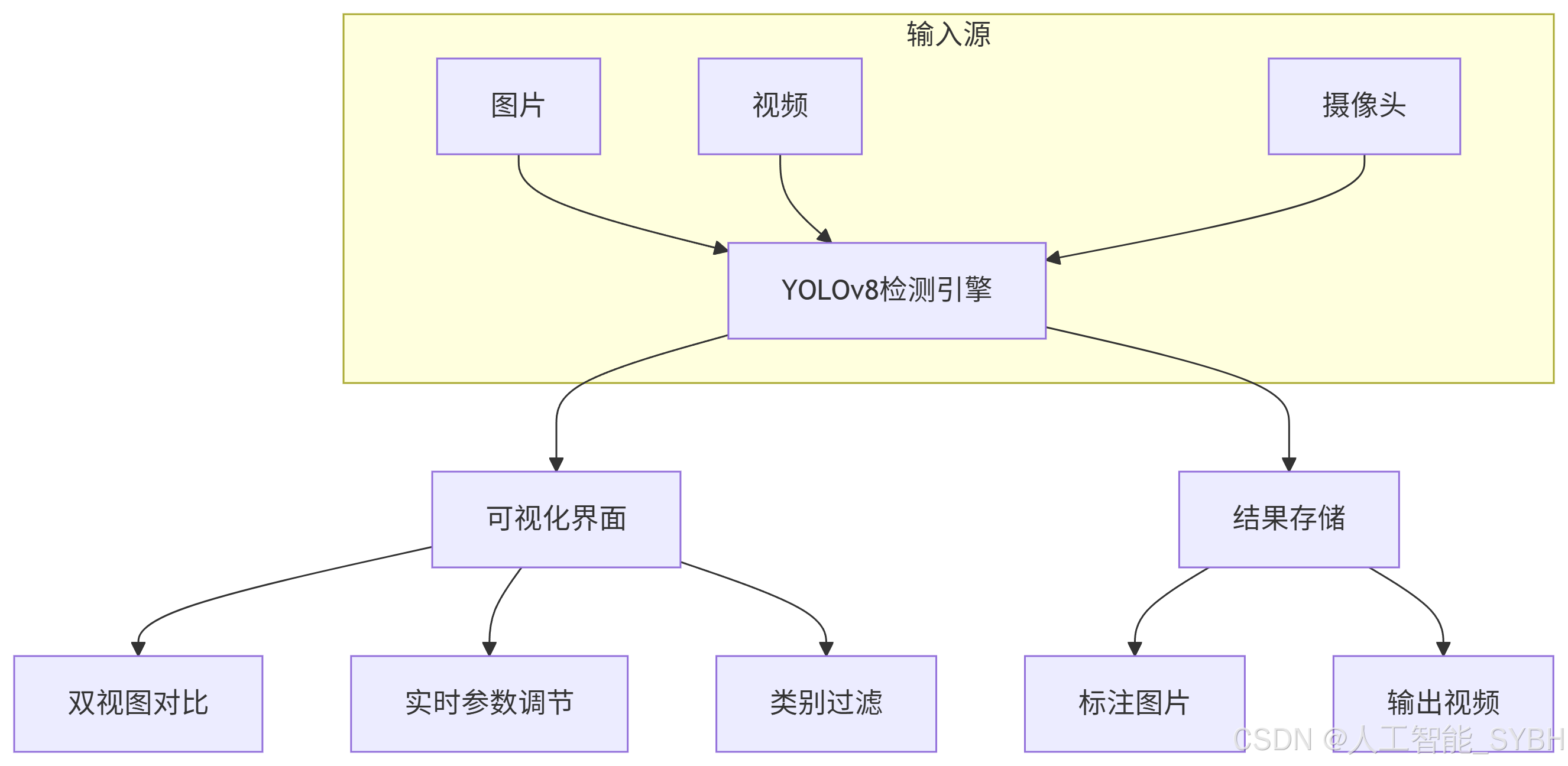
系统功能
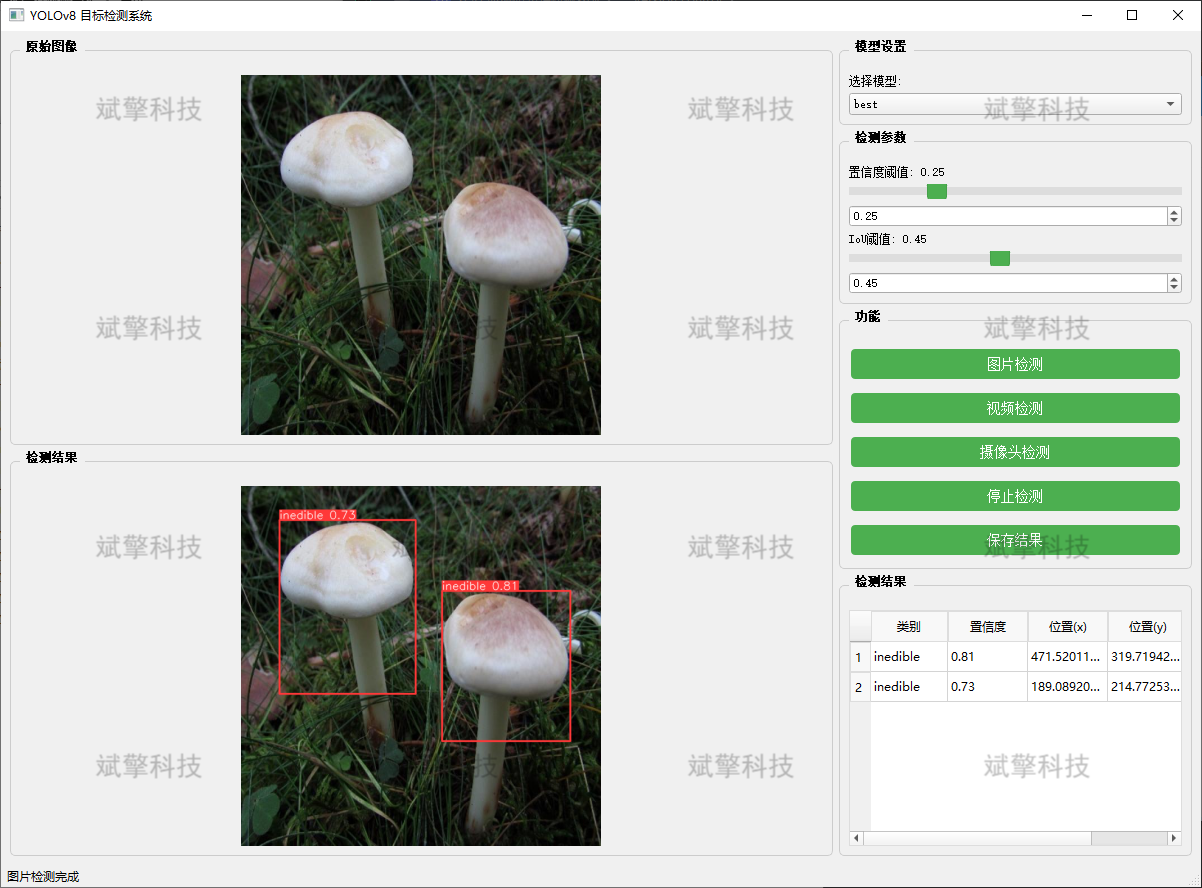
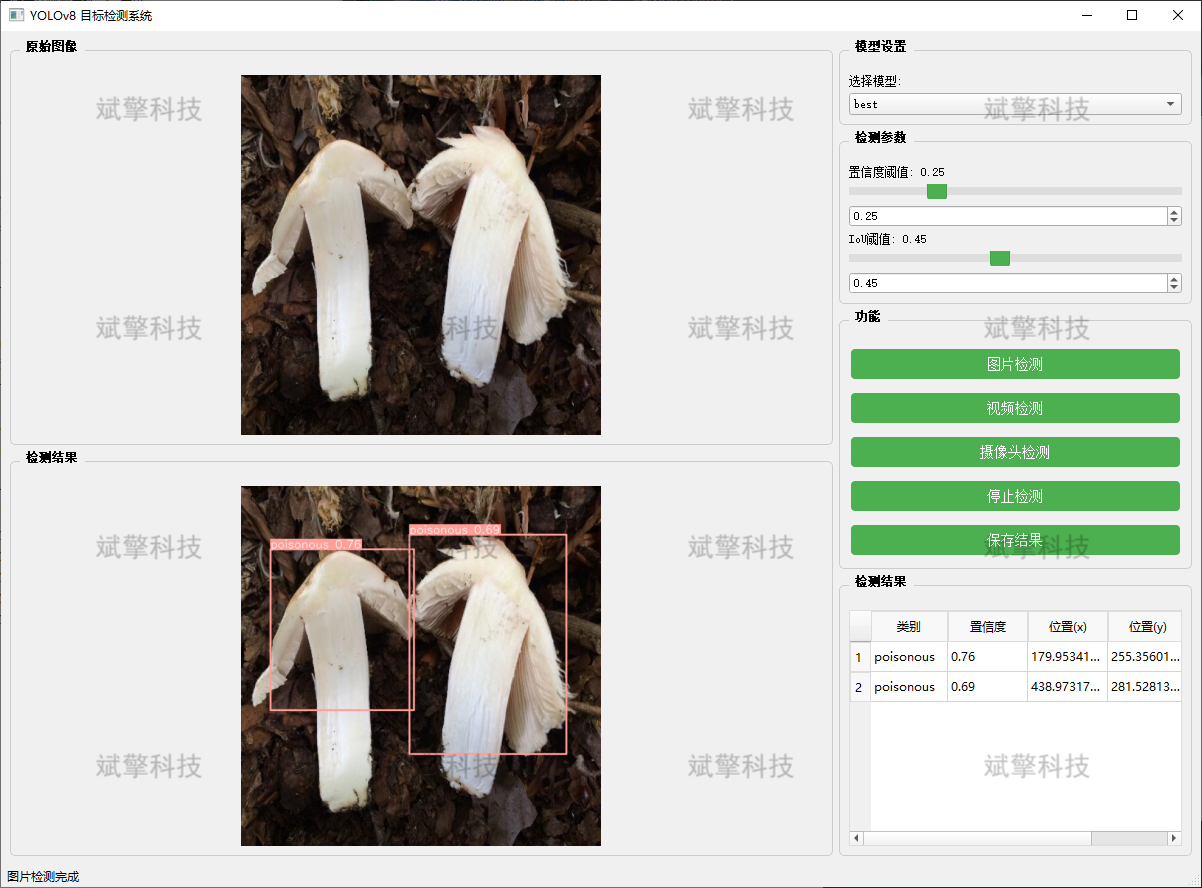
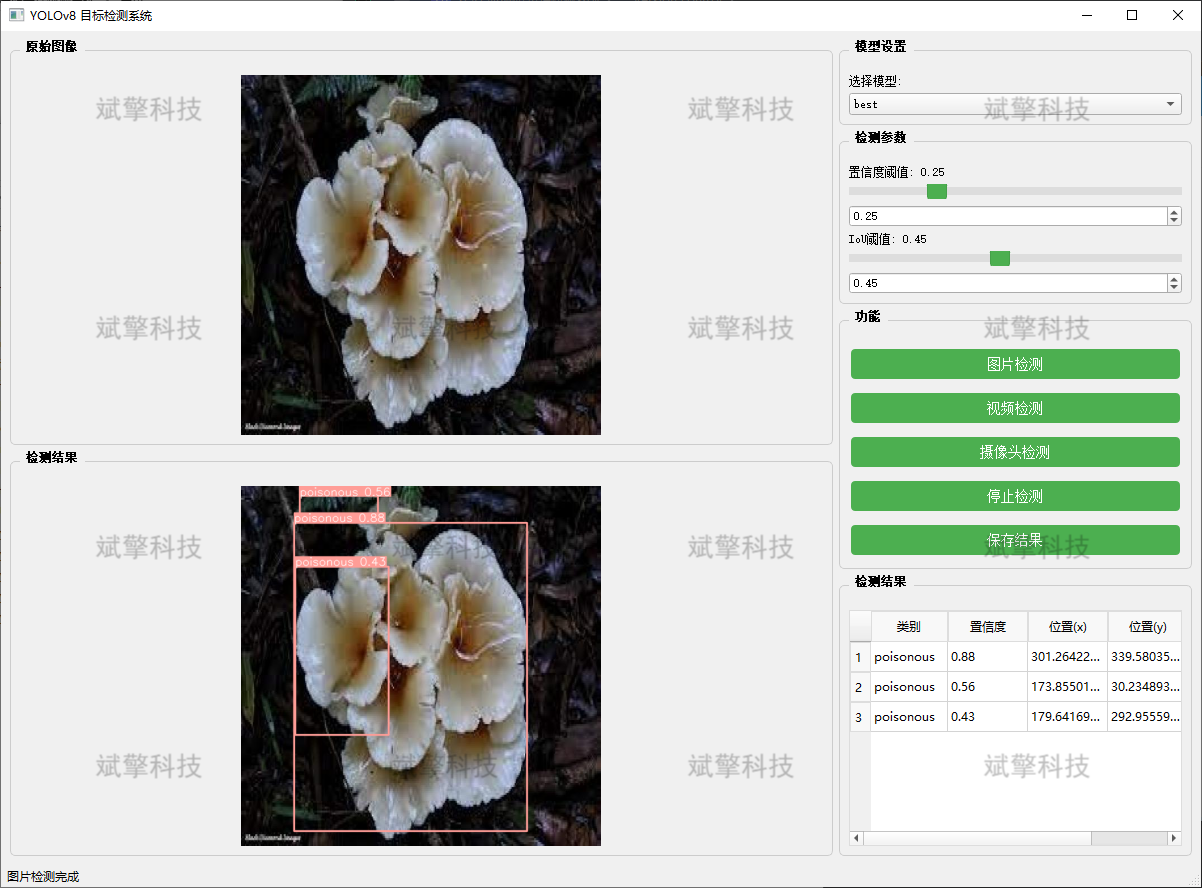
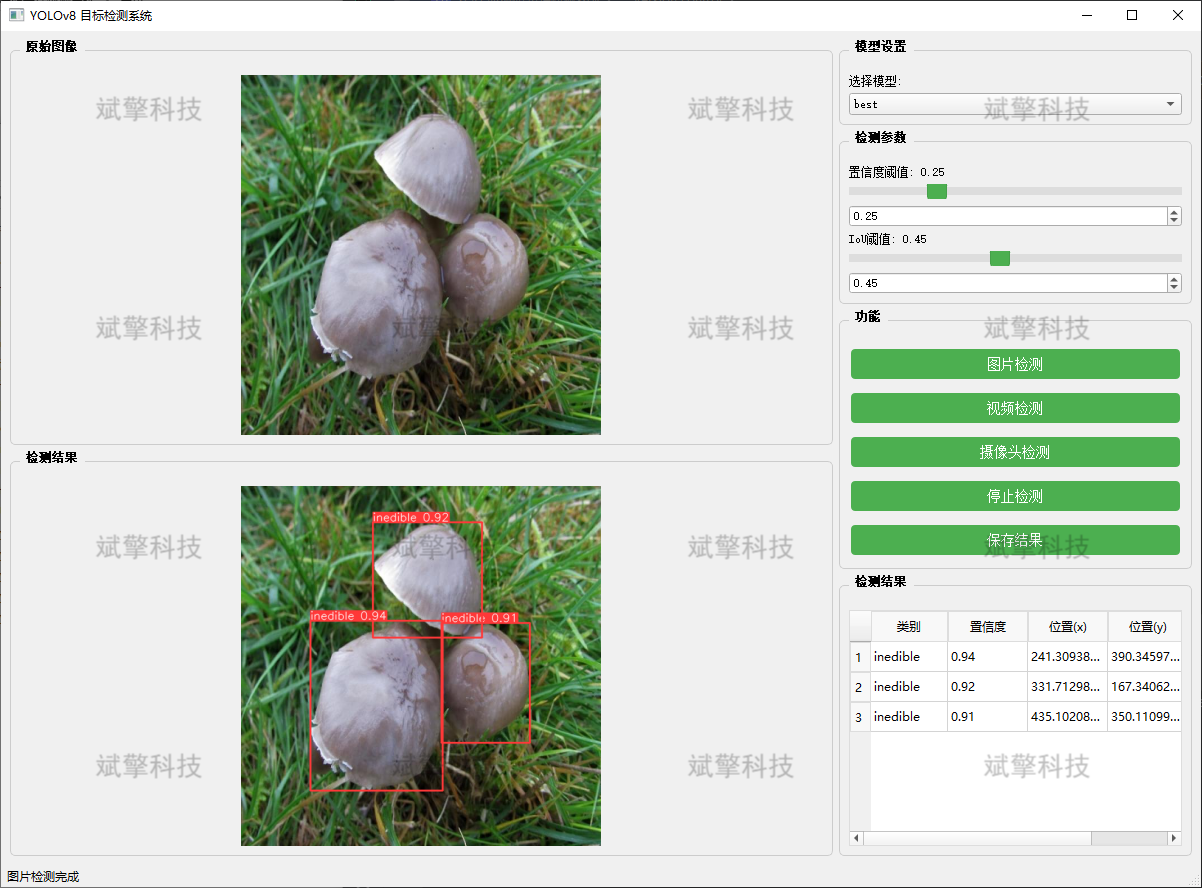
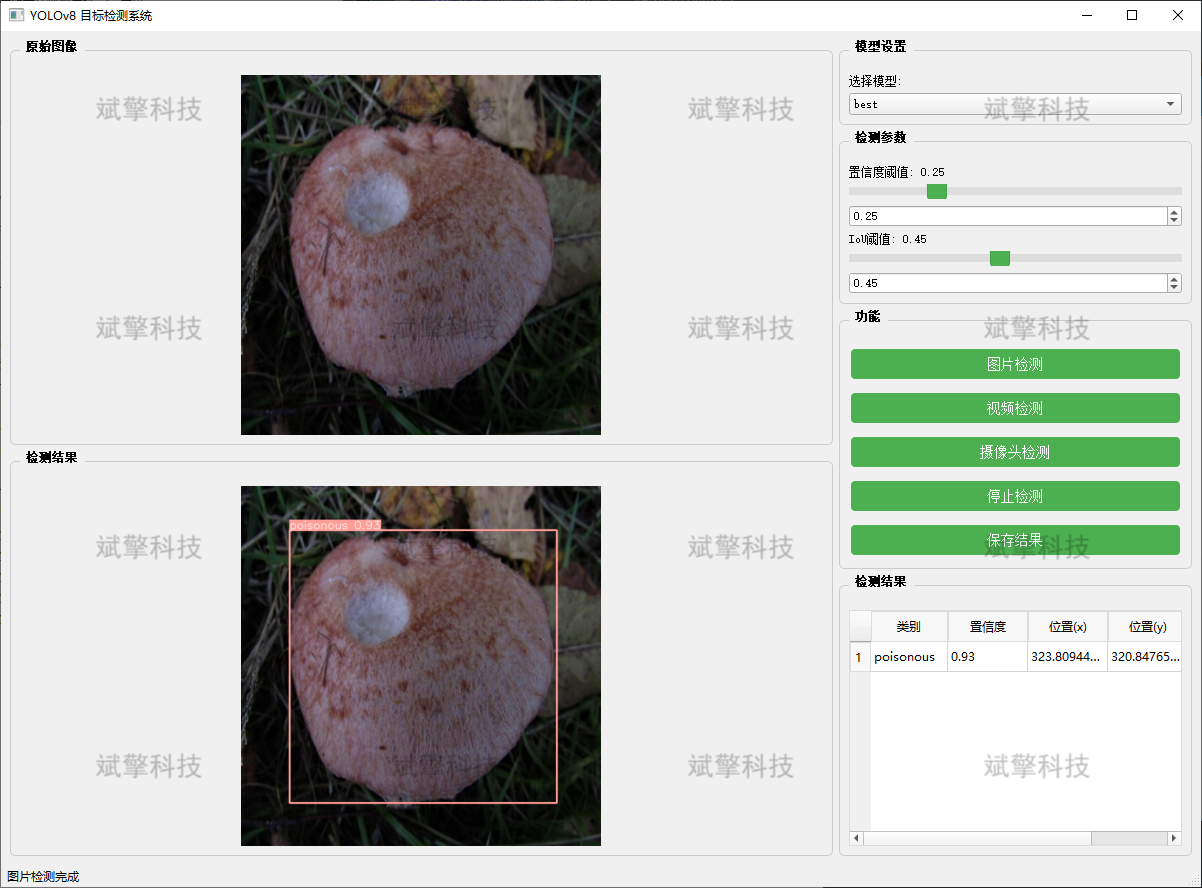
✅ 图片检测:可对图片进行检测,返回检测框及类别信息。
✅ 视频检测:支持视频文件输入,检测视频中每一帧的情况。
✅ 摄像头实时检测:连接USB 摄像头,实现实时监测。
✅参数实时调节(置信度和IoU阈值)
-
图片检测
该功能允许用户通过单张图片进行目标检测。输入一张图片后,YOLO模型会实时分析图像,识别出其中的目标,并在图像中框出检测到的目标,输出带有目标框的图像。
-
视频检测
视频检测功能允许用户将视频文件作为输入。YOLO模型将逐帧分析视频,并在每一帧中标记出检测到的目标。最终结果可以是带有目标框的视频文件或实时展示,适用于视频监控和分析等场景。
-
摄像头实时检测
该功能支持通过连接摄像头进行实时目标检测。YOLO模型能够在摄像头拍摄的实时视频流中进行目标检测,实时识别并显示检测结果。此功能非常适用于安防监控、无人驾驶、智能交通等应用,提供即时反馈。
核心特点:
- 高精度:基于YOLO模型,提供精确的目标检测能力,适用于不同类型的图像和视频。
- 实时性:特别优化的算法使得实时目标检测成为可能,无论是在视频还是摄像头实时检测中,响应速度都非常快。
- 批量处理:支持高效的批量图像和视频处理,适合大规模数据分析。
三、数据集介绍
数据集概述
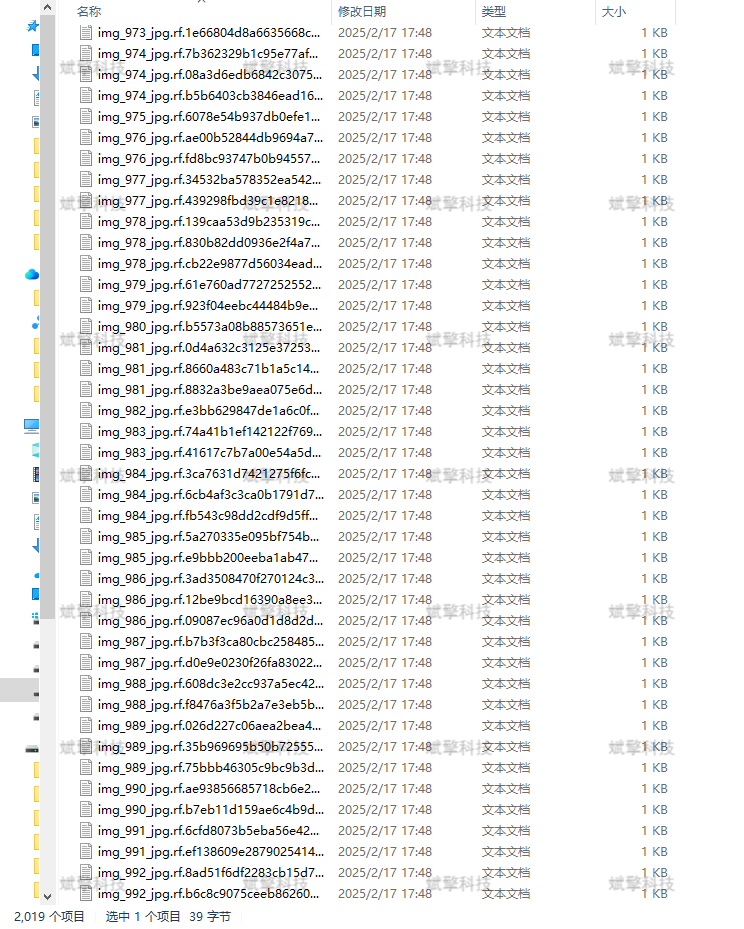
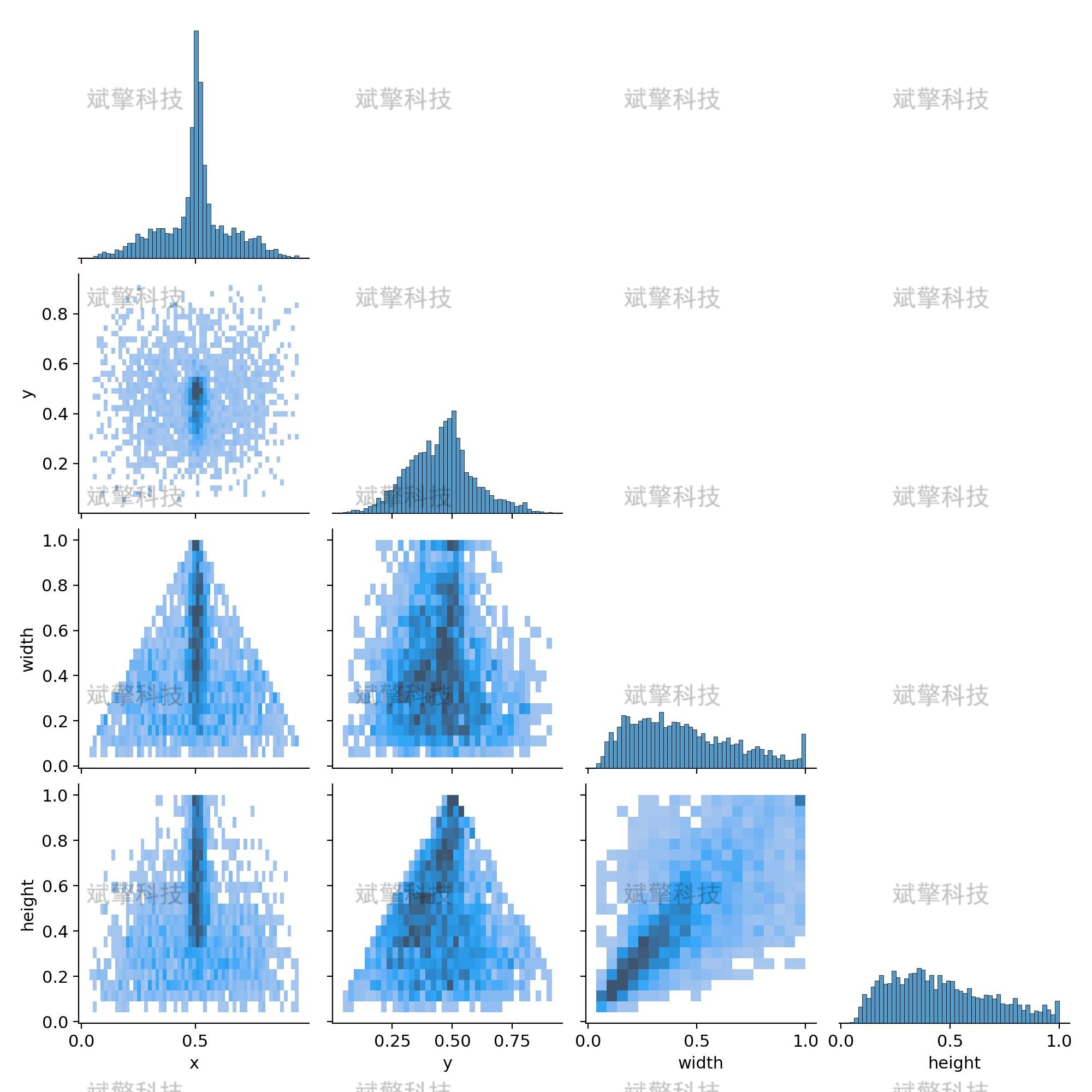
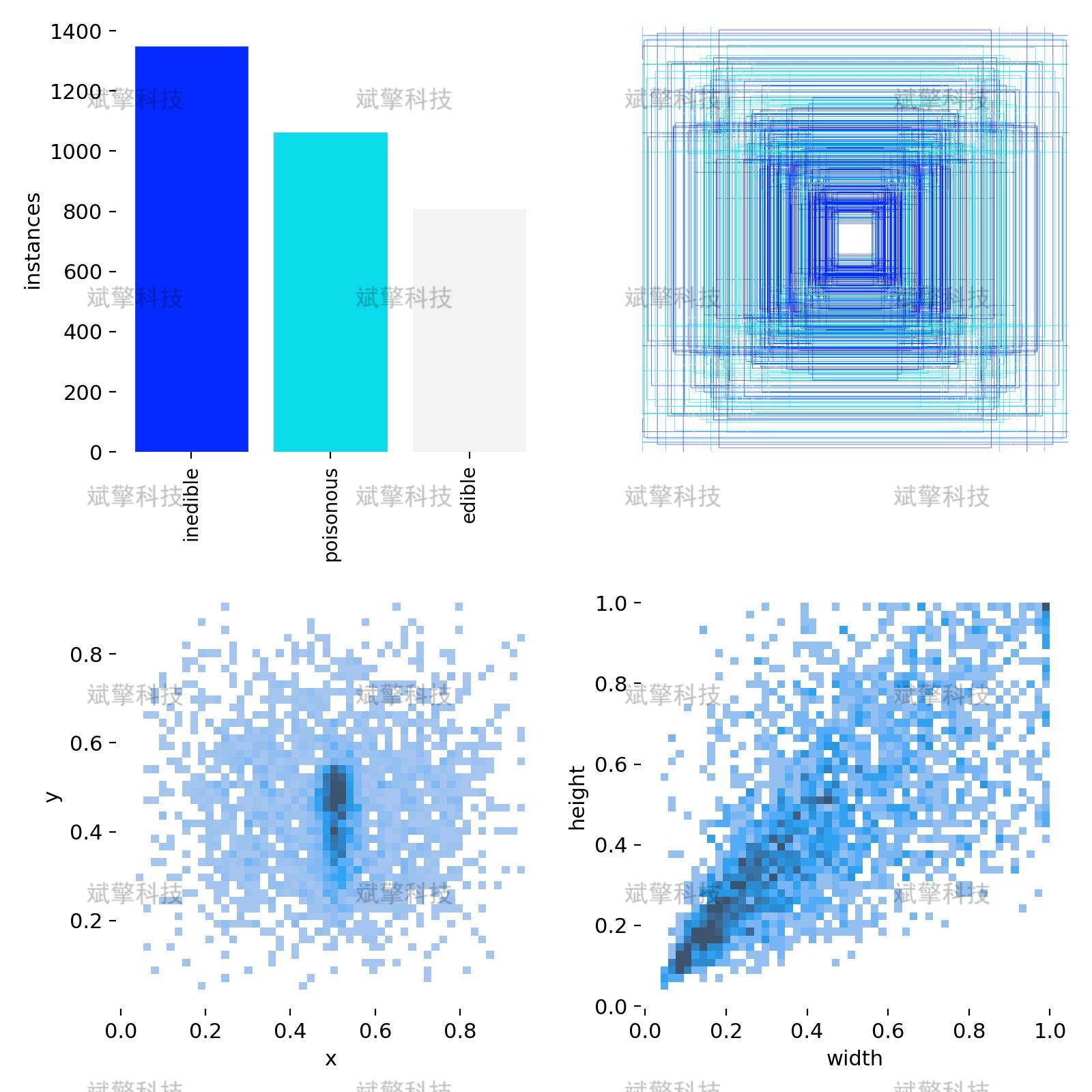
本系统所采用的模型是基于一个精心构建和标注的蘑菇图像数据集进行训练的。数据集的构建充分考虑了实际应用场景中的多样性,以确保模型的泛化能力和鲁棒性。
-
训练集: 共 2019张 图像
-
验证集: 共 576张 图像
-
测试集: 共 288张 图像
标签:
-
edible (可食用): 经确认无毒、适合人类食用的蘑菇。
-
poisonous (有毒): 含有毒素、误食会对人体健康造成损害的蘑菇。
-
inedible (不可食用): 虽无剧毒,但因味道差、质地坚硬或易致过敏而不适合食用的蘑菇,同样起到警示作用
数据集配置文件
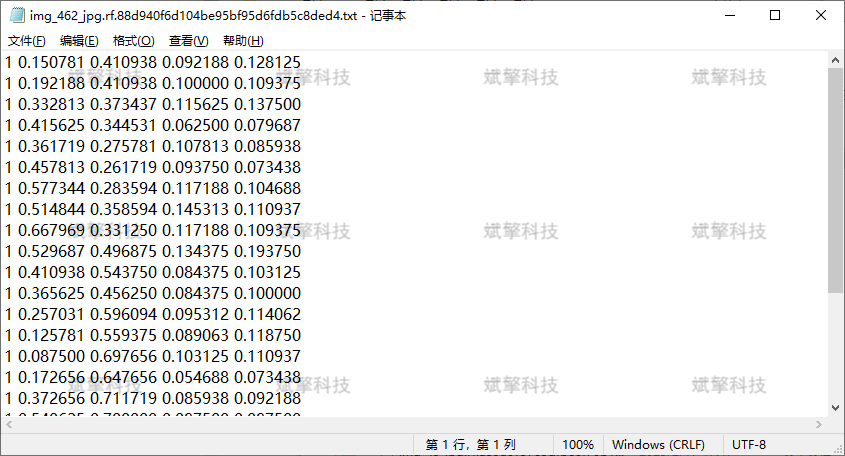
数据集采用YOLO格式的配置文件,主要包含以下内容:
names:
- inedible
- poisonous
- edible
nc: 3
四、项目环境配置
创建虚拟环境
首先新建一个Anaconda环境,每个项目用不同的环境,这样项目中所用的依赖包互不干扰。
终端输入
conda create -n yolov8 python==3.9

激活虚拟环境
conda activate yolov8

安装cpu版本pytorch
pip install torch torchvision torchaudio

pycharm中配置anaconda


安装所需要库
pip install -r requirements.txt

五、模型训练
训练代码
from ultralytics import YOLO

model_path = 'yolov8s.pt'
data_path = 'datasets/data.yaml'

if __name__ == '__main__':
    model = YOLO(model_path)
    results = model.train(data=data_path,
                          epochs=500,
                          batch=64,
                          device='0',
                          workers=0,
                          project='runs/detect',
                          name='exp',
                          )
根据实际情况更换模型 yolov8n.yaml (nano):轻量化模型,适合嵌入式设备,速度快但精度略低。 yolov8s.yaml (small):小模型,适合实时任务。 yolov8m.yaml (medium):中等大小模型,兼顾速度和精度。 yolov8b.yaml (base):基本版模型,适合大部分应用场景。 yolov8l.yaml (large):大型模型,适合对精度要求高的任务。
--batch 64:每批次64张图像。--epochs 500:训练500轮。--datasets/data.yaml:数据集配置文件。--weights yolov8s.pt:初始化模型权重,yolov8s.pt是预训练的轻量级YOLO模型。
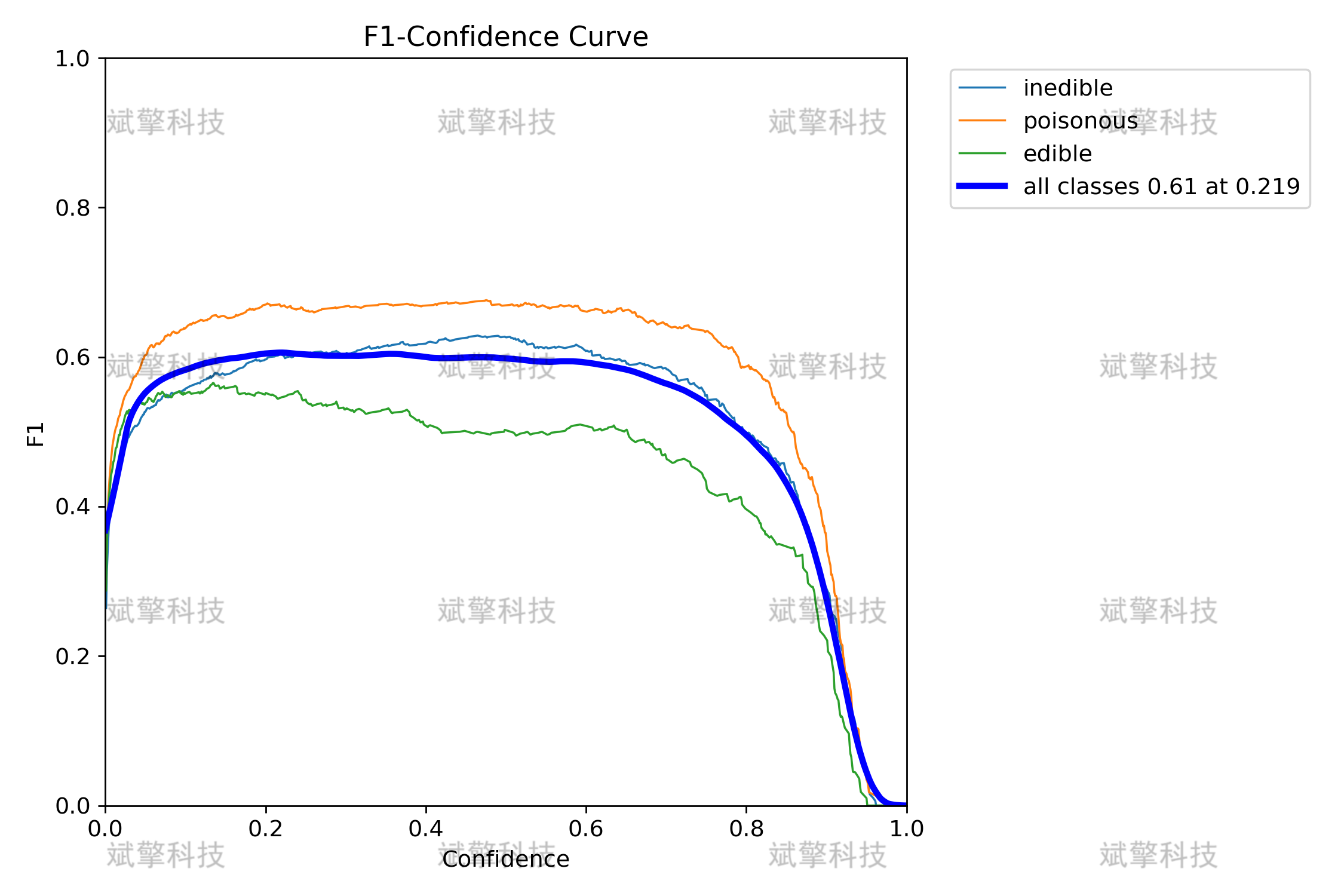
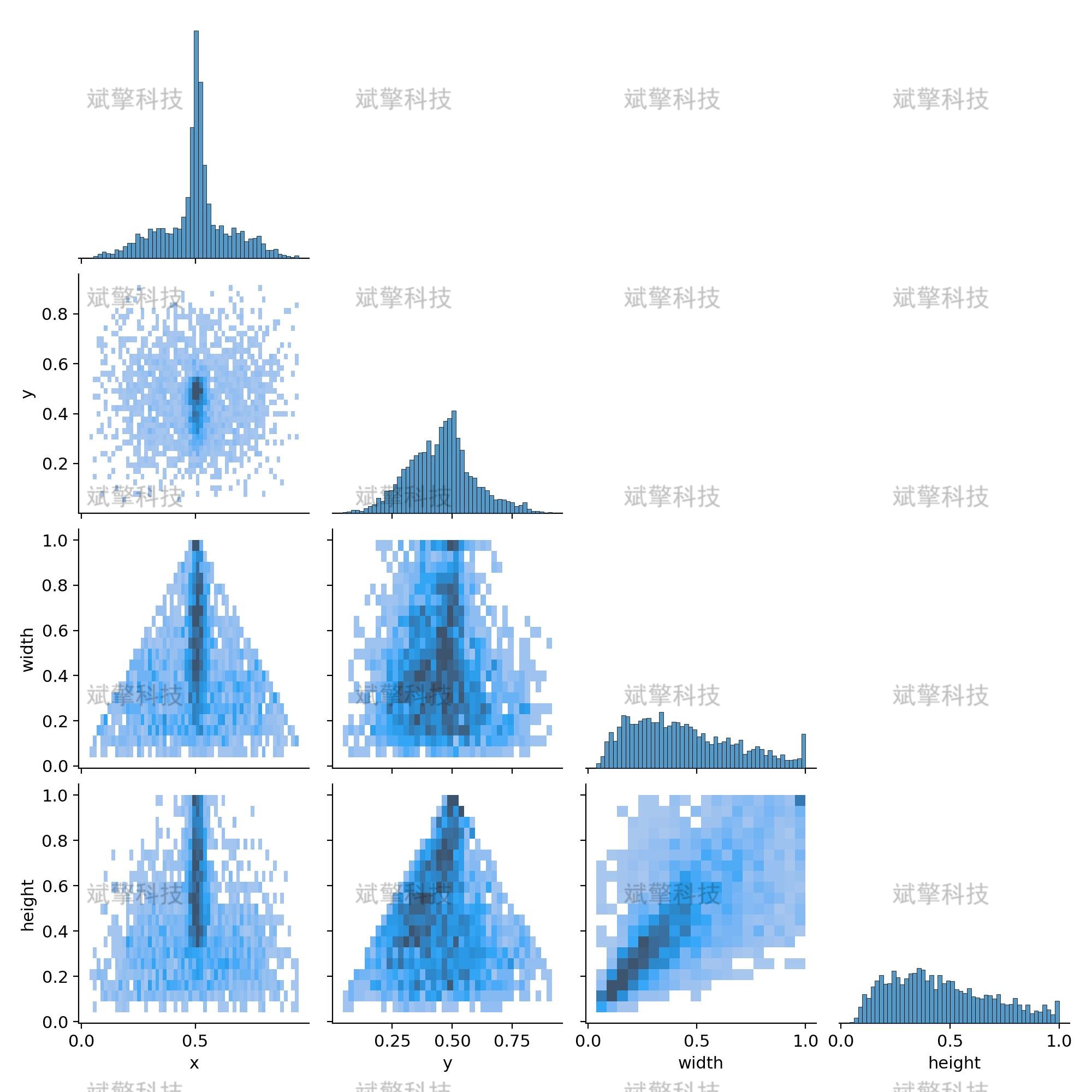
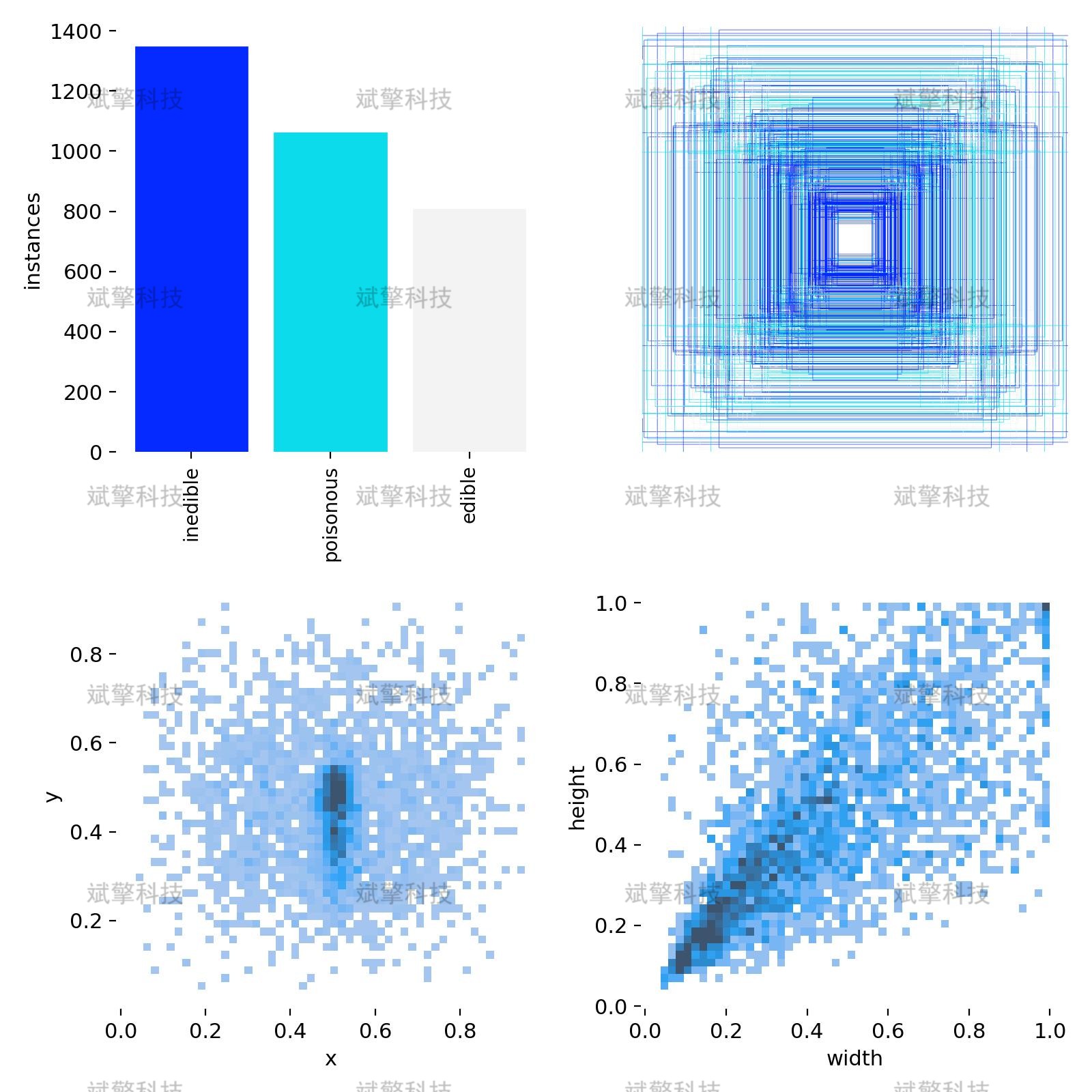
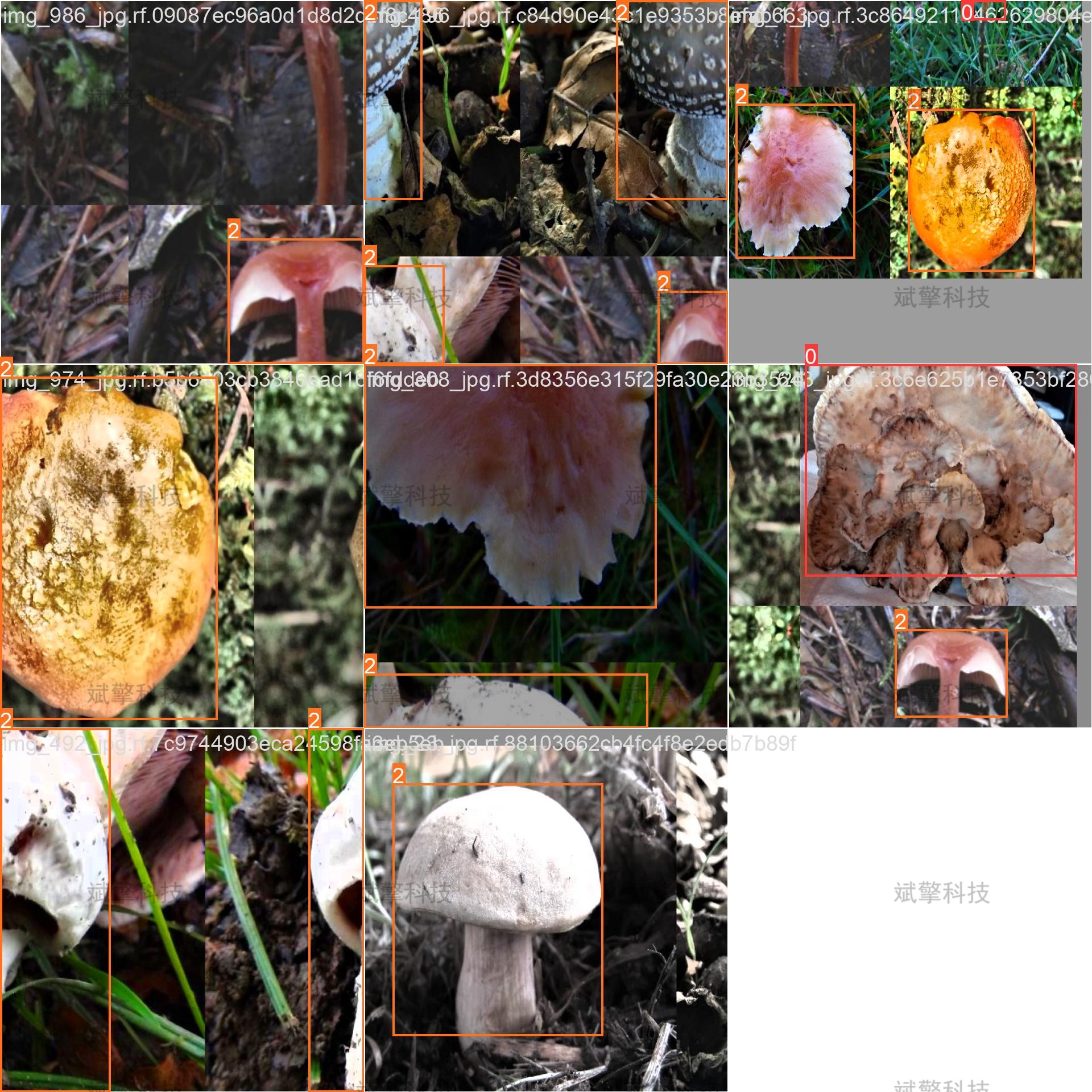
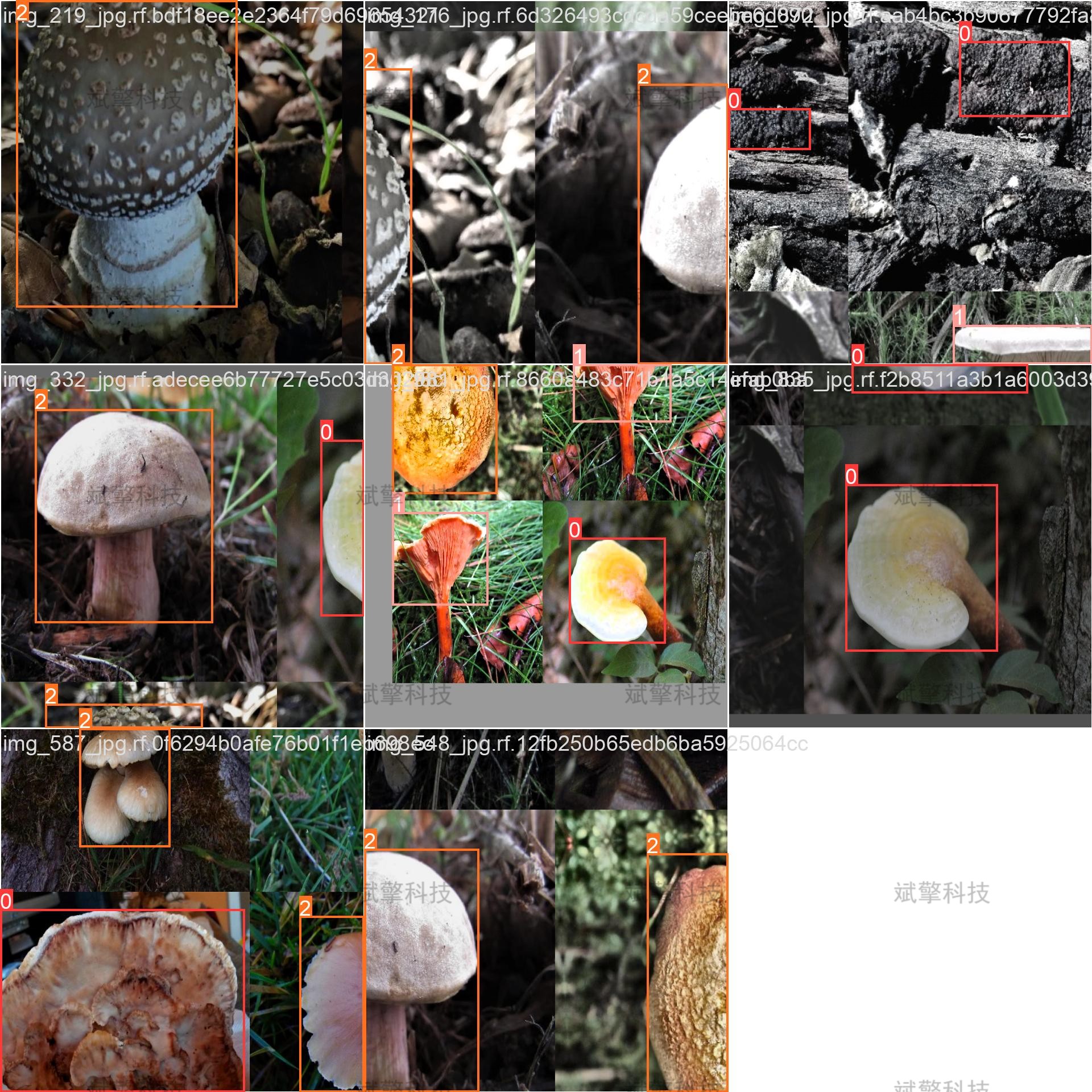
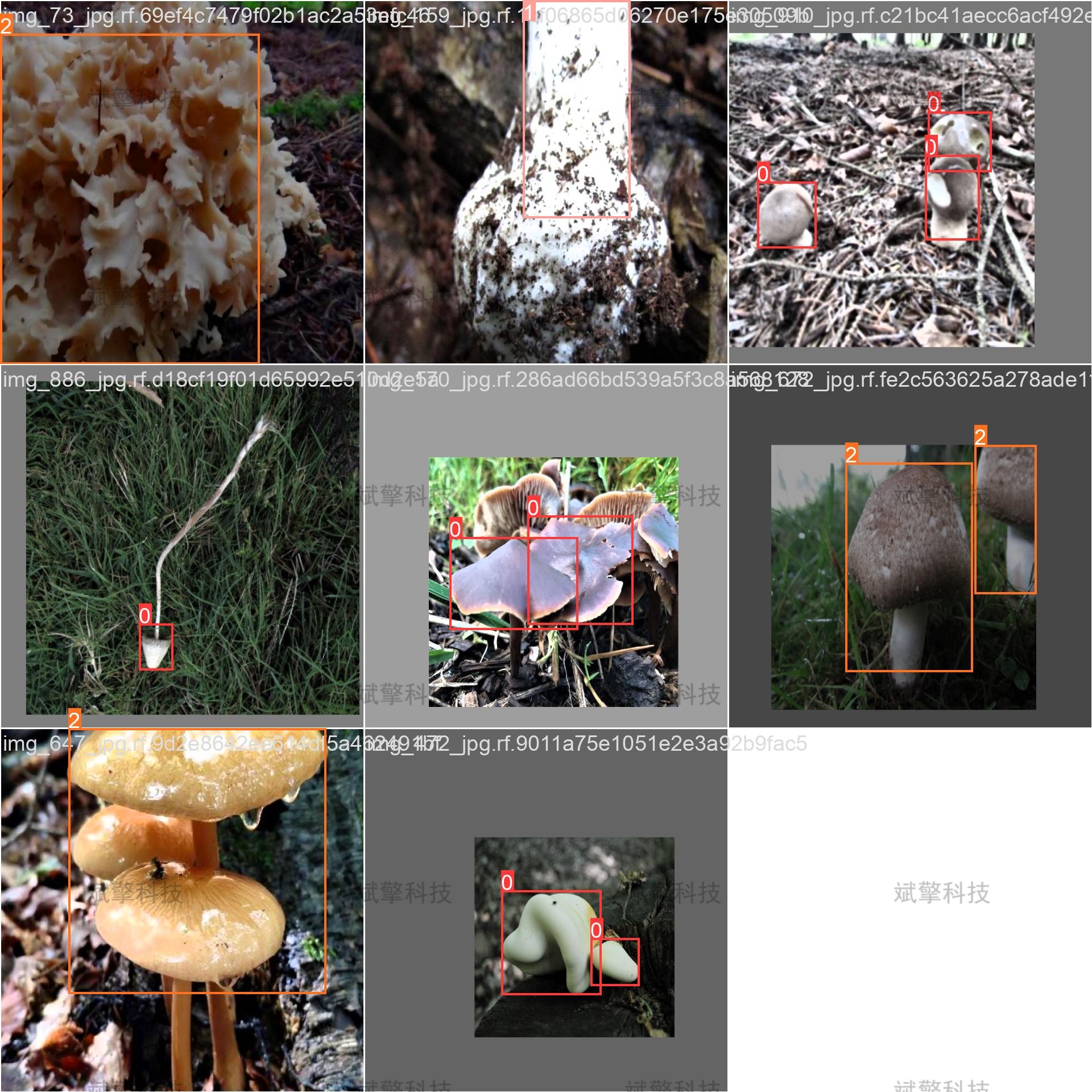
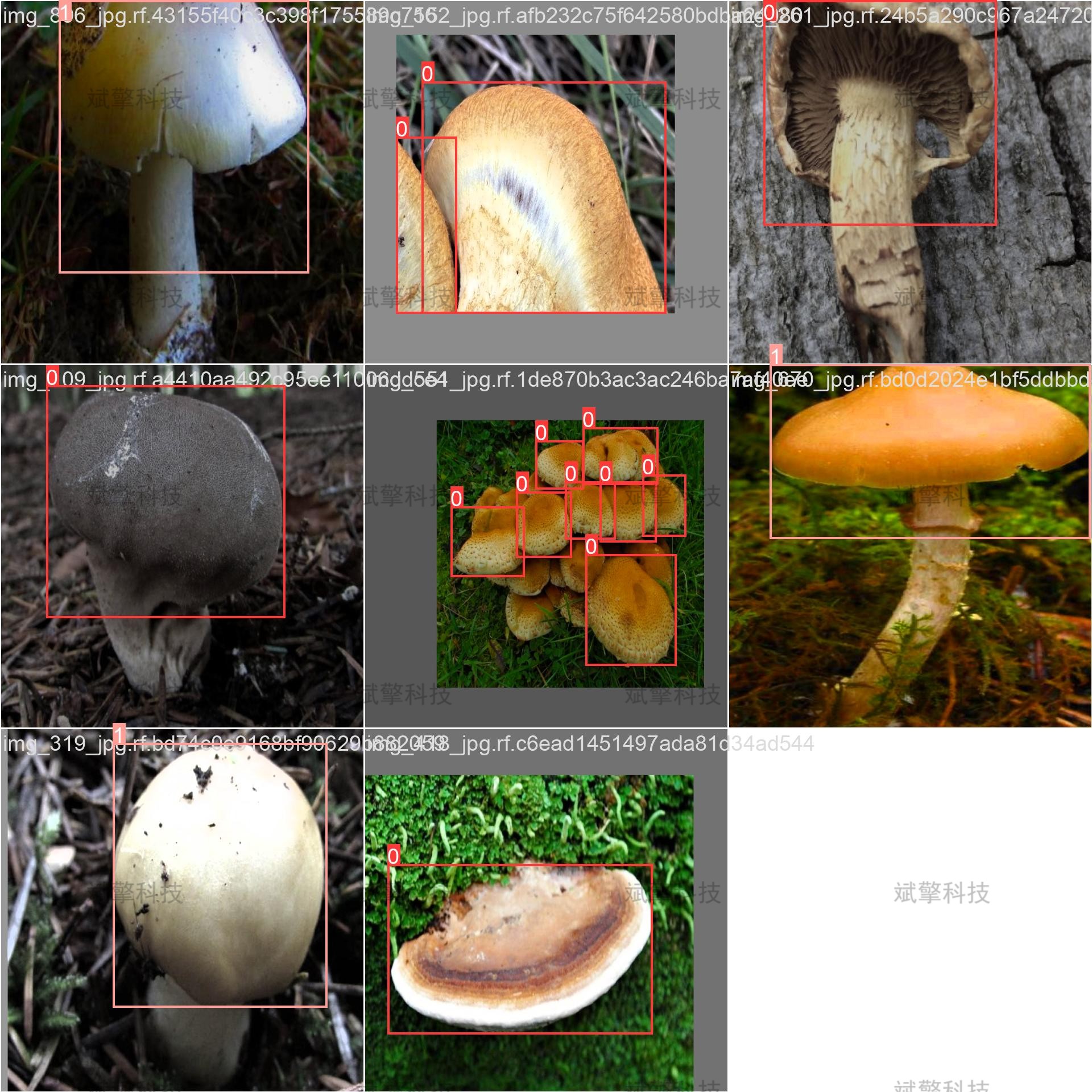
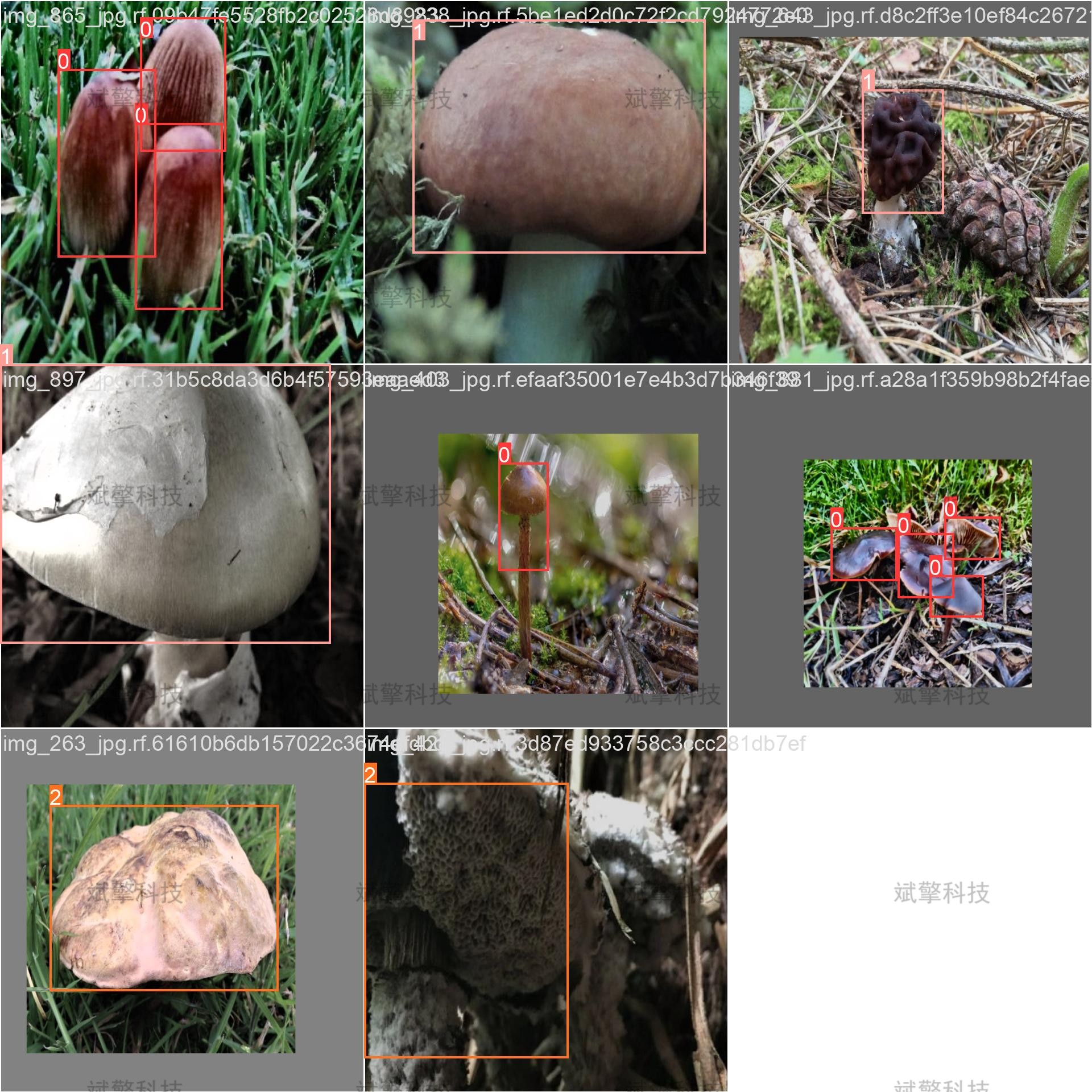
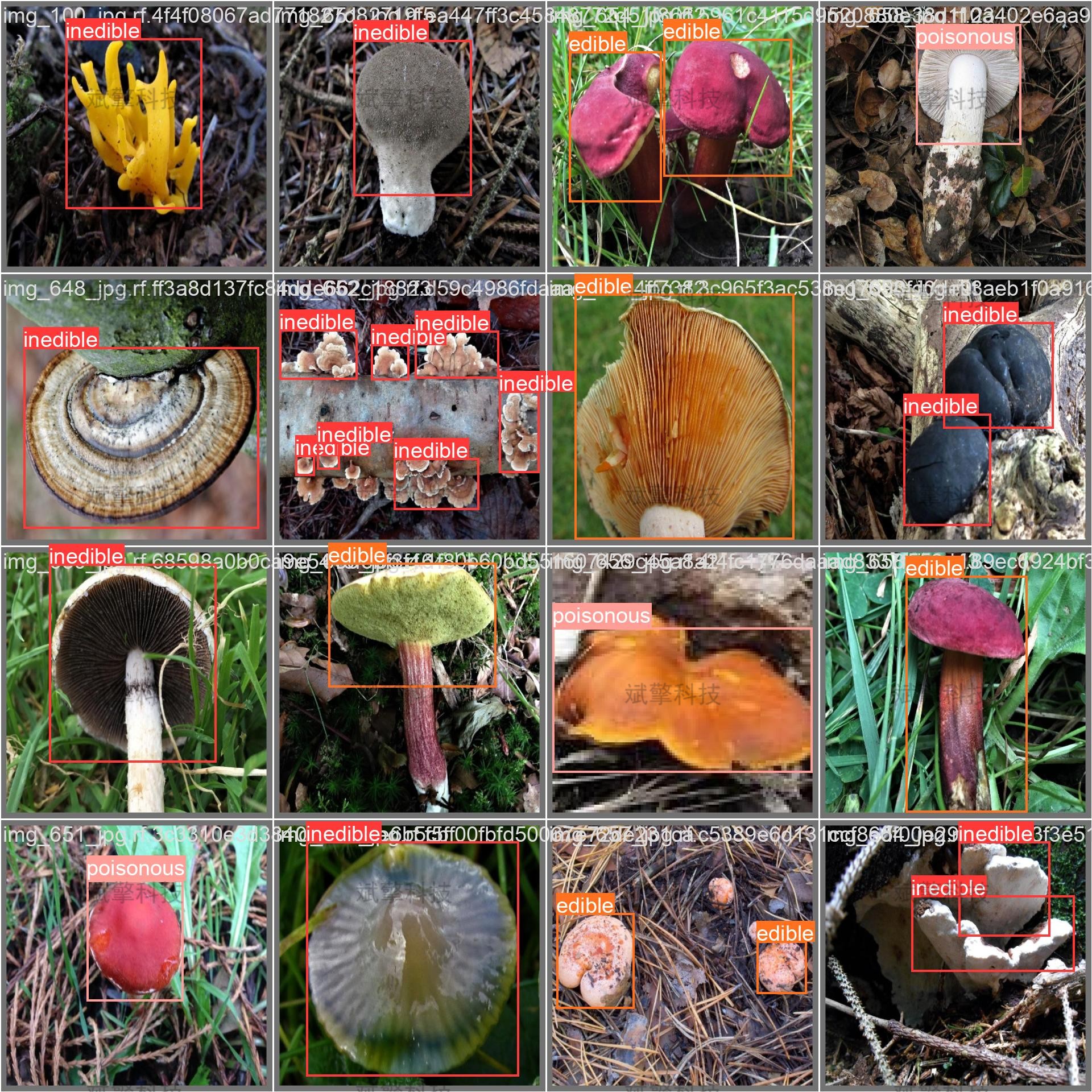
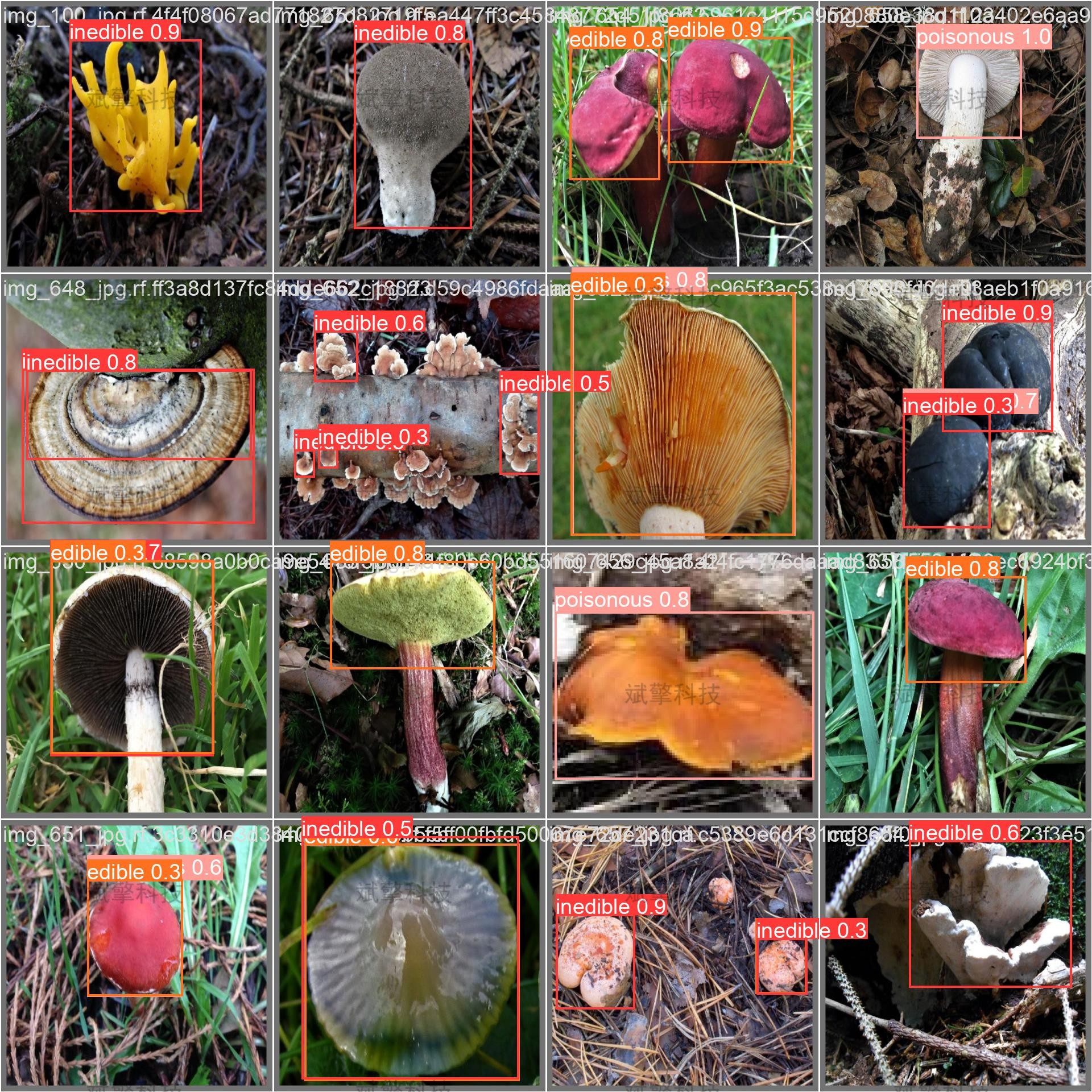
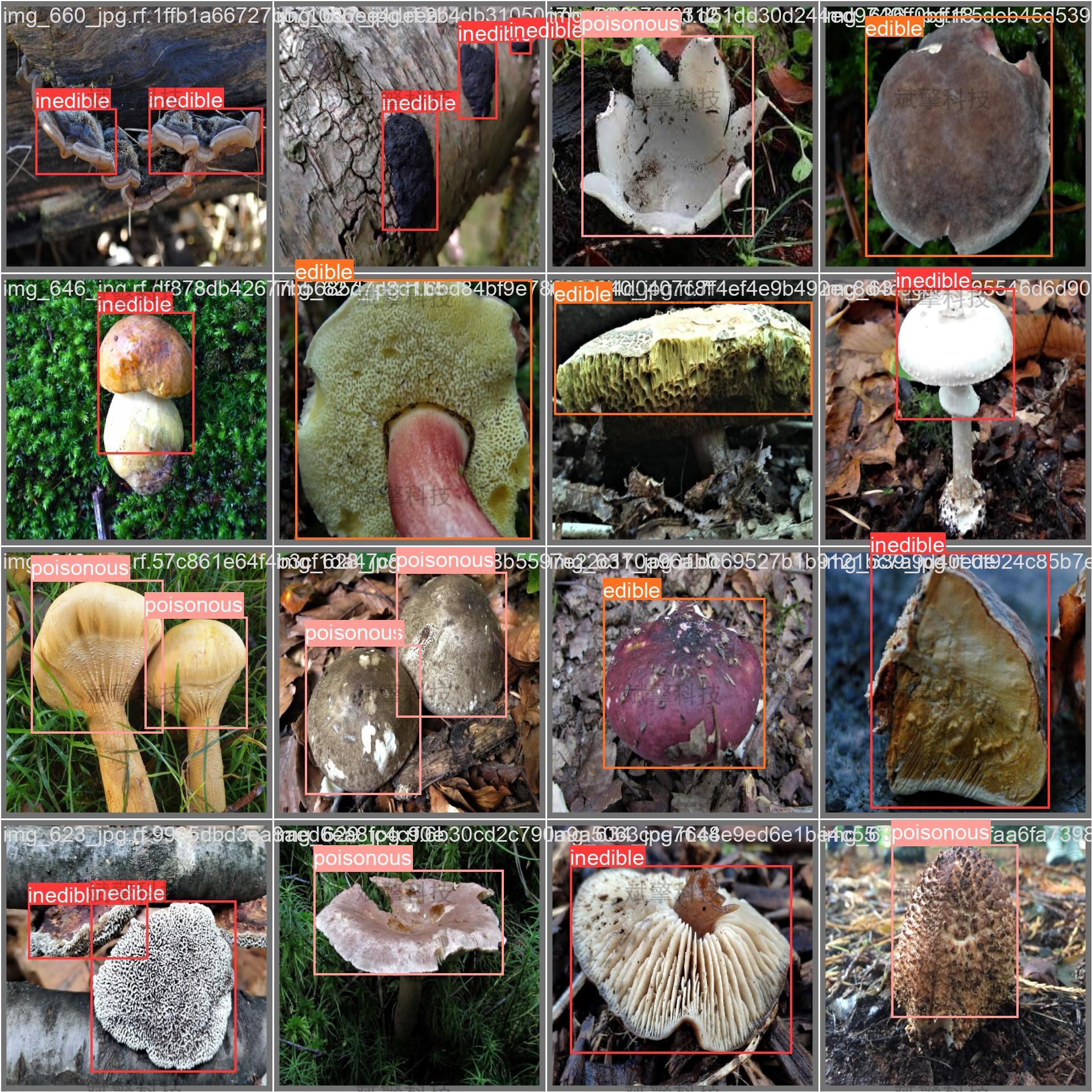
训练结果

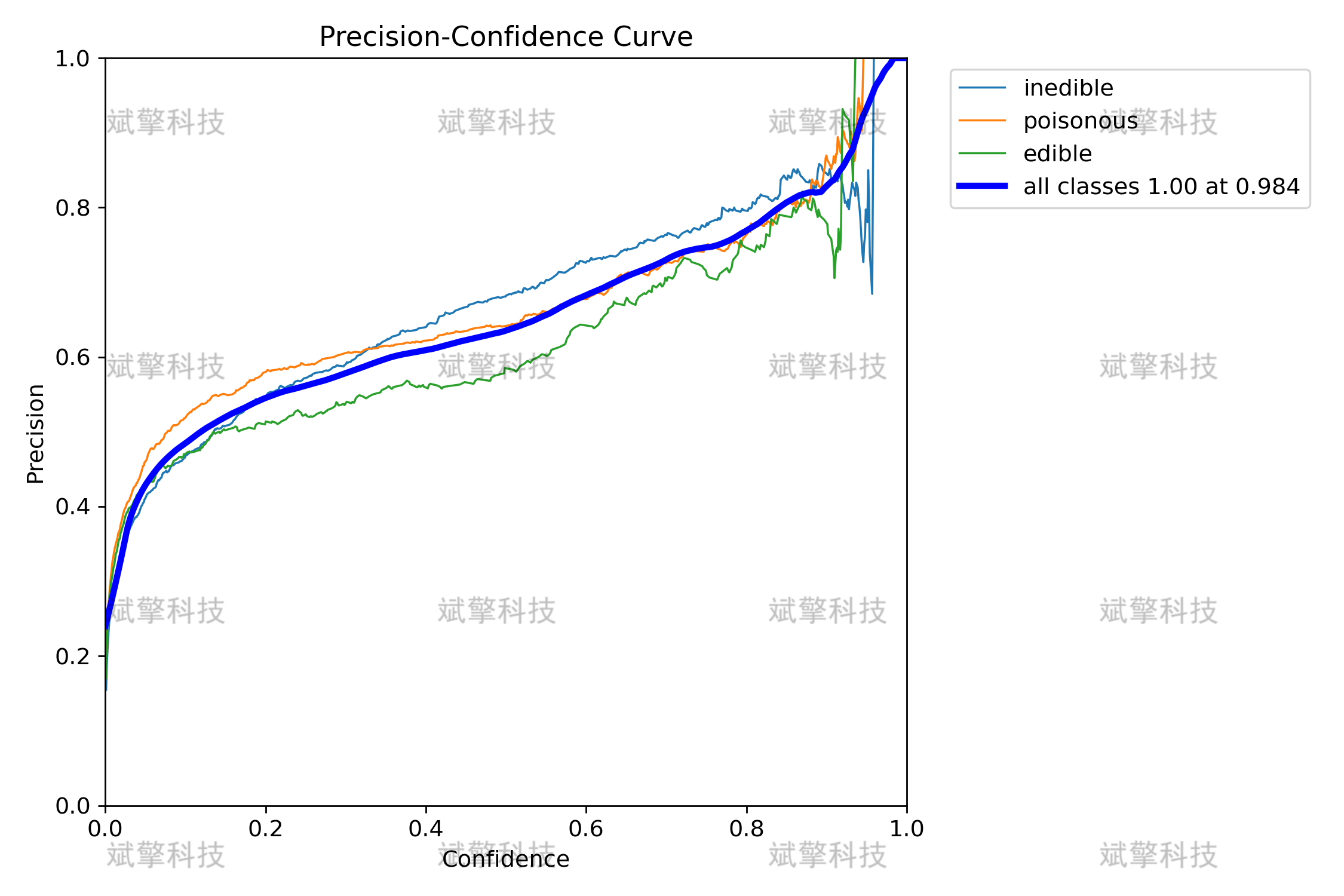
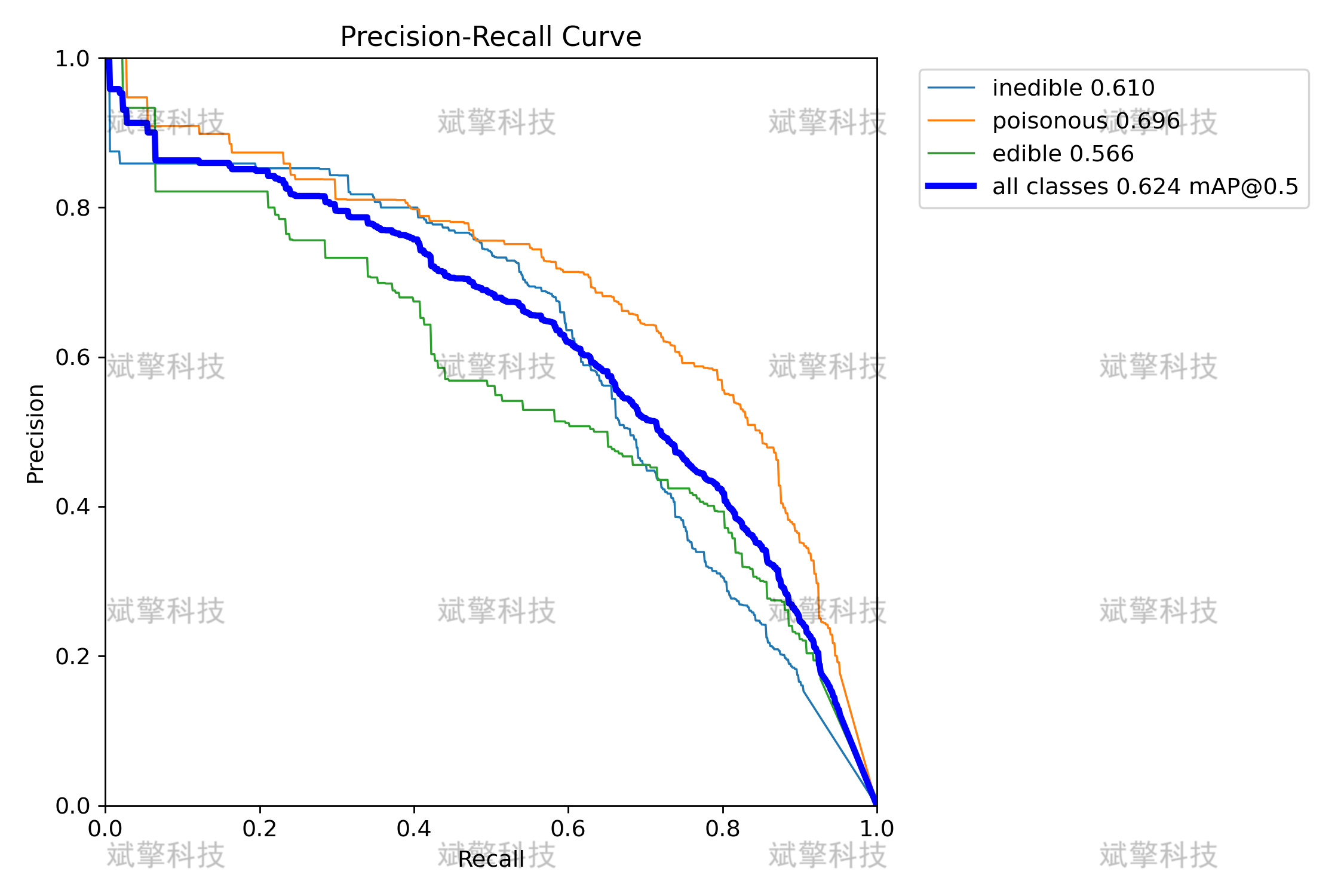
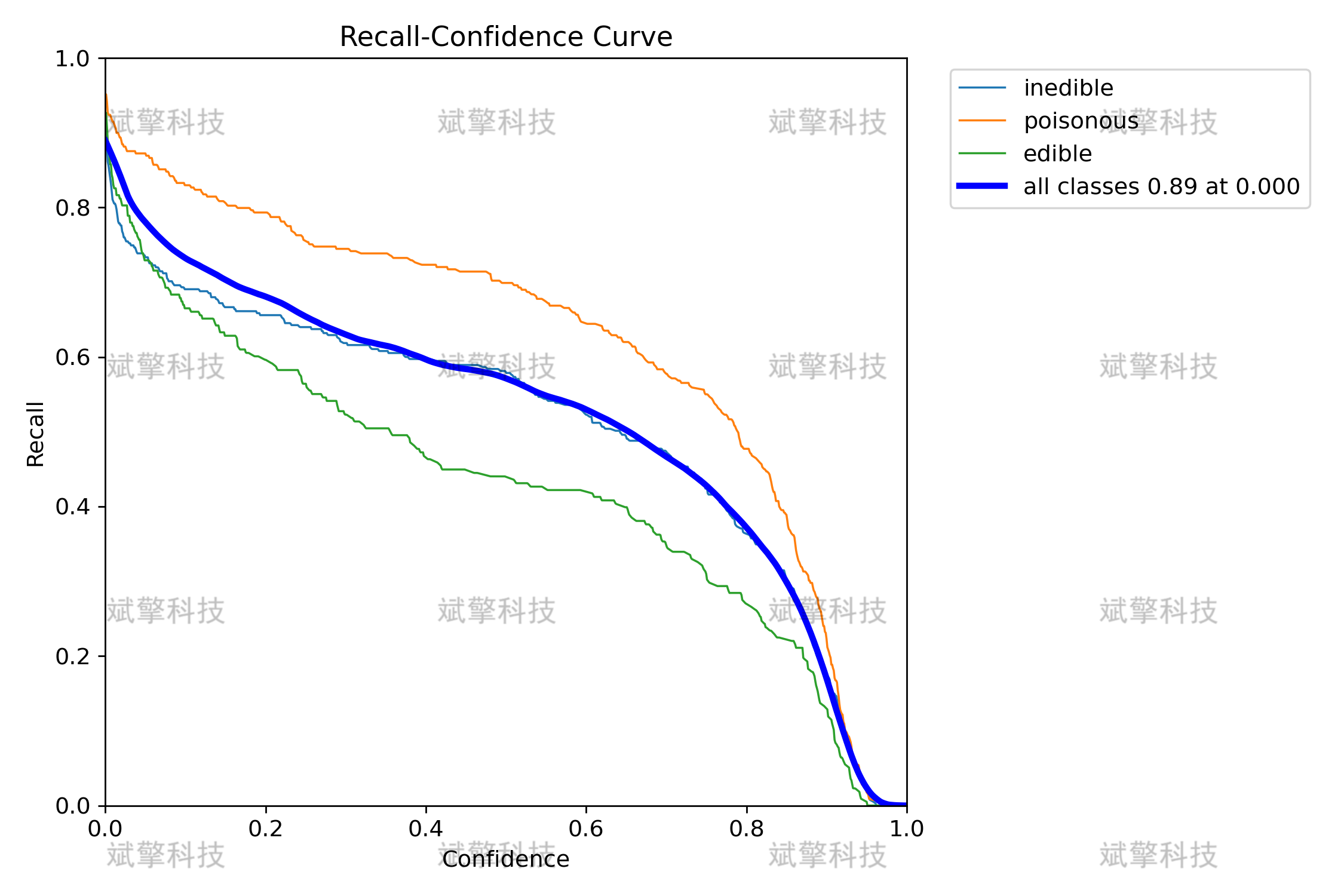
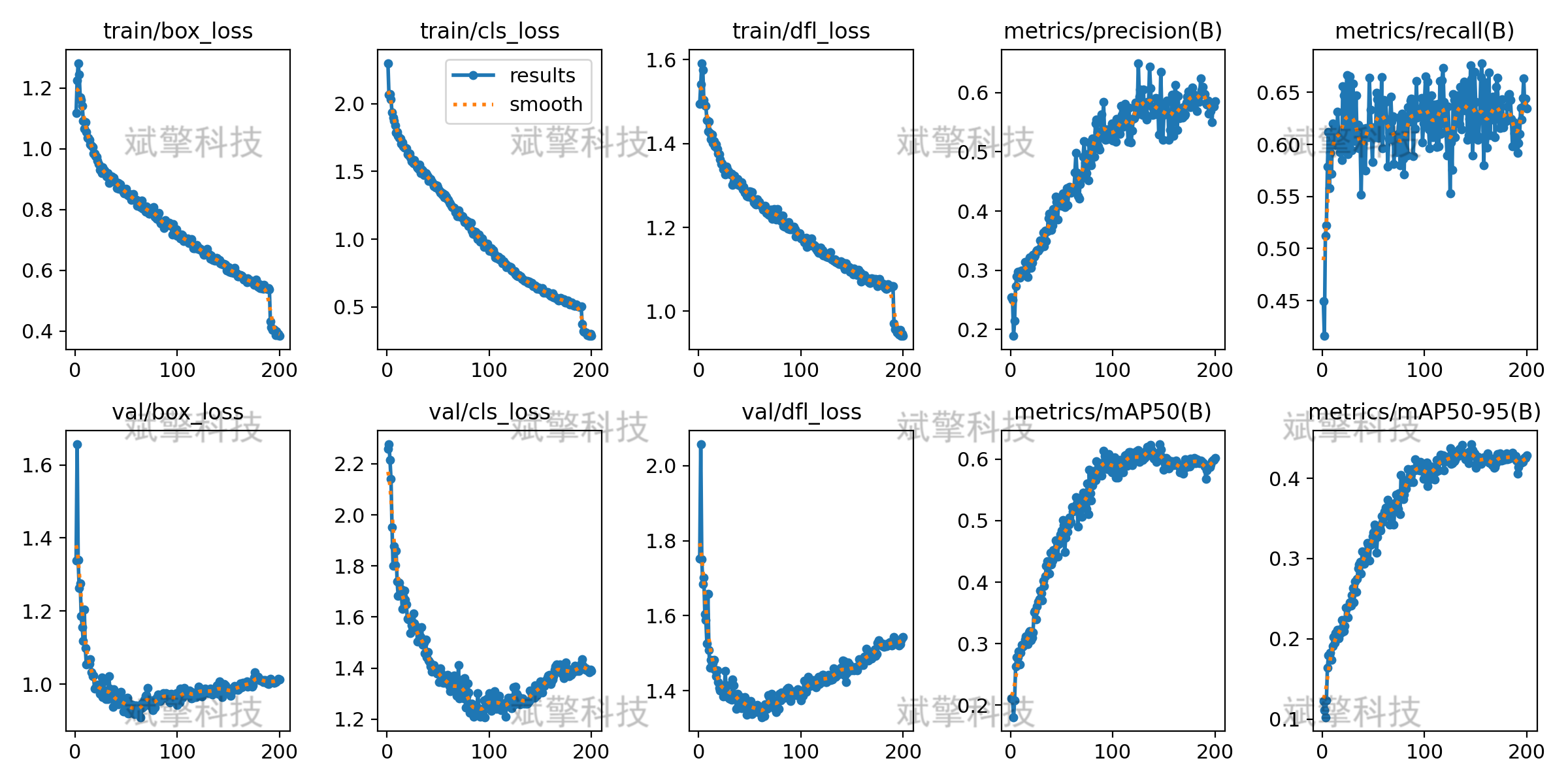
六、核心代码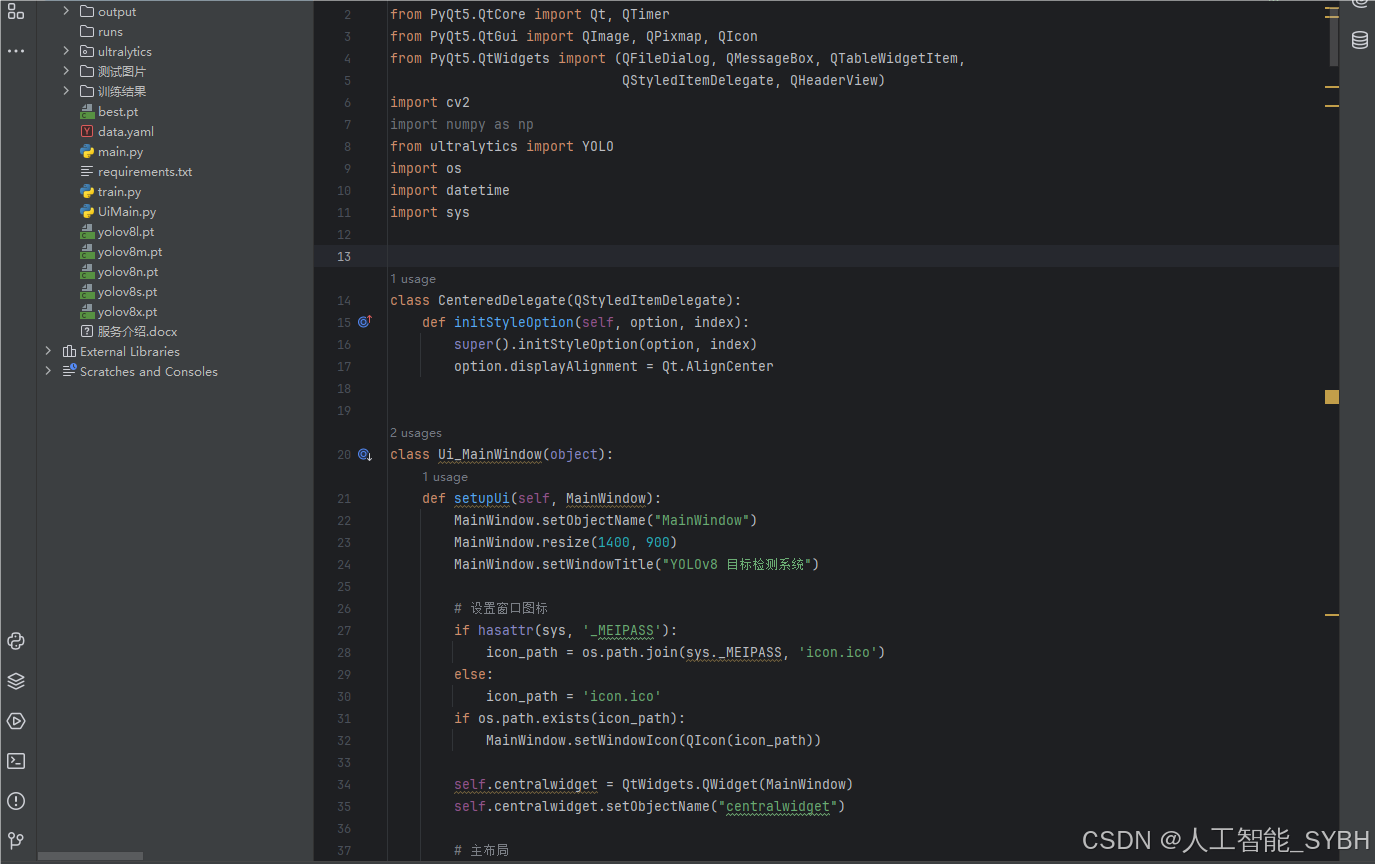
from PyQt5 import QtCore, QtGui, QtWidgets
from PyQt5.QtCore import Qt, QTimer
from PyQt5.QtGui import QImage, QPixmap, QIcon
from PyQt5.QtWidgets import (QFileDialog, QMessageBox, QTableWidgetItem,
                             QStyledItemDelegate, QHeaderView)
import cv2
import numpy as np
from ultralytics import YOLO
import os
import datetime
import sys


class CenteredDelegate(QStyledItemDelegate):
    def initStyleOption(self, option, index):
        super().initStyleOption(option, index)
        option.displayAlignment = Qt.AlignCenter


class Ui_MainWindow(object):
    def setupUi(self, MainWindow):
        MainWindow.setObjectName("MainWindow")
        MainWindow.resize(1400, 900)
        MainWindow.setWindowTitle("YOLOv8 目标检测系统")

        # 设置窗口图标
        if hasattr(sys, '_MEIPASS'):
            icon_path = os.path.join(sys._MEIPASS, 'icon.ico')
        else:
            icon_path = 'icon.ico'
        if os.path.exists(icon_path):
            MainWindow.setWindowIcon(QIcon(icon_path))

        self.centralwidget = QtWidgets.QWidget(MainWindow)
        self.centralwidget.setObjectName("centralwidget")

        # 主布局
        self.main_layout = QtWidgets.QHBoxLayout(self.centralwidget)
        self.main_layout.setContentsMargins(10, 10, 10, 10)
        self.main_layout.setSpacing(15)

        # 左侧布局 (图像显示)
        self.left_layout = QtWidgets.QVBoxLayout()
        self.left_layout.setSpacing(15)

        # 原始图像组
        self.original_group = QtWidgets.QGroupBox("原始图像")
        self.original_group.setMinimumHeight(400)
        self.original_img_label = QtWidgets.QLabel()
        self.original_img_label.setAlignment(QtCore.Qt.AlignCenter)
        self.original_img_label.setText("等待加载图像...")
        self.original_img_label.setStyleSheet("background-color: #F0F0F0; border: 1px solid #CCCCCC;")

        original_layout = QtWidgets.QVBoxLayout()
        original_layout.addWidget(self.original_img_label)
        self.original_group.setLayout(original_layout)
        self.left_layout.addWidget(self.original_group)

        # 检测结果图像组
        self.result_group = QtWidgets.QGroupBox("检测结果")
        self.result_group.setMinimumHeight(400)
        self.result_img_label = QtWidgets.QLabel()
        self.result_img_label.setAlignment(QtCore.Qt.AlignCenter)
        self.result_img_label.setText("检测结果将显示在这里")
        self.result_img_label.setStyleSheet("background-color: #F0F0F0; border: 1px solid #CCCCCC;")

        result_layout = QtWidgets.QVBoxLayout()
        result_layout.addWidget(self.result_img_label)
        self.result_group.setLayout(result_layout)
        self.left_layout.addWidget(self.result_group)

        self.main_layout.addLayout(self.left_layout, stretch=3)

        # 右侧布局 (控制面板)
        self.right_layout = QtWidgets.QVBoxLayout()
        self.right_layout.setSpacing(15)

        # 模型选择组
        self.model_group = QtWidgets.QGroupBox("模型设置")
        self.model_group.setStyleSheet("QGroupBox { font-weight: bold; }")
        self.model_layout = QtWidgets.QVBoxLayout()

        # 模型选择
        self.model_combo = QtWidgets.QComboBox()
        self.model_combo.addItems(["best.pt"])
        self.model_combo.setCurrentIndex(0)

        # 加载模型按钮
        self.load_model_btn = QtWidgets.QPushButton(" 加载模型")
        self.load_model_btn.setIcon(QIcon.fromTheme("document-open"))
        self.load_model_btn.setStyleSheet(
            "QPushButton { padding: 8px; background-color: #4CAF50; color: white; border-radius: 4px; }"
            "QPushButton:hover { background-color: #45a049; }"
        )

        self.model_layout.addWidget(self.model_combo)
        self.model_layout.addWidget(self.load_model_btn)
        self.model_group.setLayout(self.model_layout)
        self.right_layout.addWidget(self.model_group)

        # 参数设置组
        self.param_group = QtWidgets.QGroupBox("检测参数")
        self.param_group.setStyleSheet("QGroupBox { font-weight: bold; }")
        self.param_layout = QtWidgets.QFormLayout()
        self.param_layout.setLabelAlignment(Qt.AlignLeft)
        self.param_layout.setFormAlignment(Qt.AlignLeft)
        self.param_layout.setVerticalSpacing(15)

        # 置信度滑块
        self.conf_slider = QtWidgets.QSlider(Qt.Horizontal)
        self.conf_slider.setRange(1, 99)
        self.conf_slider.setValue(25)
        self.conf_value = QtWidgets.QLabel("0.25")
        self.conf_value.setAlignment(Qt.AlignCenter)
        self.conf_value.setStyleSheet("font-weight: bold; color: #2196F3;")

        # IoU滑块
        self.iou_slider = QtWidgets.QSlider(Qt.Horizontal)
        self.iou_slider.setRange(1, 99)
        self.iou_slider.setValue(45)
        self.iou_value = QtWidgets.QLabel("0.45")
        self.iou_value.setAlignment(Qt.AlignCenter)
        self.iou_value.setStyleSheet("font-weight: bold; color: #2196F3;")

        self.param_layout.addRow("置信度阈值:", self.conf_slider)
        self.param_layout.addRow("当前值:", self.conf_value)
        self.param_layout.addRow(QtWidgets.QLabel(""))  # 空行
        self.param_layout.addRow("IoU阈值:", self.iou_slider)
        self.param_layout.addRow("当前值:", self.iou_value)

        self.param_group.setLayout(self.param_layout)
        self.right_layout.addWidget(self.param_group)

        # 功能按钮组
        self.func_group = QtWidgets.QGroupBox("检测功能")
        self.func_group.setStyleSheet("QGroupBox { font-weight: bold; }")
        self.func_layout = QtWidgets.QVBoxLayout()
        self.func_layout.setSpacing(10)

        # 图片检测按钮
        self.image_btn = QtWidgets.QPushButton(" 图片检测")
        self.image_btn.setIcon(QIcon.fromTheme("image-x-generic"))

        # 视频检测按钮
        self.video_btn = QtWidgets.QPushButton(" 视频检测")
        self.video_btn.setIcon(QIcon.fromTheme("video-x-generic"))

        # 摄像头检测按钮
        self.camera_btn = QtWidgets.QPushButton(" 摄像头检测")
        self.camera_btn.setIcon(QIcon.fromTheme("camera-web"))

        # 停止检测按钮
        self.stop_btn = QtWidgets.QPushButton(" 停止检测")
        self.stop_btn.setIcon(QIcon.fromTheme("process-stop"))
        self.stop_btn.setEnabled(False)

        # 保存结果按钮
        self.save_btn = QtWidgets.QPushButton(" 保存结果")
        self.save_btn.setIcon(QIcon.fromTheme("document-save"))
        self.save_btn.setEnabled(False)

        # 设置按钮样式
        button_style = """
        QPushButton {
            padding: 10px;
            background-color: #2196F3;
            color: white;
            border: none;
            border-radius: 4px;
            text-align: left;
        }
        QPushButton:hover {
            background-color: #0b7dda;
        }
        QPushButton:disabled {
            background-color: #cccccc;
        }
        """

        for btn in [self.image_btn, self.video_btn, self.camera_btn,
                    self.stop_btn, self.save_btn]:
            btn.setStyleSheet(button_style)
            self.func_layout.addWidget(btn)

        self.func_group.setLayout(self.func_layout)
        self.right_layout.addWidget(self.func_group)

        # 检测结果表格组
        self.table_group = QtWidgets.QGroupBox("检测结果详情")
        self.table_group.setStyleSheet("QGroupBox { font-weight: bold; }")
        self.table_layout = QtWidgets.QVBoxLayout()

        self.result_table = QtWidgets.QTableWidget()
        self.result_table.setColumnCount(4)
        self.result_table.setHorizontalHeaderLabels(["类别", "置信度", "左上坐标", "右下坐标"])
        self.result_table.horizontalHeader().setSectionResizeMode(QHeaderView.Stretch)
        self.result_table.verticalHeader().setVisible(False)
        self.result_table.setSelectionBehavior(QtWidgets.QAbstractItemView.SelectRows)
        self.result_table.setEditTriggers(QtWidgets.QAbstractItemView.NoEditTriggers)

        # 设置表格样式
        self.result_table.setStyleSheet("""
            QTableWidget {
                border: 1px solid #e0e0e0;
                alternate-background-color: #f5f5f5;
            }
            QHeaderView::section {
                background-color: #2196F3;
                color: white;
                padding: 5px;
                border: none;
            }
            QTableWidget::item {
                padding: 5px;
            }
        """)

        # 设置居中代理
        delegate = CenteredDelegate(self.result_table)
        self.result_table.setItemDelegate(delegate)

        self.table_layout.addWidget(self.result_table)
        self.table_group.setLayout(self.table_layout)
        self.right_layout.addWidget(self.table_group, stretch=1)

        self.main_layout.addLayout(self.right_layout, stretch=1)

        MainWindow.setCentralWidget(self.centralwidget)

        # 状态栏
        self.statusbar = QtWidgets.QStatusBar(MainWindow)
        self.statusbar.setStyleSheet("QStatusBar { border-top: 1px solid #c0c0c0; }")
        MainWindow.setStatusBar(self.statusbar)

        # 初始化变量
        self.model = None
        self.cap = None
        self.timer = QTimer()
        self.is_camera_running = False
        self.current_image = None
        self.current_result = None
        self.video_writer = None
        self.output_path = "output"

        # 创建输出目录
        if not os.path.exists(self.output_path):
            os.makedirs(self.output_path)

        # 连接信号槽
        self.load_model_btn.clicked.connect(self.load_model)
        self.image_btn.clicked.connect(self.detect_image)
        self.video_btn.clicked.connect(self.detect_video)
        self.camera_btn.clicked.connect(self.detect_camera)
        self.stop_btn.clicked.connect(self.stop_detection)
        self.save_btn.clicked.connect(self.save_result)
        self.conf_slider.valueChanged.connect(self.update_conf_value)
        self.iou_slider.valueChanged.connect(self.update_iou_value)
        self.timer.timeout.connect(self.update_camera_frame)

        # 设置全局样式
        self.set_style()

    def set_style(self):
        style = """
        QMainWindow {
            background-color: #f5f5f5;
        }
        QGroupBox {
            border: 1px solid #e0e0e0;
            border-radius: 5px;
            margin-top: 10px;
            padding-top: 15px;
        }
        QGroupBox::title {
            subcontrol-origin: margin;
            left: 10px;
            padding: 0 3px;
        }
        QLabel {
            color: #333333;
        }
        QComboBox {
            padding: 5px;
            border: 1px solid #cccccc;
            border-radius: 3px;
        }
        QSlider::groove:horizontal {
            height: 6px;
            background: #e0e0e0;
            border-radius: 3px;
        }
        QSlider::handle:horizontal {
            width: 16px;
            height: 16px;
            margin: -5px 0;
            background: #2196F3;
            border-radius: 8px;
        }
        QSlider::sub-page:horizontal {
            background: #2196F3;
            border-radius: 3px;
        }
        """
        self.centralwidget.setStyleSheet(style)

    def load_model(self):
        model_name = self.model_combo.currentText().split(" ")[0]
        try:
            self.model = YOLO(model_name)
            self.statusbar.showMessage(f"模型 {model_name} 加载成功", 3000)
            self.image_btn.setEnabled(True)
            self.video_btn.setEnabled(True)
            self.camera_btn.setEnabled(True)
        except Exception as e:
            QMessageBox.critical(None, "错误", f"模型加载失败: {str(e)}")

    def update_conf_value(self):
        conf = self.conf_slider.value() / 100
        self.conf_value.setText(f"{conf:.2f}")

    def update_iou_value(self):
        iou = self.iou_slider.value() / 100
        self.iou_value.setText(f"{iou:.2f}")

    def detect_image(self):
        if self.model is None:
            QMessageBox.warning(None, "警告", "请先加载模型")
            return

        file_path, _ = QFileDialog.getOpenFileName(
            None, "选择图片", "",
            "图片文件 (*.jpg *.jpeg *.png *.bmp);;所有文件 (*)"
        )
        if file_path:
            try:
                # 读取图片
                img = cv2.imread(file_path)
                img = cv2.cvtColor(img, cv2.COLOR_BGR2RGB)

                # 显示原始图片
                self.display_image(img, self.original_img_label)
                self.current_image = img.copy()

                # 检测图片
                conf = self.conf_slider.value() / 100
                iou = self.iou_slider.value() / 100

                self.statusbar.showMessage("正在检测图片...")
                QtWidgets.QApplication.processEvents()  # 更新UI

                results = self.model.predict(img, conf=conf, iou=iou)
                result_img = results[0].plot()

                # 显示检测结果
                self.display_image(result_img, self.result_img_label)
                self.current_result = result_img.copy()

                # 更新结果表格
                self.update_result_table(results[0])

                self.save_btn.setEnabled(True)
                self.statusbar.showMessage(f"图片检测完成: {os.path.basename(file_path)}", 3000)

            except Exception as e:
                QMessageBox.critical(None, "错误", f"图片检测失败: {str(e)}")
                self.statusbar.showMessage("图片检测失败", 3000)

    def detect_video(self):
        if self.model is None:
            QMessageBox.warning(None, "警告", "请先加载模型")
            return

        file_path, _ = QFileDialog.getOpenFileName(
            None, "选择视频", "",
            "视频文件 (*.mp4 *.avi *.mov *.mkv);;所有文件 (*)"
        )
        if file_path:
            try:
                self.cap = cv2.VideoCapture(file_path)
                if not self.cap.isOpened():
                    raise Exception("无法打开视频文件")

                # 获取视频信息
                fps = self.cap.get(cv2.CAP_PROP_FPS)
                width = int(self.cap.get(cv2.CAP_PROP_FRAME_WIDTH))
                height = int(self.cap.get(cv2.CAP_PROP_FRAME_HEIGHT))

                # 创建视频写入器
                timestamp = datetime.datetime.now().strftime("%Y%m%d_%H%M%S")
                output_file = os.path.join(self.output_path, f"output_{timestamp}.mp4")
                fourcc = cv2.VideoWriter_fourcc(*'mp4v')
                self.video_writer = cv2.VideoWriter(output_file, fourcc, fps, (width, height))

                # 启用停止按钮,禁用其他按钮
                self.stop_btn.setEnabled(True)
                self.save_btn.setEnabled(True)
                self.image_btn.setEnabled(False)
                self.video_btn.setEnabled(False)
                self.camera_btn.setEnabled(False)

                # 开始处理视频
                self.timer.start(30)  # 30ms间隔
                self.statusbar.showMessage(f"正在处理视频: {os.path.basename(file_path)}...")

            except Exception as e:
                QMessageBox.critical(None, "错误", f"视频检测失败: {str(e)}")
                self.statusbar.showMessage("视频检测失败", 3000)
七、项目源码(视频简介内)
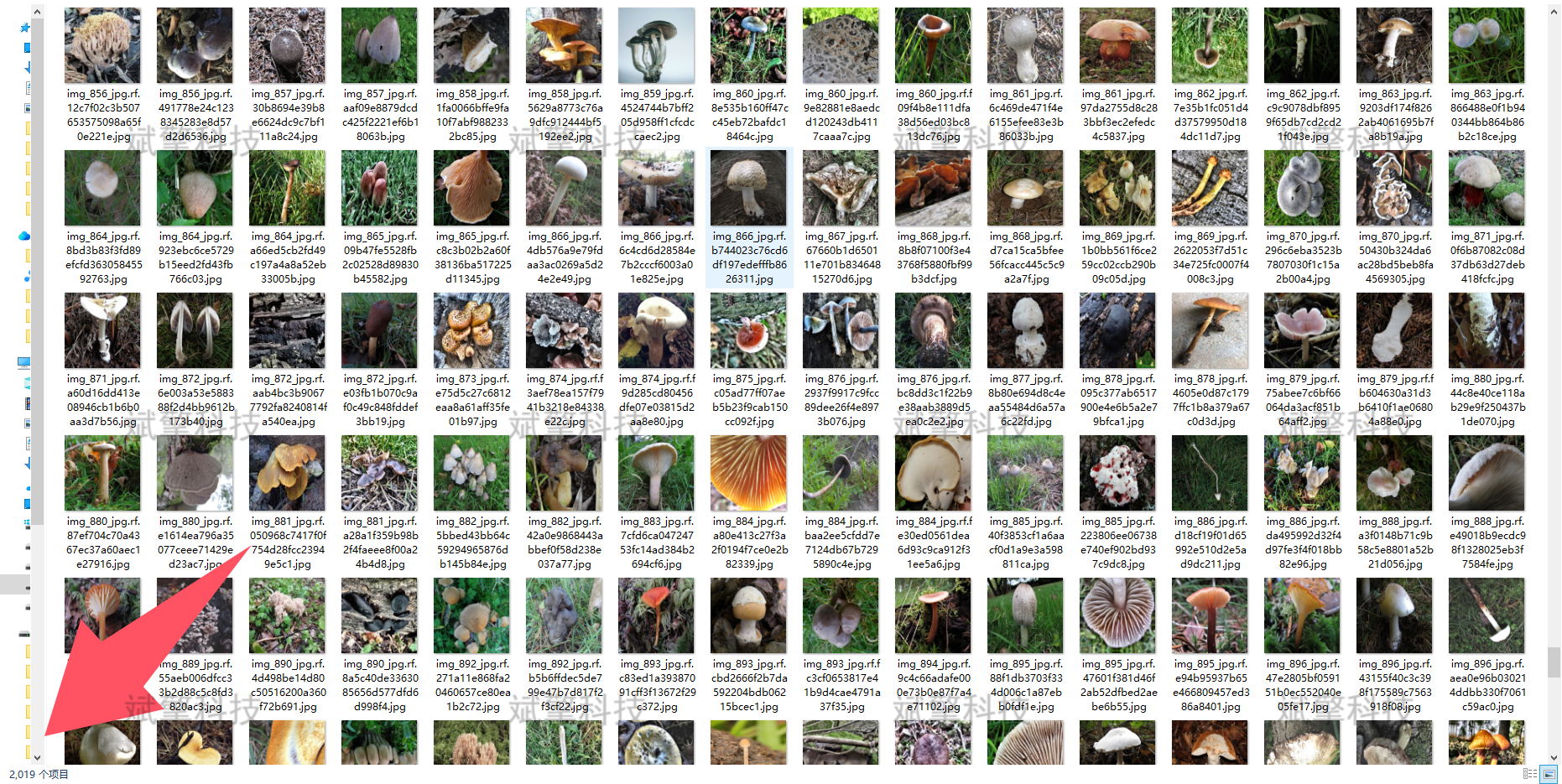
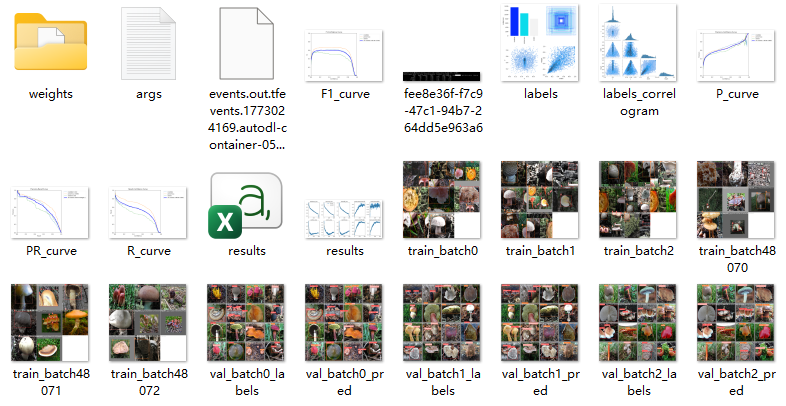
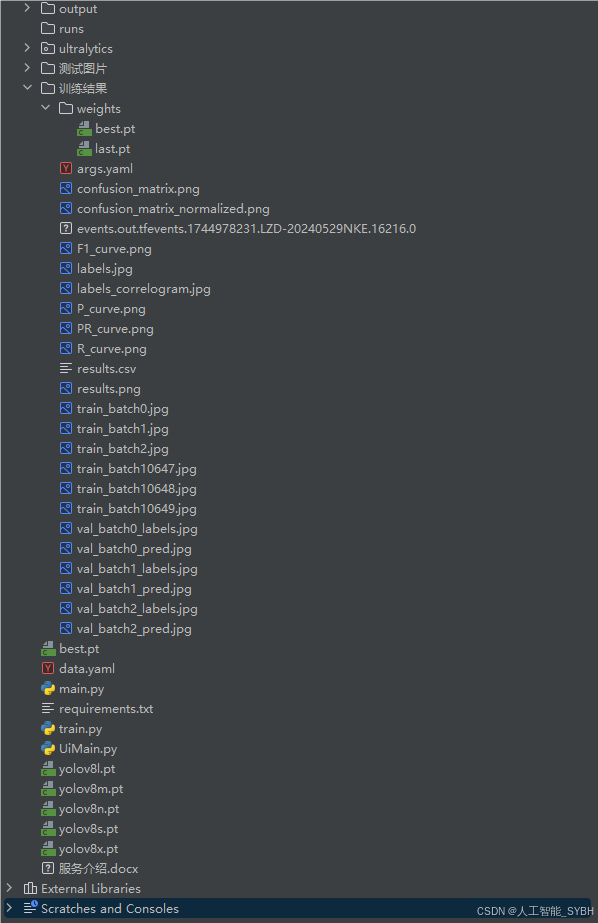
完整全部资源文件(包括测试图片,py文件,训练数据集、训练代码、界面代码等),这里已打包上传至博主的面包多平台,见可参考博客与视频,已将所有涉及的文件同时打包到里面,点击即可运行,完整文件截图如下:
演示视频:
【免费获取模型】YOLOv8蘑菇毒性检测系统(YOLOv8+YOLO数据集+UI界面+Python项目源码+模型)_哔哩哔哩_bilibili
【免费获取模型】YOLOv8蘑菇毒性检测系统(YOLOv8+YOLO数据集+UI界面+Python项目源码+模型)_哔哩哔哩_bilibilihttps://www.bilibili.com/video/BV1AmSSBME2s?spm_id_from=333.788.videopod.sections&vd_source=549d0b4e2b8999929a61a037fcce3b0fhttps://www.bilibili.com/video/BV1AmSSBME2s

AtomGit 是由开放原子开源基金会联合 CSDN 等生态伙伴共同推出的新一代开源与人工智能协作平台。平台坚持“开放、中立、公益”的理念,把代码托管、模型共享、数据集托管、智能体开发体验和算力服务整合在一起,为开发者提供从开发、训练到部署的一站式体验。
更多推荐
 11
11 0
0- 0



 已为社区贡献136条内容

所有评论(0)