01- LangChain入门(基于1.x版本)
介绍
LangChain
LangChain 是使用 LLM 构建代理和应用程序的最简单方式。只需不到 10 行代码,您就可以连接到 OpenAI、Anthropic、Google 等。LangChain 提供了预构建的代理架构和模型集成,帮助您快速开始,并轻松将 LLM 集成到您的代理和应用程序中。
如果我们想快速构建代理和自主应用程序,我们推荐使用 LangChain。
LangGraph
当您有更高级的需求,需要结合确定性流程和自主流程、大量定制以及严格控制延迟时,请使用 LangGraph,这是我们低级别的代理编排框架和运行时。
LangChain 代理建立在 LangGraph 之上,以提供持久执行、流式传输、人工参与、持久性等功能。对于基本的 LangChain 代理使用,您不需要了解 LangGraph。
安装LangChain
LangChain是一个Python的包(包的集合),所以可以使用pip来安装
pip install -U langchain推荐使用uv来安装
uv add langchain如果没有安装uv,可以使用pip安装,也是个python包
pip install uv详细步骤参考:创建第一个agent
使用阿里百炼大模型
(也可以本地部署大模型)
创建API-KEY
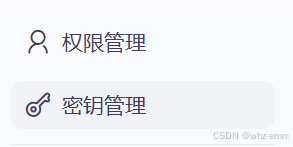
左侧菜单找到秘钥管理
创建一个秘钥
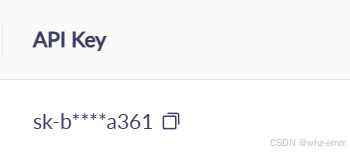
复制秘钥,请勿泄露
选择模型
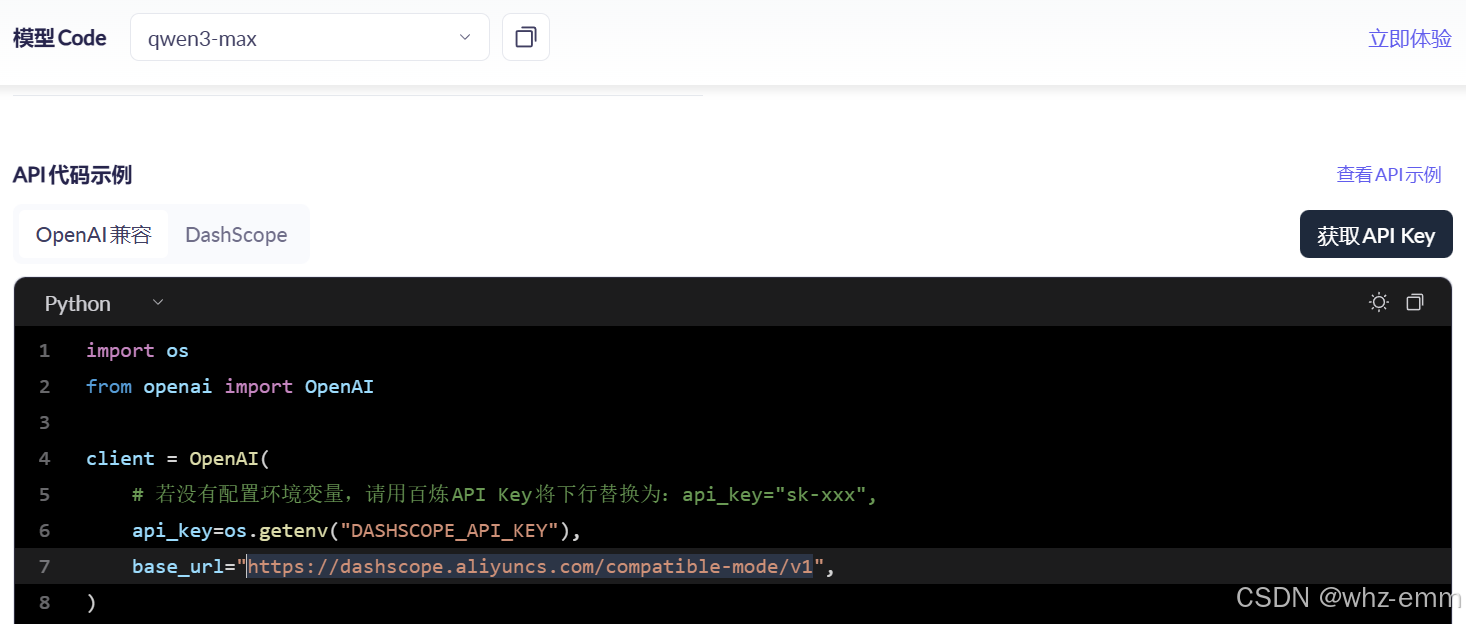
可以在模型广场找一个模型,比如qwen3-max
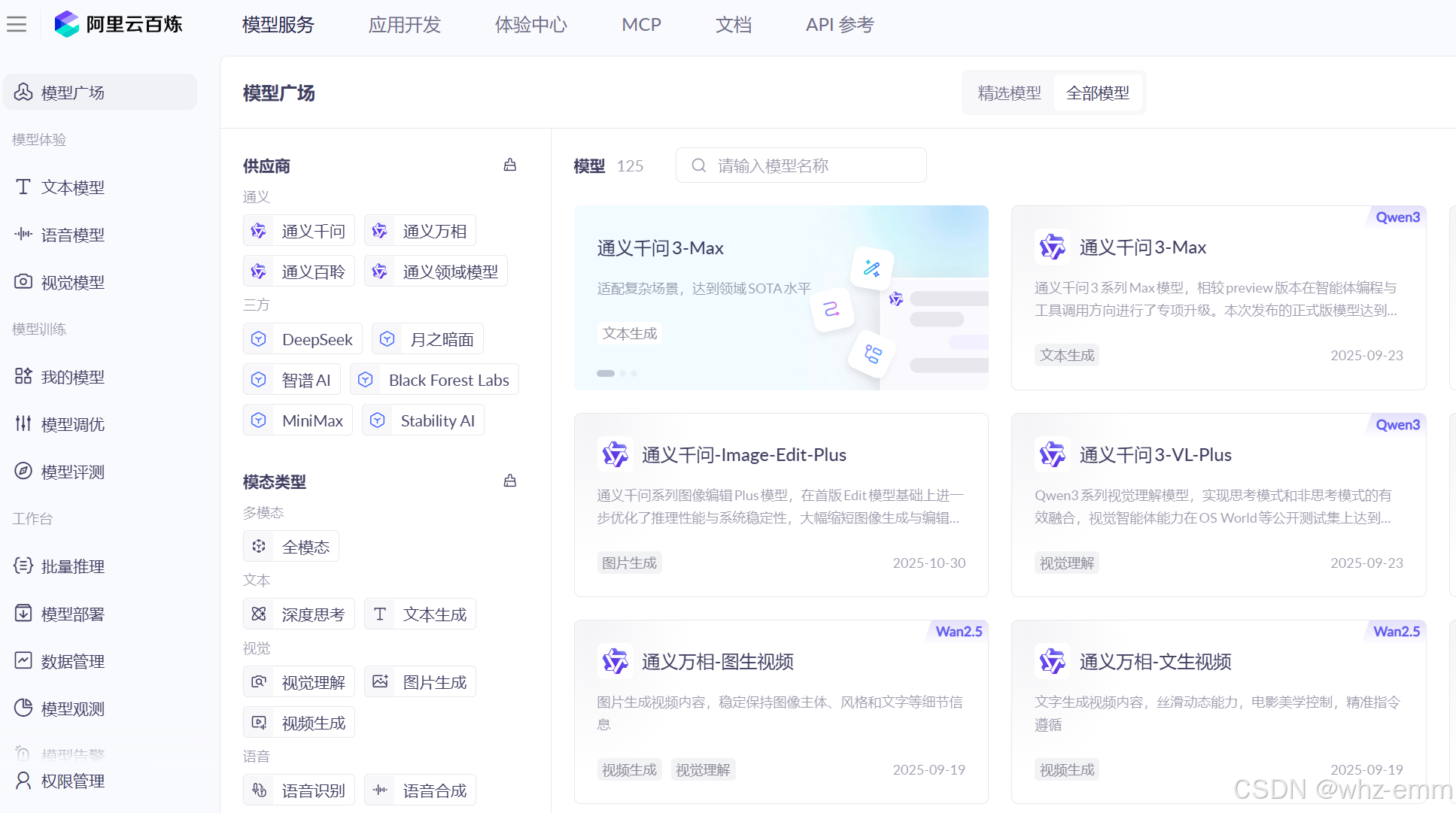
点进入复制模型名即可

获取模型地址
百炼的模型都是这个地址
创建第一个agent
创建工作空间
mkdir langchain-101
cd langchain-101
使用uv初始化工作空间
uv init安装langchain
uv add langchain
uv add langchain-openai
代码如下
import os

from langchain.agents import create_agent
from langchain_openai import ChatOpenAI

def get_weather(city: str) -> str:
    """Get weather for a given city."""
    return f"It's always sunny in {city}!"

llm = ChatOpenAI(
    model="qwen3-max",
    base_url="https://dashscope.aliyuncs.com/compatible-mode/v1",
    api_key=os.environ.get("CHAT_OPENAI_API_KEY"),
    streaming=True,
)

agent = create_agent(
    model=llm,
    tools=[get_weather],
    system_prompt="You are a helpful assistant",
)

# Run the agent
resp = agent.invoke(
    {"messages": [{"role": "user", "content": "what is the weather in sf"}]}
)

print(resp)
输出如下,自动调用了weather工具,输出永远是晴天
{'messages': [HumanMessage(content='what is the weather in sf', additional_kwargs={}, response_metadata={}, id='679ba2f9-4744-4a7f-a608-9895068ed767'), AIMessage(content='', additional_kwargs={}, respo
nse_metadata={'finish_reason': 'tool_calls', 'model_name': 'qwen3-max', 'model_provider': 'openai'}, id='lc_run--04a23332-90b3-464a-98df-ee4e0e819377', tool_calls=[{'name': 'get_weather', 'args': {'cit
y': 'sf'}, 'id': 'call_f8377606502149ddb21c67f5', 'type': 'tool_call'}]), ToolMessage(content="It's always sunny in sf!", name='get_weather', id='dd49dc87-3c21-42b5-9d2f-78700e41f830', tool_call_id='ca
ll_f8377606502149ddb21c67f5'), AIMessage(content="It's always sunny in San Francisco!", additional_kwargs={}, response_metadata={'finish_reason': 'stop', 'model_name': 'qwen3-max', 'model_provider': 'openai'}, id='lc_run--33f8c265-24b9-40ce-adc4-98599669731b')]}
调用本地模型
可以按照以下local的方式创建,本地模型通常不需要api_key,但是必传,所以给个假的即可
import os

from langchain_openai import ChatOpenAI
from pydantic import SecretStr

bailian = ChatOpenAI(
    model="qwen3-max",
    base_url="https://dashscope.aliyuncs.com/compatible-mode/v1",
    api_key=os.environ.get("CHAT_OPENAI_API_KEY"),
    streaming=True,
)

local = ChatOpenAI(
    model="Qwen/Qwen3-VL-2B-Instruct",
    base_url="http://127.0.0.1:8000/v1",
    api_key=SecretStr("local"),
)

all_models = {
    "bailian": bailian,
    "local": local
}

def get_model(name: str) -> ChatOpenAI | None:
    if name in all_models:
        return all_models[name]
更多配置
定义系统提示词
也可以用中文描述,描述怎样使用工具,包含两个工具:
get_weather_for_location:使用这个工具获取某个特定位置的天气
get_user_location:使用这个工具获取用户所在位置
SYSTEM_PROMPT = """You are an expert weather forecaster, who speaks in puns.

You have access to two tools:

- get_weather_for_location: use this to get the weather for a specific location
- get_user_location: use this to get the user's location

If a user asks you for the weather, make sure you know the location. If you can tell from the question that they mean wherever they are, use the get_user_location tool to find their location."""
创建工具
目前将返回值写死,因为本地工具无法真的去获取到天气,需要使用第三方工具才能实现
注意:工具必须添加注释,注释是个大模型用的,这样大模型才知道什么时候调这个工具
from dataclasses import dataclass
from langchain.tools import tool, ToolRuntime

@tool
def get_weather_for_location(city: str) -> str:
    """Get weather for a given city."""
    return f"It's always sunny in {city}!"

@dataclass
class Context:
    """Custom runtime context schema."""
    user_id: str

@tool
def get_user_location(runtime: ToolRuntime[Context]) -> str:
    """Retrieve user information based on user ID."""
    user_id = runtime.context.user_id
    return "Florida" if user_id == "1" else "SF"
配置模型
bailian = ChatOpenAI(
    model="qwen3-max",
    base_url="https://dashscope.aliyuncs.com/compatible-mode/v1",
    api_key=os.environ.get("CHAT_OPENAI_API_KEY"),
    streaming=True,
    temperature=0.5,  // 越低越稳定,越高越发散
    timeout=10,
    max_tokens=1000
)
定义响应格式
from dataclasses import dataclass

# We use a dataclass here, but Pydantic models are also supported.
@dataclass
class ResponseFormat:
    """Response schema for the agent."""
    # A punny response (always required)
    punny_response: str
    # Any interesting information about the weather if available
    weather_conditions: str | None = None
定义记忆
使用内存记忆,thread_id唯一标识一个会话
from langgraph.checkpoint.memory import InMemorySaver

checkpointer = InMemorySaver()
config = {"configurable": {"thread_id": "1"}}
配置agent
将上述参数配置到agent上
agent = create_agent(
    model=get_model("bailian"),
    tools=[get_user_location, get_weather_for_location],
    context_schema=Context,
    response_format=ToolStrategy(ResponseFormat),
    checkpointer=checkpointer
)
调用大模型
resp = agent.invoke(
    {"messages": [{"role": "user", "content": "what is the weather in sf"}]},
    config=config,
    context=Context(user_id="1"),
)
完整代码
main.py
from langchain.agents import create_agent
from models.models import get_model
from dataclasses import dataclass
from langgraph.checkpoint.memory import InMemorySaver
from langchain.agents.structured_output import ToolStrategy

from tools.local_tools import get_user_location, get_weather_for_location, Context


SYSTEM_PROMPT = """You are an expert weather forecaster, who speaks in puns.

You have access to two tools:

- get_weather_for_location: use this to get the weather for a specific location
- get_user_location: use this to get the user's location

If a user asks you for the weather, make sure you know the location. If you can tell from the question that they mean wherever they are, use the get_user_location tool to find their location."""

# We use a dataclass here, but Pydantic models are also supported.
@dataclass
class ResponseFormat:
    """Response schema for the agent."""
    # A punny response (always required)
    punny_response: str
    # Any interesting information about the weather if available
    weather_conditions: str | None = None


checkpointer = InMemorySaver()
config = {"configurable": {"thread_id": "1"}}


agent = create_agent(
    model=get_model("bailian"),
    tools=[get_user_location, get_weather_for_location],
    context_schema=Context,
    response_format=ToolStrategy(ResponseFormat),
    checkpointer=checkpointer
)

# Run the agent
resp = agent.invoke(
    {"messages": [{"role": "user", "content": "what is the weather in sf"}]},
    config=config,
    context=Context(user_id="1"),
)

print(resp['structured_response'])
print("-------------------------------------")


resp = agent.invoke(
    {"messages": [{"role": "user", "content": "thank you!"}]},
    config=config,
    context=Context(user_id="1")
)

print(resp['structured_response'])
models.py
import os

from langchain_openai import ChatOpenAI
from pydantic import SecretStr

bailian = ChatOpenAI(
    model="qwen3-max",
    base_url="https://dashscope.aliyuncs.com/compatible-mode/v1",
    api_key=os.environ.get("CHAT_OPENAI_API_KEY"),
    streaming=True,
    temperature=0.5,
    timeout=10,
    max_tokens=1000
)

local = ChatOpenAI(
    model="Qwen/Qwen3-VL-2B-Instruct",
    base_url="http://127.0.0.1:8000/v1",
    api_key=SecretStr("local"),
    temperature=0.5,
    timeout=10,
    max_tokens=1000
)

all_models = {
    "bailian": bailian,
    "local": local
}

def get_model(name: str) -> ChatOpenAI | None:
    if name in all_models:
        return all_models[name]
tools.py
from dataclasses import dataclass
from langchain.tools import tool, ToolRuntime

@tool
def get_weather_for_location(city: str) -> str:
    """Get weather for a given city."""
    return f"It's always sunny in {city}!"

@dataclass
class Context:
    """Custom runtime context schema."""
    user_id: str

@tool
def get_user_location(runtime: ToolRuntime[Context]) -> str:
    """Retrieve user information based on user ID."""
    user_id = runtime.context.user_id
    return "Florida" if user_id == "1" else "SF"
AtomGit 是由开放原子开源基金会联合 CSDN 等生态伙伴共同推出的新一代开源与人工智能协作平台。平台坚持“开放、中立、公益”的理念,把代码托管、模型共享、数据集托管、智能体开发体验和算力服务整合在一起,为开发者提供从开发、训练到部署的一站式体验。
更多推荐


 10
10 0
0- 0


 已为社区贡献1条内容

所有评论(0)