离线CoPaw安装时,无法连接本地千问模型
最近在部署CoPaw-0.0.7时,遇到一个问题:
使用 copaw init 安装无法连接ollama(即本地模型)千问模型,以下是详细安装的过程(请参照红色部分)
root@ubuntu-Rack-Server:/home/ubuntu/xxxx/CoPaw-0.0.7/scripts# ./install.sh
[copaw] Using official PyPI source (network is good)
[copaw] Installing CoPaw into /root/.copaw
[copaw] uv found: /root/.local/bin/uv
[copaw] Existing environment found, upgrading...
[copaw] Python environment ready (Python 3.12.13)
[copaw] Installing copaw[ollama] from PyPI...
Using Python 3.12.13 environment at: /root/.copaw/venv
------以下省略一些过程
+ tavily-python==0.7.23
+ tenacity==9.1.4
+ tiktoken==0.12.0
+ tokenizers==0.22.2
+ tqdm==4.67.3
+ transformers==5.3.0
+ twilio==9.10.3
+ typer==0.24.1
+ typing-extensions==4.15.0
+ typing-inspection==0.4.2
+ tzdata==2025.3
+ tzlocal==5.3.1
+ uncalled-for==0.2.0
+ unpaddedbase64==2.1.0
+ urllib3==2.6.3
+ uvicorn==0.41.0
+ uvloop==0.22.1
+ vine==5.1.0
+ watchfiles==1.1.1
+ wcwidth==0.6.0
+ websocket-client==1.9.0
+ websockets==16.0
+ wsproto==1.3.2
+ yarl==1.23.0
+ zipp==3.23.0
[copaw] CoPaw installed successfully
[copaw] Wrapper created at /root/.copaw/bin/copaw
CoPaw installed successfully!
Install location: /root/.copaw
Python: Python 3.12.13
Console (web UI): available
To get started, open a new terminal or run:
source ~/.zshrc # or ~/.bashrc
Then run:
copaw init # first-time setup
copaw app # start CoPaw
To upgrade later, re-run this installer.
To uninstall, run: copaw uninstall
root@ubuntu-Rack-Server:/home/ubuntu/zhuxh/CoPaw-0.0.7/scripts# source ~/.zshrc
root@ubuntu-Rack-Server:/home/ubuntu/zhuxh/CoPaw-0.0.7/scripts# copaw init
Working dir: /root/.copaw
╭───────────────────────────────────────────────────────── Security warning — please read ─────────────────────────────────────────────────────────╮
│ Security warning — please read. │
│ │
│ CoPaw is a personal assistant that runs in your own environment. It can connect to │
│ channels (DingTalk, Feishu, QQ, Discord, iMessage, etc.) and run skills that read │
│ files, run commands, and call external APIs. By default it is a single-operator │
│ boundary: one trusted user. A malicious or confused prompt can lead the agent to │
│ do unsafe things if tools are enabled. │
│ │
│ If multiple people can message the same CoPaw instance with tools enabled, they │
│ share the same delegated authority (files, commands, secrets the agent can use). │
│ │
│ If you are not comfortable with access control and hardening, do not run CoPaw with │
│ tools or expose it to untrusted users. Get help from someone experienced before │
│ enabling powerful skills or exposing the bot to the internet. │
│ │
│ Recommended baseline: │
│ - Restrict which channels and users can trigger the agent; use allowlists where possible. │
│ - Multi-user or shared inbox: use separate config/credentials and ideally separate │
│ OS users or hosts per trust boundary. │
│ - Run skills with least privilege; sandbox where you can. │
│ - Keep secrets out of the agent's working directory and skill-accessible paths. │
│ - Use a capable model when the agent has tools or handles untrusted input. │
│ │
│ Review your config and skills regularly; limit tool scope to what you need. │
╰─────────────────────────────────────────────────────────────────────────────────────────────────────────────────────────────────────────────────────╯
? Have you read and accepted the security notice above? (yes to continue, no to abort) Yes
? /root/.copaw/config.json exists. Do you want to overwrite it? ("no" for skipping the configuration process) Yes
=== Heartbeat Configuration ===
Heartbeat interval (e.g. 30m, 1h) [6h]:
? Heartbeat target: main
? Set active hours for heartbeat? (skip = run 24h) No
? Show tool call/result details in channel messages? Yes
? Select language for MD files: zh
? Configure channels? (iMessage/Discord/DingTalk/Feishu/QQ/Console) No
✓ Configuration saved to /root/.copaw/config.json
=== LLM Provider Configuration (required) ===
--- Provider Configuration ---
? Select provider to configure API key: Ollama (ollama) [✓]
Ollama does not require API key configuration. Skipping.
--- Activate Ollama Model ---
? Select provider for LLM: Ollama (ollama)
LLM model name (required): []: qwen3:32b
Error: Model 'qwen3:32b' not found in provider 'ollama'.
root@ubuntu-Rack-Server:/home/ubuntu/xxxx/CoPaw-0.0.7/scripts#
而ollama是启动状态:
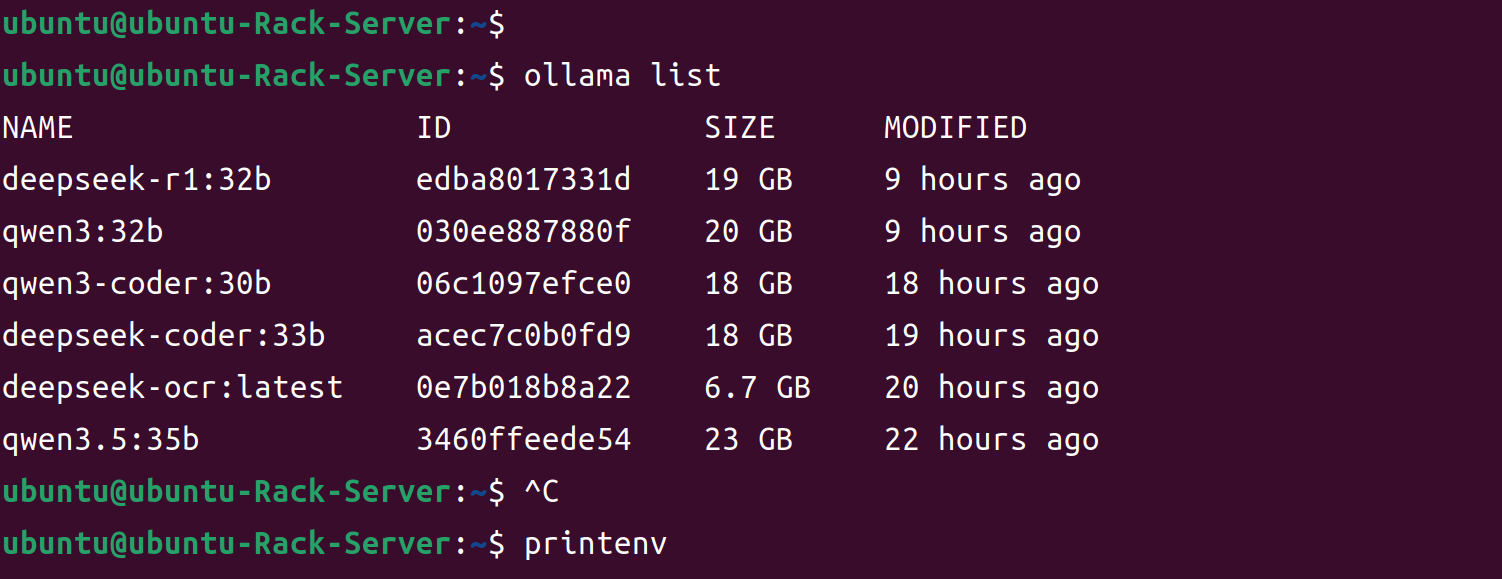
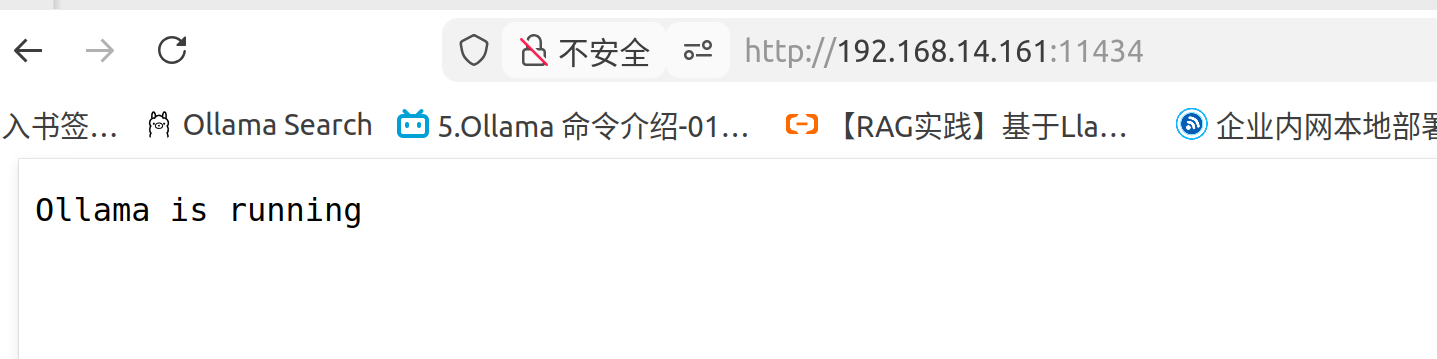
在网上查阅资料后,采用copaw init --init安装后,顺利安装完毕,并启动了服务:
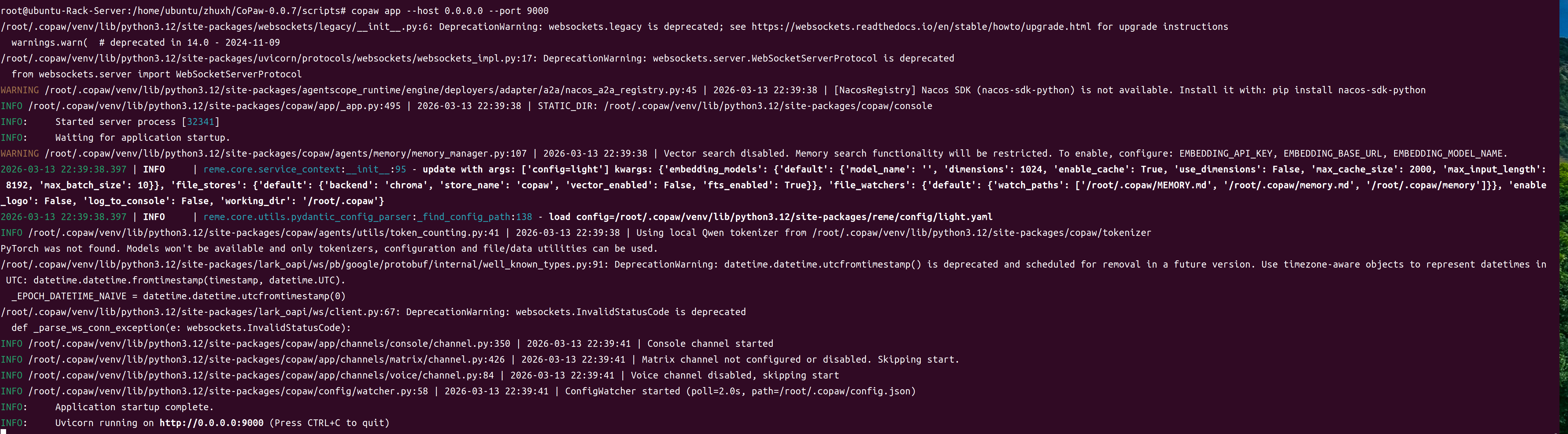
注:由于默认端口8080被占用,我在启动时使用了9000端口
界面显示如下:
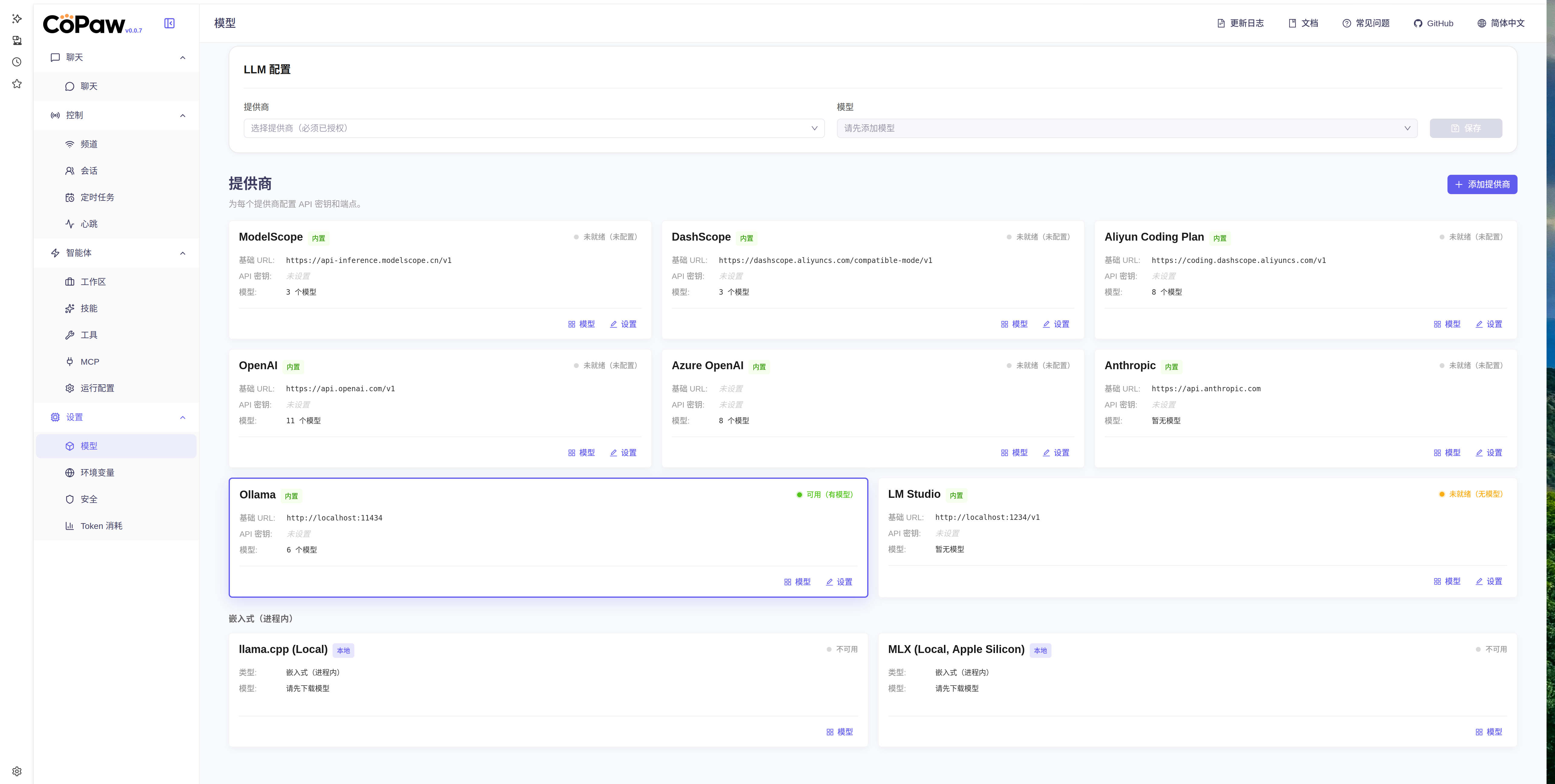
然后在网页ollama配置中,点击 “模型”按钮,在弹出框中,显示了模型列表(默认情况下可能不显示,点击刷新按钮刷新一下,如果还不显示,请在ollama中配置环境为整个网络可见,然后同时重启ollama服务(注:ollama启动速度有点慢,稍微等一下,在启动的环境变量中可以看到是否是0.0.0.0:11434还是127.0.0.1:11434)):
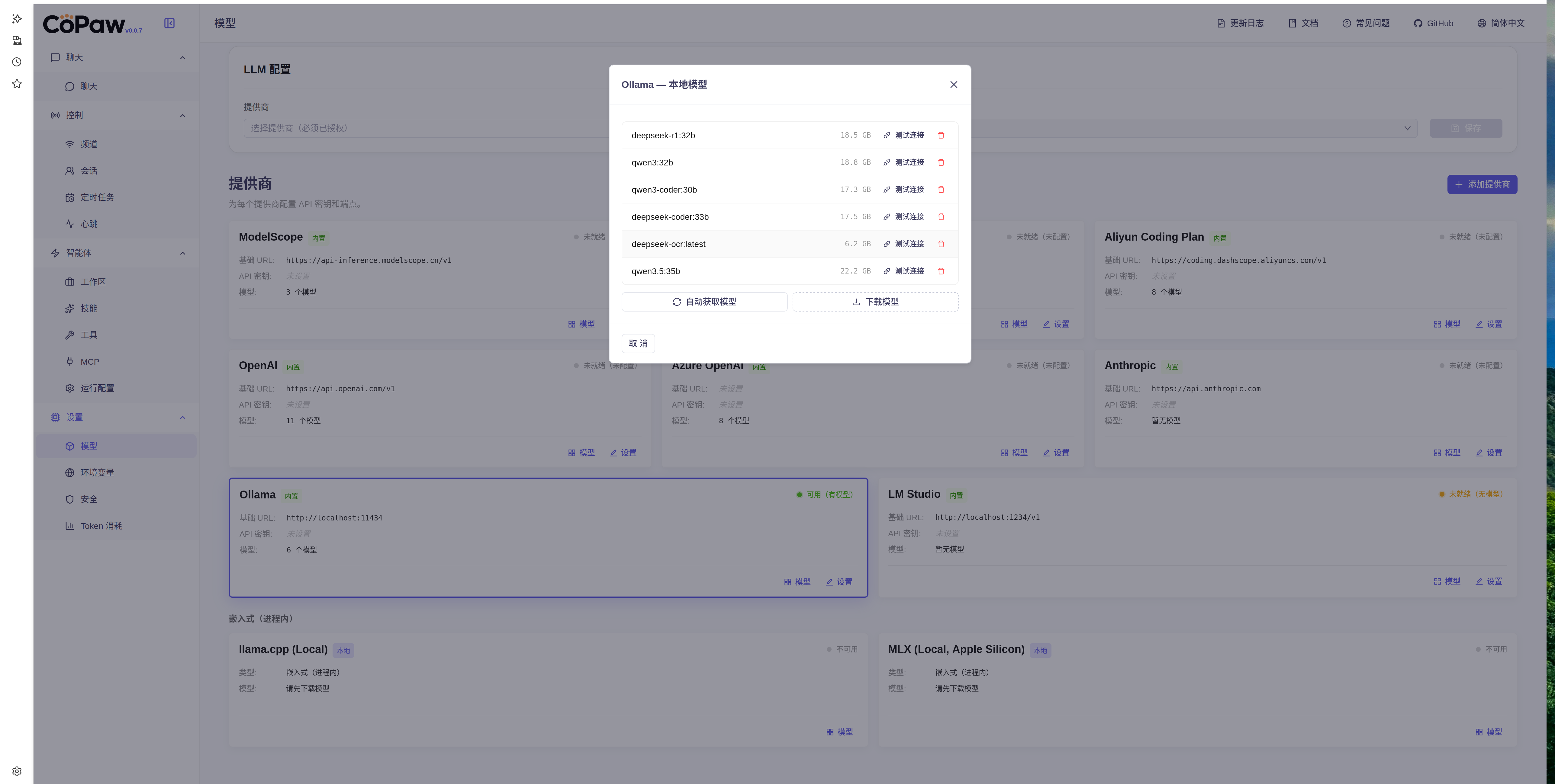
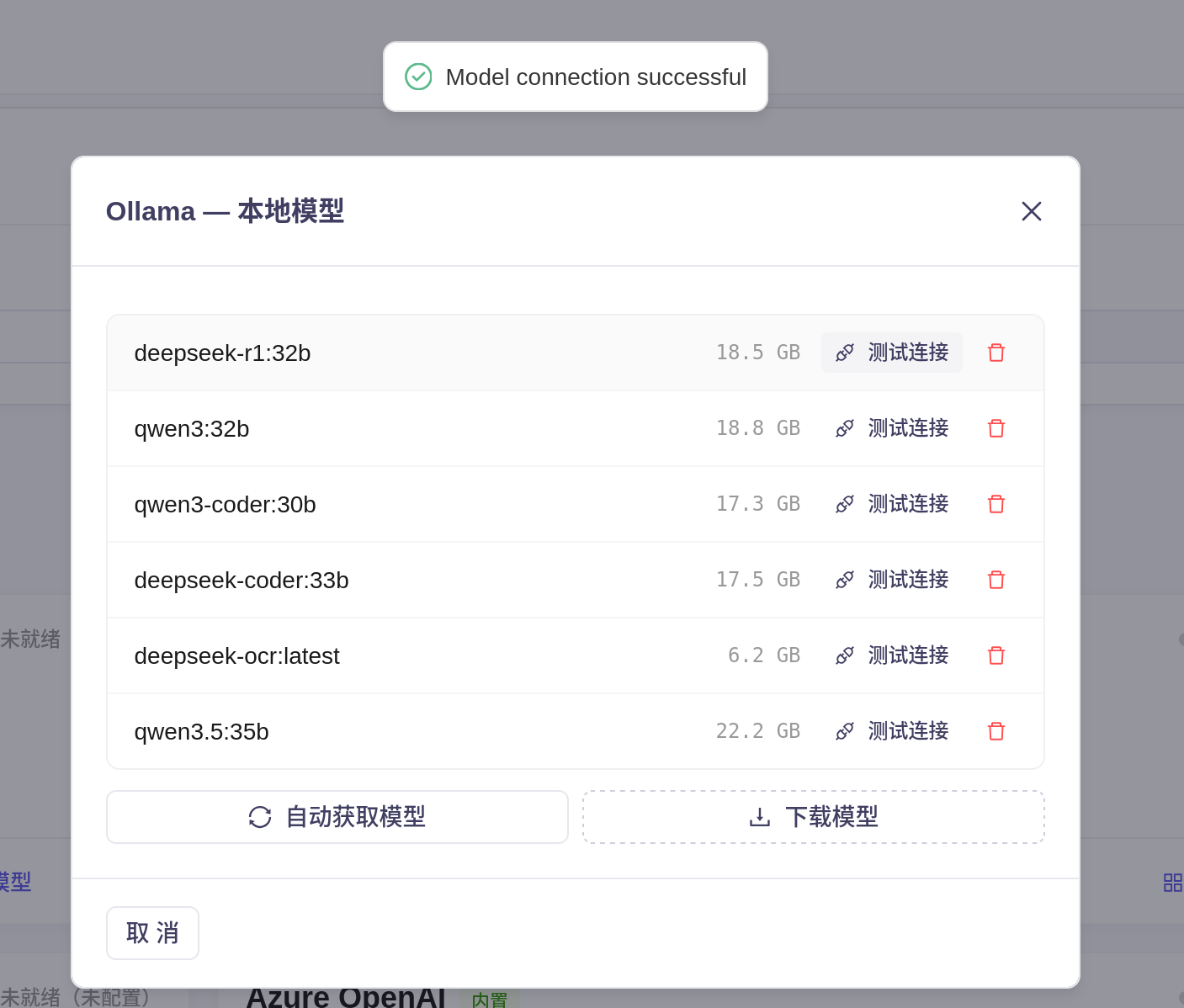
问题点:在对本地模型进行测试时,发现如下情况:
deepseek-r1时,能够正常连接。
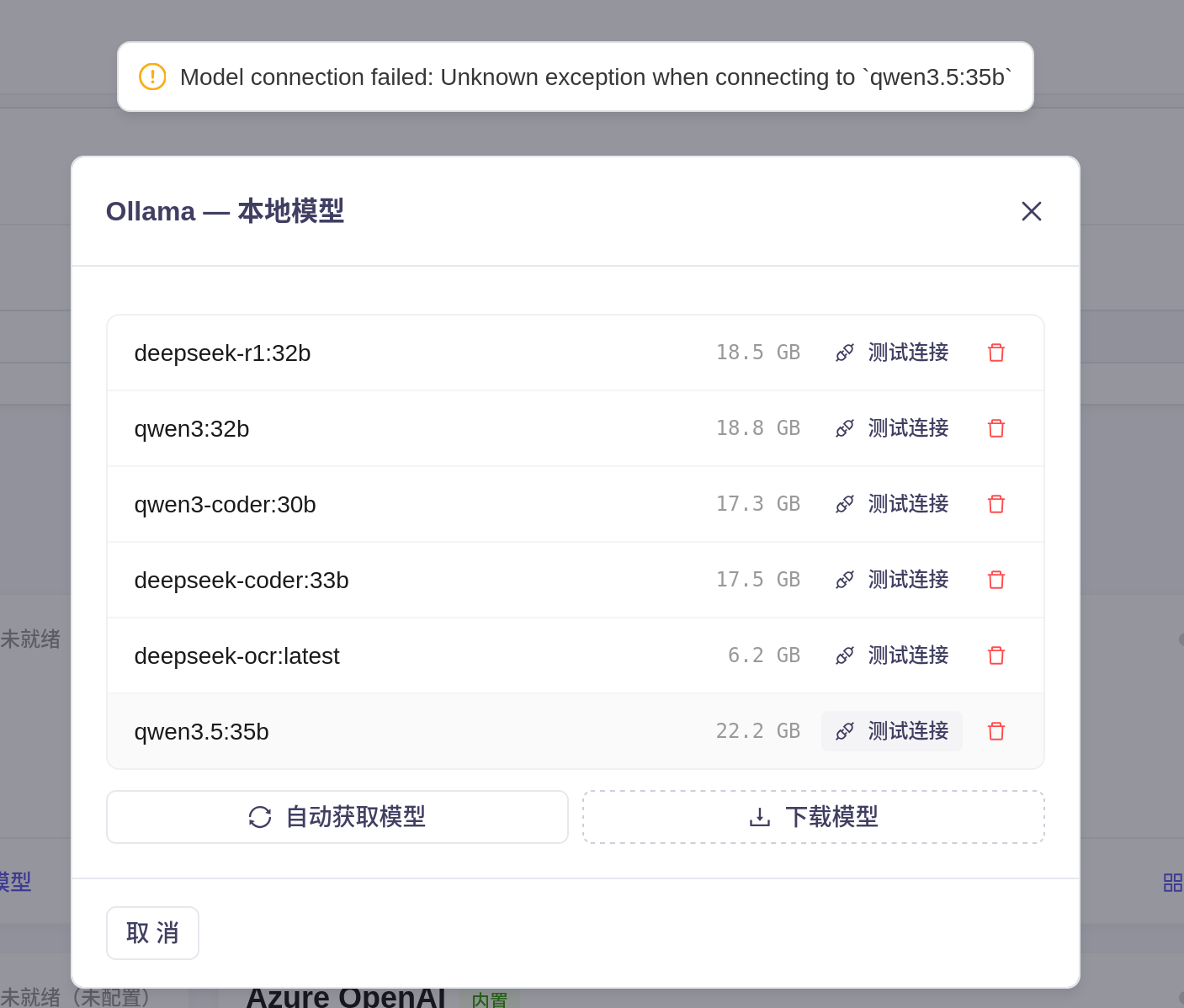
在连接本地的其他模型时,发现不能正常连接:
各位网友有没有遇到上述的问题,请多多指教~~~

AtomGit 是由开放原子开源基金会联合 CSDN 等生态伙伴共同推出的新一代开源与人工智能协作平台。平台坚持“开放、中立、公益”的理念,把代码托管、模型共享、数据集托管、智能体开发体验和算力服务整合在一起,为开发者提供从开发、训练到部署的一站式体验。
更多推荐
 12
12 0
0- 0


 已为社区贡献1条内容

所有评论(0)