Cobbler自动化安装系统全攻略
利用cobbler实现自动化安装
Cobbler简介
Cobbler是一款Linux生态的自动化运维工具,基于Python2开发,用于自动化批量部署安装操作系统;其提供基于CLI的管理方式和WEB配置界面,其中WEB配置界面是基于Python2和Django框架开发。另外,cobbler还提供了API,方便二次开发。Cobbler属于C/S模型(客户端/服务器模型)。
Cobbler主要用于快速网络安装linux操作系统,支持众多的Linux发行版如:Red Hat、Fedora、CentOS、Debian、Ubuntu和SuSE等,甚至支持windows的安装。
Cobbler实质是PXE的二次封装,将多种安装参数封装到一起,并提供统一的管理方法。
Cobbler的相关服务
使用Cobbler安装系统需要一台专门提供各种服务的服务器,提供的服务包括(HTTP/FTP/NFS,TFTP,DHCP),也可以将这几个服务分别部署到不同服务器。事实上在实际应用中,总是将不同的服务分别部署到专门的服务器。
Cobbler是在HTTP、TFTP、DHCP等各种服务的基础上进行相关操作的,实际安装的大体过程类似于基于PXE的网络安装:客户端(裸机)开机使用网卡引导启动,其请求DHCP分配一个地址后从TFTP服务器获取启动文件,加载到客户端本地内存中运行,并显示出可安装的系统列表;在人为的选定安装的操作系统类型后,客服端会到HTTP服务器下载相应的系统安装文件并执行自动安装。
Cobbler的工作原理
client裸机配置了从网络启动后,开机后会广播包请求DHCP服务器(cobbler server)发送其分配好的一个IP。
DHCP服务器(cobbler server)收到请求后发送responese,包括其ip地址。
client裸机拿到ip后再向cobbler server发送请求OS引导文件的请求。
cobbler server告诉裸机OS引导文件的名字和TFTP server的ip和port。
client裸机通过上面告知的TFTP server地址通信,下载引导文件。
client裸机执行执行该引导文件,确定加载信息,选择要安装的os,期间会再向cobbler server请求kickstart文件和os image。
cobbler server发送请求的kickstart和os iamge。
client裸机加载kickstart文件。
client裸机接收os image,安装该os image。
安装Cobbler及其相关的服务和组件
Cobbler所依赖的服务包括HTTPD,TFTP,DHCP等,如果有web界面要求,还需要安装相关的组件。
CentOS 8目前还没有提供Cobbler相关包。
[root@centos7 ~]#yum install dhcp cobbler cobbler-web pykickstart
[root@centos7 ~]#systemctl enable --now cobbler httpd tftp dhcpd
相关包说明:
httpd:提供yum源,并配合cobbler-web使得cobbler可以通过web网页界面进行配置管理。
tftp-server:提供启动和菜单等相关文件网络下载功能。
cobbler-web : 提供基于web的cobbler管理界面。
pykickstart.noarch : 基于python的管理kickstart文件的库。
说明
Cobbler依赖于epel源,在安装cobbler之前需要配置epel源。
在安装cobbler时会自因为依赖而安装httpd,tftp-server相关包。
Cobbler配置文件及各目录情况
配置文件
/etc/cobbler/settings  #cobbler 主配置文件
/etc/cobbler/iso/  #iso模板配置文件
/etc/cobbler/pxe   #pxe模板文件
/etc/cobbler/power  #电源配置文件
/etc/cobbler/user.conf   #web服务授权配置文件
/etc/cobbler/users.digest  #web访问的用户名密码配置文件
/etc/cobbler/dhcp.template #dhcp服务器的的配置模板
/etc/cobbler/dnsmasq.template #dns服务器的配置模板
/etc/cobbler/tftpd.template  #tftp服务的配置模板
/etc/cobbler/modules.conf #cobbler模块的配置文件
数据目录
/var/lib/cobbler/config/     #用于存放distros,system,profiles 等信息的配置文件
/var/lib/cobbler/triggers/   #用于存放用户定义的cobbler命令
/var/lib/cobbler/kickstarts/  # 默认存放kickstart文件
/var/lib/cobbler/loaders/     #存放各种引导程序
镜像目录
/var/www/cobbler/ks_mirror/    #导入的发行版系统的所有数据
/var/www/cobbler/images/       #导入发行版kernel和initrd镜像用于远程网络启动
/var/www/cobbler/repo_mirror/   #yum 仓库存储目录
日志目录
/var/log/cobbler/installing  #客户端安装日志
/var/log/cobbler/cobbler.log #cobbler日志
配置及启动cobblerd服务
检测cobbler的运行环境,并根据提示逐步配置cobbler
cobbler check
The following are potential configuration items that you may want to fix:

1 : The 'server' field in /etc/cobbler/settings must be set to something other than localhost, or kickstarting features will not work.  This should be a resolvable hostname or IP for the boot server as reachable by all machines that will use it.
2 : For PXE to be functional, the 'next_server' field in /etc/cobbler/settings must be set to something other than 127.0.0.1, and should match the IP of the boot server on the PXE network.
3 : change 'disable' to 'no' in /etc/xinetd.d/tftp
4 : Some network boot-loaders are missing from /var/lib/cobbler/loaders, you may run 'cobbler get-loaders' to download them, or, if you only want to handle x86/x86_64 netbooting, you may ensure that you have installed a *recent* version of the syslinux package installed and can ignore this message entirely.  Files in this directory, should you want to support all architectures, should include pxelinux.0, menu.c32, elilo.efi, and yaboot. The 'cobbler get-loaders' command is the easiest way to resolve these requirements.
5 : enable and start rsyncd.service with systemctl
6 : debmirror package is not installed, it will be required to manage debian deployments and repositories
7 : ksvalidator was not found, install pykickstart
8 : The default password used by the sample templates for newly installed machines (default_password_crypted in /etc/cobbler/settings) is still set to 'cobbler' and should be changed, try: "openssl passwd -1 -salt 'random-phrase-here' 'your-password-here'" to generate new one
9 : fencing tools were not found, and are required to use the (optional) power management features. install cman or fence-agents to use them

Restart cobblerd and then run 'cobbler sync' to apply changes.

1.更改/etc/xinetd.d/tftp配置文件
vim /etc/xinetd.d/tftp
disable  =  yes  -->  disable  =  no
systemctl restart xinetd
2.联网下载boot引导程序文件
cobbler get-loaders
3.没有网络情况下拷贝启动文件到TFTP服务文件夹
cp -a /usr/share/syslinux/{pxelinux.0,menu.c32}  /var/lib/tftpboot
4.更改/etc/cobbler/settings配置文件的server项为提供cobblerd服务的主机地址,也就是本机地址
sed -nri 's#server:127.0.0.1#server:192.168.100.100#' /etc/cobbler/settings
更改后的整行内容:server:192.168.100.100
5.更改/etc/cobbler/settings配置文件的next_server项,指明tftp服务器地址,使得客户端能够找
到TFTP服务器
sed -i 's/next_server: 127.0.0.1/next_server: 192.168.100.100/' /etc/cobbler/settings
更改后的整行内容:next_server:192.168.100.100
6.配置相应的选项来使用cobbler管理dhcp服务和tftp服务
manage_dhcp:1
manage_tftpd:1
7.pxe_just_once选项,该选项置1表示在pxe安装块结束时在cobbler系统中做相应的记录,这样会避免如果客户机的BIOS选项中PXE启动处于第一位导致的循环重启;如果第一个启动硬件不是PXE启动那就置0。
pxe_just_once:1

配置完成后重启
systemctl restart cobblerd
cobbler命令用法
[root@centos7 ~]#cobbler
usage
=====
cobbler <distro|profile|system|repo|image|mgmtclass|package|file> ...
        [add|edit|copy|getks*|list|remove|rename|report] [options|--help]

cobbler <aclsetup|buildiso|import|list|replicate|report|reposync|sync|validateks|version|signature|get-loaders|hardlink> [options|--help]
可以使用下面的方式得到使用帮助
[root@centos7 ~]#cobbler distro --help
usage
=====
cobbler distro add
cobbler distro copy
cobbler distro edit
cobbler distro find
cobbler distro list
cobbler distro remove
cobbler distro rename
cobbler distro report
[root@old_centos7 ~]#cobbler distro add --help
Usage: cobbler [options]

Options:
  -h, --help            show this help message and exit
  --name=NAME           Name (Ex: Fedora-11-i386)
  --ctime=CTIME
  --mtime=MTIME
  --uid=UID       Owners (Owners list for authz_ownership (space delimited))
...省略...
常见用法
#列出当前导入的linux发行版条目
cobbler distro list
#报告当前所有的linux发行版详细信息
cobbler distro report

#导入系统源文件生成仓库
cobbler import --name=centos-7.0-x86_64 --path=/mnt --arch=x86_64

#将linux发行版系统镜像与其对应的ks文件建立关联
cobbler profile --name=centos7 --distro=centos7-x86_64 --kickstart=/var/lib/cobbler/kickstarts/ks7.cfg
将linux发行版导入到cobbler在httpd服务的文件夹下。
cobbler将系统yum源文件存放在 /var/www/cobbler/ks_mirror目录下。
cobbler import --name=centos6 --path=/var/www/html/centos/6/isos/x86_64/ --arch=x86_64
cobbler import --name=centos7 --path=/var/www/html/centos/7/isos/x86_64/ --arch=x86_64
cobbler import --name=centos8 --path=/var/www/html/centos/8/isos/x86_64/ --arch=x86_64
导入后重启并同步
systemctl restart cobblerd
cobbler sync
示例
[root@centos7 ~]#du -sh /var/www/cobbler/ks_mirror/*
11G /var/www/cobbler/ks_mirror/centos-7.7-x86_64
12K /var/www/cobbler/ks_mirror/config
基于web界面来管理配置cobbler
安装cobbler-web
yum install cobbler-web
systemctl restart httpd
访问web界面
用浏览器访问:https://localohost/cobbler_web
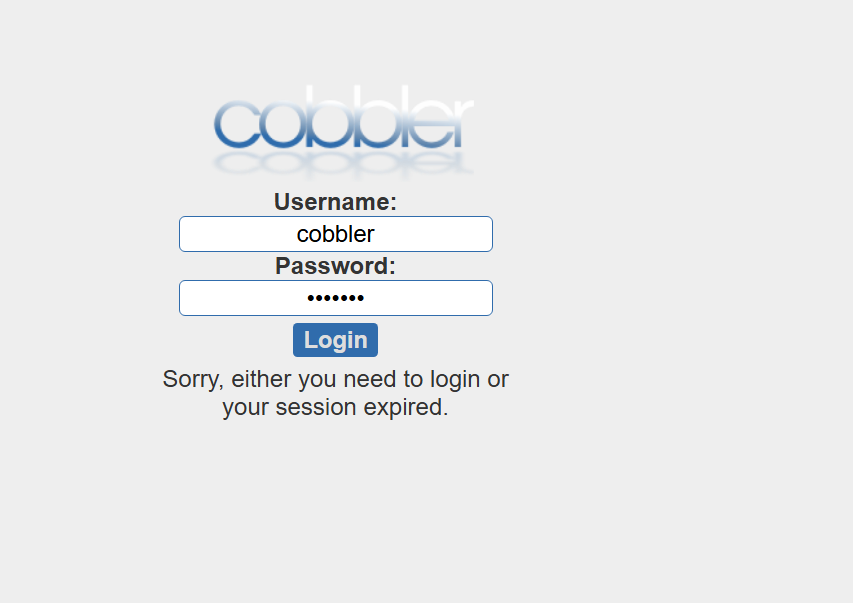
cobbler-web界面的默认账号,用户名:cobbler 密码:cobbler
cobbler访问图示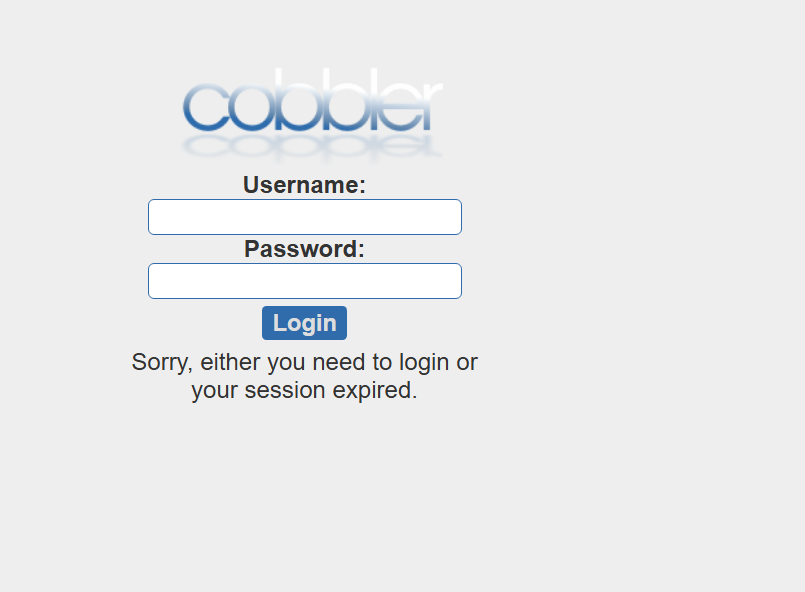

AtomGit 是由开放原子开源基金会联合 CSDN 等生态伙伴共同推出的新一代开源与人工智能协作平台。平台坚持“开放、中立、公益”的理念,把代码托管、模型共享、数据集托管、智能体开发体验和算力服务整合在一起,为开发者提供从开发、训练到部署的一站式体验。
更多推荐



 11
11 0
0- 0


 已为社区贡献1条内容

所有评论(0)