MacBook Pro本地部署 OpenClaw安装全过程,包括遇到的错误及解决办法
安装参考了这篇文章:https://zhuanlan.zhihu.com/p/2011524575893144751
具体如下:
1)# 先装 Homebrew(如果没有)
/bin/bash -c "$(curl -fsSL https://raw.githubusercontent.com/Homebrew/install/HEAD/install.sh)"
2)# 装 Node.js
brew install node3)# 验证
node -v  # 应输出 v22.x.x 或更高
npm -v
4)安装 OpenClaw CLI
npm install -g openclaw@latest运行以上命令出现报错:
npm error code 128
npm error An unknown git error occurred
npm error command git --no-replace-objects ls-remote ssh://git@github.com/whiskeysockets/libsignal-node.git
npm error git@github.com: Permission denied (publickey).
npm error fatal: Could not read from remote repository.
npm error
npm error Please make sure you have the correct access rights
npm error and the repository exists.
npm error A complete log of this run can be found in: /Users/weinanjing/.npm/_logs/2026-03-09T04_12_05_188Z-debug-0.log
解决办法参考这篇文章:
在命令行里依次执行这 2 行:
git config --global url."https://github.com/".insteadOf ssh://git@github.com/
git config --global url."https://".insteadOf git://
然后再运行安装Openclaw:
npm install -g openclaw@latest5)设置npm权限
又参考了这个视频:5分44秒开始。https://www.bilibili.com/video/BV1o1AZzmEz7/?spm_id_from=333.337.search-card.all.click
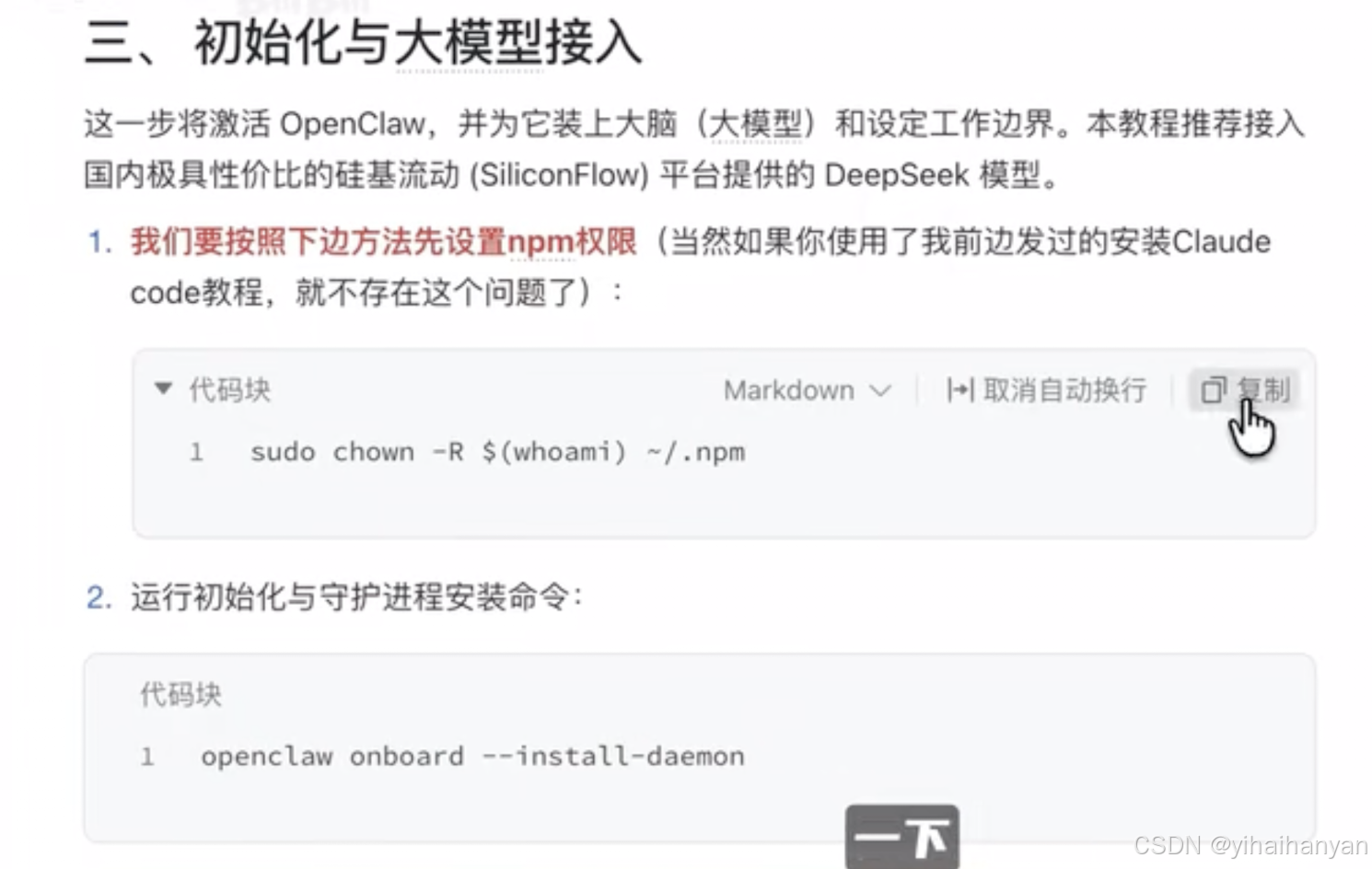
终端依次运行:
sudo chown -R $(whoami) ~/.npm
openclaw onboard --install-daemon
如下就会按提示你依次完成:
- 选择模型(我用minimax )
- 输入你的 API Key(去对应模型平台获取)
- 设置工作区、权限、端口(默认 18789)
- 其他建议都想跳过,我之前配置飞书就报错,折腾一段时间。
按照如下设置:
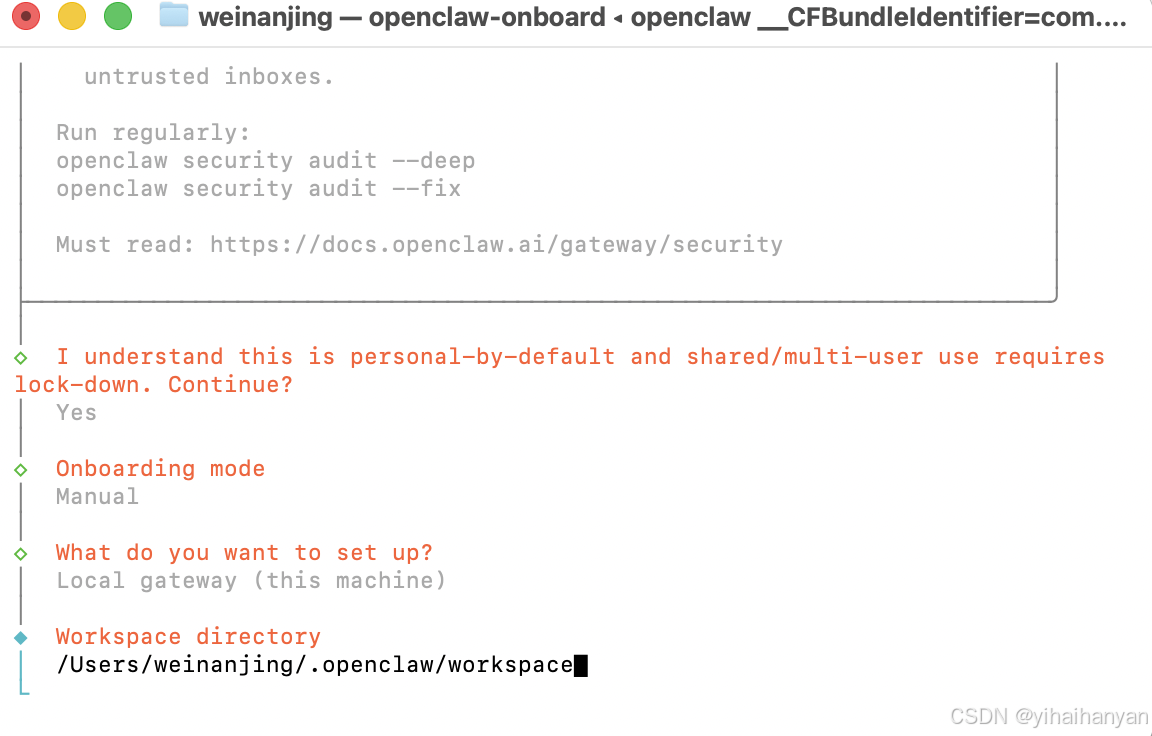
6)设置文件夹目录
在我的文稿目录下,创建OpenClaw_Inbox文件夹,然后替换上面的workspace文件夹。
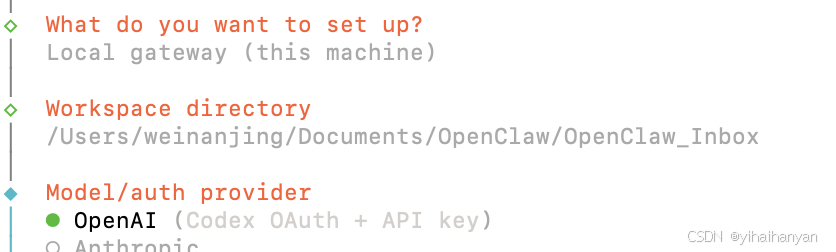
7)模型选择界面:(我用的minimaxi模型,建议直接跳到第8步骤)
1)选择minimaxi模型API Key网址:(我选择这个,提醒第一次新建API Key时,记得复制秘钥保存起来)
https://platform.minimaxi.com/user-center/basic-information
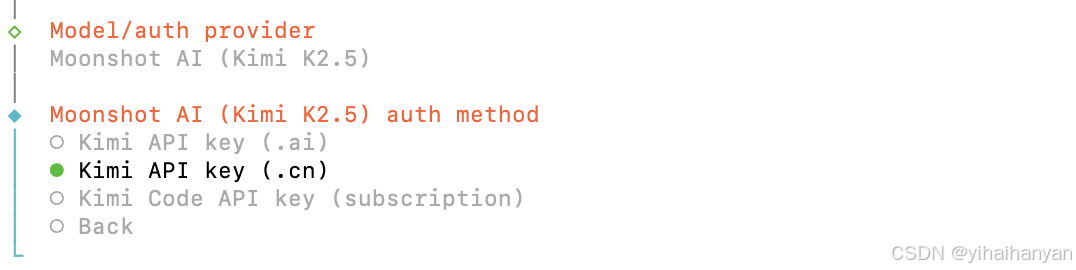
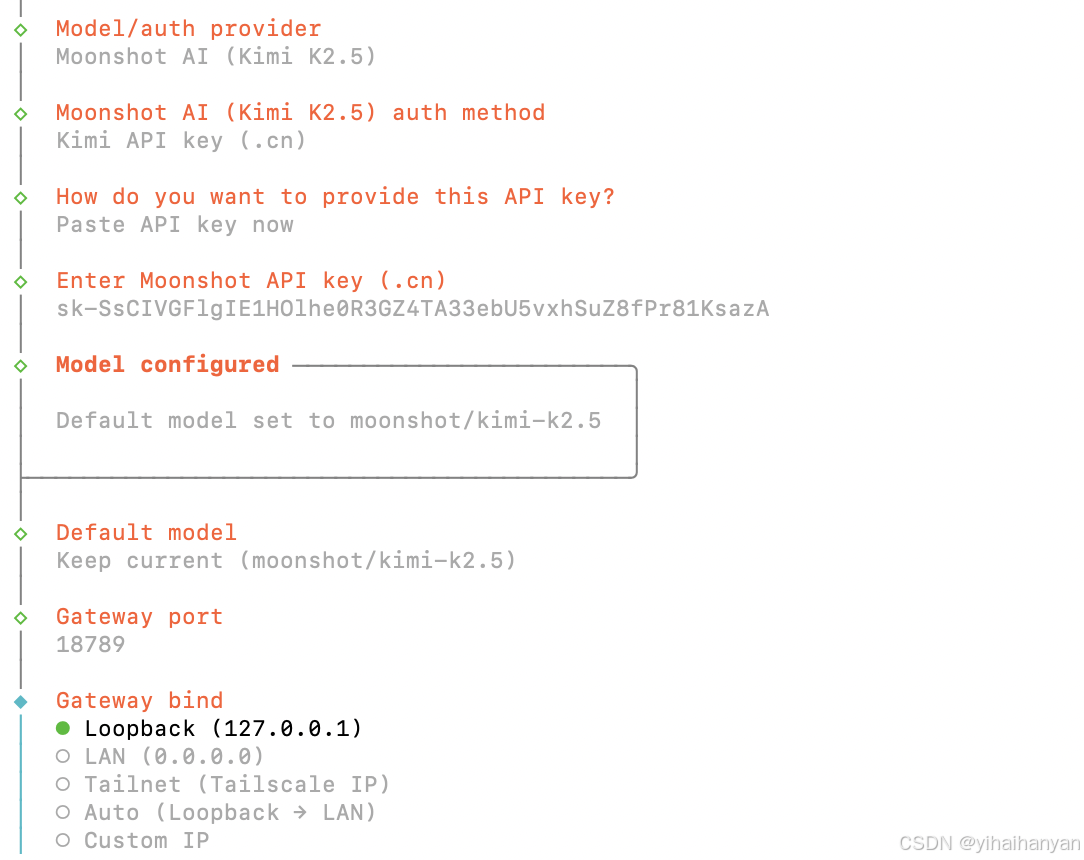
2)选择 Kimi 2.5模型
如果没有Kimi的密钥,还需组册账号申请创建一个API。
Kimi开放平台https://platform.moonshot.cn/中申请ApiKey,刚刚创建记得。
过程也参考了这篇文章:https://developer.cloud.tencent.com/article/2634506?policyId=1004
通过API通过kimi的订阅方式,选择“Kimi API key (.cn)”,第一次失败了,后面换了 minimaxi,原理一样。
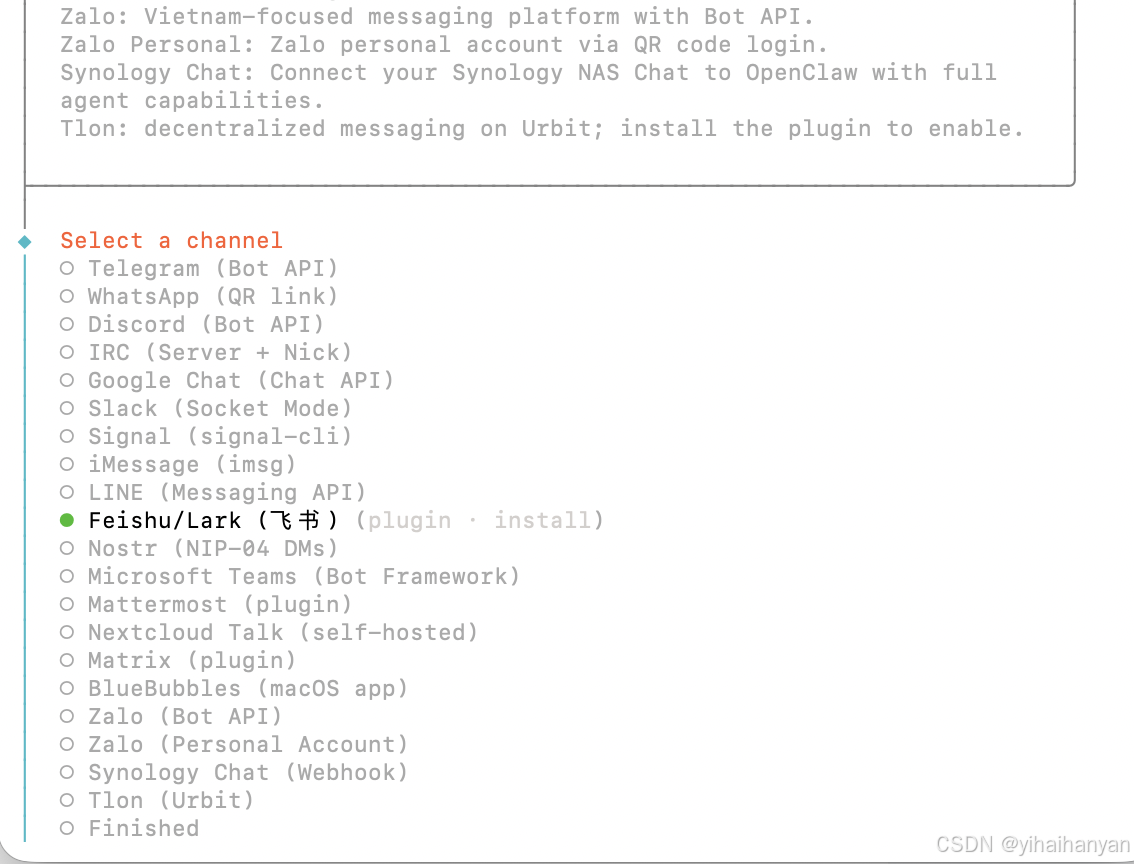
选择飞书(新手建议先跳过)
对话框选择 yes。弹出下面:选择飞书
下一步:选择 download下载(新手先跳过 )
发现下载报错,这里就遇到了大坑!!!
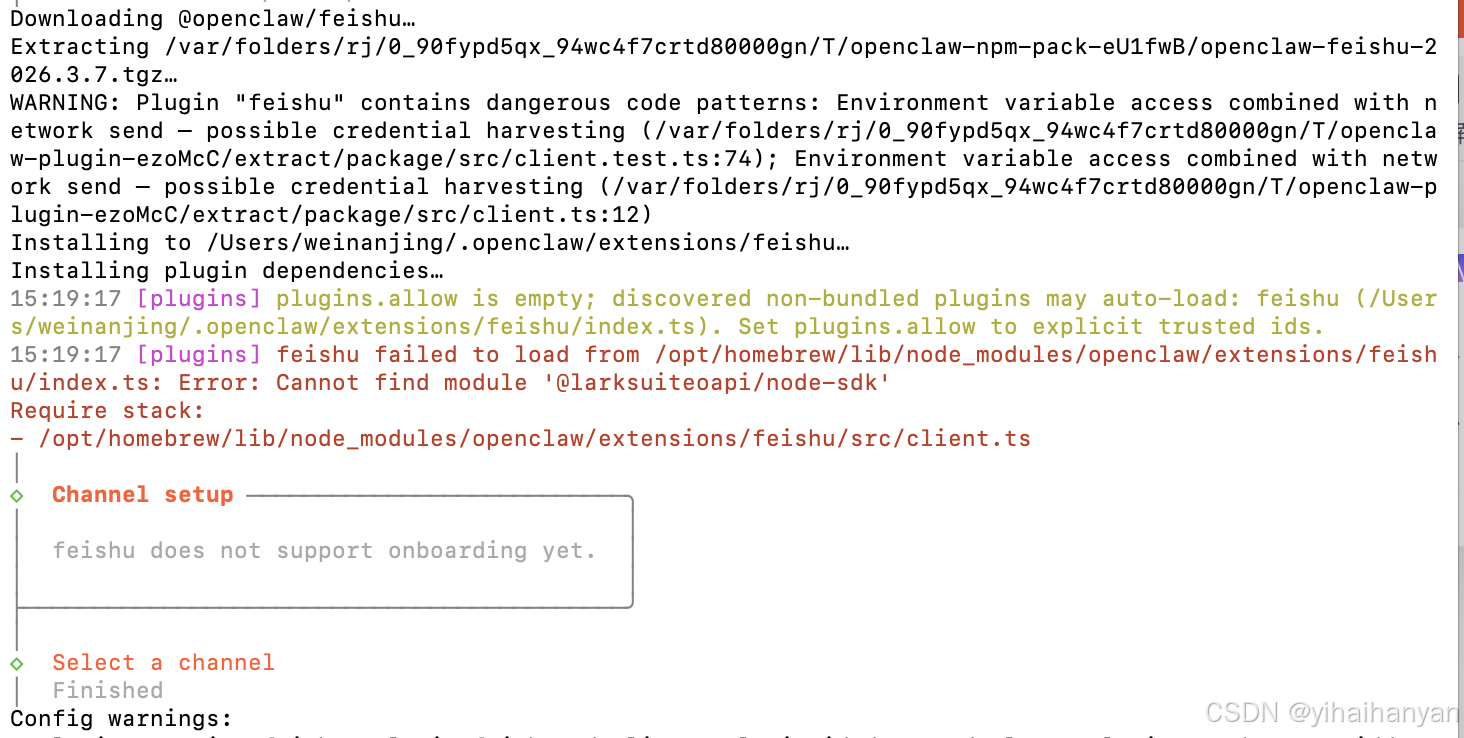
实际过程,我暂时先跳过。
安装功能插件skills ,我根据自己选择如下:(新手先跳过)

-
8)再次检查:OpenClaw是否安装了
openclaw --version
9)启动网关(后台自动运行)复制以下命令到终端
openclaw gateway status
openclaw gateway --port 18789 --verbose
http://127.0.0.1:18789/ 用浏览器打开这个连接就进入了龙虾界面
后续还有很多细节配置:
收集的一些文章:

AtomGit 是由开放原子开源基金会联合 CSDN 等生态伙伴共同推出的新一代开源与人工智能协作平台。平台坚持“开放、中立、公益”的理念,把代码托管、模型共享、数据集托管、智能体开发体验和算力服务整合在一起,为开发者提供从开发、训练到部署的一站式体验。
更多推荐


 9
9 0
0- 0


 已为社区贡献1条内容

所有评论(0)