小白3天精通跨平台React Native鸿蒙开发:项目引入axios增加Header参数
一个基于 Promise 来管理 http 请求的简洁、易用且高效的代码封装库。通俗一点来讲,它是一个前端替代Ajax的一个东西,可以使用它发起http请求接口功能,它是基于Promise的,相比于Ajax的回调函数能够更好的管理异步操作。
Axios是一个基于Promise的HTTP客户端库,专门用于在浏览器和Node.js环境中处理网络请求。它通过封装XMLHttpRequest(浏览器端)和http模块(Node.js端),为开发者提供了统一、简洁的API来发送HTTP请求。相比于原生的Fetch API,Axios在易用性和功能完整性方面都有明显优势,特别是在请求配置、拦截器处理和错误管理上表现突出。
在HTTP请求中,请求头(Headers)扮演着至关重要的角色,它们作为元数据信息,控制着请求和响应的处理方式。比如Content-Type头部告诉服务器请求体的数据格式,Authorization头部用于身份验证,Accept头部则指定客户端期望接收的响应内容类型。这些头部信息直接影响着API调用的成功与否。
设置Header头
设置请求头的方式非常灵活,可以根据不同场景选择合适的方法。全局配置适用于那些在所有请求中都需要携带的通用头部,比如认证令牌。通过axios.create()创建实例并设置defaults.headers.common属性,就能为所有通过该实例发送的请求自动添加指定的头部信息。这种方式特别适合在企业级应用中统一管理认证信息。
对于特定的请求方法,可以通过实例配置来设置默认头部。比如针对POST请求,可以预先设置Content-Type为application/json,这样每次使用该实例发起POST请求时都会自动使用这个配置。这种粒度控制让不同类型的请求能够拥有各自合适的默认头部设置。
单个请求级别的头部配置提供了最大的灵活性。在具体的请求调用中,通过config参数的headers属性直接设置,这种方式会覆盖全局和实例级别的同名头部配置,适用于那些需要特殊处理的个别请求场景。
在实际开发中,身份验证是最常见的请求头使用场景。Bearer Token认证模式被广泛采用,通过在Authorization头部携带访问令牌来验证用户身份。这种模式简单易用,安全性也相对较好,是现代Web应用中的主流选择。
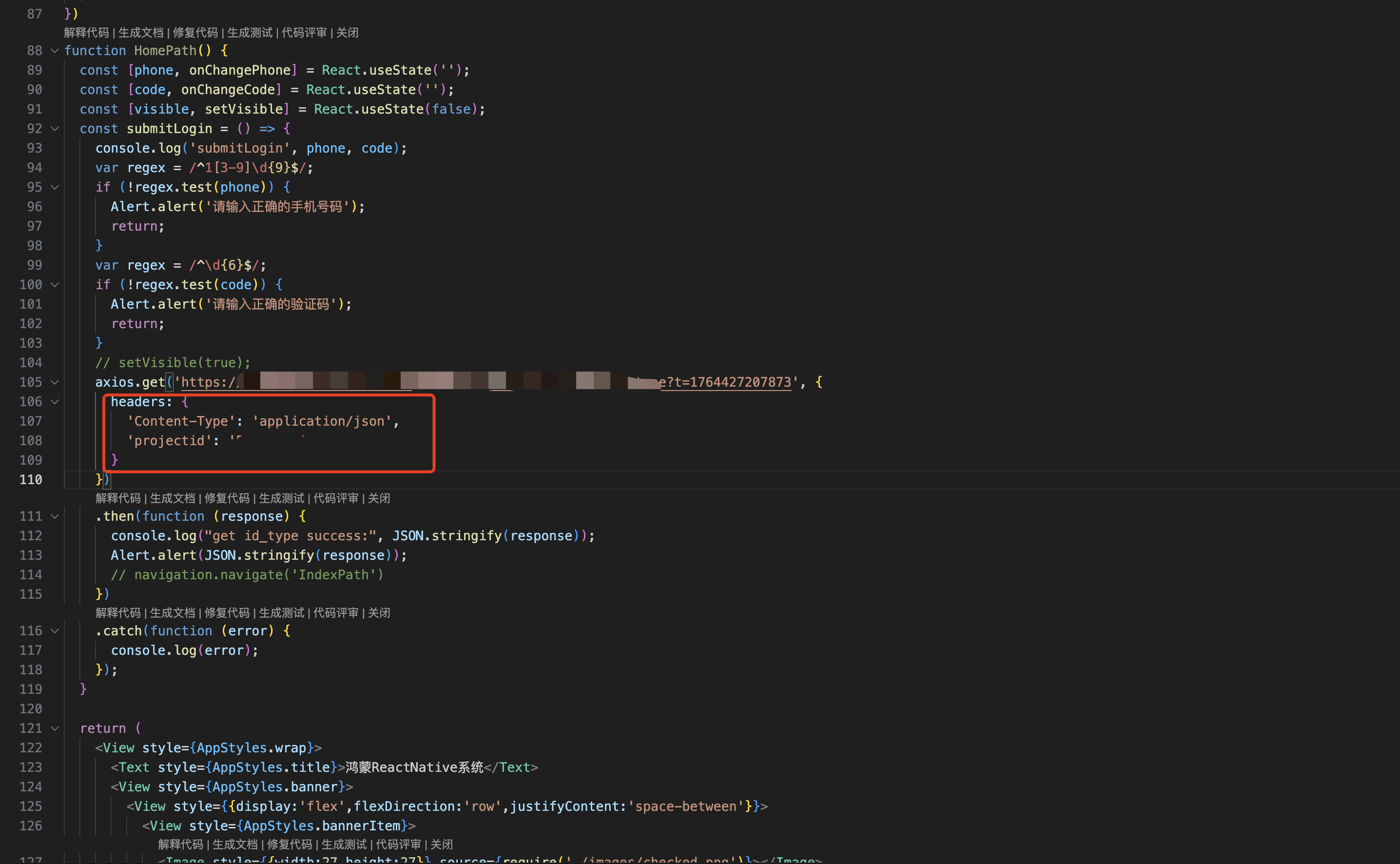
内容类型协商也是请求头的重要功能。通过Accept头部,客户端可以明确告知服务器自己能够处理的响应格式,比如application/json或application/xml。同时,Content-Type头部则告诉服务器请求体的数据格式,确保双方能够正确解析数据。
除了这些基本用法,请求头还可以用于传递自定义业务信息。比如语言偏好、设备类型、API版本等,这些信息虽然不直接控制HTTP协议行为,但对业务逻辑的实现至关重要。
请求头的设置还涉及到一些高级特性。比如CSRF防护,通过X-CSRF-Token头部来防止跨站请求伪造攻击。还有缓存控制,通过Cache-Control头部来管理客户端和中间节点的缓存行为。
import React from 'react';
import { View, Text, Dimensions, StyleSheet, Image, TextInput, TouchableOpacity, Alert } from 'react-native';
import { Modal, ModalContent, ModalPortal } from 'react-native-modals';
import { createStaticNavigation } from '@react-navigation/native';
import { createNativeStackNavigator } from '@react-navigation/native-stack';

//获取屏幕的宽高
const screenWidth =Math.round( Dimensions.get('window').width);
const screenHight =Math.round( Dimensions.get('window').height);
import axios from 'axios';

const AppStyles = StyleSheet.create({
  wrap: {
    width: '100%',
    height: screenHight,
    backgroundColor: '#85BDFF'
  },
  title: {
    width: '100%',
    height: 72,
    fontFamily: 'OPPOSans, OPPOSans',
    fontWeight: 'normal',
    paddingTop: 50,
    fontSize: 36,
    color: '#304057',
    lineHeight: 72,
    textAlign: 'center',
    fontStyle: 'normal'
  },
  banner: {
    paddingTop: 50,
    paddingRight: 32,
    paddingLeft: 32,
  },
  bannerItem: {
    paddingTop: 10,
    display: 'flex',
    flexDirection:'row',
    alignItems: 'center',
    justifyContent: 'center',
    width: '50%',
  },
  loginBox: {
    position: 'relative',
    width: '100%',
    paddingTop: 29,
    paddingLeft: 20,
    paddingRight: 20,
    borderTopRightRadius: 30,
    borderTopLeftRadius: 30,
    backgroundColor: '#F2F8FF',
    flex: 1
  },
  loginBoxCode: {
    marginTop: 20,
    position: 'relative',
    width: '100%',
  },
  loginBoxCodeBtn: {
    position: 'absolute',
    right: 4,
    top: 4,
    width: 110,
    height: 40,
    lineHeight: 40,
    borderRadius: 10,
    backgroundColor: '#1669E3',
    textAlign: 'center',
    fontWeight: 'bold',
    fontSize: 14,
    color: '#FFFFFF',
  },
  loginBtn: {
    position: 'absolute',
    left: 20,
    bottom: 30,
    width: '100%',
    height: 48,
    lineHeight: 48,
    borderRadius: 10,
    backgroundColor: '#1669E3',
    textAlign: 'center',
    fontWeight: 'bold',
    fontSize: 14,
    color: '#FFFFFF',
  }
})
function HomePath() {
  const [phone, onChangePhone] = React.useState('');
  const [code, onChangeCode] = React.useState('');
  const [visible, setVisible] = React.useState(false);
  const submitLogin = () => {
    console.log('submitLogin', phone, code);
    var regex = /^1[3-9]\d{9}$/;
    if (!regex.test(phone)) {
      Alert.alert('请输入正确的手机号码');
      return;
    }
    var regex = /^\d{6}$/;
    if (!regex.test(code)) {
      Alert.alert('请输入正确的验证码');
      return;
    }
    // setVisible(true);
    axios.get('https://xxxxx.com/id_type?t=1764427207873', {
      headers: {
        'Content-Type': 'application/json',
        'projectid': 'xxxx'
      }
    })
    .then(function (response) {
      console.log("get id_type success:", JSON.stringify(response));
      Alert.alert(JSON.stringify(response));
      // navigation.navigate('IndexPath')
    })
    .catch(function (error) {
      console.log(error);
    });
  }

  return (
    <View style={AppStyles.wrap}>
      <Text style={AppStyles.title}>鸿蒙ReactNative系统</Text>
      <View style={AppStyles.banner}>
        <View style={{display:'flex',flexDirection:'row',justifyContent:'space-between'}}>
          <View style={AppStyles.bannerItem}>
            <Image style={{width:27,height:27}} source={require('./images/checked.png')}></Image>
            <Text style={{paddingLeft: 4}}>实时业绩便捷查询</Text>
          </View>
          <View style={AppStyles.bannerItem}>
            <Image style={{width:27,height:27}} source={require('./images/checked.png')}></Image>
            <Text style={{paddingLeft: 4}}>订单状态轻松把控</Text>
          </View>
        </View>
        <View style={{display:'flex',flexDirection:'row',justifyContent:'space-between'}}>
          <View style={AppStyles.bannerItem}>
            <Image style={{width:27,height:27}} source={require('./images/checked.png')}></Image>
            <Text style={{paddingLeft: 4}}>宣传数据全程管理</Text>
          </View>
          <View style={AppStyles.bannerItem}>
            <Image style={{width:27,height:27}} source={require('./images/checked.png')}></Image>
            <Text style={{paddingLeft: 4}}>海量素材一站转发</Text>
          </View>
        </View>
      </View>

      <Image style={{width:289, height: 182, display: 'flex', alignSelf: 'center', margin: 20}} source={require('./images/login-bg.png')}></Image>

      <View style={AppStyles.loginBox}>
        <TextInput style={{width: '100%', height: 48, borderRadius: 10, backgroundColor: '#FFFFFF', paddingLeft: 16, paddingRight: 16, fontSize: 14, color: '#304057'}}
         placeholder="请输入手机号" onChangeText={onChangePhone} value={phone}
         keyboardType="numeric"
         maxLength={11}></TextInput>

        <View style={AppStyles.loginBoxCode}>
          <TextInput style={{width: '100%', height: 48, borderRadius: 10, backgroundColor: '#FFFFFF', paddingLeft: 16, paddingRight: 16, fontSize: 14, color: '#304057'}}
          placeholder="请输入验证码" onChangeText={onChangeCode} value={code}
          keyboardType="numeric"
          maxLength={6}></TextInput>
          <Text style={AppStyles.loginBoxCodeBtn}>获取验证码</Text>
        </View>

        <TouchableOpacity style={AppStyles.loginBtn} onPress={submitLogin}>
          <Text style={{fontSize: 14, color: '#FFFFFF', lineHeight: 48, textAlign: 'center', fontWeight: 'bold'}}>登陆</Text>
        </TouchableOpacity>
      </View>

      <ModalPortal>
        <Modal
          visible={visible}
          onTouchOutside={() => {
            setVisible(false)
          }}
          onSwipeOut={() => setVisible(false)}
        >
          <ModalContent>
            <Text>登录成功!欢迎使用我们的应用。</Text>
            <Text>手机号:{phone}</Text>
            <TouchableOpacity
              style={{marginTop: 20, padding: 10, backgroundColor: '#1669E3', borderRadius: 5}}
              onPress={() => setVisible(false)}
            >
              <Text style={{color: '#FFFFFF', textAlign: 'center'}}>确定</Text>
            </TouchableOpacity>
          </ModalContent>
        </Modal>
      </ModalPortal>
    </View>
  );
}
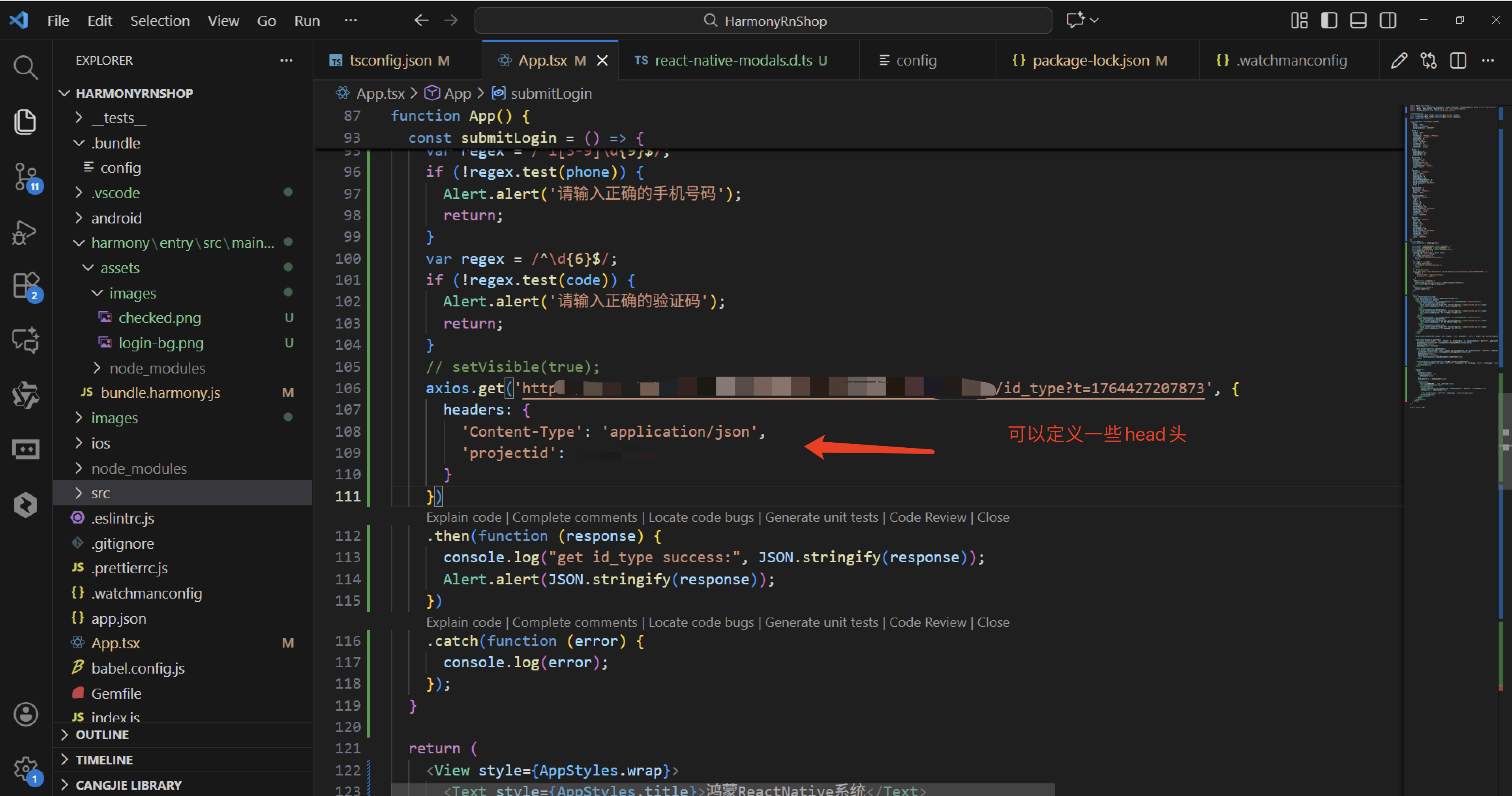
接下来通过打包命令npn run harmony将reactNative的代码打包成为bundle,这样可以进行在开源鸿蒙OpenHarmony中进行使用。
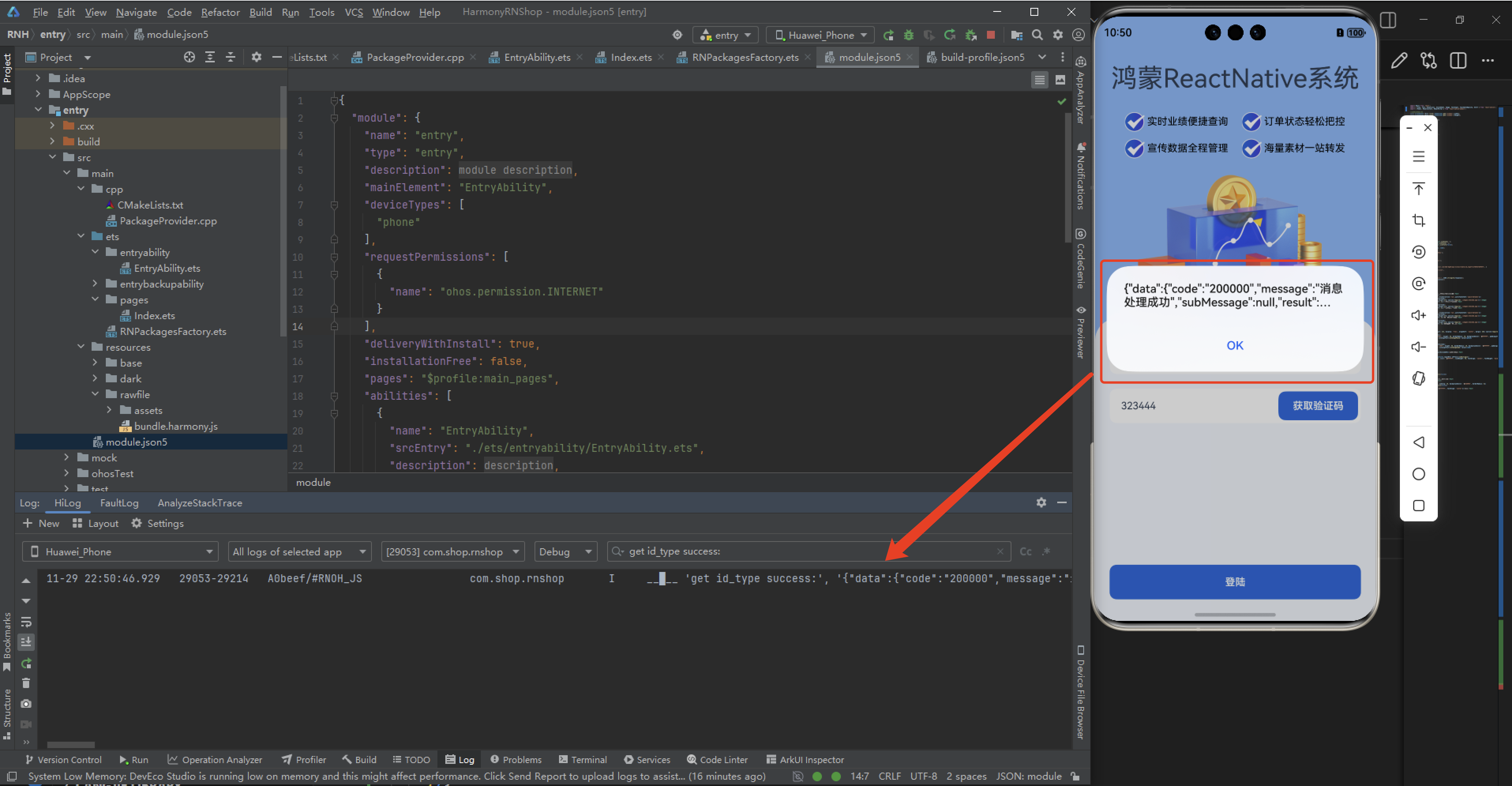
接下来将bundle文件复制到鸿蒙的项目工程中进行引入,然后,正常打包后,可以看到以下的运行效果:
可以看到自从加上了header头后,我们请求数据成功了。
欢迎大家加入开源鸿蒙跨平台开发者社区,一起共建开源鸿蒙跨平台生态。

AtomGit 是由开放原子开源基金会联合 CSDN 等生态伙伴共同推出的新一代开源与人工智能协作平台。平台坚持“开放、中立、公益”的理念,把代码托管、模型共享、数据集托管、智能体开发体验和算力服务整合在一起,为开发者提供从开发、训练到部署的一站式体验。
更多推荐


 8
8 0
0- 0


 已为社区贡献42条内容

所有评论(0)