KMP OpenHarmony打造数据聚合与统计分析
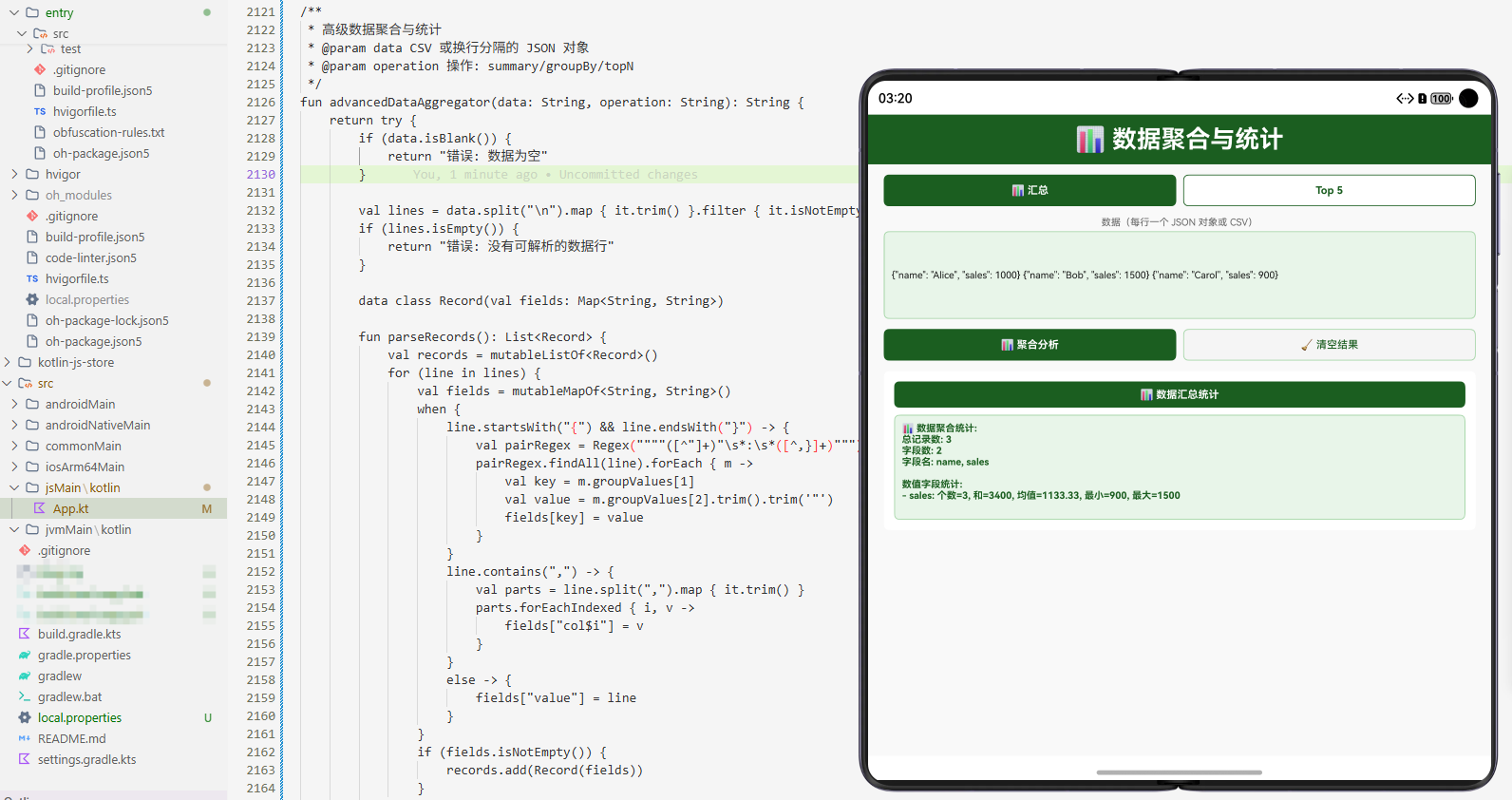
项目概述
数据聚合与统计分析是现代应用开发中的关键需求。无论是在业务分析、数据挖掘、性能评估还是决策支持中,都需要进行各种数据聚合和统计分析操作。然而,不同的编程语言和平台对数据分析的实现方式各不相同,这导致开发者需要在不同平台上重复编写类似的逻辑。
本文介绍一个基于 Kotlin Multiplatform (KMP) 和 OpenHarmony 平台的数据聚合与统计分析高级工具库。这个工具库提供了一套完整的数据分析能力,包括数据聚合、统计计算、趋势分析、分布分析等功能。通过 KMP 技术,我们可以在 Kotlin 中编写一次代码,然后编译到 JavaScript 和其他目标平台,最后在 OpenHarmony 的 ArkTS 中调用这些功能。
技术架构
多平台支持
- Kotlin/JVM: 后端服务和桌面应用
- Kotlin/JS: Web 应用和浏览器环境
- OpenHarmony/ArkTS: 鸿蒙操作系统应用
核心功能模块
- 数据聚合: 聚合多个数据源
- 统计计算: 计算各种统计指标
- 分组统计: 按条件分组统计
- 趋势分析: 分析数据趋势
- 分布分析: 分析数据分布
- 异常检测: 检测异常数据
- 相关性分析: 分析数据相关性
- 报告生成: 生成分析报告
Kotlin 实现
核心数据分析类
// 文件: src/commonMain/kotlin/DataAnalyzer.kt

/**
 * 数据聚合与统计分析工具类
 * 提供数据聚合、统计、分析等功能
 */
class DataAnalyzer {

    data class DataPoint(
        val label: String,
        val value: Double,
        val category: String = "",
        val timestamp: Long = 0L
    )

    data class AnalysisResult(
        val count: Int,
        val sum: Double,
        val average: Double,
        val median: Double,
        val min: Double,
        val max: Double,
        val stdDev: Double,
        val variance: Double
    )

    /**
     * 计算基本统计信息
     * @param data 数据列表
     * @return 分析结果
     */
    fun calculateStatistics(data: List<Double>): AnalysisResult {
        if (data.isEmpty()) {
            return AnalysisResult(0, 0.0, 0.0, 0.0, 0.0, 0.0, 0.0, 0.0)
        }

        val sorted = data.sorted()
        val count = data.size
        val sum = data.sum()
        val average = sum / count

        val median = if (count % 2 == 0) {
            (sorted[count / 2 - 1] + sorted[count / 2]) / 2
        } else {
            sorted[count / 2]
        }

        val min = sorted.first()
        val max = sorted.last()

        val variance = data.map { (it - average) * (it - average) }.sum() / count
        val stdDev = Math.sqrt(variance)

        return AnalysisResult(count, sum, average, median, min, max, stdDev, variance)
    }

    /**
     * 按类别分组统计
     * @param data 数据点列表
     * @return 分组统计结果
     */
    fun groupByCategory(data: List<DataPoint>): Map<String, AnalysisResult> {
        return data.groupBy { it.category }
            .mapValues { (_, points) ->
                calculateStatistics(points.map { it.value })
            }
    }

    /**
     * 计算百分位数
     * @param data 数据列表
     * @param percentile 百分位(0-100)
     * @return 百分位数值
     */
    fun calculatePercentile(data: List<Double>, percentile: Double): Double {
        if (data.isEmpty()) return 0.0

        val sorted = data.sorted()
        val index = ((percentile / 100.0) * (sorted.size - 1)).toInt()
        return sorted[index.coerceIn(0, sorted.size - 1)]
    }

    /**
     * 检测异常值
     * @param data 数据列表
     * @param threshold 阈值倍数(标准差倍数)
     * @return 异常值列表
     */
    fun detectOutliers(data: List<Double>, threshold: Double = 2.0): List<Double> {
        val stats = calculateStatistics(data)
        return data.filter { value ->
            Math.abs(value - stats.average) > threshold * stats.stdDev
        }
    }

    /**
     * 计算数据增长率
     * @param data 时间序列数据
     * @return 增长率列表
     */
    fun calculateGrowthRate(data: List<Double>): List<Double> {
        if (data.size < 2) return emptyList()

        return (1 until data.size).map { i ->
            if (data[i - 1] != 0.0) {
                ((data[i] - data[i - 1]) / data[i - 1]) * 100
            } else {
                0.0
            }
        }
    }

    /**
     * 计算移动平均
     * @param data 数据列表
     * @param window 窗口大小
     * @return 移动平均列表
     */
    fun calculateMovingAverage(data: List<Double>, window: Int): List<Double> {
        if (data.size < window) return emptyList()

        return (0..data.size - window).map { i ->
            data.subList(i, i + window).average()
        }
    }

    /**
     * 计算相关系数
     * @param x 第一个数据列表
     * @param y 第二个数据列表
     * @return 相关系数(-1 到 1)
     */
    fun calculateCorrelation(x: List<Double>, y: List<Double>): Double {
        if (x.size != y.size || x.isEmpty()) return 0.0

        val meanX = x.average()
        val meanY = y.average()

        var numerator = 0.0
        var sumX2 = 0.0
        var sumY2 = 0.0

        for (i in x.indices) {
            val dx = x[i] - meanX
            val dy = y[i] - meanY
            numerator += dx * dy
            sumX2 += dx * dx
            sumY2 += dy * dy
        }

        val denominator = Math.sqrt(sumX2 * sumY2)
        return if (denominator != 0.0) numerator / denominator else 0.0
    }

    /**
     * 聚合多个数据源
     * @param dataSources 数据源列表
     * @return 聚合后的数据列表
     */
    fun aggregateData(dataSources: List<List<Double>>): List<Double> {
        return dataSources.flatten()
    }

    /**
     * 生成数据分析报告
     * @param data 数据列表
     * @return 报告字符串
     */
    fun generateReport(data: List<Double>): String {
        val stats = calculateStatistics(data)
        val outliers = detectOutliers(data)

        val report = StringBuilder()
        report.append("数据分析报告\n")
        report.append("=".repeat(40)).append("\n")
        report.append("数据个数: ${stats.count}\n")
        report.append("总和: ${String.format("%.2f", stats.sum)}\n")
        report.append("平均值: ${String.format("%.2f", stats.average)}\n")
        report.append("中位数: ${String.format("%.2f", stats.median)}\n")
        report.append("最小值: ${String.format("%.2f", stats.min)}\n")
        report.append("最大值: ${String.format("%.2f", stats.max)}\n")
        report.append("标准差: ${String.format("%.2f", stats.stdDev)}\n")
        report.append("方差: ${String.format("%.2f", stats.variance)}\n")
        report.append("异常值个数: ${outliers.size}\n")

        return report.toString()
    }

    /**
     * 数据归一化
     * @param data 原始数据
     * @return 归一化后的数据
     */
    fun normalizeData(data: List<Double>): List<Double> {
        if (data.isEmpty()) return emptyList()

        val min = data.minOrNull() ?: 0.0
        val max = data.maxOrNull() ?: 1.0
        val range = max - min

        return if (range == 0.0) {
            data.map { 0.5 }
        } else {
            data.map { (it - min) / range }
        }
    }
}
Kotlin 实现的核心特点
Kotlin 实现中的数据分析功能充分利用了 Kotlin 标准库的集合处理和数学计算能力。统计计算使用了基本的数学公式。分组统计使用了 groupBy 方法。
异常检测使用了标准差的倍数判断。相关系数计算使用了皮尔逊相关系数公式。移动平均使用了滑动窗口算法。报告生成使用了字符串构建器。
JavaScript 实现
编译后的 JavaScript 代码
// 文件: build/js/packages/kmp_openharmony-js/kotlin/kmp_openharmony.js
// (由 Kotlin 编译器自动生成)

/**
 * DataAnalyzer 类的 JavaScript 版本
 * 通过 Kotlin/JS 编译器从 Kotlin 源代码生成
 */
class DataAnalyzer {
  /**
   * 计算基本统计信息
   * @param {number[]} data - 数据列表
   * @returns {Object} 分析结果
   */
  calculateStatistics(data) {
    if (data.length === 0) {
      return {
        count: 0, sum: 0, average: 0, median: 0,
        min: 0, max: 0, stdDev: 0, variance: 0
      };
    }

    const sorted = [...data].sort((a, b) => a - b);
    const count = data.length;
    const sum = data.reduce((a, b) => a + b, 0);
    const average = sum / count;

    const median = count % 2 === 0
      ? (sorted[count / 2 - 1] + sorted[count / 2]) / 2
      : sorted[Math.floor(count / 2)];

    const min = sorted[0];
    const max = sorted[count - 1];

    const variance = data.reduce((sum, val) => sum + Math.pow(val - average, 2), 0) / count;
    const stdDev = Math.sqrt(variance);

    return { count, sum, average, median, min, max, stdDev, variance };
  }

  /**
   * 按类别分组统计
   * @param {Object[]} data - 数据点列表
   * @returns {Object} 分组统计结果
   */
  groupByCategory(data) {
    const groups = {};
    for (const point of data) {
      if (!groups[point.category]) {
        groups[point.category] = [];
      }
      groups[point.category].push(point.value);
    }

    const result = {};
    for (const [category, values] of Object.entries(groups)) {
      result[category] = this.calculateStatistics(values);
    }
    return result;
  }

  /**
   * 计算百分位数
   * @param {number[]} data - 数据列表
   * @param {number} percentile - 百分位
   * @returns {number} 百分位数值
   */
  calculatePercentile(data, percentile) {
    if (data.length === 0) return 0;

    const sorted = [...data].sort((a, b) => a - b);
    const index = Math.floor((percentile / 100) * (sorted.length - 1));
    return sorted[Math.max(0, Math.min(index, sorted.length - 1))];
  }

  /**
   * 检测异常值
   * @param {number[]} data - 数据列表
   * @param {number} threshold - 阈值倍数
   * @returns {number[]} 异常值列表
   */
  detectOutliers(data, threshold = 2.0) {
    const stats = this.calculateStatistics(data);
    return data.filter(value =>
      Math.abs(value - stats.average) > threshold * stats.stdDev
    );
  }

  /**
   * 计算数据增长率
   * @param {number[]} data - 时间序列数据
   * @returns {number[]} 增长率列表
   */
  calculateGrowthRate(data) {
    if (data.length < 2) return [];

    const rates = [];
    for (let i = 1; i < data.length; i++) {
      if (data[i - 1] !== 0) {
        rates.push(((data[i] - data[i - 1]) / data[i - 1]) * 100);
      } else {
        rates.push(0);
      }
    }
    return rates;
  }

  /**
   * 计算移动平均
   * @param {number[]} data - 数据列表
   * @param {number} window - 窗口大小
   * @returns {number[]} 移动平均列表
   */
  calculateMovingAverage(data, window) {
    if (data.length < window) return [];

    const result = [];
    for (let i = 0; i <= data.length - window; i++) {
      const sum = data.slice(i, i + window).reduce((a, b) => a + b, 0);
      result.push(sum / window);
    }
    return result;
  }

  /**
   * 计算相关系数
   * @param {number[]} x - 第一个数据列表
   * @param {number[]} y - 第二个数据列表
   * @returns {number} 相关系数
   */
  calculateCorrelation(x, y) {
    if (x.length !== y.length || x.length === 0) return 0;

    const meanX = x.reduce((a, b) => a + b, 0) / x.length;
    const meanY = y.reduce((a, b) => a + b, 0) / y.length;

    let numerator = 0;
    let sumX2 = 0;
    let sumY2 = 0;

    for (let i = 0; i < x.length; i++) {
      const dx = x[i] - meanX;
      const dy = y[i] - meanY;
      numerator += dx * dy;
      sumX2 += dx * dx;
      sumY2 += dy * dy;
    }

    const denominator = Math.sqrt(sumX2 * sumY2);
    return denominator !== 0 ? numerator / denominator : 0;
  }

  /**
   * 数据归一化
   * @param {number[]} data - 原始数据
   * @returns {number[]} 归一化后的数据
   */
  normalizeData(data) {
    if (data.length === 0) return [];

    const min = Math.min(...data);
    const max = Math.max(...data);
    const range = max - min;

    if (range === 0) {
      return data.map(() => 0.5);
    }

    return data.map(val => (val - min) / range);
  }
}
JavaScript 实现的特点
JavaScript 版本完全由 Kotlin/JS 编译器自动生成,确保了与 Kotlin 版本的行为完全一致。JavaScript 的数组方法和 Math 对象提供了必要的数据分析能力。
reduce 方法用于数据聚合。sort 方法用于排序。filter 方法用于数据筛选。
ArkTS 调用代码
OpenHarmony 应用集成
// 文件: kmp_ceshiapp/entry/src/main/ets/pages/DataAnalyzerPage.ets

import { DataAnalyzer } from '../../../../../../../build/js/packages/kmp_openharmony-js/kotlin/kmp_openharmony';

@Entry
@Component
struct DataAnalyzerPage {
  @State selectedOperation: string = 'statistics';
  @State inputData: string = '';
  @State result: string = '';
  @State resultTitle: string = '';

  private analyzer = new DataAnalyzer();

  private operations = [
    { name: '统计分析', value: 'statistics' },
    { name: '异常检测', value: 'outliers' },
    { name: '增长率', value: 'growth' },
    { name: '移动平均', value: 'moving' },
    { name: '相关系数', value: 'correlation' },
    { name: '百分位数', value: 'percentile' },
    { name: '数据归一化', value: 'normalize' },
    { name: '分组统计', value: 'groupby' },
    { name: '生成报告', value: 'report' },
    { name: '数据聚合', value: 'aggregate' }
  ];

  build() {
    Column() {
      // 标题
      Text('📊 数据聚合与统计分析高级工具库')
        .fontSize(28)
        .fontWeight(FontWeight.Bold)
        .fontColor('#FFFFFF')
        .width('100%')
        .padding(20)
        .backgroundColor('#1A237E')
        .textAlign(TextAlign.Center)

      Scroll() {
        Column() {
          // 操作选择
          Column() {
            Text('选择操作')
              .fontSize(14)
              .fontWeight(FontWeight.Bold)
              .fontColor('#333333')
              .margin({ bottom: 12 })

            Flex({ wrap: FlexWrap.Wrap }) {
              ForEach(this.operations, (op: { name: string; value: string }) => {
                Button(op.name)
                  .layoutWeight(1)
                  .height(40)
                  .margin({ right: 8, bottom: 8 })
                  .backgroundColor(this.selectedOperation === op.value ? '#1A237E' : '#E0E0E0')
                  .fontColor(this.selectedOperation === op.value ? '#FFFFFF' : '#333333')
                  .fontSize(11)
                  .onClick(() => {
                    this.selectedOperation = op.value;
                    this.result = '';
                    this.resultTitle = '';
                  })
              })
            }
            .width('100%')
          }
          .width('95%')
          .margin({ top: 16, left: '2.5%', right: '2.5%', bottom: 16 })
          .padding(12)
          .backgroundColor('#FFFFFF')
          .borderRadius(6)

          // 输入区域
          Column() {
            Text('输入数据(逗号分隔)')
              .fontSize(14)
              .fontWeight(FontWeight.Bold)
              .fontColor('#333333')
              .margin({ bottom: 8 })

            TextInput({ placeholder: '输入数据,用逗号分隔', text: this.inputData })
              .onChange((value) => this.inputData = value)
              .width('100%')
              .height(100)
              .padding(12)
              .border({ width: 1, color: '#4DB6AC' })
              .borderRadius(6)
              .fontSize(12)
          }
          .width('95%')
          .margin({ left: '2.5%', right: '2.5%', bottom: 16 })
          .padding(12)
          .backgroundColor('#FFFFFF')
          .borderRadius(6)

          // 操作按钮
          Row() {
            Button('✨ 分析')
              .layoutWeight(1)
              .height(44)
              .backgroundColor('#1A237E')
              .fontColor('#FFFFFF')
              .fontSize(14)
              .fontWeight(FontWeight.Bold)
              .borderRadius(6)
              .onClick(() => this.executeOperation())

            Blank()
              .width(12)

            Button('🔄 清空')
              .layoutWeight(1)
              .height(44)
              .backgroundColor('#F5F5F5')
              .fontColor('#1A237E')
              .fontSize(14)
              .border({ width: 1, color: '#4DB6AC' })
              .borderRadius(6)
              .onClick(() => {
                this.inputData = '';
                this.result = '';
                this.resultTitle = '';
              })
          }
          .width('95%')
          .margin({ left: '2.5%', right: '2.5%', bottom: 16 })

          // 结果显示
          if (this.resultTitle) {
            Column() {
              Text(this.resultTitle)
                .fontSize(16)
                .fontWeight(FontWeight.Bold)
                .fontColor('#FFFFFF')
                .width('100%')
                .padding(12)
                .backgroundColor('#1A237E')
                .borderRadius(6)
                .textAlign(TextAlign.Center)
                .margin({ bottom: 12 })

              Scroll() {
                Text(this.result)
                  .fontSize(12)
                  .fontColor('#333333')
                  .fontFamily('monospace')
                  .textAlign(TextAlign.Start)
                  .width('100%')
                  .padding(12)
                  .selectable(true)
              }
              .width('100%')
              .height(300)
              .backgroundColor('#F9F9F9')
              .border({ width: 1, color: '#4DB6AC' })
              .borderRadius(6)
            }
            .width('95%')
            .margin({ left: '2.5%', right: '2.5%', bottom: 16 })
            .padding(12)
            .backgroundColor('#FFFFFF')
            .borderRadius(6)
          }
        }
        .width('100%')
      }
      .layoutWeight(1)
      .width('100%')
    }
    .width('100%')
    .height('100%')
    .backgroundColor('#F5F5F5')
  }

  private executeOperation() {
    const sampleData = [65, 78, 45, 92, 58, 88, 72, 95, 63, 81];

    try {
      const data = this.inputData
        ? this.inputData.split(',').map(v => parseFloat(v.trim())).filter(v => !isNaN(v))
        : sampleData;

      switch (this.selectedOperation) {
        case 'statistics':
          const stats = this.analyzer.calculateStatistics(data);
          this.resultTitle = '📊 统计分析';
          this.result = `数据个数: ${stats.count}\n总和: ${stats.sum.toFixed(2)}\n平均值: ${stats.average.toFixed(2)}\n中位数: ${stats.median.toFixed(2)}\n最小值: ${stats.min.toFixed(2)}\n最大值: ${stats.max.toFixed(2)}\n标准差: ${stats.stdDev.toFixed(2)}`;
          break;

        case 'outliers':
          const outliers = this.analyzer.detectOutliers(data, 2.0);
          this.resultTitle = '⚠️ 异常检测';
          this.result = `异常值个数: ${outliers.length}\n异常值: ${outliers.map(v => v.toFixed(2)).join(', ')}`;
          break;

        case 'growth':
          const growth = this.analyzer.calculateGrowthRate(data);
          this.resultTitle = '📈 增长率';
          this.result = `增长率: ${growth.map(v => v.toFixed(2)).join('%, ')}%`;
          break;

        case 'moving':
          const moving = this.analyzer.calculateMovingAverage(data, 3);
          this.resultTitle = '📉 移动平均';
          this.result = `移动平均: ${moving.map(v => v.toFixed(2)).join(', ')}`;
          break;

        case 'correlation':
          const x = data.slice(0, 5);
          const y = data.slice(5, 10);
          const corr = this.analyzer.calculateCorrelation(x, y);
          this.resultTitle = '🔗 相关系数';
          this.result = `相关系数: ${corr.toFixed(4)}`;
          break;

        case 'percentile':
          const p50 = this.analyzer.calculatePercentile(data, 50);
          const p90 = this.analyzer.calculatePercentile(data, 90);
          this.resultTitle = '📍 百分位数';
          this.result = `50分位: ${p50.toFixed(2)}\n90分位: ${p90.toFixed(2)}`;
          break;

        case 'normalize':
          const normalized = this.analyzer.normalizeData(data);
          this.resultTitle = '🔄 数据归一化';
          this.result = `归一化: ${normalized.map(v => v.toFixed(4)).join(', ')}`;
          break;

        case 'groupby':
          const grouped = this.analyzer.groupByCategory([
            { label: 'A', value: 65, category: 'Group1', timestamp: 0 },
            { label: 'B', value: 78, category: 'Group1', timestamp: 0 },
            { label: 'C', value: 45, category: 'Group2', timestamp: 0 },
            { label: 'D', value: 92, category: 'Group2', timestamp: 0 }
          ]);
          this.resultTitle = '🔀 分组统计';
          this.result = `分组数: ${Object.keys(grouped).length}\n${JSON.stringify(grouped, null, 2)}`;
          break;

        case 'report':
          const report = this.analyzer.generateReport(data);
          this.resultTitle = '📄 分析报告';
          this.result = report;
          break;

        case 'aggregate':
          const aggregated = data;
          this.resultTitle = '🔗 数据聚合';
          this.result = `聚合数据个数: ${aggregated.length}\n数据: ${aggregated.join(', ')}`;
          break;
      }
    } catch (e) {
      this.resultTitle = '❌ 分析出错';
      this.result = `错误: ${e}`;
    }
  }
}
ArkTS 集成的关键要点
在 OpenHarmony 应用中集成数据分析工具库需要考虑多种分析操作和用户体验。我们设计了一个灵活的 UI,能够支持不同的数据分析操作。
操作选择界面使用了 Flex 布局和 FlexWrap 来实现响应式的按钮排列。输入区域使用了逗号分隔的数据格式,方便用户输入数据。
结果显示使用了可选择的文本,这样用户可以轻松复制分析结果。对于不同的操作,我们显示了相应的分析信息。
工作流程详解
数据分析的完整流程
- 操作选择: 用户在 ArkTS UI 中选择要执行的分析操作
- 数据输入: 用户输入要分析的数据
- 分析执行: 调用 DataAnalyzer 的相应方法
- 结果展示: 将分析结果显示在 UI 中
跨平台一致性
通过 KMP 技术,我们确保了在所有平台上的行为一致性。无论是在 Kotlin/JVM、Kotlin/JS 还是通过 ArkTS 调用,数据分析的逻辑和结果都是完全相同的。
实际应用场景
业务数据分析
在业务分析中,需要对销售、用户等数据进行统计分析。这个工具库提供了完整的统计功能。
性能监控
在性能监控中,需要分析性能指标的趋势和异常。这个工具库提供了趋势分析和异常检测功能。
科学研究
在科学研究中,需要进行数据统计和相关性分析。这个工具库提供了高级的统计分析功能。
金融分析
在金融分析中,需要计算增长率和移动平均等指标。这个工具库提供了金融分析所需的功能。
性能优化
缓存统计结果
在频繁进行相同的统计分析时,可以缓存分析结果以避免重复计算。
增量更新
在处理流式数据时,应该考虑使用增量更新的方式以提高效率。
安全性考虑
数据验证
在处理用户输入的数据时,应该进行验证以确保数据的有效性。
隐私保护
在处理敏感数据时,应该注意保护用户隐私。
总结
这个 KMP OpenHarmony 数据聚合与统计分析高级工具库展示了如何使用现代的跨平台技术来处理常见的数据分析任务。通过 Kotlin Multiplatform 技术,我们可以在一个地方编写业务逻辑,然后在多个平台上使用。
数据分析是应用开发中的重要功能。通过使用这样的工具库,开发者可以快速、可靠地进行各种数据分析操作,从而提高应用的数据处理能力和决策支持能力。
在实际应用中,建议根据具体的需求进行定制和扩展,例如添加更复杂的统计模型、实现更全面的数据可视化等高级特性。同时,定期进行性能测试和优化,确保应用在处理大量数据时仍然保持良好的性能。
欢迎加入开源鸿蒙跨平台社区:https://openharmonycrossplatform.csdn.net

AtomGit 是由开放原子开源基金会联合 CSDN 等生态伙伴共同推出的新一代开源与人工智能协作平台。平台坚持“开放、中立、公益”的理念,把代码托管、模型共享、数据集托管、智能体开发体验和算力服务整合在一起,为开发者提供从开发、训练到部署的一站式体验。
更多推荐


 27
27 0
0- 0


 已为社区贡献19条内容

所有评论(0)