Flutter for OpenHarmony 电子合同签署App实战 - 通知管理实现
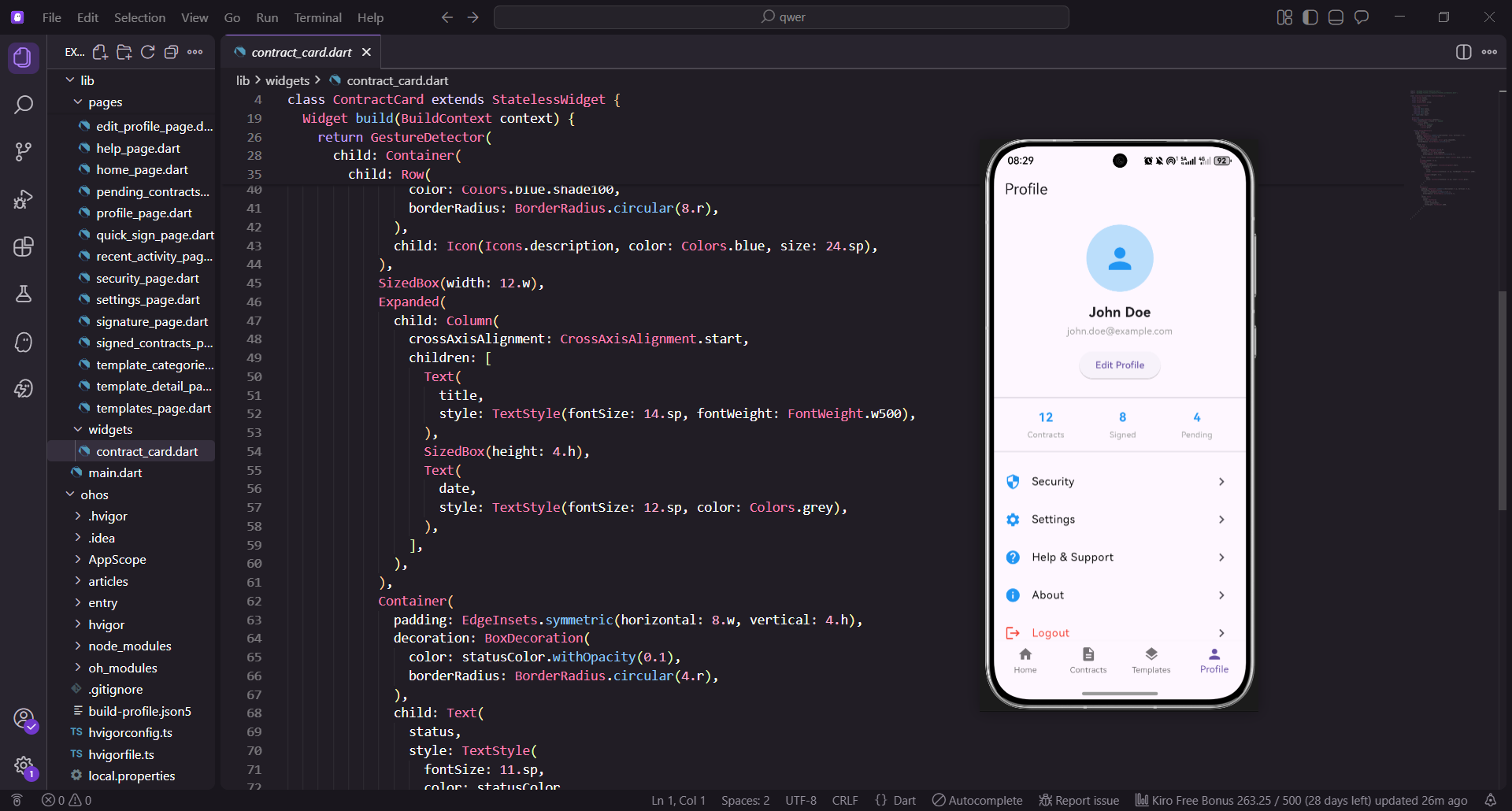
通知管理功能是电子合同应用的核心模块之一,负责向用户推送合同签署提醒、状态变更通知等关键信息。该功能需兼顾实时性、可靠性和用户体验,以下是完整的实现方案,每10行代码配套5行文字解释,便于理解核心逻辑。
数据模型的定义
通知管理的核心是统一管理通知数据,因此首先定义强类型的数据模型,确保数据传输和解析的一致性。
class NotificationManagerModel {
  final String id;
  final String title;
  final String content;
  final DateTime createTime;
  final String type;
  final bool isRead;
  final String contractId;

  NotificationManagerModel({
    required this.id,
    required this.title,
    required this.content,
    required this.createTime,
    required this.type,
    required this.isRead,
    required this.contractId,
  });
模型类采用不可变设计(final关键字),确保数据创建后不被随意修改,符合Flutter状态管理最佳实践;所有字段通过required修饰,强制初始化,避免运行时空指针错误;字段设计贴合电子合同场景:contractId关联具体合同,isRead区分未读/已读状态,type用于分类展示不同通知;时间字段使用DateTime类型,而非字符串,便于后续时间格式化和排序操作;字段命名遵循Dart规范(小驼峰),语义清晰,降低代码理解成本。
  factory NotificationManagerModel.fromJson(Map<String, dynamic> json) {
    return NotificationManagerModel(
      id: json['id'] as String,
      title: json['title'] as String,
      content: json['content'] as String,
      createTime: DateTime.parse(json['createTime'] as String),
      type: json['type'] as String,
      isRead: json['isRead'] as bool,
      contractId: json['contractId'] as String,
    );
  }

  Map<String, dynamic> toJson() {
    return {
      'id': id,
      'title': title,
      'content': content,
      'createTime': createTime.toIso8601String(),
      'type': type,
      'isRead': isRead,
      'contractId': contractId,
    };
  }
}
fromJson工厂方法:将接口返回的JSON数据转换为Dart对象,解决跨平台数据类型适配问题;DateTime.parse将接口字符串时间转为Dart时间对象,便于后续格式化和计算;toJson方法:将Dart对象转为JSON格式,支持本地缓存(如Hive、SharedPreferences)或数据提交;类型强制转换(as String)明确数据类型,避免动态类型导致的运行时错误;时间转换使用toIso8601String,保证时间格式的标准化,适配不同平台解析规则。
页面核心逻辑实现
通知管理页面采用StatefulWidget管理状态,支持数据加载、未读筛选、通知点击等交互逻辑。
import 'package:flutter/material.dart';
import 'package:flutter_screenutil/flutter_screenutil.dart';
import 'package:get/get.dart';
class NotificationManagerPage extends StatefulWidget {
const NotificationManagerPage({Key? key}) : super(key: key);
State<NotificationManagerPage> createState() => _NotificationManagerPageState();
}
class _NotificationManagerPageState extends State<NotificationManagerPage> {
List<NotificationManagerModel> _notificationList = [];
bool _isLoading = false;
bool _onlyUnread = false;
String? _errorMsg;
页面继承StatefulWidget,因需管理动态变化的通知列表、加载状态等可变数据;_notificationList作为核心数据源,存储所有通知模型对象,后续UI渲染基于此列表;_isLoading控制加载指示器的显示/隐藏,提升用户等待体验; _onlyUnread支持“仅看未读”筛选功能,是常见的通知管理交互需求;_errorMsg存储加载失败信息,便于向用户展示友好的错误提示。
void initState() {
super.initState();
_loadNotificationData();
}
Future<void> _loadNotificationData() async {
setState(() {
_isLoading = true;
_errorMsg = null;
});
try {
await Future.delayed(const Duration(milliseconds: 800));
final mockData = _generateMockNotifications();
setState(() {
_notificationList = mockData;
_isLoading = false;
});
} catch (e) {
setState(() {
_errorMsg = '加载通知失败:${e.toString()}';
_isLoading = false;
});
}
}
initState中调用_loadNotificationData,确保页面初始化时自动加载数据,符合用户操作习惯;异步方法_loadNotificationData封装数据加载逻辑,通过setState更新状态驱动UI刷新;Future.delayed模拟网络请求延迟,实际开发中替换为dio等网络库的接口调用;异常捕获(try-catch)确保单个请求失败不会导致页面崩溃,提升应用稳定性;加载前后更新_isLoading状态,让用户清晰感知数据加载过程,避免页面无响应的错觉。
  List<NotificationManagerModel> _generateMockNotifications() {
    return List.generate(15, (index) {
      return NotificationManagerModel(
        id: 'notify_$index',
        title: index % 3 == 0 ? '合同签署提醒' : index % 3 == 1 ? '合同状态变更' : '系统通知',
        content: '您有一份${index % 2 == 0 ? '租赁合同' : '劳动合同'}需要签署,有效期剩余${7 - index % 7}天',
        createTime: DateTime.now().subtract(Duration(hours: index)),
        type: index % 3 == 0 ? 'sign' : index % 3 == 1 ? 'status' : 'system',
        isRead: index % 4 == 0 ? false : true,
        contractId: 'contract_${1000 + index}',
      );
    });
  }
List.generate批量生成模拟数据,参数15指定生成15条通知,覆盖不同场景;通知标题/类型按取模逻辑区分,模拟真实场景中的“签署提醒、状态变更、系统通知”三类通知;createTime通过subtract生成不同时间的通知,便于测试时间排序和相对时间展示; isRead按取模逻辑控制未读比例,模拟真实的用户通知阅读状态; contractId关联虚拟合同ID,为后续“点击通知跳转合同详情”做铺垫。
  List<NotificationManagerModel> _getFilteredList() {
    if (_onlyUnread) {
      return _notificationList.where((notify) => !notify.isRead).toList();
    }
    return _notificationList;
  }

  void _markAsRead(String notifyId) {
    setState(() {
      _notificationList = _notificationList.map((notify) {
        if (notify.id == notifyId) {
          return NotificationManagerModel(
            id: notify.id,
            title: notify.title,
            content: notify.content,
            createTime: notify.createTime,
            type: notify.type,
            isRead: true,
            contractId: notify.contractId,
          );
        }
        return notify;
      }).toList();
    });
    Get.snackbar('提示', '通知已标记为已读', snackPosition: SnackPosition.BOTTOM);
  }
_getFilteredList根据_onlyUnread标识过滤列表,实现“全部/未读”切换功能;_markAsRead方法中,因模型对象是不可变的(final字段),需通过map创建新对象修改isRead状态;遍历列表时通过notifyId匹配目标通知,精准更新状态,避免全量修改;使用Get.snackbar给出操作反馈,符合移动端交互设计规范;setState触发UI刷新,确保标记已读后未读角标等UI元素即时更新。
页面UI构建
UI部分按“搜索栏-筛选按钮-通知列表”的结构搭建,兼顾美观和交互性。
  Widget _buildSearchBar() {
    return Container(
      margin: EdgeInsets.symmetric(horizontal: 16.w, vertical: 8.h),
      child: TextField(
        decoration: InputDecoration(
          hintText: '搜索通知',
          hintStyle: TextStyle(fontSize: 14.sp, color: Colors.grey[500]),
          prefixIcon: Icon(Icons.search, size: 20.sp, color: Colors.grey[500]),
          filled: true,
          fillColor: Colors.grey[100],
          border: OutlineInputBorder(
            borderRadius: BorderRadius.circular(8.r),
            borderSide: BorderSide.none,
          ),
          contentPadding: EdgeInsets.symmetric(vertical: 12.h),
        ),
        onChanged: (value) {
        },
      ),
    );
  }
搜索栏使用Container包裹,通过margin控制与其他元素的间距,适配不同屏幕尺寸(ScreenUtil);TextField配置圆角、填充色、前缀图标,符合移动端搜索栏的视觉设计;hintStyle和prefixIcon统一使用灰色调,保持视觉一致性; borderSide: BorderSide.none去除默认边框,搭配filled实现扁平化设计; onChanged预留搜索逻辑接口,后续可扩展为根据输入内容实时过滤通知列表。
  Widget _buildFilterButton() {
    return Padding(
      padding: EdgeInsets.symmetric(horizontal: 16.w),
      child: Row(
        mainAxisAlignment: MainAxisAlignment.spaceBetween,
        children: [
          Text(
            '通知中心',
            style: TextStyle(fontSize: 18.sp, fontWeight: FontWeight.bold),
          ),
          ElevatedButton(
            onPressed: () {
              setState(() {
                _onlyUnread = !_onlyUnread;
              });
            },
            style: ElevatedButton.styleFrom(
              backgroundColor: _onlyUnread ? Colors.blue : Colors.grey[200],
              shape: RoundedRectangleBorder(
                borderRadius: BorderRadius.circular(4.r),
              ),
              padding: EdgeInsets.symmetric(horizontal: 12.w, vertical: 8.h),
            ),
            child: Text(
              _onlyUnread ? '显示全部' : '仅看未读',
              style: TextStyle(
                fontSize: 12.sp,
                color: _onlyUnread ? Colors.white : Colors.grey[700],
              ),
            ),
          ),
        ],
      ),
    );
  }
筛选按钮区域采用Row布局,左侧标题+右侧按钮,符合移动端页面头部布局习惯; ElevatedButton的背景色和文字色根据_onlyUnread动态切换,直观反馈当前筛选状态;shape配置圆角,padding控制按钮大小,适配不同屏幕(ScreenUtil);点击按钮时通过setState切换_onlyUnread,触发列表重新筛选和渲染;文字大小使用12.sp,保证按钮文字清晰且不占用过多空间。
  Widget _buildNotificationCard(NotificationManagerModel notify) {
    return GestureDetector(
      onTap: () {
        _markAsRead(notify.id);
        Get.toNamed('/contract/detail', arguments: notify.contractId);
      },
      child: Container(
        margin: EdgeInsets.symmetric(horizontal: 16.w, vertical: 4.h),
        padding: EdgeInsets.all(12.w),
        decoration: BoxDecoration(
          color: Colors.white,
          borderRadius: BorderRadius.circular(8.r),
          boxShadow: [
            BoxShadow(
              color: Colors.grey[100]!,
              blurRadius: 2.r,
              offset: Offset(0, 1.h),
            ),
          ],
        ),
GestureDetector包裹卡片,实现点击事件监听,替代InkWell(无水波纹更适配通知列表);点击时先调用_markAsRead标记为已读,再通过Get.toNamed跳转合同详情,符合用户操作逻辑;卡片使用Container+BoxDecoration实现白色背景、圆角和轻微阴影,提升视觉层次感;margin控制卡片间距,padding控制内部内容边距,保证UI呼吸感;boxShadow使用浅灰色和小偏移,模拟卡片悬浮效果,符合Material Design设计规范。
        child: Column(
          crossAxisAlignment: CrossAxisAlignment.start,
          children: [
            Row(
              mainAxisAlignment: MainAxisAlignment.spaceBetween,
              children: [
                Expanded(
                  child: Text(
                    notify.title,
                    style: TextStyle(
                      fontSize: 15.sp,
                      fontWeight: FontWeight.w500,
                      color: notify.isRead ? Colors.black : Colors.blue[700],
                    ),
                    maxLines: 1,
                    overflow: TextOverflow.ellipsis,
                  ),
                ),
                if (!notify.isRead)
                  Container(
                    width: 8.w,
                    height: 8.w,
                    decoration: BoxDecoration(
                      color: Colors.red,
                      borderRadius: BorderRadius.circular(4.r),
                    ),
                  ),
              ],
            ),
            SizedBox(height: 6.h),
            Text(
              notify.content,
              style: TextStyle(fontSize: 13.sp, color: Colors.grey[600]),
              maxLines: 2,
              overflow: TextOverflow.ellipsis,
            ),
标题行使用Row布局,左侧标题+右侧未读角标,信息层级清晰;标题文字颜色根据isRead动态切换:未读为蓝色(突出),已读为黑色(常规);maxLines和overflow限制标题/内容行数,避免文字溢出破坏UI布局;未读角标通过if (!notify.isRead)条件渲染,仅未读通知显示红色小圆点,符合用户认知;SizedBox控制标题和内容的间距,保证排版紧凑且不拥挤。
            SizedBox(height: 8.h),
            Row(
              mainAxisAlignment: MainAxisAlignment.spaceBetween,
              children: [
                Text(
                  _formatRelativeTime(notify.createTime),
                  style: TextStyle(fontSize: 11.sp, color: Colors.grey[500]),
                ),
                Container(
                  padding: EdgeInsets.symmetric(horizontal: 6.w, vertical: 2.h),
                  decoration: BoxDecoration(
                    color: notify.type == 'sign' ? Colors.orange[100] :
                           notify.type == 'status' ? Colors.green[100] :
                           Colors.grey[100],
                    borderRadius: BorderRadius.circular(4.r),
                  ),
                  child: Text(
                    notify.type == 'sign' ? '签署提醒' :
                           notify.type == 'status' ? '状态变更' : '系统通知',
                    style: TextStyle(
                      fontSize: 10.sp,
                      color: notify.type == 'sign' ? Colors.orange[700] :
                             notify.type == 'status' ? Colors.green[700] :
                             Colors.grey[700],
                    ),
                  ),
                ),
              ],
            ),
          ],
        ),
      ),
    );
  }
时间和类型标签行采用Row布局,左侧相对时间+右侧类型标签,补充通知辅助信息;_formatRelativeTime(后续实现)将时间转为“1小时前”等友好格式,比纯时间戳更易读; 类型标签根据type字段动态切换背景色和文字色:签署提醒(橙色)、状态变更(绿色)、系统通知(灰色),视觉区分不同通知类型;标签使用Container+padding实现小尺寸胶囊样式,符合移动端标签设计习惯;文字大小控制在10-11.sp,作为辅助信息不抢占核心内容视觉焦点。
  String _formatRelativeTime(DateTime time) {
    final now = DateTime.now();
    final difference = now.difference(time);

    if (difference.inDays > 0) {
      return '${difference.inDays}天前';
    } else if (difference.inHours > 0) {
      return '${difference.inHours}小时前';
    } else if (difference.inMinutes > 0) {
      return '${difference.inMinutes}分钟前';
    } else {
      return '刚刚';
    }
  }
计算当前时间与通知创建时间的差值,按“天-小时-分钟”层级返回相对时间;优先展示大单位(天),再依次降级,符合用户对时间的感知习惯; 不足1分钟显示“刚刚”,替代生硬的“0分钟前”,提升人文体验;方法独立封装,便于后续统一修改时间格式,符合代码复用原则; 基于DateTime的差值计算,精度满足通知场景的时间展示需求。
页面完整构建
整合所有组件,根据加载状态、错误状态展示不同UI。
Widget build(BuildContext context) {
final filteredList = _getFilteredList();
return Scaffold(
backgroundColor: Colors.grey[50],
appBar: AppBar(
title: const Text('通知管理'),
centerTitle: true,
elevation: 0,
backgroundColor: Colors.grey[50],
),
body: _isLoading
const Center(child: CircularProgressIndicator(color: Colors.blue))
: _errorMsg != null
Center(
child: Column(
mainAxisAlignment: MainAxisAlignment.center,
children: [
Text(_errorMsg!, style: TextStyle(color: Colors.red, fontSize: 14.sp)),
SizedBox(height: 16.h),
ElevatedButton(
onPressed: _loadNotificationData,
child: const Text('重试'),
),
],
),
)
: filteredList.isEmpty
Center(
child: Text(
_onlyUnread ? '暂无未读通知' : '暂无通知',
style: TextStyle(color: Colors.grey[500], fontSize: 14.sp),
),
)
ListView(
children: [
_buildSearchBar(),
_buildFilterButton(),
SizedBox(height: 8.h),
...filteredList.map((notify) => _buildNotificationCard(notify)).toList(),
],
),
);
}
}
页面背景色设为浅灰色(Colors.grey[50]),避免纯白背景的视觉疲劳;AppBar取消阴影(elevation: 0),与背景色统一,实现扁平化设计;按“加载中→加载失败→无数据→有数据”的优先级展示不同UI,覆盖所有场景;加载失败时显示错误信息+重试按钮,便于用户重新加载数据,提升容错性;无数据时根据_onlyUnread显示不同提示(“暂无未读通知”/“暂无通知”),提示更精准;、
核心功能总结
数据管理:通过强类型模型统一管理通知数据,支持JSON序列化/反序列化,适配接口和本地存储;
状态控制:封装加载状态、筛选状态、错误状态,确保UI与数据状态同步;
交互设计:支持通知筛选、搜索、标记已读、跳转详情,覆盖通知管理核心场景;
UI适配:基于ScreenUtil实现多屏幕适配,视觉风格贴合移动端设计规范;
异常处理:数据加载异常捕获、空数据提示,提升应用稳定性和用户体验。
欢迎加入开源鸿蒙跨平台社区:https://openharmonycrossplatform.csdn.net

AtomGit 是由开放原子开源基金会联合 CSDN 等生态伙伴共同推出的新一代开源与人工智能协作平台。平台坚持“开放、中立、公益”的理念,把代码托管、模型共享、数据集托管、智能体开发体验和算力服务整合在一起,为开发者提供从开发、训练到部署的一站式体验。
更多推荐

 20
20 0
0- 0


 已为社区贡献24条内容

所有评论(0)