鸿蒙跨端框架Flutter学习:Flutter引擎层核心组件之文本排版引擎
·
前言
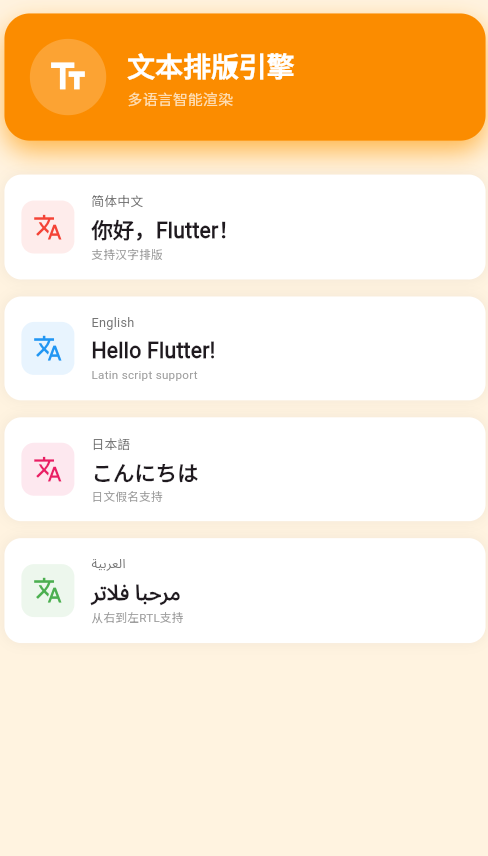
Text文本排版引擎是Flutter引擎层的重要组成部分,负责处理所有文本相关的渲染工作,包括文本测量、布局、绘制和国际化支持。本文将深入剖析Text引擎的架构、核心功能和HarmonyOS平台的适配实现。
一、Text引擎概述
1.1 Text引擎简介
Text引擎是Flutter引擎层中专门处理文本渲染的组件,基于Skia的文本绘制API,提供了强大的文本排版能力,支持多语言、多字体、富文本和复杂文本特性。
| 特性 | 说明 |
|---|---|
| 实现语言 | C++(Skia Text API) |
| 核心组件 | TextPainter、Paragraph、ParagraphBuilder |
| 字体支持 | 系统字体、自定义字体、网络字体 |
| 多语言 | LTR、RTL、双向文本 |
| 富文本 | 多种样式混合、文本装饰 |
| 性能优化 | 缓存、惰性渲染、硬件加速 |
1.2 Text引擎在渲染流程中的位置
┌─────────────────────────────────────────────┐
│         Framework层                          │
│                                             │
│  Text Widget                                │
│  ├── TextStyle (样式配置)                    │
│  ├── StrutStyle (布局约束)                  │
│  └── TextAlign (对齐方式)                   │
└──────────────────┬──────────────────────────┘
                   │
                   ↓
┌─────────────────────────────────────────────┐
│      Framework层 - RenderParagraph          │
│                                             │
│  RenderParagraph                            │
│  ├── 构建ParagraphBuilder                   │
│  ├── 应用样式                                │
│  └── 布局计算                                │
└──────────────────┬──────────────────────────┘
                   │
                   ↓
┌─────────────────────────────────────────────┐
│      Framework层 - TextPainter              │
│                                             │
│  TextPainter                                │
│  ├── layout() (测量布局)                     │
│  ├── paint() (绘制)                         │
│  └── getCaretOffset() (光标位置)            │
└──────────────────┬──────────────────────────┘
                   │
                   ↓
┌─────────────────────────────────────────────┐
│         Engine层 - Skia Text API            │
│                                             │
│  SkTextBlob                                 │
│  ├── 字体加载                                │
│  ├── 字形选择                                │
│  ├── 文本测量                                │
│  └── 文本绘制                                │
└──────────────────┬──────────────────────────┘
                   │
                   ↓
┌─────────────────────────────────────────────┐
│            GPU渲染                           │
│                                             │
│  纹理光栅化                                 │
│  着色器渲染                                 │
└─────────────────────────────────────────────┘
1.3 Text引擎核心能力
| 能力 | 说明 | 应用场景 |
|---|---|---|
| 文本测量 | 计算宽度、高度、基线 | 布局计算 |
| 文本布局 | 换行、对齐、间距 | 文本显示 |
| 字体管理 | 加载、缓存、回退 | 字体渲染 |
| 多语言 | LTR、RTL、双向文本 | 国际化 |
| 富文本 | 多样式混合 | 格式化文本 |
| 选择编辑 | 光标、选中范围 | 文本输入 |
二、Text引擎架构设计
2.1 核心组件层次
Text引擎组件层次:
┌─────────────────────────────────────────────┐
│         Widget层                             │
│                                             │
│  Text Widget                                │
│  RichText Widget                            │
│  TextField Widget                           │
└──────────────────┬──────────────────────────┘
                   │
                   ↓
┌─────────────────────────────────────────────┐
│      RenderObject层                          │
│                                             │
│  RenderParagraph                            │
│  ├── build()                                │
│  ├── performLayout()                        │
│  └── paint()                                │
└──────────────────┬──────────────────────────┘
                   │
                   ↓
┌─────────────────────────────────────────────┐
│      TextPainter层                           │
│                                             │
│  TextPainter                                │
│  ├── ParagraphBuilder                       │
│  ├── Paragraph                              │
│  └── TextBox                                │
└──────────────────┬──────────────────────────┘
                   │
                   ↓
┌─────────────────────────────────────────────┐
│      Skia Text API层                        │
│                                             │
│  SkTextBlob                                 │
│  ├── SkTypeface                             │
│  ├── SkFont                                 │
│  └── SkGlyph                                │
└─────────────────────────────────────────────┘
2.2 TextPainter核心类
| 类 | 职责 | 主要方法 |
|---|---|---|
| TextPainter | 文本绘制器 | layout()、paint() |
| ParagraphBuilder | 段落构建器 | pushStyle()、addText() |
| Paragraph | 文本段落 | build()、layout() |
| TextStyle | 文本样式 | 颜色、大小、字体等 |
| StrutStyle | 段落样式 | 高度、强制间距等 |
2.3 文本渲染流程
三、文本测量与布局
3.1 文本测量
TextPainter的layout()方法负责测量文本的尺寸,包括宽度、高度和基线等信息。
// 文本测量示例
class TextMeasurementDemo extends StatelessWidget {
Widget build(BuildContext context) {
final textPainter = TextPainter(
text: const TextSpan(
text: 'Hello World',
style: TextStyle(
fontSize: 24,
color: Colors.black,
),
),
textDirection: TextDirection.ltr,
);
// 执行测量
textPainter.layout();
// 获取测量结果
final width = textPainter.width;
final height = textPainter.height;
final preBaseline = textPainter.precomputedLineMetrics?[0].ascent ?? 0;
final postBaseline = textPainter.precomputedLineMetrics?[0].descent ?? 0;
return Column(
children: [
Text('宽度: ${width.toStringAsFixed(2)}'),
Text('高度: ${height.toStringAsFixed(2)}'),
Text('基线上: ${preBaseline.toStringAsFixed(2)}'),
Text('基线下: ${postBaseline.toStringAsFixed(2)}'),
],
);
}
}
文本测量指标:
| 指标 | 说明 | 计算方式 |
|---|---|---|
| width | 文本总宽度 | 从起始位置到结束位置 |
| height | 文本总高度 | 从顶部基线到底部基线 |
| ascent | 基线以上高度 | 字体特性决定 |
| descent | 基线以下高度 | 字体特性决定 |
| leading | 行间距 | 行与行之间的空间 |
3.2 文本布局
文本布局包括换行、对齐、行间距等处理。
| 布局属性 | 类型 | 说明 |
|---|---|---|
| textAlign | TextAlign | 文本对齐方式 |
| maxLines | int | 最大行数 |
| overflow | TextOverflow | 超出处理方式 |
| softWrap | bool | 是否自动换行 |
| textHeightBehavior | TextHeightBehavior | 文本高度行为 |
// 文本布局示例
class TextLayoutDemo extends StatelessWidget {
Widget build(BuildContext context) {
return Column(
crossAxisAlignment: CrossAxisAlignment.start,
children: [
// 左对齐
const Text(
'左对齐文本\n多行文本示例',
textAlign: TextAlign.left,
style: TextStyle(fontSize: 16),
),
const SizedBox(height: 20),
// 居中对齐
const Text(
'居中对齐文本\n多行文本示例',
textAlign: TextAlign.center,
style: TextStyle(fontSize: 16),
),
const SizedBox(height: 20),
// 右对齐
const Text(
'右对齐文本\n多行文本示例',
textAlign: TextAlign.right,
style: TextStyle(fontSize: 16),
),
const SizedBox(height: 20),
// 文本溢出处理
Container(
width: 200,
child: const Text(
'这是一段很长的文本,超出了容器宽度,需要进行溢出处理',
overflow: TextOverflow.ellipsis,
maxLines: 2,
style: TextStyle(fontSize: 16),
),
),
const SizedBox(height: 20),
// 行间距
const Text(
'第一行\n第二行\n第三行',
style: TextStyle(
fontSize: 16,
height: 2.0, // 行间距为字体大小的2倍
),
),
],
);
}
}
3.3 文本基线
文本基线示意:
    ↑ ascent (基线以上高度)
    │
────┼──── baseline (基线)
    │
    ↓ descent (基线以下高度)

文本测量:
┌─────────────────────────────────┐
│         Hello World             │  ← 顶部
│                                 │
│    ↑                            │  ← ascent
│    │                            │
────┼──────────────────────────────┼──── baseline
│    │                            │
│    ↓                            │  ← descent
│                                 │
└─────────────────────────────────┘  ← 底部
   ←───── width ────→
四、富文本渲染
4.1 TextSpan层次结构
TextSpan支持嵌套,可以创建复杂的富文本结构。
// 富文本示例
class RichTextDemo extends StatelessWidget {
Widget build(BuildContext context) {
return RichText(
text: TextSpan(
style: const TextStyle(
fontSize: 24,
color: Colors.black,
),
children: [
const TextSpan(text: '这是'),
TextSpan(
text: ' 红色',
style: const TextStyle(
color: Colors.red,
fontWeight: FontWeight.bold,
),
),
TextSpan(
text: ' 和',
style: const TextStyle(
color: Colors.blue,
fontSize: 30,
),
),
const TextSpan(text: ' 蓝色'),
const TextSpan(text: ' 的组合'),
TextSpan(
text: ' 斜体',
style: const TextStyle(
fontStyle: FontStyle.italic,
color: Colors.green,
),
),
const TextSpan(text: ' 文本'),
],
),
);
}
}
4.2 TextStyle属性
| 属性 | 类型 | 说明 | 示例 |
|---|---|---|---|
| color | Color | 文本颜色 | Colors.red |
| fontSize | double | 字体大小 | 24.0 |
| fontWeight | FontWeight | 字体粗细 | FontWeight.bold |
| fontStyle | FontStyle | 字体样式 | FontStyle.italic |
| letterSpacing | double | 字符间距 | 2.0 |
| wordSpacing | double | 单词间距 | 5.0 |
| height | double | 行高 | 1.5 |
| decoration | TextDecoration | 文本装饰 | TextDecoration.underline |
| decorationColor | Color | 装饰颜色 | Colors.blue |
| decorationStyle | TextDecorationStyle | 装饰样式 | TextDecorationStyle.dashed |
| shadows | List | 文本阴影 | [Shadow(…)] |
| backgroundColor | Color | 背景色 | Colors.yellow |
// TextStyle详细示例
class TextStyleDemo extends StatelessWidget {
Widget build(BuildContext context) {
return Column(
crossAxisAlignment: CrossAxisAlignment.start,
children: [
// 颜色和大小
const Text(
'颜色和大小',
style: TextStyle(
color: Colors.red,
fontSize: 24,
),
),
const SizedBox(height: 10),
// 字体粗细和样式
const Text(
'粗体斜体',
style: TextStyle(
fontWeight: FontWeight.bold,
fontStyle: FontStyle.italic,
fontSize: 20,
),
),
const SizedBox(height: 10),
// 字符和单词间距
const Text(
'字符间距和单词间距',
style: TextStyle(
letterSpacing: 3.0,
wordSpacing: 10.0,
fontSize: 18,
),
),
const SizedBox(height: 10),
// 文本装饰
const Text(
'下划线文本',
style: TextStyle(
decoration: TextDecoration.underline,
decorationColor: Colors.blue,
decorationStyle: TextDecorationStyle.dashed,
fontSize: 18,
),
),
const SizedBox(height: 10),
// 文本阴影
Text(
'带阴影的文本',
style: TextStyle(
fontSize: 24,
color: Colors.white,
shadows: [
Shadow(
color: Colors.black.withOpacity(0.5),
offset: const Offset(2, 2),
blurRadius: 4,
),
],
),
),
const SizedBox(height: 10),
// 背景色
const Text(
'带背景色的文本',
style: TextStyle(
backgroundColor: Colors.yellow,
fontSize: 18,
),
),
],
);
}
}
五、字体管理
5.1 字体加载方式
| 方式 | 说明 | 适用场景 |
|---|---|---|
| 系统字体 | 使用平台默认字体 | 一般文本 |
| 自定义字体 | 从文件加载 | 特定设计需求 |
| 网络字体 | 从网络下载 | 动态字体加载 |
5.2 自定义字体配置
# pubspec.yaml
flutter:
  fonts:
    - family: CustomFont
      fonts:
        - asset: fonts/CustomFont-Regular.ttf
        - asset: fonts/CustomFont-Bold.ttf
          weight: 700
        - asset: fonts/CustomFont-Italic.ttf
          style: italic
// 使用自定义字体
class CustomFontDemo extends StatelessWidget {
Widget build(BuildContext context) {
return Column(
crossAxisAlignment: CrossAxisAlignment.start,
children: [
const Text(
'系统字体',
style: TextStyle(fontSize: 24),
),
const SizedBox(height: 20),
const Text(
'自定义字体',
style: TextStyle(
fontFamily: 'CustomFont',
fontSize: 24,
),
),
const SizedBox(height: 20),
const Text(
'自定义粗体',
style: TextStyle(
fontFamily: 'CustomFont',
fontWeight: FontWeight.bold,
fontSize: 24,
),
),
const SizedBox(height: 20),
const Text(
'自定义斜体',
style: TextStyle(
fontFamily: 'CustomFont',
fontStyle: FontStyle.italic,
fontSize: 24,
),
),
],
);
}
}
5.3 字体回退机制
当首选字体不支持某个字符时,Text引擎会自动回退到备用字体。
// 字体回退示例
class FontFallbackDemo extends StatelessWidget {
Widget build(BuildContext context) {
return const Text(
'Hello 世界 Привет مرحبا', // 多语言文本
style: TextStyle(
fontSize: 24,
fontFamily: 'CustomFont', // 如果不支持中文,会回退到系统字体
),
);
}
}
字体回退优先级:
首选字体
    ↓ (不支持字符)
备用字体1
    ↓ (不支持字符)
备用字体2
    ↓ (不支持字符)
...
    ↓
系统默认字体
六、国际化支持
6.1 文本方向
| 方向 | 说明 | 语言 |
|---|---|---|
| LTR | 从左到右 | 中文、英文、法文等 |
| RTL | 从右到左 | 阿拉伯文、希伯来文等 |
| Mixed | 混合方向 | 包含LTR和RTL的文本 |
// LTR文本
const Text(
  'Hello World',
  textDirection: TextDirection.ltr,
);

// RTL文本
const Text(
  'مرحبا بالعالم',
  textDirection: TextDirection.rtl,
);

// 自动检测方向
Directionality(
  textDirection: TextDirection.rtl,
  child: const Text('مرحبا بالعالم'),
);
6.2 双向文本处理
// 双向文本示例
class BidiTextDemo extends StatelessWidget {
Widget build(BuildContext context) {
return Column(
crossAxisAlignment: CrossAxisAlignment.start,
children: [
// 纯LTR文本
const Text(
'This is English text',
style: TextStyle(fontSize: 24),
),
const SizedBox(height: 20),
// 纯RTL文本
const Text(
'هذا نص عربي',
textDirection: TextDirection.rtl,
style: TextStyle(fontSize: 24),
),
const SizedBox(height: 20),
// 混合方向文本
const Text(
'Hello مرحبا World بالعالم',
style: TextStyle(fontSize: 24),
),
const SizedBox(height: 20),
// 使用TextSpan控制方向
const Text(
'Hello ',
style: TextStyle(fontSize: 24),
),
const Text(
'مرحبا',
textDirection: TextDirection.rtl,
style: TextStyle(fontSize: 24),
),
const Text(
' World',
style: TextStyle(fontSize: 24),
),
],
);
}
}
6.3 多语言支持
class LocaleTextDemo extends StatelessWidget {
Widget build(BuildContext context) {
return Localizations.override(
context: context,
locale: const Locale('ar'), // 阿拉伯语
child: const Builder(
builder: (context) {
return Column(
children: [
Text(
MaterialLocalizations.of(context).okButtonLabel,
style: TextStyle(fontSize: 24),
),
Text(
MaterialLocalizations.of(context).cancelButtonLabel,
style: TextStyle(fontSize: 24),
),
],
);
},
),
);
}
}
七、Text引擎性能优化
7.1 缓存策略
| 优化策略 | 说明 | 效果 |
|---|---|---|
| 布局缓存 | 缓存TextPainter.layout结果 | 减少重复测量 |
| 字形缓存 | 缓存字形光栅化结果 | 加快渲染速度 |
| 文本快照 | 使用TextPainter.createPicture() | 避免重复绘制 |
// 布局缓存示例
class CachedTextPainter {
  static final Map<String, TextPainter> _cache = {};

  static TextPainter getPainter(
    String text,
    TextStyle style,
    TextDirection direction,
  ) {
    final key = '${text.hashCode}_${style.hashCode}';

    return _cache.putIfAbsent(key, () {
      return TextPainter(
        text: TextSpan(text: text, style: style),
        textDirection: direction,
      )..layout();
    });
  }

  static void clearCache() {
    _cache.clear();
  }
}

// 使用
void main() {
  final painter1 = CachedTextPainter.getPainter(
    'Hello',
    const TextStyle(fontSize: 24),
    TextDirection.ltr,
  );

  // 第二次使用时会命中缓存
  final painter2 = CachedTextPainter.getPainter(
    'Hello',
    const TextStyle(fontSize: 24),
    TextDirection.ltr,
  );
}
7.2 惰性渲染
对于长文本,只渲染可见部分。
class LazyTextRenderer extends StatefulWidget {
final String text;
const LazyTextRenderer({super.key, required this.text});
State<LazyTextRenderer> createState() => _LazyTextRendererState();
}
class _LazyTextRendererState extends State<LazyTextRenderer> {
final ScrollController _scrollController = ScrollController();
Widget build(BuildContext context) {
return ListView.builder(
controller: _scrollController,
itemCount: widget.text.split('\n').length,
itemBuilder: (context, index) {
final line = widget.text.split('\n')[index];
return Text(line, style: const TextStyle(fontSize: 16));
},
);
}
}
7.3 性能优化检查清单
- 使用const构造函数创建TextStyle
- 缓存TextPainter.layout结果
- 避免频繁修改文本内容
- 使用文本快照减少重复绘制
- 对于长文本使用惰性渲染
- 合理设置maxLines避免无限测量
八、Text引擎在HarmonyOS上的实现
8.1 平台字体系统
HarmonyOS字体系统:
┌─────────────────────────────────────────────┐
│         Flutter应用层                         │
│                                             │
│  Text Widget → TextPainter                  │
└──────────────────┬──────────────────────────┘
                   │
                   ↓
┌─────────────────────────────────────────────┐
│      Skia Text Engine                       │
│                                             │
│  SkTypeface → 字体查找                      │
└──────────────────┬──────────────────────────┘
                   │
                   ↓
┌─────────────────────────────────────────────┐
│      HarmonyOS字体系统                      │
│                                             │
│  系统字体库                                 │
│  ├── 中文字体                               │
│  ├── 英文字体                               │
│  ├── 阿拉伯字体                             │
│  └── 其他字体                               │
└──────────────────┬──────────────────────────┘
                   ↓
              字体文件
8.2 平台字体配置
// harmonyos/ohos/entry/src/main/resources/base/element/string.json
{
  "string": [
    {
      "name": "app_name",
      "value": "Flutter Text Engine Demo"
    }
  ]
}
8.3 跨平台字体支持
| 字体特性 | iOS | Android | HarmonyOS | Web |
|---|---|---|---|---|
| 系统字体 | ✅ | ✅ | ✅ | ✅ |
| 自定义字体 | ✅ | ✅ | ✅ | ✅ |
| 字体变体 | ✅ | ✅ | ✅ | 部分 |
| Emoji | ✅ | ✅ | ✅ | ✅ |
| 可变字体 | ✅ | ✅ | ✅ | 部分 |
九、总结
Text文本排版引擎通过TextPainter、Paragraph等核心组件,为Flutter提供了强大的文本渲染能力。支持富文本、多语言、自定义字体等特性,并通过缓存、惰性渲染等策略优化性能。在HarmonyOS平台上,Text引擎与系统字体系统完美集成,完整保留了所有文本功能。
学习要点
- ✅ 理解Text引擎的架构和核心组件
- ✅ 掌握TextPainter的使用方法
- ✅ 熟悉文本测量和布局机制
- ✅ 了解富文本的TextSpan层次结构
- ✅ 掌握TextStyle的属性配置
- ✅ 学习字体管理和回退机制
- ✅ 理解国际化和双向文本处理
- ✅ 掌握Text引擎的性能优化策略
- ✅ 了解Text引擎在HarmonyOS上的实现
欢迎加入开源鸿蒙跨平台社区:https://openharmonycrossplatform.csdn.net

AtomGit 是由开放原子开源基金会联合 CSDN 等生态伙伴共同推出的新一代开源与人工智能协作平台。平台坚持“开放、中立、公益”的理念,把代码托管、模型共享、数据集托管、智能体开发体验和算力服务整合在一起,为开发者提供从开发、训练到部署的一站式体验。
更多推荐
 13
13 0
0- 0


 已为社区贡献12条内容

所有评论(0)