LINUX | 如何开放vultr的端口
linux-dash
A beautiful web dashboard for Linux
项目地址:https://gitcode.com/gh_mirrors/li/linux-dash
 免费下载资源
·
一、首先检查某端口是否开启:
firewall-cmd --query-port=80/tcp --zone=public  #查询80端口是否开启,自行修改端口号

返回no即未开启,显示yes为已开启。
二、开启某端口代码
firewall-cmd --zone=public --add-port=80/tcp --permanent #添加80端口,如需添加其他端口,自行修改端口号

修改完成后需要重启服务器才能生效。
三、如果出现FirewallD is not running

1.查看防火墙状态
systemctl status firewalld
有如下提示表示未开启:
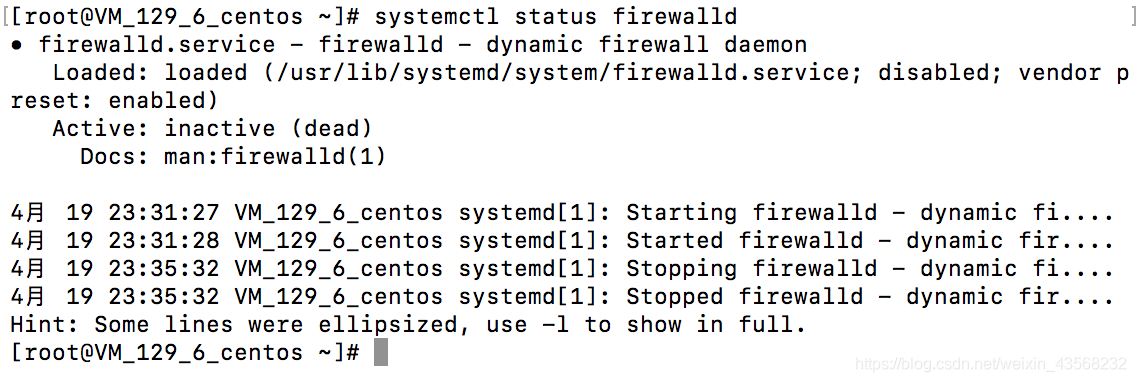
2.开启防火墙,没有任何提示即开启成功
systemctl start firewalld
3.再次查看防火墙状态
systemctl status firewalld
有如下提示表示已经开启成功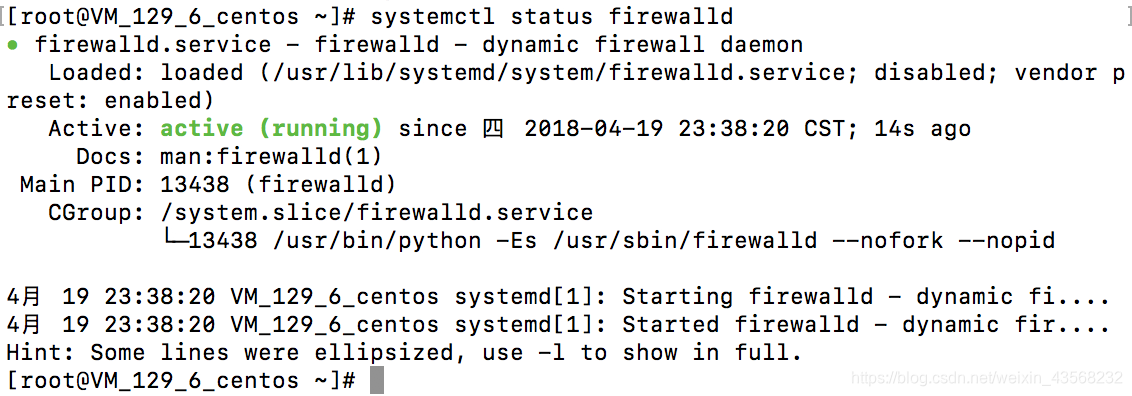
4.关闭防火墙
systemctl stop firewalld
转载自https://blog.csdn.net/qq_41054313/article/details/89813104
 GitHub 加速计划 / li / linux-dash
 13
13
 2
下载
2
下载
A beautiful web dashboard for Linux
最近提交(Master分支:4 个月前 )
186a802e
added ecosystem file for PM2 5 年前
5def40a3
Add host customization support for the NodeJS version 5 年前

AtomGit 是由开放原子开源基金会联合 CSDN 等生态伙伴共同推出的新一代开源与人工智能协作平台。平台坚持“开放、中立、公益”的理念,把代码托管、模型共享、数据集托管、智能体开发体验和算力服务整合在一起,为开发者提供从开发、训练到部署的一站式体验。
更多推荐


 0
0 0
0- 0


 已为社区贡献2条内容

所有评论(0)