Docker Machine安装以及报错解决方法
linux-dash
A beautiful web dashboard for Linux
项目地址:https://gitcode.com/gh_mirrors/li/linux-dash
 免费下载资源
·
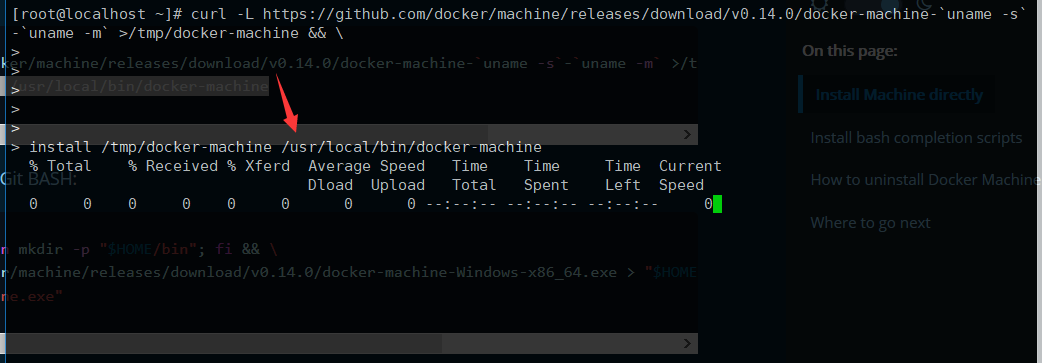
1、先安装docker-machine

2、安装virtualbox
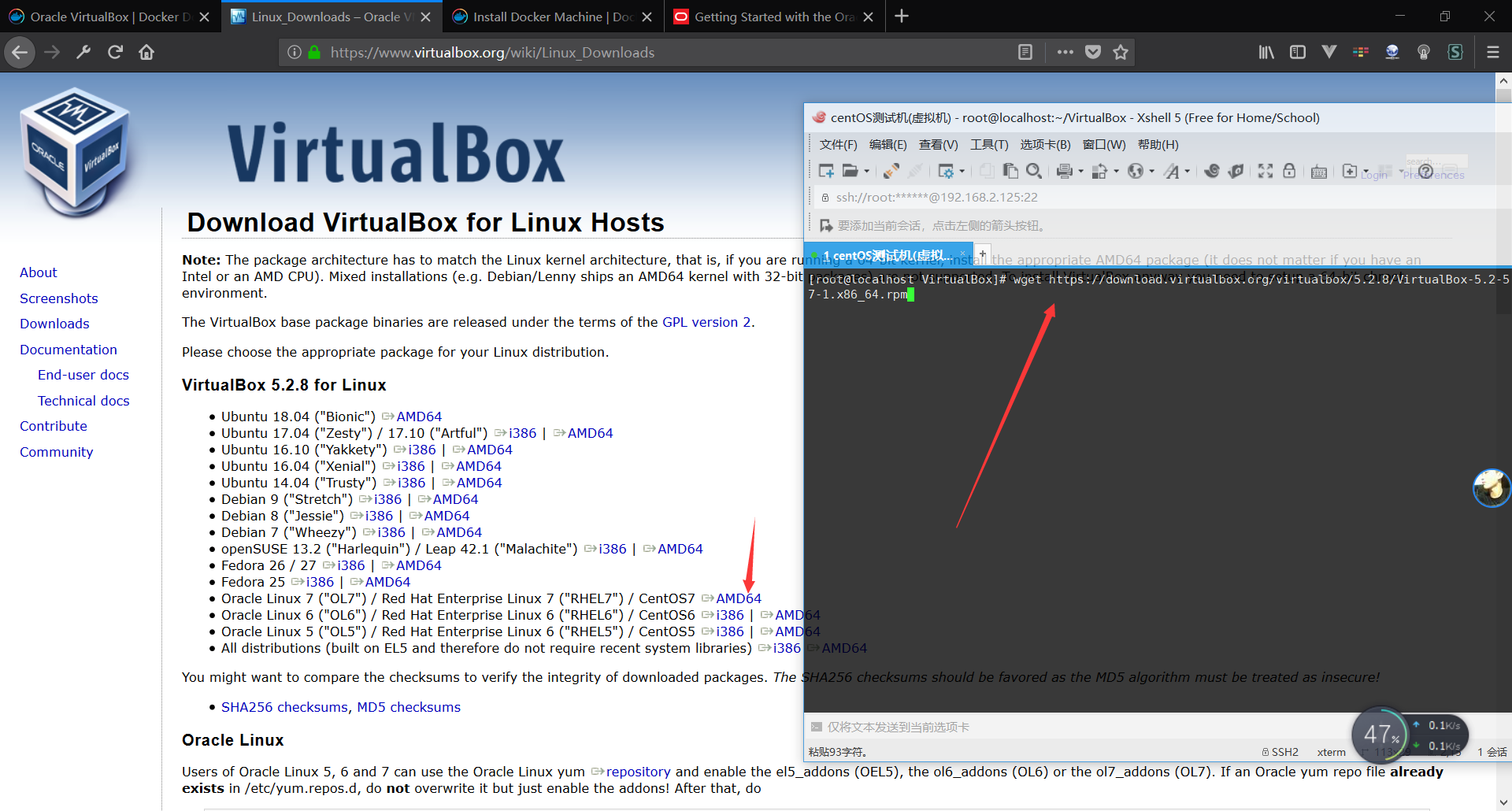
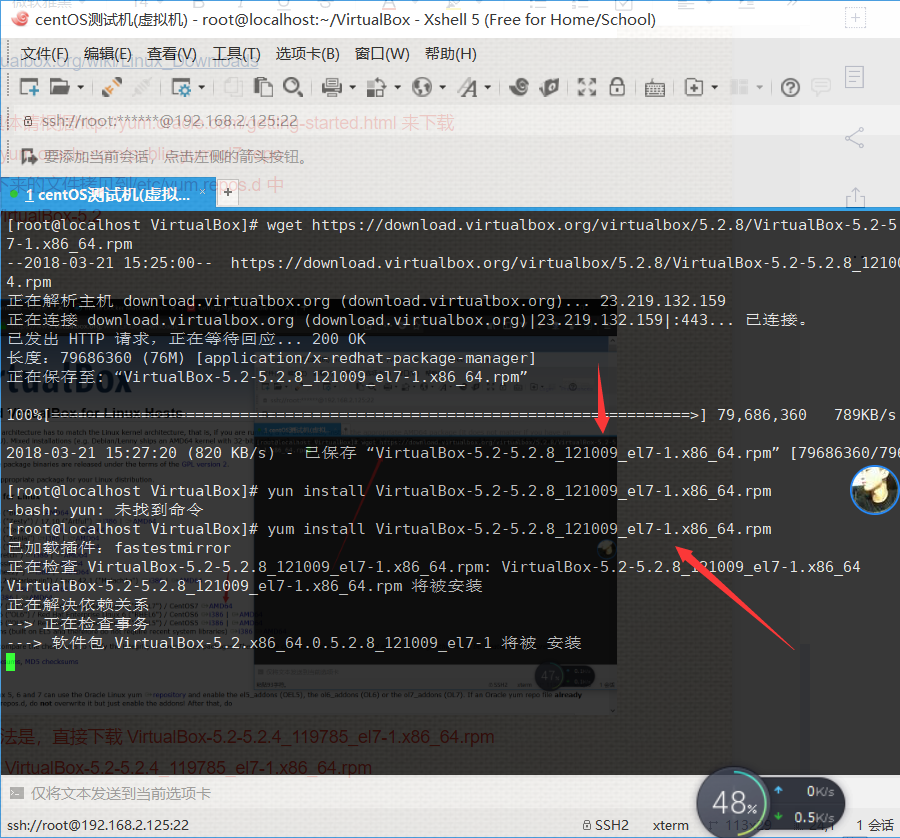
这时候需要你检查一下你的virtualbox是安装好的
在命令行输入
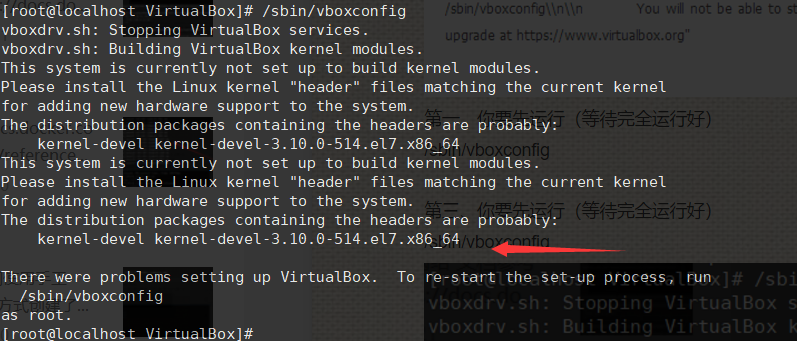
/sbin/vboxconfig
我们按照提示来安装kernel-devel-3.10.0-514.el7.x86_64(你要自己去找kernel-devel-3.10.0-514.el7.x86_64.rpm包)
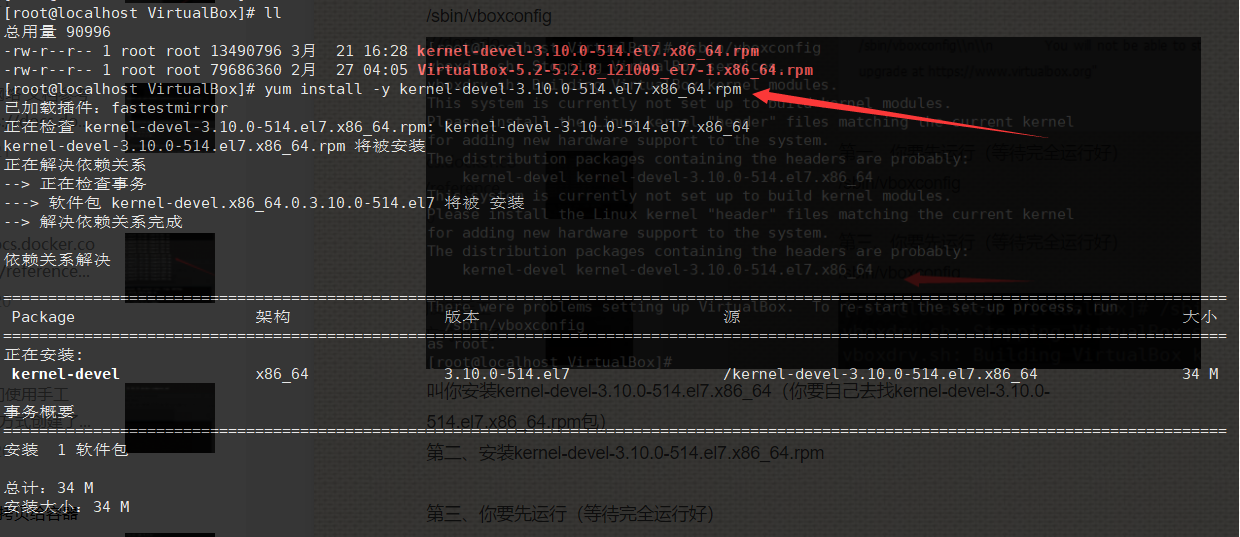
安装好之后在输入 (需要等待它完全运行完)
/sbin/vboxconfig

这样就代表你安装好了(可以操作下面的步骤了)
还有就是有些人不是很注意这个步骤,下面的安装好了执行命令( docker-machine create --driver virtualbox v1)去创建,就包错如图
Error with pre-create check: "We support Virtualbox starting with version 5. Your VirtualBox install is \"WARNING: The vboxdrv kernel module is not loaded. Either there is no module\\n available for the current kernel (3.10.0-514.el7.x86_64) or it failed to\\n load. Please recompile the kernel module and install it by\\n\\n sudo /sbin/vboxconfig\\n\\n You will not be able to start VMs until this problem is fixed.\\n5.2.8r121009\". Please upgrade at https://www.virtualbox.org"
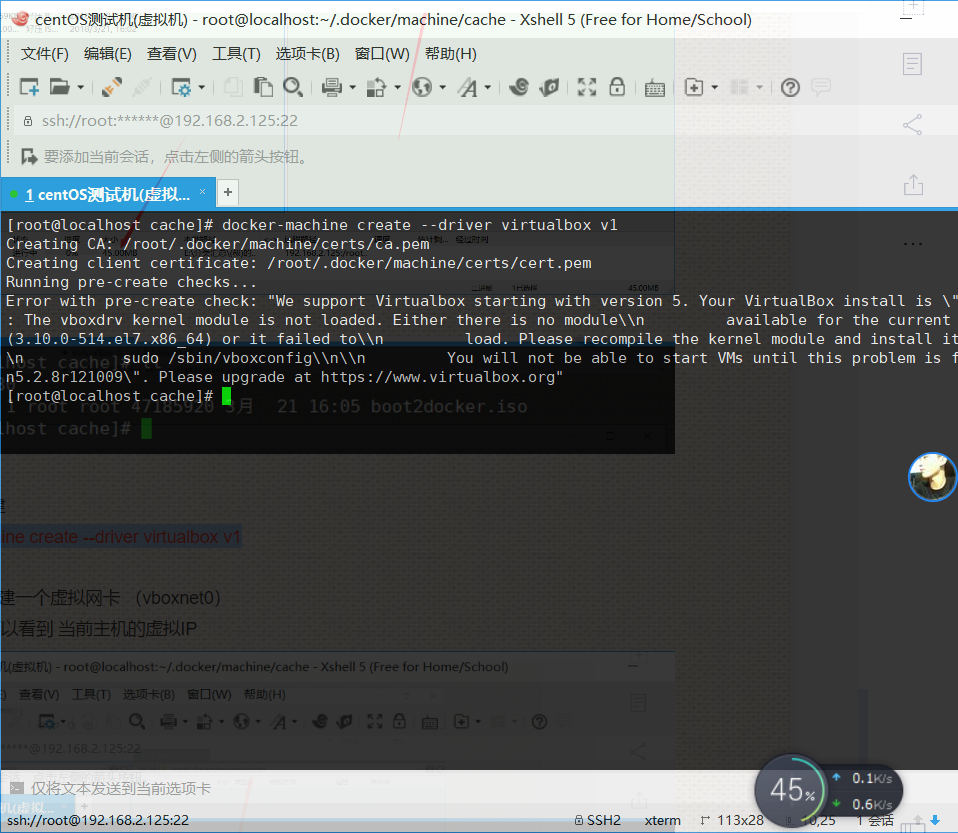
需要你按照我上面的步骤来操作,就可以创建成功了
3、配置虚拟机
需要你关机之后才能设置
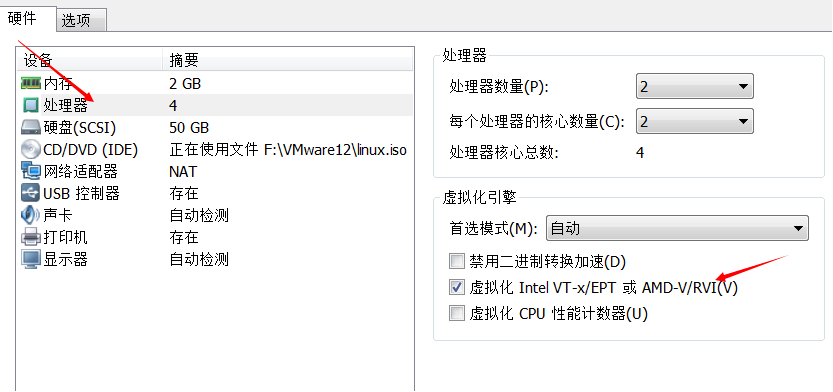
4、创建目录
我这个是root(普通用户应该是/home/用户名/.docker/machine/cache)
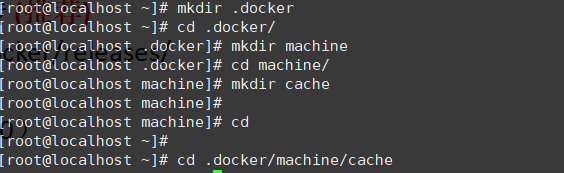
然后去下载boot2docker.iso文件放在这个目录下面
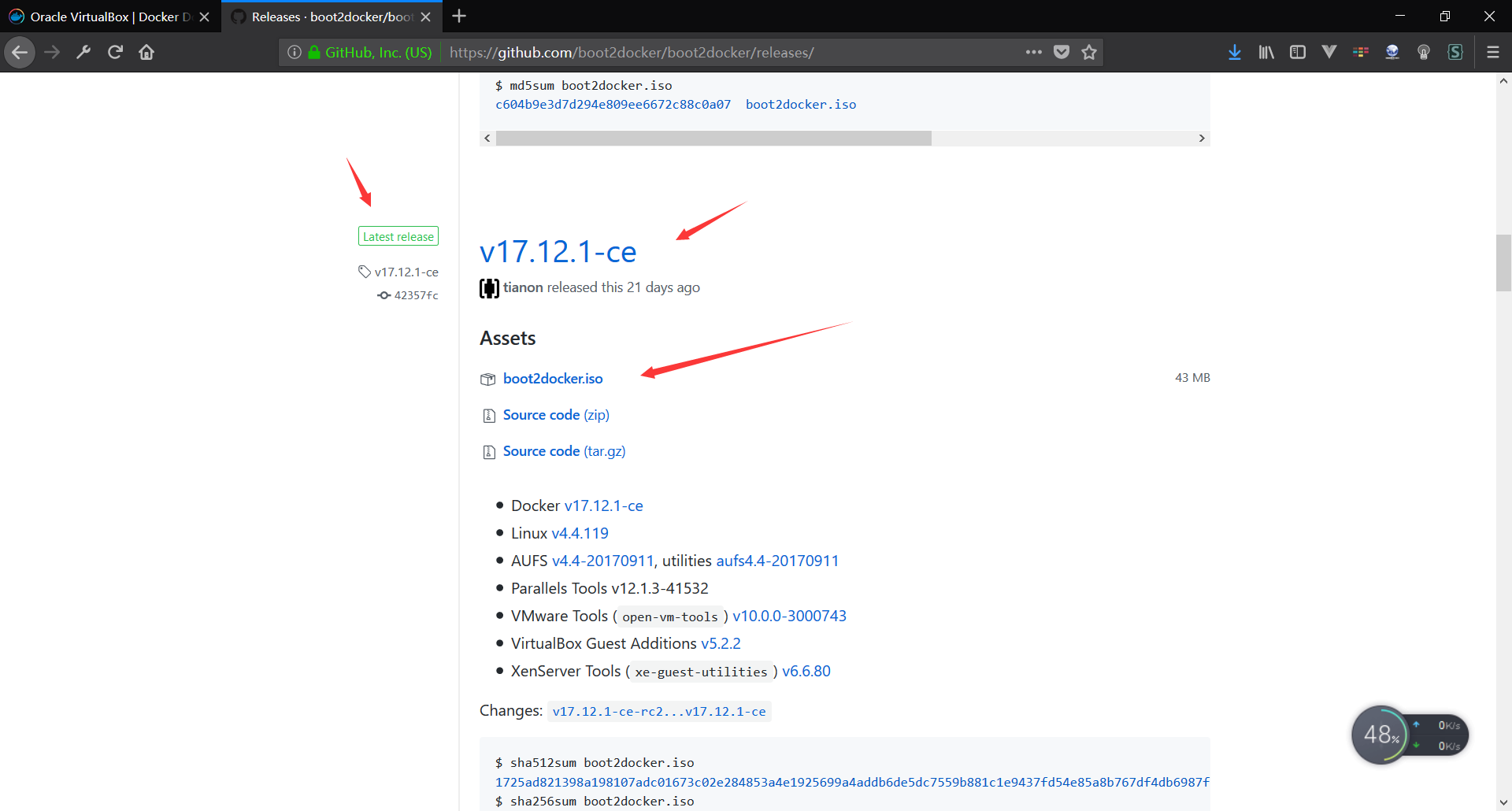
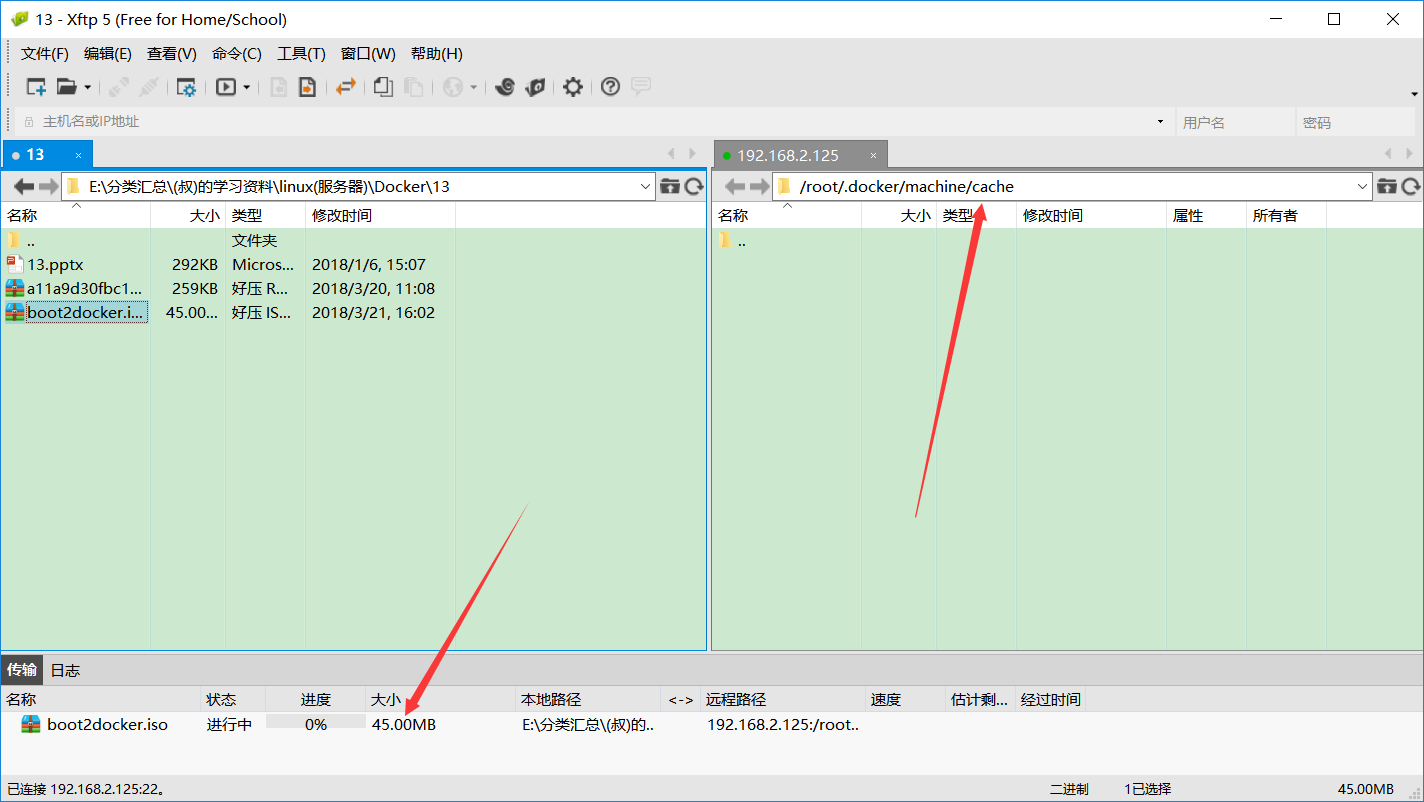

5、运行创建命令
docker-machine create --driver virtualbox v1
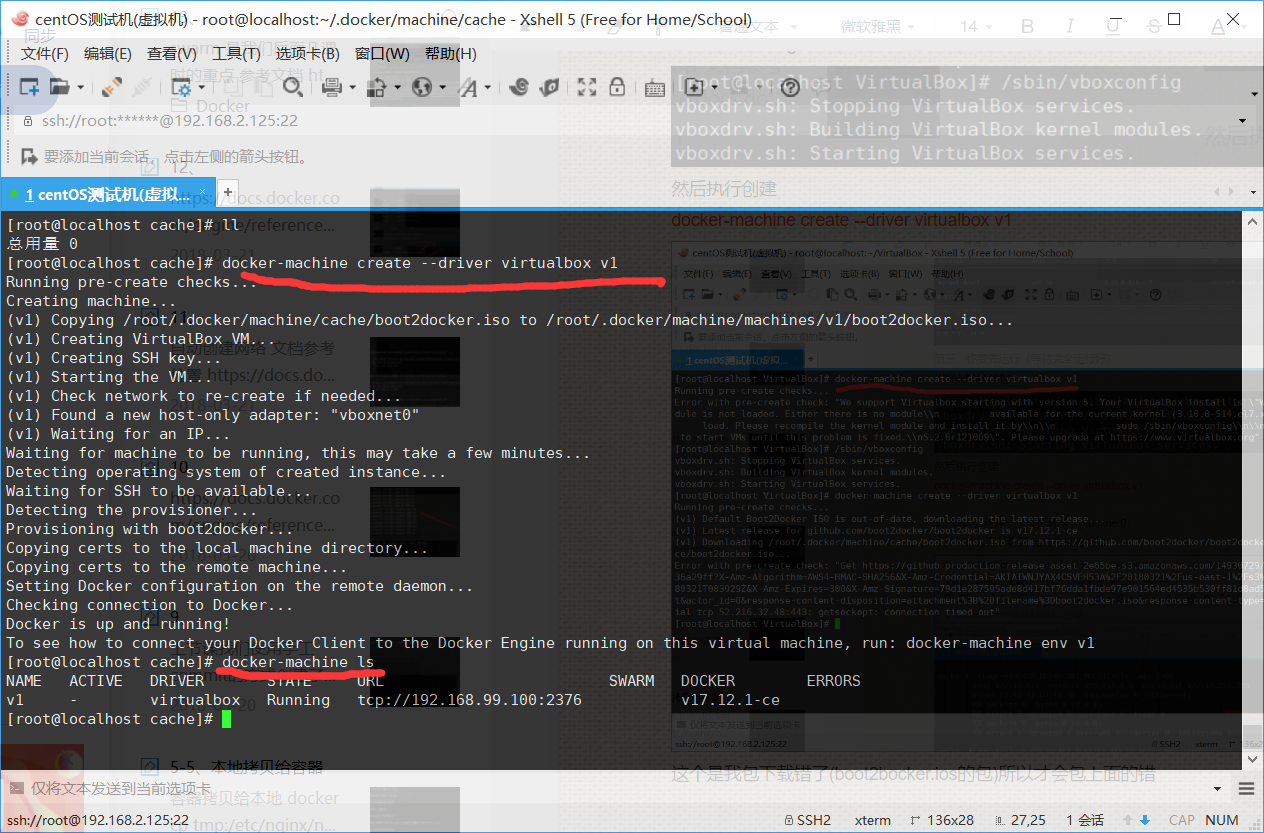
还有一种就是你下载 boot2docker.iso这个文件下载错了你执行创建命令
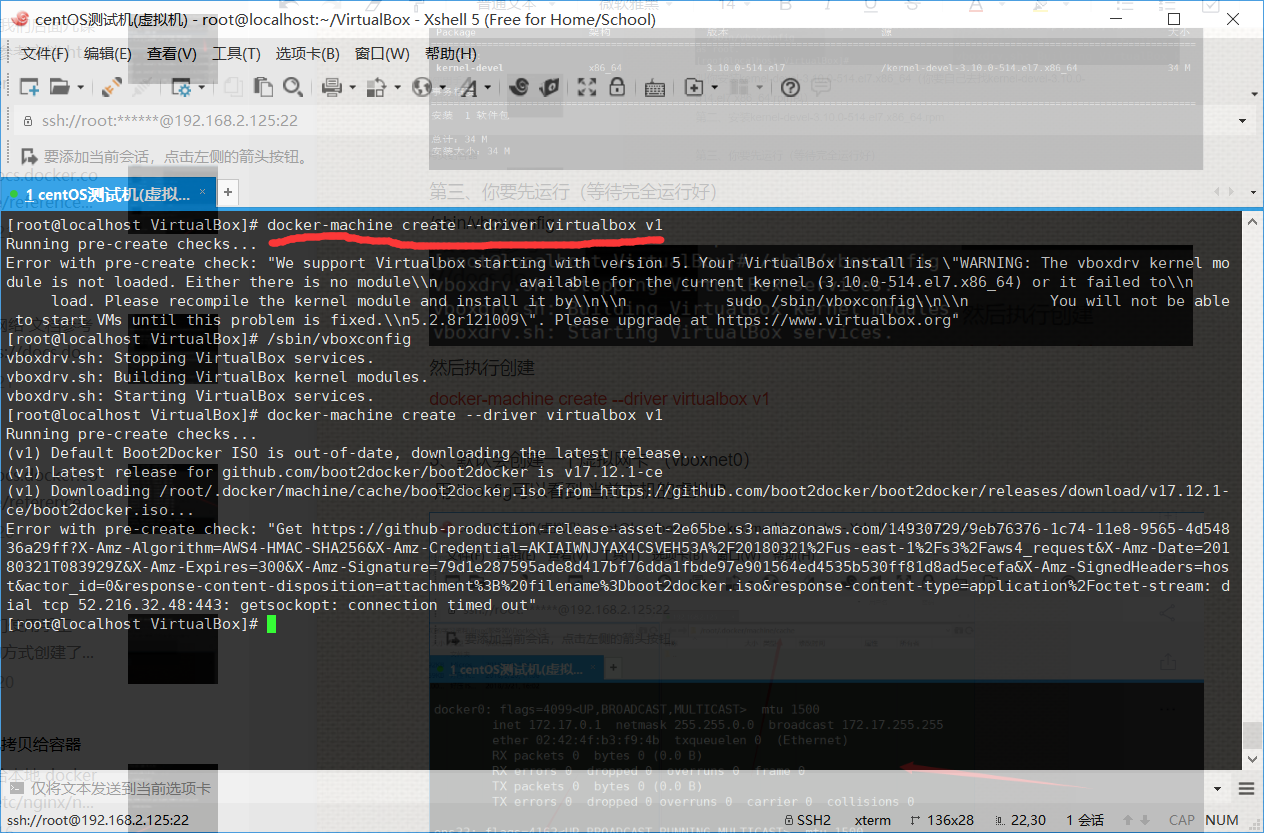
所以说你需要看一下我 boot2docker.iso下载的步骤
 GitHub 加速计划 / li / linux-dash
 13
13
 2
下载
2
下载
A beautiful web dashboard for Linux
最近提交(Master分支:4 个月前 )
186a802e
added ecosystem file for PM2 5 年前
5def40a3
Add host customization support for the NodeJS version 5 年前

AtomGit 是由开放原子开源基金会联合 CSDN 等生态伙伴共同推出的新一代开源与人工智能协作平台。平台坚持“开放、中立、公益”的理念,把代码托管、模型共享、数据集托管、智能体开发体验和算力服务整合在一起,为开发者提供从开发、训练到部署的一站式体验。
更多推荐


 0
0 0
0- 0


 已为社区贡献3条内容

所有评论(0)