Vue项目页面中快速使用JSON数据格式化模块插件
·
页面中快速使用JSON数据格式化模块插件
JSON数据格式化模块插件,可以用来展示JSON数据,也可以验证某数据是否为JSON格式
1、可以使用 b-code-editor插件 来实现效果,方便快捷,
安装命令:npm install bin-code-editor -d
2、在项目的main.js文件中导入并全局安装
import CodeEditor from 'bin-code-editor';

Vue.use(CodeEditor);
3、具体页面中使用即可
<b-code-editor
  v-model="jsonStr"
  :auto-format="true"
  :smart-indent="true"
  theme="dracula"
  :indent-unit="4"
  :line-wrap="false"
  ref="editor">
</b-code-editor>
4、设置测试数据
jsonData:`{
"employees": [
{
      "firstName": "Bill",
      "lastName": "Gates"
},
{
      "firstName": "George",
      "lastName": "Bush"
},
{
      "firstName": "Thomas",
      "lastName": "Carter"
    }]
  }`
5、最终实现效果如下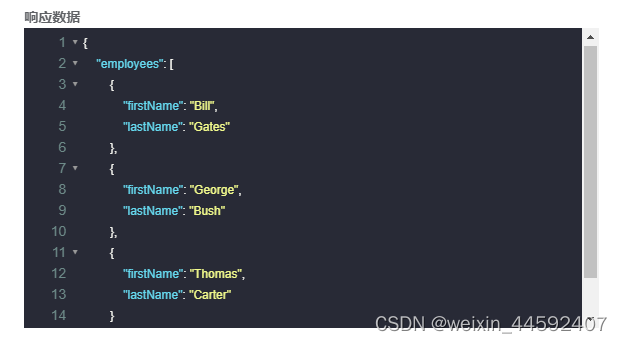

AtomGit 是由开放原子开源基金会联合 CSDN 等生态伙伴共同推出的新一代开源与人工智能协作平台。平台坚持“开放、中立、公益”的理念,把代码托管、模型共享、数据集托管、智能体开发体验和算力服务整合在一起,为开发者提供从开发、训练到部署的一站式体验。
更多推荐



 2
2 0
0- 0


 已为社区贡献1条内容

所有评论(0)