vue2使用codemirror文本对比且优化了对比不准确
 免费下载资源
参考文章:
vue使用diff-match-patch和codemirror实现文本对比_Archer_yy的博客-CSDN博客
codemirror文本比对呈现效果不太准确的问题_半桶水搬砖工的博客-CSDN博客
一、安装
npm install diff-match-patch -S
npm install codemirror@5.0.0 -S
二、使用
我直接上优化后的使用代码
1、找到node_modules里的codemirror文件夹,然后找到引入的codemirror/addon/merge/merge.js文件,找到下面图片地方,添加如下代码
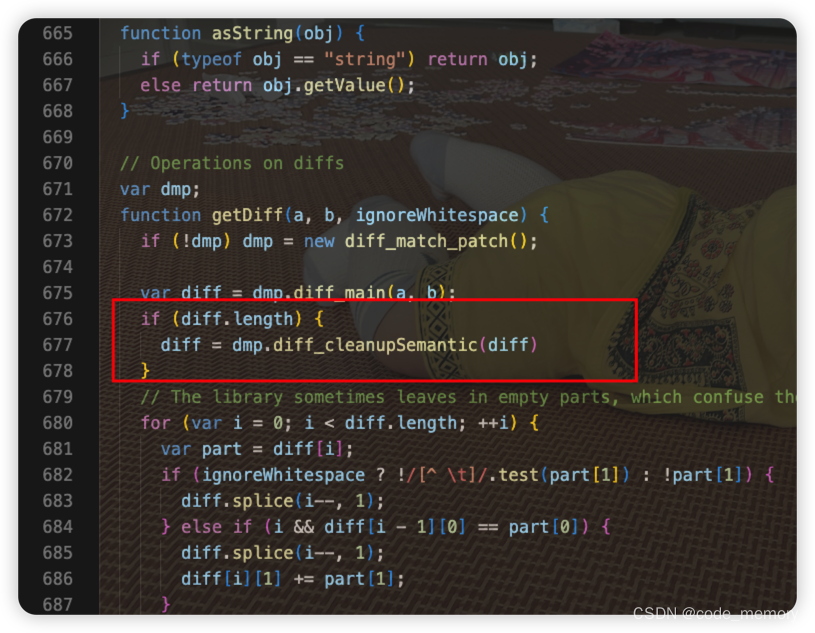
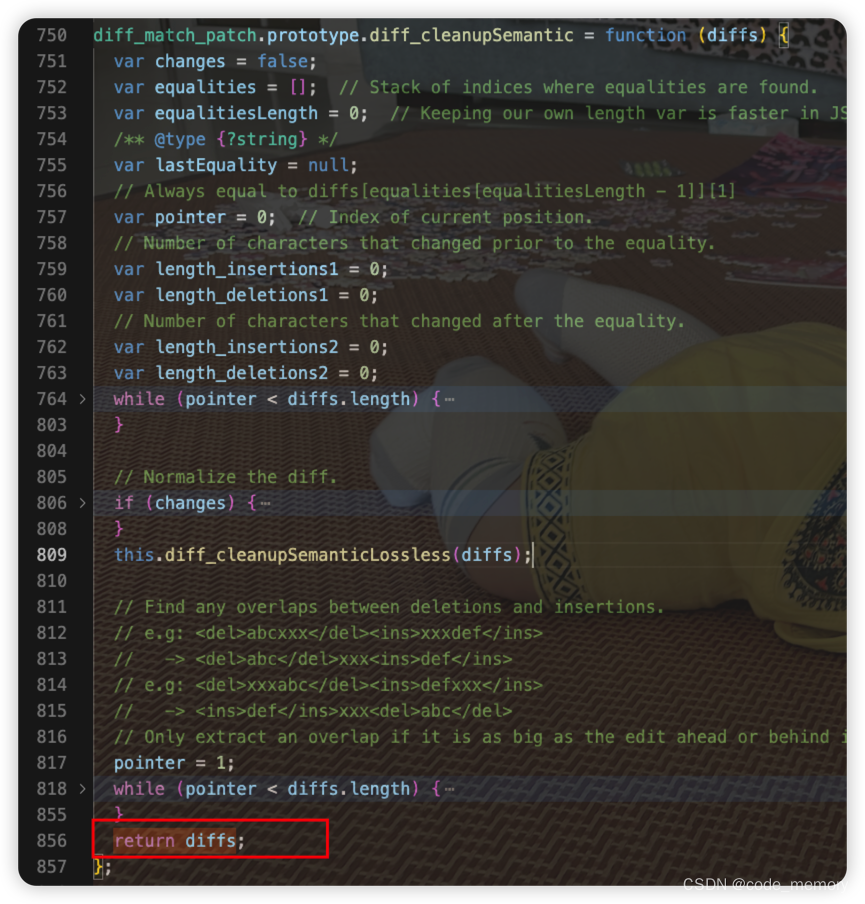
2、再找到node_modules下的diff-match-patch的index.js,在diff_cleanupSemantic方法的最后面,把结果return出去
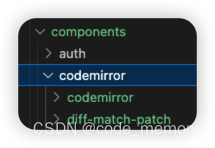
3、 我们改过源码,就可以把node_modules里的两个插件拿出来当本地静态资源引入,把codemirror和diff-match-patch文件夹放到同一个文件夹路径下,我放在components文件夹下
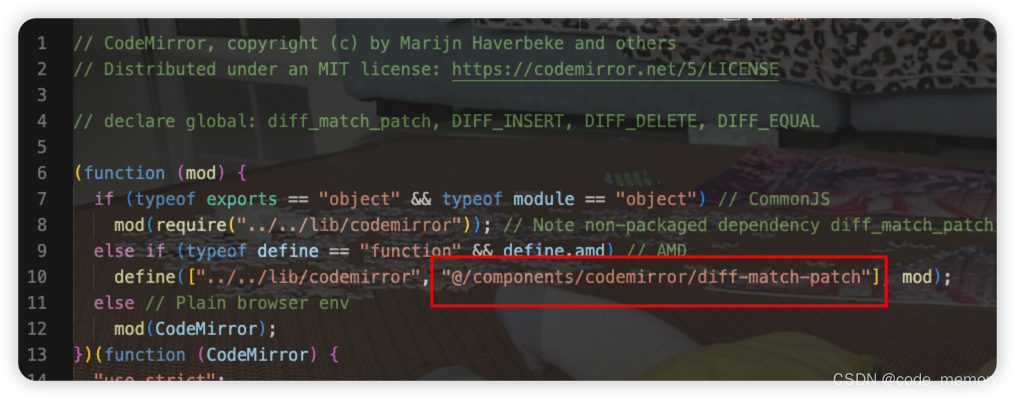
然后修改merge.js里的 diff-match-patch引入路径
4、在需要对比的页面引入
import CodeMirror from "@/components/codemirror/codemirror/lib/codemirror";
import "@/components/codemirror/codemirror/lib/codemirror.css";
import "@/components/codemirror/codemirror/addon/merge/merge.js";
import "@/components/codemirror/codemirror/addon/merge/merge.css";
import DiffMatchPatch from "@/components/codemirror/diff-match-patch/index";
window.diff_match_patch = DiffMatchPatch;
window.DIFF_DELETE = -1;
window.DIFF_INSERT = 1;
window.DIFF_EQUAL = 0;
创建一个div显示对比内容
<div id="view"></div>对比方法:
initUI() {
      let data1 = `Young people are excited, young people are strong,
      young people work hard, and young people hope.
      In another Youth Day approaching, bless you`;
      let data2 = `Young people are excited, young people are strong,
      young people work hard, and young people hope.
      work hard, and young people hope
      In another Youth Day approaching, bless you111`;
      let target = document.getElementById("view");
      target.innerHTML = "";
      CodeMirror.MergeView(target, {
        value: data1, //上次内容
        origLeft: null,
        orig: data2, //本次内容
        mode: "text/html",
        highlightDifferences: true,
        lineNumbers: true,
        connect: "align",
        readOnly: true, //只读 不可修改
      });
    },
由于我的对比是放在el-dialog中,如果在mounted中直接调用对比方法,document.getElementById方法无法获取到dom,所以我这里mounted中在nextTick里调用initUI方法
this.$nextTick(() => {
        this.initUI();
      });
效果:

 GitHub 加速计划 / vu / vue
 109
109
 18
下载
18
下载

AtomGit 是由开放原子开源基金会联合 CSDN 等生态伙伴共同推出的新一代开源与人工智能协作平台。平台坚持“开放、中立、公益”的理念,把代码托管、模型共享、数据集托管、智能体开发体验和算力服务整合在一起,为开发者提供从开发、训练到部署的一站式体验。
更多推荐
 0
0 0
0- 0


 已为社区贡献1条内容

所有评论(0)