vue2中自定义组件的v-model和v-model.sync的写法,以及vue3中自定义组件v-model的写法
vue
vuejs/vue: 是一个用于构建用户界面的 JavaScript 框架,具有简洁的语法和丰富的组件库,可以用于开发单页面应用程序和多页面应用程序。
项目地址:https://gitcode.com/gh_mirrors/vu/vue
 免费下载资源
·
v-model可以在自定义组件上用于双向数据绑定,
举例说明,父组件传递给子组件一个值,在子组件中,当这个值修改之后,父组件也会修改,
此时可以通过简单的通信方式做到,可以在父组件中,使用v-bind或者:把这个值给子组件,子组件中,使用props接收,在子组件中修改这个值时,使用this.$emit把这个值发送出去,在父组件上接收,当子组件修改的时候父组件也会变化,这样也可以实现双向绑定。但是这种方式很麻烦,vue有v-model这种简单的实现凡事·方式。
vue2自定义组件v-model
vue2可以在子组件上使用v-model,实现双向绑定
父组件的写法
<template>
  <div>
    这是一个父组件
    {{fatherTitle}}
    <hr>
<!-- 这里以前是 :fatherTitle="fatherTitle"-->
    <son v-model="fatherTitle" />
  </div>
</template>

<script>
import son from './son'
export default {
    name:"fatherComp",
    components:{
        son
    },
    data(){
        return{
            fatherTitle:"这是父组件的"
        }
    },
    methods:{
    }
}
</script>
子组件的写法
<template>
  <div>
    这是一个子组件
    <h1>fatherTitle:{{fatherTitle}}</h1>
    <button @click="$emit('baidengshitufu','七十二变')">点我</button>
  </div>
</template>

<script>
export default {
  name:"sonComp",
  // 这里使用model接收,props也写一个接收,不用在写this.$emit,父组件也不用在接收
  model:{
    prop:'fatherTitle',
    event:'baidengshitufu' //这里名称随意,和上面的emit保持一致即可
  },
  props:["fatherTitle"]
}
</script>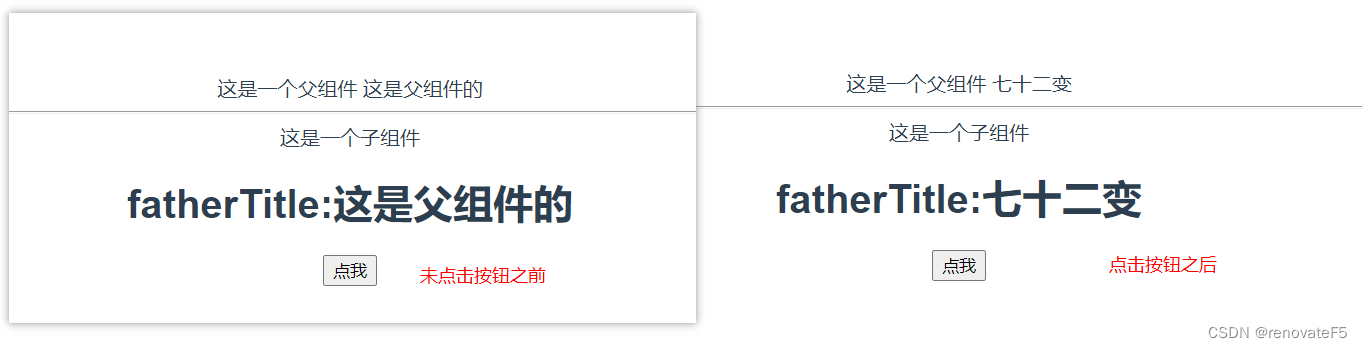
这种写法,在父组件内部写很少的代码,子组件内部代码也很少,缺点只能传递一个
vue2自定义组件.sync
父组件
<template>
  <div>
    {{fatherTitle}}----{{fatherAge}}
    <hr>
    <son
    :fatherTitle.sync="fatherTitle"
    :fatherAge.sync="fatherAge"
    />
  </div>
</template>

<script>
import son from './son'
export default {
    name:"fatherComp",
    components:{son},
    data(){
        return{
            fatherTitle:"这是父组件的",
            fatherAge:120,
        }
    },
}
</script>
子组件
<template>
  <div>
    这是一个子组件
    <h1>fatherTitle:{{fatherTitle}}</h1>
    <h1>fatherAge:{{fatherAge}}</h1>
    <button @click="$emit('update:fatherTitle','七十二变')">点我</button>
    <button @click="$emit('update:fatherAge',150)">点我</button>
  </div>
</template>

<script>
export default {
    name:"sonComp",
    props:["fatherTitle","fatherAge"]
}
</script>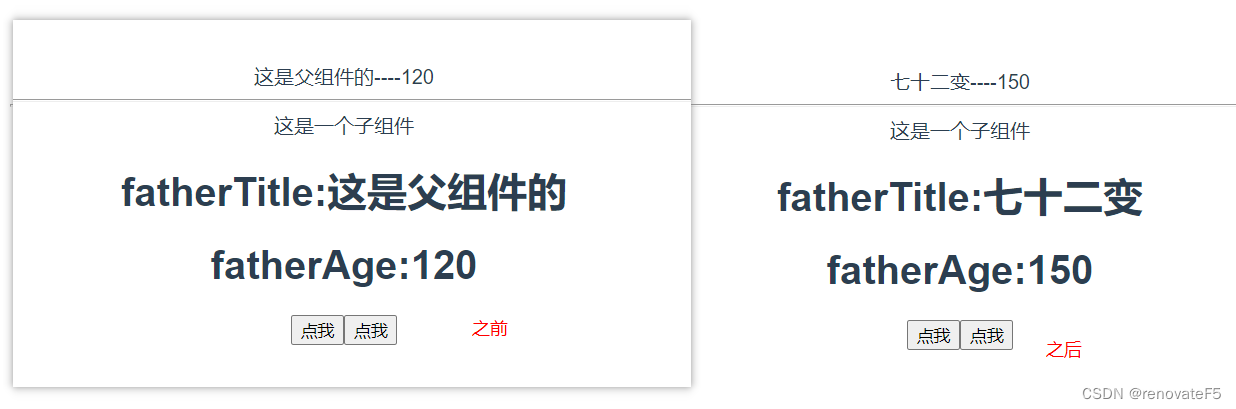
这种方式可以传递多个参数
甚至可以拓展一下,当子组件把数据改了之后父组件需要做出反应,可以在子组件上写方法
比如这里的updataFatherAge,或者使用监听
<template>
  <div>
    {{fatherTitle}}----{{fatherAge}}
    <hr>
    <son
    :fatherTitle.sync="fatherTitle"
    :fatherAge.sync="fatherAge"
    @update:fatherAge = "updataFatherAge"
    />
  </div>
</template>
vue3的自定义组件v-model
vue3是将.sync的功能放到了v-model,用法和vue2的.sync类似
父组件
<template>
  <div>这里是父组件</div>
  {{fatherTitle}}
  <hr>
  <Son
    v-model:fatherTitle= "fatherTitle"
    @update:fatherTitle="unpdateFatherTitle"
  />
</template>

<script>
import Son from './Son.vue'
import { ref } from 'vue'
export default {
  components:{Son},
  setup(){
    const fatherTitle = ref("这是父组件")
    const unpdateFatherTitle = (e)=>{
      console.log(e);//七十二变
    }
    return{
      fatherTitle,unpdateFatherTitle
    }
  }
}
</script>
子组件
<template>
  <div>
   这里是子组件
  <p>{{fatherTitle}}</p>
  <button @click="$emit('update:fatherTitle','七十二变')">点我</button>
  </div>
</template>

<script>
export default {
  name:"Son",
  props:["fatherTitle"],
}
</script>
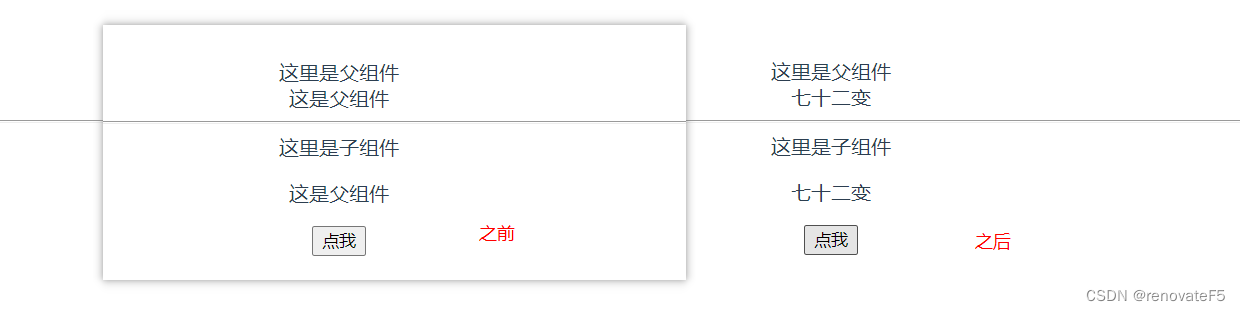
如果不需要在数据变化时父组件做反应,unpdateFatherTitle 可以不写
更多链接,可以去看看这个
 GitHub 加速计划 / vu / vue
 109
109
 18
下载
18
下载
vuejs/vue: 是一个用于构建用户界面的 JavaScript 框架,具有简洁的语法和丰富的组件库,可以用于开发单页面应用程序和多页面应用程序。
最近提交(Master分支:3 个月前 )
9e887079
[skip ci] 1 年前
73486cb5
* chore: fix link broken
Signed-off-by: snoppy <michaleli@foxmail.com>
* Update packages/template-compiler/README.md [skip ci]
---------
Signed-off-by: snoppy <michaleli@foxmail.com>
Co-authored-by: Eduardo San Martin Morote <posva@users.noreply.github.com> 1 年前

AtomGit 是由开放原子开源基金会联合 CSDN 等生态伙伴共同推出的新一代开源与人工智能协作平台。平台坚持“开放、中立、公益”的理念,把代码托管、模型共享、数据集托管、智能体开发体验和算力服务整合在一起,为开发者提供从开发、训练到部署的一站式体验。
更多推荐


 3
3 0
0- 0


 已为社区贡献2条内容

所有评论(0)